old school

The Week-Long Discussion
Cover of the book "Head First C#"Andrew Stellman, co-author of O’Reilly’s excellent and easy-to-read C# intro, Head First C#, is holding a week-long “Inner Circle” discussion on C# and .NET 4.0 in the forums for O’Reilly’s “Head First” book series. In this discussion, he plans to cover a wide range of topics, including:

  • Why use C# instead of any other language?
  • C# best practices
  • Becoming a better C# developer
  • Dealing with objects
  • Productivity hints
  • The best of C#

If you want to follow the discussion, simply point your browser at the Head First Labs Forums’ “Head First C#” section and look for topics started by Andrew Stellman. You don’t have to log in to just read, but you’ll have to register for the forum if you want to join in the discussion and comment back.

The Challenge
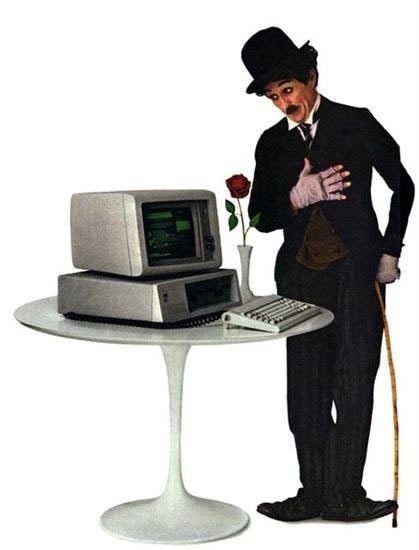
Charlie Chaplin and the original IBM PC

In his first discussion topic, Andrew issues a challenge: build an old-school, text-mode game in C#! In the 1980s, the computing world was seen through the command line in an 80-character by 24-line grid (40 characters if you were on an Apple ][, Commodore 64 or Atari 400/800, even fewer if you were on a VIC-20), and that’s how we played a lot of games, whether they were commercial or typed in from source code in magazine or books like the ones scanned into the Atari Archives.

If you’ve never written a text-mode game before (or in my case, if it’s been a long, long time), he’s written an article to help out — Understanding C#: Use System.Console to Build Text-Mode Games.

Your efforts in building an old-school text-mode game will not go unrewarded. Submit a text-mode game and you can win a prize! He’ll judge them on the following criteria:

  • Game play
  • Fun
  • Technical coolness
  • General awesomeness
  • “Retro nostalgia” for extra point

The winner will receive five O’Reilly eBooks of his or her choice. He’ll also choose runners-up who will get a free O’Reilly eBook.

If you’re looking for ideas for an old-school text-mode game, check out these books at Atari Archives, with source code written in old-school line-numbered BASIC. Some of these take me back to my high school days:

Video Q&A: Stellman on C#

As a prelude to the discussion, Andrew recorded videos of his answers to questions about the C# programming language and the second edition of Head First C#

Why should developers learn C#?

What kind of applications can you build with C#?

How hard is C# to pick up?

What’s the toughest thing to learn in C#?

What’s new in the second edition of Head First C#?

This article also appears in Canadian Developer Connection.

{ 0 comments }

Flamewars, 1839 Style

by Joey deVilla on March 23, 2010

I’ve heard a lot of people say that the need to have arguments in public and win popular support is an unintended consequence of social networking services. I think that things like Twitter and Facebook make it easier and that they vastly expand the reach of an argument, but that we’ve had that urge to have flamewars long before the internet.

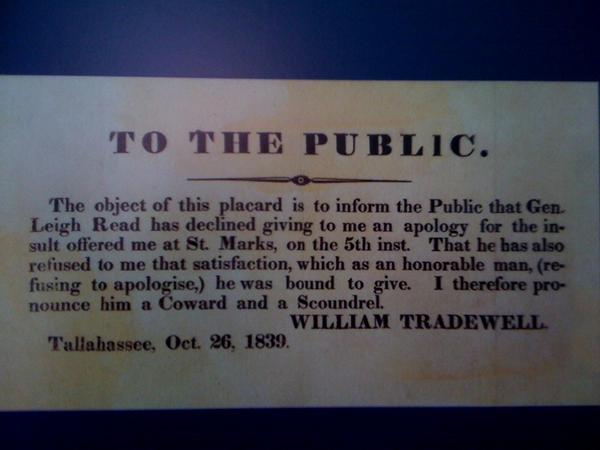
Here’s a data point for my thesis: a placard from 1839 that wouldn’t seem out of place on any online debate, aside from the dated language.

"TO THE PUBLIC: The object of this placard is to inform the Public that Gen. Leigh Read has declined giving me an apology for the insult offered me at St. Mark, on the 5th inst. That he has also refused to me that satisfaction, which as an honorable man, (refusing to apologise,) he was bound to give. I therefore pronounce him a Coward and a Scoundrel. -- WILLIAM TRADEWELL, Tallahassee, Oct. 26, 1839."

This article also appears in The Adventures of Accordion Guy in the 21st Century.

{ 3 comments }

Multitasking in the “Mad Men” Era

by Joey deVilla on January 15, 2010

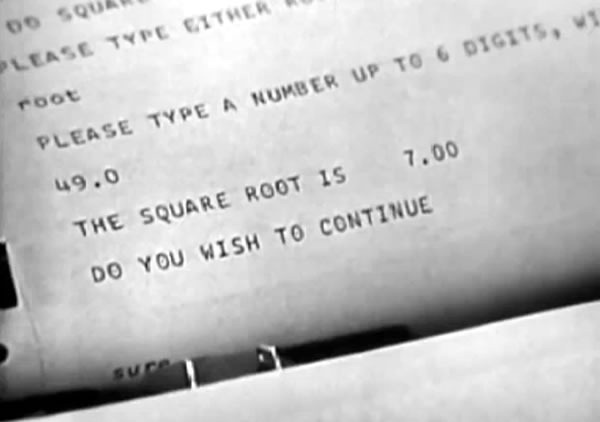
square root

Here’s a great video from 1963 featuring the great-granddad of today’s web servers and cloud computing systems. It was just posted by Boston’s Computer History Museum titled Solution to Computer Bottlenecks. Filmed in May of that year, it features MIT Science Reporter John Fitch – who has a classic 1960’s announcer’s voice – interviewing MIT computer scientist Fernando J. Corbato, the guy behind Corbato’s Law (“The number of lines of code a programmer can write in a fixed period of time is the same independent of the language used”).

The subject of the film is the then-new approach of timesharing, which Corbato describes as “connecting a large number of consoles to a central computer”, which made the great (and very necessary – it even gets mentioned in Malcolm Gladwell’s book, Outliers) leap from batch to interactive processing possible. Here’s the video; enjoy all the retro-tech goodness:

This may have been really deep nerd stuff back in 1963, but today, it the sort of thing that you might see covered in a grade school class. Even if you’re not a programmer or IT pro, I think you’ll find it entertaining.

Some Gems from the Video

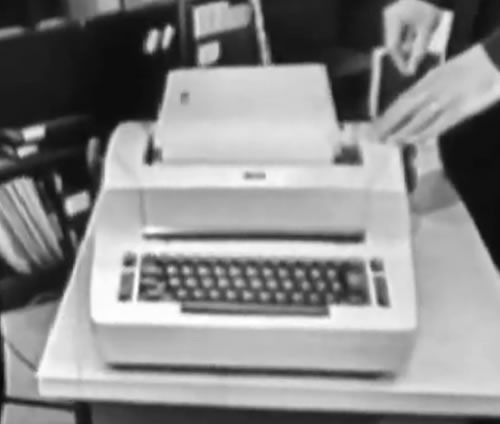
A computer terminal in one’s office isn’t unusual in this day and age, but back in 1963, such a thing must’ve been incredibly super-1337. Here’s the console in Corbato’s office, which he introduces by saying “Here’s one of the consoles we might be using in the future.” Even to the reporter of that era, it looked like an ordinary IBM Selectric typewriter:

1963 future console

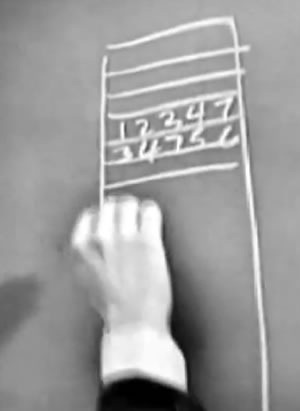
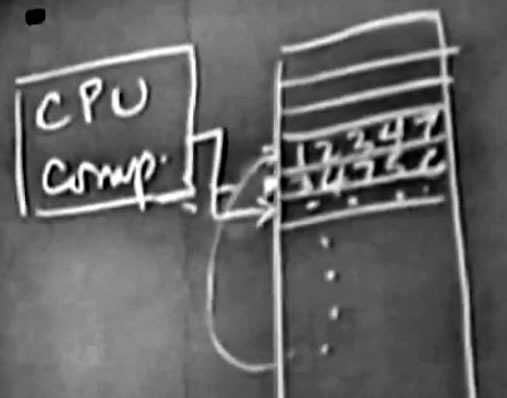
The general principles of digital computers haven’t changed much since those days. Corbato describes memory as “a bunch of pigeonholes” that store numbers, some of which function as data, some of which function as instructions.

memory pigeonholes

The concept of a CPU, the program counter stepping through memory and looping already existed in 1963:

cpu program counter

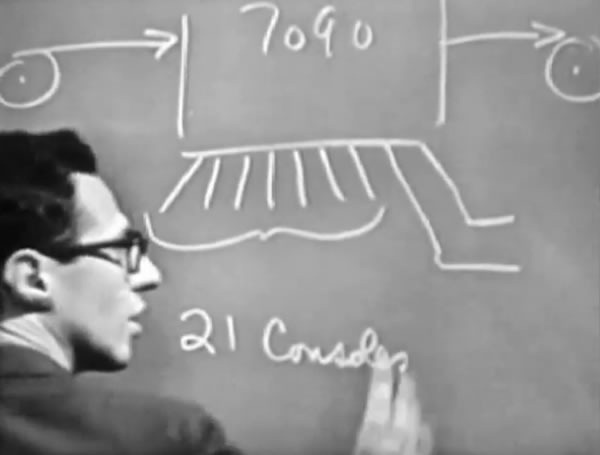
He describes the new setup “a set parallel consoles which are not all near the computer in fact, most of them are remote…and let the users use these with a reaction time of a few seconds instead of a few hours.”

7090

He says that eventually they’d like to switch from “typewriter” consoles to "graphic displays”, but at the time there were still some kinks to be worked out.

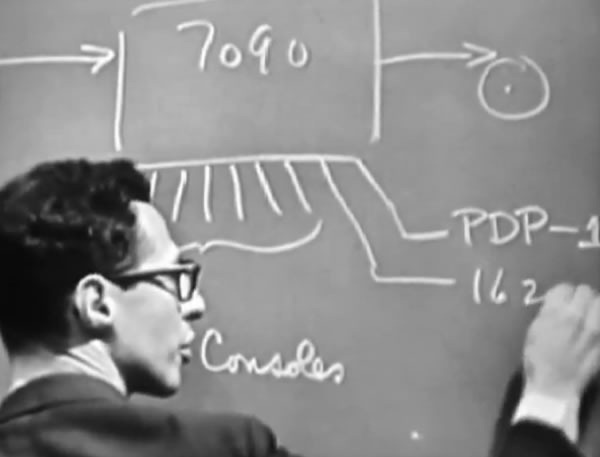
One of the “elaborate advanced ideas” that he hints at but says is beyond the topic of the film is going beyond hooking up dumb terminals to the mainframe and attaching smaller computers to it as well, such as the DEC PDP-1 and 1620:

advanced elaborate ideas

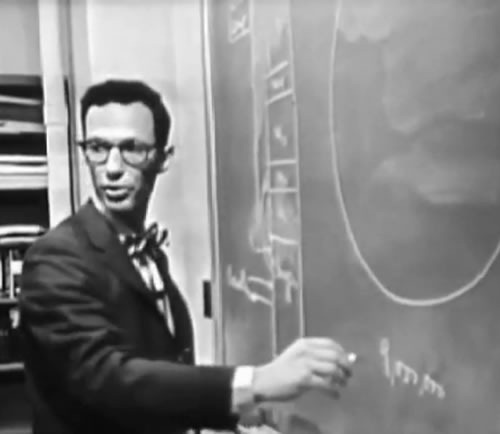
When discussing the hard disk and its capacity (9 million words), Corbato has to explain to Fitch that it isn’t a big whirling disk on which you store tape, but a platter coated with a magnetic material like tape. This is old hat to us in the 21st century, but at the time, disks weren’t household items:

hard disk

At the time, disks had been around for about a year. Corbato confesses that there are still some problems with them: they “haven’t figured out how to keep things from getting mixed up”.

And on it goes with ideas that are still in use today: programming languages (“a particular synthetic language which is largely technical, and which is to some extent algebra too”), the organization of different programs in memory at the same time, multitasking with a scheduler that determines which program gets the processor’s attention at the moment, file loading and management by the operating system, the concepts of “brute-force solutions”, context switching (which they can “keep down to 10%”), input validation and even the phrase “it’s a feature”.

The line of Corbato’s that I love most is his prescient statement about usability and demand: “We’ve really made the computer extremely easy to use here. And so it’s very clear that in the long run, we’re going to increase in the need for computer time by a large amount.”

This video is all sorts of old-school awesome. If you’ve got nothing to do on your lunch break, check it out!

This article also appears in The Adventures of Accordion Guy in the 21st Century.

{ 4 comments }

Portable Computing in the “Mad Men” Era

by Joey deVilla on October 20, 2009

Are there any computers available today that come in that particular shade of blue, with matching chair?

1960s computerClick the photo to see it at full size. Photo courtesy of retrofuture.
This article also appears in The Adventures of Accordion Guy in the 21st Century.

{ 2 comments }

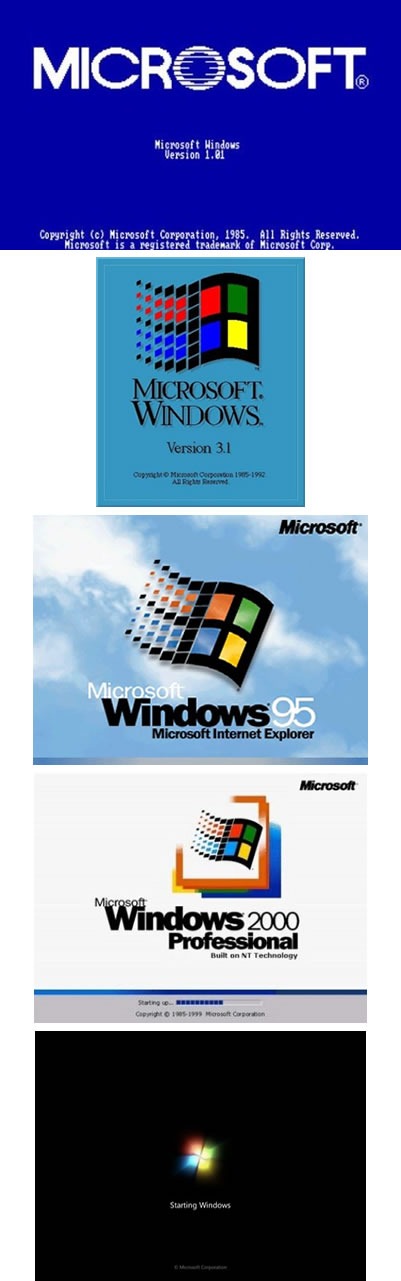
24 Years of Windows Packaging and Boot Screens

by Joey deVilla on October 17, 2009

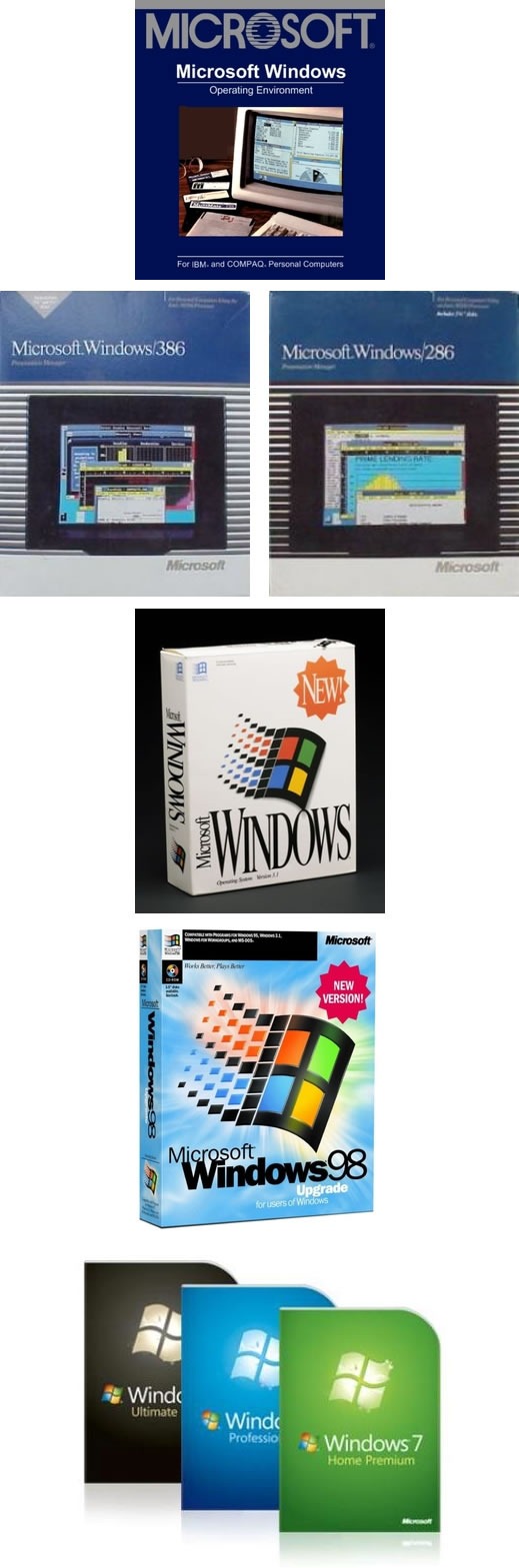
TechRadar UK is publishing a series of “Windows 7 Week” articles, some of which take a look back at the history of Windows. One of the articles presents a timeline of Windows packaging, from version 1.0 to 7:

windows_packaging

…and another is a chronology of Windows’ boot screens:

windows_boot_screens

This article also appears in Canadian Developer Connection.

{ 0 comments }

Photoshoppery of the Day

by Joey deVilla on September 19, 2009

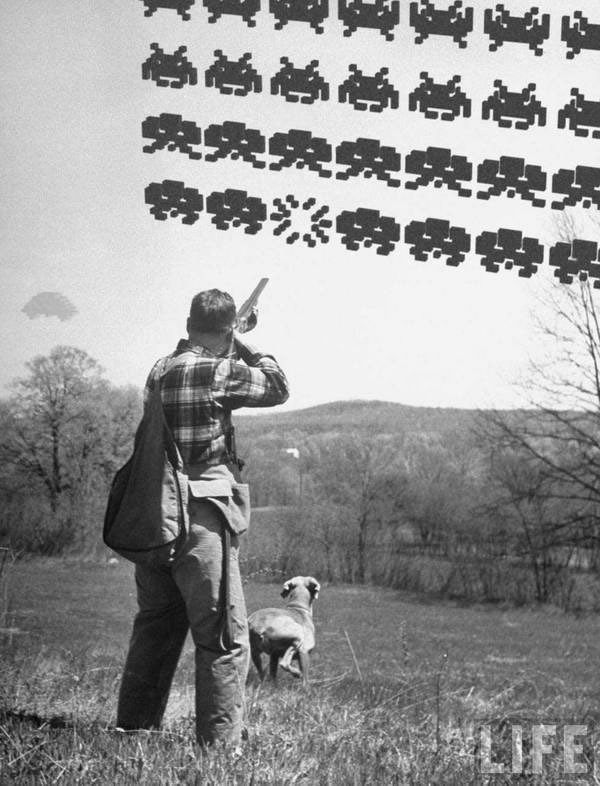
I was 10 years old when Space Invaders came out, so this photo brings back happy memories:

space_invadersClick the photo to see it on its original page.

{ 0 comments }

Goin’ Retro!

by Joey deVilla on August 14, 2009

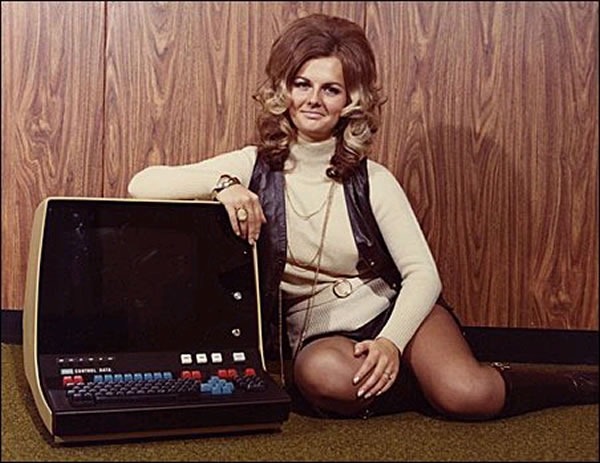
go-go_boots_multicoloured_keyboards

Two things we need to bring back into style: go-go boots and multi-coloured keyboards.

{ 1 comment }

Old IBM Ad: “150 Extra Engineers!”

by Joey deVilla on August 10, 2009

Alternate titles for this ad: 150 Receding Hairlines! 150 Giant Foreheads!

IBM "Electronic Calculator" ad: "150 Extra Engineers" Click the ad to see it at full size.

Here’s the text of the ad:

150 Extra Engineers

An IBM Electronic Calculator speeds through thousands of intricate computations so quickly that on many complex problems it’s like having 150 EXTRA Engineers.

No longer must valuable engineering personnel…now in critical shortage…spend priceless creative time at routine repetitive figuring.

Thousands of IBM Electronic Business Machines…vital to our nation’s defense…are at work for science, industry and the armed forces, in laboratories, factories and offices, helping to meet urgent demands for greater production.

{ 5 comments }

16 Megabytes, Yo!

by Joey deVilla on June 19, 2009

Late '60s/early '70s photo of man in "clean suit" pushing a giant hard drive on a cart in a computer room.Photo courtesy of “SirMildredPierce”.
Click the photo to see it at full size.

I’m sure that this beast of a hard drive is now dwarfed by the USB keys that they give away as swag at tech conferences.

{ 3 comments }

Old Apple ][ ad featuring Ben Franklin: "What Kind of Man Owns His Own Computer?"Click the ad to see it at full size.

From roughly the same time as the Honeywell “What the Heck is Electronic Mail?” advertisement I showed you earlier, comes this Apple ad for the original Apple ][ computer. You have to remember that this was a time when most people didn’t have a computer at their desk; in fact, if an office had a computer, it had just one. And the desktop computers of that era had far less processor power (they typically has 1 MHz 8-bit chips like the Z80 or 6502) and RAM (maximum address space was 64K; machines typically maxed out at 48K RAM) than even the cheapest of today’s mobile phones. And yes, that’s a standard TV set being used as a monitor – its highest resolution was 280 by 192 pixels.

The tricky part about creating such an ad is trying to convince people of that era that they needed a computer. Remember, in those days computers were relegated to their own rooms, the fax machine was still new, mobile phones were toys for the rich and were carried in their own briefcases and when office and even legal documents were typed or written out in longhand. I’ve been trying to think of a present-day analogue for a late 1970s/early 1980s computer ad, but I’m drawing a blank.

Here’s the text of the ad:

What kind of man owns his own computer?

Rather revolutionary, the whole idea of owning your own computer? Not if you’re a diplomat, printer, scientist, inventor…or a kite designer, too. Today there’s Apple Computer. It’s designed to be a personal computer. To uncomplicate your life. And make you more effective.

It’s a wise man who owns an Apple.

If your time means money, Apple can help you make more of it. In an age of specialists, the most successful specialists stay away from uncreative drudgery. That’s where Apple comes in.

Apple is a real computer, right to the core. So just like big computers, it manages data, crunches numbers and prints reports. You concentrate on what you do best. And let Apple do the rest. Apple makes that easy with three programming languages – including Pascal – that let you be your own software expert.

Apple, the computer worth not waiting for

Time waiting for access to your company’s big mainframe is time wasted. What you need in your department – on yourdesk – is a computer that answers only to you…Apple Computer. It’s less expensive than timesharing. More dependable than distributed processing. Far more flexible than centralized EDP. And, at less than $2500 (as shown), downright affordable.

Visit your local computer store

You can join the personal computer revolution by visiting the Apple dealer in your neighborhood. We’ll give you his name when you call our toll-free number…

{ 5 comments }

“What the Heck is Electronic Mail?”

by Joey deVilla on April 22, 2009

Here’s an old magazine ad by Honeywell for what was a newfangled thing for most people in the 1980s — electronic mail:

homeywell_electronic_mail_adMissing from the desk: a computer. Present on the desk: an ashtray.
Click the ad to see it at full size.

Here’s the text of the ad:

Electronic mail is a term that’s been bandied about data processing circles for years.

Simply put, it means high-speed information transportation.

One of the most advanced methods is terminals talking to one another.

Your mailbox is the terminal on the desk. Punch a key and today’s correspondence and messages are displayed instantly.

Need to notify people immediately of a fast-breaking development? Have your message delivered to their terminal mailboxes electronically, across the hall or around the world.

Electronic Mail is document distribution that’s more timely, accurate and flexible than traditional methods.

There’s no mountain of paperwork.

Administrative personnel are more effective.

Managers have access to more up-to-date information. Decision-making is easier.

Tomorrow’s automated office will clearly include Electronic Mail. But like the rest of the Office of the Future, it’s available at Honeywell today.

{ 4 comments }

Update

I’m giving the machine to HacklabTO, who were the first to contact me about it. Congrats, guys!


Symbolics XL1200 Lisp MachineIt’s been sitting in my basement long enough, and it’s time that it found a good home. By “it”, I’m referring to my deadbeat ex-housemate’s Symbolics XL1200 Lisp Machine (pictured on the right), a big hulking piece of computer industry history. If you want it and can either pick it up from me (I’m in the High Park area of Accordion City) or can make arrangements to have it shipped to you, it’s yours, FREE. And yes, by free, I mean “free as in beer”. Zero dollars. Gratis.

The full story of how I came to possess this machine is written up in a blog entry of mine from January 2007. As stated in that story, the machine, when last turned on, displayed the message “Hardware Error” and wouldn’t boot any further. As I wrote nearly two years ago:

The fact that it displays a diagnostic message suggests that all is not lost; if someone were willing to go over its numerous circuit boards with a logic probe, he or she may be able to diagnose and fix the problem. Alternately, someone out there who already owns an XL1200 could use it as a source for replacement parts.

It sat safely in a closet in my old house for three years and it’s been sitting in the storage locker of my condo for the past 18 months. It is in good condition, and aside from being put into the storage locker when I moved to the condo, it hasn’t been touched.

If you’re a hardware hacker, computer historian or just really, really, really like the Lisp programming language and want serious Lisp bragging rights, this machine can be yours for free if you can take it off my hands. Interested parties should contact me at joey@globalnerdy.com.

Links

{ 1 comment }

Multi-Processor Computing in 1924

by Joey deVilla on September 11, 2008

My friend Miss Fipi Lele, who provides me with a lot of pictures for my blogs, pointed me to this photo on Shorpy, “The 100-Year-Old Photo Blog”. It depicts “multi-processor computing”, circa 1924:

Old-school computing room (preview size)
Click the photo to see it on its original site, Shorpy, at full size.

The caption for the photo at Shorpy is:

November 24, 1924. Washington, D.C. “Bonus Bureau, Computing Division. Many clerks figure the amount of the bonus each veteran is entitled to.”

Before the age of electronic computers, the term computer referred to someone whose profession was performing mathematical calculations by hand.

Here’s what Wikipedia has to say about the profession’s origins (see the entry Human Computer):

The approach was taken for astronomical and other complex calculations. Perhaps the first example of organized human computing was by the Frenchman Alexis Claude Clairaut (1713–1765), when he divided the computation to determine timing of the return of Halley’s Comet with two colleagues, Joseph-Jérôme Le Lepart and Nicole-Reine Étable. For some men being a computer was a temporary position until they moved on to greater advancements. For women the occupation was generally closed, but this changed in the late nineteenth century with Edward Charles Pickering. His group was at times termed “Pickering’s Harem.” Many of the women astronomers from this era are computers with possibly the best known being Henrietta Swan Leavitt. Florence Cushman was one of the Harvard University computers from 1888 onward. Among her best known works for him was A Catalogue of 16,300 Stars Observed with the 12-inch Meridian Photometer. She also worked with Annie Jump Cannon. That said as a female computer she normally earned half of what a male counterpart would.

The Indian mathematician Radhanath Sikdar was employed as a “computer” for the Great Trigonometric Survey of India in 1840. It was he who first identified and calculated the height of the world’s highest mountain, later called Mount Everest.

{ 0 comments }

Mike Rohde’s SxSW Notes

by Joey deVilla on March 15, 2008

Mike Rohdes’ moleskine notebook from SxSW

At the recent South by Southwest Interactive conference, most of the note-takers, myself included, took notes at the sessions using their laptops. One notable exception was designer Mike Rohde, who took notes the old-fashioned way: with pen and paper, or more specifically, pen and Moleskine notebook.

Intro pages from Mike Rohdes’ SxSW notes
Image by Mike Rohde.
Click the photo to see it on its Flickr page.

These aren’t your garden-variety lecture notes, but what he calls “sketchnotes”. Rather than being mere points taken down during the presentation, they include elements of layout, graphic design and whimsical illustration. “While sketchnotes capture concentrated concepts for each session well,” Rohdes writes, “I think they’re even better at awakening ideas stored in the minds of session attendees.”

Between the Panels pages from Mike Rohdes’ SxSW notes
Image by Mike Rohde.
Click the photo to see it on its Flickr page.

Mike scanned the sketchnotes he took and put them up in this Flickr photoset. You can also read his blog entry about the sketchnotes here.

PostSecret pages from Mike Rohdes’ SxSW notes
Image by Mike Rohde.
Click the photo to see it on its Flickr page.

This isn’t his first set of sketchnotes — he also took some at the SEED conference in January and posted them in this Flickr set.

[Found via SxSW Baby!]

{ 1 comment }