Categories
Good Causes Programming What I’m Up To

Retake the Lake: A Chrome browser plug-in that corrects “Lake America” to “Lake Ontario”

I opened Google Maps on Sunday and scrolled northward to the old hometown of Toronto to see if the news reports were actually true. Unfortunately, it was. The big blue blob between Toronto and Rochester was incorrectly labelled Lake America.

Randy Jackson saying “That’s gonna be a NO from me, dawg.”

The U.S. changed the name in its own GNIS database in August following an executive order from the most petty of presidents. Google, which ties place names to each country’s official source, dutifully (and boot-licking-ly) started showing the new one to users with US IP addresses. If you’re in Canada and you view Lake Ontario in Google Maps, you’ll still see its proper name. Everyone outside the US sees both.

I’m in Tampa, which is in Florida (“the America of America”), so I got the new, incorrect name.

So I did what any reasonable person with VS Code, programming skills and a history of hacktivism would do. I wrote a Chrome extension.

It’s called Retake the Lake, it’s on GitHub, and building it turned out to be a much better story than I’d expected. There’s a genuinely interesting programming wall smack-dab in the middle of it.

What Retake the Lake does

Retake the Lake corrects “Lake America” to the proper “Lake Ontario” on Chrome desktop browsers. Unfortunately, the mobile versions of Chrome don’t support extensions.

  1. On regular web pages, it rewrites “Lake America” back to the proper, correct, and non-idiotic “Lake Ontario.”
  2. On Google Maps, it floats a clickable badge over the lake with a short explanation of where the real name comes from.

Get Retake the Lake!

Retake the Lake is now available in the Chromw Web Store, and I made this easy-to-remember shortcut for it:

globalnerdy.com/retakethelake

Technical notes

Part one: Replacing text is easy, right?

In theory, it is: You traverse the DOM, find text nodes, run a regex, and Bob’s your uncle. I’ve written this a hundred times, and if you’re a reader of this blog, you probably have too.

But it didn’t work on Google Maps’ search results, and I remembered why this is never as easy as it looks. Maps bolds your query inside the suggestion, so the markup is:

Lake <b>America</b>

In the example above, there’s no text node containing “Lake America.” There’s a node containing Lake and a different node inside a <b> containing America. A per-node replacer will completely miss it.

The fix is to stop thinking in nodes and start thinking in runs. Gather up adjacent text nodes that share a block-level ancestor, glue them into one string, run the match on that, then redistribute the result back across the original nodes. The end result is that the whole replacement lands in the first node the match touches, and the later ones give up their share.

The “block-level ancestor” part is key. Without it you’d happily join these two paragraphs:

<p>Visit the Lake</p>
<p>America is big</p>

…and produce something nobody asked for.

A bonus bug I nearly shipped

Early on, my rules were a list, applied in order:

["Lake America", "Lake Ontario"]
["Lake Ontario", "Lake Joey"] // don't ask

Run those sequentially on the same string and watch what happens: “Lake America” becomes “Lake Ontario” which the next rule immediately turns into “Lake Joey” (my original plan was to do the Trump thing and simply rename the lake after me). The rename cascades straight through the thing you were renaming it to.

The fix is to compile every rule into a single alternation regex and do exactly one pass, so each matched span is consumed once and never re-examined. Order stops mattering. It’s the kind of bug that’s obvious in hindsight and invisible while you’re in the zone.

Part two: The wall

And now, Google Maps.

You cannot change the label on the map. Not with this extension, not with any extension, not with a clever hack you’re about to suggest in the comments.

Google renders the basemap with WebGL vector tiles. That label’s not text. It’s also not isn’t a DOM node, nor is it alt attribute, and it isn’t a 2D canvas fillText() call you could monkey-patch. It’s glyph geometry uploaded to your GPU and painted as textured quads. By the time it reaches your eyeballs it has exactly as much “text” in it as the water underneath it; in other words: none. It’s all pixels.

Forcing raster tiles doesn’t work, either. Those are server-rendered PNGs with the label already baked in.

So updating the map label isn’t an option. That left me with everything around the map label: the sidebar heading, search results, autocomplete, the browser tab title, and aria-label text on the controls. Those are all DOM, and the rewriter fixes all of them.

This takes me to the badge.

How do you draw on a map you can’t read?

Without the ability to edit Lake Ontario’s label, I went for the next-best thing: putting something next to it. That brings about this fun question: How do you position an overlay on a map you can’t query?

You can’t ask Maps where the lake is. There’s no DOM to inspect and no API surface pointed at the renderer.

Fortunately, Google puts the answer in the URL:

/maps/@43.70,-77.90,8z

The first number after /maps/@ is the latitude of the centre of Lake Ontario. The number after that is the longtiude of that cenre. And finally, the last number, which is immediately followed with a z is the zoom level. Center latitude, center longitude, zoom. That’s everything you need, because Web Mercator is just simple math:

const world = 256 * Math.pow(2, zoom);
x = world * (lng + 180) / 360;
y = world * (0.5 - Math.log(Math.tan(Math.PI/4 + lat/2)) / (2*Math.PI));

Project the lake’s center, project the view’s center, subtract, and add the difference to the middle of the viewport, and that’s where the badge goes.

Project the lake’s bounding box the same way and you also know whether it’s on screen at all, so the badge only appears when there’s actually a Lake Ontario to point at. The badge also clamps to the visible edge when you’re zoomed into one end.

Reality rears its ugly head in two places, and both became features:

  1. Maps only rewrites the URL after a gesture settles. So during a drag or zoom, my position data is stale and the badge would slide across the water a beat behind your cursor. The solution was to hide the badhe during the drag. It reappears  about 350ms after the user stops fiddling with the map.
  2. Tilted and satellite views break the math. Those URLs carry a camera altitude (,1500m) or a tilt angle (,45t) instead of a plain zoom, and flat Mercator no longer describes what’s onscreen. The badge refuses to draw. It’s better to show nothing that to confidently point at the wrong lake.

The same trick, incidentally, works for anything geographic. Point the config at different coordinates and the badge follows.

The one-character bug that ate an element

Let me leave you with my favorite mistake of the whole build.

While restyling the badge, I edited the opening tag and lost a single >:

<div class="pin" id="pin" role="button"
aria-label="Note about this lake"
<span class="mark">i</span><span>Lake Ontario</span>
</div>

The badge still rendered. But the little white circular i chip vanished, replaced by a naked lowercase letter.

Here’s why, and it’s delightful. Without the closing bracket, the parser never leaves the tag. It keeps reading attributes — and <span is a perfectly acceptable attribute name as far as the HTML parser is concerned. So is class="mark". The tag finally closes on the > that was supposed to end the span’s opening tag. The span is eaten into the div’s attribute list and never becomes an element at all, so the CSS rule styling it matches nothing.

Inspect the element and you can see the crime scene: a stray <span sitting in the attribute list like it belongs there.

HTML’s error recovery is so determined to give you something that it will quietly digest an entire element rather than admit you made a typo.

Get the source code

Do you want to see the source code for Retake the Lake? It’s on Github at github.com/AccordionGuy/retake-the-lake. It’s MIT licensed.

Pull requests are welcome, especially if you’d like to add the other four Great Lakes to the config before Orange Julius Caesar gets any more ideas.

And remember…

Categories
Good Causes Tampa Bay

A scavenger hunt for a great cause: Ye Mystic Krewe of the Nautilus’ “Quest for Hope!”

Quest for Hope is an annual challenge held by Ye Mystic Krewe of the Nautilus where teams come up with a theme, put on theme costumes, and try to earn the highest number of points in challenges:

  • Venue Physical Challenges
  • Photo & Video Challenges
  • Trivia & Riddles

Proceeds from the event go to 1Voice Foundation, who support children with cancer and their families by connecting them with emotional and educational CARE while funding research for tomorrow’s CURE. This is Ye Mystic Krewe of the Nautilus’ premier fundraising event!

Ye Mystic Krewe of the Nautilus is a 501c3 organization dedicated to having fun while promoting philanthropy, environmental awareness and conservation of our beautiful Tampa Bay Area.  We do this through participation in the Gasparilla parades and related events, as well as a variety of hands-on activities with our charitable partners.

Want to participate? You can find out more on the Quest for Hope page!
Categories
Current Events Good Causes Tampa Bay

Cyber Ohana Project’s 3rd Annual Luau Gala (Saturday, November 11th)

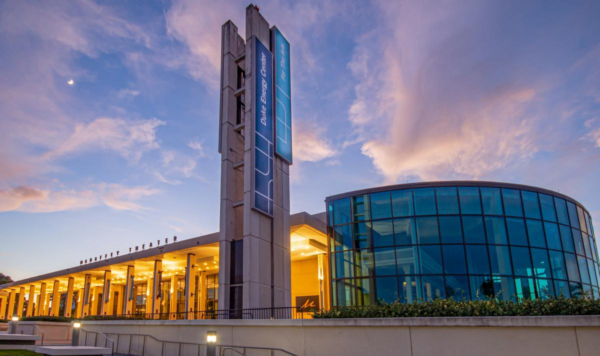
Want to have an elegant evening out, connect with fellow cybersecurity professionals, and support a good cause? Then you’ll want to go to the Cyber Ohana Project’s 3rd Annual Luau Gala, which takes place on Veteran’s Day — Saturday, November 11th — at the Duke Energy Center for the Arts – Mahaffey Theater!

What will happen at the Luau Gala?

The Mahaffey is right by the water in St. Pete, and it’s one of my favorite spots to visit when I’m there. It’s also a great setting for a gala evening out!

Here’s the agenda for the evening:

TimeWhat’s happening
6:00 p.m. – 7:00 p.m.Cocktails (silent auction opens)
7:00 p.m. – 8:00 p.m.Opening remarks and buffet opens
8:00 p.m. – 8:30 p.m.Luau dancers show
8:30 p.m. – 9:30 p.m.Silent auction, DJ, and dancing
9:30 p.m.Silent auction closes
10:00 p.m.Event ends
(but nothing’s stopping you from checking out some of the great places on Beach Avenue!)

Who’s behind the Luau Gala?

The word Ohana roughly translates from Hawaiian as “family,” but it extends beyond blood relations — think of it as meaning a familial bond between people who aren’t necessarily related, but support each other, or “family” in the way it gets used in the Fast and Furious movies (especially the later ones).

https://cyberohanaproject.org/The Cyber Ohana Project is organizing the gala. Founded and run by Wilson Bautista, Jr., its mission is to help military people and their spouses make the transition to civilian life and apply their leadership and technical skills in the cybersecurity field.

You can find out more about the good causes that proceeds from the gala will go to in the Cyber Ohana Project Gala 2023 message video:

Find out more

Once again, the Cyber Ohana Project’s 3rd Annual Luau Gala takes place on the evening of Saturday, November 11th at the Duke Energy Center for the Arts – Mahaffey Theater!

Categories
Current Events Good Causes Meetups Tampa Bay What I’m Up To

Make an impact with only $100 with 100 Techies Who Care!

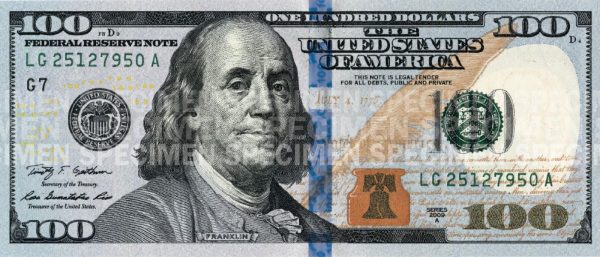
One hundred dollars isn’t a lot of money. But one hundred dollars times one hundred — ten thousand dollars — can “move the needle” for a nonprofit trying to do good work in the community!

That’s the idea behind 100 Techies Who Care. We’re looking for 100 people in Tampa Bay’s industrious and energetic tech community to each commit 100 dollars to these nonprofits:

  1. Black Innovation Leaders of Florida
  2. The Kidpreneur Club
  3. NOMAD Studio

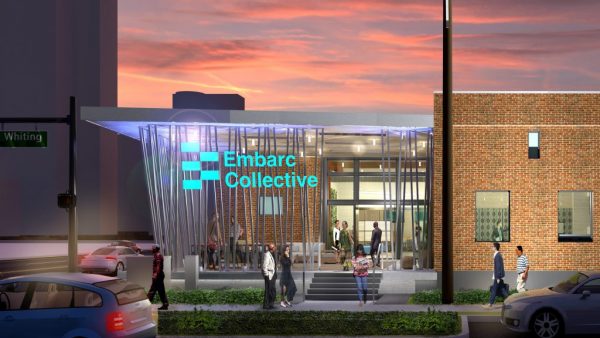
We’ll gather for an event at Embarc Collective on Tuesday, April 18 at 6:00 p.m. The three nonprofits will make a brief presentation, and after some Q&A, members will vote for the organization they want to support. The nonprofit with the most votes will get $5,000, while the other two will get $2,500 each.

Want to find out more and participate? See the 100 Techies Who Care event page on Meetup.com and register!

I will be one of the 100 Techies Who Care. Will you?