As usual, we’ll talk about the week’s tech events and what they’ve been up to recently, and I’ll probably talk about joining NetFoundry and working as a developer advocate promoting OpenZiti and the AI platform that builds on it.
Last week was my first week at NetFoundry, where I’m the Senior Developer Advocate. It was fun, and it was also like drinking from a high-tech, encrypted firehose!
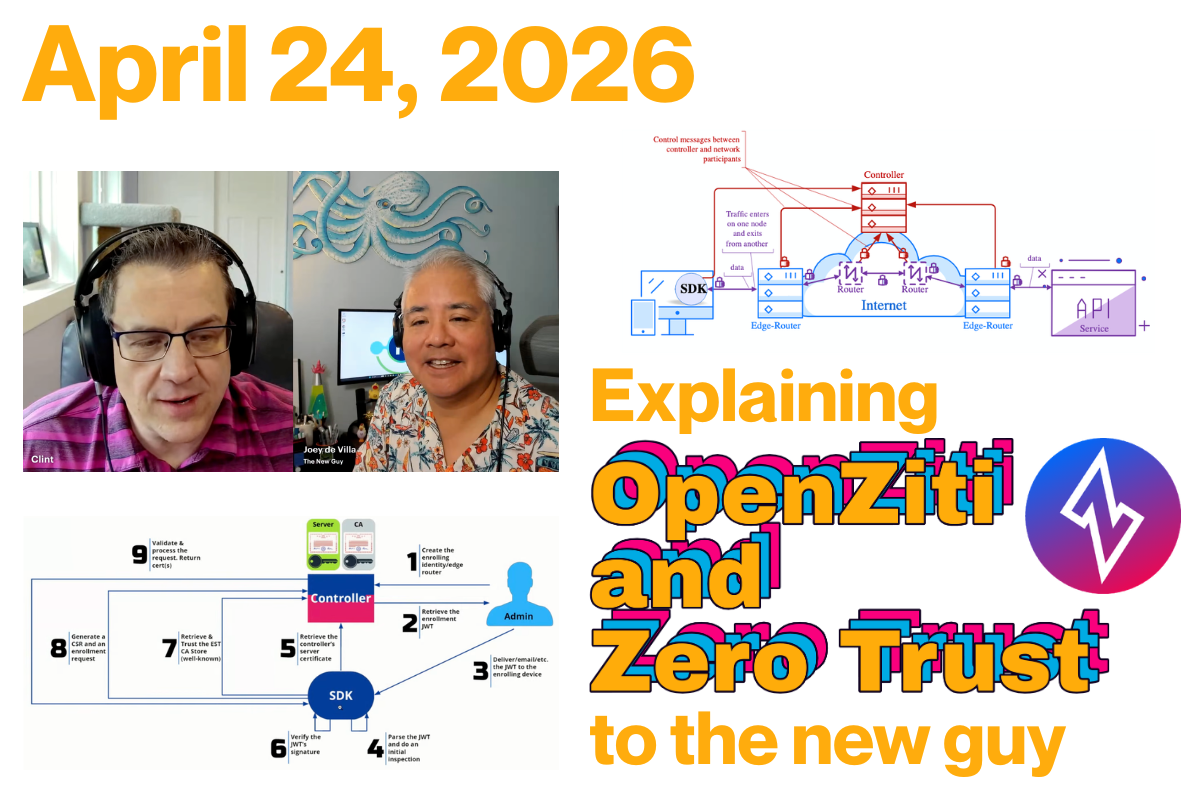
To mark the occasion, I sat down with NetFoundry’s Head of Developer Experience (and also developer; he does a lot!) Clint Dovholuk for my first episode on Ziti TV. We spent an hour diving into the “meat” of Zero Trust, networking architecture, and why your traditional VPN might be the “castle and moat” that finally (and unintentionally) lets the invaders in.
If you’re a developer who has always viewed networking infrastructure as someone else’s problem (and as a recovering mobile developer, I’m certainly guilty on that charge), here’s the deep-dive breakdown of what I learned in my first week on the job.
Clint said that Zero Trust might be better understood if you called it Explicit Trust. In the old “Castle and Moat” model, if you’re in the castle, you’re trusted. In the OpenZiti model, we assume the network is already compromised. You have zero privileges until they are explicitly granted based on:
Authentication: “Who are you?”
Authorization: “What are you allowed to do?”
A lot of resources will authenticate and authorize you through some kind of sign-in process. Clint describes OpenZiti as moving the process out by one layer into the network so you can’t even connect to an OpenZiti-protected resource without being authenticated and authorized first.
Or, to quote Clint:
With OpenZiti and Zero Trust, if you have a service that’s protected by OpenZiti, you first need to authenticate to the OpenZiti overlay network, and then you need to have an authorization that permits the operation you’re trying to perform.
OpenZiti also uses a Zero Privilege approach. Once again, to quote Clint:
The whole idea is that you have no privileges until you are granted privileges, and only then are you able to take whatever operation you want.
“Jay double-you tee” vs. “Jawt”
Apparently we’re on different sides of this debate. Clint prefers referring to JWTs as “Jay double-U tees,” while I prefer to call them “Jawts.”
OpenZiti and NetFoundry: How are they related?
OpenZiti is the network overlay project, and NetFoundry is the company behind OpenZiti.
The “Open” in OpenZiti comes from the fact that it’s an open source project. This is in keeping with the philosophy that a cybersecurity product should be open source because making source code publicly visible enables a community of developers, analysts, and other experts to audit, test, and improve it.
If you have the time, tech skills, and inclination, you can use OpenZiti and run your own overlay network at zero cost — if you don’t count the cost of said time and tech skills. It’s all up for grabs here.
However, if you’d rather spend your time and technical expertise elsewhere, especially once your needs get up to scale, such as on your main line of business, NetFoundry is here to provide you with a managed OpenZiti platform.
It’s easy to run one controller and two routers on your laptop. But when you’re an enterprise managing a fleet of routers, handling upgrades, and monitoring metrics, you’re suddenly in the “overlay business” instead of your actual business. NetFoundry is the “Easy Button” that manages OpenZiti for you [19:10].
The quickstart
Clint then gave a quick demonstration of the OpenZiti quickstart, which creates a fully functional OpenZiti network overlay on your system in a couple of seconds. This overlay has both a router and a controller, and each has a specific job.
Controller
The OpenZiti controller [24:36] serves as the brain of the overlay network. It’s the authority responsible for managing the state of the environment and ensuring that all connections are secure and verified before traffic ever flows.
Its responsibilities can be broken down into several key functions:
1. API surface and management
The controller surfaces several critical APIs that different components of the network interact with. These include:
Edge Client API: Used by SDKs and tunnelers to authenticate and discover services.
Management API: The interface used by administrators (often via the Ziti CLI) to configure the network, such as creating new identities or defining service policies.
Fabric and OIDC APIs: Used for internal mesh communication and identity provider integration.
2. The authority on explicit trust
The controller is the primary decision-maker for the two pillars of Zero Trust security:
Authentication: It verifies the identity of any user, device, or “workload” attempting to connect (answering “Who are you?”).
Authorization: It checks configured policies to determine exactly what that identity is allowed to access (answering “What are you allowed to do?”).
Unlike a traditional network where a firewall might be open by default, the controller ensures the network is dark by default. No connection is permitted until the controller has explicitly authorized it.
3. Bootstrapping trust, a.k.a. enrollment
The controller is the starting point for bringing new devices into the fold through a process called “Bootstrapping Trust”.
It issues One-Time Tokens (OTTs) (essentially signed JSON Web Tokens) that are delivered to users.
When a client initiates enrollment, the controller validates the token and facilitates a Certificate Signing Request (CSR) exchange.
The end result is a strong, cryptographically verifiable identity that the client uses for all future secure communications.
4. Orchestrating the mesh
While the controller does not actually handle the data traffic (that is the job of the routers), it provides the “map.” It coordinates with the edge routers to broker data channels, ensuring that when a client “dials” a service, the routers know how to steer that traffic to the correct destination.
Router
The OpenZiti router [26:09] is the workhorse of the network. While the controller acts as the brain and makes policy decisions, routers constitute the data plane: the actual infrastructure that moves bits from point A to point B.
According to Clint, the router’s job can be broken down into these core functions:
1. Forming the mesh overlay
The routers are responsible for creating the “mesh overlay network”. Unlike a traditional hub-and-spoke networking model, these routers connect to one another to form an interconnected fabric. Even if you start with just one router, you can deploy many others to extend this mesh.
2. Brokering data channels
The primary job of a router is to broker data channels. When an application wants to send data, the router facilitates the creation of a secure path. It effectively “steers” the traffic through the mesh to ensure it reaches the intended destination router and, ultimately, the target service.
3. Serving as the entry point for clients
Everything in OpenZiti is technically an SDK client, whether it’s a standalone app or a “tunneler.” These clients connect directly to the routers to form the necessary channels for communication. The router acts as the listener that accepts these connections once the controller has given the “okay.”
4. Shuttling the actual data
The router is where the heavy lifting happens. It is the component that actually sends your data from one side to the other. While the controller handles the logic of authentication and authorization, it never touches the application data itself. That task is handled entirely by the routers.
5. Enforcing the “dark network”
By acting as the only point of entry into the mesh, routers help enforce the “dark by default” philosophy. Unless a client has been explicitly authorized by the controller, a router will not broker a channel for it, effectively keeping the protected services invisible to the public internet, and by extension, unauthorized and malicious parties.
The coolest part for a developer? You can spin this all up on your local machine in about seven seconds with a simple ziti edge quickstart [23:00].
Why not just use a VPN?
One of my questions was the one every developer asks: “Why can’t I just use a VPN?”
Clint insists that an OpenZiti overlay actually is a VPN [34:05] in the broadest sense, in that it’s a virtual network that’s closed off to unauthorized parties. It just functions much differently than the “one big mush” of traditional VPNs, which are open by default, and once you’re in, you can see everything.
On the other hand, OpenZiti is dark by default [35:45]. If you have a server on the open internet, it usually has an open port (such as port 22 for SSH or 443 for HTTPS). With Ziti, you close those ports entirely. The service becomes “dark,” and the ports are invisible, and you can’t attack what you can’t even find.
The “magic dance” of bootstrapping trust
I’ll admit, when I first tried to set up a client and server, I got a little lost in the “magic dance” of certificates. Clint called this process bootstrapping trust [38:47].
It starts with a One-Time Token (OTT), which is a signed JWT, and the process goes like this:
The admin creates an identity on the controller [41:09].
The client uses the token to find the Controller’s URL [43:11].
The handshake takes place, where the client verifies the controller’s certificate, and they exchange a CSR (Certificate Signing Request) [44:43].
Strong identity: The result is a JSON file containing a key that must be protected like a secret.
AI Agents and the MCP Gateway
We also took a detour into Agentic AI. Clint has been using MCP (Model Context Protocol) Gateways to let Claude interact with the Ziti CLI.
The breakthrough here is efficiency and security. By using an MCP Gateway, you don’t have to give your raw credentials to the AI [57:02]. Plus, by using a targeted MCP server, you can strip a massive 100k data object down to a 10k summary, saving a fortune in tokens [59:12].
Real-world use: From blue bubbles to drones
I asked Clint who is actually using this in the wild. The “Adopters” list is growing, including projects like Blue Bubbles (the tool that brings iMessage features to Android) [50:33].
But the stakes get higher. We discussed Zero Trust Drones and secure communications on the battlefield [52:12]. When you’re in a high-stakes environment like Ukraine, having secure, “dark” comms is a necessity, not a luxury.
More coming soon!
This was the first of many Ziti TV livestreams featuring Clint and Yours Truly. The next one’s scheduled for Friday, April 30th at 11:00 a.m. U.S. Eastern / 8:00 a.m. U.S. Pacific / 1500 UTC, and you can view past livestreams in the Live section of the OpenZiti YouTube channel.
Coming soon to your favorite podcast platform: me and Cory Doctorow — two guys from Toronto — on the This Week in Tech podcast!
The live recoding will take place on Sunday, March 8th at 5:15 p.m., and you’ll be able to catch it on most podcasting platforms and YouTube the next day.
Here’s a promising start to the new year: thanks to a successful appearance on the Intelligent Machines podcast back in October, I was a guest on episode 1065 of Leo Laporte’s main podcast, This Week in Tech.
Leo, Blackbird.AI’s Dan Patterson, and I spent just under three hours on Sunday talking about the week’s tech news and having fun while doing so. The episode takes its title, AI Action Park, from Action Park, an insanely dangerous theme park that I mentioned while we were talking about DeepSeek’s Manifold-Constrained Hyper-Connections architecture.
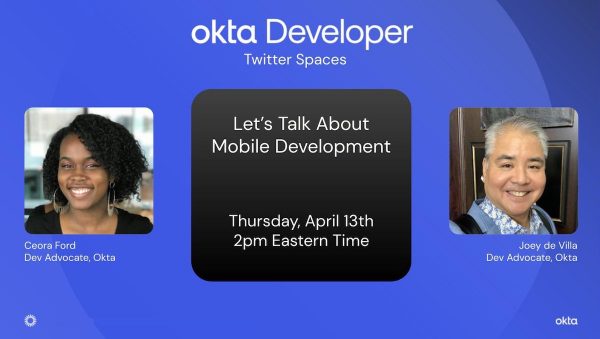
Join us! I’m ready to talk about all sorts of topics, including:
How I got started with mobile development, and how you can get started
The differences between native iOS, native Android, and cross-platform mobile development tools such as Flutter and React Native, and choosing among them
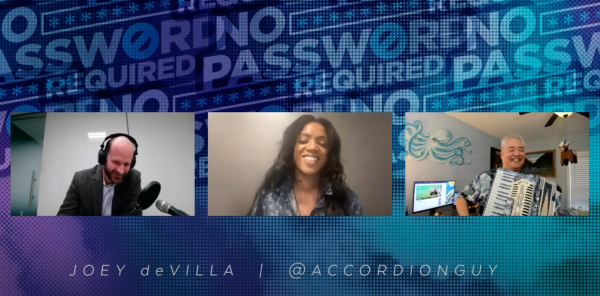
The past couple of weeks have kept me pretty busy, but I didn’t want to let this one slip through the cracks: I recently appeared on Cyber Florida’sNo Password Required podcast! I talked with host Jack Clabby and guest host Tashya Denose (who hosts the Do We Belong Here? podcast) about how I got into my line of work, and a lot about how saying “yes” when opportunities arrives can pay off big time.
It was a fun interview that you can listen to using the player below…
…or if you’d like the video version, it’s here…
…or if you prefer more standard podcast sources, you can listen to it via these services:
It’s the short name for the Florida Center for Cybersecurity. In addition to being the people behind the No Password Required and Do We Belong Here? podcasts, they’re an organization with the missions of making Florida a national leader in cybersecurity education. They’re funded by the state of Florida and hosted at the University of South Florida, and among other things, they:
Work to build a robust pipeline of future professionals by introducing cyber safety and career awareness programs to K–12 schools.
Help Florida’s public colleges and universities offer degree and certificate programs that produce ready-to-hire graduates.
Create and champion pathways for women and minorities, veterans and first-responders, and career changers to enter the field to help address our nation’s critical cyber workforce shortage.
Invest in novel research that contributes to our nation’s competitive edge and conduct studies that yield new insights into cybercrime, privacy, user behavior, and organizational needs to help craft local, state, and national policy.
Engage millions of Floridians through awareness campaigns and host events and resources to help protect those populations and organizations that are most vulnerable to cybercrime.
What is No Password Required?
The No Password Required podcast brings in monthly guests who are at the very top of the cybersecurity field. I have no idea why they think I’m in that category, but I’m grateful!
The focus in this podcast is less on dry topics like cybersecurity measures, practices, techniques, and technologies, and more on their guests’ personalities and how they reached their current career status. This fits with Cyber Florida’s mission to create more Florida-based cybersecurity professionals! Each of their guests shares stories that made them laugh, think, and learn. It’s a fun listen.
What is Do We Belong Here?
Do We Belong Here? is a podcast dedicated to proving that everyone has a place in the world of cybersecurity. It’s hosted by…
Tashya Denose, the Cyber Whisperer
Pam Lindemoen, the Chief Information Security Officer Advisor at Cisco
…and it’s produced by Cyber Florida’s Sarina Gandy. It focuses on highlighting the industry leaders who are working to make cybersecurity a more inclusive and welcoming place, and having open conversations to show that we are never alone in our struggles.
If you work on a team that produces software, and especially if it’s supposed to be an agile team, do yourself a favor and check out Arguing Agile, the YouTube channel and podcast produced and presented by Tampa Bay’s own Brian Orlando and Om Patel.