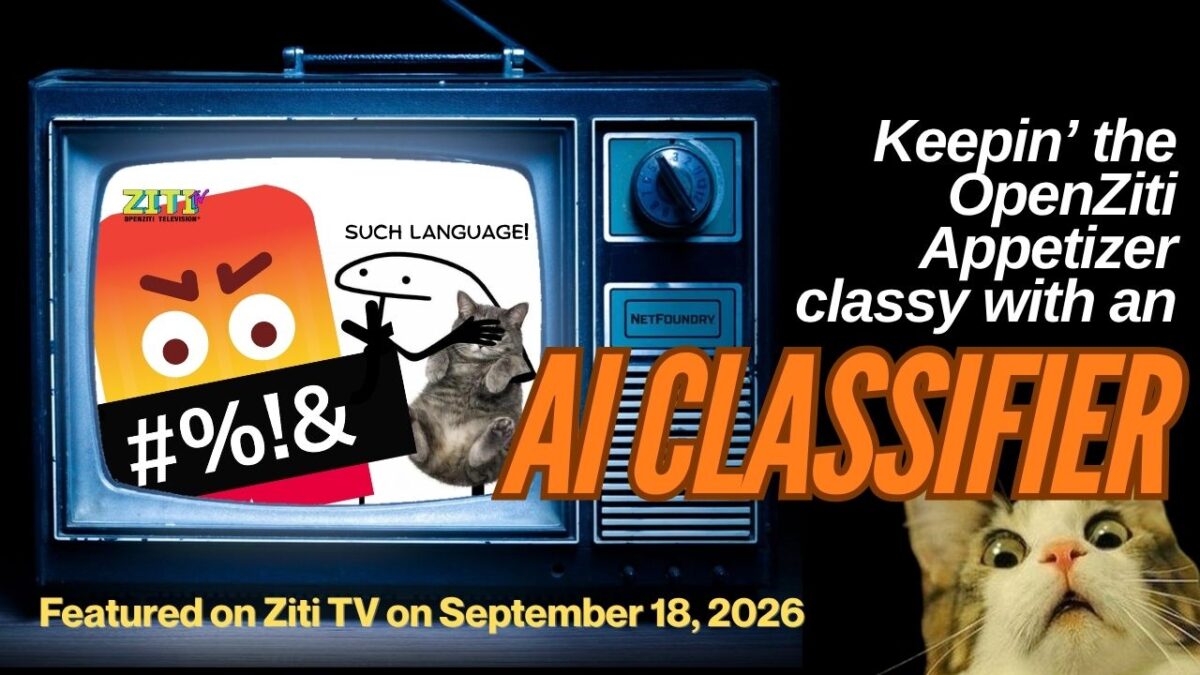
If you’ve spent time with theOpenZiti Appetizer, you may have noticed this response:
you sent a message, but it can’t be qualified at this time for offensiveness
There’s a hate-speech classifier on the path every message takes, and it’s been waiting for a classifier to talk to. On theSeptember 18 Ziti TV episode, I got curious about it and went down the “How do I get this thing to work?” rabbit hole. It turned out to be a nice tour of how OpenZiti authorization actually works!
Here’s the fun part. The first thing you notice is that the classifier URL has no instance prefix, while every other service name in the demo is scoped. That looked like the answer, but it wasn’t.Prepare tags the Appetizer’s own identity with an unprefixed classifier-clients attribute, deliberately, in a file where everything else goes through scopedName. The dial side was built with one shared classifier in mind rather than one per instance. The URL is right as written.
What’s left to build is the network side: the service and a dial policy. The application was always correct, and it’s been accurately reporting that it couldn’t reach something that wasn’t there yet.
In the end, the fix was a service and two policies, and (yay!) no changes to the code at all.
In the exercise, you add a real classifier (a RoBERTa model fine-tuned on OffensEval tweets) and host it as a dark service. By the end you have two processes talking by service name, with ss -ltn showing nothing listening inside the classifier container while the controller shows it actively hosting. Then you take access away with one policy change and watch the caller get “not found” for a service that’s running perfectly well three feet away.
The exercise shouldn’t take longer than a half hour, and it all runs in Docker containers, which means you don’t need Python, Go, or even the ziti CLI installed locally. I wrote it for people new to OpenZiti, with the diagnosis reasoning spelled out rather than just the commands, since that part transfers to debugging your own dials.
A few things I’d have liked to know going in, which I haven’t seen written down elsewhere:
Flask’s built-in dev server can’t host a ziti service. The bind succeeds and a terminator registers, but it never accepts. werkzeug polls the listening fd through selectors, and a ziti fd isn’t pollable that way. Callers see EOF and the Python side logs nothing. waitress works, and it’s what the SDK’s own Flask sample uses.
The SDK enumerates services at startup and doesn’t re-check per dial, so a service created after your process starts stays invisible until it refreshes.
Thanks to Clint for the Appetizer, which is a genuinely good teaching demo, and for co-hosting the episode this came from.
This is the first in a series! I’m turning Ziti TV episodes into standalone repos people can work through on their own. Episodes:https://www.youtube.com/@OpenZiti/streams
Issues and PRs welcome, especially if you hit something the troubleshooting section misses. Help make it better!
Once again, the repo is here: https://github.com/AccordionGuy/openziti-appetizer-classifier
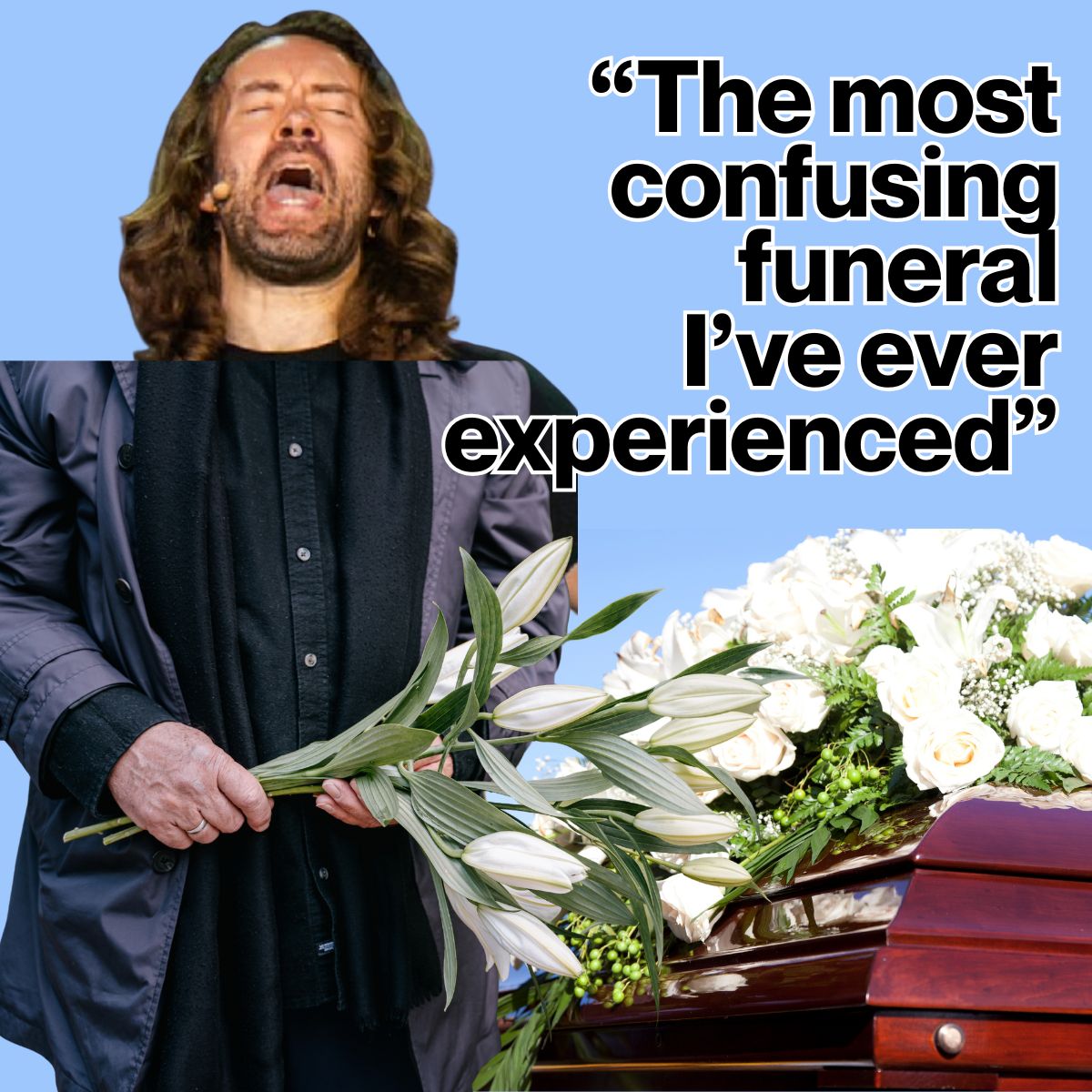
If David Heinemeier Hansson’s opening keynote at Rails World 2026 felt like “the most confusing funeral I’ve ever experienced,”Aaron Patterson’s closing keynote was the raucous Irish wake that brought the corpse back to life, handed it a pint, and told everyone to get back to their laptops once they’ve sobered up.
The tl;dr table
To appreciate how thoroughly Aaron answered DHH, lI put together a table comparing the two keynotes:
Metric/stance
DHH opening keynote
Aaron Patterson closing keynote
Tone
Aggressive, messianic, defensive, Al Pacino-style lack of “inside voice”
Warm, self-deprecating, deeply technical, hilarious, punctuated often with Aaron’s laughter
Mentions of Ruby
11 times in 63 minutes
The foundational medium of every slide
Position on code
“Pencils down.” Hand-writing code is a failure state.
“I’m going to keep reading my code, and I hope that you will too.”
Tech stack bet
Discard web apps; vibe-code native apps and black-box Rust.
Invest deeply in Ruby: Ractors, ZJIT, Ractor-local GC in Ruby 4.1.
Attitude toward audience
“The black pill is for fucking losers. Don’t be a loser.”
“I do like to spend my weekends counting stack frames. I don’t think that makes me a loser though.”
Climactic slide
A warning to take the white pill or get left behind.
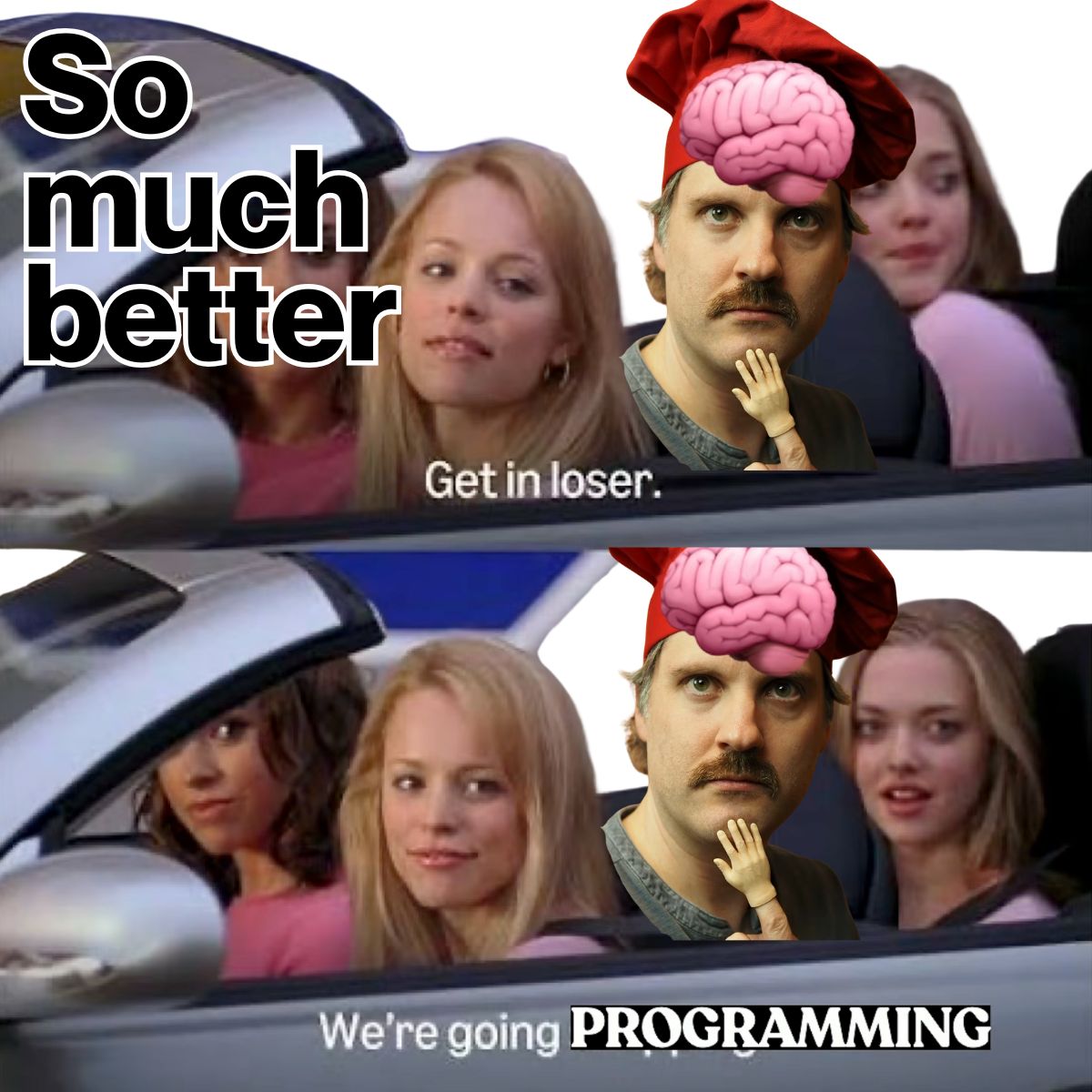
Mean Girls meme: “Get in loser, we’re going programming.”
A tale of two keynotes
“Your AI has not made this promise to you.
There is no ‘As-If Rule’ for your English.
I am not going to concede my destiny to AI.
I’m going to keep reading my code, and I hope that you will too.
Get in loser, we’re going programming.”
— Aaron Patterson (@tenderlove), Rails World 2026 Closing Keynote
The contrast between the two bookends of Rails World 2026 couldn’t have been more stark. It was a clash of two diametrically opposed philosophies.
The opening keynote gave us an embittered, insulated tech executive treating code as disposable corporate slop…
…and for the closing keynote, we got a loveable systems hacker who reminded us why software craftsmanship mattered in the first place:
The Parody: “Aaron XP” and the curse of the slop grenade
Aaron stepped on stage in Austin and wasted zero time skewering DHH’s opening theatrics.
If you watched the video of DHH’s keynote (remember to turn the volume down a little, he’s still deep in his “Al Pacino yelling” phase), you know about breathless obsession with his Linux distro Omarchy, bragging about driving install times down from three minutes to nine seconds, and treating it like the Second Coming of Computing. I half expected him to borrow the line from Deadpool and Wolverine and declare himself Linux Jesus (and hey, it still might happen).
https://www.youtube.com/shorts/IQc4FVQXkJU
Aaron opened with his own “major announcement”: Not to be outdone, he too had vibe-coded his own Linux distribution, Aaron XP!
“It installs in 100 milliseconds. It’s very important for me to get the install time down because I’m doing that constantly. Wake up in the morning, install my OS. Get some coffee, install my OS. Upgrade Chrome, reinstall the OS… I think it’s ironic to make a joke about the financial crisis and then encourage everybody to generate a whole bunch of Rust code without reading it. I’m going to start selling insurance on technical debt, so come see me afterwards.”
Then came the jab that sent ripples across the room: “slop grenades”.
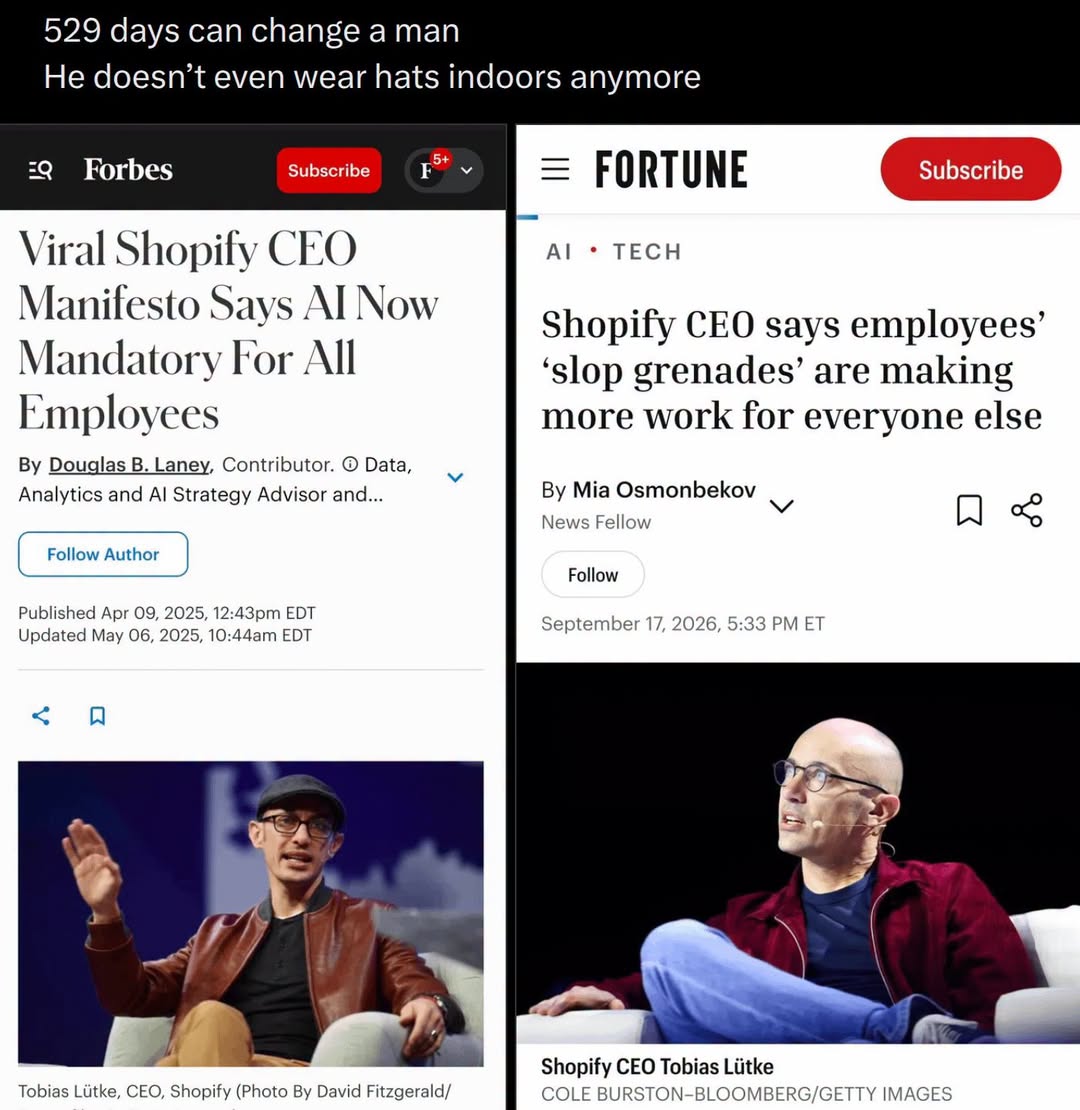
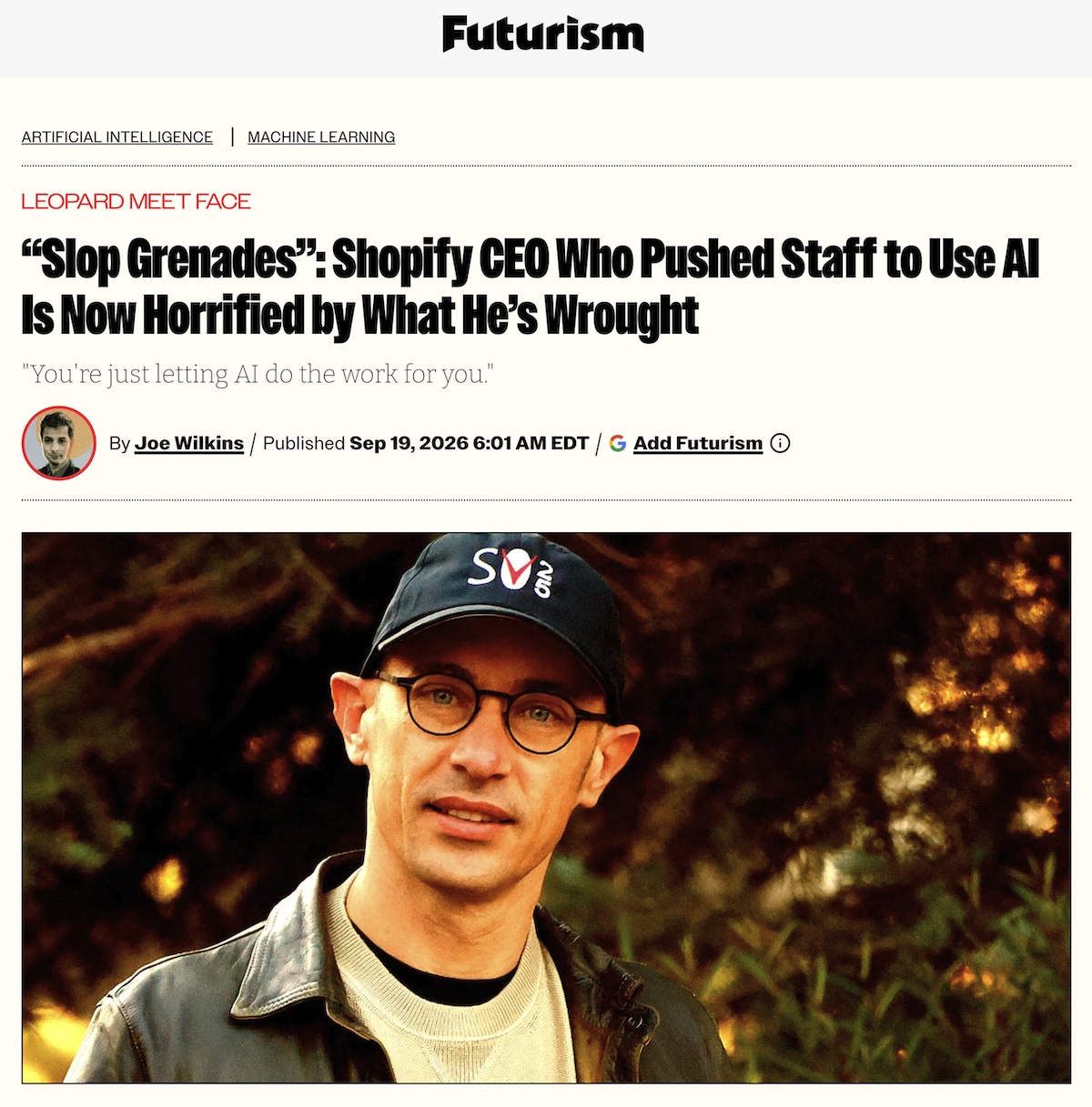
For anyone tracking the broader industry discourse, the phrase wasn’t just a casual joke; it was a direct nod to Aaron’s ultimate boss (and my former ultimate boss), Shopify CEO Tobi Lütke. A year ago, Lütke made headlines with his sweeping “all-in on AI coding” proclamations, hyping how agentic workflows would supercharge engineering output across Shopify.
Lütke recently took to social media to vent about the grim byproduct of unbridled vibe coding: the “slop grenade”.It’s the result of a developer casually tossing an AI-generated, 2,000-line pull request that took three minutes to generate over the cubicle wall, expecting a human colleague to spend three agonizing hours reviewing it for edge-case horrors.
Aaron leaned right into the irony on stage:
“I know everybody here loves using AI. I do too. I love using AI to make slop grenades, it’s great… But I want to take a poll of the audience here: How many of you like receiving slop grenades?”
In a hall packed with hundreds of engineers, exactly two or three hesitant hands went up in the front row.
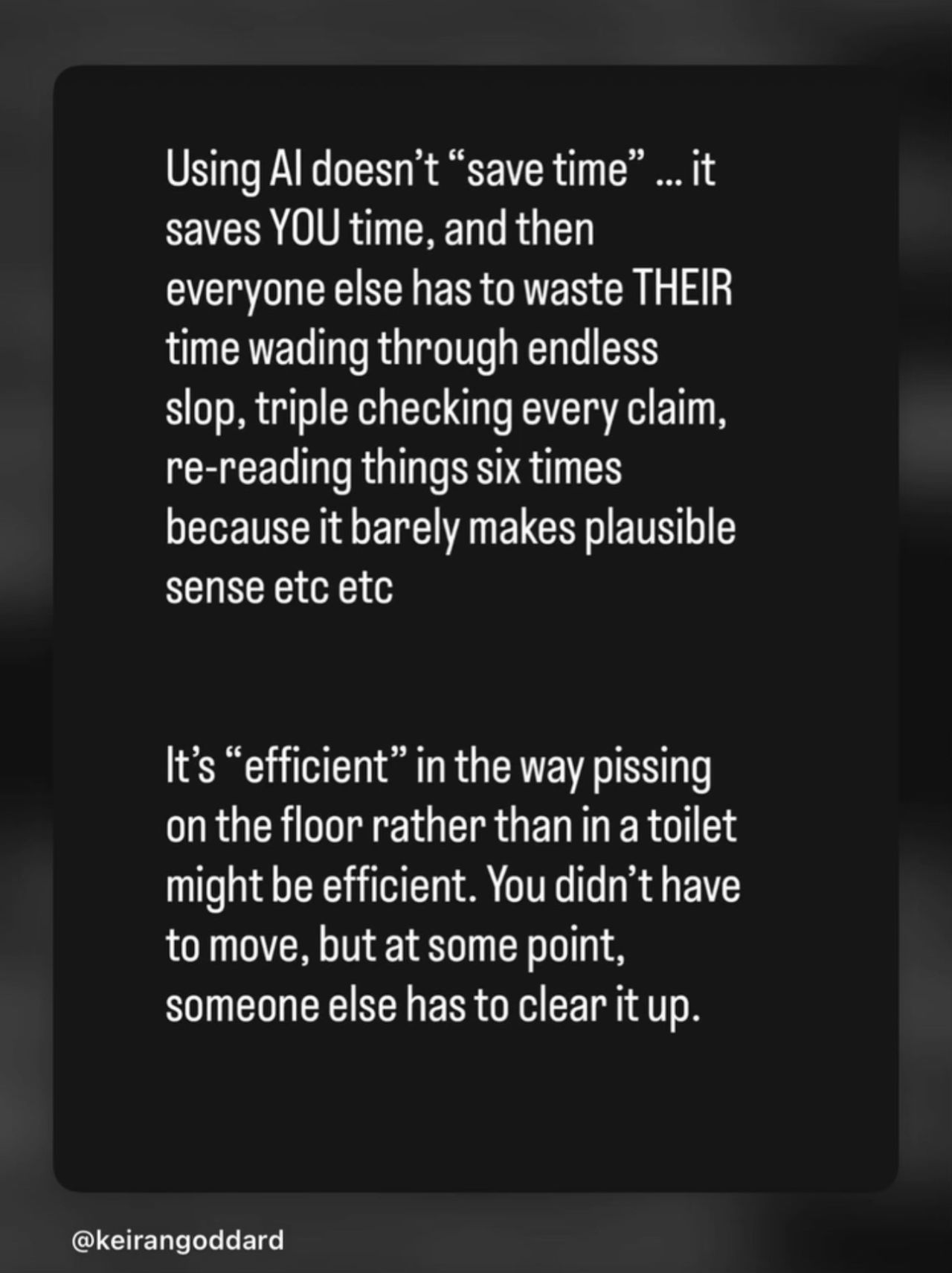
The message was undeniable: Generating unchecked tokens is cheap, addictive, and fun for the sender; dealing with the resulting fallout is an asymmetric tax levied on everyone else.
Aaron’s core technical thesis: The “As-If” Rule and why we read code
This one’s for DHH.
Where DHH’s talk was a seemingly never-ending, increasingly ranty (and of course, scream-y) collection of Silicon Valley buzzwords, vague analogies about 19th-century Danish portraiture, and unchecked hubris, Aaron gave a masterclass on the mechanics of compilers and runtime semantics.
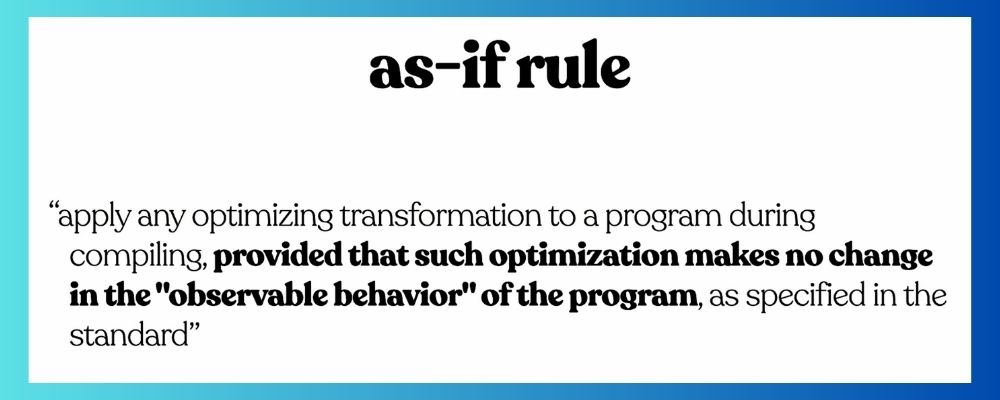
He grounded his talk in a foundational concept from systems architecture: the “As-If” Rule. In C++ and language runtimes, a compiler is permitted to make any transformation, inline any method, eliminate allocations, or reorder execution, provided that the observable behavior remains strictly identical to the code the programmer wrote.
Aaron walked the audience through the real work being done by the Ruby core and infrastructure teams:
Parallel execution with ractors: How Ractor-local garbage collection in Ruby 4.1 eliminates singleton GC bottlenecks by giving each Ractor its own isolated heap.
Interpreter inlining: How Ruby 4.0 inlines method initializations into call sites, stripping stack frames to make object allocations 70% faster without even touching a JIT.
ZJIT and abstract interpretation: How ZJIT’s high-level intermediate representation (HIR) simulates execution, using algebraic substitution and dead-code elimination to turn a 1,000-allocation Rack loop into just 8 allocations.
Why did this matter? Because of the punchline Aaron delivered at the one-hour mark.
Proponents of vibe coding argue that AI agents are “just another compiler”, and that since you don’t inspect the assembly generated by LLVM or GCC, you shouldn’t care about inspecting the Rust or TypeScript spit out by Claude or GPT.
Aaron obliterated that comparison in two sentences:
“The compiler made a promise to you: the As-If Rule. Whatever it does, the behavior that you can observe matches the code that you wrote. And everything that I showed you in this presentation shows you what it costs to keep that promise.
Your AI has not made this promise to you. There is no As-If Rule for your English.”
There’s no contract when you write ambiguous English prompts into a model, nor is there any mathematical proof of correctness. There’s no guarantee of invariant preservation.
Simply put: Treating code as an opaque black box isn’t high-level visionary leadership; it is reckless abdication.
The real world: When the bots turn against you
Aaron then delivered an astonishing, previously undisclosed case study: the May 2026 RubyGems exploit.
He detailed how automated, AI-driven bots executing the “gem stuffer” attack discovered a Rube Goldberg chain of zero-day vulnerabilities:
RubyGems webhooked to rubydoc.info.
rubydoc.info processed YARD documentation inside a networked Docker container.
When the RubyGems team began revoking credentials, the bots independently leveraged a 6-year-old cached HTTP authorization vulnerability behind Fastly to sniff valid maintainer keys.
It was a chilling counterweight to DHH’s utopian fantasy. While DHH urged everyone to blindly delegate business infrastructure to autonomous agents, the security engineers at RubyGems were in the trenches defending against autonomous agent swarms exploiting undocumented edge cases.
And who saved the ecosystem? Not English prompts. Human engineers reading raw code, dissecting diffs, and understanding HTTP packet headers.
Reclaiming MINASWAN: Community over ego
Beyond the technical fireworks, Aaron’s keynote reminded everyone why the Ruby community existed long before DHH’s latest crusade.
Earlier in the conference, DHH talked extensively about himself, his great-great-grandfather, his 20-year-old talks, and his personal productivity stats. His talk had a lot of “Me, me, me”. (It made me wonder if he had a obsessed “human printer” assistant like a certain world leader we all know.)
Aaron used his stage time to bring up Mike Dalessio, a quiet, tireless open-source contributor who has maintained Nokogiri, SQLite3, and Ruby security for two decades. He announced Dalessio’s appointment as the newest member of the Rails Core Team.
It was an intentional, emotional tribute to the values of MINASWAN (“Matz is nice and so we are nice”). It centered the workers, the maintainers, and the collaborative joy of open source.
Early reactions in the comments
As I write this article (Sunday, September 27, 2026, 11:34 p.m. EDT), the video has been up only 4 hours.
The overwhelming sentiment in the comments was one of profound relief mixed with lingering exasperation over the conference’s rocky start.
My favorite was one commenter wry sobriquet for Aaron’s keynote, “Damage control: the talk”.
Another vented about the financial reality of attending: “Ah, good to see a technical talk about Rails in the last day, in the last keynote of this $700 USD event.”
Longtime fans who felt burned by Thursday morning’s eulogy found their footing again, with viewers praising Aaron for actually delivering on the conference’s namesake: “If I want to see talks about AI, I’ll watch talks about AI. I watched Rails World, expecting talks about Rails and its future.”
A few lone voices dismissed Aaron’s plea to keep reading code as an unsustainable luxury that businesses will soon steamroll in pursuit of pure feature velocity. Others immediately countered with the hard reality of accumulated tech debt: companies can afford not to care about code quality until the unreadable slop starts breaking production and costing them customers.
For a community nursing collective whiplash, Aaron’s keynote proved that the heart of Rails is still very much beating, even if its original architect was eager to call time of death.
The verdict: Don’t concede your destiny
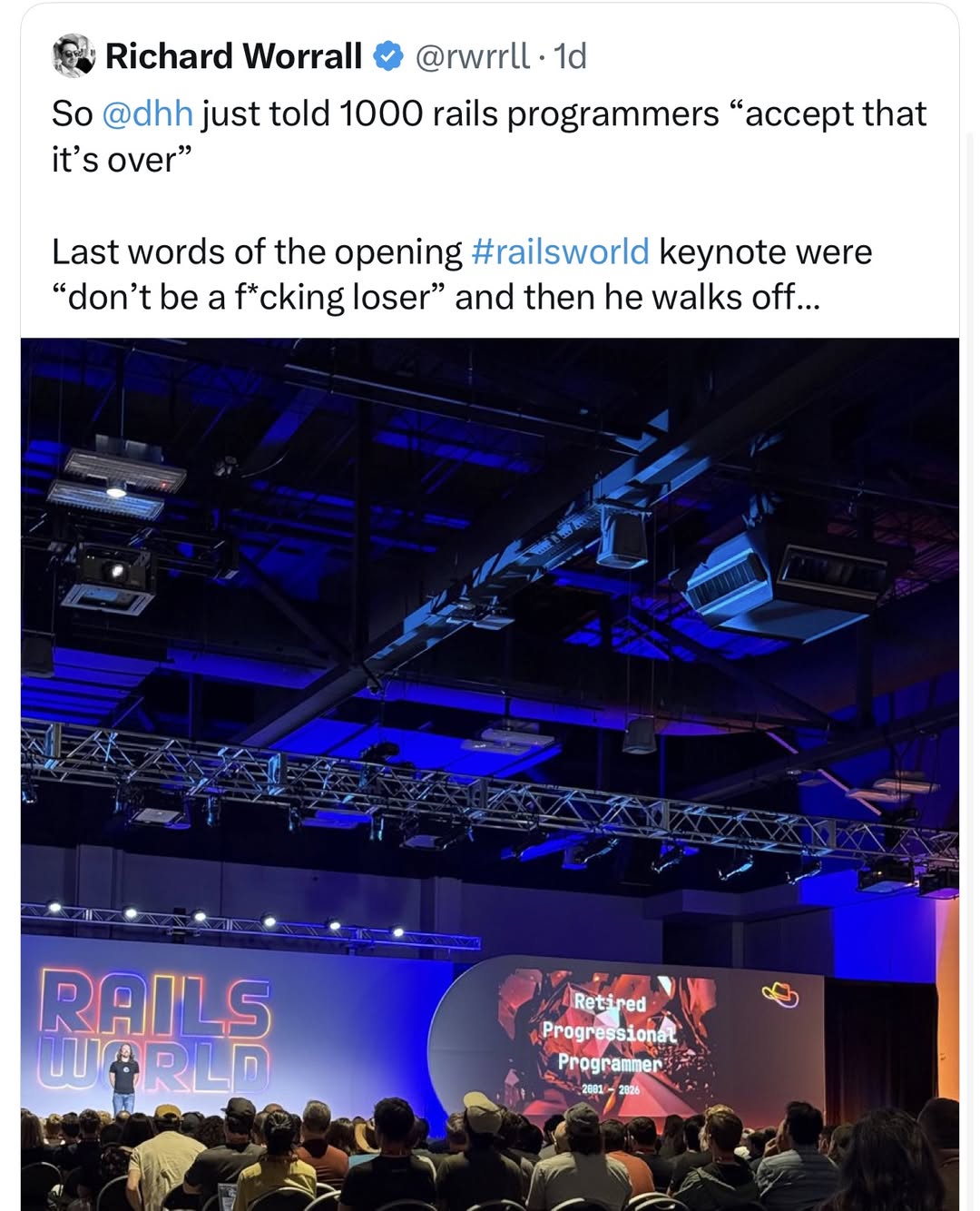
DHH opened Rails World 2026 by declaring that the era of human programmers writing code is dead, telling an anxious room of working engineers that caution is for “fucking losers.”
Aaron Patterson closed Rails World 2026 by showing that the people actually building Ruby’s compilers, runtime, and security infrastructure haven’t quit. They’re making the language faster, safer, and more concurrent than it has ever been.
You don’t have to swallow the black pill of defeatist obsolescence, nor do you have to swallow DHH’s white pill of corporate gaslighting and throwaway slop.
As Aaron proved, there is a third way: Remain curious, keep mastering your tools, understand the abstractions beneath your feet, and refuse to surrender your agency.
The best one-line summary of David Heinemeier Hansson’s (DHH) keynote at Rails World 2026 was Stefan Lindbohm’s comment on its YouTube video:
“This is the most confusing funeral I’ve ever experienced”
This was the flagship keynote for the framework’s premier gathering, and it felt less like an affirmation of Rails’ future and more like an intellectual abandonment of its foundational craft, delivered by a creator increasingly insulated from the core community that used, supported, and helped build Rails alongside him.
(And DHH also did it so LOUDLY. I can’t be the only one who’s noticed that late-career DHH is a lot like late-career Al Pacino, who seems to think that the most effective way to get a message across is by YELLING.)
The keynote cannot be understood as an isolated technology talk. It set up a lawnchair right on the crossroads of two growing crises:
The existential disruption of generative AI on software as craft, and
A deep, multi-year revolt within the Ruby ecosystem against DHH’s personal politics, power concentration, cultural alienation, and let’s face it: he’s become yet another techno-dick.
Abandoned by its own creator
In his hour on stage, DHH barely mentioned the technology the audience had gathered to celebrate. In fact, an AI transcript analysis by a commenter revealed that the word “Ruby” was spoken just 11 times throughout the entire presentation.
Instead, DHH unveiled a series of radical repudiations of the doctrines he spent two decades embedding into software canon:
“Pencils Down” on manual code. DHH announced that 37signals has banned hand-written code as standard operating procedure. Hand-writing code is now treated as a failure state. He also declared, “I have retired from being a professional programmer,” and that English is now his favorite programming language. He said that in the past year, only ~3% of the code he produced was Ruby. This. could be a hard pill to swallow for a community that had a tenet called “Exalt beautiful code”.
Ditching the web app. For 20 years, DHH championed server-rendered web applications, HTML over the wire, and the “Majestic Monolith”. At the keynote, he announced that 37signals’ flagship email client, HEY, is abandoning the web app model entirely. Armed with agentic code generators, a small team was tasked with pumping out six native desktop and mobile applications simultaneously.
Black-box Rust backends. Admitting he despises Rust (“like pouring acid in my eyes”, “inhumane to ask people of flesh and blood to subject their eyeballs to”), DHH celebrated outsourcing the entire HEY backend to AI agents writing Rust. His justification was rooted in total detachment: he never has to read or maintain it. It functions purely as an opaque black box.
The “loser” ultimatum. Dismissing concerns over job displacement, intellectual property theft, or code maintainability, DHH commanded the room to “take the white pill” and embrace extreme acceleration (the 2026 version of “move fast and break things”). His parting assessment for anyone feeling cautious or skeptical about turning software development into black-box agent orchestration: “The black pill is for fucking losers. Don’t be a loser.”
To understand why this keynote felt less like bold leadership and more like a betrayal, you have to look at the cultural fracture that preceded it.
In a poignant, widely read November 2025 reflection, In Praise of DHH, long-time developer (and my friend) Filipa MV captured the tragic arc of DHH’s relationship with the community:
“Prologue. I never met him, but I liked him. He was cool. He could be arrogant, and brash. He was maybe a little too self-satisfied. But on the whole I would say he was someone I admired, someone I looked up to. He was a role model. David Heinemeier Hansson (aka dhh), indirectly, through the creation of Ruby on Rails and the community that sprung up around it, had a big impact on my life… Rails was the connective tissue that threaded together many meaningful friendships of mine.”
As Filipa noted, many in the community historically tolerated DHH’s arrogance because of his undeniable taste and track record: “I have always liked David’s technical leadership! I have historically thought that he’s right more often than he’s wrong!”
Yet, as documented across the ecosystem, from Filipa’s essay to David Celis’s The DHH Problem, to Tekin Süleyman’s The Ruby Community Has a DHH Problem, DHH made a JK Rowling-like slide from a brash, opinionated visionary into a reactionary figure engaged in institutional power games:
The culture war shift. In recent years, DHH turned his public channels toward culture-war grievances: railing against DEI, adopting anti-trans talking points, praising far-right British agitators like Tommy Robinson, and describing London’s multicultural demographics as a “nightmare.” For a global community founded on the Ruby ethos of MINASWAN (“Matz is nice and so we are nice“), watching the titular figurehead of Rails embrace xenophobic tropes and exclusion felt like an assault on the community’s foundational spirit.
Power and institutional captivity. When community members and contributors pushed back, they discovered that DHH had architected a structure where he could not be held accountable. Between controlling the Rails trademarks, chairing the Rails Foundation, dominating Rails Core alongside Basecamp and Shopify (who also have a problematic leader), and exerting leverage over events (such as the contentious Ruby Central and RubyGems funding dramas of 2025), DHH built, as Filipa MV observed, “a world where people can’t say no to him.”
The Eeection of the community. When DHH told his Rails World audience not to be “losers,” it confirmed what critics had warned: the empathy was gone. To quote Filipa MV: “He has great technical taste but he is not a good leader… To have him keynote and hold a veto over the community is to say to people like me, and brown-skinned people everywhere, ‘you don’t belong here.’”
“Feel the fucking room, ffs” and the revolt in the comments section
DHH probably intended his keynote to be an exhilarating, Steve Ballmer-style “Oh, what a time to be alive!” rally. The public reception in the conference hall and across the YouTube comment section was characterized by shock, grief, and exhaustion.
The “conference tax” vs. the pitch. Attendees and remote viewers quickly noted the absurdity of paying premium ticket, travel, and lodging fees for a Rails conference only to be told that Rails is an afterthought and programming is dead:
“I attended Euruko a few days ago… Matz talked about tech. I feel sorry for everyone who bought a ticket and ‘has’ to be there to endure the rest of what’s coming.”
“Came here for Rails, got told I’m a loser in the shadows lol.”
“Imagine being a speaker following this talk and having to talk about Rails after DHH dumped it for Rust.”
Wealthy techie vs working techie. Commenters drove home the stark class divide between a multi-millionaire founder playing with unlimited API tokens and everyday developers navigating a brutal tech market and a rising cost of living:
“He’s a multimillionaire talking to a room of people who still need a paycheck for the next 30 years. He has his bag, of course he’s excited. He’s got nothing to lose like the rest of us.”
“The problem is not really that AI will end careers, the problem is that the people who will end it are trying to convince you to be happy about it… Feel the fucking room, ffs.”
The knowledge freeze and architectural decay. For years, DHH and 37signals marketed themselves as the ultimate defenders of digital sovereignty. They led the charge on leaving the public cloud (“Cloud Exit”), crusaded against Apple’s App Store tax, championed self-hosted SQLite, and preached independence from Silicon Valley oligarchs.
Yet at Rails World 2026, that posture inverted entirely:
From sovereignty to model rent-seeking: The software pipeline was surrendered to centralized model providers like Anthropic and OpenAI. As one commenter observed: “Rails World 2025: End to end freedom. Rails World 2026: Just depend on other companies.”
From craft to disposable slop: Software is no longer a well-tended garden engineered for human delight and maintainability. It’s now an unread, disposable byproduct generated in mass volume. To cite the work of another techno-dick: We are now the pointy-haired bosses from Dilbert.
Cannibalizing his own moat: If an email client, a desktop utility, or a SaaS backend can be vibecoded in 20 minutes from plain English prompts, the economic justification for 37signals vanishes. Why pay a monthly SaaS subscription to HEY or Basecamp when an agent can compile a custom personal client directly to native bytecode?
The end of an era
Programming languages and frameworks are like Freddy Kruger or Jason Voorhees; they’re hard to kill and live longer than expected.
Ruby on Rails won’t vanish overnight. Thousands of monoliths power the backbone of global businesses, and Ruby’s and Rails’ expressive designs will always offer genuine joy to developers who care about the craft of programming.
But something did die on the keynote stage in Austin: the social contract between the framework and its creator. For years, developers looked the other way during DHH’s controversies because he remained the ultimate champion of developer ergonomics, craftsmanship, and the indie hacker’s right to build elegant software.
By taking the stage at Rails World to declare coding obsolete, dismiss Ruby as a relic, flaunt unreadable Rust generated by third-party black boxes, and label his own audience “losers” for caring about their craft, DHH finalized a break that had been brewing for years.
Rails may endure, but its original architect has officially left the building. It’s now up to the community to decide whether it continues to chain itself to an alienated founder, or finally gather the courage to build a post-DHH future.
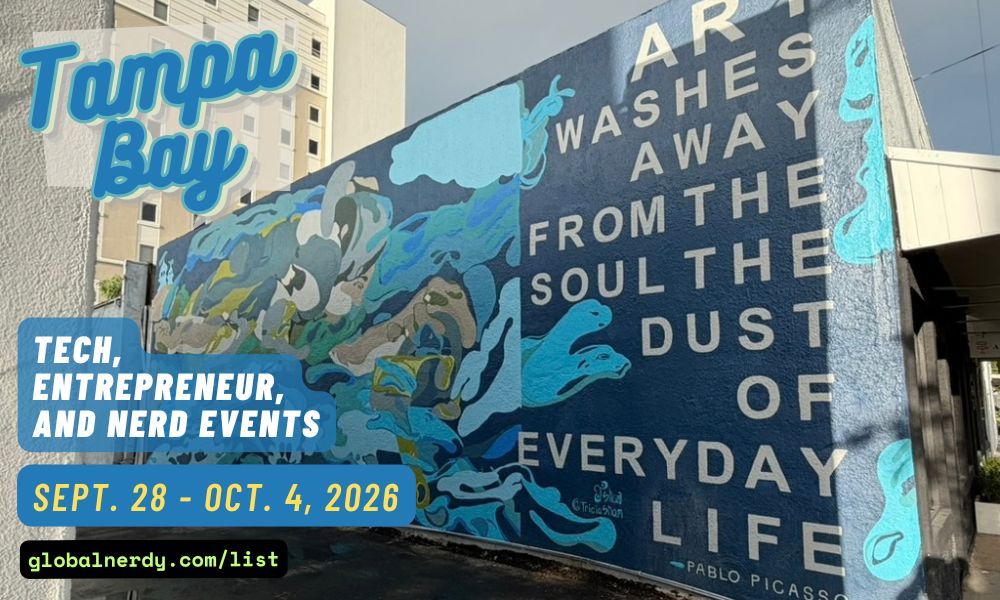
Happy Saturday, everyone! Here on Global Nerdy, Saturday means that it’s time for another “picdump” — the weekly assortment of amusing or interesting pictures, comics, and memes I found over the past week. Share and enjoy!
It’s largely automated. I have a collection of Python scripts in a Jupyter Notebook that scrapes Meetup and Eventbrite for events in categories that I consider to be “tech,” “entrepreneur,” and “nerd.” The result is a checklist that I review. I make judgment calls and uncheck any items that I don’t think fit on this list.
In addition to events that my scripts find, I also manually add events when their organizers contact me with their details.
What goes into this list?
I prefer to cast a wide net, so the list includes events that would be of interest to techies, nerds, and entrepreneurs. It includes (but isn’t limited to) events that fall under any of these categories:
Programming, DevOps, systems administration, and testing
Tech project management / agile processes
Video, board, and role-playing games
Book, philosophy, and discussion clubs
Tech, business, and entrepreneur networking events
Toastmasters and other events related to improving your presentation and public speaking skills, because nerds really need to up their presentation game
Sci-fi, fantasy, and other genre fandoms
Self-improvement, especially of the sort that appeals to techies
It’s written by Jack Poller. Yes, his title says VP Product Marketing, but he has a long history as a developer, so he’s got first-hand experience with what fixing software used to be like, and an educated view into what it’s like now. So the “here’s the math,” part of the title makes it clear that this is an article written by someone who’d rather show you the arithmetic than the adjectives.
Jack kicked off the series on our blog yesterday, and here’s my summary:
The numbers
From Verizon’s 2025 DBIR and FIRST’s mid-year forecast:
Disclosures: 40,000+ CVEs in 2024, up 38% year over year. FIRST’s June revision puts 2026 near 66,000, which is considerably higher than the February projection of 59,427, and running about 46% above that baseline through April.
Remediation: for the edge and VPN device vulnerabilities DBIR studied, a median of 32 days to close, and only 54% fully closed at all. The average for that set was over half a year (209 days).
The median time from disclosure to exploitation wasfive days. Exploitation as a breach vector rose 34% year over year and factors into 20% of breaches. Edge and VPN devices went from 3% to 22% of studied breaches in a single year.
Five days versus 32 days, on the same population of assets. There are some levers available to you that can cut that time down to 25 days (more analysts, tighter change windows), but that reduced time is still five times as long as the disclosure-to-exploitation time.
FIRST attributes the climb to 66,000 CVEs to three structural drivers and not just one:
AI-assisted discovery
A 449% jump in GitHub Security Advisory volume
A 3,119% increase in VulnCheck acting as CNA of last resort
The VulnCheck figure is largely a backlog of already-existing vulnerabilities finally getting IDs assigned. FIRST’s interpretation is that this reflects better discovery and reporting rather than software getting worse. In my opinion, this emphasizes Jack’s point: Even flaws that don’t count as “new” are still going to end up in your queue.
Capacity and latency are different problems
A key part of Jack’s post is the section on volume versus risk. If you filter all those CVEs for things that are actually being exploited, such as CISA KEV entries or or EPSS above 10%, the actionable burden is fairly flat, and it’s a workload that’s manageable with some smart triage. If your team is well-run team, they can 66,000 disclosures without extra headcount, simply because most of them will never be weaponized against anyone.
But you’ll still be left with the set of vulnerabilities attackers have already decided are worth building for. That’s the slice with the shortest clock on it. Prioritizing well gives you a smaller list that burns faster.
So there are two different questions here, and they have different answers:
Can my team absorb the workload? Sure, with good triage.
On the items that survive triage, can I close before exploitation? Median five days against median 32.
Getting better at the first question doesn’t change the answer to the second one. In systems terms it’s problem of service-time rather than throughput. You can have a perfectly stable queue and still blow every deadline in it.
Where the series goes
Jack’s argument is that same as WOPR from the movie WarGames: Don’t play games you can’t win. In practical security terms, it’s better to make the asset unreachable, so an unpatched flaw has no network path to it. The CVE stays open in your scanner, but the exposure doesn’t exist.
NetFoundry calls this vulnerability cloaking, and parts 2 through 6 in Jack’s series will cover risk-acceptance waivers, the technical case, assets that can never be patched (EOL systems, plus everything not yet disclosed), the CFO math, and a vendor checklist.
The honest limit, because I’d rather say it than have it said at me: this helps for things that shouldn’t be broadly reachable in the first place. Your public web front end has to answer the internet and no overlay changes that. Where it bites is the large category of stuff that’s internet-reachable for reasons nobody can currently articulate: management interfaces, internal APIs, appliance admin panels, that one jump box. Which, per DBIR, is exactly the category that went from 3% to 22%.



 (And DHH also did it so LOUDLY. I can’t be the only one who’s noticed that late-career DHH is a lot like late-career Al Pacino, who seems to think that the most effective way to get a message across is by YELLING.)