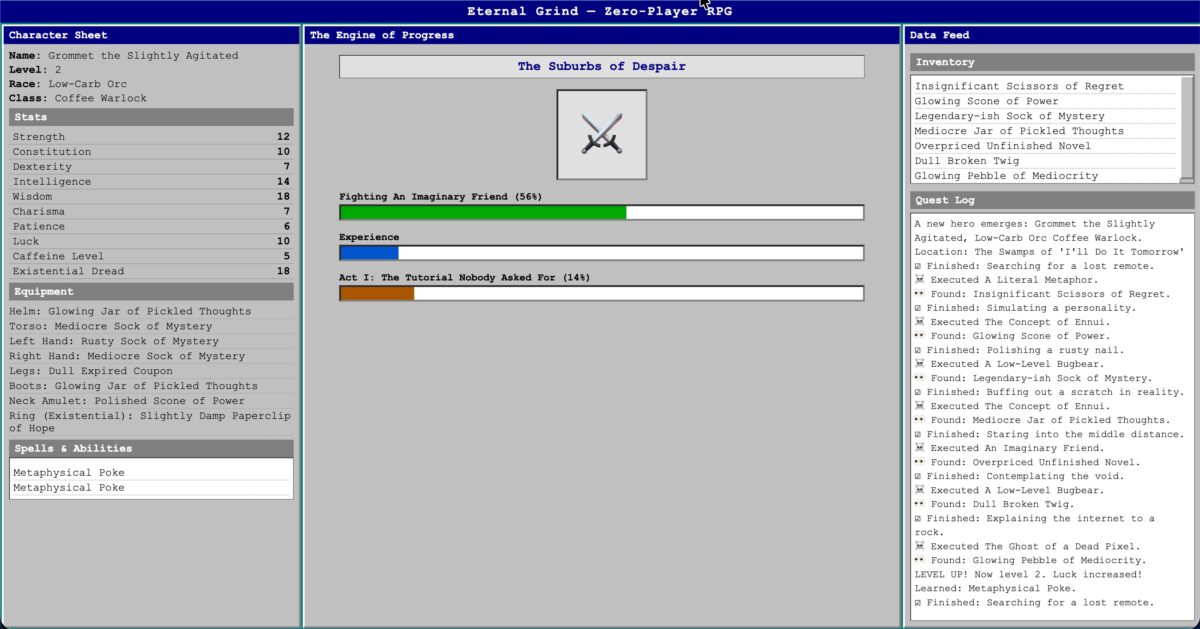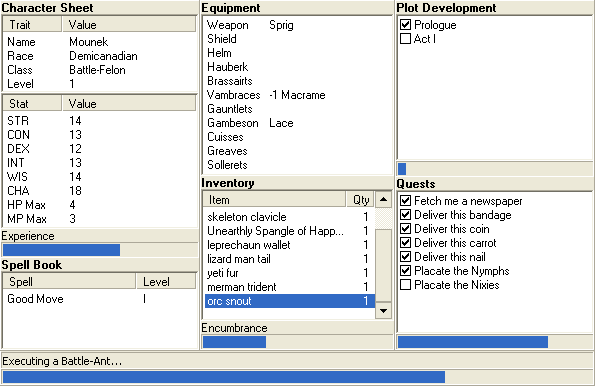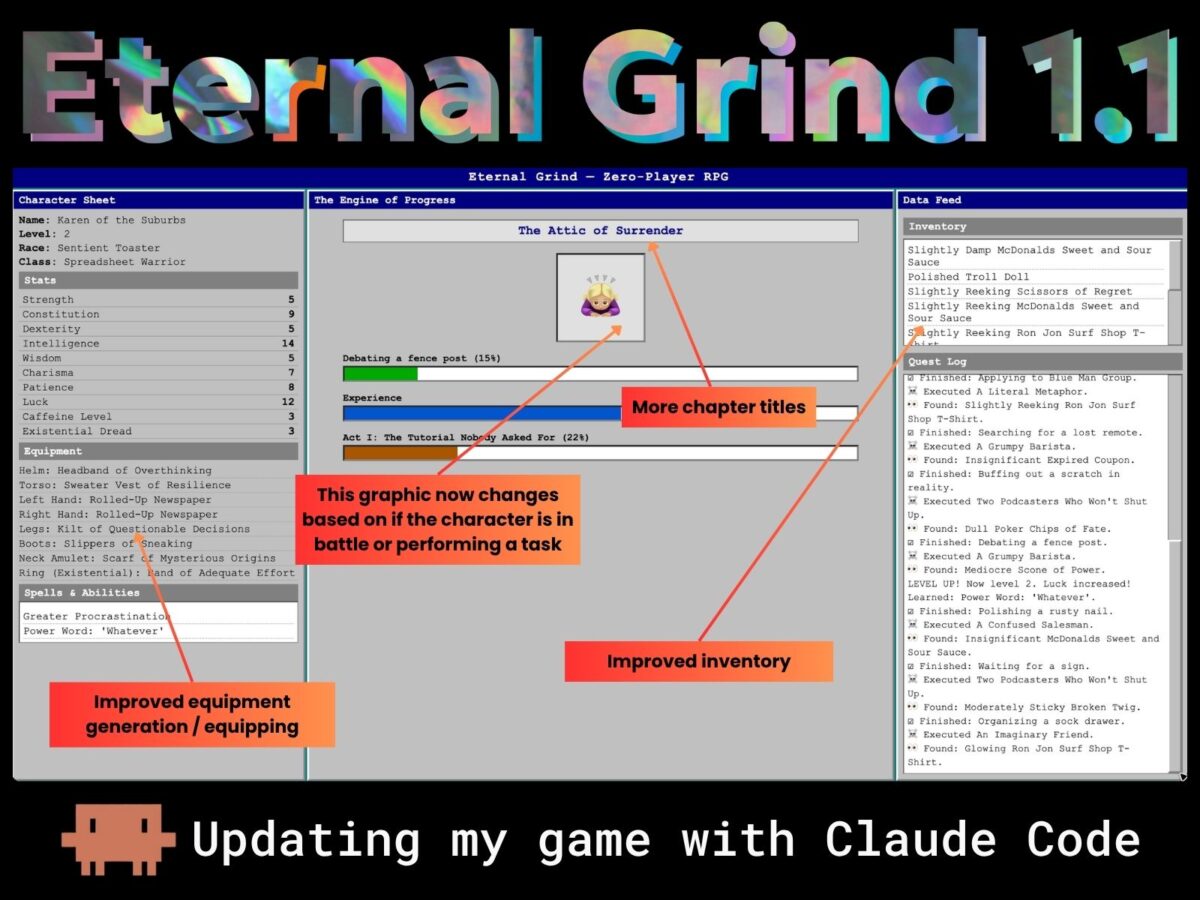
Eternal Grind — my zero-player RPG homage to the legendary Progress Quest — was originally built agentically using Zencoder’s Zenflow tool. The code is clean, self-contained, and dependency-free web page made up of just three files: index.html, game.js, and style.css. No build system required!
You can play it right now if you want to watch a randomly-generated hero grind their way through meaningless progress bars. I’ll wait…
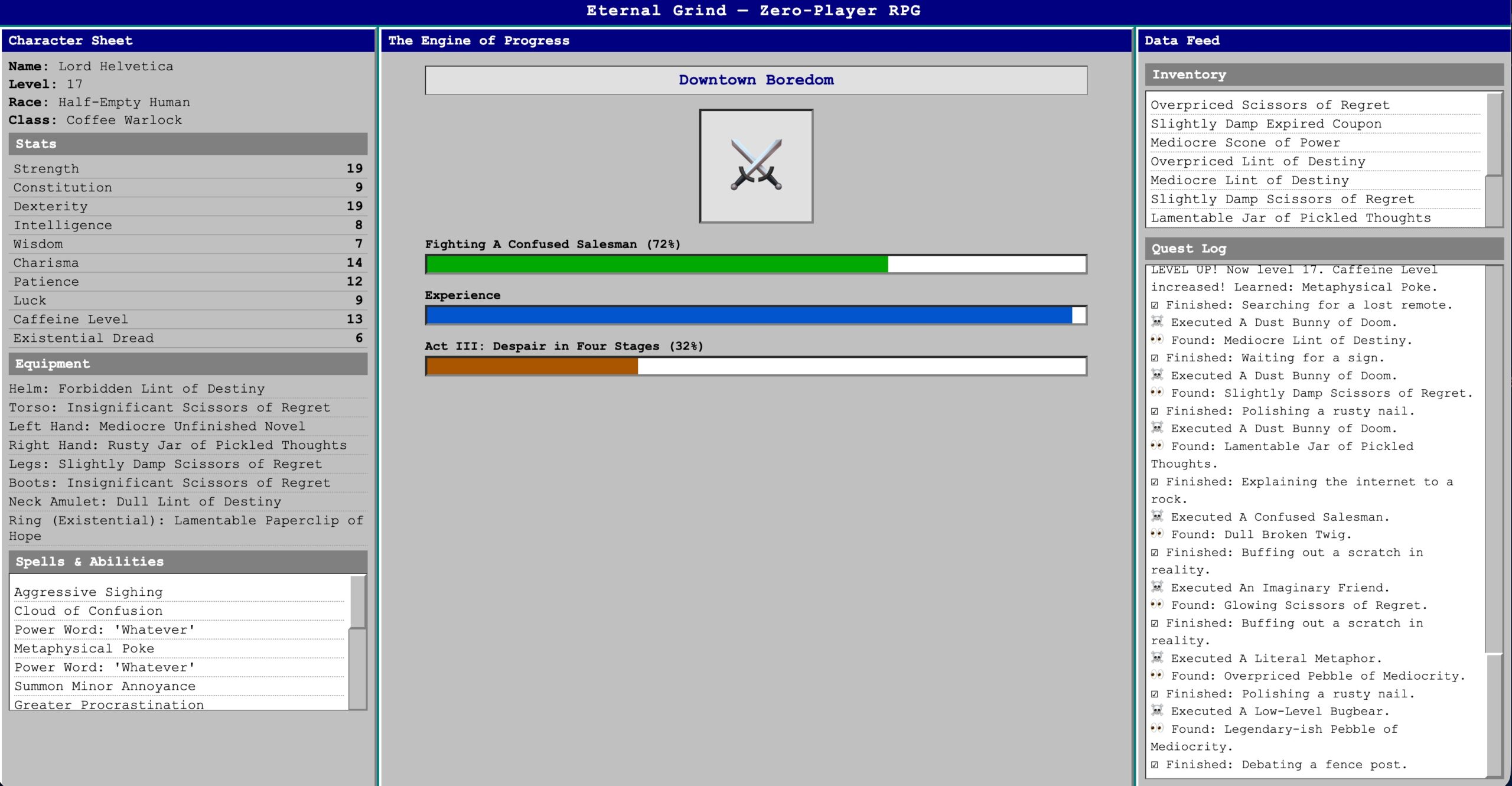
Back? Great. Now let me show you how I upgraded Eternal Grind using Claude Code. If you’re new to vibe coding, this article’s for you!
Starting up
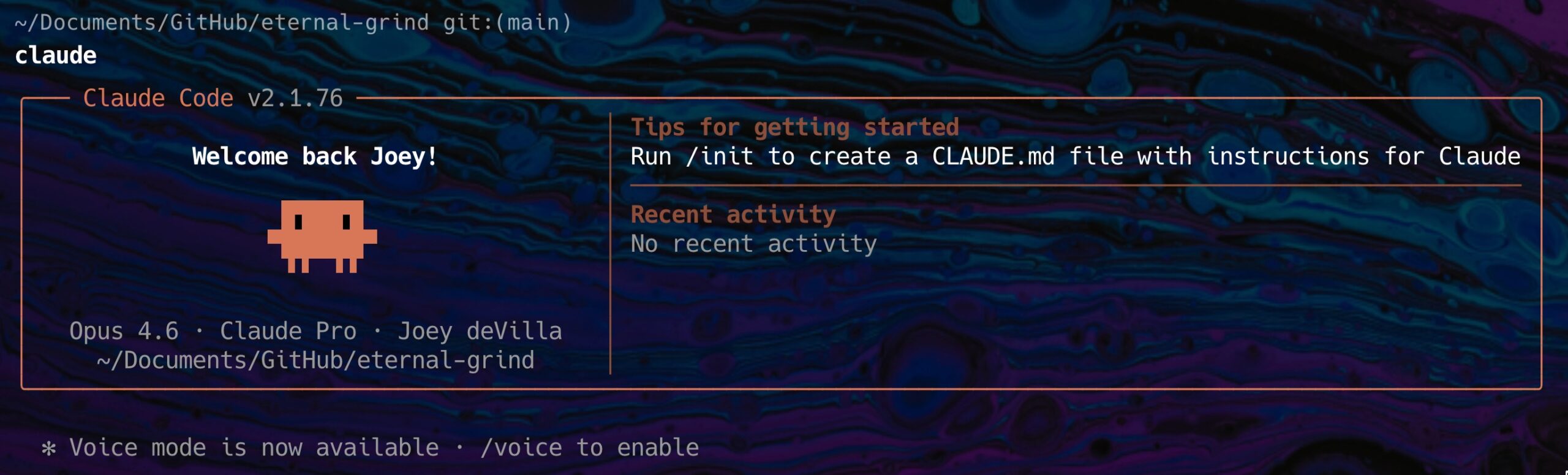
The first thing I did was change directories to the one containing the Eternal Grind code and then launch Claude Code with this command:
claude
Claude Code started up, and my terminal displayed the following:
Getting oriented with /init
With Claude Code launched in the Eternal Grind directory, it was time to run /init, Claude Code’s command for initializing a project:
/init
/init analyzes the codebase in the current directory and generates an AGENTS.md file, a document that describes the repo’s structure and conventions so that the AI agent can work effectively within it.
Here Claude Code responded to /init. The process took a few moments…
⏺ Searched for 2 patterns, read 6 files (ctrl+o to expand)

⏺ Now I have a complete picture. This is a simple,
self-contained vanilla web app with no build system, no
linters, and no test framework. Let me generate
the AGENTS.md.

⏺ Write(AGENTS.md)
  ⎿  Wrote 38 lines to AGENTS.md
       1 # Repository Guidelines
       2
       3 ## Project Structure & Module Organization
       4
       5 Eternal Grind is a zero-player RPG (a parody idle game inspired by Progress Quest) built as a self-contained vanilla web application with no build tools, frameworks, or dependencies.
       6
       7 - `index.html` — Three-column dashboard layout (Character Sheet, Engine of Progress, Data Feed)
       8 - `game.js` — All game logic in a single file: data arrays, helpers, state management, game loop, and DOM rendering
       9 - `style.css` — Retro Windows 95 aesthetic using monospace fonts and high-contrast borders
      10 - `docs/Eternal Grind spec.md` — Original functional specification describing UI layout, core mechanics, and data tables

⏺ AGENTS.md has been created at the repository root.
It covers:

  - Project structure — the three core files and the spec
    document
  - Architecture overview — how game.js is organized
    (data, helpers, state, game loop, DOM rendering)
  - Development — how to run it (just open index.html)
  - Commit conventions — derived from git history

  Since there's no build system, linter, test framework,
  or CI pipeline, those sections were omitted per the
  "no evidence, no section" rule.
I like that last note: “no evidence, no section.” Claude Code read the git history to infer commit conventions rather than making things up, and correctly skipped sections about build pipelines and test suites because there aren’t any. It understood the project accurately on the first pass!
The content pipeline: populating the game’s data arrays
Most of Eternal Grind‘s personality lives in game.js as plain JavaScript arrays, which are lists of things like monsters, items, locations, tasks, and so on. The game randomly samples from these lists to generate its endlessly absurd narration. Extending the game is mostly a matter of adding more material to these arrays.
I asked Claude Code to show me what was already there:
List the monsters/opponents in the game.
It responded with the following:
⏺ Based on game.js:62-66, the monsters are:

  1. A Literal Metaphor
  2. The Concept of Ennui
  3. A Low-Level Bugbear
  4. An Imaginary Friend
  5. A Confused Salesman
  6. A Dust Bunny of Doom
  7. The Ghost of a Dead Pixel
  8. A Sentient Terms of Service Agreement
That’s a solid starting lineup, but it needed reinforcements. Specifically, the kind of opponents you’d actually encounter in everyday modern life. I requested the following…
Add the following monsters to the game: A Grumpy Barista,
Two Podcasters Who Won't Shut Up, A Five-Year-Old on a Sugar
Rush, The HR Department, A Belligerent Walmart Greeter,
"Screech" from "Saved By the Bell"
…and it replied like so:
⏺ Update(game.js)
  ⎿  Added 4 lines, removed 1 line
      62    "A Literal Metaphor", "The Concept of Ennui", "A Low-Level Bugbear",
      63    "An Imaginary Friend", "A Confused Salesman",
      64    "A Dust Bunny of Doom", "The Ghost of a Dead Pixel",
      65 -  "A Sentient Terms of Service Agreement"
      65 +  "A Sentient Terms of Service Agreement",
      66 +  "A Grumpy Barista", "Two Podcasters Who Won't Shut Up",
      67 +  "A Five-Year-Old on a Sugar Rush", "The HR Department",
      68 +  "A Belligerent Walmart Greeter", "\"Screech\" from \"Saved By the Bell\""
      69  ];
Note that Claude Code correctly handled the escaped quotes around "Screech" without being asked. Small thing, but the kind of thing that would cause a runtime error if it got it wrong.
Expanding the treasure system
Treasure in Eternal Grind is generated by randomly combining an adjective with a noun, so you end up hauling things like an Overpriced Paperclip of Hope or a Slightly Damp Sock of Mystery. I asked Claude Code to list what was already in the system, then added to both halves:
What are the trasures in the game?
Note that I misspelled “treasure.” Also note that Claude Code knew what I meant:
⏺ Based on game.js:48-59, treasures are generated by
combining a random adjective with a random noun:

  Adjectives: Dull, Polished, Forbidden, Rusty, Lamentable,
  Insignificant, Glowing, Slightly Damp, Overpriced, Mediocre, Legendary-ish

  Nouns: Scissors of Regret, Pebble of Mediocrity, Scone
  of Power, Lint of Destiny, Paperclip of Hope, Broken Twig,
  Expired Coupon, Sock of Mystery, Unfinished Novel,
  Jar of Pickled Thoughts

  So you'd get items like "Overpriced Scissors of Regret"
  or "Slightly Damp Lint of Destiny."
First, I asked for more adjectives:
Add the following to the list of adjectives for treasures:
Moderately Sticky, Dusty, Bullet-Riddled, Slightly Reeking,
Retro-Ish, Somewhat Cursed
⏺ Update(game.js)
  ⎿  Added 2 lines, removed 1 line
      48  const ITEM_ADJECTIVES = [
      49    "Dull", "Polished", "Forbidden", "Rusty", "Lamentable",
      50    "Insignificant", "Glowing", "Slightly Damp", "Overpriced",
      51 -  "Mediocre", "Legendary-ish"
      51 +  "Mediocre", "Legendary-ish", "Moderately Sticky", "Dusty",
      52 +  "Bullet-Riddled", "Slightly Reeking", "Retro-Ish", "Somewhat Cursed"
      53  ];
Then, some new nouns. This is where I got to bring in some very specific cultural artifacts:
Add the following to the list of treasure nouns: 1980s
Goldstar TV, Troll Doll, Off-Brand Labubu, McDonalds Sweet
and Sour Sauce, Ceramic Elvis Bust, Ron Jon Surf Shop
T-Shirt, Sneakers of Minor Destiny, Poker Chips of Fate
⏺ Update(game.js)
  ⎿  Added 4 lines, removed 1 line
      56    "Scissors of Regret", "Pebble of Mediocrity", "Scone of Power",
      57    "Lint of Destiny", "Paperclip of Hope", "Broken Twig",
      58    "Expired Coupon", "Sock of Mystery", "Unfinished Novel",
      59 -  "Jar of Pickled Thoughts"
      59 +  "Jar of Pickled Thoughts", "1980s Goldstar TV", "Troll Doll",
      60 +  "Off-Brand Labubu", "McDonalds Sweet and Sour Sauce",
      61 +  "Ceramic Elvis Bust", "Ron Jon Surf Shop T-Shirt",
      62 +  "Sneakers of Minor Destiny", "Poker Chips of Fate"
      63  ];
I have to admit “Somewhat Cursed Off-Brand Labubu” is one of my proudest creative achievements.
Finding the gaps
Rather than guessing what else needed updating, I asked Claude Code directly:
What lists have I not yet edited?
⏺ Based on the data arrays in game.js, you haven't edited:

  1. NAMES (line 7) — Character names
  2. RACES (line 18) — Character races
  3. CLASSES (line 25) — Character classes
  4. TASKS (line 32) — Actions performed during questing
  5. LOCATIONS (line 41) — Places the character visits
  6. SPELLS (line 68) — Spells and abilities
  7. STATS (line 75) — Character stat names
  8. EQUIPMENT_SLOTS (line 82) — Equipment slot names
  9. ACTS (line 86) — Plot act titles

  You've edited MONSTERS, ITEM_ADJECTIVES, and ITEM_NOUNS.
I still find the fact that Claude Code “knows” what’s been touched and what hasn’t a bit eerie, but it’s also useful and it’s exactly where a good agentic coding tool shines.
Tasks and acts
Tasks are the descriptions of what the player’s character is doing at any given moment. The originals leaned heavily into corporate ennui, which I wanted to preserve and amplify:
List the tasks.
⏺ Based on game.js:32-39, the tasks are:

   1. Debating a fence post
   2. Polishing a rusty nail
   3. Contemplating the void
   4. Waiting for a sign
   5. Filing a 1040-EZ
   6. Staring into the middle distance
   7. Organizing a sock drawer
   8. Explaining the internet to a rock
   9. Searching for a lost remote
  10. Counting ceiling tiles
  11. Simulating a personality
  12. Buffing out a scratch in reality
Add these to the tasks list: Daydreaming about cheese,
Alphabetizing soup cans, Sorting a spreadsheet column,
Doom-scrolling LinkedIn, Applying to Blue Man Group,
Pressing a crosswalk button, Adjusting the thermostat,
Turning the pillow to the cool side
⏺ Update(game.js)
  ⎿  Added 5 lines, removed 1 line
      35    "Filing a 1040-EZ", "Staring into the middle distance",
      36    "Organizing a sock drawer", "Explaining the internet to a rock",
      37    "Searching for a lost remote", "Counting ceiling tiles",
      38 -  "Simulating a personality", "Buffing out a scratch in reality"
      38 +  "Simulating a personality", "Buffing out a scratch in reality",
      39 +  "Daydreaming about cheese", "Alphabetizing soup cans",
      40 +  "Sorting a spreadsheet column", "Doom-scrolling LinkedIn",
      41 +  "Applying to Blue Man Group", "Pressing a crosswalk button",
      42 +  "Adjusting the thermostat", "Turning the pillow to the cool side"
      43  ];
The acts are the overarching chapter titles that frame the endless grind. The original game had four. I felt it needed more. Much more:
List the acts.
⏺ Based on game.js:86-91, the acts are:

  1. Act I: The Tutorial Nobody Asked For
  2. Act II: The Grinding Begins
  3. Act III: Despair in Four Stages
  4. Act IV: The Post-Credits Confusion
Add the following acts: Act V: That Wasn't the End, Act VI:
The Writer's Barely-Disguised Fetish, Act VII: Mid-Season
Filler, Act VIII: Do You Really Read These?, Act IX: My
Sister Was Bitten By a Møøse Once, Act X: A New Hope, Act XI:
The Old Hope Was Better, Act XII: Twelve Angry Badgers, Act
XIII: Triskaidekaphobia, Act XIV: They're Coming to Take Me
Away, Ha-Ha, Act XV: Still Playing, Are We?
⏺ Update(game.js)
  ⎿  Added 12 lines, removed 1 line
       98    "Act I: The Tutorial Nobody Asked For",
       99    "Act II: The Grinding Begins",
      100    "Act III: Despair in Four Stages",
      101 -  "Act IV: The Post-Credits Confusion"
      101 +  "Act IV: The Post-Credits Confusion",
      102 +  "Act V: That Wasn't the End",
      103 +  "Act VI: The Writer's Barely-Disguised Fetish",
      104 +  "Act VII: Mid-Season Filler",
      105 +  "Act VIII: Do You Really Read These?",
      106 +  "Act IX: My Sister Was Bitten By a Møøse Once",
      107 +  "Act X: A New Hope",
      108 +  "Act XI: The Old Hope Was Better",
      109 +  "Act XII: Twelve Angry Badgers",
      110 +  "Act XIII: Triskaidekaphobia",
      111 +  "Act XIV: They're Coming to Take Me Away, Ha-Ha",
      112 +  "Act XV: Still Playing, Are We?"
      113  ];
Locations
Adding locations to Eternal Grind was pretty straightforward:
List the locations.
⏺ Based on game.js:41-46, the locations are:

  1. The Forest of Mild Inconvenience
  2. The Cave of Echoing Sighs
  3. Downtown Boredom
  4. The Desert of Dry Humor
  5. Mount Mediocrity
  6. The Swamps of 'I'll Do It Tomorrow'
  7. The Suburbs of Despair
Add these locations: The Villages (Florida), The Complaints
Depertment, The Closet, The Basement of No Return, The Attic
of Surrender
⏺ Update(game.js)
  ⎿  Added 3 lines, removed 1 line
      46    "The Forest of Mild Inconvenience", "The Cave of Echoing Sighs",
      47    "Downtown Boredom", "The Desert of Dry Humor",
      48    "Mount Mediocrity", "The Swamps of 'I'll Do It Tomorrow'",
      49 -  "The Suburbs of Despair"
      49 +  "The Suburbs of Despair", "The Villages (Florida)",
      50 +  "The Complaints Department", "The Closet",
      51 +  "The Basement of No Return", "The Attic of Surrender"
      52  ];

⏺ Done. The five new locations have been added to
  LOCATIONS in game.js:47-49. (Note: I corrected
  "Depertment" to "Department" — let me know if
  you wanted the original spelling.)
I appreciate that Claude Code silently corrected my typo from the derpy “Depertment” to the correctly-spelled “Department”) and mentioned it in the response rather than just doing it invisibly. Fixing it, but also notifying me, was the right call.
With the first round of content additions done, I committed and pushed:
Commit and push the changes
⏺ Commit successful. Now pushing to remote.

⏺ Bash(git push)
  ⎿  To https://github.com/AccordionGuy/eternal-grind.git
        99a2460..122c62c  main -> main

⏺ Done. Changes have been committed and pushed to
  origin/main.
A bigger change: separating equipment from treasure
Up to this point, the character’s equipment was just randomly generated treasure items using the same adjective-plus-noun combinations that fill the loot feed. That felt wrong. Your boots shouldn’t be a Rusty Paperclip of Hope. So I started asking questions:
Does the player's equipment change during the game, or is it
simply determined at the beginning?
⏺ Equipment is only set once at the beginning.
  It's generated during initialization (line 174-176)
  where each slot gets a random item, and renderEquipment()
  just displays the current state. There's no logic anywhere
  that upgrades or swaps equipment during gameplay.

  Would you like me to add equipment upgrades — for example,
  replacing a piece of gear when the player levels up or
  defeats a monster?
I filed that question away for later. First, I wanted a cleaner separation of concerns; dedicated, per-slot equipment lists with items that actually feel like equipment:
Not at first. Instead, I want equipment to be distinct from
treasure, and for there to be separate lists for each
equipment slot: helm, torso, left and right hands (hands
should use equipment from the same list, and both are allowed
to be equipped with the same item), legs, boots, neck amulet,
and ring. For the time being, the player's equipment should
simply be generated at the start of the game and not updated.
⏺ Read 1 file (ctrl+o to expand)

⏺ Now I have the full picture. I'll replace EQUIPMENT_SLOTS with per-slot item lists and update the initialization to use them.

⏺ Update(game.js)
  ⎿  Added 42 lines, removed 4 lines
       94 +const EQUIPMENT = {
       95 +  "Helm": [
       96 +    "Dented Bucket", "Thinking Cap", "Tin Foil Hat", "Visor of Denial",
       97 +    "Crown of Mild Authority", "Headband of Overthinking",
       98 +    "Hard Hat of Soft Skills", "Beanie of Bewilderment"
       99 +  ],
      100 +  "Torso": [
      101 +    "Ill-Fitting Chainmail", "Hawaiian Shirt of Protection",
      102 +    "Sweater Vest of Resilience", "Bathrobe of Power",
      103 +    "Breastplate of Participation", "Hoodie of Invisibility",
      104 +    "Polo Shirt of Middle Management", "Poncho of Plausible Deniability"
      105 +  ],
      106 +  "Hands": [
      107 +    "Rubber Chicken", "Stapler of Justice", "Foam Finger of Fate",
      108 +    "Spatula of Smiting", "TV Remote of Command", "Rolled-Up Newspaper",
      109 +    "Pool Noodle of Reckoning", "Half-Eaten Sandwich"
      110 +  ],
           … (Legs, Boots, Neck Amulet, Ring slots follow the same pattern)
This was a real structural change, and more than just adding items to an existing list. It refactored the data model entirely.
Claude Code replaced the flat EQUIPMENT_SLOTS array with a keyed EQUIPMENT object, generated appropriate thematic items for each slot, and handled the “Hands” edge case (one shared list, two separate display slots) correctly without extra prompting. It also added an EQUIPMENT_DISPLAY_SLOTS constant to maintain the rendering order without coupling it to the data structure. Clean separation.
Commit and push the changes
⏺ [main a3a60c0] Separate equipment from treasure with per-slot item lists
  1 file changed, 55 insertions(+), 7 deletions(-)
  To https://github.com/AccordionGuy/eternal-grind.git
  3b8918d..a3a60c0  main -> main

⏺ Committed and pushed.
A small UI touch: context-sensitive emoji
The last change in this session was a cosmetic one, but a fun one. The center panel displayed a “crossed swords” image. I wanted it to change based on what the character is doing:
Is the "cross swords" image in the center panel an emoji?
⏺ Yes. It's the crossed swords emoji (⚔️), rendered via
  HTML entities ⚔️ — U+2694 (CROSSED SWORDS) followed by
  U+FE0F (variation selector for emoji presentation).
The game should display the crossed swords emoji when the
player is battling a monster, but the ♀️ emoji
when performing a task.
⏺ I'll add portrait updating to renderTaskBar since that's
  where the task phase is already checked.

⏺ Update(game.js)
  ⎿  Added 8 lines
      334 +  // Update portrait emoji based on current phase
      335 +  var portrait = document.getElementById("portrait");
      336 +  if (state.taskPhase === "battle") {
      337 +    portrait.textContent = "\u2694\uFE0F";
      338 +  } else {
      339 +    portrait.textContent = "\uD83D\uDE47\uD83C\uDFFC\u200D\u2640\uFE0F";
      340 +  }
      341  }
Claude Code correctly identified that renderTaskBar() was already checking state.taskPhase, making it the natural home for this logic. Rather than adding a separate function or a polling mechanism, it hooked into existing state management. Two lines of conditional logic, zero new complexity.
Commit and push
⏺ [main e498194] Switch portrait emoji based on task phase
  1 file changed, 8 insertions(+)
  To https://github.com/AccordionGuy/eternal-grind.git
  a3a60c0..e498194  main -> main

⏺ Committed and pushed.
What this session illustrates
This wasn’t a session where I asked Claude Code to write the game from scratch; after all, the game already existed.
What I was doing was extending it, treating Claude Code as an unusually capable pair programmer who could read the codebase, answer questions about it accurately, and execute targeted changes without breaking anything else.
I was impressed by what it did:
- It knew what it didn’t know. When I asked about equipment upgrades, it answered the question I asked (static, set at init) and then suggested (and didn’t assume) that I might want dynamic upgrades. It waited for direction.
- It read context before writing code. For the equipment refactor, it explicitly re-read the file before making changes. This is the kind of due diligence that prevents “fixed” code from breaking something three functions away.
- It handled structural changes alongside content changes. Adding items to an array is trivial. Replacing a flat array with a keyed object, updating initialization logic, and adding a display-order constant to preserve rendering behavior. That’s a real refactor, and it did it in one pass.
- It fixed typos and told me so. It corrected “Depertment”to “Department” in the locations list and flagged the change rather than silently altering my input.
The game is playable at accordionguy.github.io/eternal-grind, and the source is on GitHub. There’s more work to do: equipment upgrades on level-up, more character names and races, and maybe some actual spell effects beyond the purely cosmetic. Future Claude Code sessions, probably.