Categories
Artificial Intelligence Conferences Meetups Programming What I’m Up To

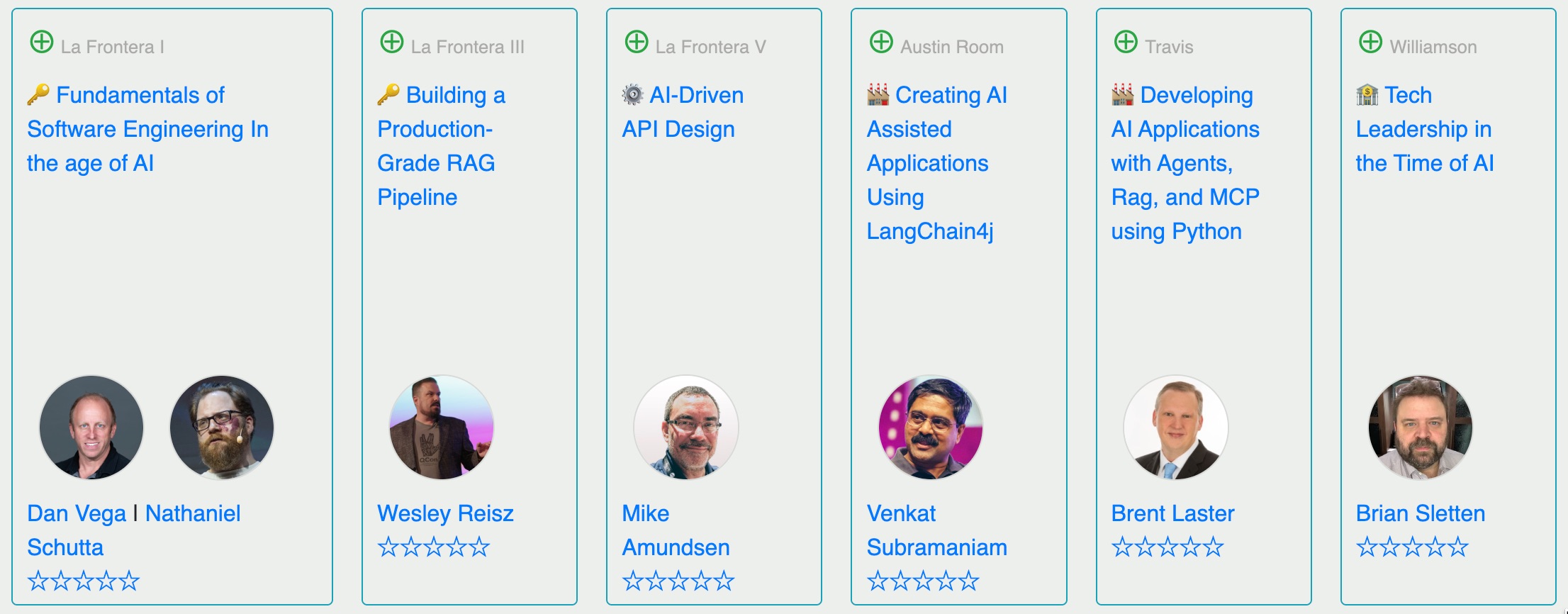
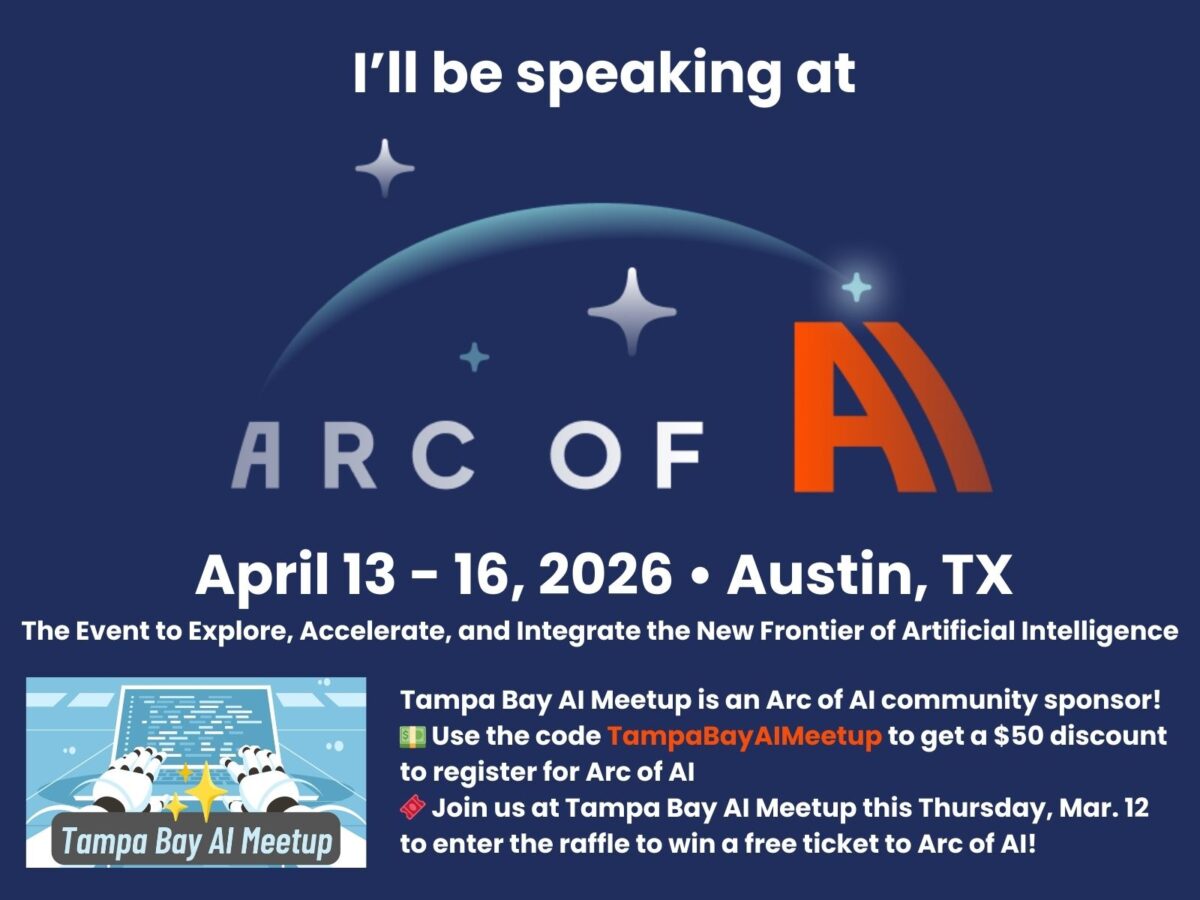
I’m speaking at “Arc of AI” in Austin, Texas — April 13 – 16!

I just got added to the list of speakers who’ll be presenting at the Arc of AI conference, which takes place April 13 – 16 in Austin, Texas!

Arc of AI is the premier AI conference for deep technical talks on everyone’s favorite two-letter field. If you’re one of these kinds of people interested in AI…

  • Software developer
  • Architect
  • Data engineer
  • Technology leader

…and you want to learn the latest strategies, tools, and practices for building AI-powered applications and boosting your development workflows, with AI, this is your conference!

The early bird ticket price is $799, but that lasts only until this Saturday, March 14th. It goes up to $899 until April 4th, after which the price becomes $999.

Tampa Bay AI Meetup is a community partner of Arc of AI, and we can help you save $50 off the ticket price! Just use the discount code TampaBayAIMeetup when checking out.
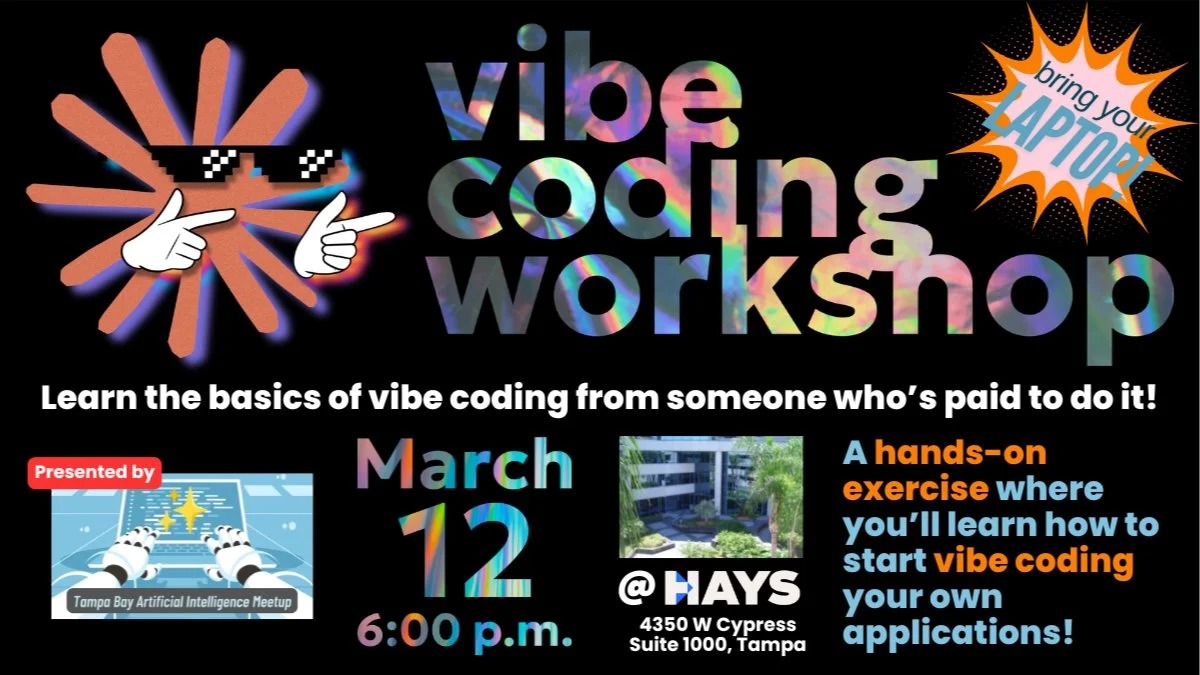
There’s another way to attend Arc of AI for even less: come to this Thursday’s Tampa Bay AI Meetup, where we’re covering vibe coding, and find out how you can win a ticket to Arc of AI for FREE!

I’ll be writing more about Arc of AI soon — watch this space!


Categories
Programming What I’m Up To

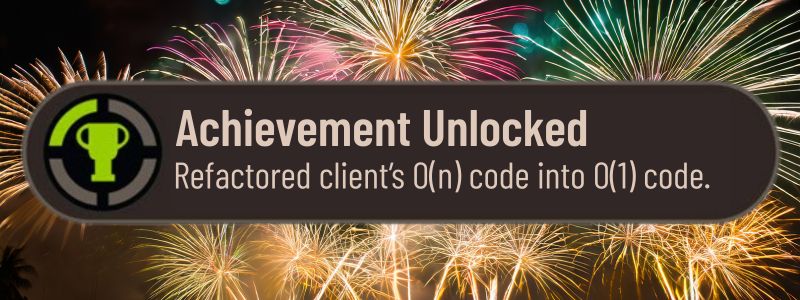
Today’s big win

I can’t go into details, but those of you who know your algorithms know how big a deal this is. Better still, the client’s happy.

Categories
Artificial Intelligence Process Programming

Projects I’m vibe coding, projects I’m grind coding, and projects in-between

A couple of weeks back, I wrote about how coding happens on a spectrum whose opposite ends are:

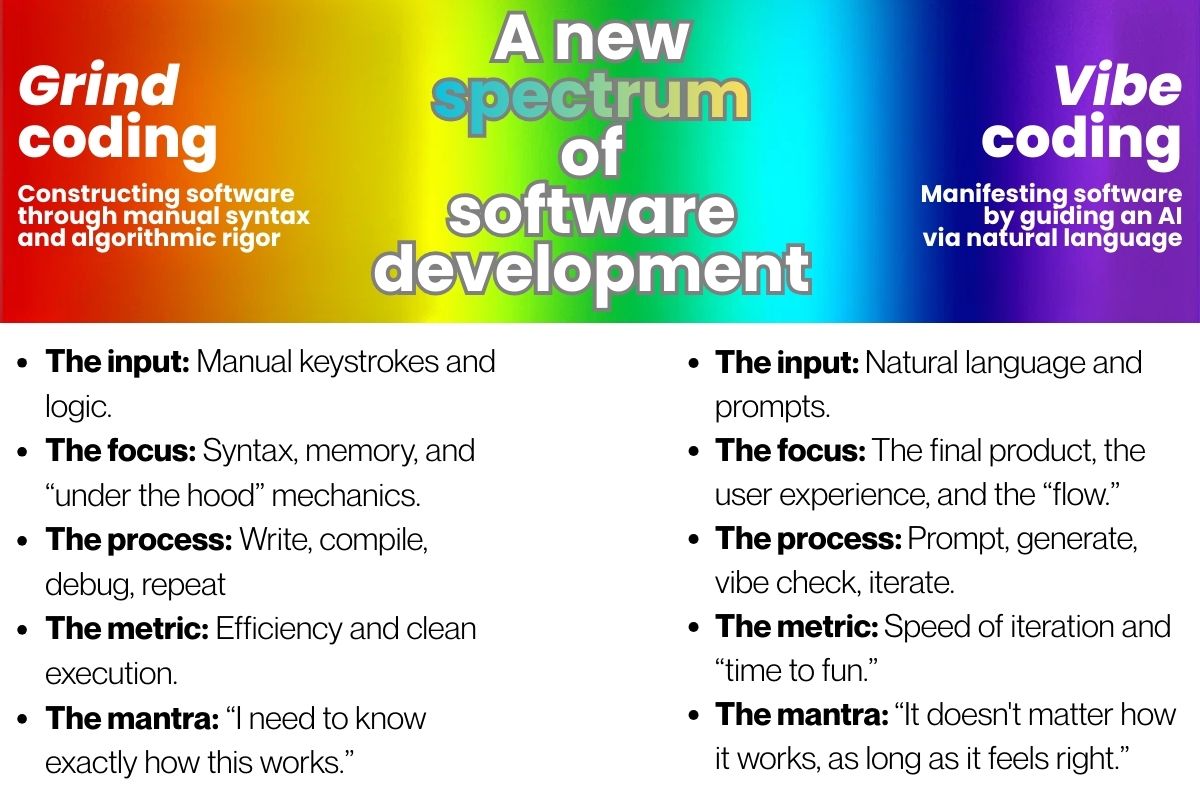
  • Vibe coding, a term coined by Andrej Karpathy, is where where developers use natural language prompts to have LLMs or LLM-based tools generate, debug, and iterate on code. Vibe coding is declarative, because you describe what you want.
  • Grind coding, my term for traditional programming, where you specify how a program performs its tasks using a programming language. Grind coding is imperative, because you specify how the thing you want works.

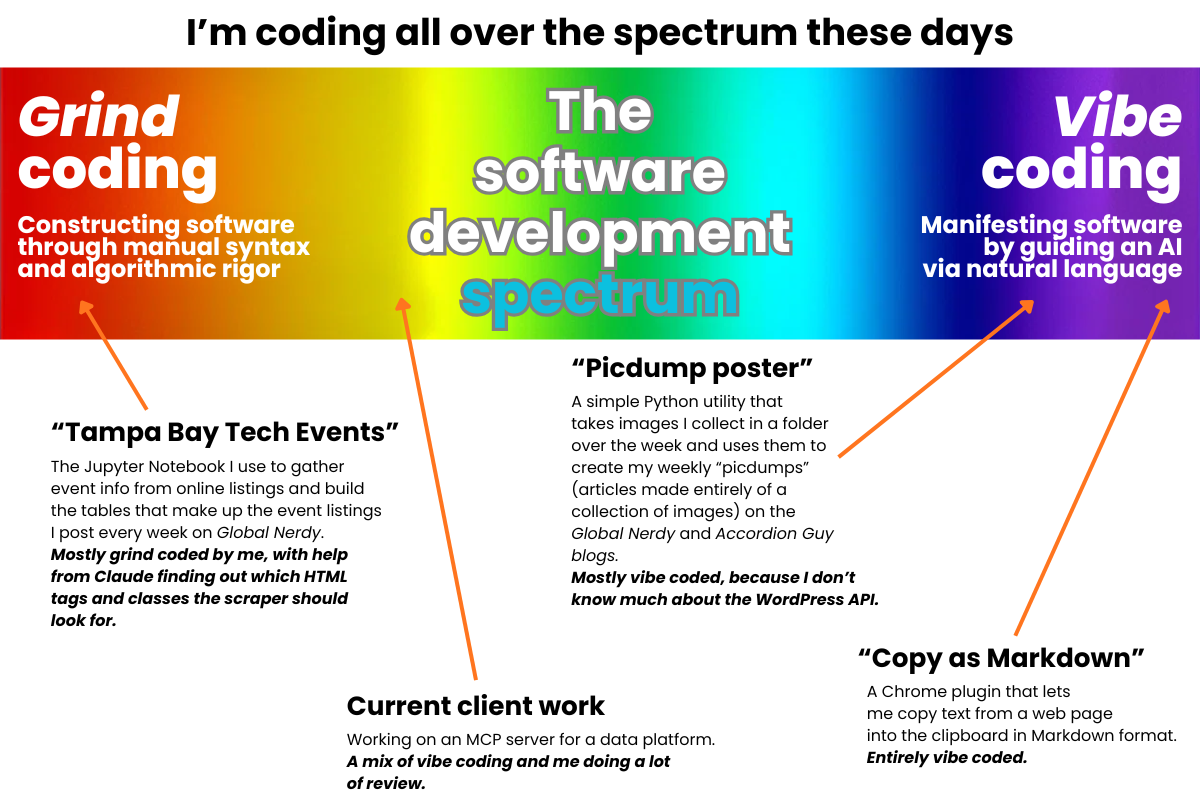
I myself have been writing code for different purposes, on different parts of this spectrum (see the diagram at the top of this article for where they land on the spectrum):

  • The Tampa Bay Tech Events utility: This is the Jupyter Notebook I use to gather event info from online listings and build the tables that make up the event listings I post every week here on Global Nerdy. I wrote the original code myself, but I’ve called on Claude to take the tedious stuff, including analyzing the obfuscated HTML in Meetup’s event pages to find the tags and classes containing event information.
  • MCP server for my current client: This is a project that started before I joined, and was written using a code generation tool. The client is a big platform connected to some big organizations; my job is to be the human programmer in the loop.
  • Picdump poster: Every week, I post “picdump” articles on the Global Nerdy and Accordion Guy blogs. Over the week, I save interesting or relevant images to specific folders, and the picdump poster utlity builds a blog post using those images. It’s a low-effort way for me to assemble some of my most-read blog posts, and it’s more vibe-coded than not, especially since I don’t specialize in building WordPress integrations.
  • Copy as Markdown: Here’s an example of using vibe coding as a way to have custom software built on demand. I wanted a way to copy text from a web page, and then converting that copied text into Markdown format. This one was purely vibe-coded; I simply told Gemini what I wanted, and it not only generated the code for me, but also gave me instructions on how to install it.
Categories
Artificial Intelligence Programming

Grind coding, vibe coding, and everything in between

If we have a term like “vibe coding,” where you build an application by describing what you want it to do using natural language (like English) and an LLM generates the code, we probably should have an equal opposite term that’s catchier than “traditional coding,” where you build an application using a programming language to define the application’s algorithms and data structures.

I propose the term grind coding, which is short, catchy, and has the same linguistic “feel” as vibe coding.

Having these two terms also makes it clear that there’s a spectrum between these two styles. For instance, I’ve done some “mostly grind with a little vibe” coding where I’ve written most of the code and had an LLM write up some small part that I couldn’t be bothered to write — a regular expression or function. There’ve also been some “most vibe with a little grind” cases where I’ve had an LLM or Claude code do most of the coding, and then I did a little manual adjustment afterwards.

Categories
Artificial Intelligence Programming Reading Material

More notes

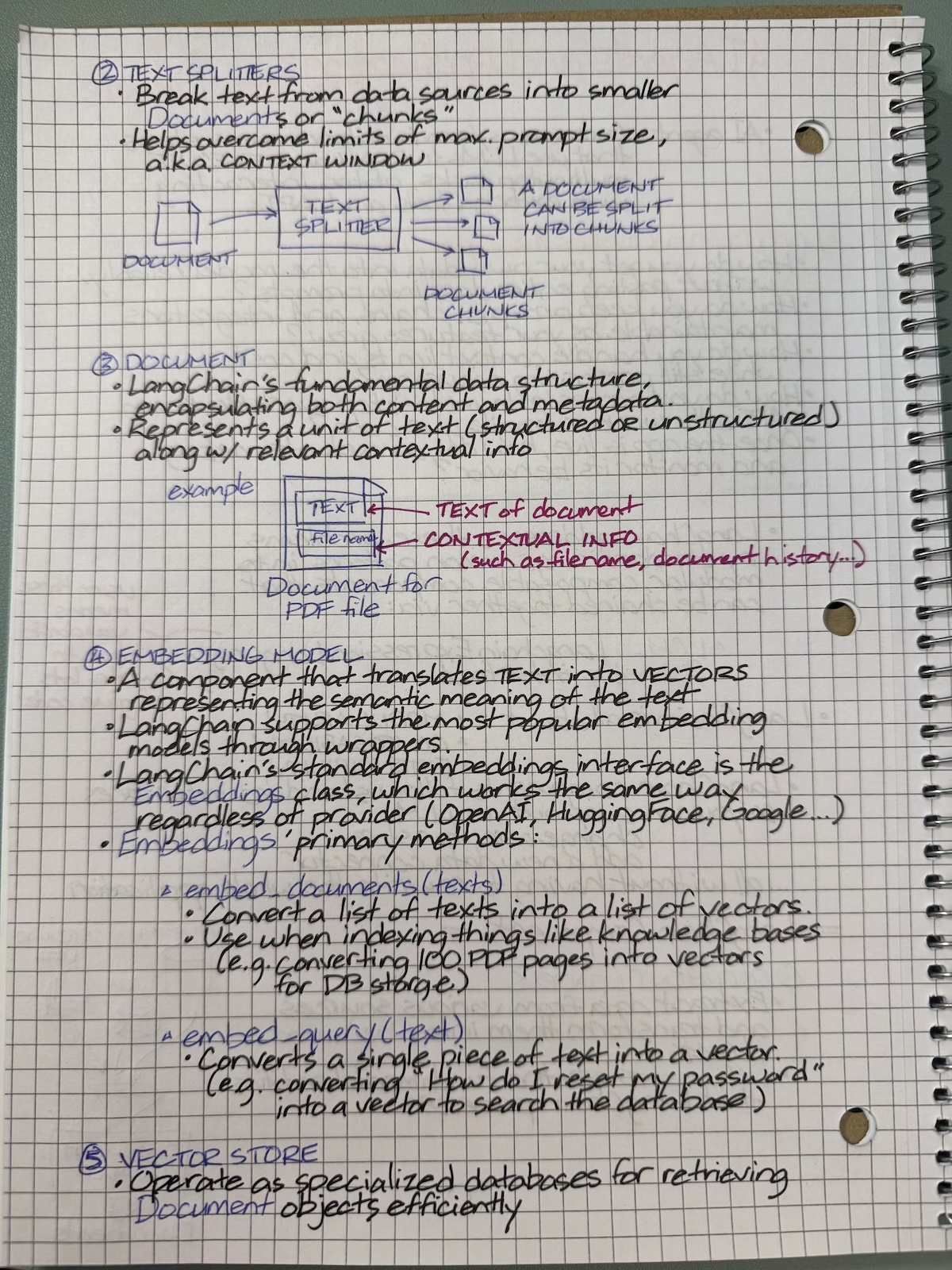
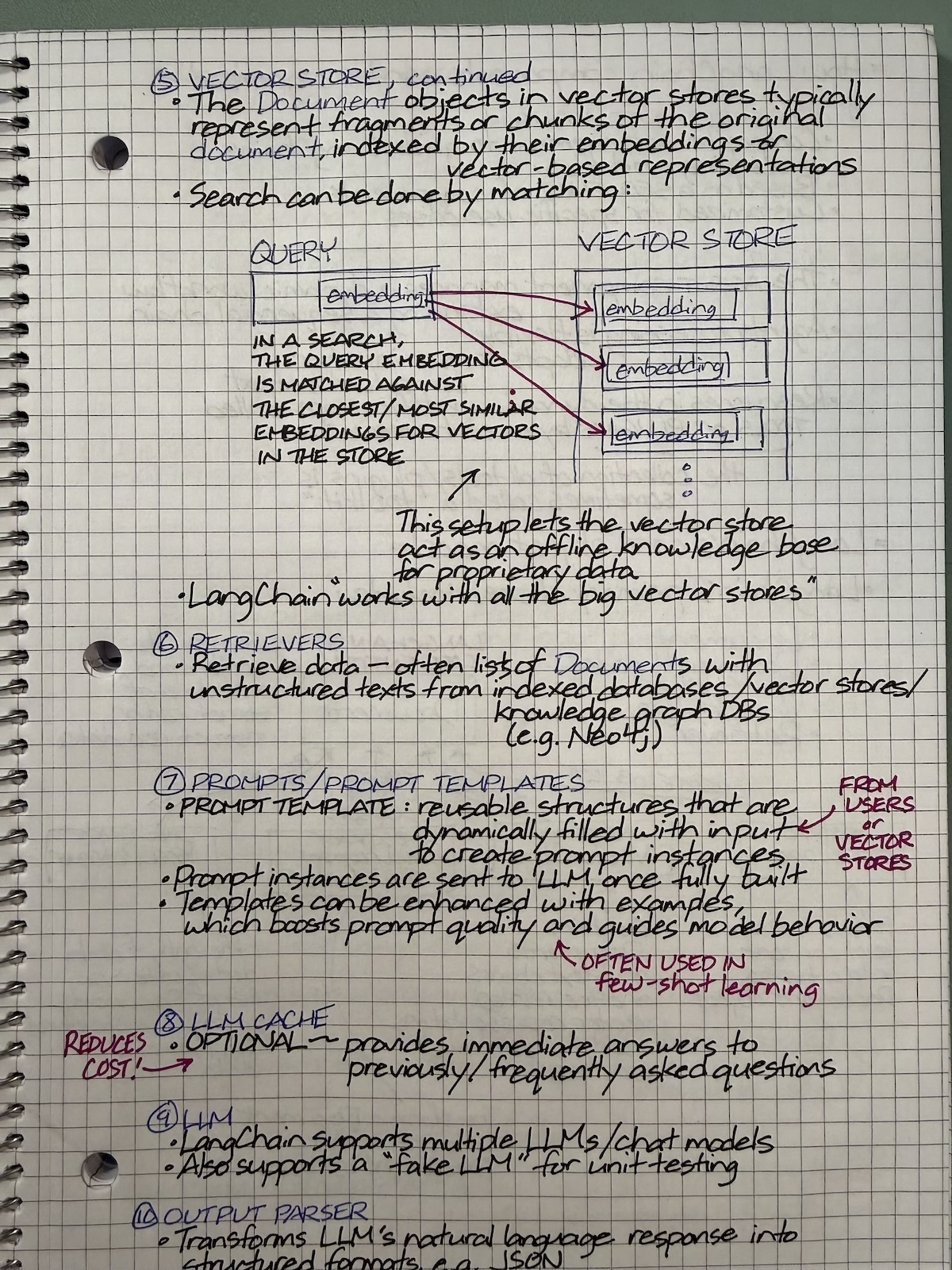
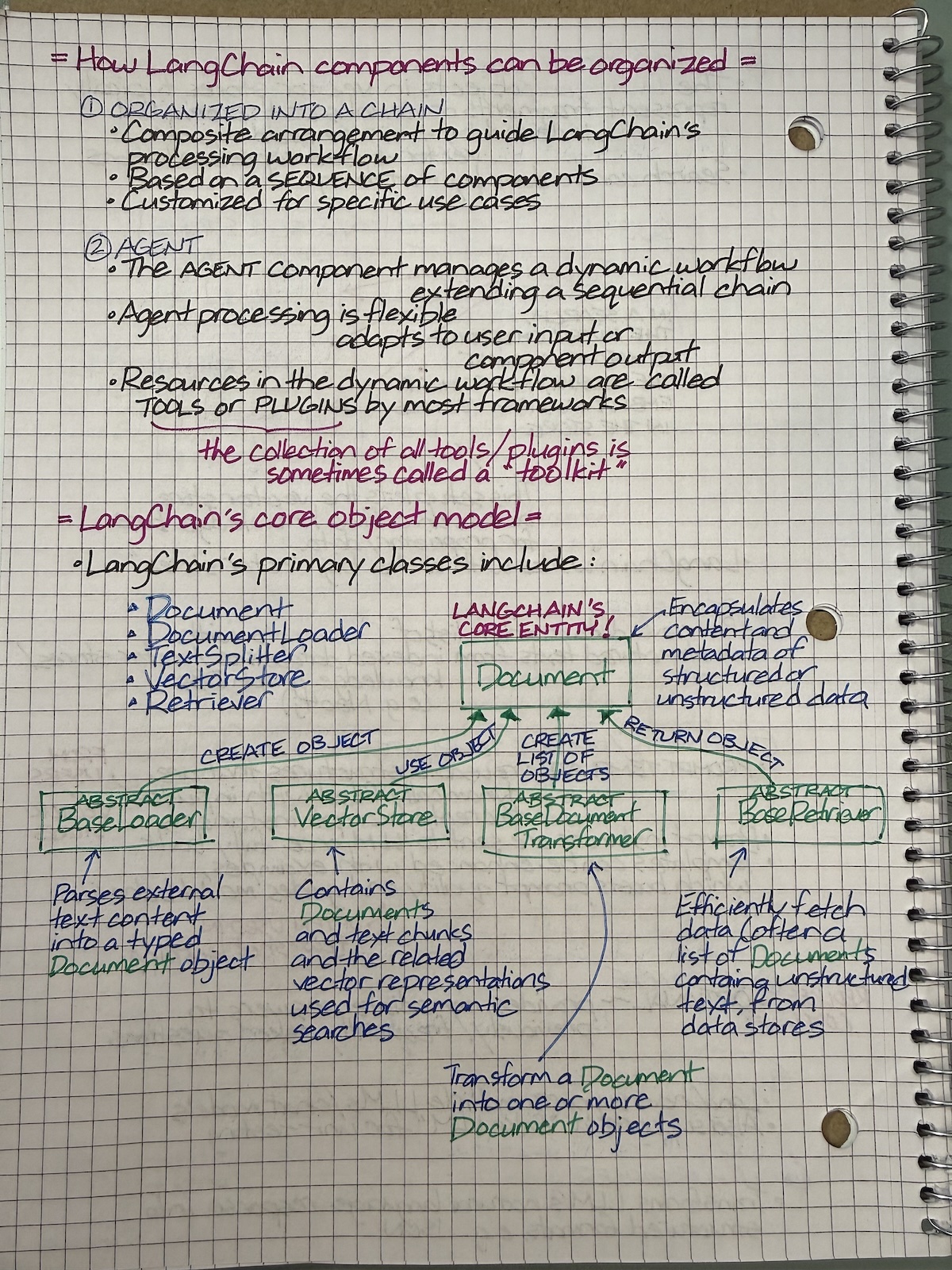
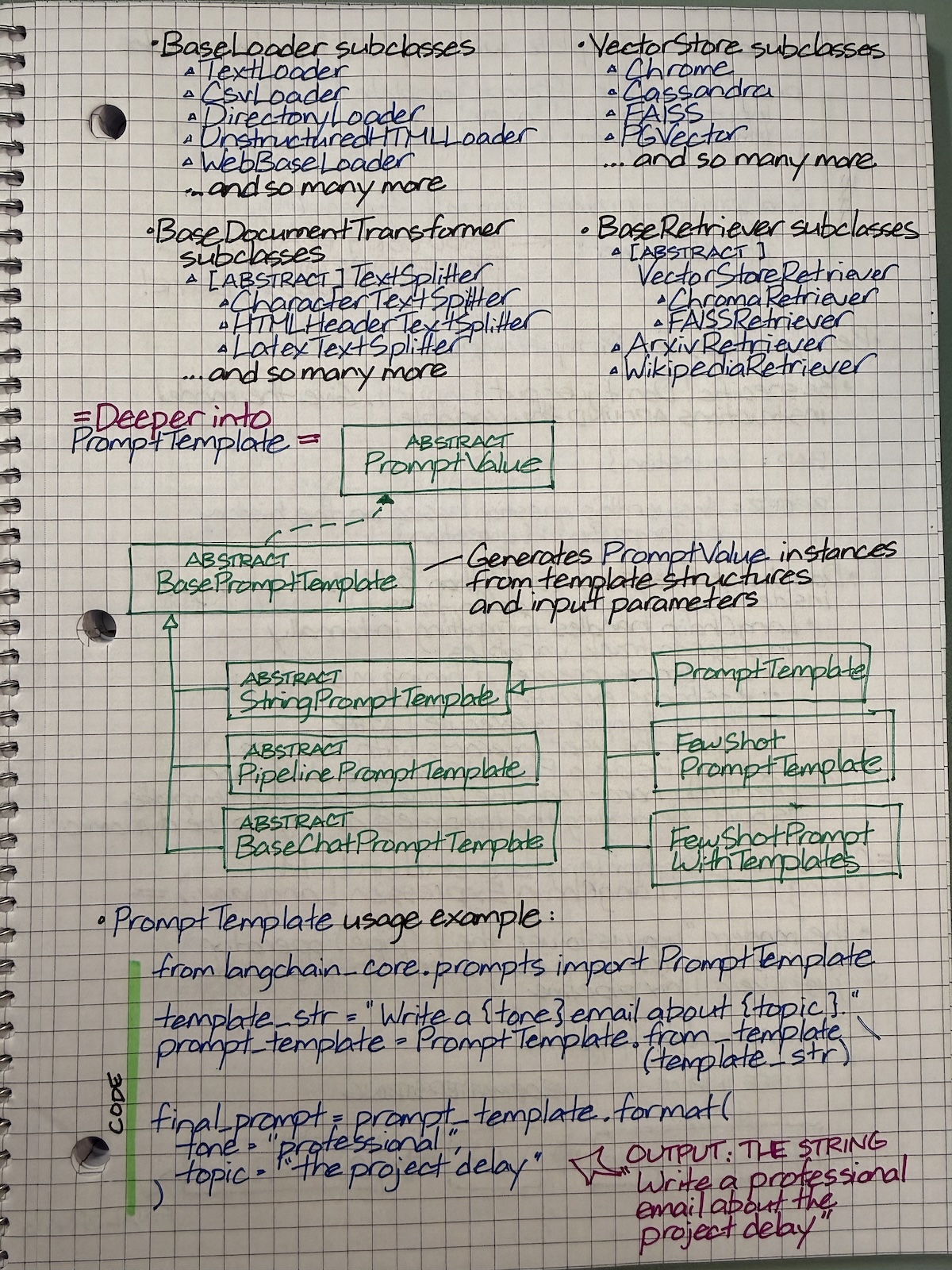
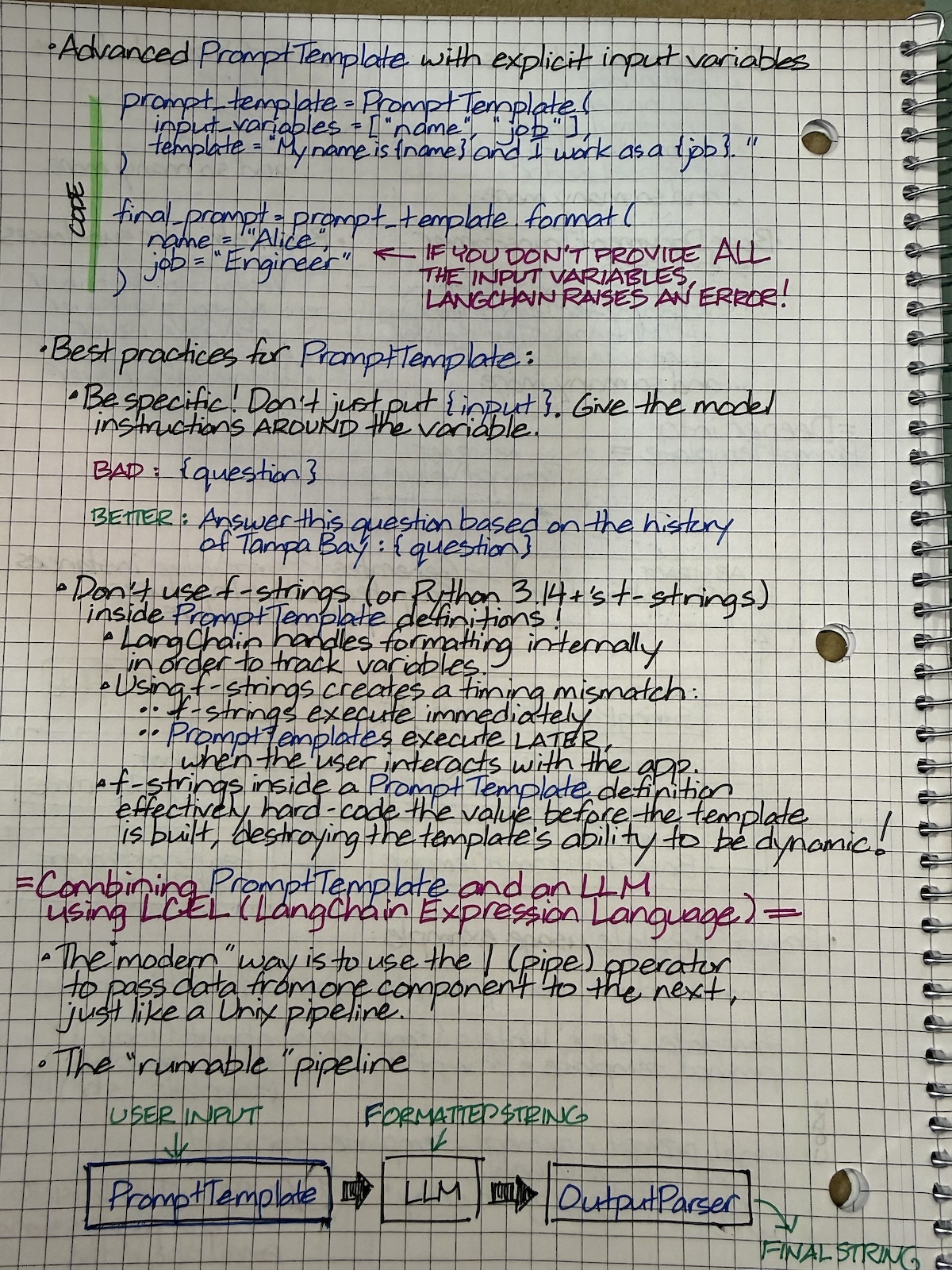
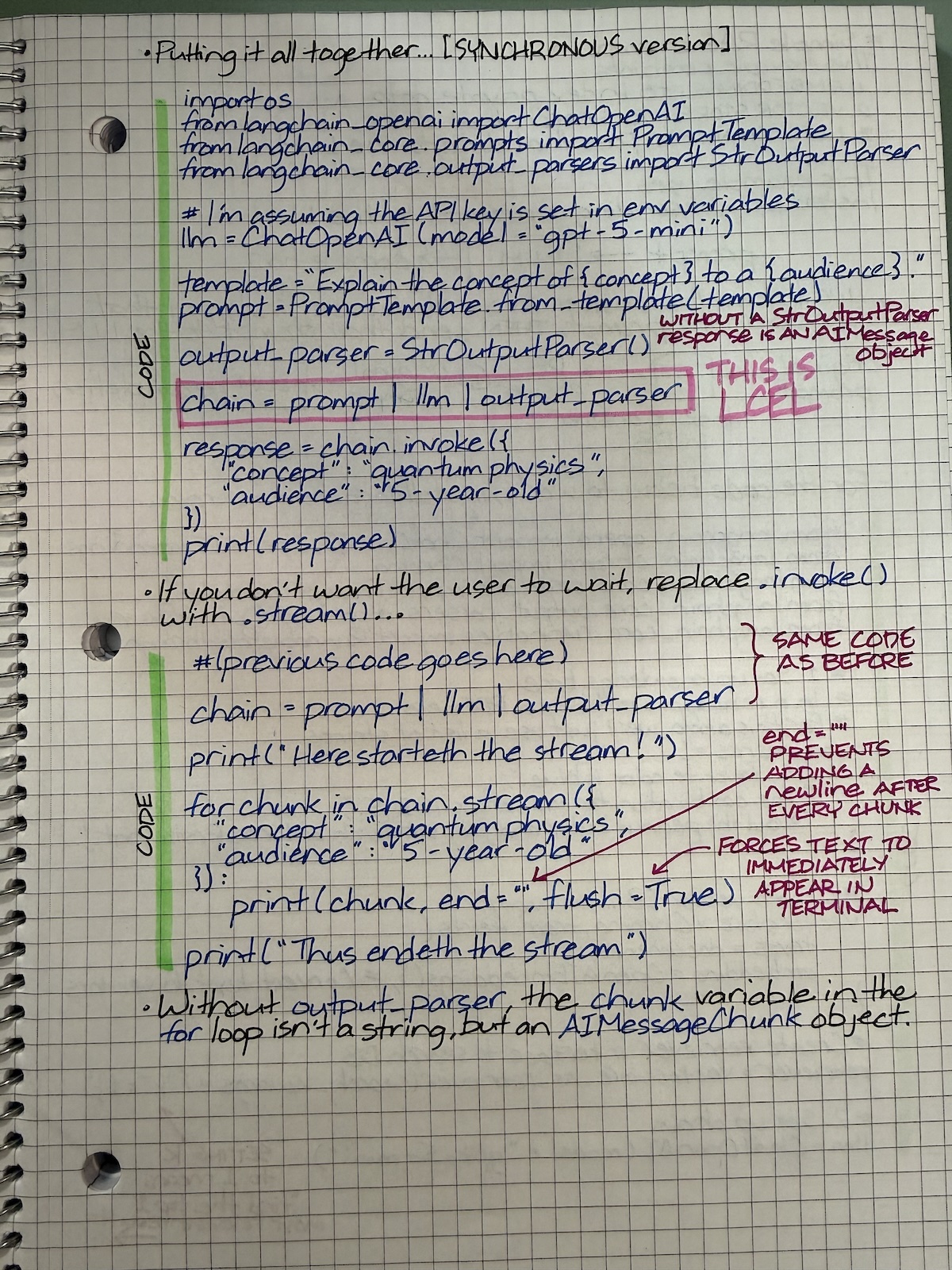
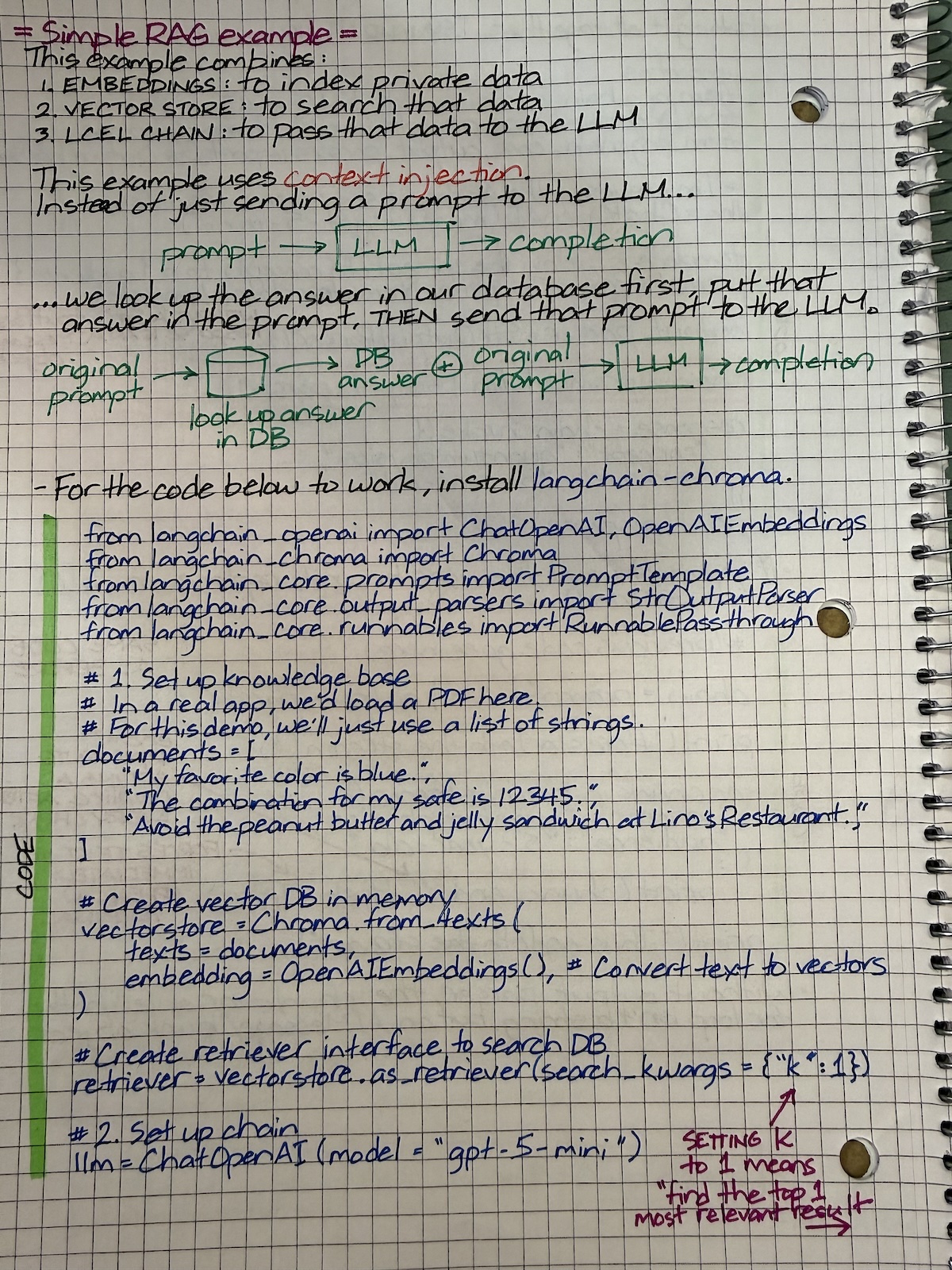
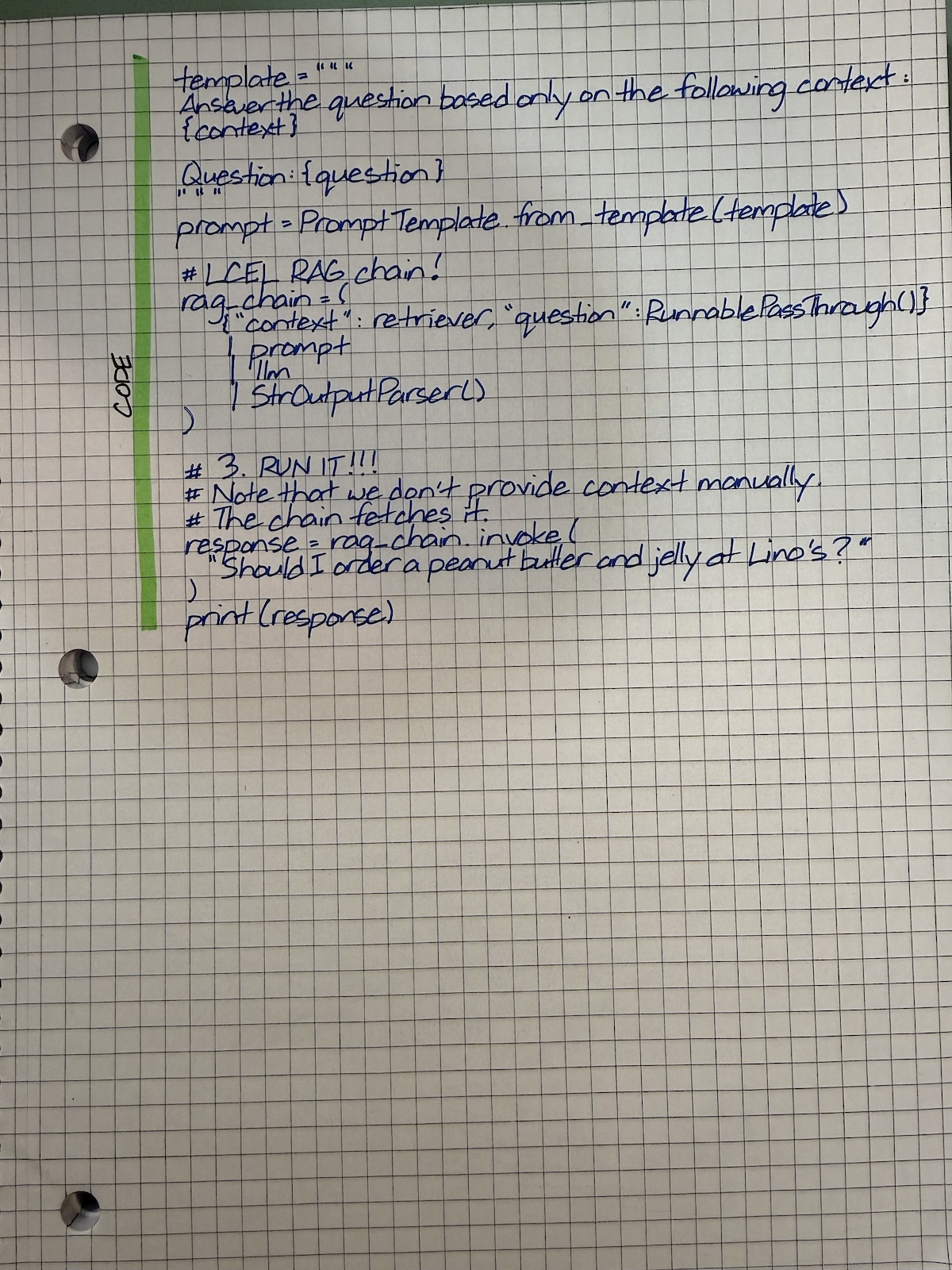
Because some people asked, and because I’m going to be busy for the next day (I’ll explain later), here are more shots from recently-added pages to my notebook. These are notes on RAG and LangChain, taken and condensed from a couple of books, a couple of online sources, and my own experimenting with code. Enjoy!

Categories
Artificial Intelligence Humor Programming

“Star Trek: Voyager” predicted vibe coding…and it’s cringe!

I remember cringing at this one line from an episode of the 1990s TV series, Star Trek: Voyager:

Computer, install a recursive algorithm!

I always thought that you would never program a computer that way…until now.

Categories
Artificial Intelligence Programming What I’m Up To

My AI improvement to the Tampa Bay Tech Events list builder

A lot of the drudgery behind assembling the “Tampa Bay Tech Events” list I post on this blog every week is done by a Jupyter Notebook that I started a few years ago and which I tweak every couple of months. I built it to turn a manual task that once took the better part of my Saturday afternoons into a (largely) automated exercise that takes no more than half an hour.

The latest improvement was the addition of AI to help with the process of deciding whether or not to include an event in the list.

In the Notebook, there’s one script creates a new post in Global Nerdy’s WordPress, complete with title and “boilerplate” content that appears in every edition of the Tech Events list.

Then I run the script that scrapes Meetup.com for tech events that are scheduled for a specific day. That script generates a checklist like the one pictured below. I review the list and check any event that I think belongs in the list and uncheck any event that I think doesn’t belong:

Screenshot from the Jupyter Notebook that generates the Tampa Bay Tech Events list. It shows a list of events with checkboxes, the names of the events, and relevance scores for each event.
Click to view the screenshot at full size.

In the previous version of the Notebook, all events in the checklist were checked by default. I would uncheck any event that I thought didn’t belong in the list, such as one for real estate developers instead of software developers, as well as events that seemed more like lead generation disguised as a meetup.

The new AI-assisted version of the Notebook uses an LLM to review the description of each event and assign a 0 – 100 relevance score and the rationale for that score to that event. Any event with a score of 50 or higher is checked, and anything with a score below 50 is unchecked. The Notebook displays the score in the checklist, and I can click on the “disclosure triangle” beside that score to see the rationale or a link to view the event’s Meetup page.

In the screenshot below, I’ve clicked on the disclosure triangle for the Toastmasters District 48 meetup score (75) to see what the rationale for that score was:

Screenshot from the Jupyter Notebook that generates the Tampa Bay Tech Events list. It shows the event “Toastmasters District 48” as checked (meaning that by default, it will be added to the list), its relevance score of 75, and an LLM’s reason why the event is considered relevant.
Click to view the screenshot at full size.

For contrast, consider the screenshot below, where I’ve clicked on the disclosure triangle for Tampa LevelUp Events: Breakthrough emotional eating with Hyponotherapy. Its score is 0, and clicking on the triangle displays the rationale for that score:

Screenshot from the Jupyter Notebook that generates the Tampa Bay Tech Events list. It shows the event “Tampa LevelUp Events” as unchecked (meaning that by default, it won’t be added to the list), its relevance score of 0, and an LLM’s reason why the event is not considered relevant.
Click to view the screenshot at full size.

One more example! Here’s Tea Tavern Dungeons and Dragons Meetup Group, whose score is 85, along with that score’s rationale:

Screenshot from the Jupyter Notebook that generates the Tampa Bay Tech Events list. It shows the event “Tea Tavern Dungeons and Dragons Meetup Group” as checked (meaning that by default, it will be added to the list), its relevance score of 4085 and an LLM’s reason why the event is considered relevant.
Click to view the screenshot at full size.

I don’t always accept the judgement of the LLM. For example, it assigned a relevance score of 40 to Bitcoiners of Southern Florida:

Screenshot from the Jupyter Notebook that generates the Tampa Bay Tech Events list. It shows the event “Bitcoiners of Southwest Florida” as unchecked (meaning that by default, it won’t be added to the list), its relevance score of 40, and an LLM’s reason why the event is not considered relevant.
Click the screenshot to view it at full size.

Those of you who know me know how I feel about cryptocurrency…

Bitcoin symbol encircled by the text “It can’t be that stupid - You must be explaining it wrong”

…but there are a lot of techies who are into it, so I check the less-scammy Bitcoin meetups despite their low scores (there are questionable ones that I leave unchecked). I’ll have to update the prompt for the LLM to include certain Bitcoin events.

Speaking of prompts, here’s the cell in the Notebook where I define the function that calls the LLM to rate events based on their descriptions. You’ll see the prompt that gets sent to the LLM, along with the specific LLM I’m using: DeepSeek!

Screenshot from the Jupyter Notebook containing a cell where the Python function `event_relevance()` is defined. It includes the defininition of a system prompt explaining what I consider to be events relevant to the Tampa Bay Tech Events list.
Click to view the screenshot at full size.

So far, I’m getting good results from DeepSeek. I’m also getting good savings by using it as opposed to OpenAI or Claude. To rate a week’s worth of events, it costs me a couple of pennies with DeepSeek, as opposed to a couple of dollars with OpenAI or Claude. Since I don’t make any money from publishing the list, I’ve got to go with the least expensive option.