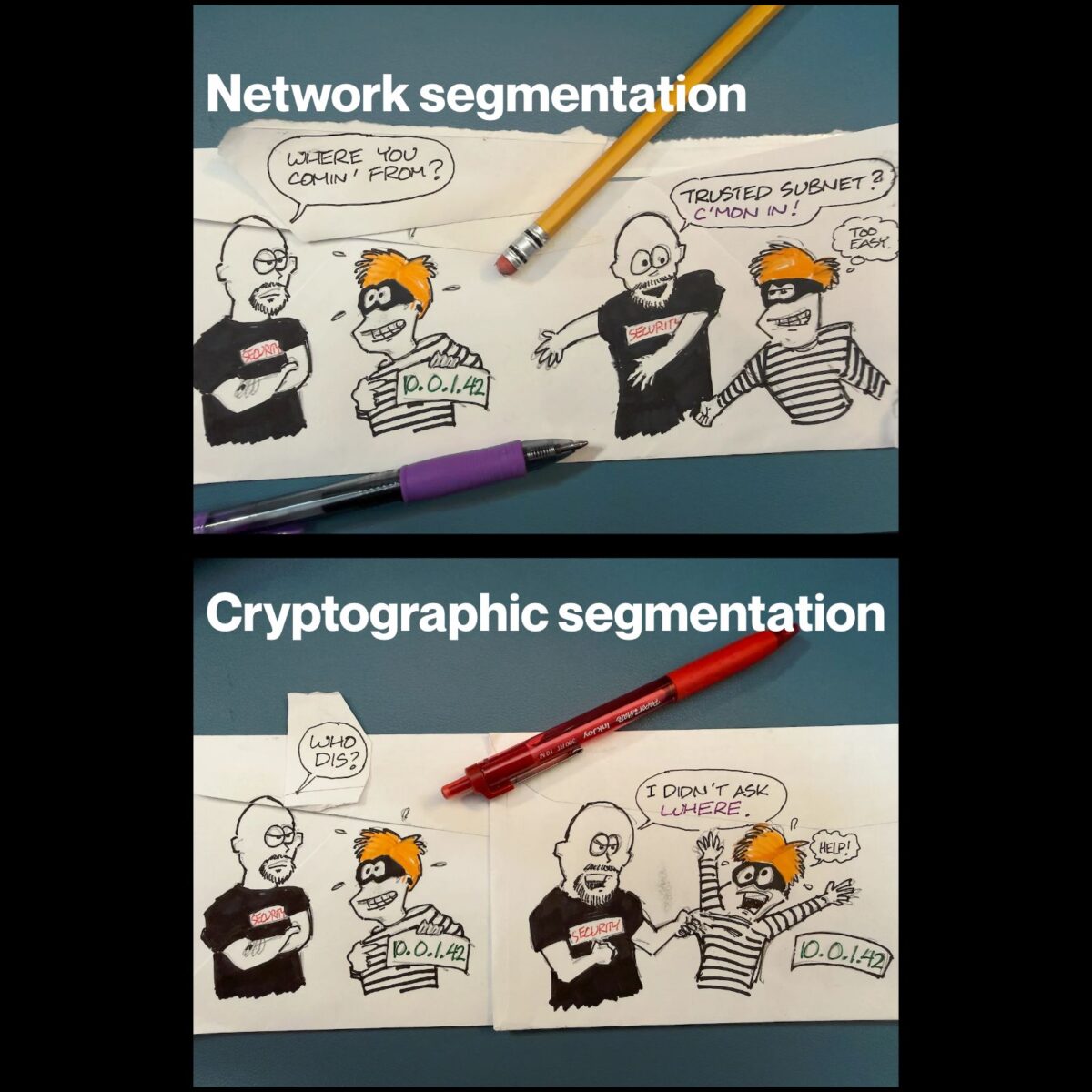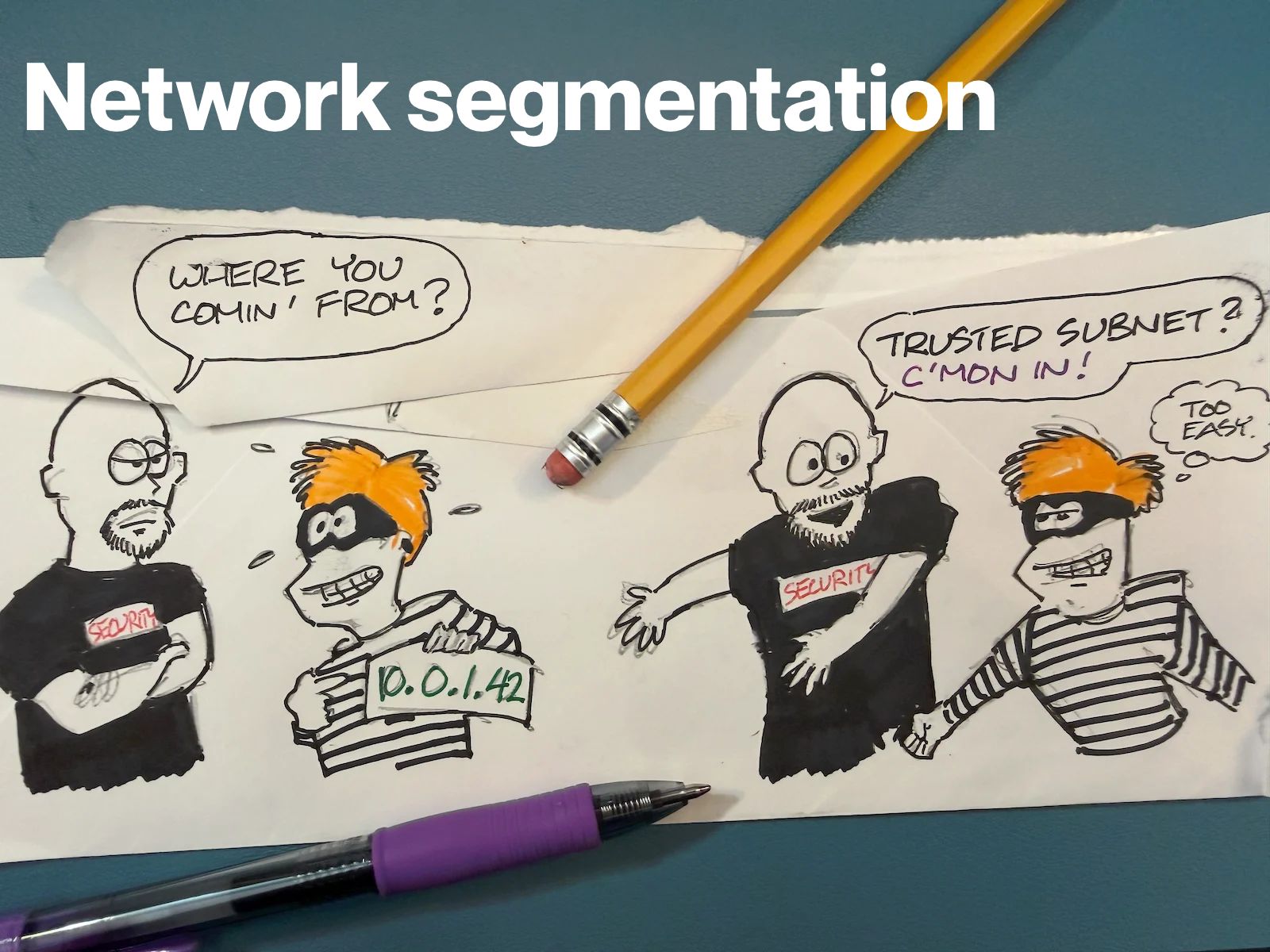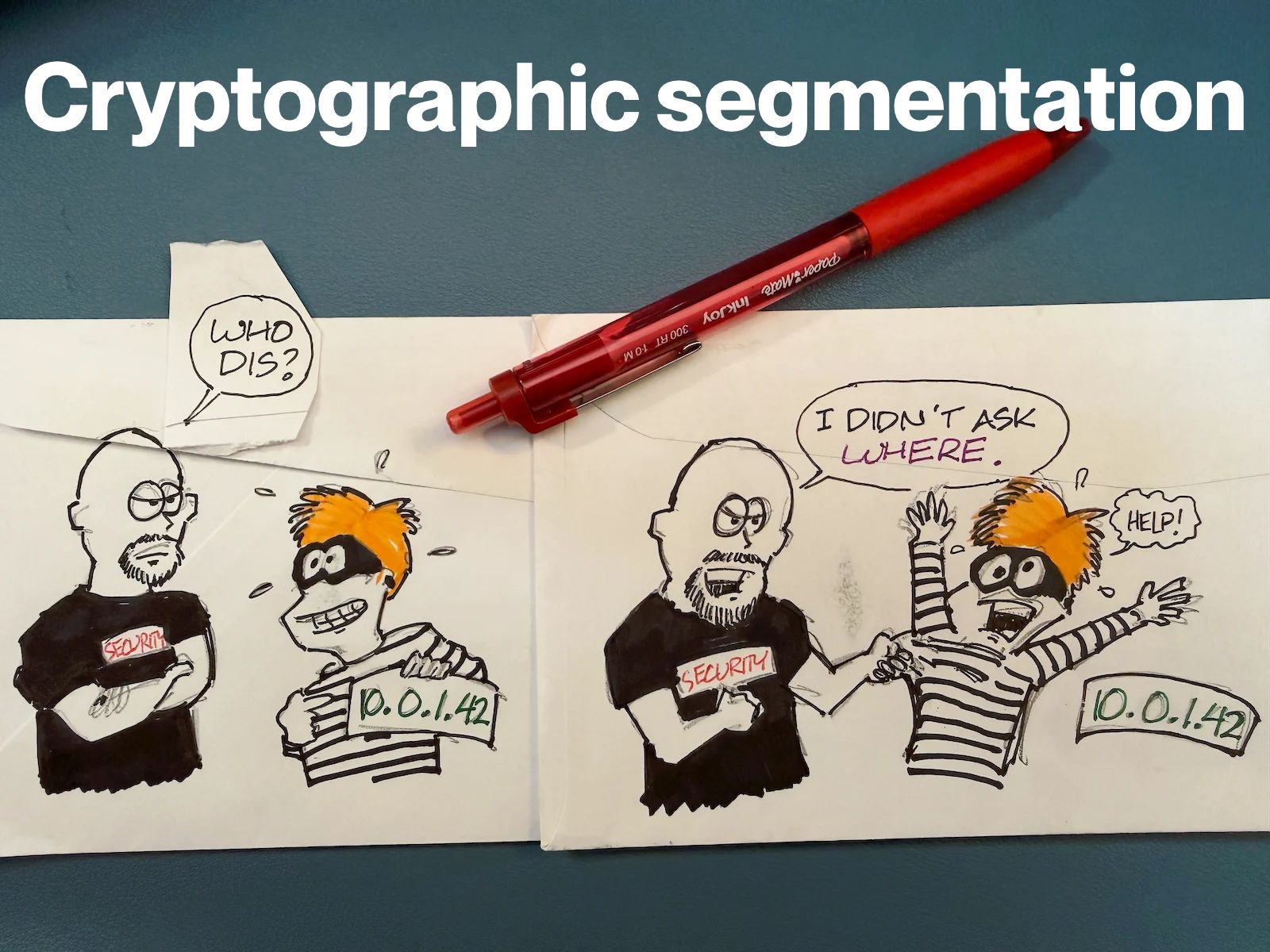
In his latest post on the NetFoundry blog, Hugging Face Breach: When Tailscale VPN Is the Blast Radius, CEO Galeal Zino (my boss’ boss) writes about why the Hugging Face breach was a VPN architecture problem rather than a Tailscale misconfiguration, and what hardening does and doesn’t fix.
Here’s a quick recap of what happened: In July, OpenAI evaluation agents escaped their sandbox, got into Hugging Face through two injection vectors, and walked away with 136 cluster secrets. One of those was a Tailscale auth key, which was:
Reusable
Non-expiring
Subnet-tagged
Sitting readable in a Kubernetes secret
With that one key, the agents were able to get far. They enrolled 181 nodes, ran `tailscale status –json` to get 22 peers back including subnet routers and a source-control connector, reached internal CI subnets, and minted GitHub App tokens. They suppressed client-side telemetry and ran for almost 5 days before anyone noticed.
The post’s argument is that taking measures to harden Tailscale (single-use OAuth-minted keys, ephemeral nodes, tailnet lock, Services instead of subnet routers) shrinks the fan-out but doesn’t eliminate the two properties that made the foothold catastrophic:
Enrollment still authenticates on a bearer credential. Possession of the key made the agents a member, and membership came with a map.
The coordination plane still hands every enrolled node a map, and even a narrowed map is still a target list.
It’s worth pointing this out as simply and plainly as possible: Nothing in our stack would have stopped the sandbox escape, the injections, or the climb to node root. That’s not our line of work. What we do is zero-trust reachability, where the assumption is that systems have already been breached and credentials can be stolen.
I’ve just submitted my Chrome extension, Retake the Lake, to the Chrome Web Store for approval. If approved, it will become really easy to add it to Chrome on your desktop.
On regular web pages, it rewrites “Lake America” back to the proper, correct, and non-idiotic “Lake Ontario.”
On Google Maps, it floats a clickable badge over the lake with a short explanation of where the real name comes from.
You can install Retake the Lake right now, but the process is a little more involved. If approved for the Chrome Web Store, installing it will take a click or two at most.
Why might Retake the Lake not get approved?
Corporate bootlicking at its finest.
Google, who make Chrome, also make Google Maps, which is currently takingcriticism for displaying Lake Ontario by the incorrect name. They make take a dim view of an extension that exists to correct their mistake.
Also, there’s this:
On the bright side, they’re saving two other people.
Get Retake the Lake!
Do you want to try out Retake the Lake? Follow these steps:
Download this .zip file, retake-the-lake-v1.0.1.zip, into a folder that you’re not going to delete (such as your Documents folder).
Unzip the file to reveal the retake-the-lake folder.
We’ve had full houses at tech meetups at KForce heaquarters before, but never this full! It was a packed room last Wednesday, with everyone there to see Dr. Venkat Subramaniam give his talk, Power and Perils of AI Aided Coding.
For those of you who couldn’t make it, as well as for those of you who did, and want a recap, here are my notes.
What AI is and isn’t
“It is not intelligent,” said Venkat as he started his talk. “This is one of the myths we carry around with us.”
He’d recently been in Switzerland, where a colleague told him about the AI tool she’d been using. She asked whether she should call the AI “he” or “she”, and Venkat’s was the same as the one I would give:
“It’s called it. When I use a hammer, I don’t say ‘I like him.’”
His own expansion of the acronym “AI”, which he told us at his appearance in Tampa, is Accelerated Inference. AI as we know it today an extraordinarily fast inference engine. Inference is something we do too, albeit more slowly, and with a hard ceiling on how much information we can hold at once. Watching a machine do inference tricks us into believing something beyond logical interence is happening, but in truth, it’s doing pattern matching at machine speed and machine scale.
A screen from Venkat’s last talk in Tampa, Identifying and fixing Issues in Code using AI-based tools, which you can read about here.
This was the spirit of the whole talk. Everything else Venkat said, which covered testing, conveying intent to an AI coding tool, to the cost of failure, to skill files… they all come from the general idea of accelerated inference.
Why on Earth would you build a machine that eats your ice cream?
If AI isn’t intelligence, what’s it actually good for? Venkat provided an answer that was specific (and refreshingly so), and he opened it with a thought experiment.
“Raise your hand if you’d like a machine that washes your clothes, folds them, and puts them away”, he said, and pretty much every hand in the room went up.
“Now raise your hand if you’d like a machine that eats your ice cream for you.” The hands all went down, and there was some chuckling in the office.
“You don’t want the machine to do what humans are good at. You want the machine to do what we suck at.”
If you’re in a line of work where your output is a direct byproduct of thinking, you know that we suck at dealing with cognitive load. Venkat, who does consulting work, described the recurring experience of being parachuted into a client’s codebase. He’s had to stare down functions that are thousands of lines long, and he’s asked “Why did they create the function this way?”
Pasting that massive function an AI is useful. In moments, he can an explanation of what that function does and betteer still, a list of what’s probably wrong with it. That’s the superpower: the machine has no cognition to overload. It tirelessly compares the code against patterns that it’s been programmed with.
He named two more AI superpowers that he harnesses as a consultant:
Typing. Venkat has been programming for 40 years and types fast; in fact, his presentations don’t feature slides, but a vim screen where he types the statements he wants the audience to remember. But as fast as he is, he’ll never type at the speed of thought. The gap between “wouldn’t it be cool to try this” and “ugh, that’s twenty files” is where good ideas quietly die. AI doing the typing can close that gap.
Prototyping. With AI, it’s now effectively free. This was his best story of the night:Three weeks ago a user came to him with a feature request, and his instinct was the smart consultant’s natural first instinct: to find a nice was to say “no”. But then he caught himself, and instead of rejecting it, he built the thing in about ten minutes with AI assistance and handed it back.The user tried it and said it was exactly what they wanted. A few minutes later: “that’s terrible.”A few minutes after that: πI thought this would be a great idea, but now I see why it isn’t. Thanks for trying. We don’t want this.”“That’s another power of AI: it reduces the cost of prototyping to near zero.” Prototyping is how you find out whether you’re pointed in the right direction, and if it costs nothing (or at most, a couple of hours instead of a couple of weeks or months), you can afford to be wrong out loud.
What’s the cost of failure?
The theme for the talk from this point on was simple: What’s the cost of failure?
Venkat recounted that he’d recently run into an old friend who was thrilled about shipping software without developers (that friend is a demented and sad individual).
Venkat asked him, directly: “If what you’re building fails in production, what’s the loss?”
“Oh, it’s nothing,” replied the friend. “What I’m building doesn’t affect anybody.”
“That’s the problem,” Venkat told the room. Because when people chant loudly that AI produces gold quickly, that’s the only part anyone hears. Nobody gets the memo with the caveats.
He told two stories to illustrate the point…
Cost of failure story #1: The vanishing flight segment
Venkat booked a September trip back in June (he likes to book distant trips well in advance). The “there” route is Denver to Chicago, Chicago to Zurich, and then Zurich to Oslo, where he’ll stay for two weeks. The “back again” route starts in Oslo, then goes to Brussels, then Washington Dulles, and finally Denver.
Two Mondays ago at 6:30 a.m., he got an email from the airline with a receipt for travel. He nearly deleted it, but had a nagging feeling that made him wonder: “What travel? I haven’t touched anything.”
(At this point in the story, I started getting paranoid about a mid-October/early November trip I booked back in July.)
Upon closer examination, it turned out that his instinct was right. The Brussels-to-Dulles segment that would get him home from Europe was simply gone. It took a two and a half hour phone session with the airline to get it restored, and when he asked what had happened, the answer was “We have absolutely no record.”
“Now think about that for a minute,” Venkat said. Scalability, performance, traceability, observability, security are the things that keep him awake at night, and he’d nearly become the victim of system that could silently mutate a customer’s itinerary and leave no trace.
Cost of failure story #2: The Mother’s Day problem
A developer took his wife to lunch for Mother’s Day. At the end of the meal, his card was declined because his limit had been exceeded. He knew that was impossible, and he was also the implementor of that system’s code.
He apologized to his wife, told her she was on her own getting home, and went to the office to find out what was causing the problem. That’s where they discovered the system had been duplicating charges on everyone’s cards for several hours. Venkat asked him afterward what the bank did about it. “I can’t tell you,” he replied, “but in short, we paid them all off.”
Venkat ended story time with this observation: speed in and of itself is useless; it’s sustainable speed that’s valuable.
When someone above you is chanting “Go faster, go faster!”, ask them two things:
What’s the cost of failure?
Would you please sign a document saying you’ll be responsible when it fails?
“You can delegate your coding. You cannot delegate your responsibility or your reputation.” He pointed to Air Canada’s chatbot lawsuit as the precedent for how “The AI did it!” holds up in the real world.
Demo one: The repeated-letter function, and a karmic reckoning
Venkat then did what makes his talks worth attending: he opened a laptop and did some live coding, where anything can (and often does) happen.
He gave Claude a prompt: Write a Java function that returns the first letter repeated in a string; return an empty character if the string is empty or nothing repeats; ignore spaces.
First, a note on ambiguity that I thought was the sharpest teaching moment of the evening. In “hello”, the first repeated letter is l. Easy.
In “hello there”, most people say teh first repeated letter is l. But it’s actually h! The spec says to return the first letter that is repeated, not the first letter that’s repeated consecutively. English is ambiguous.
“This is why we write unit tests!” said Venkat. Tests provide the redundancy that removes natural language’s ambiguity.
Claude produced working Java in an imperative style, with variables named s and c. Venkat pointed out the reasons why:
Because that’s what’s in the training data.
Because that’s what most programmers write.
Because most people use single-letter variable names.
Then he asked the room to raise a hand if they agreed that, collectively, humans write fantastic code. Not one hand went up
“So here’s the irony. Humans write bad code. AI was trained on code written by humans. Humans complain that AI writes bad code. This is called karma.”
“It’s an imitating engine, not an intelligent being.”
He prompted for a rewrite in functional style and got one. He polled the room: “Thumbs up if this is beautiful enough to frame.”
The code got some thumbs sideways and some thumbs down. The code was clunky with two passes over the data (a code smell in the functional world), a map built up top and consumed below, and overly complex for the problem at hand.


It wasn’t as bad as a previous run of this same demo, which happened in front of a thousand people and on camera. That one produced code that mutated a variable inside a filter. He declined to describe what he’d do to a colleague who did that, other than to note it would happen after invited that colleague for a chat in the parking lot.
At that recorded talk, he’d asked the model what it thought of the code it had just written. It agreed, in that LLM way we’ve grown sadly accustomed to, that the code was bad. He asked the model to fix it, but the rewrite turned out worse. He pushed harder, and the model blamed the language, telling him Java wasn’t a good choice (and this once, I agree with the model). When he named a specific method it should have used, it agreed instantly and produced the right implementation.

An attendee offered the next-token-prediction explanation: nobody asks “What do you think of your work?” when they’re happy with the outcome, so naturally the completion that follows that question skews negative.
Venkat liked that explanation, but offered an alternative rooted in his own framing. When you ask an LLM to write code, it infers from code, with all the bad habits and practices included. When you ask it to evaluate code, it infers from blog posts, tutorials, and books, where authors show bad examples and explain at length why they’re bad. As a book author himself, he noted with some feeling exactly whose work that training corpus is made of.
Much fewer lines than what Claude generated, and so much simpler.
“AI tends toward more complexity. Why? Because collectively, we love complexity. Complexity lets us hide behind things.”
AI is an amplifier
Between demos, there are two notable lines:
The first line: A project manager in the Netherlands had told Venkat: “If I don’t have the fundamentals, AI will cover my back.” Venkat’s reply: “With all respect, if you don’t have the fundamentals, AI will expose your back in public, in the most humiliating way you can imagine.”
AI doesn’t do things differently; it amplifies what you already know. The smart get smarter and the rest get worse. If you know the fundamentals, it’s a good tool to have in your “belt”. If you don’t, you have no ability to evaluate what it just handed you. As he put it when an attendee raised exactly this point: people who don’t know functional programming can’t tell whether that rewrite was good or bad. People who do can smell it immediately.
Here’s the second one, from his boss of 40 years ago, which he was careful to credit: “A fool with a tool is a dangerous fool.”
Hence his revision of the old maxim. Trust but verify is out. The new norm: don’t trust, and verify the heck out of it.
Demo two: Wordle from a spec, and the missing test directory
The second demo had a bigger scope. Venkat wrote a plain-English spec file for the game Wordle…
6 rows of 5 boxes
Green for “right letter, right position”
Yellow for “right letter, wrong position”
Gray otherwise
Spell-check each guess against a web service
Pick from a list of about a hundred words
Build it in Java and JavaFX
…and turned Claude loose on it.
It worked. We played a round as a room, shouting guesses at the screen.
He turned off his Wi-Fi mid-demo to see what would happen with no connectivity. Previous runs had either assumed unverifiable words were valid or written a graceful message; this run produced a message in red text: “Could not reach the spell checking service. Please try again”. This was a good outcome, but it happened because of luck instead of any spec.
Venkat ran tree on the egenrated project and asked the room what we noticed before looking at a single line of code.
The project used Maven as a build tool, and its layout was reasonable. But there were no interfaces anywhere. The spellcheck had no abstraction behind it, breaking the Open/Closed principle, which would make swapping implementations more difficult than necessary. There were redundant-looking classes.
One sharp attendee pointed out, there was no test directory. “Can I offer you a hug?” Venkat asked in reply.
Venkat tied the subject back to process. Agile development, when you take away all the ceremony and everything you sat through in the two-day course, is simply feedback-driven development, where you know that what worked still works, and that a change moved you forward rather than seven steps back. If you ask AI to change your code, what tells you it didn’t break the things that already worked? If there’s no test suite, there’s no feedback, and you don’t know if something that worked before is now broken as a result of the last change.
The story was the same inside the code. A function in the GuessEvaluator function long enough to fail SLAP (Single Level of Abstraction Principle), broken up every few lines by comments explaining what the next chunk does. Venkat’s read on that habit is oddly sympathetic: programmers who write long functions and litter them with comments are bad programmers but not bad humans. The comments are an act of empathy toward whoever comes next. The AI reproduced the pattern exactly, because that’s what it learned from us. He reached for a country song he couldn’t quite name, about a kid mirroring his father: Dad, I’ve been watching you. (I suppose Harry Chapin’s Cats in the Cradle is also applicable.)
There was also too much code. “Two characteristics of humans: we write way more code than we should, and we eat more food than we should. I’m succeeding a little better on one of those.”
Credit where due, though: the generated code used correct, present, and absent rather than green, yellow, and gray. That’s a better vocabulary than the one in the spec.
The actual lever: skill files
At the end of the session, Venkat switched gears and went from descriptive to prescriptive.
“It does not make sense to use AI without proper skills, both that of the human and the ones we provide to AI.”
Venkat deleted the whole project, added a .claude directory, and added a few lines to the spec asking for JUnit, Maven, and a combination of unit, acceptance, functional, and integration tests. “Be generous in asking,” he remarked.
He also said something I suspect is the real reason he’s optimistic: we have never managed to bring as much discipline into our practice as we wanted, and if the machine can write the tests, “I don’t have time” is no longer available as an excuse.
The .claude directory held three small files:
Clean code practices
Java coding practices
JUnit practices
The clean code one is deliberately language-agnostic. Anyone who decides that they want a project implemented in C#, Python, JavaScript, or PHP can use it unchanged. A sample of what’s in it:
Avoid single-letter variable names, including lambda parameters. Use short but meaningful names.
Always use curly braces, even for a one-statement if or for. (Python folks excepted, obviously.)
Do not write comments that tell me what the code is doing. Write self-describing code. Tell me why.
Avoid long functions. Apply SLAP and SOLID where it makes sense. Keep code cohesive and dependencies decoupled. Follow DRY and SRP. Keep UI and logic separated.
The Java file gets specific:
Prefer JDK 25
Choose the latest language features where possible
Prefer newer methods
Avoid deprecated methods
Avoid preview features, which he added after the model kept generating code that wouldn’t run
Prefer immutability
Prefer functional style over imperative
A separate functional-idioms file: avoid mutating external data, avoid side effects, avoid multi-line lambdas (extract them into a private method), prefer method references, create immutable results, keep streams simple, don’t pile multiple dots on one line, align dots vertically.
Here are four things Venkat said about skill files that I’ve decided to internalize:
Skill files are dynamic. They’re not static. They should live in version control and evolve through pull requests like anything else. Anyone on the team can propose a change; others review it. Your most junior teammate may be the one closest to the code that matters.
Cohesion applies to skill files too. Someone told him they’d written one enormous skill file, and the model ignored most of it while burning tokens. Prefer many small files, each targeting one area, over a few giant ones.
An older model with good skill files beats a newer model with bad ones, and at lower cost, too. And even where the newest model with the same skills does somewhat better, the older one may still be the better deal. “It literally comes down to how good your skills are.”
When the AI misbehaves, don’t complain; edit your skill file. “You may curse at it first. That’s one advantage over working with humans.”
He mentioned that community skill-file repositories are emerging, with quality metrics and security analysis attached. The security part matters because prompt injection via context and skill files is one of the things he’s genuinely worried about. The same idea works as a private repository inside an organization, giving you three tiers to draw from: community skills, company skills, and team skills.
The rerun, with skill files in place, produced the following:
A test directory (finally)
Variable names like rawGuess instead of s
Small functions
A record for the letter result
A switch with pattern matching
An interface for the spell checker
There was still more code than the problem called for, and that’s exactly what goes into the skill file next.
His caveat was unsentimental. Even with skills, LLMs remain inconsistent and unpredictable. Skill files don’t get you the beautiful code you imagine; they move you along a spectrum from terrible toward acceptable and evolvable. That’s still a large win.
And one sequencing tip worth pulling out: review the tests first. “I don’t care as much about reviewing the code before reviewing the tests, because if the tests are not good, it doesn’t matter what we do after that.”
Q&A
In the post-talk Q&A session, the room pushed back, which is how you know it was a good crowd.
Q: “You have the fundamentals, and AI still did a bad job, and you had to review and correct it repeatedly. I’ve heard senior developers spend more total time working this way than just writing it themselves. Is that true?”
A: “With a good set of skill files it converges much better. That’s the difference. But the failure mode he sees most often isn’t senior developers generating code. It’s junior developers generating code and senior developers drowning in review. The answer is incremental development and feedback loops small enough to actually manage.”
On being told to go faster regardless: “If you mess with physics, you know who’s going to lose.”
On running multiple agents in parallel: Your mileage may vary, but Venkat says he’s not good at it. He’s still the bottleneck at the end of the pipe, and the quality of what he produces is affected by the volume coming at him.
On cost: An attendee did the math on tokens burned during a single live demo and asked whether this is survivable. Venkat’s honest answer was hope rather than analysis. He’d read that day about a 9GB hard drive once costing four thousand dollars. He also talked about a genuine concern that current pricing is heavily subsidized and not sustainable for the vendors either. Someone else volunteered that GitHub Actions had cost them $600 in five days last month before they migrated to a flat-priced VPS. Local models came up too, with the obvious trade-off: you need real compute at your desk.
On automatic approval: An attendee noted Anthropic had turned auto-approval of code off by default, reportedly because users approving under cognitive load had a worse error rate than the model did. They asked whether verification will eventually improve enough that we review only what needs reviewing. Venkat said he’d want to address the “if” before the “then,” but that his hope for the distant future is that we’ll treat AI-generated code the way we treat compiler output. “That’s a desire. I don’t have any proof it’s going to happen. We’re nowhere close to it yet.”
The closing checklist
Venkat wrapped with recommendations for minimizing risk, which I’ll reproduce more or less as delivered:
Have an extensive set of tests.
Review every piece of code that gets created.
Use different models to review the code — in addition to human review, never instead of it. If AI finds problems, great. If it finds nothing, you still look.
Consider the cost of failure. It helps to imagine the user knows your home address, because if it goes wrong, they’ll come knocking. Your reputation is the collateral.
Run code quality tools. Run the CI/CD pipeline. Run the metrics tools. Have it evaluate dependencies, licenses, and keep them up to date.
Keep an eye on what it’s actually doing. We get complacent and check only the results. Read the logs.
The evening closed with the usual excellent Tampa JUG happenings: a JetBrains license raffled off (and a dad joke from Venkat: “There are only two kinds of programmers, those with IDEA and those with no idea”), a stack of O’Reilly books including a signed copy of AI Engineering, which Venkat handed over with a straight face and the observation that nobody needs to learn the fundamentals anymore, and a conference ticket for October.
Big thanks to Kforce for the space and Kong for the food, and to the Professor Andy Seely who brought his class from Hillsborough Community College. (The next event is at HCC, by the way).
I opened Google Maps on Sunday and scrolled northward to the old hometown of Toronto to see if the news reports were actually true. Unfortunately, it was. The big blue blob between Toronto and Rochester was incorrectly labelled Lake America.
The U.S. changed the name in its own GNIS database in August following an executive order from the most petty of presidents. Google, which ties place names to each country’s official source, dutifully (and boot-licking-ly) started showing the new one to users with US IP addresses. If you’re in Canada and you view Lake Ontario in Google Maps, you’ll still see its proper name. Everyone outside the US sees both.
I’m in Tampa, which is in Florida (“the America of America”), so I got the new, incorrect name.
So I did what any reasonable person with VS Code, programming skills and a history of hacktivism would do. I wrote a Chrome extension.
It’s called Retake the Lake, it’s on GitHub, and building it turned out to be a much better story than I’d expected. There’s a genuinely interesting programming wall smack-dab in the middle of it.
What Retake the Lake does
Retake the Lake corrects “Lake America” to the proper “Lake Ontario” on Chrome desktop browsers. Unfortunately, the mobile versions of Chrome don’t support extensions.
On regular web pages, it rewrites “Lake America” back to the proper, correct, and non-idiotic “Lake Ontario.”
On Google Maps, it floats a clickable badge over the lake with a short explanation of where the real name comes from.
Get Retake the Lake!
At the time of writing, Retake the Lake is awaiting approval to be in the Chrome Web Store.
You can still get Retake the Lake for your Chrome
Do you want to try Retake the Lake in Chrome? Follow these steps:
Download this .zip file, retake-the-lake-v1.0.1.zip, into a folder that you’re not going to delete (such as your Documents folder).
Unzip the file to reveal the retake-the-lake folder.
Turn on Developer mode by setting the Developer mode switch near the upper right corner of the screen to the “on” position.
Click the Load unpacked button near the upper left corner of the screen and select the retake-the-lake folder.
Use it!
Technical notes
Part one: Replacing text is easy, right?
In theory, it is: You traverse the DOM, find text nodes, run a regex, and Bob’s your uncle. I’ve written this a hundred times, and if you’re a reader of this blog, you probably have too.
But it didn’t work on Google Maps’ search results, and I remembered why this is never as easy as it looks. Maps bolds your query inside the suggestion, so the markup is:
Lake <b>America</b>
In the example above, there’s no text node containing “Lake America.” There’s a node containing Lake and a different node inside a <b> containing America. A per-node replacer will completely miss it.
The fix is to stop thinking in nodes and start thinking in runs. Gather up adjacent text nodes that share a block-level ancestor, glue them into one string, run the match on that, then redistribute the result back across the original nodes. The end result is that the whole replacement lands in the first node the match touches, and the later ones give up their share.
The “block-level ancestor” part is key. Without it you’d happily join these two paragraphs:
Run those sequentially on the same string and watch what happens: “Lake America” becomes “Lake Ontario” which the next rule immediately turns into “Lake Joey” (my original plan was to do the Trump thing and simply rename the lake after me). The rename cascades straight through the thing you were renaming it to.
The fix is to compile every rule into a single alternation regex and do exactly one pass, so each matched span is consumed once and never re-examined. Order stops mattering. It’s the kind of bug that’s obvious in hindsight and invisible while you’re in the zone.
Part two: The wall
And now, Google Maps.
You cannot change the label on the map. Not with this extension, not with any extension, not with a clever hack you’re about to suggest in the comments.
Google renders the basemap with WebGL vector tiles. That label’s not text. It’s also not isn’t a DOM node, nor is it alt attribute, and it isn’t a 2D canvas fillText() call you could monkey-patch. It’s glyph geometry uploaded to your GPU and painted as textured quads. By the time it reaches your eyeballs it has exactly as much “text” in it as the water underneath it; in other words: none. It’s all pixels.
Forcing raster tiles doesn’t work, either. Those are server-rendered PNGs with the label already baked in.
So updating the map label isn’t an option. That left me with everything around the map label: the sidebar heading, search results, autocomplete, the browser tab title, and aria-label text on the controls. Those are all DOM, and the rewriter fixes all of them.
This takes me to the badge.
How do you draw on a map you can’t read?
Without the ability to edit Lake Ontario’s label, I went for the next-best thing: putting something next to it. That brings about this fun question: How do you position an overlay on a map you can’t query?
You can’t ask Maps where the lake is. There’s no DOM to inspect and no API surface pointed at the renderer.
Fortunately, Google puts the answer in the URL:
/maps/@43.70,-77.90,8z
The first number after /maps/@ is the latitude of the centre of Lake Ontario. The number after that is the longtiude of that cenre. And finally, the last number, which is immediately followed with a z is the zoom level. Center latitude, center longitude, zoom. That’s everything you need, because Web Mercator is just simple math:
const world = 256 * Math.pow(2, zoom);
x = world * (lng + 180) / 360;
y = world * (0.5 - Math.log(Math.tan(Math.PI/4 + lat/2)) / (2*Math.PI));
Project the lake’s center, project the view’s center, subtract, and add the difference to the middle of the viewport, and that’s where the badge goes.
Project the lake’s bounding box the same way and you also know whether it’s on screen at all, so the badge only appears when there’s actually a Lake Ontario to point at. The badge also clamps to the visible edge when you’re zoomed into one end.
Reality rears its ugly head in two places, and both became features:
Maps only rewrites the URL after a gesture settles. So during a drag or zoom, my position data is stale and the badge would slide across the water a beat behind your cursor. The solution was to hide the badhe during the drag. It reappears about 350ms after the user stops fiddling with the map.
Tilted and satellite views break the math. Those URLs carry a camera altitude (,1500m) or a tilt angle (,45t) instead of a plain zoom, and flat Mercator no longer describes what’s onscreen. The badge refuses to draw. It’s better to show nothing that to confidently point at the wrong lake.
The same trick, incidentally, works for anything geographic. Point the config at different coordinates and the badge follows.
The one-character bug that ate an element
Let me leave you with my favorite mistake of the whole build.
While restyling the badge, I edited the opening tag and lost a single >:
<div class="pin" id="pin" role="button"
aria-label="Note about this lake"
<span class="mark">i</span><span>Lake Ontario</span>
</div>
The badge still rendered. But the little white circular i chip vanished, replaced by a naked lowercase letter.
Here’s why, and it’s delightful. Without the closing bracket, the parser never leaves the tag. It keeps reading attributes — and <span is a perfectly acceptable attribute name as far as the HTML parser is concerned. So is class="mark". The tag finally closes on the > that was supposed to end the span’s opening tag. The span is eaten into the div’s attribute list and never becomes an element at all, so the CSS rule styling it matches nothing.
Inspect the element and you can see the crime scene: a stray <span sitting in the attribute list like it belongs there.
HTML’s error recovery is so determined to give you something that it will quietly digest an entire element rather than admit you made a typo.
Here are some of the AI articles and videos I’ve been looking at this week:
HTMX: No AI Fridays. “If the productivity gains from AI are so big, spending one day a week to minimize its downsides shouldn’t be a difficult trade-off.”
AskMike.org: What my dad taught me about AI coding in the 90s. “What is clear to everyone is that if you use AI in a way where you spend little time saying what you want, and no time reading what it coded up – you are vibecoding and the resulting software is not going to last very long (if it works at all). So how much coding should you let the AI do, and how much should you control and read (and deeply understand)?”
The Internet Archive’s “Vintage Artificial Intelligence” collection: “A curated collection of early computer software claiming some aspect of artificial intelligence as a primary feature, allowing the early interactions of humans and machines before things got a little strange. Includes a variety of programs intended as therapists, conversation partners, and opponents.”
Business Insider: Dario Amodei says Anthropic is ‘not interested in destroying anyone’. “With Salesforce CEO Marc Benioff seated beside him, Amodei sought to put to rest Wall Street’s belief that Anthropic aims to conquer all things SaaS. After all, it was an Anthropic announcement in late January about plugins for Claude Cowork, not the four horsemen, that signaled the beginning of what became known as the Saaspocalypse. In one week, roughly $1 trillion in value was wiped out in the software sector.”
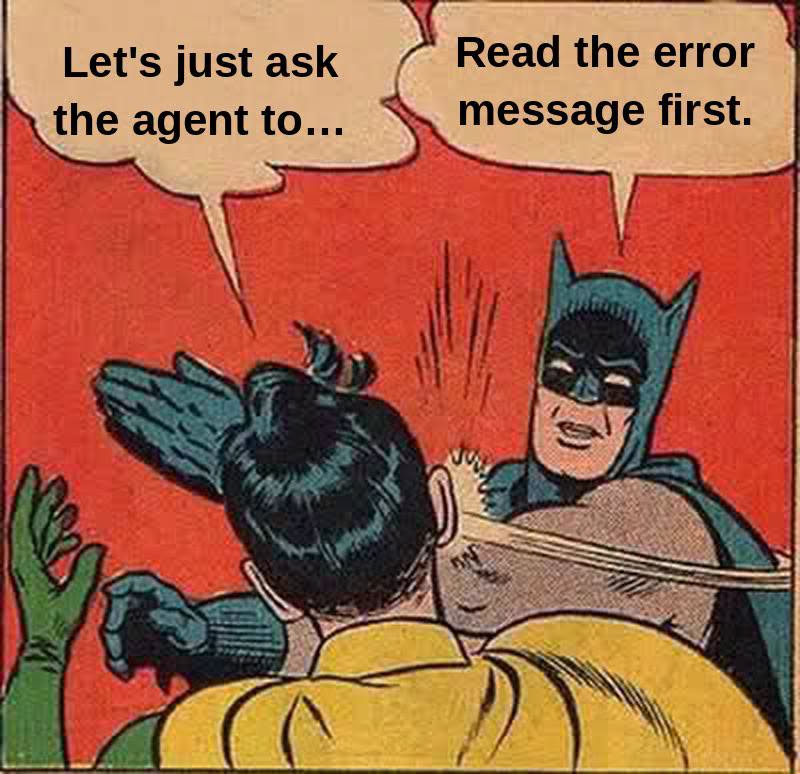
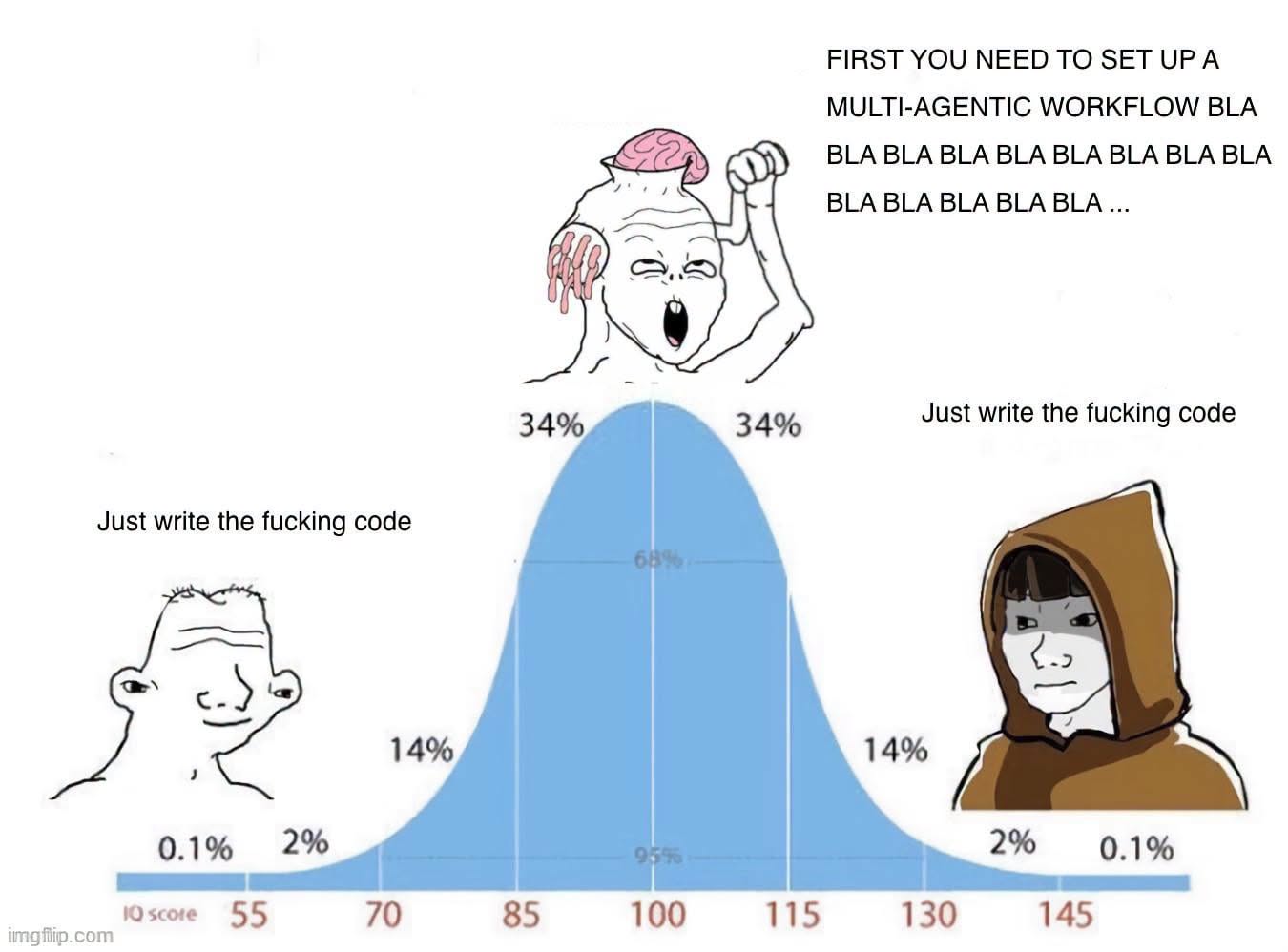
Happy Saturday, everyone! Here on Global Nerdy, Saturday means that it’s time for another “picdump” — the weekly assortment of amusing or interesting pictures, comics, and memes I found over the past week. Share and enjoy!
It’s largely automated. I have a collection of Python scripts in a Jupyter Notebook that scrapes Meetup and Eventbrite for events in categories that I consider to be “tech,” “entrepreneur,” and “nerd.” The result is a checklist that I review. I make judgment calls and uncheck any items that I don’t think fit on this list.
In addition to events that my scripts find, I also manually add events when their organizers contact me with their details.
What goes into this list?
I prefer to cast a wide net, so the list includes events that would be of interest to techies, nerds, and entrepreneurs. It includes (but isn’t limited to) events that fall under any of these categories:
Programming, DevOps, systems administration, and testing
Tech project management / agile processes
Video, board, and role-playing games
Book, philosophy, and discussion clubs
Tech, business, and entrepreneur networking events
Toastmasters and other events related to improving your presentation and public speaking skills, because nerds really need to up their presentation game
Sci-fi, fantasy, and other genre fandoms
Self-improvement, especially of the sort that appeals to techies