In planning this year’s TechDays conference, we made some significant changes to the developer tracks: they were reformulated into:
- A “tools and techniques” track, called Developer Fundamentals and Best Practices, for which my friend and fellow Developer Evangelist John Bristowe is the track lead
- A “technologies” track, called Developing for the Microsoft-Based Platform, which I lead.
As the track lead for the Developing for the Microsoft-Based Platform track at TechDays Canada 2009 conference, I thought I’d take the time to talk about it and praise its virtues.
Designing the Track
Each track lead has the responsibility of designing his or her track. We pored over all the sessions from TechEd North America 2009, consulted with developers or IT pros for their opinions on what topic they’d like covered and came up with a selection of 8 sessions for each track.
When choosing my sessions, I kept these philosophies in mind:
- TechDays is about current tools, technologies and techniques. That means talking about stuff you can get your hands on and use in production right now: Visual Studio 2008, .NET 3.5, SQL Server 2008, and so on. Visual Studio 2010, .NET 4.0 and Azure are fascinating tools and tech, but they’re not yet on the market, so they’re not in TechDays. We made a few exceptions for a couple of things that are coming out right around now: version 3.0 of Silverlight and the Expression suite and Windows 7.
- TechDays is about giving the audience the biggest bang for the buck. It’s more than simply taking the content from the TechEd North America conference (which has a steep registration fee and you have to also factor in the costs of flying to and staying in New Orleans) and bringing it close to home with local speakers and a reasonable price tag. It’s also about choosing the content that best serves an an audience that uses Microsoft tools and tech in their day-to-day work. There’s no point in rehashing presentations that the audience has already seen a dozen times before, and neither does it do any good to cover topics that are interesting but impractical. I tried to strike a balance — in choosing the sessions for my track, I kept this question in mind: What sort of things will this audience be using that they aren’t using yet?
- TechDays is more than just throwing random information at the audience. A track needs to be more than just a collection of sessions simply thrown together. It works best if it’s a set of sessions whose topics fit together to form a cohesive whole, almost as if telling a story. While picking out the track’s sessions and arranging them, I tried to set things up in such a way to best show the possibilities that open up when you develop on the Microsoft-based platform.
The Developing for the Microsoft-Based Platform Track
The Developing for the Microsoft-Based Platform track breaks down into four topic areas, as shown in the diagram below:
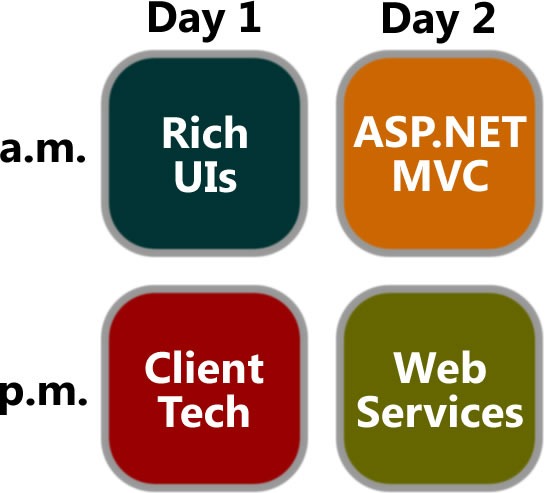
The topic areas are:
- Day 1 morning: Rich UIs
- Day 1 afternoon: Client Tech
- Day 2 morning: ASP.NET MVC
- Day 2 afternoon: Web Services
They’re explained in greater detail below.
Day 1 – Front End: User Interface and Experience
Day 1 of the Developing for the Microsoft-Based Platform is about building the front end, that layer of our applications with which the user interacts, and about giving the user the best experience possible.
The morning will be an introduction to the latest version – version 3 – of our rich interface technology Silverlight and our rich interface-building tool, Expression Blend. In the afternoon, we’ll shift the focus to building client technology by looking at the PRISM guidelines for building applications with modular Silverlight- and WPF-based front ends and the API code pack for building .NET applications that take advantage of Windows 7’s new UI features.
The tools and technologies covered on Day 1 are:
- Silverlight 3
- Expression Blend 3
- WPF
- Windows 7
- Windows 7 API Code Pack for the .NET Framework
- Windows Mobile
Day 1 Morning: Rich UIs
Track Introduction
Presented by Joey deVilla
9:00 a.m. – 9:15 a,m.
Session 1: What’s New in Silverlight 3
Presented by Cory Fowler
9:15 a.m. – 10:30 a.m.
 Rich internet applications just got richer! Silverlight 3 is packed with new features and improvements that your users will notice, from pixel shaders to perspective 3D to animation enhancements to bitmap APIs to HD video. We think you’ll also be impressed by the features for developers, such as the updated style model, data binding improvements, better resource handling, and a tuned-up Web services stack. In this session, we’ll explore new features of Silverlight 3 as we build a Silverlight-based application using Expression Blend 3 and Visual Studio.
Session 2: Expression Blend for Developers
Presented by Barry Gervin
10:50 a.m. = 12:05 a.m.
 Not a designer? Overwhelmed by Expression Blend? Not a problem! We’ll show you how to use Expression Blend to create advanced and polished user interfaces for business applications, consumer applications, multimedia projects, games or anything in between. We’ll cover features of Expression Blend from a developer’s perspective and show how it works in tandem with Visual Studio throughout the development process. You’ll learn how to create professional-looking user interfaces and visual elements – even if you don’t think of yourself as an interface designer.
Day One Afternoon: Client Tech
Session 3: Building Modular Applications Using Silverlight and WPF
Presented by Rob Burke
1:10 p.m. – 2:25 p.m.
 How do you build extensible and maintainable line-of-business applications in Silverlight and Windows Presentation Foundation (WPF)? How do you design and code to handle real-world complexity? Composite Application Guidance (a.k.a. "PRISM") offers guidance, libraries and examples – in small, free-standing, digestible chunks – that you can use to build applications with rich user interfaces that are also easier to maintain and extend. You’ll learn how to compose complex UIs from simpler views, integrate loosely coupled components with "EventAggregator" and "Commands", develop independent modules that can be loaded dynamically, and share code between Silverlight and WPF clients.
Session 4: Optimizing Your Apps for the Windows 7 User Experience
Presented by Anthony Vranic
2:45 p.m. – 4:00 p.m.
 This session will show you the Windows 7 APIs that will let your applications – and your users – get the full Windows 7 experience. Learn about new extensibility methods to surface your application’s key tasks. Discover how enhancements to the taskbar, Start Menu, thumbnails, desktop elements, the Scenic Ribbon, Federated Search and Internet Explorer 8 provide new ways for you to delight your users and help make them more productive. If you want to give your users the best Windows 7 experience, this session is for you!
Bonus Session: Taking Your Application on the Road with Windows Mobile® Software
Presented by Mark Arteaga and Anthony Bartolo
4:20 p.m. – 5:30 p.m.
As a developer of .NET-based applications, you can extend your desktop software to the Windows Mobile-based platform using the tools available within Visual Studio®, the Windows Mobile SDK and the .NET Compact Framework. This session will give you an overview of how Windows Mobile lets you use your existing infrastructure, business logic, and desktop code on a mobile device to innovate and help solve business problems. We’ll show you how to use the familiar Microsoft .NET Framework and .NET-based programming languages like Visual C#® development tool. You will also learn about new features in Windows Mobile 6.5 such as the Gesture APIs and the Widget Framework and how to use them appropriately. With the launch of Windows Marketplace for Mobile upon us, this session will help you take the next step for application testing and submission.
Day 2 – Back End: Programming Frameworks and Principles
On Day 2, the track moves to the back end, focusing on server-side programming tools and technologies, and even wandering into the area of technique.
The morning’s sessions concern themselves with the new option for developing web applications using ASP.NET: ASP.NET MVC, the alternative framework based on the Model-View-Controller pattern, in the same spirit of such frameworks as Ruby on Rails, Django and CakePHP. The afternoon will be about writing web services using various Microsoft technologies.
The tools, technologies and techniques covered on Day 2 are:
- ASP.NET MVC
- The SOLID principles of object-oriented design
- WCF
- REST (REpresentational State Transfer)
- SharePoint
Day 2 Morning: ASP.NET MVC
Track Introduction
Presented by Joey deVilla
9:00 a.m. – 9:15 a,m.
Session 1: Introducing ASP.NET MVC
Presented by Colin Bowern
9:15 a.m. – 10:30 a.m.
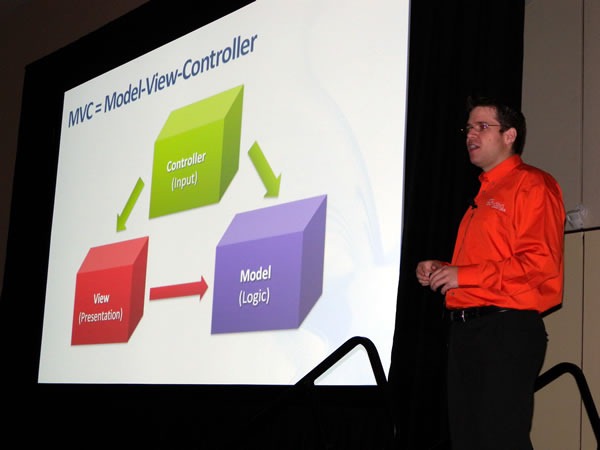
 You’ve probably heard the buzz about Model-View-Controller (MVC) web frameworks. They’re all the rage because they combine speed, simplicity, control…and fun. ASP.NET MVC is Microsoft’s MVC web framework, and in this session, we’ll talk about the MVC pattern, explain the ideas behind ASP.NET MVC and walk through the process of building an application using this new web framework. We’ll also cover several techniques to get the most out of ASP.NET MVC and deliver web applications quickly and with style.
Session 2: SOLIDify Your Microsoft ASP.NET MVC Applications
Presented by Bruce Johnson
10:50 a.m. – 12:05 a.m.
 Object-oriented programming makes it easier to manage complexity, but only if you do it right. The five SOLID principles of class design (one for each letter) help ensure that you’re writing applications that are flexible, comprehensible and maintainable, and we’ll explain and explore them in this session. We’ll start with a brittle ASP.NET MVC application that’s badly in need of refactoring and fix it by applying the SOLID principles. This session is a good follow-up for Introducing ASP.NET MVC, but it’s also good for developers of ASP.NET MVC looking to improve their code – or even if you’re not planning to use ASP.NET MVC. The SOLID principles apply to programming in any object-oriented language or framework.
Day 2 Afternoon: Web Services
Session 3: Building RESTful Services with WCF
Presented by Bruce Johnson
1:10 p.m. – 2:25 p.m.
REST (REpresentational State Transfer) is an architectural style for building services, and it’s the architectural style of the web. It’s been popular outside the world of Microsoft development for a long time, but it’s quickly becoming the de facto standard inside as well. Windows Communication Foundation (WCF) makes it simple to build RESTful web services, which are easy to use, simple and flexible. In this session, we’ll cover the basics of REST and the show you how to build REST-based, interoperable web services that can be accessed not just by Microsoft-based web and desktop applications, but anything that can communicate via HTTP from an Ajax client to a feed readers to mobile device to applications written using other languages and frameworks such as PHP, Python/Django or Ruby/Rails.
Session 4: Developing and Consuming Services for SharePoint
Presented by Reza Alirezaei
2:45 p.m. – 4:00 p.m.
 The world gets more service-oriented every day, and with that comes the demand to integrate all kinds of services, including those from SharePoint. This session introduces SharePoint as a developer platform and provides an overview of how you can build and deploy custom services with it. The focus will be on developing ASP.NET and Windows Communication Foundation services for SharePoint as well as building a Silverlight client to consume them.
This article also appears in Canadian Developer Connection.
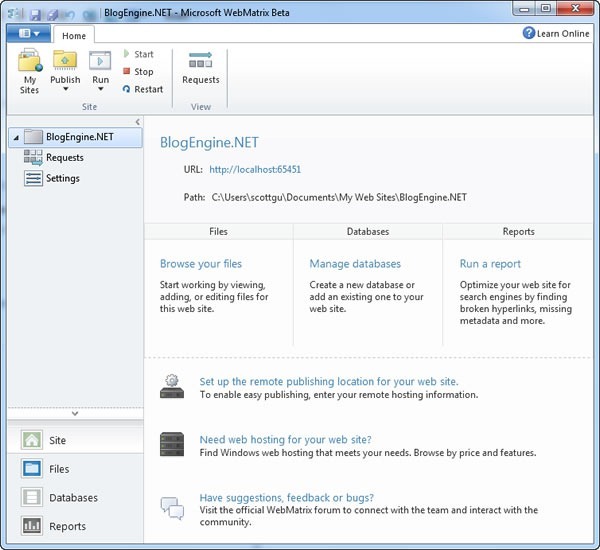
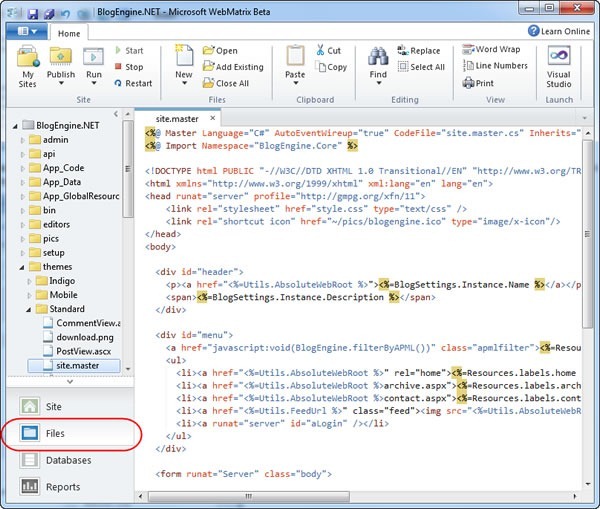
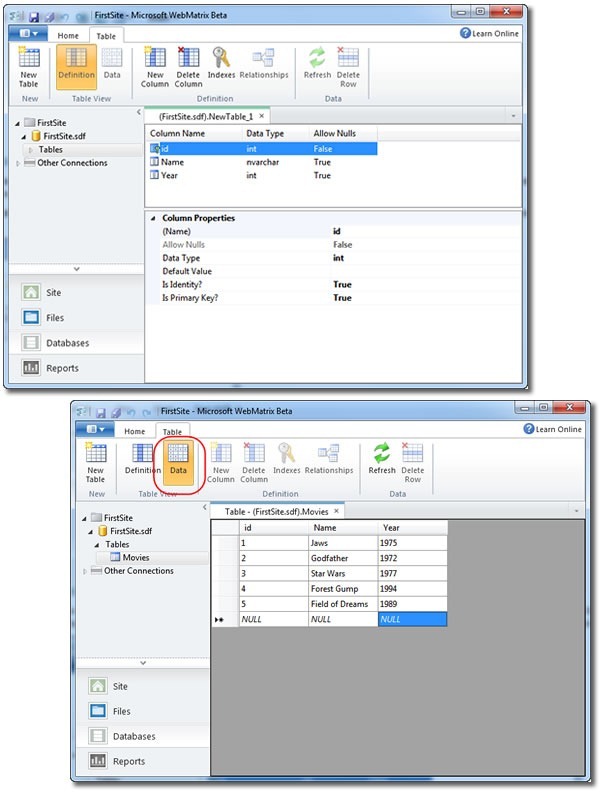
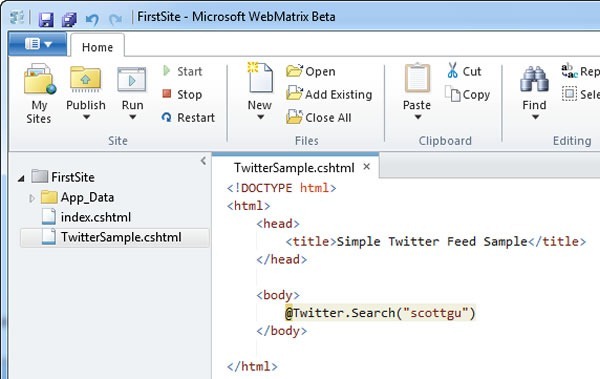
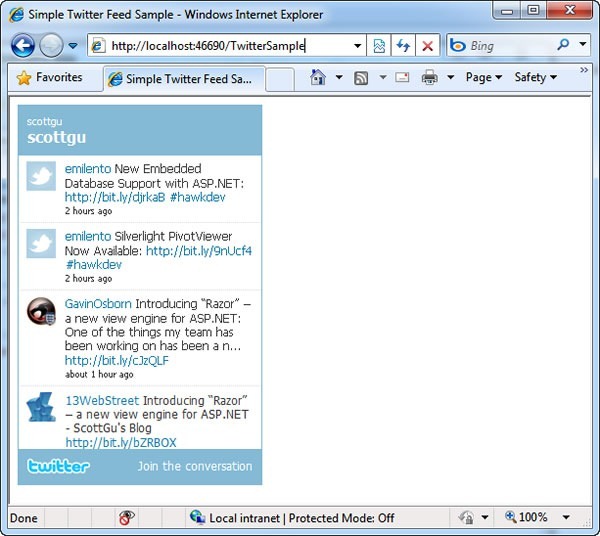
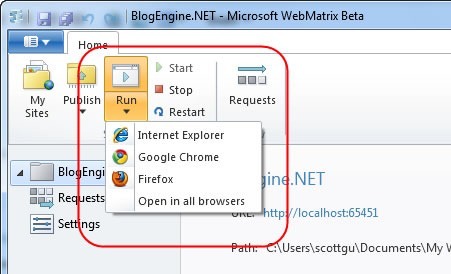
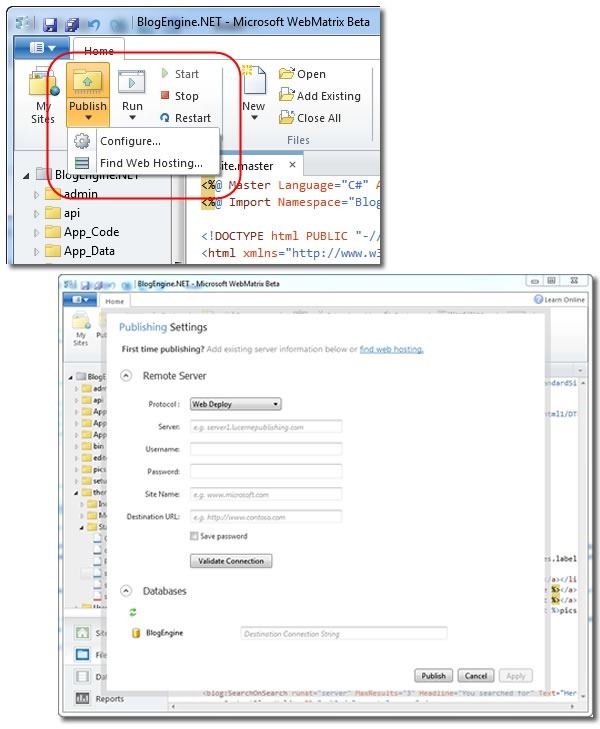
 By now, you’ve probably seen the tech news reports as well as Scott Guthrie’s announcement about WebMatrix, Microsoft’s lightweight web development web development system that packages a web development tool with a number of new web technologies: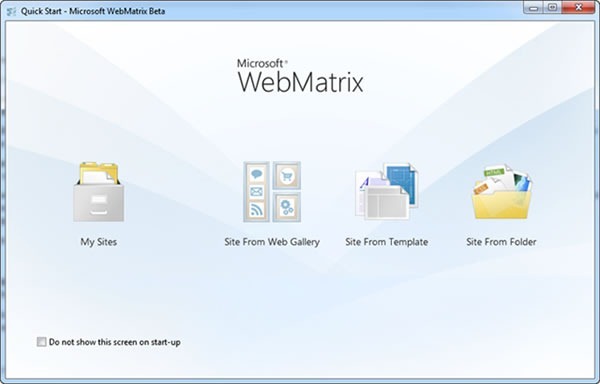




 I’m going to express a personal preference: I’d much rather build web apps with
 Platform wars are like monkey knife fights: amusing at first, but regrettable and messy in the end.
 If you’d like to learn more about ASP.NET MVC programming, the best place to get started is chapter one of the “Gang of Foreheads” book, a.k.a.