by Joey deVilla on December 12, 2010

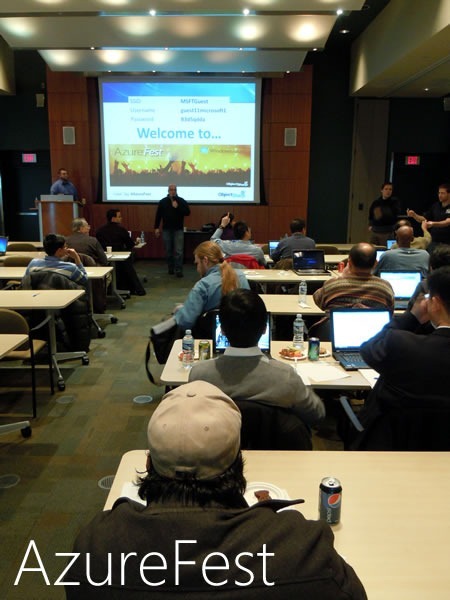
AzureFest, the get-together where developers and aspiring developers learn how to use and deploy applications and databases to Azure, took place at Microsoft Canada headquarters in Mississauga on Saturday.
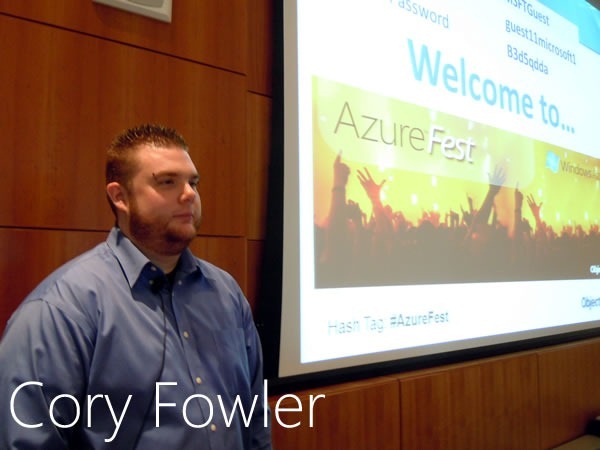
The event was held by our partners ObjectSharp and led by Cory Fowler, an Azure MVP. There was a morning sessions and an afternoon session, and my rough estimation of both events put the attendance at around 130 in total.

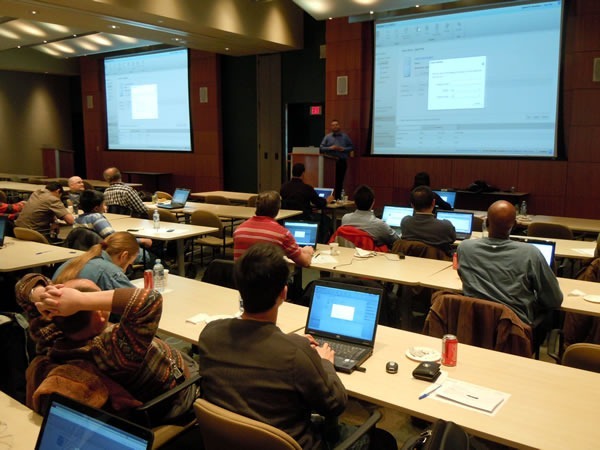
Each three-hour session consisted of a quick overview of the Azure platform, the distribution of all the necessary developer tools, signing up for an Azure account and using the prototyping-and-wallet-friendly Introductory Special and deploying that old ASP.NET MVC standby app NerdDinner and its associated database to the cloud. The three-hour format covered more practical ground than the typical one-hour conference session and gave Cory and the ObjectSharpies a chance to make themselves available for one-on-one assistance.
In Case You Missed AzureFest…
If you couldn’t make it down to Mississauga to participate in AzureFest, you can still benefit from the AzureFest session. The ObjectSharpies are recording a version of Cory’s Azure deployment walkthrough and making it available online. Watch this blog for more details.
Try Azure and Get Some Money for Your User Group!
If you’re the member of a Canadian Microsoft User Group, you can help them make a quick $25 which they can use to fund their activities. All you have to do is:
- Open an Azure account: either the introductory special offer or using the Azure benefit that comes with your MSDN subscription
- Deploy an application – any application, including pre-written ones like NerdDinner – to Azure
- Send an email to cdnazure@microsoft.com with the following:
- A screenshot of your application running on Azure
- The name of the user group to which you’d like to get $25
- Feedback about your experience with Azure
This article also appears in Canadian Developer Connection.
Tagged as:
Azure,
Cory Fowler,
Gatherings,
ObjectSharp,
training,
user group
by Joey deVilla on September 26, 2010

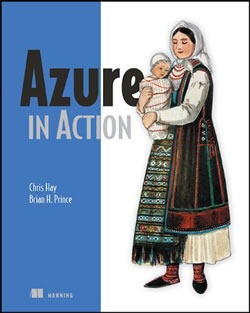
For today only (September 26, 2010): Manning is selling the ebook version of Azure in Action for a mere US$15, which converts to CAD$15.36 as of this writing. The ebook is a MEAP book – that’s Manning Early Access Program – which means that it’s an in-progress book. Purchasers of MEAP books get updates and the final version as part of the deal.
To get the deal on Azure in Action, use the discount code dotd0926 in the Promotional Code box when checking out.
This article also appears in Canadian Developer Connection.
Tagged as:
Azure,
books,
discount codes
by Joey deVilla on August 15, 2010
by Joey deVilla on July 7, 2010

Are you a developer looking to launch your new web application? Or perhaps you’re an IT Pro or IT Architect trying to understand what all the fuss about “The Cloud” is. Or maybe you need for some compute time to run calculations. No matter who you are, or why you’re thinking about the cloud, Microsoft is making it easy for you try out our cloud offerings: Windows Azure (which runs your apps the in the cloud), SQL Azure (your database in the cloud) and AppFabric (which ties your on-premises and cloud systems together).
Check out the Azure Pricing Page and take a look at the introductory special, which lets you take Azure for a spin for a limited time – free of charge. Here’s what you get:
Included each month at no charge:
- Windows Azure
- 25 hours of a small compute instance
- 500 MB of storage
- 10,000 storage transactions
- SQL Azure
- 1 Web Edition database (available for first 3 months only)
- AppFabric
- 100,000 Access Control transactions
- 2 Service Bus connections
- Data Transfers (per region)
Any monthly usage in excess of the above amounts will be charged at the standard rates. This introductory special will end on October 31, 2010 and all usage will then be charged at the standard rates.
This special offer is available right now through October 31, 2010 and is limited to one per customer. (You’ll probably want to look at the “full details and disclosure” page.)
If you’re in Canada and have questions about Windows Azure, my team and I are here to help and can answer your questions. We’d also love to hear what sorts of projects you’re using Azure for. To reach us, drop us an email at cdnazure@microsoft.com.
This article also appears in Canadian Developer Connection.
Tagged as:
AppFabric,
Azure,
cloud computing,
free as in beer,
special offers,
SQL Azure,
Windows Azure
by Joey deVilla on March 22, 2010

My coworker Christian Beauclair, Senior Developer Evangelist, did an interview with IT in Canada about Azure, its parts and some development patterns for Azure that fit many business scenarios.
For those of you not familiar with Azure, it’s Microsoft’s cloud computing platform made up of three parts:
- Windows Azure, the operating system in the cloud where your applications run
- SQL Azure, the database engine in the cloud where your data lives, and
- AppFabric, which connects cloud, hosted and on-premises services together.
As for the Azure development patterns that fit common business scenarios, they are:
- Transparence: Simply moving applications and data from servers to the cloud. The benefits are cost savings, not having to manage servers, cost-effective scaling and opportunities to prototype without having to invest in additional hardware and software.
- Scale-in multi-tenancy: On-the-fly scaling by creating new Azure instances when demand increases. It’s hard to predict what demand for an online service will be; this “just in time” approach does an end run around having to make such forecasts and purchases based on them.
- Burst compute: This is scaling based on known peak periods, such as the Christmas rush for retailers or the Superbowl for pizza delivery. A cloud-based system like Azure lets you acquire more server capacity during those known peak periods and release them once the peak period is over.
- Elastic storage: This is data scaling – you can use Azure to extend your storage instead of purchasing more on-premises disk arrays.
- Inter-organization communication: Using Azure to host an API to connect to your company’s services or data (which may live in Azure, on some hosted system or on-premises). It’s a good way to provide services to the outside world while keeping your infrastructure manageable.
There’s more in the article, and even more in the interview, which you can either:
This article also appears in Canadian Developer Connection.
Tagged as:
Azure,
Christian Beauclair,
cloud computing,
development patterns
by Joey deVilla on March 6, 2010
by Joey deVilla on February 27, 2010