old computers

Multitasking in the “Mad Men” Era

by Joey deVilla on January 15, 2010

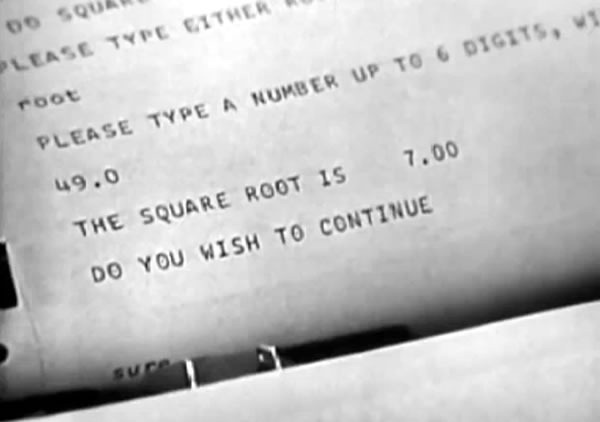
square root

Here’s a great video from 1963 featuring the great-granddad of today’s web servers and cloud computing systems. It was just posted by Boston’s Computer History Museum titled Solution to Computer Bottlenecks. Filmed in May of that year, it features MIT Science Reporter John Fitch – who has a classic 1960’s announcer’s voice – interviewing MIT computer scientist Fernando J. Corbato, the guy behind Corbato’s Law (“The number of lines of code a programmer can write in a fixed period of time is the same independent of the language used”).

The subject of the film is the then-new approach of timesharing, which Corbato describes as “connecting a large number of consoles to a central computer”, which made the great (and very necessary – it even gets mentioned in Malcolm Gladwell’s book, Outliers) leap from batch to interactive processing possible. Here’s the video; enjoy all the retro-tech goodness:

This may have been really deep nerd stuff back in 1963, but today, it the sort of thing that you might see covered in a grade school class. Even if you’re not a programmer or IT pro, I think you’ll find it entertaining.

Some Gems from the Video

A computer terminal in one’s office isn’t unusual in this day and age, but back in 1963, such a thing must’ve been incredibly super-1337. Here’s the console in Corbato’s office, which he introduces by saying “Here’s one of the consoles we might be using in the future.” Even to the reporter of that era, it looked like an ordinary IBM Selectric typewriter:
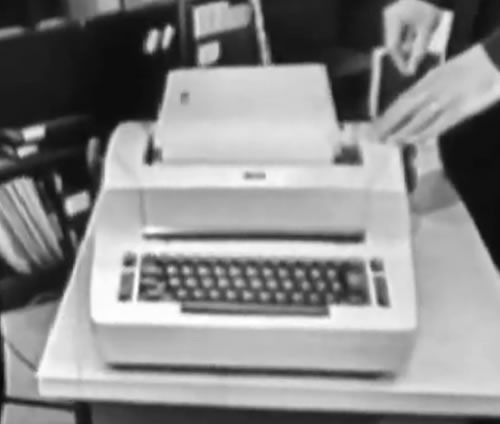
1963 future console

The general principles of digital computers haven’t changed much since those days. Corbato describes memory as “a bunch of pigeonholes” that store numbers, some of which function as data, some of which function as instructions.
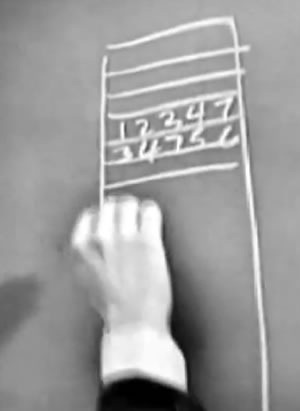
memory pigeonholes

The concept of a CPU, the program counter stepping through memory and looping already existed in 1963:
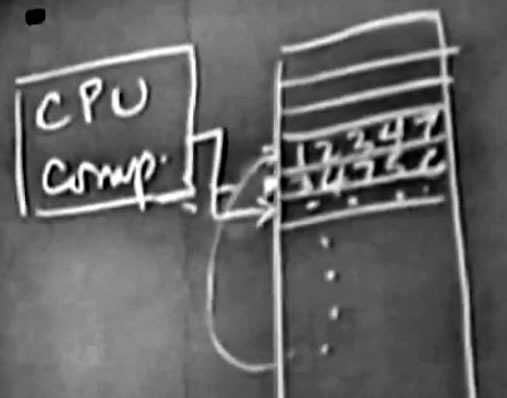
cpu program counter

He describes the new setup “a set parallel consoles which are not all near the computer in fact, most of them are remote…and let the users use these with a reaction time of a few seconds instead of a few hours.”
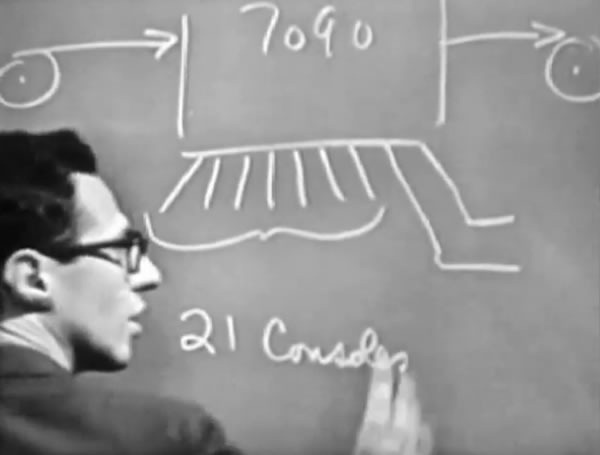
7090

He says that eventually they’d like to switch from “typewriter” consoles to "graphic displays”, but at the time there were still some kinks to be worked out.

One of the “elaborate advanced ideas” that he hints at but says is beyond the topic of the film is going beyond hooking up dumb terminals to the mainframe and attaching smaller computers to it as well, such as the DEC PDP-1 and 1620:
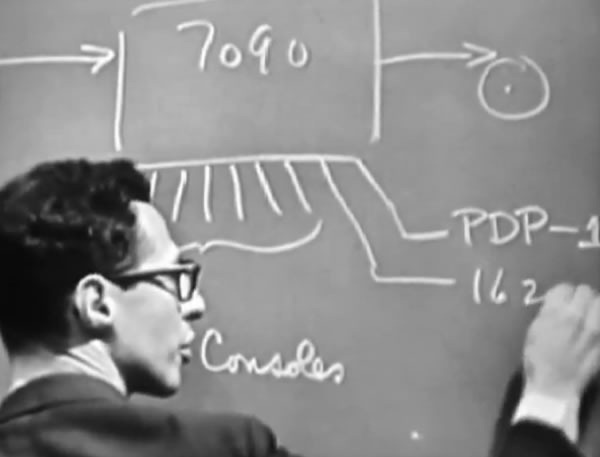
advanced elaborate ideas

When discussing the hard disk and its capacity (9 million words), Corbato has to explain to Fitch that it isn’t a big whirling disk on which you store tape, but a platter coated with a magnetic material like tape. This is old hat to us in the 21st century, but at the time, disks weren’t household items:
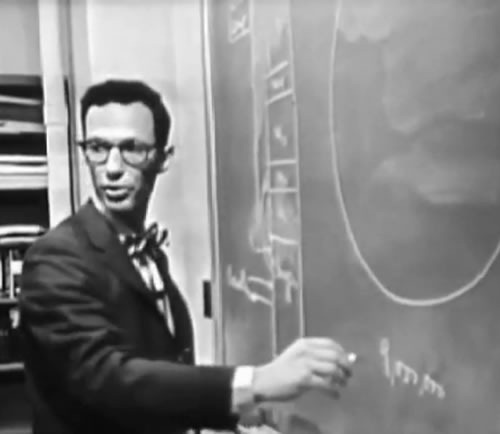
hard disk

At the time, disks had been around for about a year. Corbato confesses that there are still some problems with them: they “haven’t figured out how to keep things from getting mixed up”.

And on it goes with ideas that are still in use today: programming languages (“a particular synthetic language which is largely technical, and which is to some extent algebra too”), the organization of different programs in memory at the same time, multitasking with a scheduler that determines which program gets the processor’s attention at the moment, file loading and management by the operating system, the concepts of “brute-force solutions”, context switching (which they can “keep down to 10%”), input validation and even the phrase “it’s a feature”.

The line of Corbato’s that I love most is his prescient statement about usability and demand: “We’ve really made the computer extremely easy to use here. And so it’s very clear that in the long run, we’re going to increase in the need for computer time by a large amount.”

This video is all sorts of old-school awesome. If you’ve got nothing to do on your lunch break, check it out!

This article also appears in The Adventures of Accordion Guy in the 21st Century.

{ 4 comments }

Portable Computing in the “Mad Men” Era

by Joey deVilla on October 20, 2009

Are there any computers available today that come in that particular shade of blue, with matching chair?

1960s computerClick the photo to see it at full size. Photo courtesy of retrofuture.
This article also appears in The Adventures of Accordion Guy in the 21st Century.

{ 2 comments }

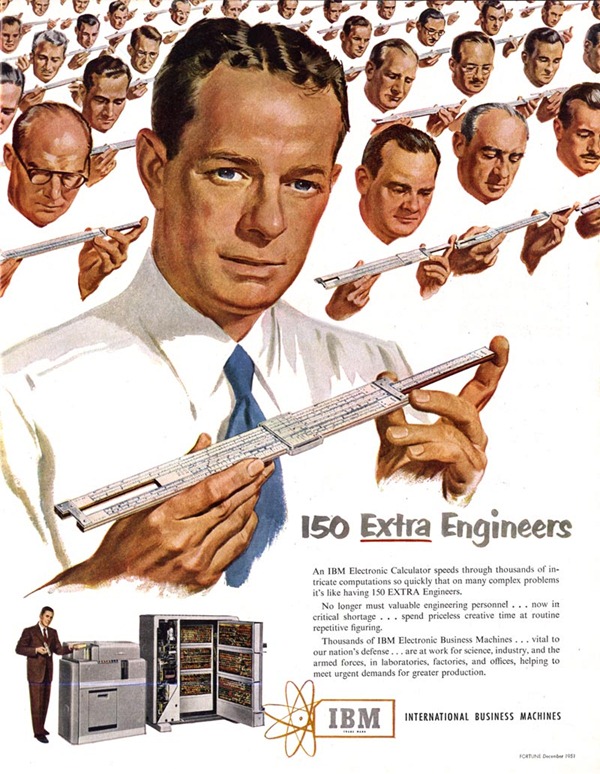
Old IBM Ad: “150 Extra Engineers!”

by Joey deVilla on August 10, 2009

Alternate titles for this ad: 150 Receding Hairlines! 150 Giant Foreheads!

IBM "Electronic Calculator" ad: "150 Extra Engineers" Click the ad to see it at full size.

Here’s the text of the ad:

150 Extra Engineers

An IBM Electronic Calculator speeds through thousands of intricate computations so quickly that on many complex problems it’s like having 150 EXTRA Engineers.

No longer must valuable engineering personnel…now in critical shortage…spend priceless creative time at routine repetitive figuring.

Thousands of IBM Electronic Business Machines…vital to our nation’s defense…are at work for science, industry and the armed forces, in laboratories, factories and offices, helping to meet urgent demands for greater production.

{ 5 comments }

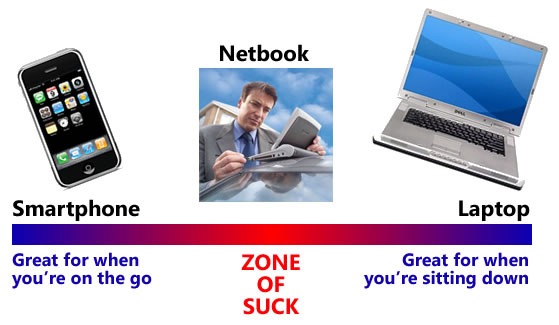
'Zone of Suck' between smartphones and laptops that netbooks occupy.

Here’s an idea sent to me by a friend of mine who’s not a computer programmer, but a “suit” working at a Bay Street firm in Toronto (for those of you not from Canada, “Bay Street” is Canadian for “Wall Street”).

Consider two systems, with specs as shown below:

Component System A System B
Processor Intel 1.6 GHz w/ 533 MHz bus Intel 1.6 GHz w/ 533 MHz bus
Memory 1 GB RAM 512 KB RAM
Hard drive 160 GB, 5400 RPM 80 GB, 5400 RPM
Display 1024 * 600 WSVGA 1024 * 768 WSVGA
Graphics card 3D-capable graphics card, also capable of extending the screen onto an external monitor 3D-capable graphics card, also capable of extending the screen onto an external monitor
Networking 802.11b/g wifi 802.11b/g wifi
Operating system Windows XP (and probably runs Windows 7 just fine) Windows XP (and probably runs Windows 7 just fine)


Although the systems are quite similar, they are from two different generations of portable computer:

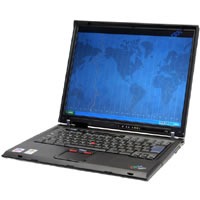
  • One is an IBM/Lenovo Thinkpad T42 laptop from 2005 (pictured below and to the left), and
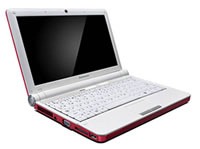
  • The other is a Lenovo S10 netbook from 2009 (pictured below and to the right).

Which one is System A and which one is System B?

thinkpad_t42lenovo_s10

It turns out that System A is the current-model netbook and System B is the 5-year old laptop.

My friend writes:

Netbooks are nothing other than stripped down laptops stuffed into smaller boxes. You wouldn’t buy a 5 year old notebook with the expectation that it would perform like a new one, would you?

The analogy I used when I bough a netbook is that it is like the second vehicle. I use it to run around town and do the small errands. It’s small, convenient and easy on gas but for the heavy lifting or processing, I use my laptop SUV/Minivan.

Previous entries in the Netbooks Suck series of articles:

{ 7 comments }

Old Apple ][ ad featuring Ben Franklin: "What Kind of Man Owns His Own Computer?"Click the ad to see it at full size.

From roughly the same time as the Honeywell “What the Heck is Electronic Mail?” advertisement I showed you earlier, comes this Apple ad for the original Apple ][ computer. You have to remember that this was a time when most people didn’t have a computer at their desk; in fact, if an office had a computer, it had just one. And the desktop computers of that era had far less processor power (they typically has 1 MHz 8-bit chips like the Z80 or 6502) and RAM (maximum address space was 64K; machines typically maxed out at 48K RAM) than even the cheapest of today’s mobile phones. And yes, that’s a standard TV set being used as a monitor – its highest resolution was 280 by 192 pixels.

The tricky part about creating such an ad is trying to convince people of that era that they needed a computer. Remember, in those days computers were relegated to their own rooms, the fax machine was still new, mobile phones were toys for the rich and were carried in their own briefcases and when office and even legal documents were typed or written out in longhand. I’ve been trying to think of a present-day analogue for a late 1970s/early 1980s computer ad, but I’m drawing a blank.

Here’s the text of the ad:

What kind of man owns his own computer?

Rather revolutionary, the whole idea of owning your own computer? Not if you’re a diplomat, printer, scientist, inventor…or a kite designer, too. Today there’s Apple Computer. It’s designed to be a personal computer. To uncomplicate your life. And make you more effective.

It’s a wise man who owns an Apple.

If your time means money, Apple can help you make more of it. In an age of specialists, the most successful specialists stay away from uncreative drudgery. That’s where Apple comes in.

Apple is a real computer, right to the core. So just like big computers, it manages data, crunches numbers and prints reports. You concentrate on what you do best. And let Apple do the rest. Apple makes that easy with three programming languages – including Pascal – that let you be your own software expert.

Apple, the computer worth not waiting for

Time waiting for access to your company’s big mainframe is time wasted. What you need in your department – on yourdesk – is a computer that answers only to you…Apple Computer. It’s less expensive than timesharing. More dependable than distributed processing. Far more flexible than centralized EDP. And, at less than $2500 (as shown), downright affordable.

Visit your local computer store

You can join the personal computer revolution by visiting the Apple dealer in your neighborhood. We’ll give you his name when you call our toll-free number…

{ 5 comments }

An Ad for Dharma Initiative Computers

by Joey deVilla on March 25, 2009

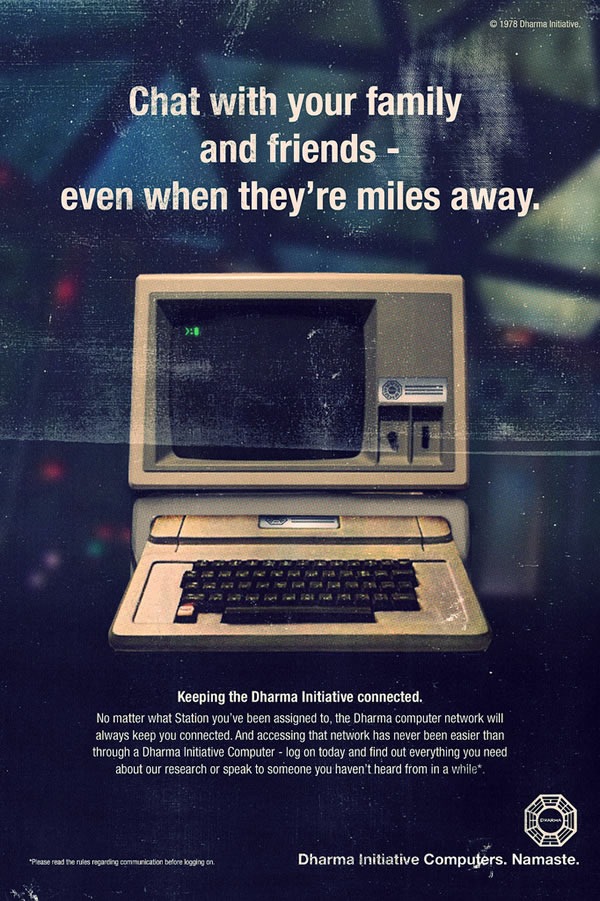
This ad won’t make any sense if you’re not a follower of the TV series Lost. However, if you are, you’ll find it amusing…

Ad for the Dharma Initiative's computers: "Chat with your family and friends -- even when they're miles away."
Click the ad to see the original on its Flickr page.

{ 1 comment }

Help LinuxCaffe Sort Through Their Tech Stuff!

by Joey deVilla on March 20, 2009

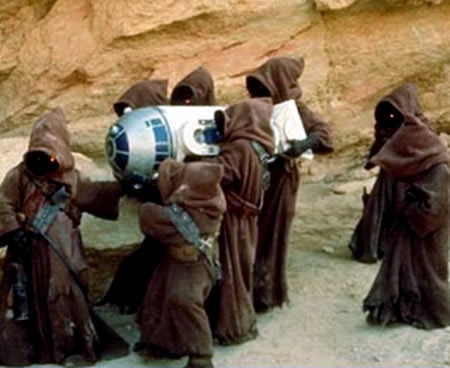
Jawas carrying R2-D2 in "Star Wars Episode IV: A New Hope"

Tim Hildred of LinuxCaffe writes:

We have in our storage space a veritable heap of donated pre-loved electronics, some of which we hope to recycle and repurpose, some of which is probably junk. What we need as a small team of people who, in exchange for coffee and snacks, will help us sort it out.  There will probably be some spoils as well, as those who help should be able to help themselves to some things. So, bring your friends, help us make our heap into something workable, help the community to thrive, and help your blood-caffiene levels to remain stable. We’ll love you for ever.

The sorting will take place in two shifts:

  • Tomorrow, Saturday March 21st, from 12:00 noon-ish until 4:00 p.m.-ish
  • Wednesday, March 25th, from 5 p.m.-ish until 9:00 p.m.-ish.

If you’ve got a technical bent, some free time and community spirit, come on down to LinuxCaffe and give them a hand sorting through their donated electronics!

{ 1 comment }

HackLabTO’s Lisp Machine Keyboard

by Joey deVilla on February 5, 2009

After years of sitting in storage, my deadbeat ex-housemate’s old Symbolics XL1200 Lisp Machine has found a new home: HackLabTO, located in Accordion City’s Kensington Market neighbourhood. I thought I’d post a couple of pictures of its keyboard, which is a little different from the ones we see every day.

lisp_machine_keyboard_1

The keyboard is bristling with modifier keys. Yes, we’ve all got shift and control, but most of us don’t have hyper, super, and meta keys. I have a guess as to what the network and local keys do.

lisp_machine_keyboard_2

Well before the Sony Playstation, Lisp machines had square”, “circle” and “triangle” keys:

lisp_machine_keyboard_3

And here’s a look at the right side of the keyboard. Today’s keyboards have an auto-repeat feature, which made the repeat key obsolete:

lisp_machine_keyboard_4

{ 36 comments }

“Owns Home Computer”: A News Report from 1981

by Joey deVilla on January 29, 2009

TechCrunch points to a news report from San Francisco-based TV station KRON that dates all the way back to 1981, when home computers were 8-bit wonders like the era of the Apple ///, TRS-80 and Atari 400 and 800. The piece on how some people are reading their newspapers by logging into Compuserve, and how someday, we’ll all be reading our newspapers and magazines on our computers:

Back then, a computer in the home was very unusual, hence their underscoring of this interviewee’s name with “owns home computer”. It seems quaint now, but back then, that was pretty 1337:

Still from news report: "Richard Halloran: Owns home computer"

The TechCrunch article points out a couple of lines in the piece that stand out given our 2009 perspective. The first is from the San Francisco Examiner’s David Cole:

This is an experiment. We’re trying to figure out what it’s going to mean to us, as editors and reporters and what it means to the home user. And we’re not in it to make money, we’re probably not going to lose a lot but we aren’t going to make much either.

The other memorable line is from the reporter:

This is only the first step in newspapers by computers. Engineers now predict the day will come when we get all our newspapers and magazines by home computer, but that’s a few years off.

This is Joey deVilla, signing off from one of those Dynabook-style computers.

{ 4 comments }

An Old Univac Ad: “You’re Trying to Divide by Zero”

by Joey deVilla on December 30, 2008

Here’s a computer ad from 1956 – it’s for Univac computers, a brand name that was as synonymous with “computer” in the same way that “Xerox” was once synonymous with “photocopier”:

Old Univac ad: "You're Trying to Divide by Zero"
Click the ad to see it at full size.
Ad courtesy of Miss Fipi Lele.

Here’s the text of the ad. If it seems a little strange to your modern sensibilities, it’s because it’s ad copy from the era of Mad Men — that’s just how advertising was back then. Note that lack of technical jargon or specs, neither of which would’ve been useful back then, when very few people would’ve known what they meant:

“You’re Trying to Divide by Zero”

A scientist, testing a formula on Univac recently, was amazed to see the computing system stop, then automatically type the reproof: “You’re trying to divide by zero.” A quick check proved that Univac, as always, was right.

This graphic demonstration points out just one of the many Remington Rand refinements in the art of computer programming and operation. For Univac has been trained to spot human errors. It can now carry out commands given in simple business English. It can even manufacture its own program of instructions automatically – at electronic speeds, with unparalleled accuracy.

These skills have been developed as a direct result of Univac’s unique position in the field of electronic data-processing. Because, with every Univac delivered goes 10 years’ experience in electronic computing…5 years’ experience in the commercial type of data-processing. This wealth of background in programming and operation is unobtainable elsewhere.

The unprecedented savings of Univac data-processing have been proved by solving actual consumer problems – not by working out theoretical solutions with non-existent computers. You can be sure that, when you install the Univac, you’ll get under way faster, surer and more economically because the System has already handled similar work.

Univac is now at work in leading organizations throughout the country. And, in today’s competitive market, the company which cuts its overhead first comes out on top. So don’t wait until 1957…1958…or 1959 to cash in on the tremendous savings available to you now with the Remington Rand Univac System.

Some observations:

  • Error messages: while old hat to even modern laypeople, must’ve seemed like a great leap forward back then.
  • “Univac, as always, was right.” Can you imagine even Apple’s blowing-sunshine-up-your-ass ads making that claim about their machines today?
  • “It can now carry out commands given in simple business English.” I’m guessing that they mean COBOL. One era’s technological wonder is another era’s coding horror.

    [Update: Looks like I got my programming language timelines wrong. “mistercow” points out on Reddit that COBOL didn’t appear until 1959 and suggests that the “commands in simple business English” language is probably FLOW-MATIC, one of COBOL’s predecessors.]

  • “…with every Univac delivered goes 10 years’ experience in electronic computing…5 years’ experience in the commercial type of data-processing". These short timeframes may seem quaint, but keep in mind that the concept of what is computable isn’t even 100 years old yet. You should also note that web applications are only slightly older than 10 years and that XMLHttpRequest, which makes Ajax possible, turns ten in the new year (it was released by Microsoft as an ActiveX object for Internet Explorer 5 for Outlook Web Access in 1999).

And finally, two things that a programmer in today’s economy should keep in mind. It’s almost as if they’re special messages sent through time:

  1. “The unprecedented savings of Univac data-processing have been proved by solving actual consumer problems – not by working out theoretical solutions with non-existent computers.”
  2. “…in today’s competitive market, the company which cuts its overhead first comes out on top.”

Although these statements were made back when computers were rare and extremely expensive and well before there was a computer on every office desk – in fact, well before computers could even fit on desks – they hold true today. If you’re a programmer looking to make a living in 2009, it’ll pay to develop applications that solve actual problems and either help people make money or save it. To borrow a line from Don Dodge at Startup Empire, make sure your applications are aspirin (must-haves), not vitamins (nice-to-haves)!

{ 25 comments }