Windows 7

Fabulous Parting Gifts from Microsoft

by Joey deVilla on May 16, 2011

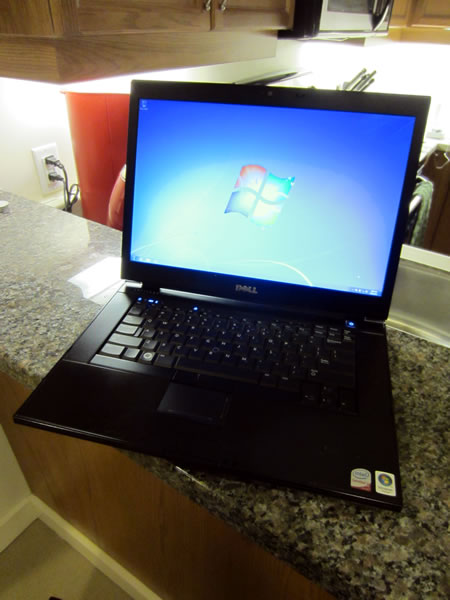
In recognition of some damn good evangelizing, and to make sure I don’t forget about all the .NET developers out there, Microsoft Canada sent a big package to me at the Shopify offices containing some fabulous parting gifts, including a Dell Latitude E6500 with 8 gigs of RAM and the large battery:

My Dell Latitude E6500 laptop

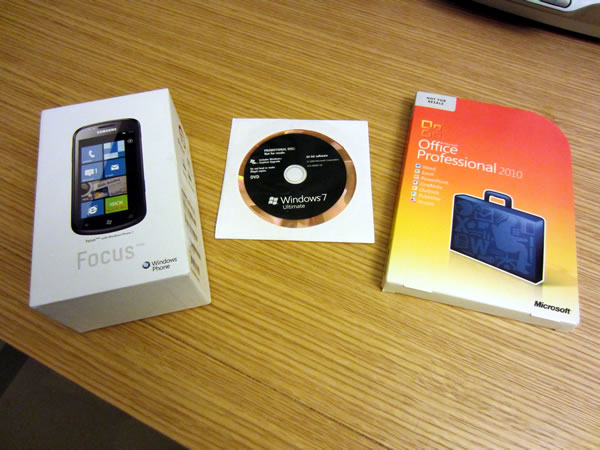
…along with the Samsung Focus that was assigned to me, and DVDs for Windows 7 Ultimate and Office Professional 2010

Windows Phone 7 (Samsung Focus) box, Windows 7 Ultimate DVD, Microsoft Office 2010 Professional DVD

…and last but certainly not least, an MSDN subscription, which gets me all kinds of developer goodies including Visual Studio (still the nicest IDE out there, in my opinion):

MSDN logo

I’d like to thank Microsoft Canada (and Damir Bersinic, who made the arrangements) for these fabulous parting gifts. They weren’t under any obligation to send anything other than my final paycheque and expense reimbursements, but they’re taking a page from Gary Vaynerchuk’s The Thank You Economy, and I greatly appreciate the goodies. I was wondering how I was going to continue with Windows Phone and XNA development, but thanks to my old employer and coworker, that question’s been answered. I salute you with a filet mignon on a flaming sword!

This article also appears in The Adventures of Accordion Guy in the 21st Century.

{ 4 comments }

A Touchy Subject

by Joey deVilla on August 1, 2010

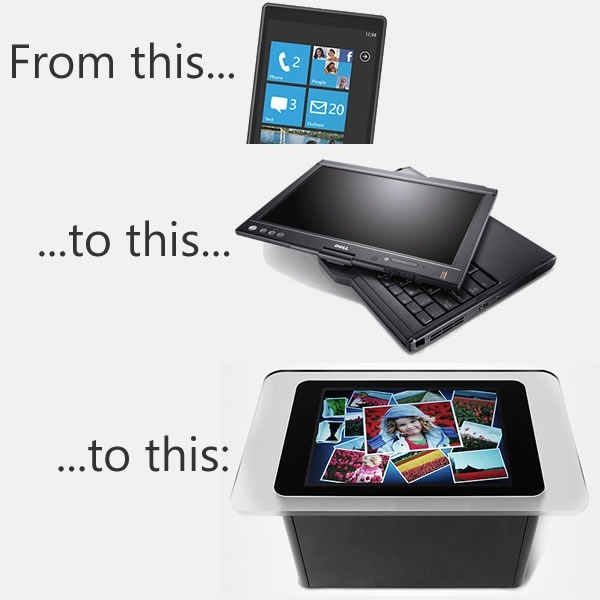
win phone latitude xt2 surface

I think that we – and by we, I mean we developers and developer evangelist types at Microsoft – get touch and tablets, or slates, or pads, or whatever you’d like to call them, better than the Ars Technica article Ballmer (and Microsoft) still doesn’t get the iPad (written by Peter Bright and posted in the One Microsoft Way section) implies. I believe that over the next few months, you’ll see some interesting touch-related stuff coming from Microsoft, and that we have a responsibility to help developers understand the differences between mouse/keyboard computing and touch computing.

In anticipation of this, I’ve been make my move towards touch- (and other sensor-based) computing over the past little while, by migrating to the following devices:

The idea behind this purposeful move towards touch-equipped devices is to truly understand touch-based interfaces, which UI elements work and which ones don’t, and then to pass the lessons learned to my audience – developers and designers, whether you build for the Microsoft platform or the platforms of the Esteemed Competition.

My own move towards touch-based devices is a microcosmic example of the larger changes taking place at The Empire. The move to touch interfaces is taking place on Microsoft computing platforms of all sizes:
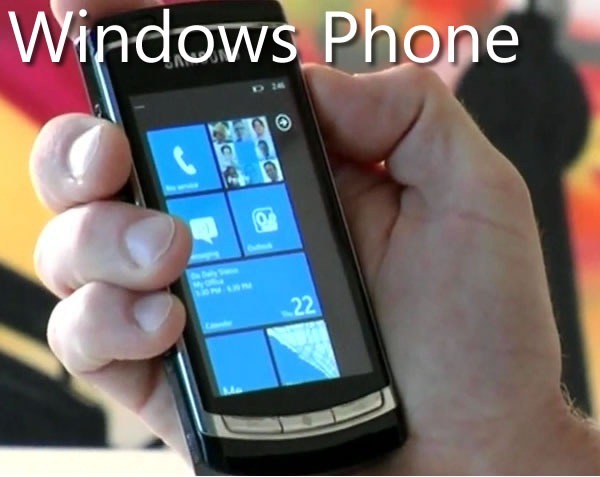
windows phone

As the Ars Technica article points out, one of the signs that we do get touch is the new interface design of Windows Phone 7. The design philosophy is build around touch (and other sensors), and the WP7 “design bible”, the Windows Phone User Interface Design and Interaction Guide [12 MB PDF], explains this philosophy beyond the mere technical details. Here’s the introduction to its section WP7’s touch interface (any emphasis in the quote below is mine):

Touch input is a core experience of Windows Phone 7 and has inherent differences from traditional keyboard and mouse input systems. Designed for natural and intuitive user interaction, touch input in Windows Phone 7 enables users to interact with application content such as a photo or a web page. Touch input enables simple and consistent user touch gestures that imitate real life behavior, such as panning on a photo to move it. Single-touch gestures make interaction easier with one hand, but multi-touch gestures are also available to provide more advanced gesture functionality.

Application developers should strive to create unique and exciting experiences that encourage the discovery of content through the use of touch gestures. Users should enjoy the experience of navigating through the steps of a task as well as the completion of the task itself. Touch gestures should provide a delightful, more colorful, intuitive experience within applications

Touch delights the senses as the user gets to see the interaction match the performance. The touch UI should always have aware and responsive performance, just like how real world objects respond to touch immediately, and applications on Windows Phone 7 should as well, by performing the action in real time and by providing immediate feedback that an event or process is occurring. Users should not have to wait as it breaks their immersion, flow, and concentration, especially as their gestures transition from one to the other. For example, a pan may turn into a flick or a tap can become a double tap, and the user should not be aware that the UI is switching gesture support.

There’s a great amount of understanding behind the nuances of touch-based interfaces in the Windows Phone User Interface Design and Interaction Guide, and over the next few months, we’ll be covering them in great detail in this blog.
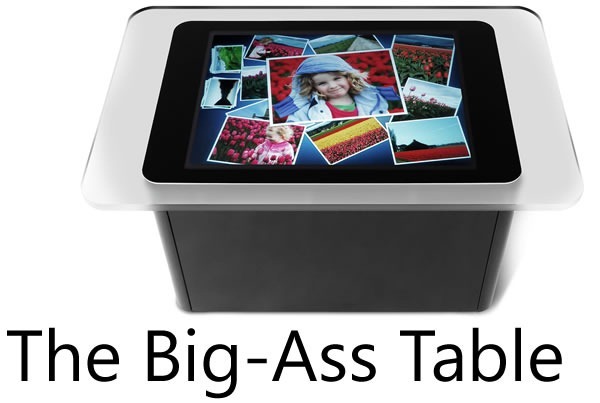
big-ass table

When the Surface, a.k.a. the “Big-Ass Table”, came out, a number of people asked why such a big, expensive thing was built and what practical purpose such a beast would serve.

For starters, there are a number of customers who use it, from casinos in Vegas to bible study classes in megacurches to places closer to home (by which I mean Canada), from the company that did the security for President Obama’s visit to Ottawa to super-sexy Toronto design firm Teehan+Lax to Ontario College of Art and Design to Infusion, who’ve built applications such as Noront Resources’s GSI Surface tool to the security app Falcon Eye.

Equally important are lessons to be learned about input from touch and other sensors from a “concept” machine like the Surface, whose built-in camera systems allow for way more touch points than a resistive or capacitive touch screen will allow, as well as the ability to “see” objects on the tabletop. By being empirical and building such a computer, developing software for it and watching people interact with it, we learn more about touch and sensor-based computing way more than we could from mere theorizing.

I think Des Traynor captured our intent quite nicely in his article about Surface and other Microsoft efforts in the field of user interface:

When the Surface was released two years ago it was chastised by the public. The joke at the time was: “Apple and Microsoft both invest in multi-touch technology, Apple release the iPhone, Microsoft release a $15,000 coffee table!”.

But Surface wasn’t about “re-inventing the coffee table”, so much as it was prototyping a vision of the future of computing. There will come a time when “gathering around a laptop” will seem as ridiculous as connecting an ethernet cable; a time when everyone gathers around a multi-user computer to have a meeting or debate a design. With something like surface, Microsoft are preparing for that day.
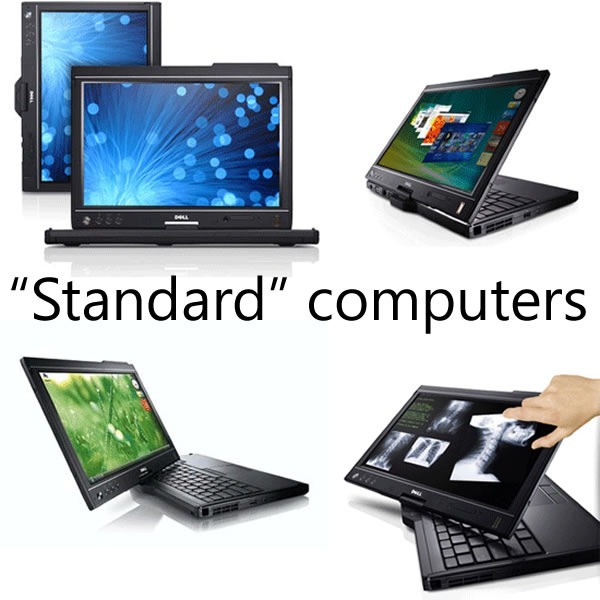
standard computers

A lot of the knowledge from Surface applications have been injected into Windows 7 in the form of the Windows 7 Touch Pack. This pack gives Windows 7 a touch-based API and a set of apps originally designed for the Surface, so that they can run on touch-enabled computers, such as HP’s TouchSmart series, touch-enabled laptops like my own Dell Latitude XT2 as well as any computer connected to one of the new touch-enabled monitors (our manager John Oxley has one in his office).

The Ars Technica article goes on and on about Windows 7’s standard interface controls being too tiny for touch, but a quick look at the Touch Pack apps reveals that they don’t use the standard controls; rather, they use controls better-suited to touch. Here’s a screenshot of Surface Collage, the photo-collage application, running on my XT2:
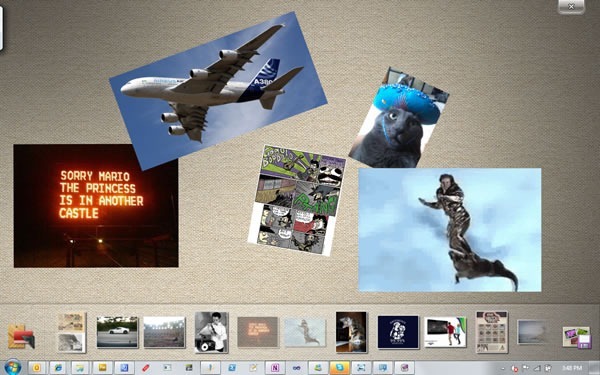
surface collage

No standard Windows controls here! You manipulate the photos directly using gestures, and the strip along the bottom is a photo list, which you also manipulate through gestures. The closest thing to a standard Windows control is the “close” button near the upper-right hand corner of the screen, which is larger than the typical “close” button – small enough to be out of the way, yet large enough to click with a finger.

Here’s another app from the Touch Pack, Surface Globe, also running on my XT2:
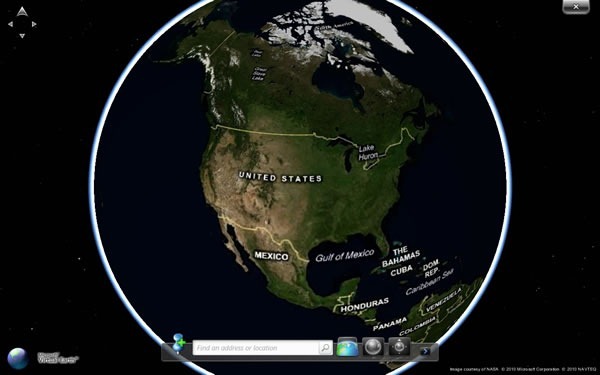
surface globe

Once again, no standard Windows 7 controls here, but a map that you directly manipulate, augmented by finger-friendly controls.

The Touch Pack apps all follow this philosophy: when going touch, eschew the standard Windows 7 UI controls in favour of touch-friendly ones, and then back to bog-standard Windows 7 when exiting them. These apps show not just that we understand that touch computing is a different beast from mouse-and-keyboard computing, but that we also understand where they intersect.
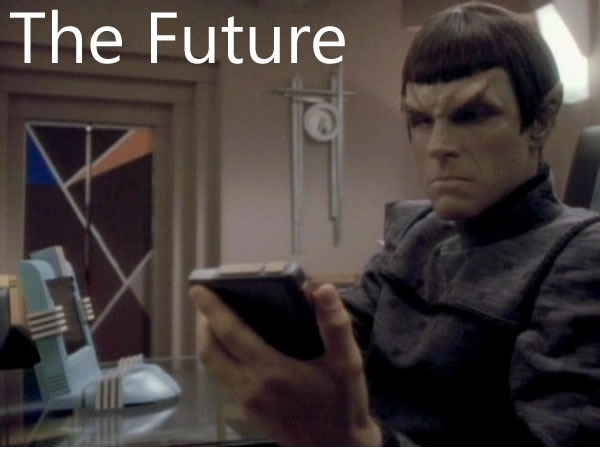
future
We’re working on what I like to call “the touch continuum”, which spans pocket devices such as the Zune HD and Windows Phone, to portable computing with netbooks, laptops and soon, tablets, to desktop and tabletop and wall-sized units. And yes, we get that new types of user input call for new user interfaces and give rise to new usage patterns. We’re aware of the challenges of touch (and other sensor) input and over the next little while, you’ll see our answers to those challenges. And better still, we’ll share what we’ve learned in order to make you better developers and designers of software that use these new interfaces.

This article also appears in Canadian Developer Connection.
{ 1 comment }

27 Takes on Windows 7

by Joey deVilla on October 26, 2009

27 on 7

If you’ve got customers wondering if they should upgrade from Windows XP or Vista to Windows 7 and are looking for testimonials, go to Gizmodo’s article, 27 Takes on Windows 7. It features quotes from 27 reviews of Windows 7, which include the following seven:

  • CNET
    "Windows 7 presents a stable platform that can compete comfortably with OS X, while reassuring the world that Microsoft can still turn out a strong, useful operating system."
  • PC Mag
    "It’s far and away the best OS we’ve ever seen from Microsoft."
  • Guardian
    "Windows 7 is simply the best version of Windows you can get."
  • Slate
    "Indeed, the new Windows is not only the best operating system that Microsoft has ever produced. It is arguably the fastest, most intuitive, and most useful consumer desktop OS on the market today."
  • PC Pro UK
    "We like Windows 7 a lot – so much so, that the disappointment that was Windows Vista has already become a distant memory…"
  • Wall Street Journal
    "I believe it is the best version of Windows Microsoft has produced."
  • bit-tech
    "For want of a better way of describing it, Microsoft has essentially fixed Vista and the result is arguably Microsoft’s best operating system to date."

This article also appears in Canadian Developer Connection.
{ 1 comment }

Windows 7: Even Linus Approves!

by Joey deVilla on October 22, 2009

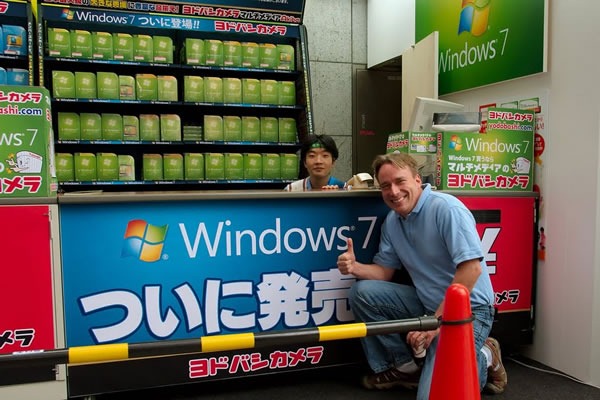
Here’s Linux creator Linus Torvalds, taking a break from the Japan Linux Symposium to pose at a store where Windows 7 was on sale:

linus torvalds and windows 7

[Thanks to Stefan Arentz for pointing me to the picture!]

This article also appears in Canadian Developer Connection.
{ 2 comments }

Burger King’s Windows 7 Whopper

by Joey deVilla on October 22, 2009

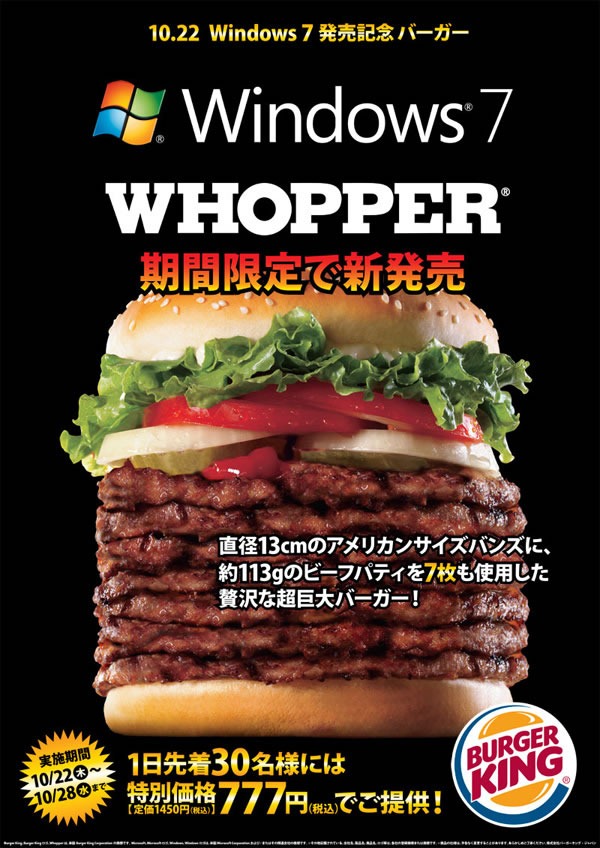
To celebrate the release of Windows 7, Japanese Burger King franchises are offering a Windows 7 Whopper with 7 patties, selling for 777 Yen (CAD$8.92 as of this writing), available only for the next 7 days. I have no idea why they’re not doing this on this side of the Pacific; I’m sure it would be a big hit:

windows_7_whopper

According to Julie from ObjectSharp, the Japanese text after “13cm” says “American-size buns”.

[Thanks to Ian Irving for pointing this to me!]

This article also appears in Canadian Developer Connection.
{ 4 comments }

Scenes from the Canadian Windows 7 Event

by Joey deVilla on October 21, 2009

I’ll be updating this post regularly through the morning, so keep an eye on this article!

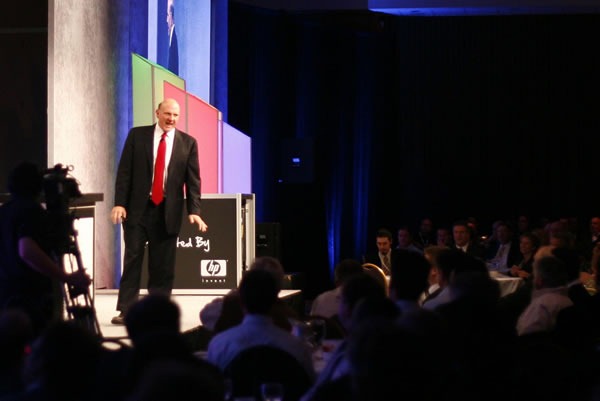
Here’s Steve Ballmer doing his keynote:

ballmer_toronto Photo by Tom Purves. Click to see the original.

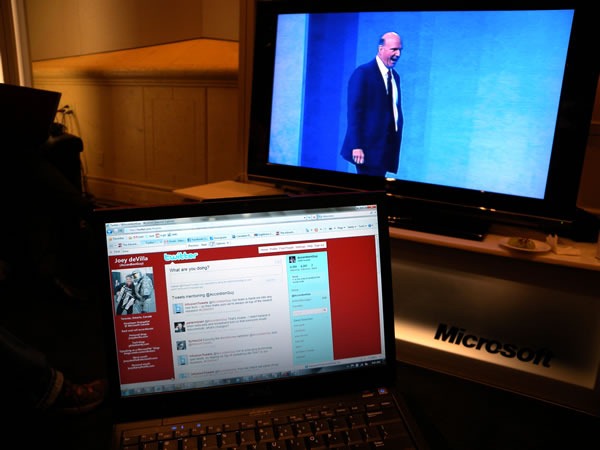
Here’s my view from the event’s Twitter Lounge, where I’ll be doing demos and answering questions:

view from the twitter loungePhoto by Yours Truly.

This article also appears in Canadian Developer Connection.
{ 0 comments }

Reporting From the Canadian Windows 7 Event

by Joey deVilla on October 21, 2009

cdnwin7

The official launch of Windows 7 doesn’t happen until tomorrow, but we’re having a big launch event with Steve Ballmer today in Toronto! I’ll be blogging and tweeting all day from the launch venue – Toronto’s Harbour Castle Westin Convention Centre.

For the full skinny on the event, follow the #cdnwin7 (short for “Canadian Windows 7”) hashtag on Twitter.

This article also appears in Canadian Developer Connection.
{ 1 comment }

24 Years of Windows Packaging and Boot Screens

by Joey deVilla on October 17, 2009

TechRadar UK is publishing a series of “Windows 7 Week” articles, some of which take a look back at the history of Windows. One of the articles presents a timeline of Windows packaging, from version 1.0 to 7:

windows_packaging

…and another is a chronology of Windows’ boot screens:

windows_boot_screens

This article also appears in Canadian Developer Connection.
{ 0 comments }

Walter Mossberg’s Review of Windows 7

by Joey deVilla on October 8, 2009

walter mossberg windows 7

In case you hadn’t yet heard, Walter Mossberg, head tech journo for the Wall Street Journal gave Windows 7 a positive review. His bottom line:

Windows 7 is a very good, versatile operating system that should help Microsoft bury the memory of Vista and make PC users happy.

You can either read his article, or if you prefer, watch his video review:

As I’ve said before, I’ve been working exclusively in Windows 7 since late last year, first with the beta, then the release candidate and now on the RTM (Release to Manufacturing) version. I’ve used it for all sorts of things, such as:

  • Development, with Visual Studio 2008 and SQL Server, but also Ruby/Rails, PHP and MySQL.
  • Writing TPS reports with Microsoft Office
  • A lot of blogging using Microsoft Live Writer for creating blog posts and Adobe Fireworks CS3 for the graphics
  • Gaming, particularly Far Cry 2, Grand Theft Auto IV and for kicks, good ol’ Grand Theft Auto San Andreas
  • and some music stuff with FL Studio and Ableton Live

…and they’ve worked quite well, even with the beta version. I’ve talked to people who got their hands on the beta and RC versions and their experience has by and large been the same: it works with the software, and the user experience it provides is quite enjoyable.

This article also appears in Canadian Developer Connection.
{ 2 comments }

Here are some photos I took at Monday’s Windows 7 media event showing off the latest Windows 7-compatible computers from six vendors:

The participating vendors were:

  • Dell
  • Hewlett-Packard
  • Lenovo
  • LG
  • Sony
  • Toshiba

The whole day was a non-stop demo from 9 a.m. to 6 p.m., with journalists both mainstream and tech, associated with an organization or independent, print and television, streaming in constantly to get a look at Windows 7 in action on all sorts of hardware. I was there as the "Microsoft Guy" to answer questions about Windows 7 in general; the vendors each sent a rep to talk up their specific hardware.

innerspace I did some demos that will find their way to television soon: one demo for CTV News which should air next week. I also did a demo for the Space channel’s always-entertaining Ajay Fry which will be appearing on Space’s show InnerSPACE (formerly known as The Circuit) tonight at 11 p.m. (Eastern); it’ll repeat tomorrow at noon (Eastern). Alas, there is no accordion playing, but I think I did a pretty good demo of some of the cool multi-touch possibilities with Windows 7. I don’t know if you’ll be watching it, but I certainly will!

My thanks to our friends at High Road Communications and the vendors for making the event both a success and very enjoyable.

This article also appears in Canadian Developer Connection and The Adventures of Accordion Guy in the 21st Century.

{ 1 comment }

Slice of Life: Where I am Today

by Joey deVilla on October 5, 2009

I’m working out of the building known as “The Richmond” today, participating in a showcase of Windows 7-ready hardware for the media. As of this writing, I’ve done demos of Windows 7 on an HP TouchSmart computer hooked to a Sony Bravia TV equipped with DLNA for a number of journos for various media outlets including ITWorld Canada, Butterscotch and Space.

Joey devilla, standing beside a "Windows 7: Welcome!" sign

We’re all in suite 104, which is a loft-ish split-level space where Dell, HP, Lenovo, LG, Sony and Toshiba have set up tables to show of their Windows 7-compatible wares. I’m perched near the door, doing demos of Windows 7 features, while the hardware guys are showing off their machines

the richmond

I’ve been here since 8 in the morning, and the journos will be visiting continuously all day until about 5:30 or so. Most nerds find this sort of dog-and-pony activity excruciating, but I find schmoozing tech and consumer press energizing, so I’m having a blast.

This article also appears in Canadian Developer Connection and The Adventures of Accordion Guy in the 21st Century.

{ 2 comments }

Microsoft TechDays Canada 2009: 2 days - 7 cities - 5 tracks - 40 sessions - plus more!

In planning this year’s TechDays conference, we made some significant changes to the developer tracks: they were reformulated into:

  • A “tools and techniques” track, called Developer Fundamentals and Best Practices, for which my friend and fellow Developer Evangelist John Bristowe is the track lead
  • A “technologies” track, called Developing for the Microsoft-Based Platform, which I lead.

As the track lead for the Developing for the Microsoft-Based Platform track at TechDays Canada 2009 conference, I thought I’d take the time to talk about it and praise its virtues.

Designing the Track

Each track lead has the responsibility of designing his or her track. We pored over all the sessions from TechEd North America 2009, consulted with developers or IT pros for their opinions on what topic they’d like covered and came up with a selection of 8 sessions for each track.

When choosing my sessions, I kept these philosophies in mind:

  • TechDays is about current tools, technologies and techniques. That means talking about stuff you can get your hands on and use in production right now: Visual Studio 2008, .NET 3.5, SQL Server 2008, and so on. Visual Studio 2010, .NET 4.0 and Azure are fascinating tools and tech, but they’re not yet on the market, so they’re not in TechDays. We made a few exceptions for a couple of things that are coming out right around now: version 3.0 of Silverlight and the Expression suite and Windows 7.
  • TechDays is about giving the audience the biggest bang for the buck. It’s more than simply taking the content from the TechEd North America conference (which has a steep registration fee and you have to also factor in the costs of flying to and staying in New Orleans) and bringing it close to home with local speakers and a reasonable price tag. It’s also about choosing the content that best serves an an audience that uses Microsoft tools and tech in their day-to-day work. There’s no point in rehashing presentations that the audience has already seen a dozen times before, and neither does it do any good to cover topics that are interesting but impractical. I tried to strike a balance — in choosing the sessions for my track, I kept this question in mind: What sort of things will this audience be using that they aren’t using yet?
  • TechDays is more than just throwing random information at the audience. A track needs to be more than just a collection of sessions simply thrown together. It works best if it’s a set of sessions whose topics fit together to form a cohesive whole, almost as if telling a story. While picking out the track’s sessions and arranging them, I tried to set things up in such a way to best show the possibilities that open up when you develop on the Microsoft-based platform. 

The Developing for the Microsoft-Based Platform Track

The Developing for the Microsoft-Based Platform track breaks down into four topic areas, as shown in the diagram below:

platform_track_chart

The topic areas are:

  1. Day 1 morning: Rich UIs
  2. Day 1 afternoon: Client Tech
  3. Day 2 morning: ASP.NET MVC
  4. Day 2 afternoon: Web Services

They’re explained in greater detail below.

Day 1 – Front End: User Interface and Experience

Day 1 of the Developing for the Microsoft-Based Platform is about building the front end, that layer of our applications with which the user interacts, and about giving the user the best experience possible.

The morning will be an introduction to the latest version – version 3 – of our rich interface technology Silverlight and our rich interface-building tool, Expression Blend. In the afternoon, we’ll shift the focus to building client technology by looking at the PRISM guidelines for building applications with modular Silverlight- and WPF-based front ends and the API code pack for building .NET applications that take advantage of Windows 7’s new UI features.

The tools and technologies covered on Day 1 are:

  • Silverlight 3
  • Expression Blend 3
  • WPF
  • Windows 7
  • Windows 7 API Code Pack for the .NET Framework
  • Windows Mobile

Day 1 Morning: Rich UIs

Track Introduction
Presented by Joey deVilla
9:00 a.m. – 9:15 a,m.


Session 1: What’s New in Silverlight 3
Presented by Cory Fowler
9:15 a.m. – 10:30 a.m.
Cory Fowler Rich internet applications just got richer! Silverlight 3 is packed with new features and improvements that your users will notice, from pixel shaders to perspective 3D to animation enhancements to bitmap APIs to HD video. We think you’ll also be impressed by the features for developers, such as the updated style model, data binding improvements, better resource handling, and a tuned-up Web services stack. In this session, we’ll explore new features of Silverlight 3 as we build a Silverlight-based application using Expression Blend 3 and Visual Studio.

Session 2: Expression Blend for Developers
Presented by Barry Gervin
10:50 a.m. = 12:05 a.m.
Barry Gervin Not a designer? Overwhelmed by Expression Blend? Not a problem! We’ll show you how to use Expression Blend to create advanced and polished user interfaces for business applications, consumer applications, multimedia projects, games or anything in between. We’ll cover features of Expression Blend from a developer’s perspective and show how it works in tandem with Visual Studio throughout the development process. You’ll learn how to create professional-looking user interfaces and visual elements – even if you don’t think of yourself as an interface designer.

Day One Afternoon: Client Tech

Session 3: Building Modular Applications Using Silverlight and WPF
Presented by Rob Burke
1:10 p.m. – 2:25 p.m.
Rob Burke How do you build extensible and maintainable line-of-business applications in Silverlight and Windows Presentation Foundation (WPF)? How do you design and code to handle real-world complexity? Composite Application Guidance (a.k.a. "PRISM") offers guidance, libraries and examples – in small, free-standing, digestible chunks – that you can use to build applications with rich user interfaces that are also easier to maintain and extend. You’ll learn how to compose complex UIs from simpler views, integrate loosely coupled components with "EventAggregator" and "Commands", develop independent modules that can be loaded dynamically, and share code between Silverlight and WPF clients.

Session 4: Optimizing Your Apps for the Windows 7 User Experience
Presented by Anthony Vranic
2:45 p.m. – 4:00 p.m.
Anthony Vranic This session will show you the Windows 7 APIs that will let your applications – and your users – get the full Windows 7 experience. Learn about new extensibility methods to surface your application’s key tasks. Discover how enhancements to the taskbar, Start Menu, thumbnails, desktop elements, the Scenic Ribbon, Federated Search and Internet Explorer 8 provide new ways for you to delight your users and help make them more productive. If you want to give your users the best Windows 7 experience, this session is for you!

Bonus Session: Taking Your Application on the Road with Windows Mobile® Software
Presented by Mark Arteaga and Anthony Bartolo
4:20 p.m. – 5:30 p.m.

Mark Arteaga and Anthony Bartolo As a developer of .NET-based applications, you can extend your desktop software to the Windows Mobile-based platform using the tools available within Visual Studio®, the Windows Mobile SDK and the .NET Compact Framework. This session will give you an overview of how Windows Mobile lets you use your existing infrastructure, business logic, and desktop code on a mobile device to innovate and help solve business problems. We’ll show you how to use the familiar Microsoft .NET Framework and .NET-based programming languages like Visual C#® development tool. You will also learn about new features in Windows Mobile 6.5 such as the Gesture APIs and the Widget Framework and how to use them appropriately. With the launch of Windows Marketplace for Mobile upon us, this session will help you take the next step for application testing and submission.

Day 2 – Back End: Programming Frameworks and Principles

On Day 2, the track moves to the back end, focusing on server-side programming tools and technologies, and even wandering into the area of technique.

The morning’s sessions concern themselves with the new option for developing web applications using ASP.NET: ASP.NET MVC, the alternative framework based on the Model-View-Controller pattern, in the same spirit of such frameworks as Ruby on Rails, Django and CakePHP. The afternoon will be about writing web services using various Microsoft technologies.

The tools, technologies and techniques covered on Day 2 are:

  • ASP.NET MVC
  • The SOLID principles of object-oriented design
  • WCF
  • REST (REpresentational State Transfer)
  • SharePoint

Day 2 Morning: ASP.NET MVC

Track Introduction
Presented by Joey deVilla
9:00 a.m. – 9:15 a,m.

Session 1: Introducing ASP.NET MVC
Presented by Colin Bowern
9:15 a.m. – 10:30 a.m. 
Colin Bowern You’ve probably heard the buzz about Model-View-Controller (MVC) web frameworks. They’re all the rage because they combine speed, simplicity, control…and fun. ASP.NET MVC is Microsoft’s MVC web framework, and in this session, we’ll talk about the MVC pattern, explain the ideas behind ASP.NET MVC and walk through the process of building an application using this new web framework. We’ll also cover several techniques to get the most out of ASP.NET MVC and deliver web applications quickly and with style.

Session 2: SOLIDify Your Microsoft ASP.NET MVC Applications
Presented by Bruce Johnson
10:50 a.m. – 12:05 a.m.
Bruce Johnson Object-oriented programming makes it easier to manage complexity, but only if you do it right. The five SOLID principles of class design (one for each letter) help ensure that you’re writing applications that are flexible, comprehensible and maintainable, and we’ll explain and explore them in this session. We’ll start with a brittle ASP.NET MVC application that’s badly in need of refactoring and fix it by applying the SOLID principles. This session is a good follow-up for Introducing ASP.NET MVC, but it’s also good for developers of ASP.NET MVC looking to improve their code – or even if you’re not planning to use ASP.NET MVC. The SOLID principles apply to programming in any object-oriented language or framework.

Day 2 Afternoon: Web Services


Session 3: Building RESTful Services with WCF
Presented by Bruce Johnson
1:10 p.m. – 2:25 p.m.
Bruce JohnsonREST (REpresentational State Transfer) is an architectural style for building services, and it’s the architectural style of the web. It’s been popular outside the world of Microsoft development for a long time, but it’s quickly becoming the de facto standard inside as well. Windows Communication Foundation (WCF) makes it simple to build RESTful web services, which are easy to use, simple and flexible. In this session, we’ll cover the basics of REST and the show you how to build REST-based, interoperable web services that can be accessed not just by Microsoft-based web and desktop applications, but anything that can communicate via HTTP from an Ajax client to a feed readers to mobile device to applications written using other languages and frameworks such as PHP, Python/Django or Ruby/Rails.

Session 4: Developing and Consuming Services for SharePoint
Presented by Reza Alirezaei
2:45 p.m. – 4:00 p.m.
Reza Alirezaei The world gets more service-oriented every day, and with that comes the demand to integrate all kinds of services, including those from SharePoint. This session introduces SharePoint as a developer platform and provides an overview of how you can build and deploy custom services with it. The focus will be on developing ASP.NET and Windows Communication Foundation services for SharePoint as well as building a Silverlight client to consume them.

This article also appears in Canadian Developer Connection.

{ 0 comments }

Windows API Code Pack for .NET Framework Released

by Joey deVilla on August 12, 2009

Windows 7 logo and Microsoft .NET logoUntil now, taking advantage of the UI improvements in Windows 7 (and even some features in Vista) took a fair bit of work – there was a lot of stuff that wasn’t available through the .NET Framework. You’d have to either switch to C++ or resort to hacks in order to access these goodies.

That’s all changed with the newly-released Windows API Code Pack for Microsoft .NET Framework. Written in C# – with some DirectX stuff written in C++ – this library acts as a wrapper that gives managed code access to features including:

  • Windows 7 Taskbar Jump Lists, Icon Overlay, Progress Bar, Tabbed Thumbnails, and Thumbnail Toolbars.
  • Windows 7 Libraries, Known Folders, non-file system containers.
  • Windows Shell Search API support, a hierarchy of Shell Namespace entities, and Drag and Drop functionality for Shell Objects.
  • Explorer Browser Control.
  • Shell property system.
  • Windows Vista and Windows 7 Common File Dialogs, including custom controls.
  • Windows Vista and Windows 7 Task Dialogs.
  • Direct3D 11.0, Direct3D 10.1/10.0, DXGI 1.0/1.1, Direct2D 1.0, DirectWrite, Windows Imaging Component (WIC) APIs. (DirectWrite and WIC have partial support)
  • Sensor Platform APIs
  • Extended Linguistic Services APIs
  • Power Management APIs
  • Application Restart and Recovery APIs
  • Network List Manager APIs
  • Command Link control and System defined Shell icons
  • Shell search API support
  • Drag and drop functionality for Shell objects
  • Support for Direct2D/Direct3D interoperability
  • Support for typography and font enumeration DirectWrite APIs

The system requirements are:

We’ll cover the Windows API Code Pack for Microsoft .NET Framework over the next little while in a couple of places – certainly on this blog, as well as at the TechDays 2009 cross-Canada conference in the Optimizing Your Apps for the Windows 7 Experience session.

Down arrow

Download Windows API Code Pack for Microsoft .NET Framework (v1.0)


This article also appears in Canadian Developer Connection.

{ 0 comments }

Windows 7 Developer Resources

by Joey deVilla on August 7, 2009

Screenshot of the Windows 7 Training Kit

Over at Canadian Developer Connection, my friend and co-evangelist John Bristowe has an article on Develeoper Resources for Getting Started with Windows 7 RTM.

{ 0 comments }

A Busy Week

by Joey deVilla on July 27, 2009

This article also appears in Canadian Developer Connection.

It’s gonna be a busy week for me — there’s a lot going on!

Damian Conway

Monday: Damian Conway and The Missing Link

On Monday evening, I’ll be catching Damian Conway’s presentation, The Missing Link. There’s nothing quite like a Damian Conway presentation – they’re equal parts computer science, mathematical digression, history lesson, physics lecture, pop-culture observation, Perl module code walkthrough and stand-up comedy routine.

If you’re up for an entertaining and enlightening presentation by one of the bright lights of the open source world and you’re going to be in Toronto tonight, you should catch this one. There’s no charge for admission and no registration process – just show up at University of Toronto’s Bahen Centre for Information Technology (40 St. George Street, west side, just north of College) at 7:00 p.m. and head to room 1160 (the big lecture theatre near the back of the first floor).

Map picture

Tuesday: DemoCamp 21 with Special Guest John Udell

DemoCamp Toronto 21: Tuesday, July 28th Tuesday evening brings the 21st edition of DemoCamp, which I like to describe as “show and tell for the bright lights of the Toronto-area tech community”. It’s a chance for people, from hobbyists working on a pet project to enterprise software developers building something globe-spanning to show their peers their projects in action or share an idea. It’s put together by my fellow Microsoftie David Crow (who’s also in Microsoft Canada’s Developer and Platform Evangelism group); I cost-host the event with Jay Goldman.

This one’s going to be a special one for a couple of reasons. Firstly, this will be the first DemoCamp held at the Rogers Theatre. Second, Jon Udell, Microsoft Tech Evangelist extraordinaire, will be there.

The presentations on the schedule are:

  • You can’t pick your neighbours, but you can pick your neighbourhood!
    Saul Colt, Zoocasa
  • ArtAnywhere : Where Lost artwork meets Empty walls
    Christine Renaud, ArtAnywhere
  • Bringing Social Media to Contractors
    Brian Sharwood, HomeStars
  • Create a BlackBerry/iPhone Mobile App in 5 Minutes
    Alan Lysne, Cascada Mobile
  • Stories Told Together – Introducing Social Cards
    Shaun, MacDonald, MashupArts
  • WeGoWeGo.com: semantic search for city events
    Dan Wood, WeGoWeGo.com
  • Guestlist – online event management
    Ben Vinegar, Guestlist
  • guiGoog: Advanced Visual Power Search
    Jason Roks, GuiGoog

Alas, this event is sold out. I’ll take notes and post them on this blog.

Wednesday: Science 2.0

what_we_need_more_of_is_science

The Science 2.0 conference takes place on Wednesday afternoon. Its topic: how the web and computers can radically change and improve science. It takes place at the MaRS Centre and the presentations are:

  • Choosing Infrastructure and Testing Tools for Scientific Software Projects
    Titus Brown
  • A Web Native Research Record: Applying the Best of the Web to the Lab Notebook
    Cameron Neylon
  • Doing Science in the Open: How Online Tools are Changing Scientific Discovery
    Michael Nielsen
  • Using “Desktop” Languages for Big Problems
    David Rich
  • How Computational Science is Changing the Scientific Method
    Victoria Stodden
  • Collaborative Curation of Public Events
    Jon Udell

As with DemoCamp, this event is a popular one and is sold out. I’ll take notes and blog the conference.

Thursday: Windows 7 Blogger Event

I’ll be helping out at a gathering of Toronto bloggers on Thursday, where we’ll be showing them Windows 7.

Friday: Coffee and Code

coffee-and-code-2 If it’s Friday, it must be time for Toronto Coffee and Code! It’s the day when I set up shop at a cafe – usually the Dark Horse – and work from there, making myself available to answer questions, hear your opinions and comments and chat. I’ll talk about Microsoft, our tools and tech, the industry in general, whatever!

This Friday’s Toronto Coffee and Code will take place at the Dark Horse Cafe (215 Spadina) from 1 p.m. to 6 p.m.. Feel free to drop by!

Map picture

Other Stuff Going On This Week

techdays_canada_2009_logo

  • Along with the other people on the team, I’m helping out with the preparatory work on the TechDays conference, which will be taking place in seven cities across Canada this fall.
  • I’m also working on ongoing series of articles covering stuff like coding fundamentals, ASP.NET MVC, mobile and some other stuff that I have to keep on the down-low for the time being.
  • And it’s not too late for me to start working on the ASP.NET MVC presentation that I’m doing with ObjectSharp’s Barry Gervin at the Toronto edition of Stack Overflow’s DevDays conference in October.

{ 1 comment }