Windows Phone 7

just us cafe

We’re holding a Windows Phone 7 Coffee and Code in Halifax on Thursday, November 4th at Just Us! Café (1678 Barrington Street) from 2:30 p.m. to 5:30 p.m.. Come join us and learn about Windows Phone 7, see a Windows Phone and even try deploying apps to it!

This article also appears in Canadian Developer Connection.

{ 0 comments }

Two New Books for Windows Phone 7 Developers

by Joey deVilla on November 1, 2010

Free Ebook: Programming Windows Phone 7

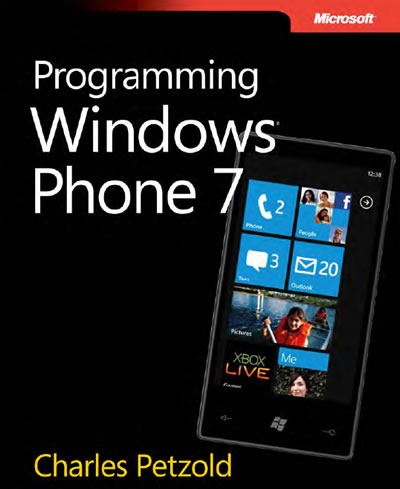
Cover of "Programming Windows Phone 7"

Charles Petzold literally wrote the book on Windows development, and he’s now doing it for Windows Phone 7. Programming Windows Phone 7 is published by Microsoft Press and covers Windows Phone 7 development from many angles: building apps with Silverlight, making games with XNA and making your programs even better by accessing online services.

Windows Phone is a lot of ground to cover, so the book is sized to match. Petzold’s been working on it since at least the start of the year and it shows – it’s over 1,000 pages on our favourite mobile operating system! Luckily, this book is free-as-in-beer: that’s right, you can download it in ebook form, along with the sample code, for no money at all. If you’re looking to seriously get into Windows Phone 7 development, you should have this book.

Downloads for Programming Windows Phone 7

XNA 4.0 Game Development by Example

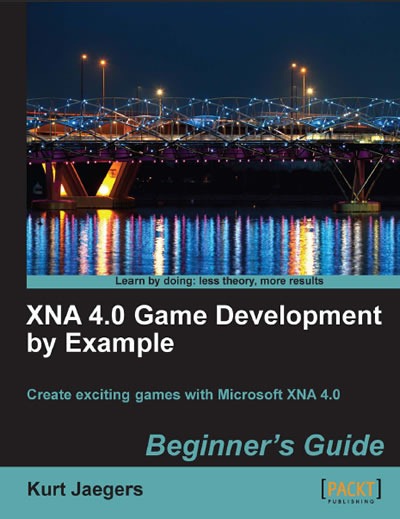
Cover of "XNA 4.0 Game Development by Example"

Survey after survey shows that games are the most popular mobile phone apps, and Windows Phone is really good at games, and not just from the user’s point of view. The XNA framework, available to Windows Phone developers, takes Windows Phone 7 beyond mere informational apps – it’s like having an Xbox in your pocket!

XNA is also more than just about Windows Phone – it’s also for developing games for Windows and the Xbox 360. Better still, it lets you target three platforms – desktop, console and phone – with a single codebase and tweaks specifically for each platform. If you want to write games and reach a wide audience, XNA is your ticket.

Packt Publishing’s XNA 4.0 Game Development by Example is a great way to get started with XNA programming. It walks you through the development of four games, each from a different genre:

  • Flood Control, a timed puzzle game where you have to quickly assemble pipes before time runs out and water flows through them
  • Asteroid Belt Assault, a 2-D shooter that classic 80’s arcade gamers will find familiar
  • Robot Rampage, a tank game featuring multi-axis controls, a scrolling world, particle effects and enemy AI
  • Gemstone Hunter, which takes the Platformer Starter Kit to new levels

I just got the book, and have only done the most cursory of scans, but I’ve already picked up a few ideas for how to implement features in my games. If you’re looking to do game development for Windows Phone and beyond, this is a great starter book!

Get XNA 4.0 Game Development by Example

This article also appears in Canadian Developer Connection.

{ 0 comments }

What I’m Up To This Week

by Joey deVilla on October 25, 2010

It’s going to be a busy week for Yours Truly…

Monday: Windows Phone Deployment Clinic
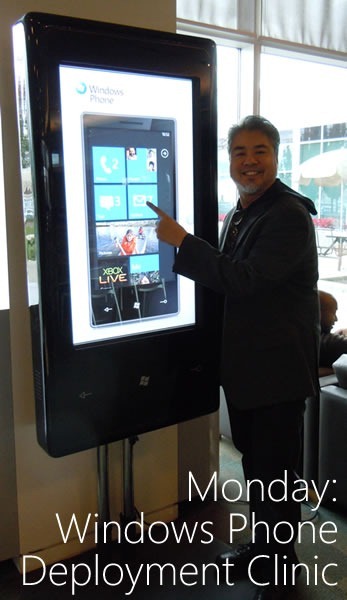
monday - windows phone deployment clinic

On Monday, I’ll be helping out at the Windows Phone Deployment Clinic at Microsoft Canada HQ in Mississauga (1950 Meadowvale Boulevard, off Mississauga Road, north of Highway 401), where you can book some time to test your apps on a real Windows Phone 7 device. If you’ve got an app and you’re going to be in the area, drop me a line and book an appointment!

(By the bye, that thing I’m standing beside in the photo above is a promo device known colloquially as the “Big-Ass Phone”.)

Tuesday: AndroidTO and TechDays Setup
tuesday - androidto techdays

On Tuesday, I’ll be spending some time at the AndroidTO conference, a gathering of Android developers, where I’ll be minding the Windows Phone 7 booth. Yes, that’s right, Microsoft is a gold sponsor at an Android conference. Why? Because:

  • We feel that if you’re an Android developer, go ahead an build Android apps, but expand your market reach by developing for Windows Phone 7 too! The programming languages and layout markup are similar.
  • If you’re an Android developer, what’s the best OS for doing development? We think it’s Windows 7, which is a great environment for Java. Loads of great Java dev tools run on Windows, and we don’t consider Java to be deprecated.

AndroidTO takes place at the Polish Combatants Hall (206 Beverley Street, just south of College), is free-as-in-beer, and is alas, completely booked solid.

I’ll also be doing some setup for TechDays Toronto, which takes place on Wednesday and Thursday.

Wednesday: TechDays Toronto and Go DEVMental
wednesday - techdays godevmental

Wednesday brings with it TechDays, Microsoft Canada’s cross-country tech conference: two days of great sessions for developers and IT pros who are building stuff with the Microsoft stack. I’m the guy who picked the content for both developer tracks, “Developing for Three Screens and the Cloud” and “Optimizing the Development Process”. I strove for the best mix of both technology-specific stuff like Mark Arteaga’s Windows Phone 7 sessions and Kate Gregory’s Windows API Code Pack presentation as well as practice-of-programming sessions such as “Top 10 Mistakes in Unit Testing” and “Branching and Merging Strategies”. TechDays will occupy me from 7 a.m. until 5 p.m..

From 7 p.m. on, it’ll be Go DEVMental, the student event where we’ll show university and college students what’s possible with Microsoft’s web and mobile platforms. I’ll be doing a presentation on getting starting with game development for Windows Phone with an amusing little live-coded game called “BieberSmash”, starring the bubblegum pop idol of the moment. Go DEVMental is free and open to post-secondary students – just bring your student ID! You’ll get all sorts of goodies, including a DreamSpark token and Visual Studio 2010 Pro.

Both TechDays and GoDEVMental take place at the Metro Toronto Convention Centre’s South Building (222 Bremner Boulevard, right beside the CN Tower).

Thursday: TechDays, Day 2
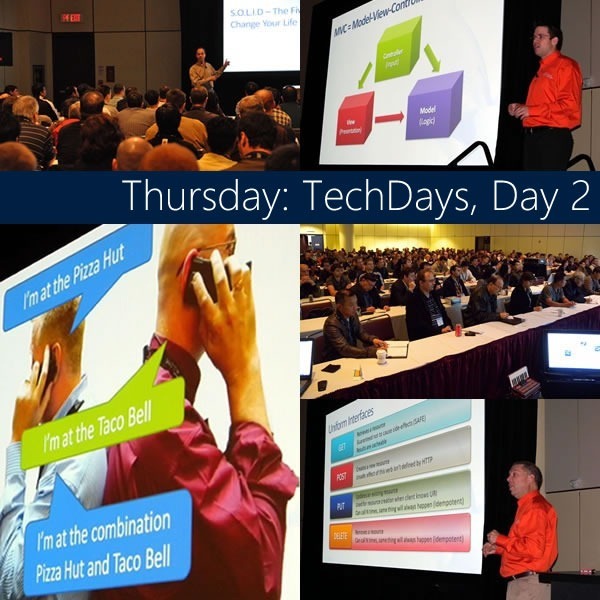
thursday - techdays day 2

Thursday means another full day of the TechDays conference, to be followed by some very strong whiskey-based drinks.

Friday: Coffee and Code

friday - coffee and code

I’ll be running a Windows Phone 7 Coffee and Code this Friday from 11 a.m. to 5 p.m. at the Timothy’s at 225 Front Street West (in the Metro Toronto Convention Centre building). I’ll be hanging out at the cafe, working on Windows Phone 7 code on both the emulator and real Windows Phone devices. Want to learn more about Windows Phone 7, see a real-live phone, play some games or test your code? Come on down!

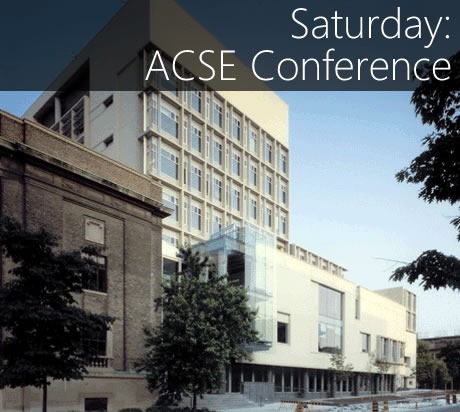
Saturday: ACSE Conference
saturday - acse conference

University of Toronto computer science prof Steve Engels invited me to speak in front of a group of high school teachers at the ACSE (Association for Computer Studies Educators) Conference taking place on Saturday. I’m going to be showing them programming for high school students on Windows Phone as well as with the Kodu game development environment.

…and Sunday?

sunday - zzzzz

Well, it won’t be all sleep. I’ll have to pack for my Monday flight to TechDays Halifax!

This article also appears in Canadian Developer Connection.
{ 0 comments }

31 Days of Windows Phone 7

by Joey deVilla on October 17, 2010

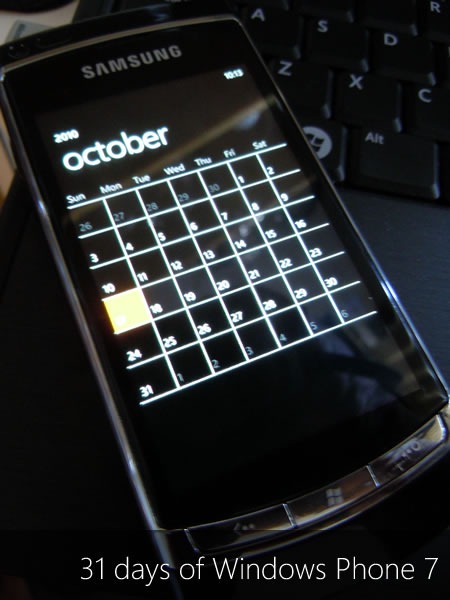
"31 Days of Windows Phone 7": Windows Phone showing the calendar for the month of October

Keep an eye on Jeff Blankenburg’s blog for the rest of the month! Every day in October, he’s posting an article on Windows Phone 7 development in a series called 31 Days of Windows Phone 7.

As of this writing, he’s posted these articles:

Jeff talked about his “31 Days” series (previous;y, he did a 31 Days of Silverlight series and 28 Days of Did-You-Knows in Technology one as well) on show 5 of Silverlight guru Jesse Liberty’s podcast.

This article also appears in Canadian Developer Connection.
{ 0 comments }

Got a Windows Phone 7 App? Let Joey Know!

by Joey deVilla on October 12, 2010

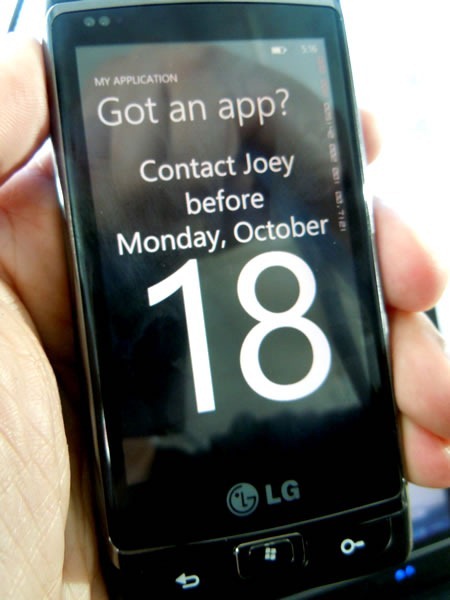
contact joey

Are you a Canadian developer working on a Windows Phone 7 app that’s done or nearly done? We want to help you get a head start on everyone else. Contact me – Joey deVilla – by Monday, October 18th (and sooner is better) and let’s see what we can do to make your app one of the first in Windows Phone Marketplace!

This article also appears in Canadian Developer Connection.
{ 0 comments }

coffee and code

Just a reminder: there are a couple of Coffee and Codes this week…

  • Ottawa: Join developer/trainer Colin Melia and IT Pro Evangelist/destroyer-of-technology Rick Claus as they set up office on Thursday, October 14 from 10:00 a.m. to 4:00 p.m. at the Bridgehead Coffee House at 109 Bank Street (at Albert). They’ll have some WP7 devices that you can deploy apps to, and you can ask them questions about Windows Phone 7. Colin will field the developer questions while Rick will handle your “How does this fit into the enterprise?” inquiries.
  • Toronto: Join yours truly, Joey deVilla, at the Starbucks at King and Yonge, where I’ll be on Thursday, October 14 from 11:00 a.m. to 5:00 p.m.. I’ll have a WP7 device you can deploy apps to, and if you’re working on an app and think you have have it done by Monday the 18th, you will really want to drop by and talk to me!

Come on down, see a real live Windows Phone up close and personal and deploy your apps to it!

This article also appears in Canadian Developer Connection.
{ 0 comments }

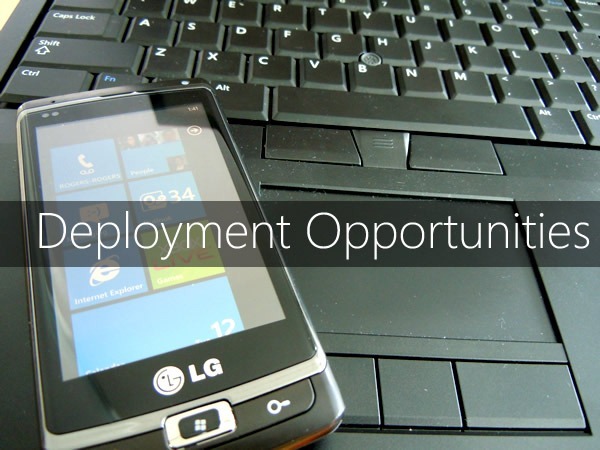
deployment opportunities

You’re building apps for Windows Phone 7. You’ve tested them as much as you can on the emulator. You now need to test them on a real device. We can help!

Getting your hands on a Windows Phone is a very hard thing to do. Even those of us who work inside the company are having trouble getting our hands on them because there just aren’t enough advance devices to go around. We have a small pool of phones and a big number of people who need to test their apps on them, so we’ve had to get creative in order to help people test.

First, there’s Coffee and Code. Coffee and Code has traditionally been an event where we take advantage of our mobile worker status and work out of a café, where we’re easily accessible. Lately, we’ve been using them as a chance for you to drop by, impromptu, take a look at our Windows Phones and even deploy apps to them for some quick testing. These are pretty informal, with no appointment required, and first-come-first-serve.

Then, there are the Deployment Clinics. These are a little more structured – you book an appointment to drop by one of Microsoft Canada’s offices and spend some quality just-you-and-your-app time with a Windows Phone. You have to book time in advance, and you have the phone all to yourself for the appointment.

Take advantage of these opportunities to test your WP7 apps on a real phone!

Here’s the schedule for the upcoming Coffee and Code and Deployment Clinics:

What When Where
Coffee and Code
(Drop in)
Thursday, October 14
10 a.m. – 4 p.m.
Ottawa
Bridgehead Coffee
109 Bank Street (at Albert)
Coffee and Code
(Drop in)
Thursday, October 14
11 a.m. – 5 p.m.
Downtown Toronto
Starbucks at King and Yonge
Deployment Clinic
(Book an appointment)
Friday, October 15 Downtown Toronto
Microsoft office
Ernst & Young Tower,
TD Centre, 12th floor
Coffee and Code
(Drop in)
Thursday, October 21
11 a.m. – 5 p.m.
Downtown Toronto
Starbucks at King and Yonge
Deployment Clinic
(Book an appointment)
Monday, October 25 Mississauga
Microsoft Office
1950 Meadowvale Blvd
(Off Mississauga Road, just north of Highway 401)
Deployment Clinic
(Book an appointment)
Wednesday, October 27 Vancouver
Microsoft Office
1111 W. Georgia, 11th floor
Coffee and Code
(Drop in)
Friday, October 29
11 a.m. – 5 p.m.
Downtown Toronto
Timothy’s
255 Front Street West
Coffee and Code
(Drop in)
Thursday, November 4
11 a.m. – 5 p.m.
Halifax
Location TBD
Coffee and Code
(Drop in)
Thursday, November 11
11 a.m. – 5 p.m.
Ottawa
Location TBD
Deployment Clinic
(Book an appointment)
Friday, November 12 Montreal
Microsoft Office
2000 Ave McGill College,
4th floor
Coffee and Code
(Drop in)
Thursday, November 18
11 a.m. – 5 p.m.
Downtown Toronto
Starbucks at King and Yonge
Deployment Clinic
(Book an appointment)
Friday, November 19
11 a.m. – 5 p.m.
Montreal
Microsoft Office
2000 Ave McGill College,
4th floor
Coffee and Code
(Drop in)
Thursday, November 25
11 a.m. – 5 p.m.
Montreal
Location TBD
Deployment Clinic
(Book an appointment)
Monday, November 29 Ottawa
Microsoft Office
World Exchange Plaza (100 Queen Street), 5th floor
Deployment Clinic
(Book an appointment)
Wednesday, December 1 Calgary
Microsoft Office
Atlus Centre (500 – 4th Ave. SW), 19th floor
Coffee and Code
(Drop in)
Thursday, December 2
11 a.m. – 5 p.m.
Downtown Toronto
Starbucks at King and Yonge
Deployment Clinic
(Book an appointment)
Friday, December 3 Calgary
Microsoft Office
Altius Centre (500 – 4th Ave. SW), 19th floor
Coffee and Code
(Drop in)
Thursday, December 9
11 a.m. – 5 p.m.
Winnipeg
Location TBD
Coffee and Code
(Drop in)
Thursday, December 9
11 a.m. – 5 p.m.
Downtown Toronto
Starbucks at King and Yonge
Coffee and Code
(Drop in)
Thursday, December 16
11 a.m. – 5 p.m.
Calgary
Location TBD
Coffee and Code
(Drop in)
Thursday, December 16
11 a.m. – 5 p.m.
Downtown Toronto
Starbucks at King and Yonge

To book an appointment, drop Samantha Wong a line and she’ll set you up.

This article also appears in Canadian Developer Connection.
{ 1 comment }

The Ads

Rather than tell you how great-looking and clever the new ads for Windows Phone 7 are, I thought I’d show them instead. Here’s the first one, which features Donovan’s song, Season of the Witch:

Here’s the other one, which asks this question: “Really?” (In case you were wondering, the tune is In the Hall of the Mountain King by Edvard Grieg.)

The Hint

Clock

The message in both these ads is pretty simple: Smartphones eat up a lot of your attention and time. Wouldn’t it be nice if there was one that didn’t do that?

There are lots of little goodies in Windows Phone 7 that address this issue. The ones I can think of off the top of my head include:

  • The lock screen. You don’t have to unlock your phone just to find out what the next appointment on your calendar is. The lock screen displays it, along with the date, time and the number of voice and text messages you have.
  • The Start page. The start page is where you pin your favourite and often-used items so you can access them quickly, so you don’t have to riffle through page after page of apps.
  • What you can pin to the Start page. You can pin more than just apps to the Start page. Is there someone – a spouse, significant other, friend or family member – whom you phone, text, or email often? Pin that person to the Start page! Is there a website you hit many times a day? Pin it to the Start page!
  • Communicating quickly with people. The People Hub on your phone makes looking up and reaching people fast and easy. Tap on a person for all the ways to reach him or her and tap on any of one of those ways to start communicating. A quick swipe shows you that person’s Facebook updates. Getting in touch and keeping up is pretty easy with this UI.
  • Finding. The context-sensitive Search button is all about finding what you need, whether it’s some information on your phone, on the web or in the real world, and you get this all from a single button press.

In all these cases, it’s about getting what you need from the phone, as quickly as possible.You should ideally be able to “glance and go”: fire up your phone, get the information you need, then put it away and go do what you set out to do. The phone is supposed to augment your life; it’s not supposed to be your life.

And therein lies the hint for your app designs. If you’re designing an informational, non-game app for Windows Phone 7, take a cue from its “glance and go” philosophy and ask yourself this: What one question does my app answer for the user, and does it answer this question quickly?

Examples of questions that apps can answer include:

  • Where’s the nearest Tim Hortons?
  • Should I take an umbrella with me today?
  • Am I getting a good deal from this store, or should I be shopping elsewhere?
  • Given a choice of three different wines, which one should I buy?
  • What interesting stuff is happening in this city tonight?

If you’re thinking of building a WP7 app, think of a question it can answer for the user, provide the answer and then get out of the way. Let that be your guide and you just might code up a winner.

This article also appears in Canadian Developer Connection.
{ 0 comments }

Windows Phone 7 Launch Today

by Joey deVilla on October 11, 2010

Windows Phone 7 Launch

It’s Canadian Thanksgiving today, which means it’s a day off here, but it’s a regular working day for our American neighbours, and it’s the day that a lot of big announcements about Windows Phone 7 get made at an event in New York City.

As Mary Jo Foley points out in her article on today’s event, today is about announcements and not about phones hitting shelves, but the day when you can go buy a WP7 phone isn’t far off. You’ll find out more about the phone today starting at 9:30 a.m. Eastern, and I believe a lot of your questions will be answered. (And if you have questions, you can always ask us, either here on the blog or in person at the various TechDays, Coffee and Codes or other opportunities to have a face-to-face chat with us.)

I think you’ll find that Windows Phone represents a tremendous opportunity for phone app developers and designers. Consider that:

  • Gorgeous design. In starting from the ground up and redesigning what it means to be a Microsoft Phone, the WP7 team came up with a design that isn’t just “me too”. Even Jon Gruber, the ultimate fanboy for the Esteemed Competition, says it’s really nice.
  • It’s early in the game. The phone app market for WP7 is a new one, and it’s your chance to make your mark and shape the app market with your ideas, designs and coding skills.
  • You’re working with great developer tools. Even the most die-hard fanboys of the Esteemed Competition grudgingly acknowledge that Visual Studio is a great IDE. Combined with Expression Blend, you’ve got a killer combo for developing, designing and debugging phone apps.
  • It’s not just great developer tools, but great frameworks. First, there’s the .NET framework, which gives you a big library with loads of built-in functionality. Then there’s the fact that you have not just one, but two app frameworks! You have Silverlight, for more “application”-like app development with controls and an event-driven model, and XNA for game development with its game loop programming model.
  • Windows Phone Marketplace. It’s your chance to directly sell apps to customers, and it’s straightforward. The rules for submitting apps and what is and isn’t an acceptable app are spelled out clearly. If your app isn’t accepted, you’ll know why. Telling this stuff to app developers is such a crazy idea that it might catch on!
  • Here’s something that we need to point out: You are important. As developers, you shouldn’t feel like pseudo-competitors who are barely tolerated by the people behind the phone platform. You should feel like a key part of Windows Phone 7, because you are! WP7 doesn’t happen without you. Your creativity, hard work and passion as app developers is as much a feature as anything else that goes into WP7. What you do is our best feature!

Keep an eye on the announcements coming out today, and if you have any questions, ask away in the comments!

This article also appears in Canadian Developer Connection.
{ 0 comments }

Get Your Windows Phone 7 Apps Ready for Marketplace!

by Joey deVilla on October 1, 2010

My laptop computer connected via USB to my Windows Phone 7 device, running "Kick-Ass App!"

Hey, Canadian mobile developers:

  • If you’ve got an idea for a Windows Phone 7 app, whether it’s brand new or a port of an existing mobile app, start working on it now!
  • If you’re working on a Windows Phone 7 app, get it ready for Marketplace, which will be accepting submissions soon!
  • If you haven’t even tried the Windows Phone 7 developer tools, download them and take them for a spin!

And finally, if you’re planning on submitting a Windows Phone 7 app to Marketplace, get in touch with me! I want to hear from you, help you through the process and help publicize your app. Just drop me a line – the email address is joey.devilla@microsoft.com.

This article also appears in Canadian Developer Connection.

{ 0 comments }

A Scene from Today’s Windows Phone 7 Coffee and Code

by Joey deVilla on September 30, 2010

My LG Windows Phone 7, with "Smiles" displayed on the screen.A test version of Smiles running on my WP7 device.

In between chatting with developers who dropped by today’s Coffee and Code in downtown Toronto and getting some work done, I’ve been playing Smiles (pictured above), an incredibly cute and incredibly addictive puzzle game by London, ON-based development shop Sykhronics.

Here’s a video of Smiles’ gameplay in its “Drop” mode:

Mike Kasprzak of Sykhronics was kind enough to send me an early test version of Smiles to show off the Phone’s game capabilities as well as the level of “polish” that Windows Phone 7 developers should be aiming for in their apps. Mike’s got some pretty high standards and is working to make sure that Smiles for WP7 meets them, and it shows! Even in this test version, Smiles looks and feels like a polished arcade classic, and when it’s done, it’s going to be a must-buy.

Keep writing those apps, and aim high! We’ll do what we can on our end to help out, which includes:

  • Articles on Windows Phone 7 development in Silverlight and XNA
  • Articles on good mobile user interface design and marketing your apps
  • Announcements of upcoming Coffee and Codes and WP7 Deployment Clinics across Canada
  • Coverage of “Phone Heroes”: People building apps for Windows Phone 7 – and hey, you could be one of them!
  • Pointers to useful tools, resources and other things to help you build WP7 apps

This article also appears in Canadian Developer Connection.

{ 0 comments }

bieberTonight, I’ll be in Kitchener speaking at the Canada’s Technology Triangle .NET User Group Meeting, where I’ll be talking about game programming on Windows Phone using XNA.

Assisting me – albeit indirectly – will be Justin Bieber, in sprite form. Starting from the humble “File –> New”, I’ll code up some simple 2D gaming fun where we’ll learn about XNA and 2D game development basics and play with pop’s most annoying star in the process!

Some details about the event:

  • Where: Manulife Financial (25 Water St. South, Kitchener)
  • Day: Wednesday September 29th, 2010
  • Time: 6:00pm-8:30pm
  • Note: Please Register for the Event as we order Pizza and Pop based on Registration as of 12pm (Noon) on the day of the Event.

Photo of Justin Bieber courtesy of Wikimedia Commons.

This article also appears in Canadian Developer Connection.

{ 0 comments }

Montreal Coffee and Code Today!

by Joey deVilla on September 29, 2010

Coffee and Code: Cup of coffee and a milk server on a wooden table

Today, Wednesday, September 29th, join “les bons gars”, Developer Advisor Christian Beauclair and Regional Director Guy Barrette, who’ll be holding a Coffee and Code at Le Café de la Cité on 75 Queen. They put on a professional appearance, but we all know qu’ils vont ecrire des «fart apps»! They’ll be doing it in both official languages: Silverlight and XNA!

This article also appears in Canadian Developer Connection.

{ 0 comments }

Windows Phone Hands-on lab: photo of hands on a computer keyboard

If you’ve been meaning to take up Windows Phone 7 development but didn’t know where or how to get started and you’re in the Ottawa area, this event is for you! Join Microsoft Developer Advisor Christian Beauclair and DreamDigital’s Colin Melia as they present a hands-on lab this Saturday where they show you how to write apps for our new phone.

At this lab, you’ll:

  • Learn how to develop apps for Windows Phone 7 in Silverlight and XNA
  • Follow along at a workstation as Christian and Colin walk you through WP7 development
  • Get familiar with the software tools: Visual Studio 2010 or Visual Studio Express for Windows Phone, Expression Blend and the WP7 emulator
  • Have an opportunity to try out a real live Windows Phone

This training lab will take place at Algonquin College (1385 Woodroffe Avenue, Ottawa). It’s free of charge, but you must register in order to be able to attend.

This is a hands-on lab, so space is limited – if you want to attend, register now!

This article also appears in Canadian Developer Connection.

{ 0 comments }

Visual Basic for Windows Phone!

by Joey deVilla on September 23, 2010

"Surprise!" Rick Claus reels back in amazement from the flame-burst of a teppanyaki onion volcano

It Makes Sense…

It makes sense, after all:

  • You can develop Silverlight applications in Visual Basic.
  • You can developer Windows Phone 7 apps in Silverlight.
  • Why can’t you develop Windows Phone 7 Silverlight apps in Visual Basic?

That’s the question a number of developers have been asking, as Brandon Watson’s earlier tweet hinted:

Brandon Watson's tweet: "Anyone care to guess what the biggest request from the #wp7dev community has been for the #wp7 dev tools and platform?

Here’s What You Get

And we’re now one step closer to that becoming real. Today on the Windows Phone Developer Blog, Brandon announced the availability of Visual Basic CTP (that’s “Community Technology Preview”) for Windows Phone Developer Tools.

With it, you get:

  • Visual Basic application templates for Windows Phone 7 Silverlight apps
  • UI designer support for Visual Basic
  • Emulator and phone support for Visual Basic
  • and of course, Intellisense support for Visual Basic

In short, everything the Visual Basic developer needs to start writing Silverlight apps for WP7.

And Now, the Fine Print

"Warning" icon

Remember, unlike the C# tools, which have been Released to Manufacturing, Visual Basic for Windows Phone is CTP, and remember that the “P” stands for “Preview” and that CTP comes before Beta.

Be advised that:

  • As a Community Technology Preview, this is an early access program to a work in progress. It’s meant for you to try out and give us feedback about it. It is not a final implementation, and as such, you should expect to use it to write apps that are ready for Marketplace.
  • There’s no go-live license for this CTP. That means you can’t use this particular version to build apps for commercial release. It’s not ready for prime time yet!
  • You need Visual Studio 2010 Pro, Premium or Ultimate. Sorry, but Visual Studio Express for Windows Phone isn’t going to work with this version. If you’re really itching to try writing VB apps for WP7, Brandon suggests downloading a trial version of Visual Studio Pro.
  • Visual Basic for Windows Phone is for writing Silverlight apps only. If you want to write XNA-based games and apps, you have to do it in C#.

Why Visual Basic?

Cover of Rodney Dangerfield's "No Respect" albumVisual Basic takes a lot of heat from developers, both within and outside the Microsoft developer community. Perhaps it’s because it’s derived from BASIC, back when the name was an acronym and the “B” stood for Beginner’s. It could also be that there is a history of some really atrocious code being written in VB. I think it’s because it brought the power of programming to everyone, which annoys people who are deeply invested in keeping programming a sort of “high priesthood”, a club where not everyone can be a member.

That’s snobbery, and it’s also a shame. One of the purposes of languages like Visual Basic is that it opened the world of programming to “domain experts” – people who know the ins and outs of the fields or businesses for which applications are written. People who’ll actually have to use those applications. Languages like Visual Basic empower these people who have the domain knowledge take their ideas and turn them into apps without having to always “outsource” it to one of us. They capture the best parts of the “DIY” spirit, and we should be encouraging the people who use them, not denigrating them for using a “toy”.

I think of this as the antithesis of programming for the Esteemed Competition’s mobile platforms, whether you’ve opted for the wide open but fragmented one, or the more closed one where you have to chase pointers, write method declarations twice and are a barely-tolerated “fourth party developer”. Phone development with Visual Basic makes it easy for anyone with an idea and the will to work – but not the programming background – to dive in and start seeing results quickly.

I think that’s a good thing.

Download Visual Basic CTP for Windows Phone

This article also appears in Canadian Developer Connection.

{ 0 comments }