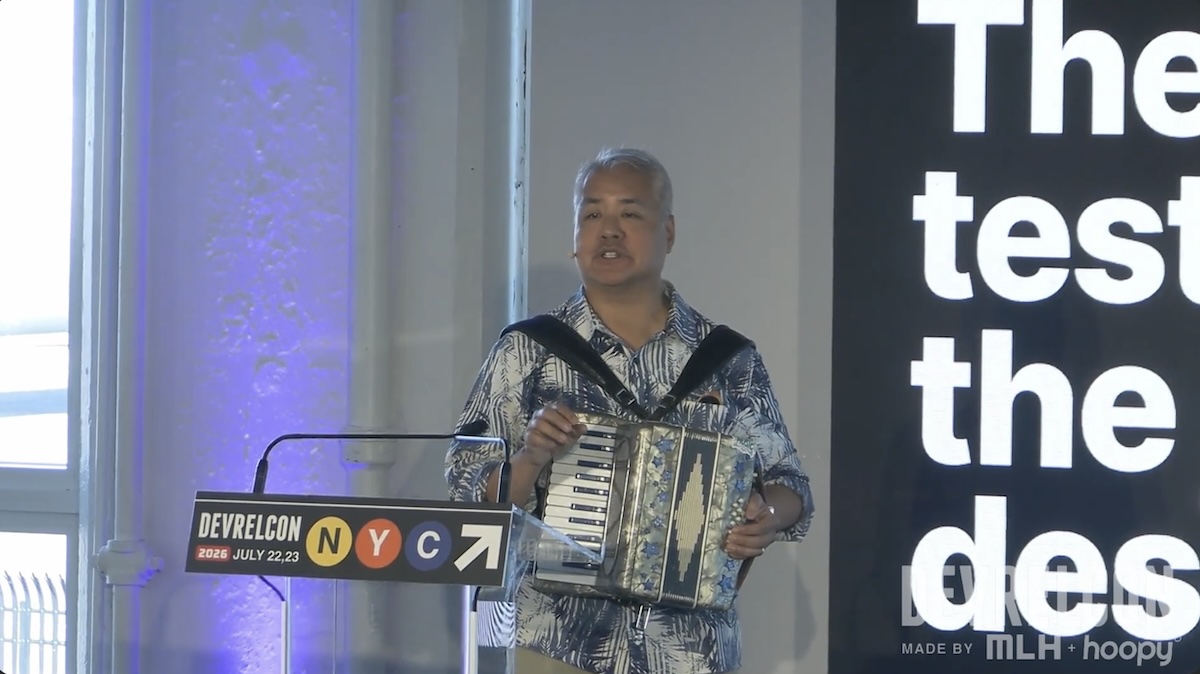
Here’s the video of a lightning talk at I gave at DevRelCon NYC on Thursday, July 24, 2026 at Industry City in Brooklyn:
The talk gets its material from my 12-month developer relations job search that took place in 2025. I kept a diary of my search, kept records of every resume and cover letter I sent, compiled email exchanges between me and prospective employers, and whenever possible, made recordings of conversations and interviews throughout the process.
If you’re looking for developer relations work today, you might find my observations and advice useful.
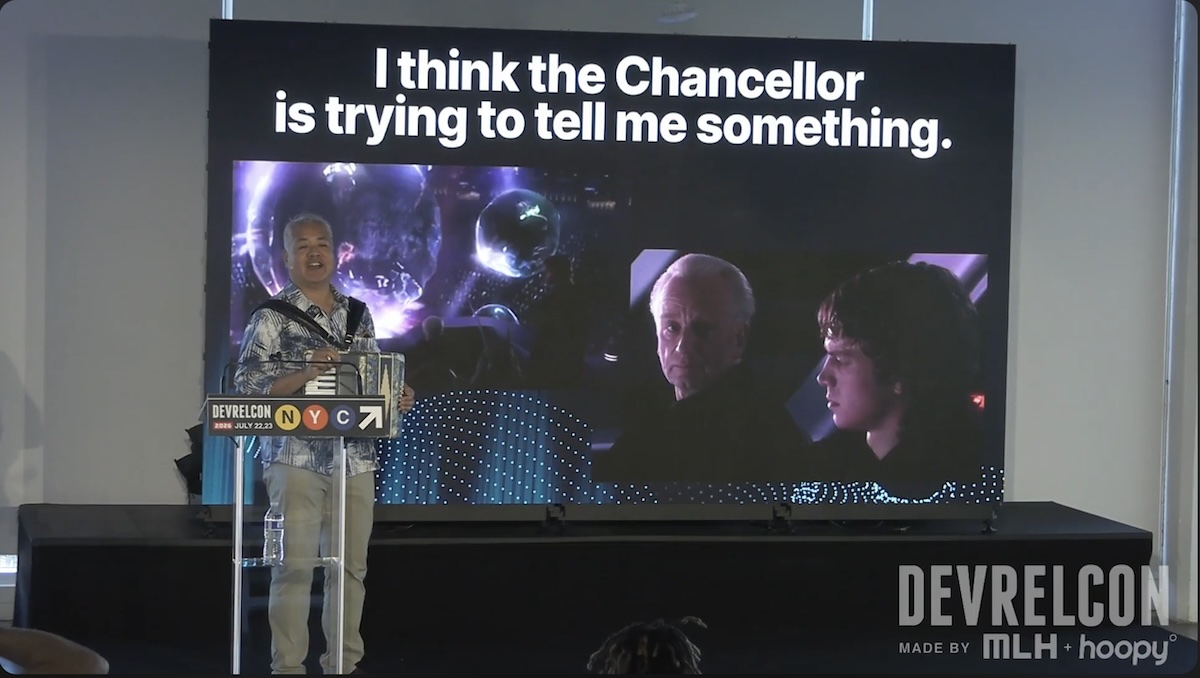
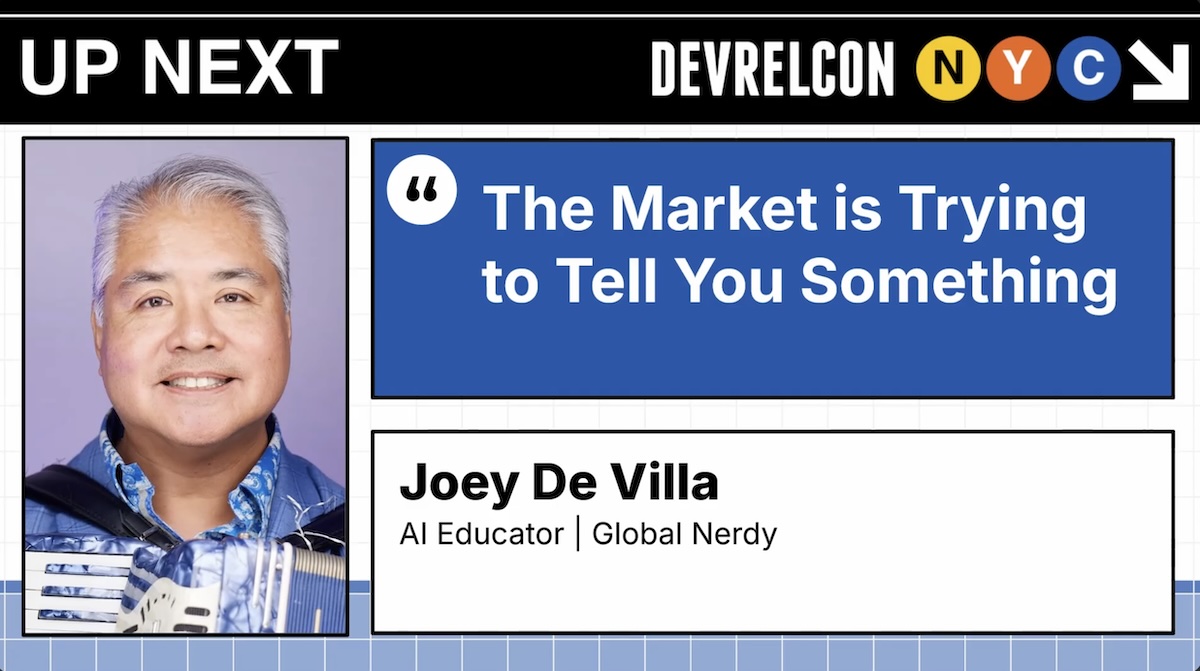
This talk’s title, The Market is Trying to Tell You Something, comes from an observation I made when watching a film that’s 21 years old now: Star Wars: Revenge of the Sith.
During the scene where a not-yet-corrupted Anakin Skywalker and a not-yet-revealed-Sith-Lord Chancellor Sheev Palpatine are watching an underwater opera (its name is Squid Lake, and it’s the creation of a species called Mon Calamari; look it up!). Palpatine keeps talking about the power of the Dark Side and the knowledge of the Sith, and Anakin doesn’t seem to be cluing in. I imagine him thinking “I think the Chancellor is trying to tell me something”.
My argument is that the job market has been trying to tell us something for the past couple of years, and much of the guidance we’re still getting misses the signs as much as Anakin did.
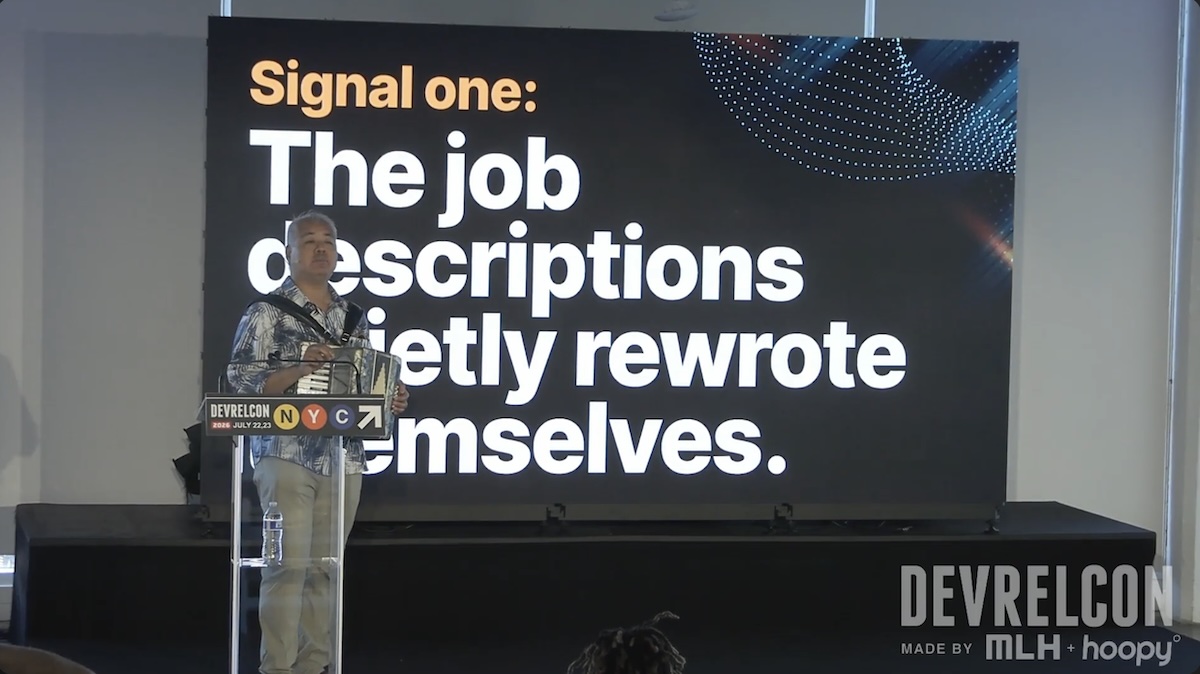
I noticed this first signal barely a week into that year-long job search. It became apparent to me that developer relations job descriptions quietly rewrote themselves.
By “quietly”, I mean that the job descriptions as written didn’t change, but actual job descriptions did. The age of AI is turning us more into generalists, and the (often theoretical) wall between developer relations and the related fields of marketing and sales is disappearing.
The developer relations job description you see is often a copy-paste from 2023 or earlier, and it’s not an accurate description of the job today.
Screenshot
The quietly-rewritten job description reveals itself in the interview. I noticed this a couple of weeks into the process, after interviewing with a third prospective employer: The interviews were testing for things that weren’t in the job description.
One particular prospect made this painfully apparent to me. I was in the final interviews with this one company where they’d asked me to prepare a demo for developers. When the interview took place, they changed things up and said “Let’s do a mock sales call for Sony”, without my having any idea of what their particular development needs are (aside from the PlayStation, do they do anything technological that matters anymore?) or getting any prep time.
After that fiasco, I changed the balance of my questions in earlier interviews with companies to find out what figure out what was being left out of the written job description, the prospect’s idea of what “developer relations” meant (this was often very fuzzy), and identifying the person whom I’d really be reporting to, and what KPIs they were being measured on.
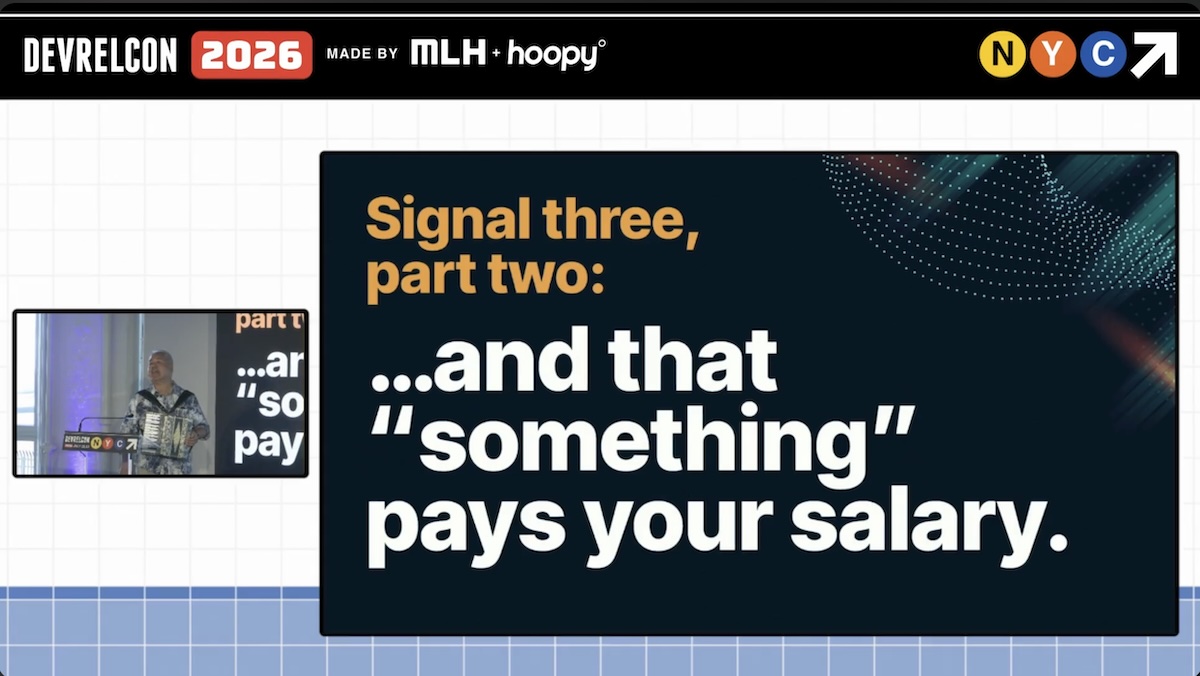
The final signal I saw took a couple of months’ worth of interviews to truly crystallize, because it’s the most subtle of the three. It’s that “DevRel ROI” now actually means something, and that “something” is what pays your salary.
This basically means that organizations no longer view “Hey, people have heard of us!” or “People like us!” as the measure of developer relations success. This was fine for the pre-COVID, pre-AI, middle-of-ZIRP era of the 2010s, but table stakes now. There now has to be some kind of financial success metric that can be connected to you.
So with these three signals in mind, I now have three action items that you can act on right now.
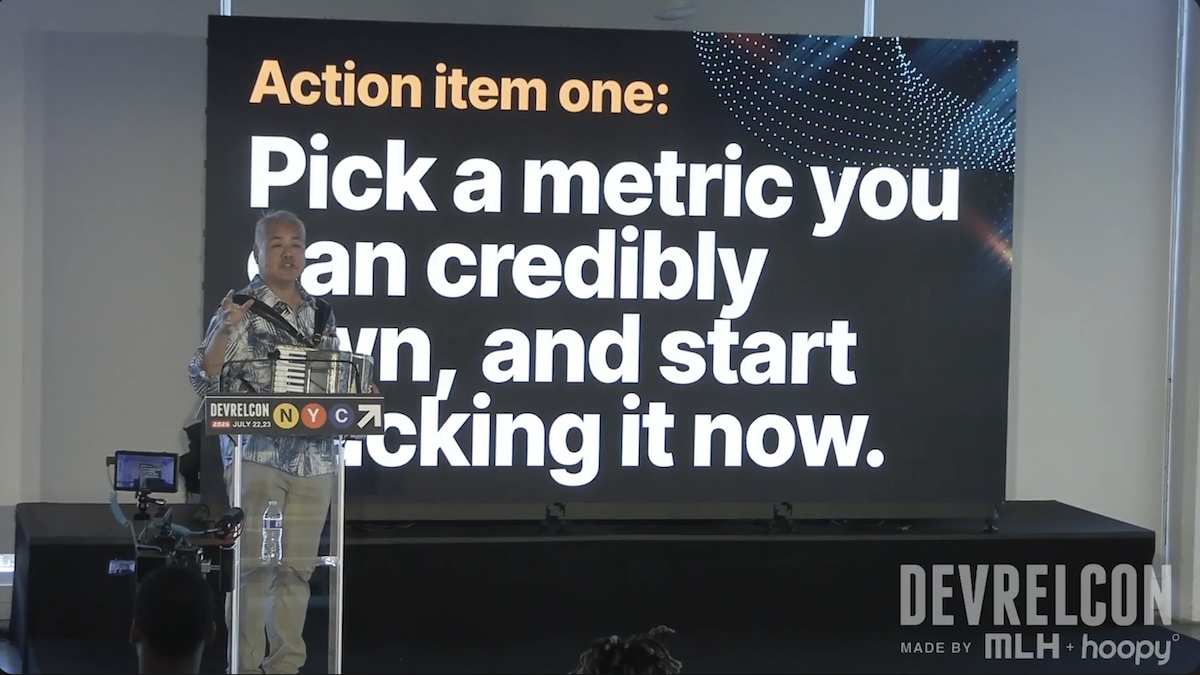
First, pick a metric that you can credibly own, and start tracking it right now. It doesn’t have to be a present-day metric if you’re currently out of work; find some number that you improved in your last role.
Developer relations’ effects are more indirect than those of marketing and considerably more indirect than sales’, so it’s forgivable in the beginning if you pick a vanity metric. One of mine is from Auth0, where I grew mobile developer readership (fortunately, I kept track of these things for a time when I’d need them) from 0 to 20,000/month, simply because I was the only one consistently writing mobile developer articles.
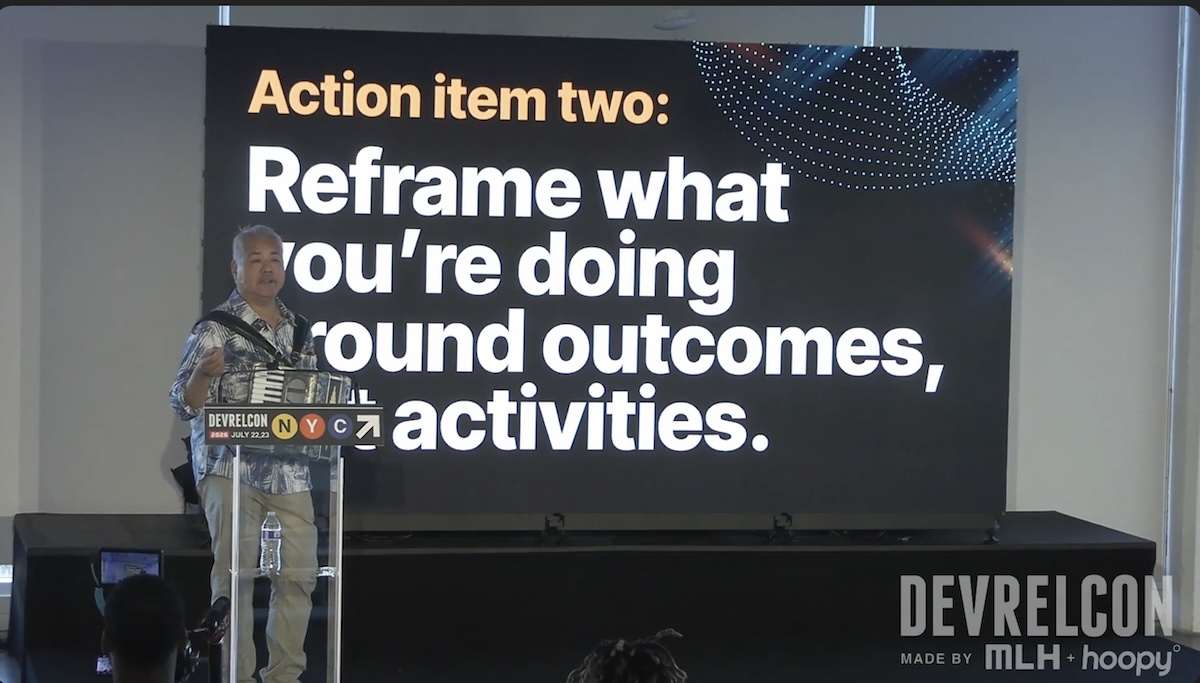
You probably already know this, but it’s worth repeating: Reframe what you’re doing around outcomes, not activities.
It may be obvious, but if you’re in any line of work that requires convincing people, know that there is great power in stating the obvious.
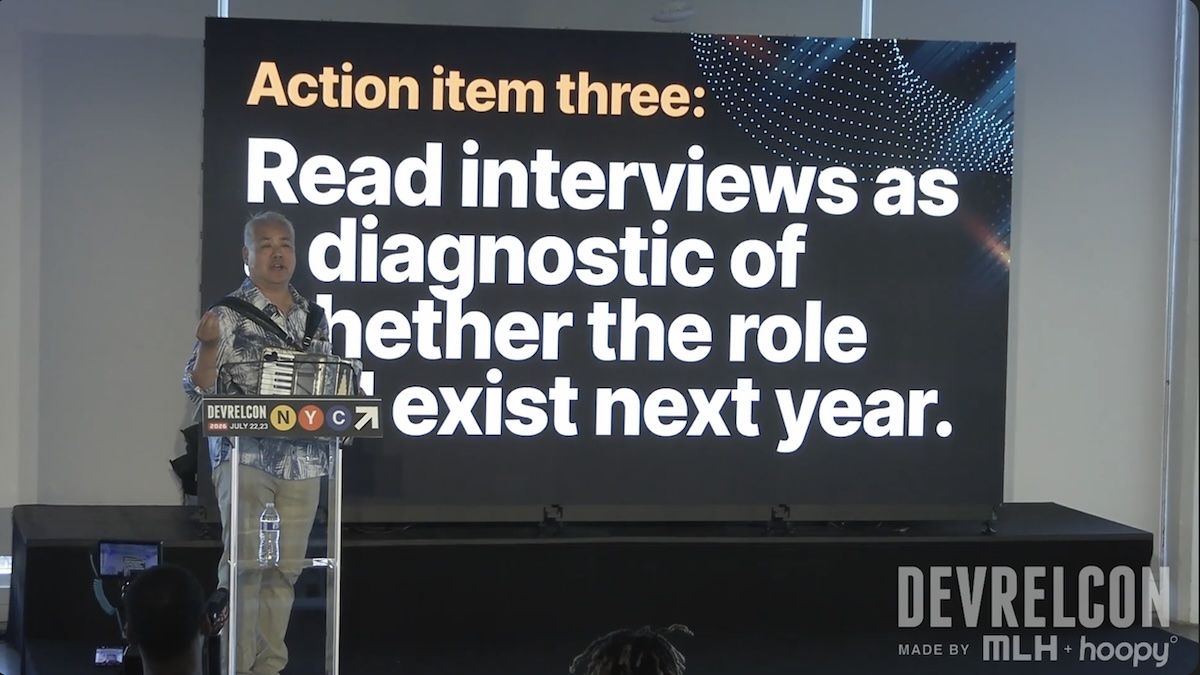
And finally: Read interviews as a diagnostic of whether the role will exist next year.
During an interview, if one of the interviewers says “Oh, by the way, we’re also bringing on we’re also bringing on a growth person and we may be reviewing how they interact with the developer relations team,” that’s a good sign that the developer relations team will get cut down or reshuffled. This has happened to me on three different occasions where the developer advocate role was cancelled sometime during the interview process.
One of the best things you can do, assuming you get permission to record (legalities about this will very on where you are), record everything. Then feed it to an LLM, and ask it to analyze what you and your interviewers say in the interview. Ask the LLM to be brutal. The evaluations it will give you will sometimes be unpleasantly revelatory, but LLMs are reasonable at picking up cues you might miss, usually because going through interviews is an emotionally distracting experience.
I closed by referring to Tim Falls’ talk at the start of the day, which he began with a heartbeat-like drumbeat on a hand drum as encouragement for the audience to listen with their hearts.
Then, after announcing that I would use music to help the audience overcome their fear of AI, I played Because of AI, my AI-flavored parody song based on Afroman’s Because I Got High.
My thanks to the DevRelCon organizers for a great conference and for considering my talk proposal worthy of putting onstage!
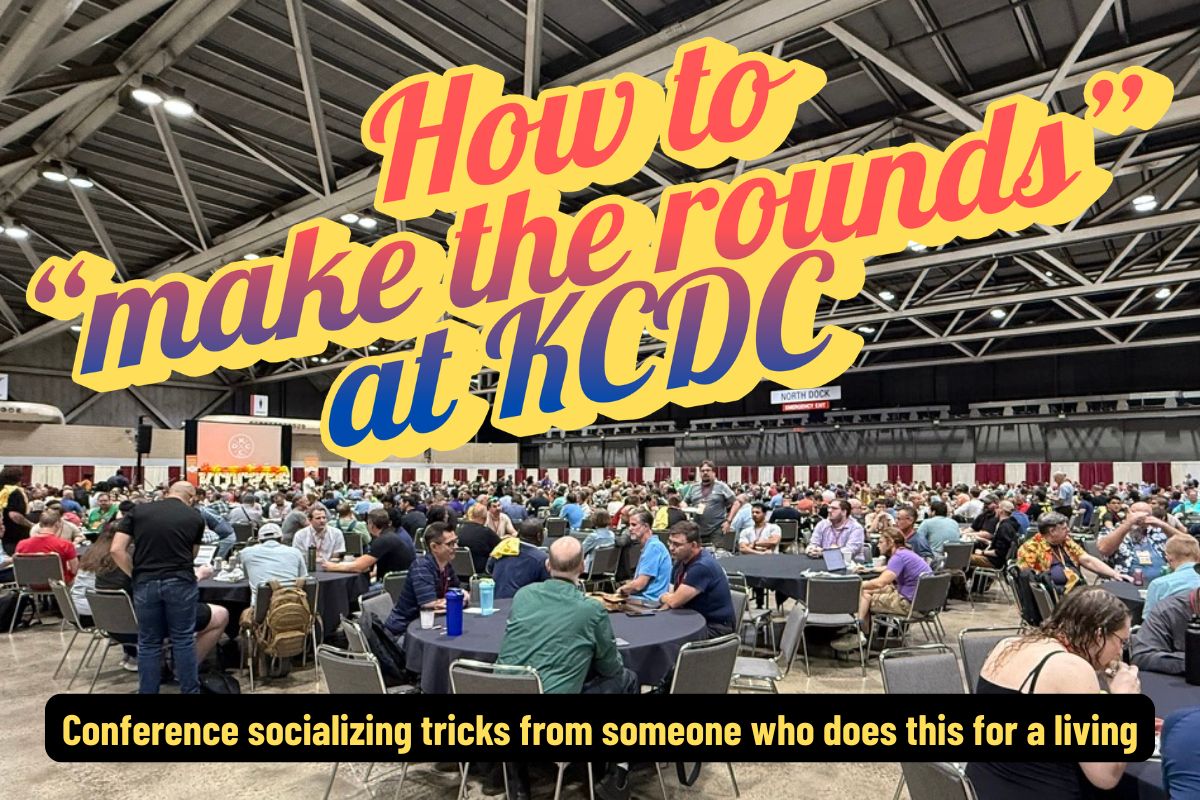
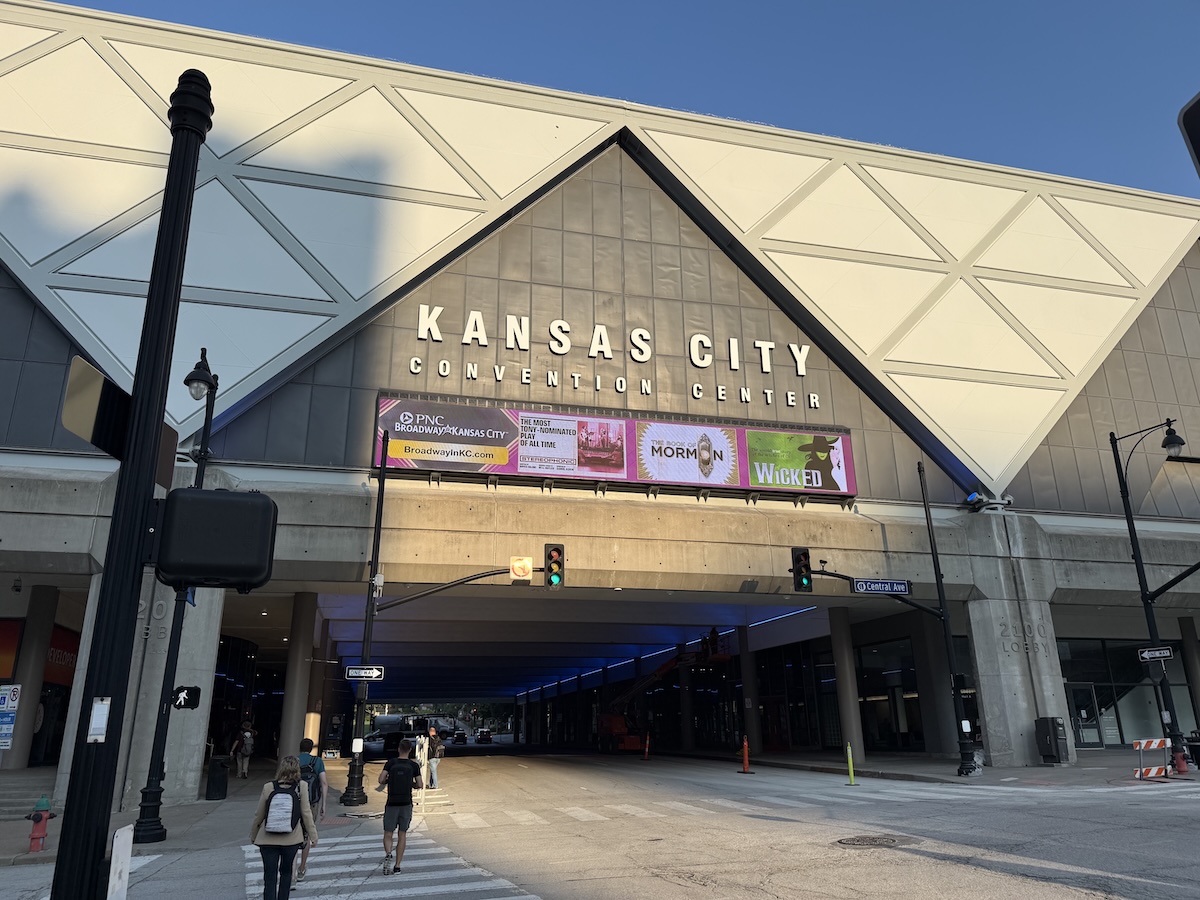
Kansas City Developer Conference (KCDC) is happening this week! KCDC is one of the larger multidisciplinary developer conferences. It’s organized by members of Kansas City’s tech community, and it typically draws an attendance of about 2,000 people. Wednesday is the workshop day, followed by the main conference days on Thursday and Friday, and finally, the Kids Tech Day happens on Saturday.
Started in 2008 by Lee Brandt (whom I know from my time at Auth0; he did DevRel on the Okta side), the first KCDC had 120 attendees. By the mid-2010s, it had grown past 1,000 attendees, and this year, there should be over 2,000 people spread over 180 sessions over two days.
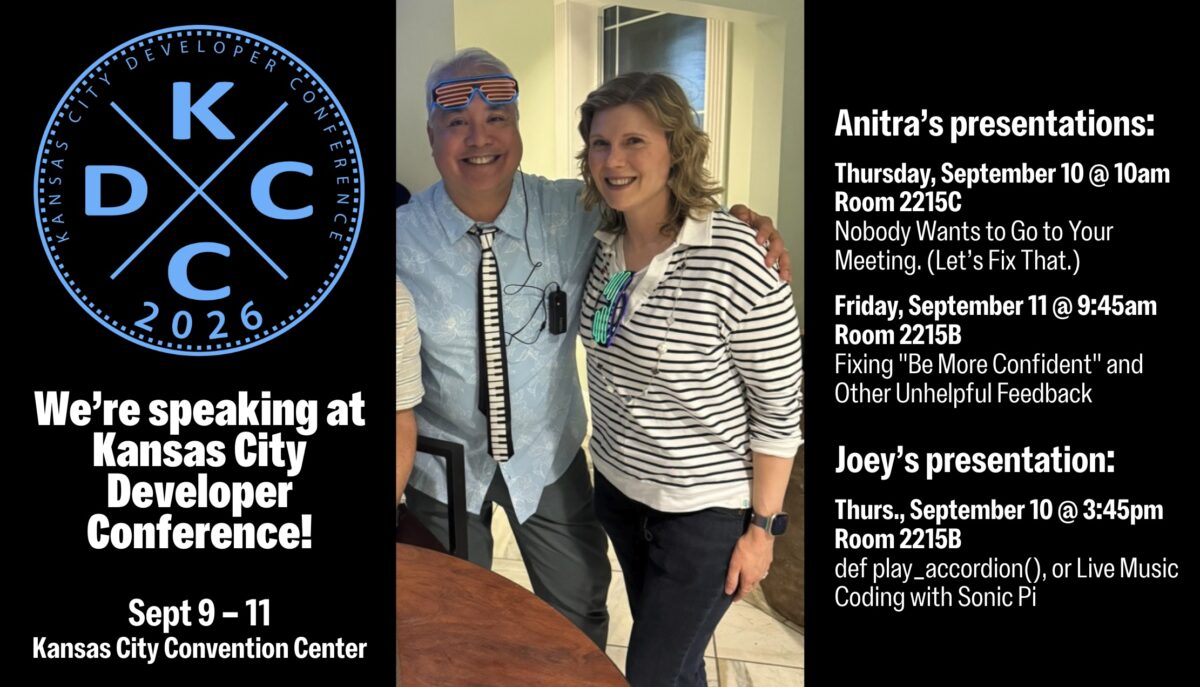
Anitra and I are speaking at KCDC this year, and we’re just two of the many, many people you can meet. But meeting people requires a skill called “making the rounds,” which refers to meeting new people and starting conversations with them. For some, this is a scary or unpleasant prospect, but it doesn’t have to be!
Fortunately for you, my life, whether as a developer advocate, musician, community organizer, and generally unhinged extrovert has me making the rounds regularly, and I’m sharing all my tricks in this article. There are a lot of them; feel free to scan this article, find the tips that work for you, and put them into practice!
What sessions do you want to attend? This will provide subject matter for conversations, as well as help you find other people who’ll be attending the same workshops/talks.
Did you want to attend any mentorship hub sessions? These are curated conversation sessions devoted to topics of interest to developers, and they’re a great way to not just get advice but start conversations with people you’ve never met before.
What speakers would you like to talk to? I’m a speaker, and I know that we’ve been told not to hide in the speaker ready room, but get out into the conference to mix, mingle, and start conversations. Think of us as “mini-hosts” for the event, and if our presentation covers a topic you’d like to talk about, please approach us!
What sponsors do you want to talk to? Is there some gear, software, or service that you’re interested in that some sponsor provides? Make a note to talk to them.
Arrive with goals
Decide what you want to achieve at KCDC, which can include any of the following:
Learning something new
Making new contacts or re-establishing old ones
Finding new work / hobby / social opportunities
Prepare your introduction
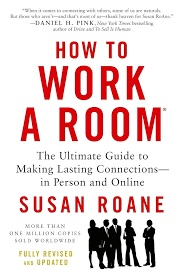
A one-line self-introduction is simply a single-sentence way of introducing yourself to people you meet at a conference. It’s more than likely that you won’t know more than a handful of attendees and introducing yourself over and over again, during the conference, as well as its post-session party events. It’s a trick that Susan RoAne, room-working expert and author of How to Work a Room: The Ultimate Guide to Making Lasting Connections In-Person and Online teaches, and it works. It’s pretty simple:
Keep it short — no longer than 10 seconds, and shorter if possible. It’s not your life story, but a pleasantry that also gives people just a little bit about who you are.
Make it fit. It should give people a hint of the cool stuff that you do (or, if you’re slogging it out in the hopes of doing cool stuff someday, the cool stuff that you intend to do.)
Show your benefits. Rather than simply give them your job title, tell them about a benefit that your work provides in a way that invites people to find out more. Susan RoAne likes to tell a story about someone she met whose one-liner was “I help rich people sleep at night”. That’s more interesting than “I’m a financial analyst”.
My intro at KCDC will be something along the lines of “I’m a rock and roll accordion player, but in my spare time, I do developer relations at NetFoundry!”
Have some “pocket stories” handy
Pocket stories are short, engaging, and easy-to-tell anecdotes you keep ready for networking situations. They should be:
Brief: No more than a minute long; a minute and thirty seconds tops.
Relevant to KCDC or the people listening.
Open-ended, so listeners can respond or share their own experiences.
Here’s a tech-related pocket story:
“Last year I tried to refactor a core service during a two-week sprint. Halfway through, we realized we’d basically reinvented a library that already existed. The best part? We ended up contributing to that library instead, and now it’s in production at three other companies.”
“Local flavor” pocket stories are often a good conversation starter:
“This is my first time in Kansas City, and yesterday I went looking for barbecue. I asked a local for the ‘best’ spot… and ended up in a half-hour debate between two strangers about burnt ends. I still don’t know who won, but I definitely left full.”
Bring an interesting thing
We’re nerds! We love interesting gadgets, amusing tchotchkes, and funny techie T-shirts. They’re often interesting conversation-starters, and KCDC is the perfect environment for bringing them out!
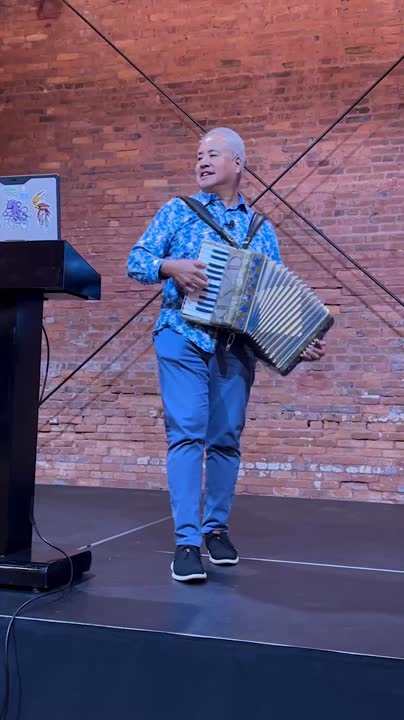
Me? I’m bringing the accordion (of course).
The incredibly simple trick for instantly boosting your social confidence
Here’s the exercise: Before you leave to go to KCDC, find some text and read it out loud for three minutes. If for some reason you can’t find some text to read, use this article. You’ll find that it’s a self-confidence booster!
Even after KCDC has come and gone, do this exercise daily. Like any skill, frequent low-pressure practice builds familiarity, and if you read aloud regularly, you’ll find yourself more comfortable when talking with strangers at networking events.
Choose something different to read out loud every day, and try emphasizing key parts of the text. If you’re reading something with dialogue, try expressing the emotion in that dialogue. If you listen to audiobooks or podcasts, try emulating the way audiobook narrators narrate their material.
Reading out loud boosts your confidence because:
It helps you get comfortable with your voice. Many people don’t like the sound of their own voice. Reading out loud gets you used to the sound of your voice, reducing any self-consciousness you may have about it. And when you’re comfortable with your voice, you’ll also be more comfortable speaking in social situations and making presentations.
Your speech will become more clear. The exercise of reading out loud forces you to articulate words clearly and speak at a steady pace. You’ll also become more aware of your tone, rhythm, and pitch, so that you can adjust them to sound clear and confident, and mumble less.
It makes you more engaging. Read out loud with expression; it’ll give you practice with the kind of vocal variety and emphasis that keeps listeners interested in actual conversations.
At the conference (and conference events)
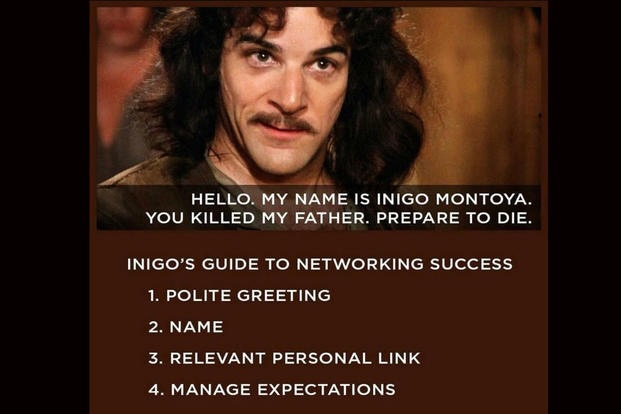
Use Inigo Montoya’s technique for introducing yourself
Inigo Montoya from The Princess Bride had the perfect self-introduction. Use his technique for yourself!
Example: “Hi! I’m Joey de Villa. I’m a developer advocate at NetFoundry and I’m giving the fun talk on coding up music with the Sonic Pi programming language. How are you doing?”
Project good posture
Having a good posture is generally good for all sorts of health reasons, but at a conference, it has the additional benefit of showing confidence, competence, and alertness. And because the body is a self-feedback system, you’ll find yourself feeling more confident, competent, and alert.
The general guidance for standing up straight is to imagine a string pulling you gently upward from the crown of your head. Keep your spine straight, knees soft, and feet shoulder-width apart.
When you do this, people will be more likely to approach you because you appear open and self-assured instead of reluctant and uncertain.
The general advice is to put your shoulders back — but not too far back. Your shoulders should be below your ears. Drawing your shoulders back just slightly opens up your chest, which is body language for “Hello. My name is Inigo Montoya. I’m killin’ it here. Prepare to converse.” You’ll appear more engaged and ready to interact.
That’s so much better that the forward, rounded shoulders look, which says “I don’t want to be here, and I definitely don’t want to talk to you.” It makes you look defensive or distracted.
You might find it helpful to roll your shoulders up, back, and down, just enough to relax your chest.
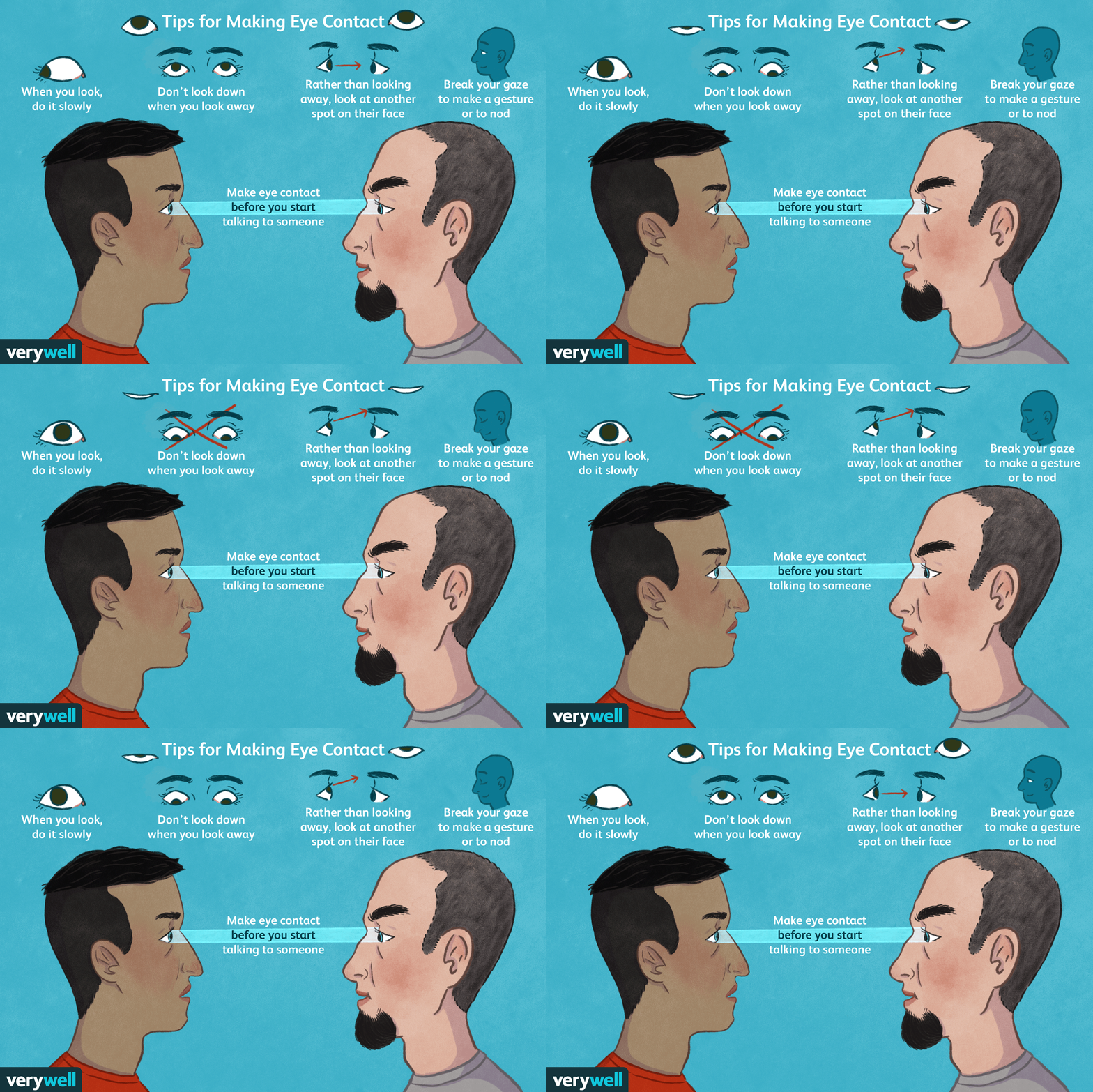
Eye contact — it’s a tricky thing, especially among nerdy types, but is one of the strongest ways to build trust quickly. What better place to brush up on your eye contact technique than KCDC?
Here’s how you do it: when you meet someone, make eye contact by looking at them right at their eyes for a “one thousand one, one thousand two” count. That’s long enough to acknowledge them but not so long that it feels as though you’re staring them down.
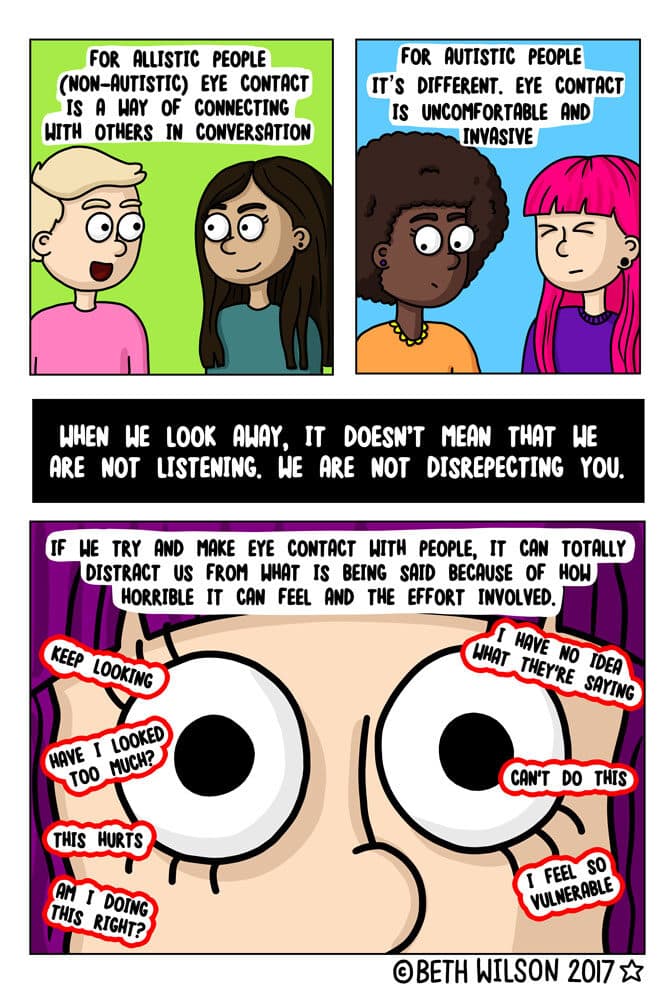
If looking someone in the eyes isn’t your thing, try looking at some part of their face near their eyes, such as their forehead or cheek.
Done right, eye contact gives others a sense of warmth and attentiveness. It makes other people feel seen, which is crucial in noisy, crowded conference environments.
Allistic people — people who aren’t affected by autism — should be aware that people with autism find eye contact challenging. If you find that the person you’re talking to finds eye contact uncomfortable, look at their face, but not directly at their eyes (basically, use the trick I mentioned earlier).
How to join a conversation
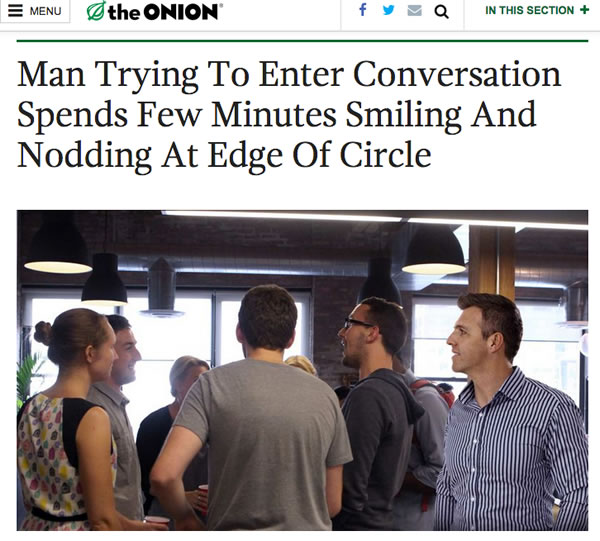
You’ll probably see a group of people already engaged in a conversation. If this is your nightmare…
Click the screenshot to read the Onion article.
…here’s how you handle it:
Pick a lively group of people you’d like to join in conversation. As people who are already in a conversation, they’ve already done some of the work for you. They’re lively, which makes it more likely that they’re open to people joining in. They’ve also picked a topic, which saves you the effort of having to come up with one. It also lets you decide whether or not it interests you. If they’re lively and their topic of conversation interests you, proceed to step 2. If not, go find another group!
Stand on the periphery and look interested. Just do it. This is a conference, and one of the attendees’ goals is to meet people. Smile. Pipe in if you have something to contribute; people here are pretty cool about that.
When acknowledged, step into the group. You’re in like Flynn! Step in confidently and introduce yourself. If you’ve got that one-line summary of who you are that I talked about earlier, now’s the time to use it.
Don’t force a change of subject. You’ve just joined the convo, and you’re not campaigning. Contribute, and let the subject changes come naturally.
Feel free to join me in any conversational circle I’m in! I always keep an eye on the periphery for people who want to join in, and I’ll invite them.
OAR: Observe, ask, reveal
In her book How to Work a Room, Susan RoAne talks about a conversation tool she refers to as “Observe, Ask, Reveal” or “OAR,” which is a way to make interactions feel more natural and engaging. It’s made up of three steps:
Observe. Notice something about the person you’re talking to, their surroundings, or the situation. This could be as simple as their choice of drink, something they’re carrying, or something happening in the room.
Ask. Follow your observation with a genuine, open-ended question. This invites the other person to share and keeps the conversation flowing.
Reveal. Share a little about yourself related to the topic, which helps build rapport and makes the exchange feel balanced rather than like an interrogation.⚠️ Don’t overshare! TMI often backfires. Also, don’t overdo it with the questions — it should feel like a conversation, not an interrogation.
The idea behind OAR is to create an easy rhythm between listening and contributing to the conversation.
Be more of a host and less of a guest
No, you don’t have to worry about scheduling or if the coffee urns are full. By “being a host,” I mean doing some of things that hosts do, such as introducing people, saying “hello” to wallflowers and generally making people feel more comfortable.
Being graceful to everyone is not only good karma, but it’s a good way to promote yourself. It worked out really well for me — when I first moved to Tampa, I simply attended events and helped out where I could, lending a hand at meetups. I gained a reputation for being helpful and knowledgeable, which led me to being invited to speak at events, and I also wound up inheriting a couple of meetups as well!
Use social media
Follow the KCDC hashtag! The official one is #kcdc2026 (don’t use plain old #kcdc unless you want to tag the Kansas City Dog Club) to find out what’s going on, and to find and connect with attendees online.
Advice for lunch
Lunch at KCDC is a great opportunity to meet people! Here are some tips for lunch…
1. Choose your table with intention
Arrive early if possible. This gives you more freedom to choose your spot.
Look for tables with a mix of people already seated and empty chairs. It’s easier to integrate into an existing conversation than to start from scratch with a fully empty table.
2. Use OAR (“observe, ask, reveal”) to break the ice
Follow the “observe, ask, reveal” conversational framework I wrote about earlier to talk to people at the table.
Example: “I see you got the [interesting swag from one of the vendor tables]. What’s the catch: demo, badge scan, or spinning a wheel?”
3. Introduce yourself to your immediate neighbors first
Turn to the people on your left and right, give your name, where you’re from, and a quick “pocket story” or conference-related detail.
Then, when there’s a pause in the group’s conversation, introduce yourself to the whole table. This makes you seem approachable, and you’re not barging into the conversation.
4. Keep the conversation inclusive
If you notice someone at the table isn’t speaking much, pull them in by looping back to them with a related question.
Avoid overly niche technical deep dives unless everyone’s into it.
5. Have a graceful exit
When lunch is wrapping up, thank the table for the conversation.
Swap contact details or LinkedIn with anyone you clicked with.
Mention to people at the table that you might see them in another session. If you know what sessions you’re attending after lunch, let them know!
Advice for social events
Try these out at Thursday’s attendee party, as well as at KCDC’s other social events, including Crash Override’s Hackers movie event (taking place Thursday at Union Station; doors open at 7 p.m., movie starts at 8):
Beware of “rock piles”. Rock piles are groups of people huddled together in a closed formation. It sends the signal “go away”. If you find yourself in one, try to position yourself to open up the formation.
Beware of “hotboxing”. I’ve heard this term used in counter-culture settings, but in this case “hotboxing” means to square your shoulders front-and-center to the person you’re talking to. It’s a one-on-one version of the rock pile, and it excludes others from joining in. Once again, the cure for hotboxing is to change where you’re standing to allow more people to join in.
Put your stuff down. Carrying your bag or other stuff is a non-verbal cue that you’re about to leave. If you’re going to stay and chat, put them down. When you’re about to leave, take your stuff and start saying your goodbyes.
Save the email, texts, and social media posts for later, unless they’re important.They’ll draw your attention away from the room and also send the message “go away.”
After the conference
Organize your contacts soon after the conference
Review any business cards, LinkedIn connections, or conference app contacts you collected. Strike while the iron is hot — do this by the end of the following week!
Tag or note:
How you met
What you talked about
Any action items (e.g., “Send them article on API security”)
This makes your outreach to people feel more personal and less generic and spammy.
Send a brief, specific follow-up
Timing: ideally within 3 days of the conference.
Keep it short, but reference something from your conversation to jog their memory.
Example: “Great chatting with you at the KCDC lunch table about AI security. Here’s that GitHub repo I mentioned.”
Continue the conversation
Share a useful resource, article, or code snippet related to what you discussed.
Offer help or collaboration, even if it’s small. This shifts you from a “one-time meet” to a peer in their network.
Connect on the right channels
LinkedIn for professional connections and ongoing career updates.
GitHub for technical/code collaboration.
Twitter/X or Mastodon if you connected over shared interests in tech culture, events, or industry news.
Keep the relationship warm
Interact with their posts, star or fork their repos, or comment thoughtfully on something they’ve shared.
When you come across a relevant opportunity, event, or resource, send it their way with a short note.
Build a “conference alumni” list
Keep a lightweight spreadsheet or note with names, contact info, and event details.
Before your next KCDC (or other conference), skim this list so you can reconnect with past contacts.
Tampa’s tech team supreme (that’s Anitra and me, in case you’re wondering) are flying to Kansas City today to speak at KCDC, also known as Kansas City Developer Conference! It typically draws around 2,000 attendees and it’s one of the largest independent conference in North America these days.
We’re honored to have been chosen to speak, and from looking at the agenda, we’re excited not just to present, but to also see out fellow speakers’ presentations!
For the curious, here’s what we’ll be presenting…
Thursday, September 10
Nobody Wants to Go to Your Meeting. (Let’s Fix That.)
Presented by Anitra, 10:00 a.m., room 2215C
Your calendar is full of meetings where attendees mentally check out. That’s not a people problem. It’s a design problem. As the meeting organizer, you’re the designer.
Most meetings fail for the same reason most products fail: the meeting organizer never stopped to ask what their attendees actually need, what outcome would make the time worthwhile, or whether a live session is even the right format for the job. The result is a standing meeting that becomes an obligation, a brainstorm where the loudest voice wins, a decision meeting that ends with “let’s take this offline”, and a calendar invitation that should have been an email.
This session makes the case that every meeting is a product. It has users with real needs. It has a value proposition that either holds up or doesn’t. It has a format that either creates the conditions for something meaningful to happen or gets in the way. Treat it like a product, and people show up prepared and engaged. Ignore that, and you get laptops open, cameras off, and the same conversation next week. That’s because most meetings were never designed to answer: what can only happen in real time, among these specific people?
You’ll leave with:
A framework for designing meetings that people actually want to attend and can explain why afterward
A method to audit your recurring meetings and diagnose exactly which ones are failing and why
Specific redesign moves for the three meeting types most likely to waste everyone’s time: the status update, the decision meeting, and the brainstorm
def play_accordion(), or Live Music Coding with Sonic Pi
Presented by Joey, 3:45 a.m., room 2215B
Most developers write code that talks to databases, APIs, or networks. What if your code talked to a speaker instead? And what it if accompanied a live accordion performance?
Sonic Pi is a live coding environment that turns Ruby-like syntax into music in real time. For developers who already know Ruby, it’s one of the fastest on-ramps to making something genuinely impressive. In this session, I’ll introduce Sonic Pi from the perspective of someone who plays accordion, understands music sequencers, and thinks in Ruby. I’m not a music teacher, but as professional developer and hobbyist musician, I can show you exactly where your existing skills transfer and where the surprises are.
We’ll cover the core concepts: loops, samples, synths, timing, and concurrency, and we’ll and explore why Sonic Pi is a surprisingly powerful lens for applying programming ideas you already know in a whole new way. And because a talk about live coding music should actually feature live coded music, we’ll finish with something you won’t see at many developer conferences: a performance where Sonic Pi and a live accordion share the stage.
No musical background required. Ruby curiosity welcome. Earplugs optional.
Friday, September 11
Fixing “Be More Confident” and Other Unhelpful Feedback
Presented by Anitra, 9:45 a.m., room 2215B
On a team, you get and give professional feedback. But can you actually act on that feedback?
Research across tens of thousands of performance reviews reveals a consistent pattern: professional feedback is frequently vague, personality-focused, and disconnected from business outcomes. “Be more confident.” “Work on your executive presence.” “Be a better team player.” These phrases feel like feedback. But they aren’t. They’re opinions dressed up as guidance, and they’re stalling careers and driving away top people.
This session examines what high-quality feedback looks like, why the gap between vague and actionable is wider than most people realize, and what that gap costs when it goes unaddressed. We’ll look at the research on how feedback differs by gender, why high performers are sometimes the ones receiving the least useful guidance, and what separates managers who build strong teams from those who wonder why good people keep leaving.
You’ll leave with:
A practical framework for giving and receiving feedback that is tied to outcomes, not personality
A method to recognize and rewrite vague feedback before it does damage
A clear understanding of how feedback quality affects advancement, retention, and team performance, and what you can do about it starting on Monday
Our speaker bios
Anitra Pavka
Anitra has surfed the waves of tech evolution from the dot-com bubble to the AI revolution. She specializes in customer-centered product management and technology modernization, turbocharged with hands-on AI experience. Her career spans ecommerce, retail, cybersecurity, fintech, and insurance.
Known for speaking fluent human and tech, Anitra speaks on local, regional, and national stages, including three appearances at SXSW Interactive, and as a featured podcast guest. She’s an O’Reilly Media author (HTML5 Cookbook Accessibility chapter) and technical editor (Universal Design for Web Applications book).
Her leadership extends into her community. She serves on the Board of Directors at Tampa’s non-profit Glazer Children’s Museum, where she chaired their strategic planning committee. She also co-organizes several tech-focused Meetup groups, including the Tampa Bay Artificial Intelligence Meetup (with 2,200+ members).
Her north star has been making technology solve real problems and serve the people using it.
Joey de Villa
If you hear an accordion at a programming presentation, chances are that Joey de Villa is the one playing.
Joey got his professional start developing multimedia CD-ROMs when they were the hottest new technology. After that, he built desktop applications including an encyclopedia of every mall in America and fitness tracking software for the Toronto Maple Leafs. Since then, he has written applications for mobile and IoT devices and dabbled in artificial intelligence.
He enjoys talking to people as much as he enjoys talking to computers, and that combination has landed him his current developer advocate role at NetFoundry, and previous roles as a developer advocate at Tucows, Microsoft, Shopify, Auth0/Okta, and HP. He recently optimized an MCP server for Hammerspace’s AI model storage system. As part of his work, he organizes the Tampa Bay Artificial Intelligence Meetup and the Tampa Bay Software Skills Meetup.
Joey has co-authored a 1,500-page book, The iOS Apprentice, 8th Edition, and writes articles about Android programming at Kodeco.com. He also publishes a blog called Global Nerdy, which has been around since 2006 and features a list of Tampa Bay technology events that he creates every week with the assistance of a helpful Python application that he wrote.
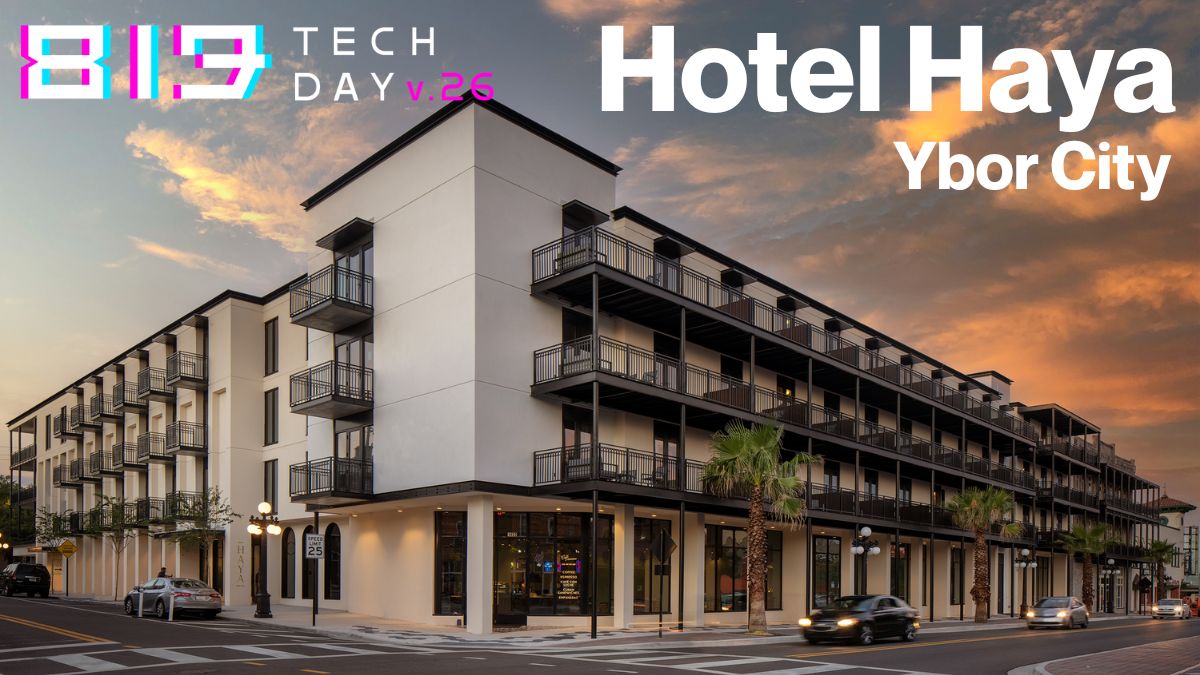
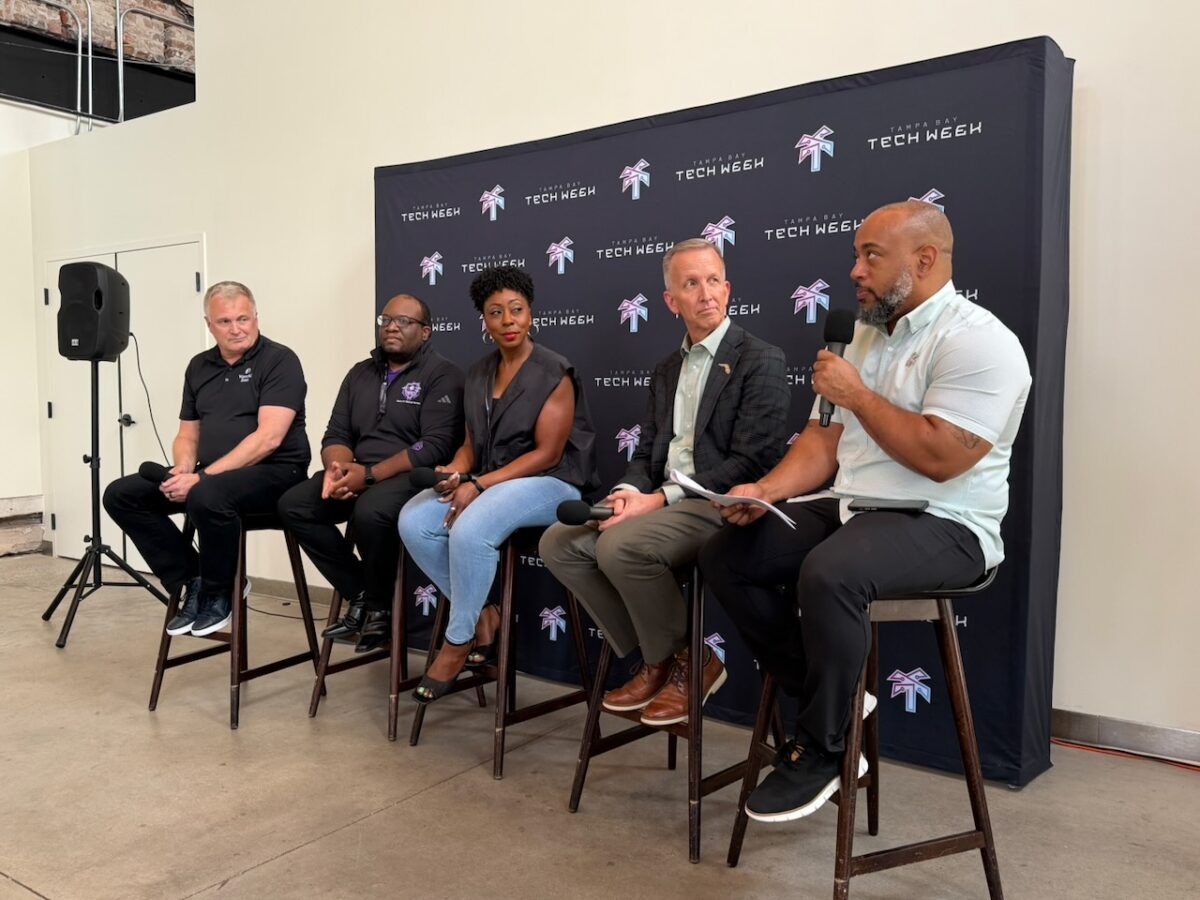
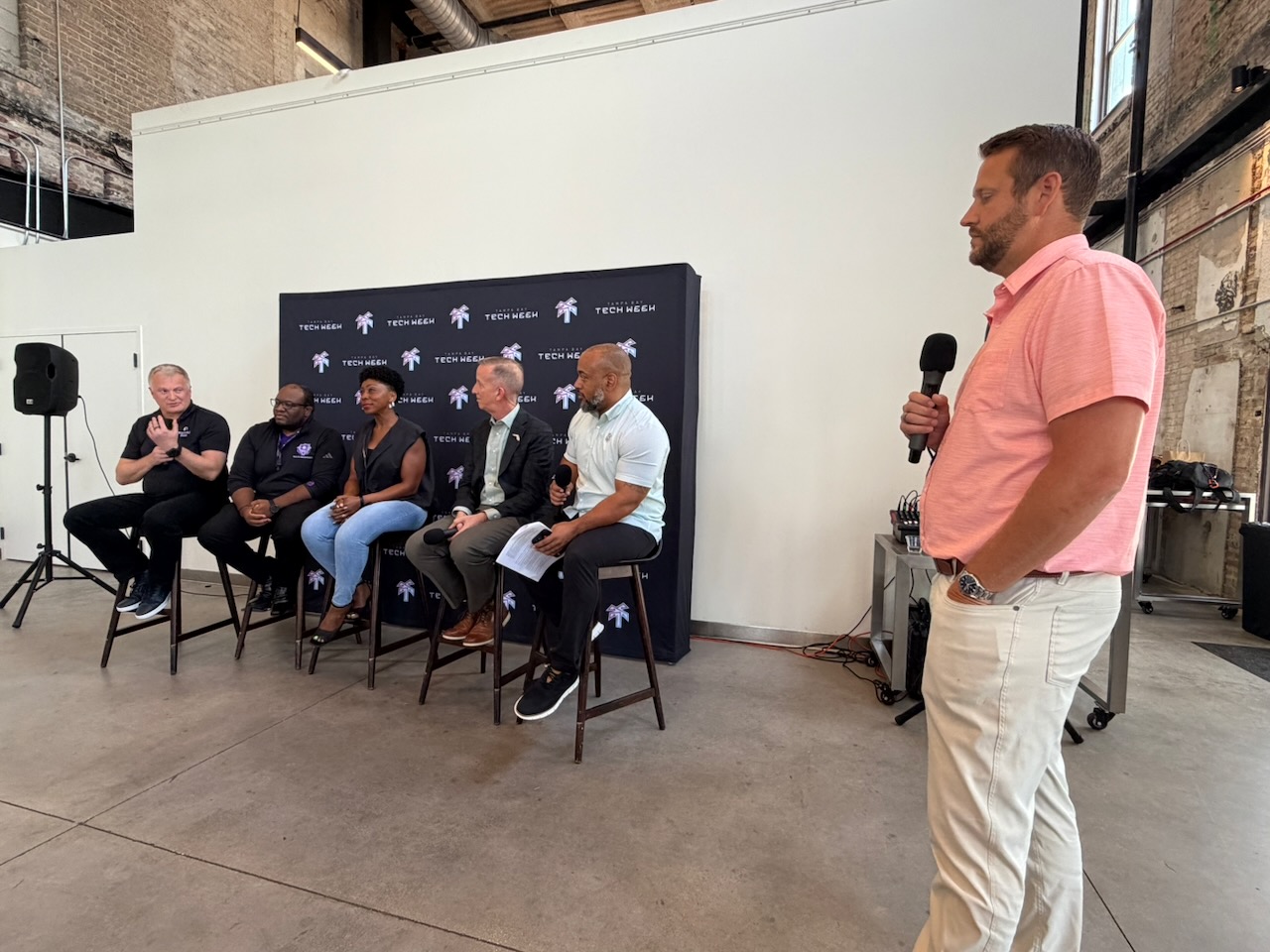
I spent the morning and early afternoon of 813 Tech Day at Hotel Haya in Ybor. I’m still thinking about the Fortifying the Digital Frontier: Cybersecurity at the Forefront of Fintech Innovation session, largely because of the twist that host Michael Hall introduced, which made it different from every other “Cyber is important, yo!” panel I’ve sat through. About two-thirds of the way in, he stopped running the panel and turned it into a consulting engagement.On stage, for free, for a random attendee. And it worked!
Read on, and you’ll see.
A show of hands
Michael started by asking everyone who runs a company or product that touches money, customer data, or both to raise their hands.
Some hands went up, which wasn’t surprising.
Then he asked: “Keep them up if you have a single person whose actual job is nothing but security.”
All hands down.
And that moment was the panel in summary. A room full of people founding or working at companies (or hoping to found and work at them) handling money and PII, and essentially zero dedicated security headcount among them. To be fair, a number of them were solopreneurs. Still, Michael’s follow-up question was an important one: “So what are you going to do about cyber warfare?”
Introducing the panel
The panel had unusually good coverage of the problem space: economic development, defense-grade compliance, offensive security, and someone who actually runs a bank.
Aaron Butler, founder of BlackHack Society, who builds security and compliance programs for SaaS companies and had just flown back from DEF CON the week before
Paul Sohl, CEO of the Florida High Tech Corridor, which spans 23 counties, three research universities (USF, UCF, UF); he’s also a retired Navy Rear Admiral
The gap between passing the audit and actually defended
Michael’s next question was a good one: “What’s the widest gap between how secure fintechs think they are and how secure they actually are?”
Alexei’s answer was the cleanest formulation of the compliance trap: compliance does not equal security. You can check every box and still be wide open. His diagnosis of why startups get this wrong:
“We identify the target, then we fire, and then we aim.”
Speed first, aim later. But in banking, “later” can be expensive in ways founders don’t model. He mentioned that for an average-sized bank, a single day of downtime can put the bank’s license at risk.
Candace, coming from the defense side, made it concrete with the ATO, the Authorization to Operate. You bring in an assessor, they verify you’ve got your asset labeling and your SSO and your password policy, and you get the shiny gold star.
And then what?
“Are you updating your AV definitions after you have the ATO? Are you patching on a specific cadence? Are you continuously monitoring the controls you got a check box for?”
Compliance is a still-frame snapshot. Security is the wholemovie. Everyone optimizes for the snapshot because that’s what gets audited, but forgets about the movie.
“Too small to matter” is not a security posture
Michael asked Aaron to scare the room, and to Aaron’s credit, he skipped the horror stories and reached for stats.
An attacker can get into essentially any internet-facing machine at almost any company inside an hour. Depending on whose telemetry you’re reading, that number is more like a few minutes. Someone in the audience called out CrowdStrike’s breakout-time figure, which is measured in seconds now.
Aaron’s framing:
“A breach is inevitable. Not if, but when. Your worst day is my every day. If it’s going to rain, you bring a raincoat, not an umbrella.”
That’s why “we’ll deal with it when it happens” isn’t a plan.
What AI did and didn’t change
Aaron summarized it well:
“AI lowered the skill floor for attackers and accelerated the execution timeline. It did not invent new attack classes.”
Phishing, smishing, and credential reuse: these are the same failure modes we’ve had for a couple of decades now. Attacks are just cheaper, faster, and automated now. All this means that your unpatched, password-shared, over-permissioned environment didn’t get more vulnerable; it just got found sooner.
He also had a nice riff on password policy whiplash. We spent years pushing everyone to 15–16 characters, guidance loosened again, and meanwhile the real-world state of the art is that password123 became password12345.
Alexei’s defensive take was the one that fintech founders in the room needed: his bank is doing “baby steps” on AI. Instead of a tool, the first step an AI policy and an AI strategy with actual guardrails. Because the failure mode isn’t anything as melodramatic as a rogue superintelligence, but something more mundane, such as an employee pasting client data into a public chatbot:
“Yes, you can get the answer. But now you’ve already lost that client data. It’s somewhere, and you don’t know who can get it.”
He also noted, matter-of-factly, that some of the adversaries in this space are state-funded. A small bank in Tampa versus a government-backed team is not a fair fight, which is precisely why the guardrails have process over motivation; policy and architecture over vigilance.
The compliance question founders actually care about: Which one pays?
When Michael asked which single compliance framework a founder should chase this year to unlock the most enterprise revenue, Aaron flagged it as a contentious opinion and we got the most useful ninety seconds of the panel:
SOC 2 Type II is the one. Depending on your market, it can move your ability to capture revenue by somewhere between 5% and 40%. Nearly everyone selling to enterprise ends up needing it anyway.
HIPAA is self-assessed. Draw your own conclusions about how rigorously that’s happening across the industry.
PCI DSS: If you’re doing payments and processing, you can largely offload it. Stripe already has it. Use their pipes; as a startup you can’t afford to build that infrastructure yourself.
Then there’s the practitioner’s trick: security people maintain crosswalks that map controls across frameworks. Do SOC 2 first and you’re roughly 70% of the way to ISO 27001. Do them in order and stop paying for the same control four times.
Candace added the necessary caveat: the right framework depends on your industry, and in defense you don’t get to choose; there are non-negotiable requirements.
Alexei pointed out that PCI DSS matters for finance the way HIPAA matters for healthcare, so “which framework” is downstream of “which industry.”
Candace’s advice for taking this to a board is deceptively simple: explain it in their language…
Bad: “We need to implement AC-2.”
Better: “We sell Cracker Jacks, here’s the system that keeps the Cracker Jack business running, here’s why this control protects it.”
The panel turned into a live advisory board
This is the part I’ve never seen at a conference.
An audience member who’s a consultant mentioned he’s got a client (transfer agents, handling bank relationships and a mountain of shareholder PII) who wants to point an agentic AI system at their overflowing email inbox.
The debate: should they be cloud-based, or reverse twenty years of industry momentum and go back to on-prem so they can hot-swap open-weight models without token costs and keep everything whitelisted?
Michael stopped the panel, brought the consultant to the front, declared the panelists a pop-up advisory board, and made them answer.
The responses split about how you’d expect from their backgrounds:
Alexei: Going on-prem relocates risk rather than eliminating it. It also means you’re now defending on two fronts: not just outsiders, but also insiders! You’re paying for infrastructure, security, and people. The “cheaper” assumption usually doesn’t survive contact with the invoice. When Microsoft ships patches every week, that’s a vendor doing work you’d otherwise be doing yourself, maybe badly.
Aaron: Go hybrid, on the grounds that nobody has a crystal ball about second- and third-order downstream constraints, and hybrid preserves optionality for next year.
Candace: Her world is mostly on-prem and air-gapped, so that’s where her instinct goes, insider threat and hiring burden included.
Paul: He’s a retired Rear Admiral, so he followed the Navy adage “A ship’s a fool to fight a fort” and declared the question outside his expertise and deferred to the other panelists. In my opinion, that earned him even more credibility.
Michael then asked for the consultant’s contact info so they can follow up in 60 days and report back to the room on what he actually decided. That’s the accountability loop conferences never close. I’ll keep tabs on this and let you know how it turned out.
After that, they did it again, this time with an attendee trying to break from defense-sector BDR work into commercial cybersecurity account management. They brought her to the front and gave her a live career consult.ation.
Candace’s advice was to stop being invisible on LinkedIn and start advertising the specific role she wants.
Aaron also had good cybersecurity-specific advice:
“Cybersecurity is one of the most arrogant professions on the planet. If you’re the one person they want to have a beer with afterward, you’ve already won.”
(I work in cyber. He’s right. In this field, being able to communicate humility is a cheat code.)
And finally, in a fit of audience participation, and after quickly consulting NetFoundry’s careers page (I work there and love it!), I stood up and asked her “How about starting with a Sales Development Rep role that works with Account Management? We have an opening at NetFoundry.”
She said “yes,” and Michael yelled “Joey’s got to get her the job!”
(She and I chatted afterward. Our conversation will be ongoing, and I guess I’ll have to follow up with Michael in 60 days…)
Tampa Bay resources you should know about
Paul’s whole reason for being there was to make people in the room aware of resources they might not have tapped:
The Florida High Tech Corridor spans 23 counties from Tampa Bay to the Space Coast, and deliberately plays Switzerland across all of them; there are no favorites among universities.
USF’s Bellini College of AI, Cybersecurity and Computing is teaching ethics at the beginning of the degree rather than bolting it on senior year, on the theory that security is fundamentally a judgment-call discipline, not a checklist one. Elizabeth Nelson is the Corridor’s point of contact at USF.
SBIR/STTR grants are available from eleven different federal agencies, it’s non-dilutive funding, and the Corridor can help you go after it and match on top of it.
Florida’s structural advantage is dual-use! The military and commercial sides are unusually well connected here, and the biggest buyer in the world is a short drive away.
Closing round: What’s the one thing you can’t get wrong?
Michael went down the line and asked each panelist for the single thing a founder walking out with one weekend and a small budget can’t afford to get wrong:
Paul: Take the first step. Just do something. Anything.
Candace: “Culture eats cyber strategy for breakfast.” If your people haven’t internalized cyber hygiene, none of the rest matters. Her running metaphor all afternoon was brushing your teeth: you don’t deliberate about it, you just do it. Security should feel like that.
Aaron: Get business insurance, make sure it has carve-outs for cybersecurity, and make sure those carve-outs cover AI-driven attacks. That’s the one I hadn’t heard before and the one I’d act on tomorrow.
Alexei: Hire the right people. (Michael made him clarify for the audio: right people.)
My four take-aways from this session
Compliance is a snapshot, security is a movie. If your controls aren’t monitored continuously, your ATO or SOC 2 report describes a company that existed on one Tuesday.
The framework question has an actual answer: SOC 2 Type 2 first, offload PCI to your payment processor, use a crosswalk so you’re not re-implementing the same control in four vocabularies.
AI didn’t create new attacks; it created new attackers. The skill floor dropped. The people who couldn’t do this eighteen months ago can do it now, at scale, cheaply. Your threat model didn’t change; your threat volume did.
Take-away number four is so good that I wanted to separate it from the rest:
4. Turning a panel into a pop-up advisory board bit was brilliant! Michael took real attendee problems, put them in front of a panel of experts, made them answer in public, and asked them to follow up in 60 days. This moved what the panel said from the rhetorical to the practical.
Let’s see more of this, please, and nicely done, Michael!
813 Tech Day happens in Tampa this Thursday, and whether you plan to attend (I’ll be at the Hotel Haya and Sapphire events) or observe from afar, keep this word in mind: Scenius.
What is scenius?
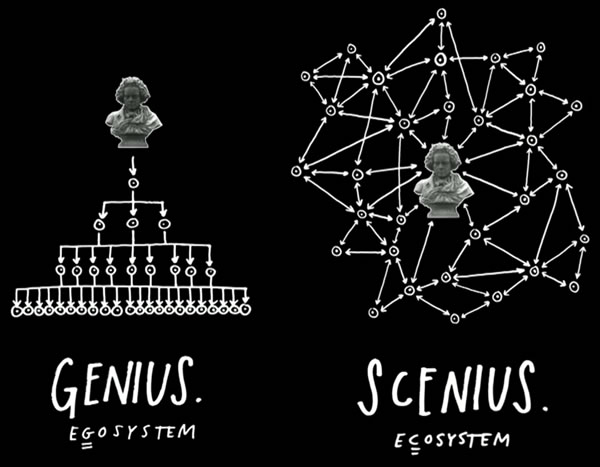
Scenius is a portmanteau of the words scene and genius, and it was coined by musician, music producer, and visual artist Brian Eno to describe the extreme creativity that groups, places, or “scenes” can generate.
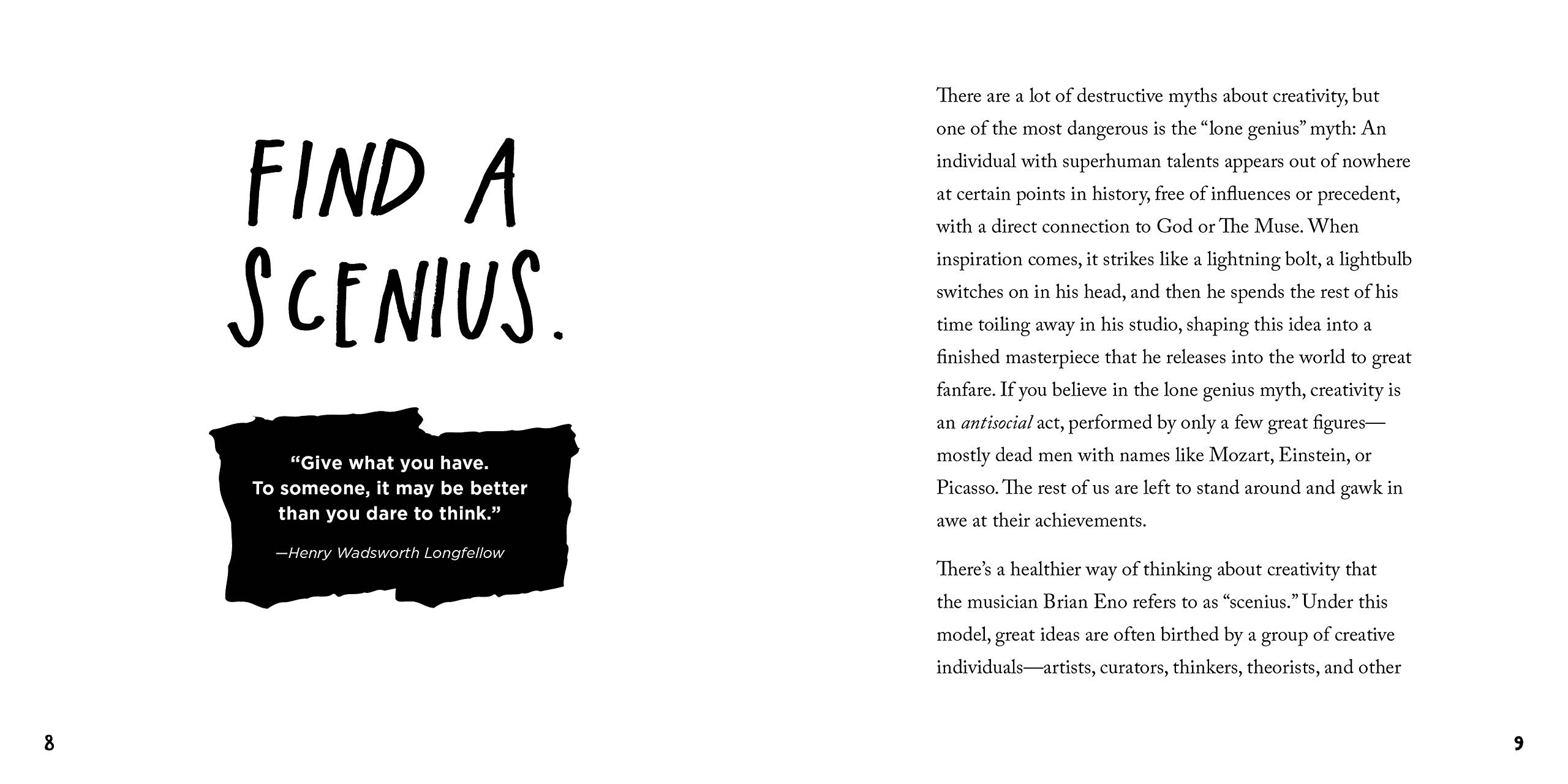
Eno came up with the term as a way of countering the pervasive mythoftheLoneGenius: the idea that innovation comes from a small, select set of Chosen Ones:
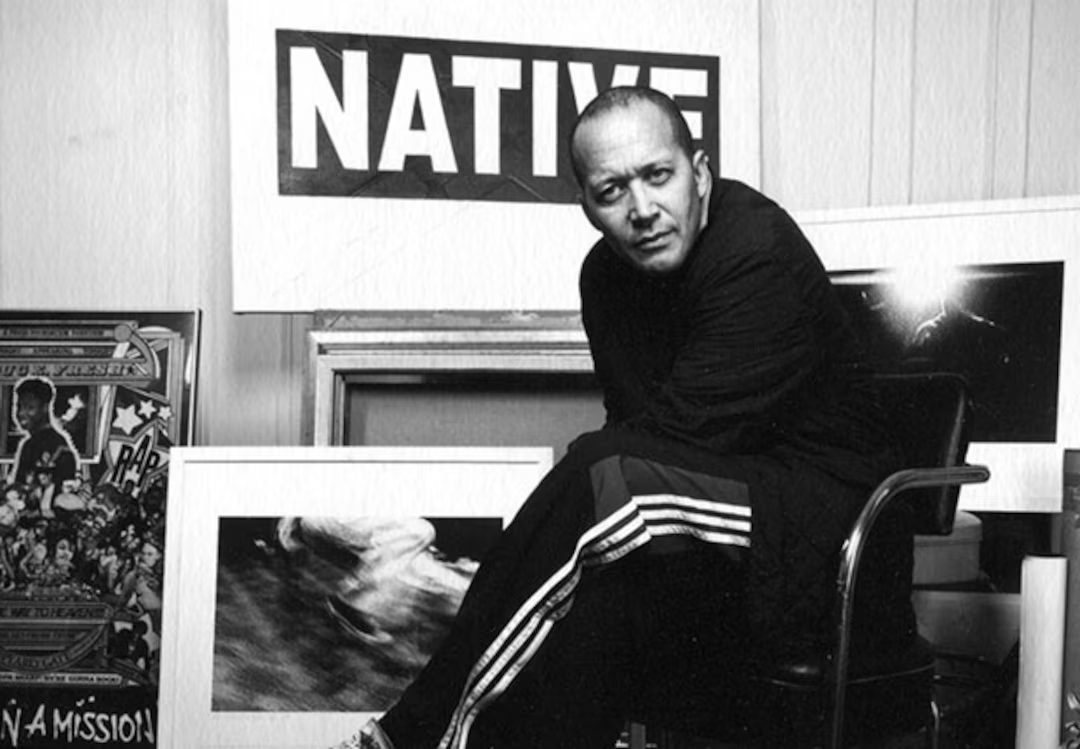
Brian Eno. Creative Commons photo by Algemene Vereniging Radio Omroep (AVRO). Tap the image to see its source.
“Just as genius is the creative intelligence of an individual,” he says in the video, “scenius is the creative intelligence of a community.”
Here’s Eno’s expanded definition of scenius, courtesy of Eno:
“Scenius stands for the intelligence and the intuition of a whole cultural scene. It is the communal form of the concept of the genius.”
…I thought that originally those few individuals who’d survived in history – in the sort-of “Great Man” theory of history – they were called “geniuses”. But what I thought was interesting was the fact that they all came out of a scene that was very fertile and very intelligent.
So I came up with this word “scenius” – and scenius is the intelligence of a whole… operation or group of people. And I think that’s a more useful way to think about culture, actually. I think that – let’s forget the idea of “genius” for a little while, let’s think about the whole ecology of ideas that give rise to good new thoughts and good new work.”
Historical examples of scenius
Here are some examples of scenius, where the collective smarts, creativity, and passion of a group of people coming together to do great things is greater than the sum of its parts:
The Lunar Society of Birmingham: a dinner club run between 1765 and 1813 in Birmingham, England, and attended by industrialists, scientists, and thinkers who changed science and engineering forever. Their regulars included Boulton and Watt (steam engines and their applications to manufacturing), Erasmus Darwin (biology, inventions, and grandfather of Charles Darwin), Keir (industrialist, chemistry, inventions), Priestly (chemistry, philosophy), Small (Thomas Jefferson’s professor at the College of William and Mary), Stokes and Withering (early heart medicine), Wedgewood (industrialized pottery, pretty much invented modern marketing, including the concepts of direct mail, money-back guarantees, self-service, free delivery, buy one get one free, and illustrated catalogs), Whitehurst (geology).
A then-NYU student named Rick Rubin was there networking, and in a couple of years before he’d co-found Def Jam. A young Madonna performed there before her career took off, and Run-DMC and New Edition played some of their first shows on that stage.
The Roxy also attracted people from New York’s art/punk scene, including Jean-Michel Basquiat, Keith Haring, Andy Warhol, Debbie Harry (who ventured into hip-hop with 1980’s Rapture, which was the first rap tune to make it to #1 on the U.S. charts; it also mentions Fab 5 Freddy), and to complete the scenius circle… John Lydon of the Sex Pistols.
Silicon Valley: Your iPhone and Android are direct descendants of the scenius that was born when the “Traitorous Eight” left Shockley Semiconductor to form their own company, Fairchild, and the “Fairchildren” who then left Fairchild to form their own companies, and so on, creating a cross-pollenating scene that we now know as “The Valley”.
Mutual appreciation: Risky moves are applauded by the group, subtlety is appreciated, and friendly competition goads the shy. Scenius can be thought of as the best of peer pressure.
Rapid exchange of tools and techniques: As soon as something is invented, it is flaunted and then shared. Ideas flow quickly because they are flowing inside a common language and sensibility.
Network effects of success: When a record is broken, a hit happens, or breakthrough erupts, the success is claimed by the entire scene. This empowers the scene to further success.
Local tolerance for the novelties: The local “outside” does not push back too hard against the transgressions of the scene. The renegades and mavericks are protected by this buffer zone.
Austin Kleon By Larry D. Moore, CC BY 4.0
Here’s what Austin Kleon, a writer and artist whose ideas have been adopted by the tech community, has to say about scenius:
Under this model, great ideas are often birthed by a group of creative individuals—artists, curators, thinkers, theorists, and other tastemakers—who make up an “ecology of talent.” If you look back closely at history, many of the people who we think of as lone geniuses were actually part of “a whole scene of people who were supporting each other, looking at each other’s work, copying from each other, stealing ideas, and contributing ideas.” Scenius doesn’t take away from the achievements of those great individuals: it just acknowledges that good work isn’t created in a vacuum, and that creativity is always, in some sense, a collaboration, the result of a mind connected to other minds.
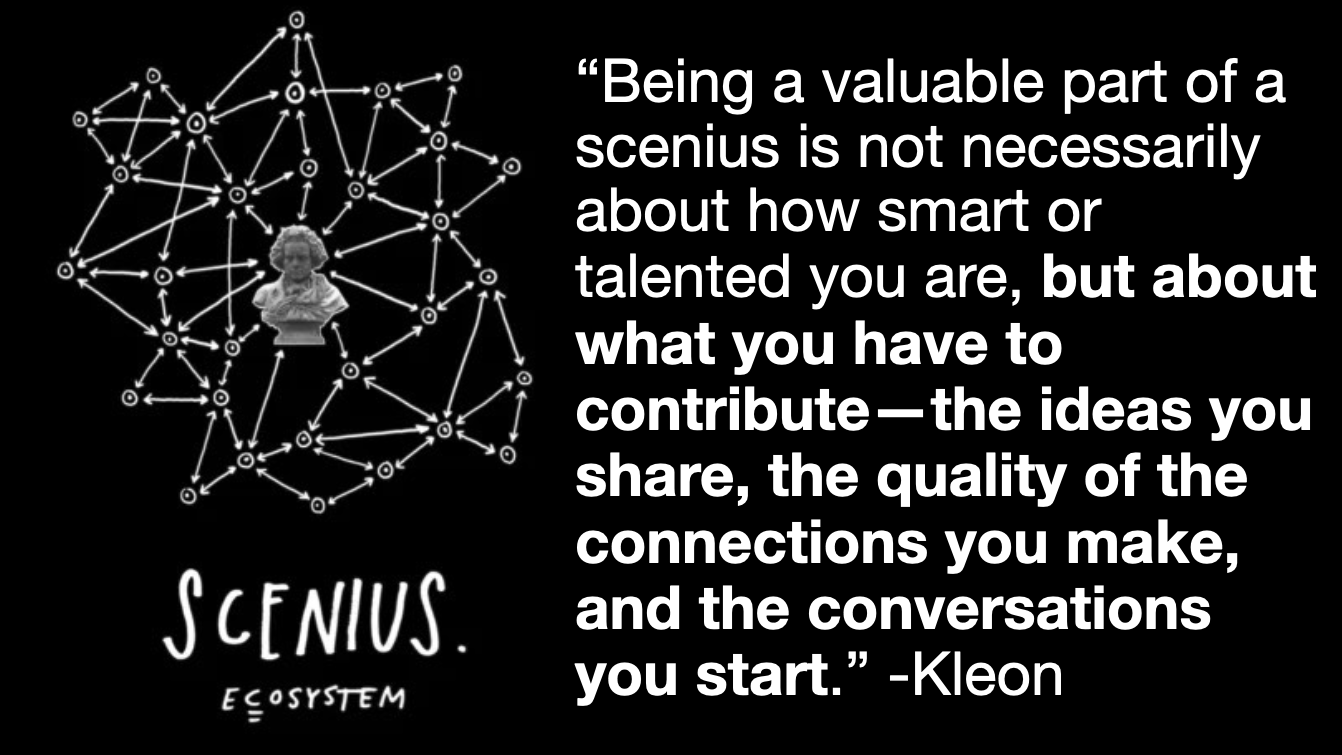
What I love about the idea of scenius is that it makes room in the story of creativity for the rest of us: the people who don’t consider ourselves geniuses. Being a valuable part of a scenius is not necessarily about how smart or talented you are, but about what you have to contribute—the ideas you share, the quality of the connections you make, and the conversations you start. If we forget about genius and think more about how we can nurture and contribute to a scenius, we can adjust our own expectations and the expectations of the worlds we want to accept us. We can stop asking what others can do for us, and start asking what we can do for others.
How do we grow Tampa’s scenius?
The short answer is: By showing up and participating in events like 813 Tech Day!
While the elements of scenius are in place for Tampa Bay’s tech scene, there’s still some way to go before Tampa can match places like Nashville (whose tech scene is biggerthanyoumightthink) never mind places like Austin, Charlotte, Indianapolis, and Raleigh.
The success or failure of Tampa’s tech scenius depends on us, the Tampeños who work in tech, creative, and related industries.
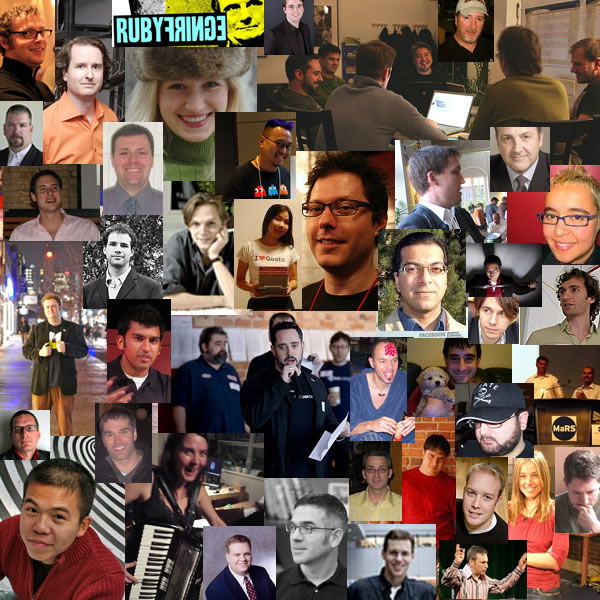
While the city did launch some initiatives to change this, what truly made the difference was Toronto’s own tech community stepping up and organizing. We held events of all sizes, from regular meetups and user group meetings at pubs and lecture halls to independent conferences like Mesh, RubyFringe and FutureRuby to tech “camp” events to big corporate gatherings put on by the likes of the Canadian subsidiaries of IBM and Microsoft. We built places to get together, from hackerspaces such as Hacklab.TO (where I met Chris Olah as a young teenager; he’d go on to co-found Anthropic)…
…and Site3 coLaboratory to the MaRS Centre. In my work as a developer evangelist for Microsoft, I’ve met many students at Toronto’s fine universities and colleges, and they’re eager to crank out the ‘wares, both hard and soft, and they’re bright as all get-out. We built a great community bound together by cooperation, a strong social media scene and good old-fashioned face-to-face meetings. We got stuff done, and the stuff we did traveled far and wide. We built Toronto’s tech scenius, and it put the city on the map.
Can Tampa do the same? I believe so; it’s just up to us.
And now, 813 Tech Day!
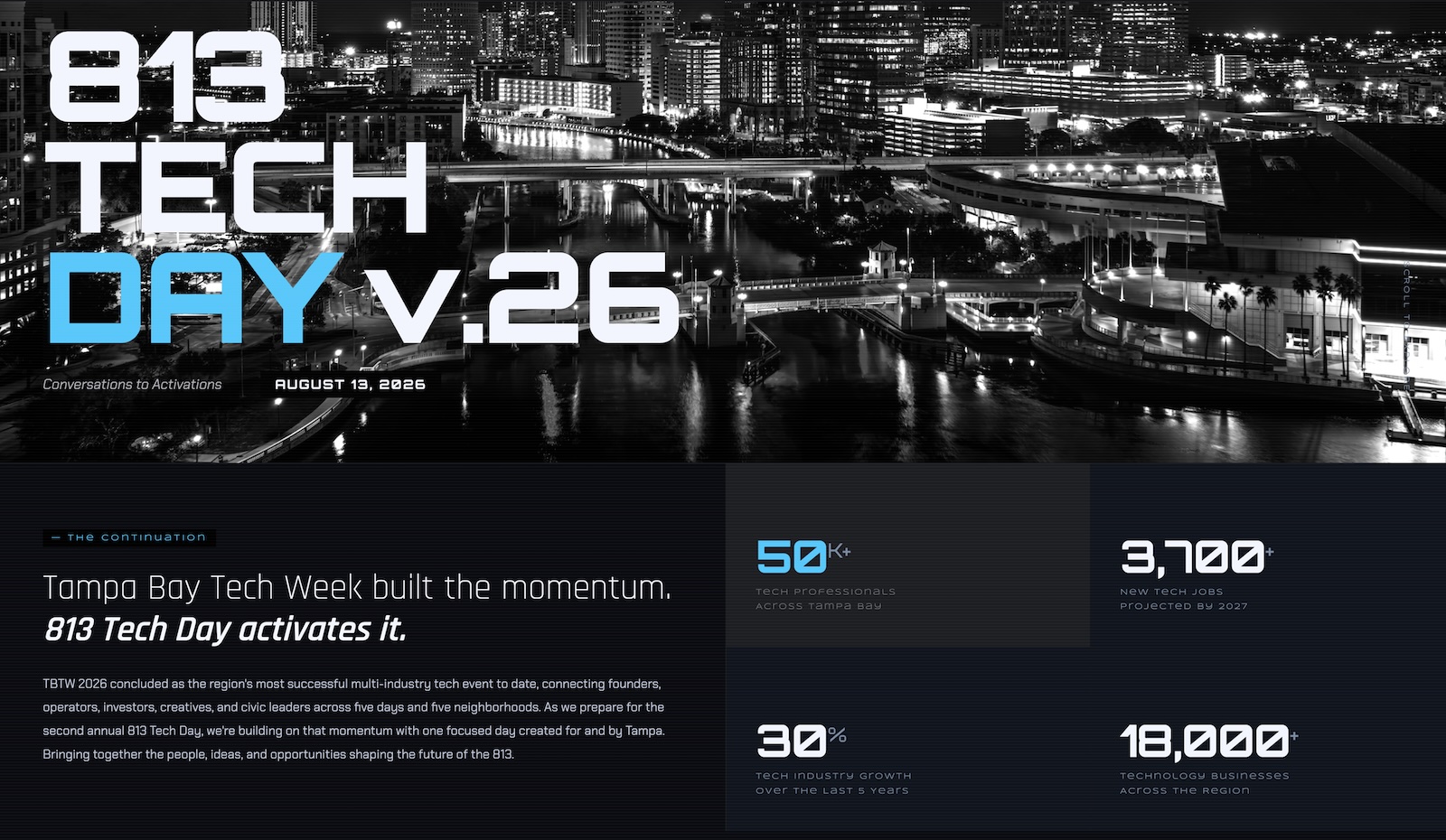
Thursday, August 13, or 8/13, is 813 Tech Day. Brought to you by the folks behind Tampa Bay Tech Week and 727 Tech Day, it’s one day of sessions, discussions, workshops, get-togethers, and networking for Tampa Bay’s tech community, held in Tampa.
There’ll be value in what the presenters show and what the panelists say, but the real gold will be in simply showing up and meeting other people you might not have otherwise met and gaining ideas and inspiration you might not have otherwise had.
Thursday, 8/13, is the day when we celebrate the techies and tech companies in the 813 area code: 813 Tech Day!
We recently celebrated the 727 area code, which covers Clearwater and St. Pete with a one-day, multi-event celebration of the area tech community, and on August 13th, we’re doing it again for the Tampa side of Tampa Bay. It’s being put together by the good people behind Tampa Bay Tech Week (with HyLo Innovation and W3RTech).
Are you in or near the 813 area code? Do you build systems or software for a living, or do you want to? Then you’ll want to mark Thursday, August 13 on your schedule and free it up for 813 Tech Day.
Vibe: Panels, hands-on workshops, a lot of open networking, and an evening that keeps going
813 Tech Day happens in different places at different times!
813 Tech Day moves around Tampa, and it’s both a feature that lets you see places you might not have seen before and a way for you to get your steps in:
Look, I’m a night owl and a musician, so I’m not likely to be at the Sweat in the City workout event at the start of the day (I tend to work out after my 10 a.m. standup with my NetFoundry teammates). But if you like early morning workouts and want to do one with the Tampa tech scene, go!
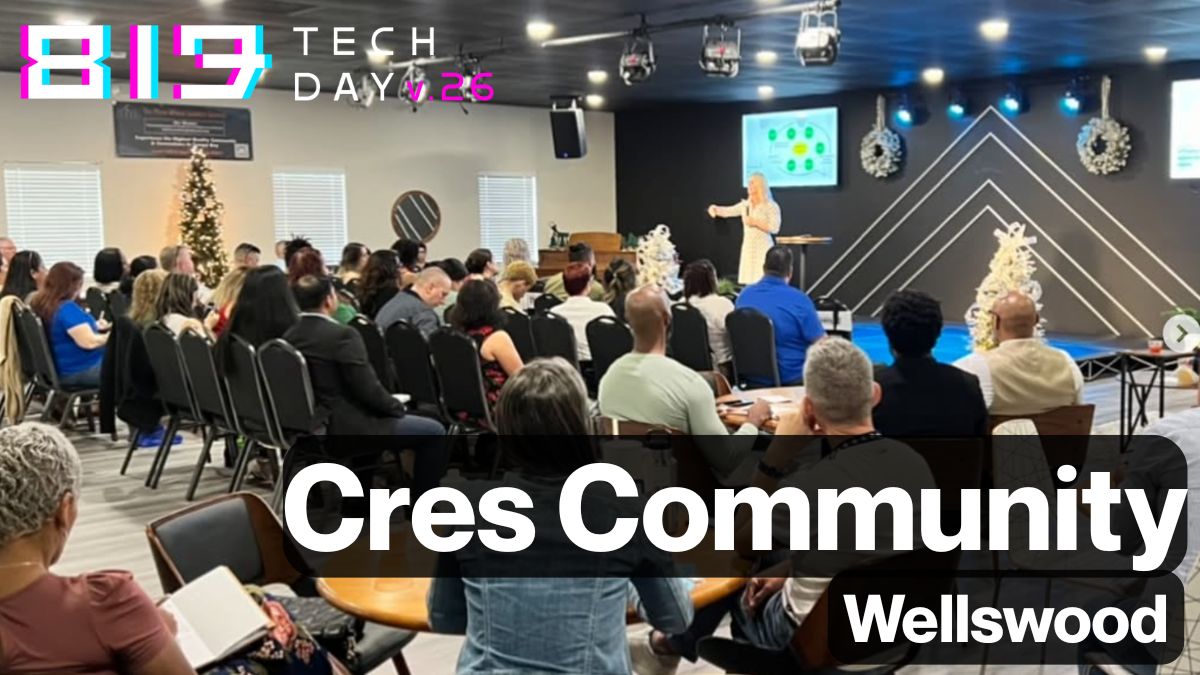
Many sessions in the first half of the day happens at Cres Community in the Wellswood area (Rome Ave., south of Hillsborough), a very comfy-looking business event space.
There’s also a big morning session at Hotel Haya in Ybor City, where the 813 Tech Day AI Meetup & Co-working event will take place. I’ll be there.
Then, in the afternoon, the sessions move from Cres Community to Hotel Haya.
Because this is basically a hometown game. 813 Tech Day crams the whole spread of Tampa Bay tech into one day and three venues, and the afternoon block at Hotel Haya is the real flex: cybersecurity in fintech, telecom/IT infrastructure resilience, and manufacturing workforce AI, back to back to back. Fortifying the Digital Frontier and Hyper-Connected Tampa are exactly the kind of conversations I show up for uninvited (don’t worry; I was invited). Zero-trust networking and infrastructure that doesn’t fall over are, not coincidentally, my day job.
The morning’s no slouch either. At Cres Community, there’ll be an AI-and-workforce panel, a founder mental health session that more conferences should be brave enough to program, and a healthtech partnerships talk that’ll be catnip if you’re anywhere near that space. If you like things more freeform, the 813 AI Meetup and Coworking event is happening at Hotel Haya, where I’ll be.
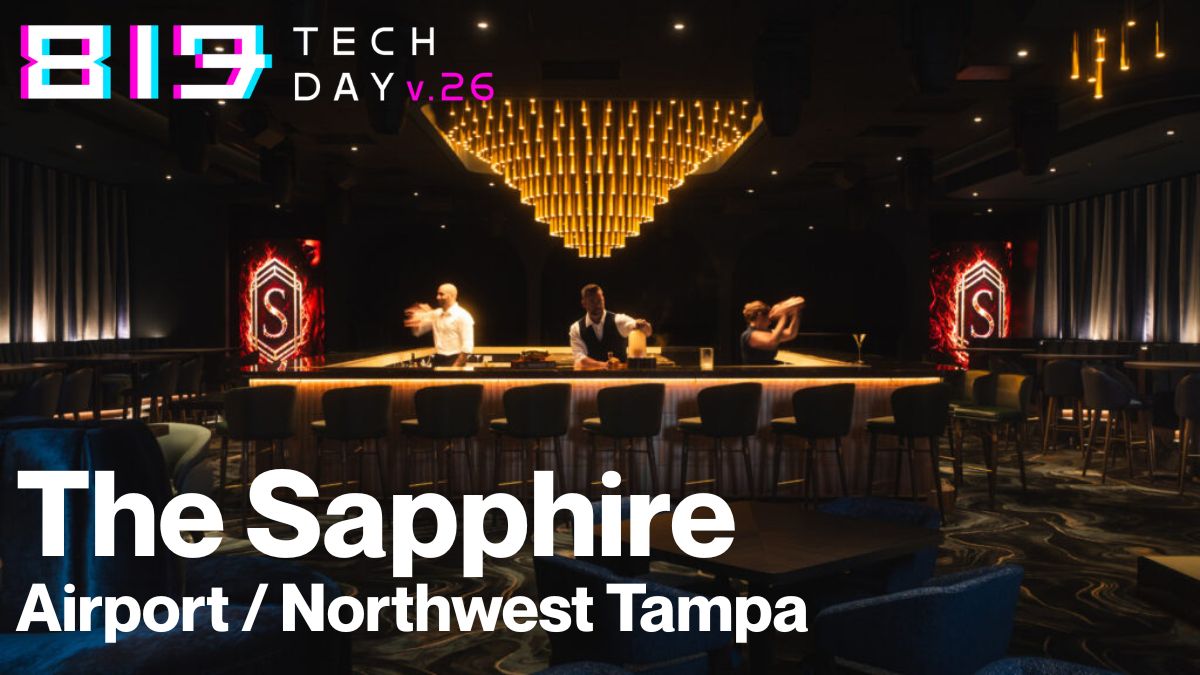
813 Tech Day wraps up at a place I’ve been meaning to check out: The Sapphire Tampa (a pretty stylin’ looking place in an unexpected location on Boy Scout Road) for a networking happy hour and a closing night that, judging by past Tech Week events, does not believe in winding down early.
I’ll be around all day; come say hi! I’m the one with the accordion energy and strong opinions about cybersecurity, AI, zero-trust networking, and the future of computing.
Monday, 7/27, is the day when we celebrate the techies and tech companies in the 727 area code: 727 Tech Day!
727 Tech Day is a one-day, all-in celebration of the St. Pete / Clearwater / Pinellas tech community, presented by the folks behind Tampa Bay Tech Week (with HyLo Innovation and W3RTech). If TBTW is the five-day, five-neighborhood sprawl, then 727 Tech Day as the encore focused on a single Tampa Bay county, with everybody in the same few rooms.
If you’re anywhere near the 727 and you build systems or software for a living, this is the easiest “yes” on your calendar this week.
The essentials
When: Monday, July 27, 2026
Where: Clearwater and St. Pete. It’s a venue-hop (details below)!
Vibe: Panels, hands-on workshops, a lot of open networking, and an evening that keeps going
727 Tech Day moves around the county!
This isn’t a sit-in-one-ballroom-until-4pm situation. The day migrates across Clearwater and St. Pete, which is either a feature or a step-count challenge depending on your mood:
Sunrise yoga on the rooftop at Station House to kick things off. Yes, yoga. At a tech event. Bring your own mat or grab one onsite. I’m told no other tech event in Florida opens like this, and I believe it.
Morning sessions at Collaborative Labs (over at St. Petersburg College).
Afternoon sessions at NOVA 535 in downtown St. Pete.
Happy Hour Networking at 4 PM at the St. Pete Athletic Club, with three hours of the good stuff (founders, operators, investors, community folks, all in one place).
Closing Night at 7 PM at The Estate, because “conversations to activations” apparently requires at least one iconic venue and a proper send-off.
Because this is our scene! It shows up best when we show up. 727 Tech Day is pitched as “no filler, no fluff”. The afternoon track alone, which is a build-something-real AI workshop plus three panels that all promise to separate signal from hype, is worth the trip. Add the networking window and the closing night, and you’ve got a full day of the people you actually want to run into.
I’ll be around. Come say hi! I’m the one with the accordion energy and strong opinions about zero-trust networking.
 Screenshot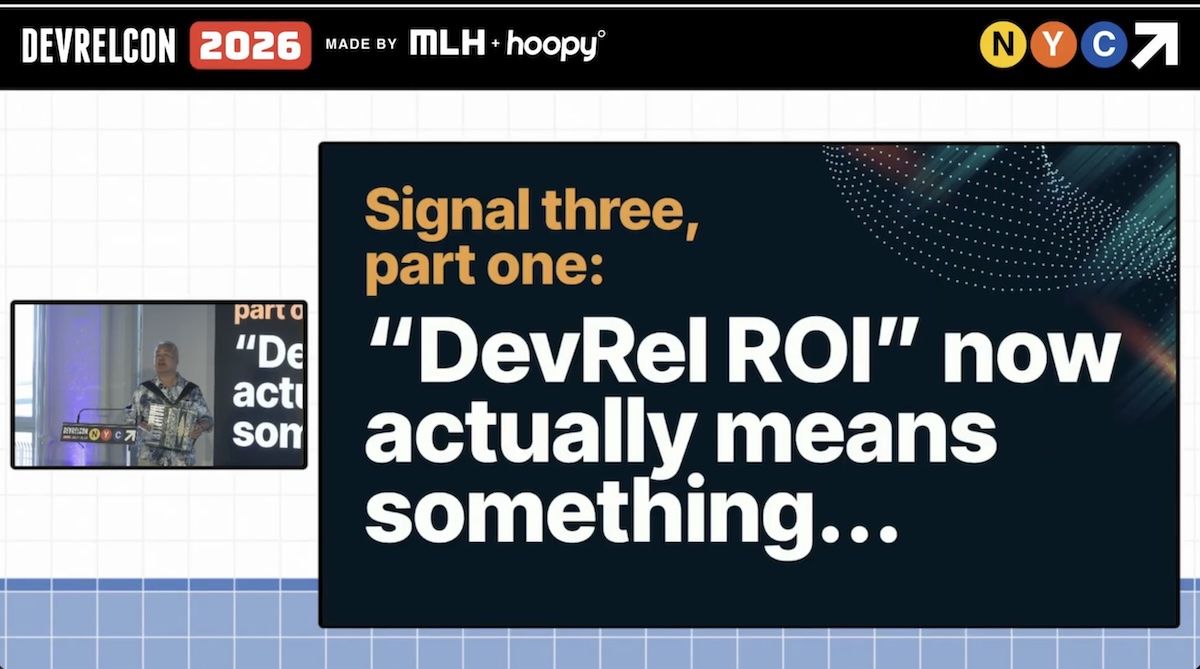
 Kansas City Developer Conference (KCDC)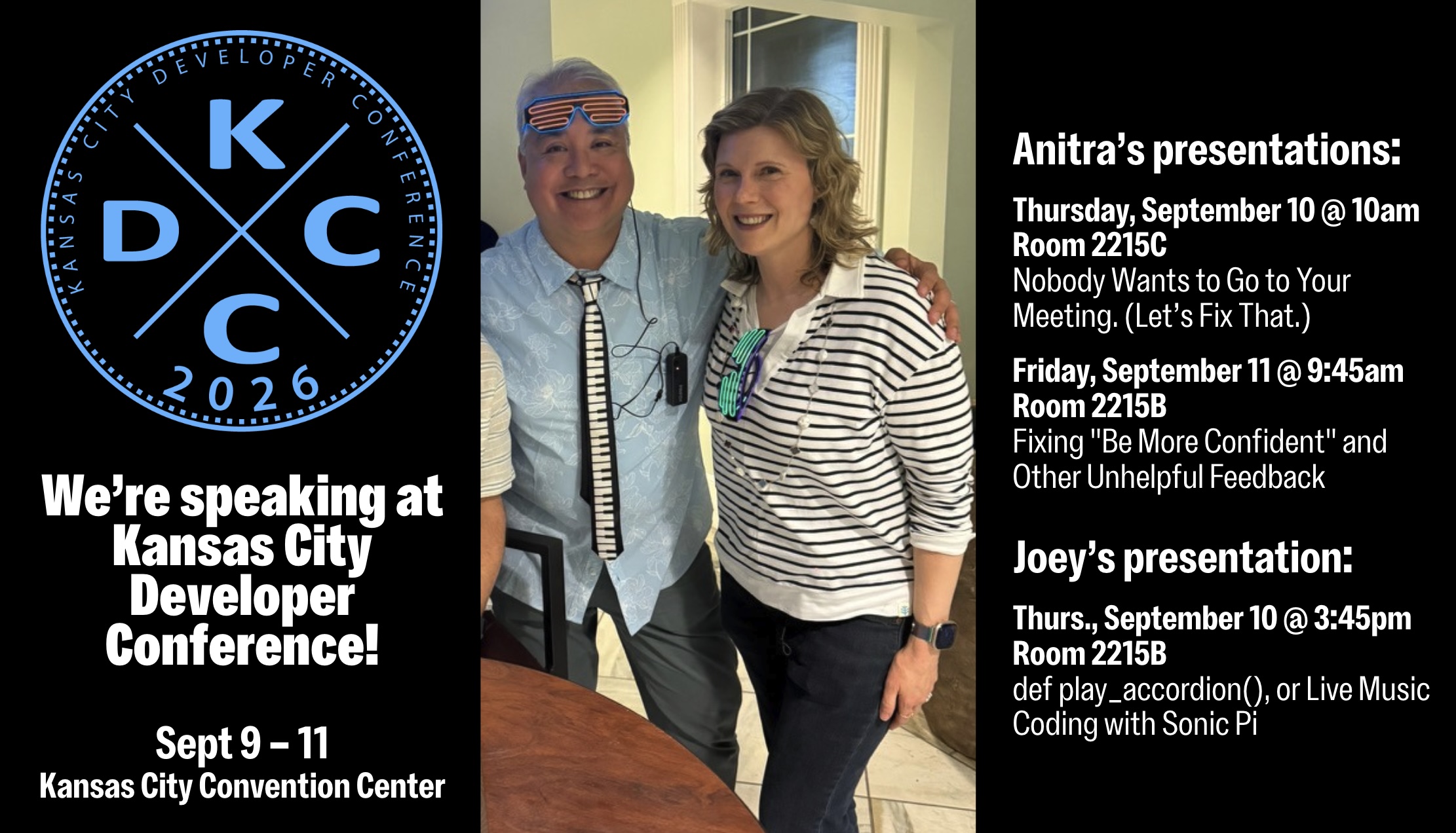








 813 Tech Day