In the past few days I’ve been revising the CSS compatibility table with information about the latest crop of browsers. There’s no doubt about it: this is IE9’s show. It just supports nearly everything. No hassle, no buts.
…
Microsoft has finally taken the big leap forward we’ve been waiting for ever since they announced their decision to restart IE development back in 2005.
IE9 promises to be an excellent browser. Its CSS support is now at par with that of the other browsers — although each browser still has its specific areas where it performs less. But we cannot in good faith say that IE is behind the others any more.
In the article, he does a run-down of CSS selectors and finds that the upcoming IE9 does an excellent job of supporting them.
I’ll post a more detailed write-up of the Make Web Not War conference later, but I thought that those of you who were there (or wished they were there) would like to see some photos as soon as possible. I’ve posted my photos at full resolution to my Make Web Not War Flickr photoset, which you can view either on Flickr or the slideshow above. The photos all have titles, and I promise I’ll finished the remainder of the descriptions over the next couple of days.
Sometimes, you have to do more than just start from scratch. Sometimes, you have to burn the boats.
“Burning the boats” is an expression that comes from a story – some say legend — about Cortes, the Spanish Conquistador (and yes, the subject of Neil Young’s Cortez the Killer). Wishing to guarantee that his men would stay in Veracruz (which he’d just taken over from the Governor of Cuba) and only move forward into terra incognita without retreat, he ordered them to burn the ships that brought them to the New World. It was an extreme measure, but without the distraction of a way home, they committed themselves completely to business of exploring and conquering.
In 1984, the Macintosh represented a break from the dominant paradigm at the time: the command-line interface. Back then, you’d issue commands to a program these ways:
Typing them in
Using control-key combinations
Using function keys
Using the arrow keys to navigate
Software developers at the time had little experience developing for GUIs, which meant that there would be great temptation for them to simply develop apps for the Mac the way they did for other platforms. The software they’d end up writing would be a command-line app that just happened to run on the Mac.
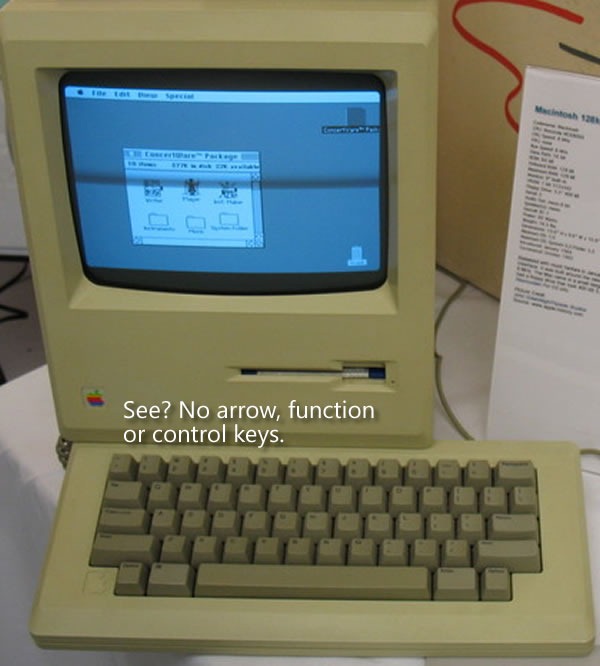
Steve Jobs and Apple’s Macintosh team, an unconventional bunch who were said to have nary a classical computer science degree among them, thought that existing software sucked. I was 16 at the time, and I’d have to agree. In order to prevent straight ports of existing software to the Mac, they decided to “burn the boats” and make it difficult for developers to “go home” and simply rely on the UI techniques from the Old World. The first Mac keyboards didn’t just omit the function keys, they also left out the arrow keys:
That was a big deal. Almost every application then in existence depended on the arrow keys (then called cursor keys) for navigation. With that one stroke, Steve reduced the number of apps that could be easily ported to the Mac from tens of thousands to zero, ensuring that this new computer would have a long and painful childhood.
It’s counterintuitive to want to have your creation go through a long and painful childhood, but there was a method to their madness. In “burning the boats” by getting rid of the function and arrow keys on which developers relied and taking away their “way home”, they forced developers to redesign and rewrite their applications to fit a mouse-driven graphical interface rather than a keyboard-driven command-line interface.
They eventually brought back the arrow keys about a year and a half later. By that point, developers had grown used to developing GUI apps that took advantage of the UI controls and mouse that we’ve come to know and love. The return of the arrow keys at that point would now be a welcome addition and convenience, rather than a dangerous temptation to return to “the old ways”.
It was a bold move, but when you’re making radical changes to the way things are done, bold moves are often required.
Windows Phone 7: No Copy and Paste
There’s been sometalk about Windows Phone 7’s lack of copy and paste. It’s similar to the hue and cry about the original iPhone’s lack of copy and paste, and having been reminded by Tog’s article about the design decisions made for the original Mac, I can see the method to Microsoft’s madness.
“Copy and paste already exists in Windows,” people have said, “why not Windows Phone 7?”
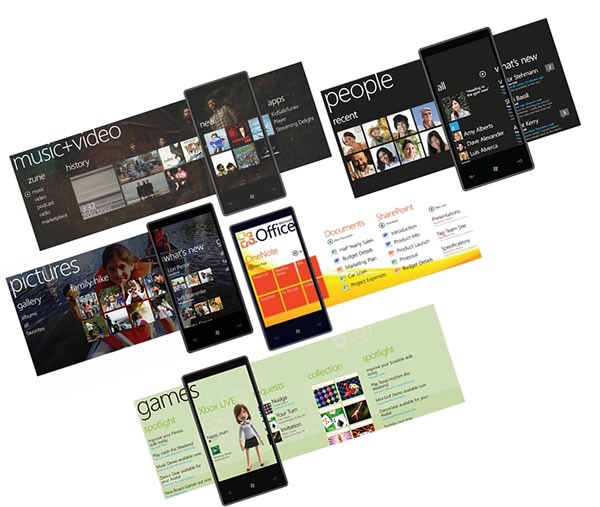
The answer is simple: because Windows Phone 7 apps aren’t supposed to be like Windows apps. For non-enterprise, non-industrial use, the “Windows, but scaled down” approach of previous versions of Windows for phones, which goes under the name Windows Mobile, didn’t catch on (Windows Mobile still rules the roost for compact devices used in enterprises and industries, and will be supported for years to come). Hence Albert Shum’s completely different-from-the-desktop, and even different-from-other-phones Windows Phone 7 interface, which went by the codename “Metro”.
The use of copy and paste implies a keyboard-centric user interface, which isn’t what Windows Phone 7 is about. People often use their smartphones one-handed, with only their thumb to access the touchscreen. Windows Phone 7’s interface takes this usage into account, which is why it’s sensor-centric, and applications, should get their information from touch, gestures, accelerometers, location and other sensors where possible. By not including copy and paste in the first release, the Windows Phone team is “burning the boats” and asking developers “How do you write apps so that they don’t need intricate more-suited-to-the-desktop operations like copy and paste?”
The same could be said for many other things that were purposely excluded from Windows Phone 7, such as the compact edition of SQL Server that was part of Windows Mobile. If you think about it, this design decision forces you to build apps so they store and retrieve data from the network, which makes sense, since phones are devices that network with both cellular and wifi.
Windows Phone 7 represents a radical shift in the way Microsoft stuff works, from a very minimalistic look to its task-centric organization. In order to make sure that people built apps that fit it, the Windows Phone 7 team had to burn the boats. It’s a bold move, but it’s the right one.
Should you not have two minutes free to watch the video, the take-away points from the interview are:
I really like ASP.NET MVC. It’s the way I choose to build web applications in .NET and it’s similar to other MVC frameworks like Ruby on Rails and Django.
Microsoft’s attitude to open source is that’s it’s not a threat, but an opportunity. We compete with other companies, not software movements.
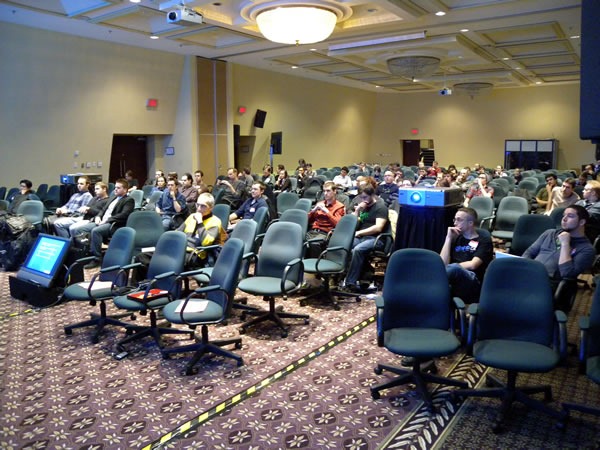
On Wednesday, a mere hour or so after the end of Day 1 of TechDays Montreal, came Career Demo Camp Montreal, a community event that combined presentations on job-hunting and career-building with demos of projects by Montreal-area developers.
What’s With All These “Demo” and “Camp” Events and Techdays?
For this year’s edition of TechDays, we decided to try something new. TechDays is a two-day cross-Canada conference taking place in seven cities – Vancouver, Toronto, Halifax, Calgary, Montreal, Ottawa and Winnipeg – and all the conference events take place during the day. There are no events scheduled for after 5 p.m., which means that on the evening of Day 1, the venues are ours – and unused. Since they’re already set up for presentations and it costs relatively nothing to hire an A/V tech for a few extra hours, we decided to make our venues open to local developer community events. We even lent a hand in helping put the events together.
This year, we opened our space to four such community events:
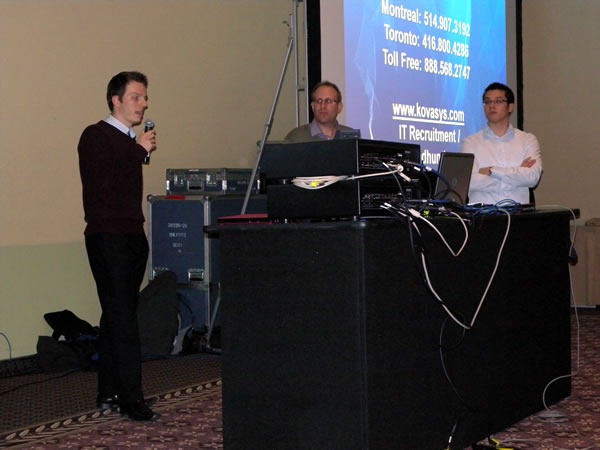
The evening began with Alex Kovalenko, Director of Operations at the tech recruiting company Kovasys. His presentation was all about what smart job hunters do, how to write a good tech resume, and the elements of a successful tech interview.
Alex was joined by a couple of his coworkers at Kovasys for the Q&A session, which included the question “What kind of salary can a PHP developer command in Montreal and Toronto? If I recall correctly, their answer what that in Montreal, they’ve seen a range of CDN$55k for starters to CDN $90k for leads. Salaries are 15% higher in Toronto, but with that comes a commensurate increase in the cost of living.
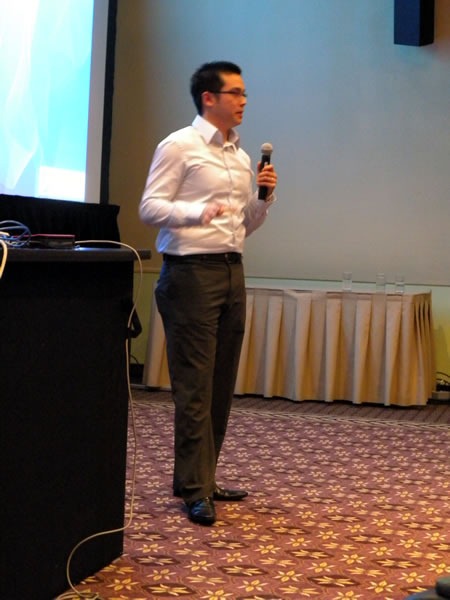
Next came my presentation, Better Living Through Blogging, in which I talked about how having a blog has improved my life in a number of way, not the least of which was to help land me the last four of my jobs.
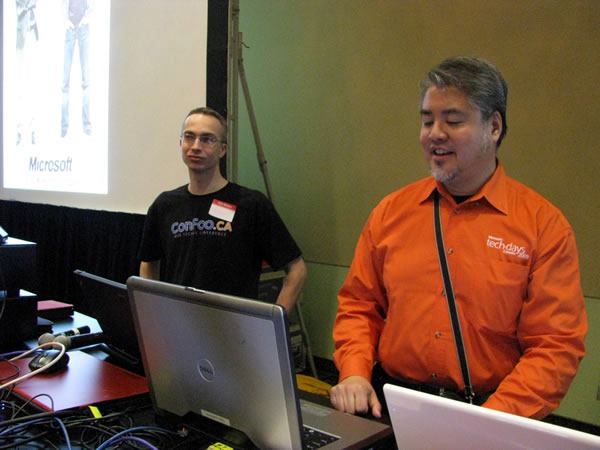
Blogs, I argued, were probably the most effective way for you to have control of your online identity and therefore to put your best foot forward to potential employers and customers. Among that stats and opinions I cited in the presentation were:
77% of recruiters surveyed by ExecuNet said that they use search engines to check out job candidates.
According to CareerBuilder.com, 1 in 4 hiring managers say that they use search engines to research potential employees.
SearchEngineWatch.com reports that there may have been up to 50 million proper-name searches in 2006.
Tim Bray, Director of Web Technologies at Sun: “If someone came looking for a senior-level job and had left no mark on the Internet, I’d see that as a big negative.”

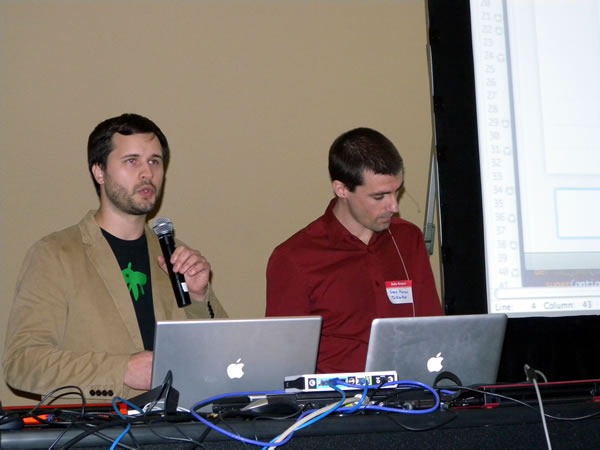
That was followed by a quick presentation by my coworker at Microsoft, Open Source Strategy guy Arun Kirupananthan, who used Dragon Ball Z as a metaphor for Microsoft (as Vegeta) and Open Source (as Goku) and how they can work together and talked about the Make Web Not War conference, which will take place in Montreal in May 2010.
“With a single click,” he said, “WPTouch transforms your WordPress blog into an iPhone application-style theme, complete with Ajax-based article loading and effects when viewed from an iPhone, iPod Touch, Android or Blackberry.”
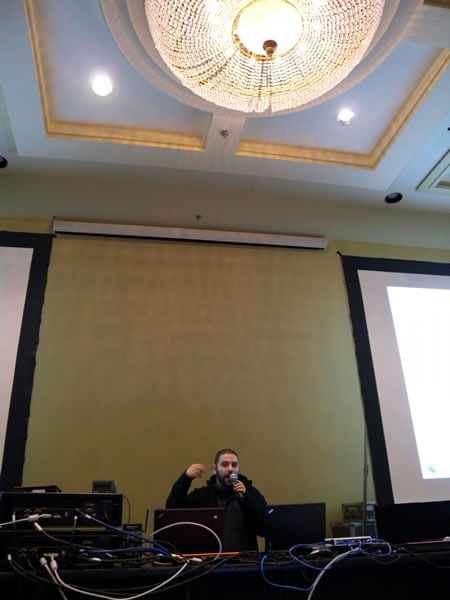
Next up: Patrick Lafontaine, MySQL developer and DBA:
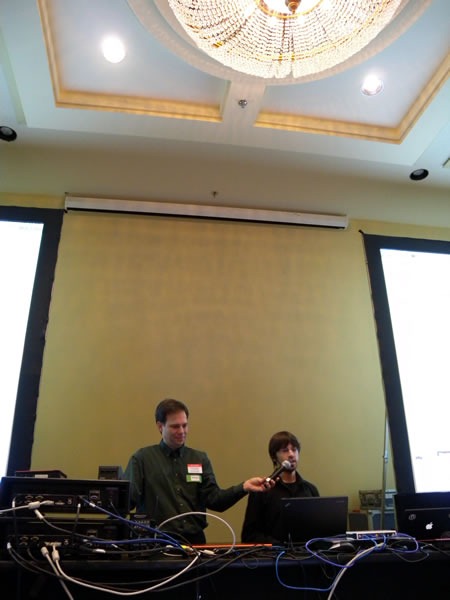
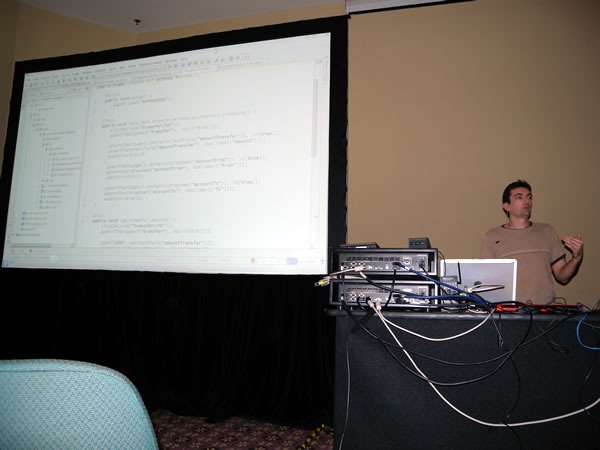
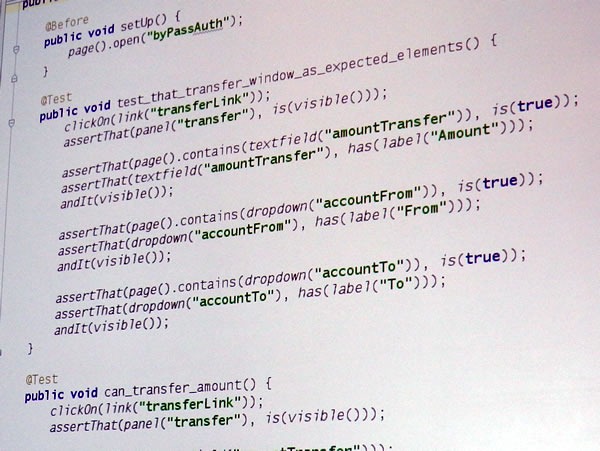
His presentation was on how to back up your MySQL databases effectively and for free-as-in-beer.
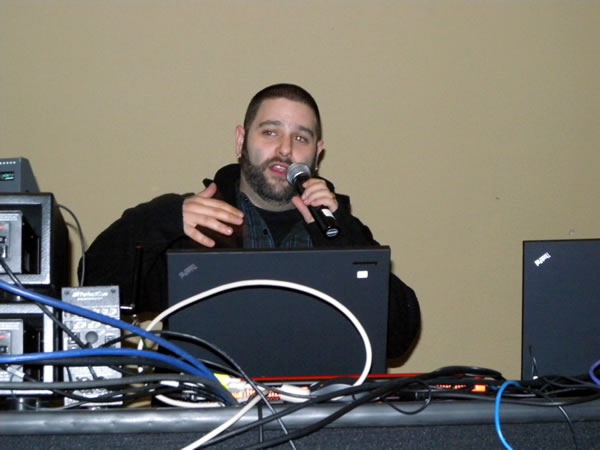
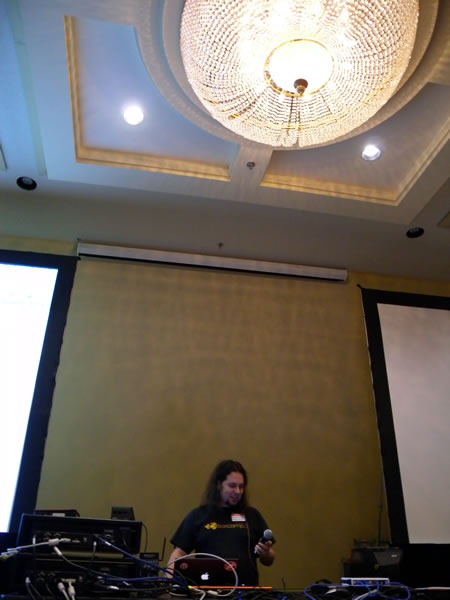
(I have to give Christian Beauclair kudos for volunteering to be his mic stand. It’s not easy holding a mic in a single position for ten minutes!)
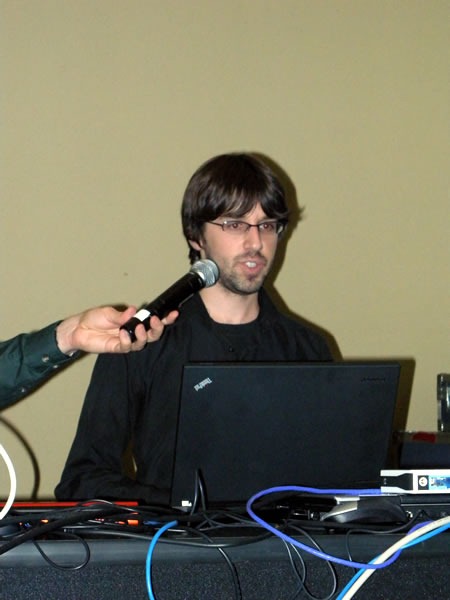
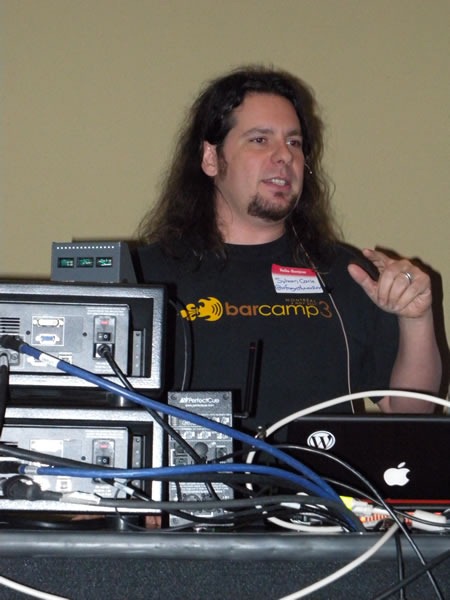
Sylvain talked about the Praized API, which lets you harness their “white label” local search platform fro finding people and services in your local community.
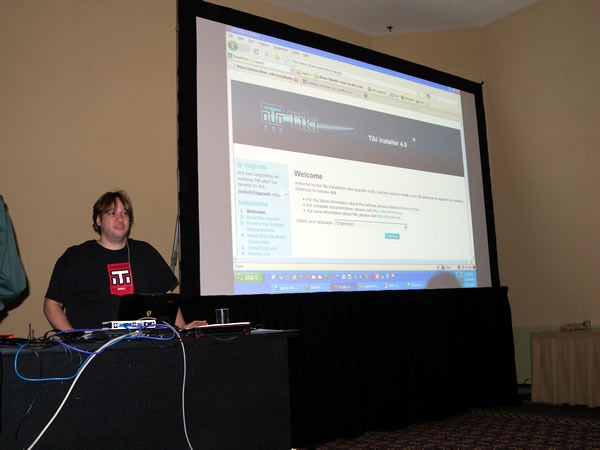
After Sylvain came Marc Laporte demoing TikiWiki, a Full-featured open source multilingual all-in-one wiki with content management and groupware features, written in PHP. It’s our plan to make TikiWiki one of the apps included in Microsoft’s Web Platform Installer:
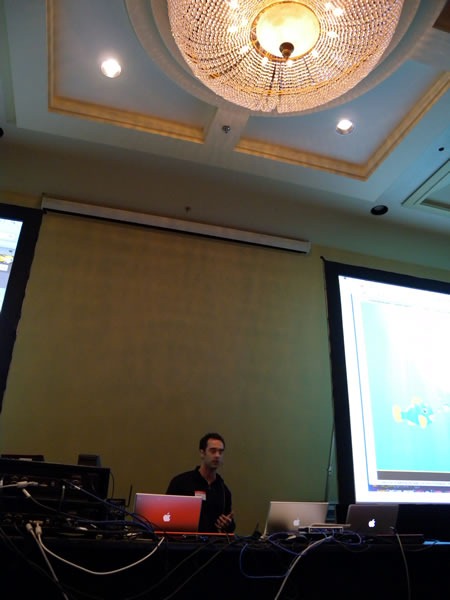
Bruno of DokDok did the next demo. DokDok is a way to share, track and version files of any size, and it’s done using an interface that everyone understands: email.
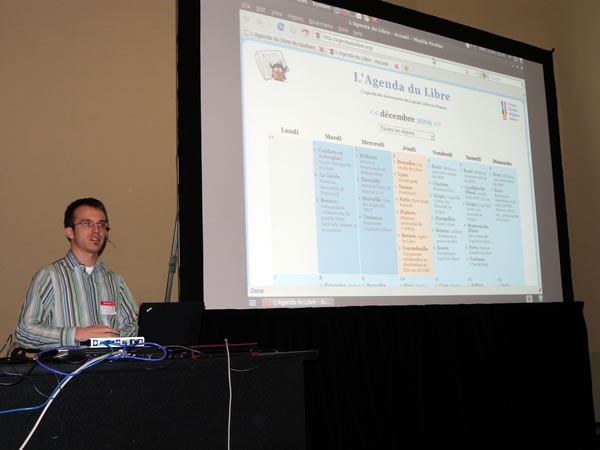
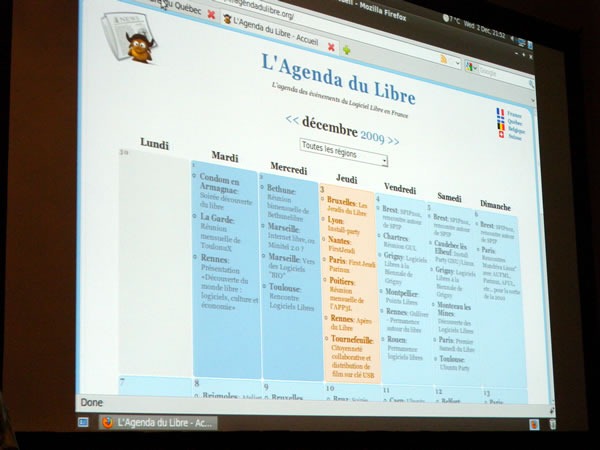
L’Agenda du Libre is an online calendar of Free Software events in Quebec and was implemented in Django in under 30 hours:
The Aftermath

This was the first DemoCamp-style event where the presentations were some presentations were done in English while others were done in French. I felt like a Family Guy character listening to Stewie Griffin during the French presentations: I got the general gist, but missed out on the subtleties. Guess I’m going to have to work on my French!
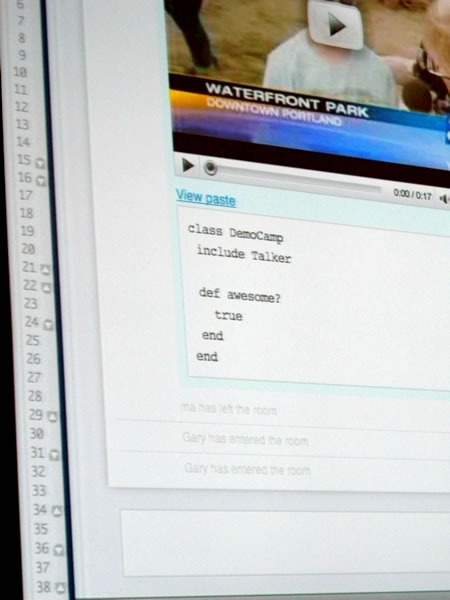
With the demos done, all that was left to do was to award an XBox 360 Arcade to the presentation that the audience liked most, based on their applause. Marc-Andre and Gary of Talker won, and in a very generous move, decided to donate it to the Salvation Army so that some kids who’d otherwise never get the chance would get a video game console this Christmas. Nicely done, gentlemen!
No DemoCamp-style event is complete without a trip to the pub afterwards, so about 35 of us moseyed down to the 3 Brasseurs on Avenue McGill College and St-Catherine, where Microsoft bought the first round of pitchers.
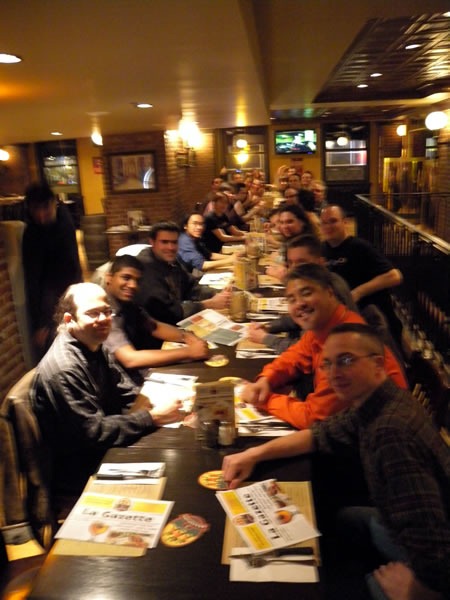
A few brave souls, Arun and I kept the party going at Benelux where we continued to chat and drink until 2 in the morning, after which I had to scurry back to the hotel in order to get some shut-eye for Day 2 of TechDays Montreal.
I’d like to thank the following people for Career Demo Camp Montreal a success:
All the presenters, for putting in the time and giving great presentations. It’s not possible without you!
Jean-Luc San Cartier and Yann Larrivee for helping us put it together on the Montreal community end.
Christian Beauclair for his invaluable assistance with the A/V setup.
Matthew the TelAV A/V guy for his work and for staying late.
TechDays head honcho Damir Bersinic for giving me the latitude to use TechDays’ space for community events.
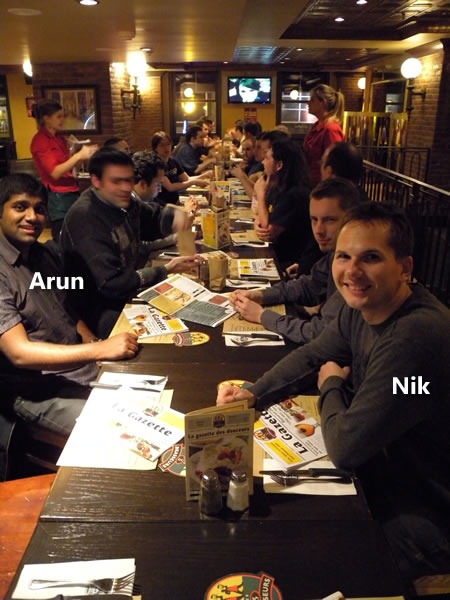
Microsoft’s Open Source Strategy team of Nik Garkusha and Arun Kirupananthan for helping to put this thing together on the Microsoft end.
(By the way, if you’ve got an open source project and are wondering what Microsoft can do for you, you’d do well to get in touch with Nik and Arun, shown below!)
This article also appears in Canadian Developer Connection.

I’m happy to see that the anonymous blogger at Mini-Microsoft is seeing the same “sea change” that I was betting on when I first joined not quite nine months ago. I agonized over the decision all through the interview process (six interviews over the period of a week), pored over articles, books and reports about the company and had phone, email and IM conversations with every Microsoftie I knew, all in an attempt to “read the tea leaves” and see if the company was sailing towards the future or stagnating in the Doldrums. While I saw some serious challenges (including a few that could induce serious facepalms), I saw opportunities to match. And with that, I signed my offer letter back in October, bought my red travel-sized accordion that same afternoon and declared myself a Sith Lord.
The painful-but-necessary process of correcting the company’s course is nowhere near done, but signs like the ones mentioned in the article are not only good news; they’re necessary. It’s like seeing that first drop in the numbers on the scale when starting a diet: while there’s still still a long way to go, it shows that you’re actually heading in the right direction, which encourages you to keep going. Just as vanishing love handles and better-fitting clothes the good signs that a dieter watches for, things like Windows 7, Bing, Silverlight and moves towards interoperability and open source are the good signs that I’ve been watching for. But yes, while we’re turning the corner, we have to watch out, ‘cause Steve Jobs might be waiting ‘round the bend, shovel in hand.
As with many companies and organizations, we’re at the start of a new fiscal year at Microsoft. Like the calendar new year, there was some looking back (as in my annual review, where it was concluded I rocked in my Rookie Year), but there was also looking forward, in the form of setting goals, on personal, team and company-wide levels. My big goal this year to contribute to that “sea change” that both the Mini-Microsoft blogger and I see, and in the process change the Microsoft, the tech world – and hey, why not the whole world? – for the better.
This would be a very good time to remind you, the Gentle Reader, that Global Nerdy is my personal tech blog and that the opinions expressed within are mine and mine alone. They are not necessarily those of my employer, Microsoft Canada, nor its parent company, Microsoft Corporation, nor or any other Sith Lords, Stormtroopers, Family Guy monkeys or any other agents of evil in the employ of said organization.
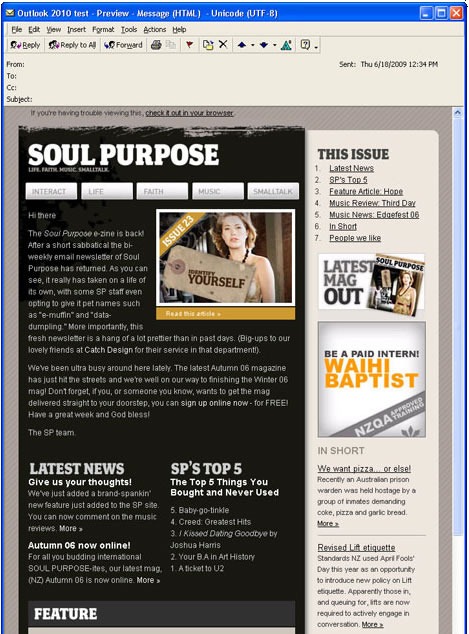
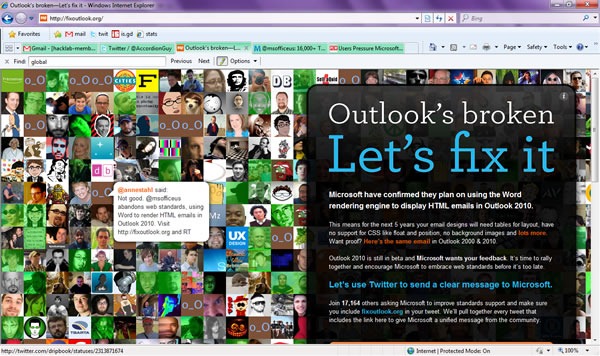
You’ve probably heard the buzz in TechCrunch: Here’s how a properly-coded HTML email, where HTML is used for content and CSS is used for presentation, appears in the version of Outlook that came with Office 2000:
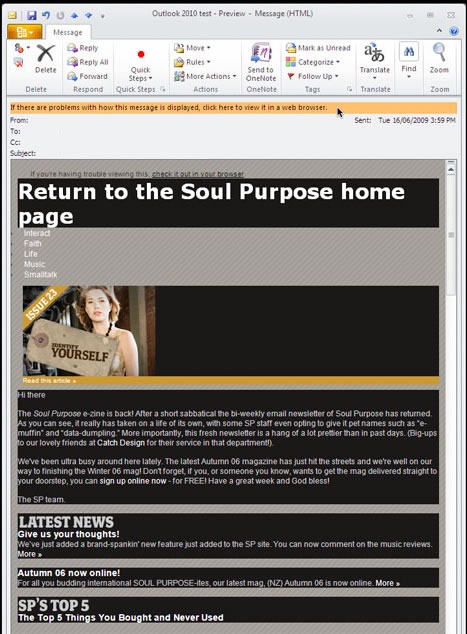
And here’s the same HTML email, with the same properly-formatted HTML, as rendered by the current version, Outlook 2007. It uses Word as the rendering engine, and Word will be the rendering engine for the upcoming Outlook 2010:
I understand why the empire wants Word-Outlook interoperability, which is why Word was chosen to be the HTML rendering engine for Outlook. But Word’s HTML renderer isn’t standards-compliant, which is why Outlook renders HTML in such a janky way. Outlook relies on old tricks such as using HTML tables for layout and other non-recommended ways of building web pages. IE8 plays by the rules, why doesn’t Outlook?
In my opinion, this is wrong. It runs counter to the spirit of interoperability, the embrace of open source and the following of standards that has accompanied the “sea change” within Microsoft (and it’s this sea change that help solidify my decision to join the company). I believe that it is in both Microsoft’s and the industry’s best interests for The Empire to be more standards-compliant.
(Besides, I just came back from presenting at a “Building Accessible Web Sites” conference where I told the audience to write compliant HTML. Damn right I’m going to push for everyone – Microsoft included – to do just that!)
If you’re interested in web design and development, you should attend Wednesday’s Make Web Not War conference. It’s being presented by Microsoft Canada and is about the how open source tools like PHP and Microsoft technologies like IIS and SQL Server 2008 can be used together to make great web sites and applications. No matter how much (or how little) Microsoft technology you use in your web development, there’s a lot to see at Make Web Not War!
Who’s Speaking?
We’ve got a number of speakers, each talking about some different aspect of the interoperability between Microsoft and open source technologies, as well as their experiences and lessons learned working in the web industry:
David Crow, Microsoft
David Crow is an emerging technology and start-up advocate. At Microsoft Canada, he is responsible for helping Canadian start-ups through programs like BizSpark (details at microsoft.com/bizspark). David helps companies understand emerging technology and design practices for creating compelling digital experiences. David focuses on helping companies to extend their customers’ reach with next generation technology for the desktop, digital devices, standards based applications for the Web, and rich media applications. He has been named Toronto’s Best Web and Tech Evangelist for his efforts in DemoCamp, BarCampToronto, Founders & Funders and StartupEmpire.
Mano Kulasingam, Digiflare
Mano Kulasingam is a founding partner and principal interactive designer /developer with Digiflare, focusing on presentation layer technologies like Microsoft Silverlight, Windows Presentation Foundation and SharePoint 2007. He also has several years of experience developing B2B and B2C eCommerce and Content Management Web applications using ASP.NET (2.0 and 3.5) and Visual C#. His design skills include working with the latest professional design tools including Microsoft Expression Studio 2, which has earned him a Microsoft Expression MVP nod. He is a co-founder and host of the Toronto Silverlight User Group.
Brendan Sera-Shriar, PHUG.ca
Brendan is a prominent member of FlashinTO, PHUG – Open Source Culture, has taught web design at Long Island University Brooklyn campus, and has been a professor at Seneca College in the School of Communication Arts for over 7 years. Brendan currently owns and operates BackSpaceStudios, a web company specializing in WordPress development, social media applications. He is also the founder of PHUG, an open source community for designers and developers with currently over 4000 members, faculty at Seneca College, and organizer for WordCamp Toronto 2009. Brendan has contributed to many open source projects including papervision3D, red5, Firefox, WordPress, and Drupal, just to name a few.
Stephen Nichols, Softcom
Under the brand myhosting.com we offer Shared and Virtual Web Hosting as well as Exchange 2007 and WSS hosting to customers around the world.
Stephen is Vice President of Sales at Softcom, a Gold certified Microsoft Partner based in Toronto and specializing in transactional hosting with a focus on the SMB market. His key role is to oversee the customer life cycle experience and drive new sales opportunities through the direct, affiliate and partner channels.
Yann Larivee, PHP Quebec
Yann Larrivée has been developing web applications for over 7 years and is currently offering PHP consulting services. In the past he has worked in many position from, project manager for a Linux consulting company to web architect for a well know company in the gaming industry. He also founded the PHP Quebec community in 2003 and organizes an international PHP conferences and an IT JobFair.
Get Windows Server 2008 R2 for Free!
Windows Server 2008 R2 is a great server operating system, and this is your chance to take it out for a spin! Bring a machine to the Make Web Not War Installfest – it could be a server, desktop or even a laptop – and we’ll walk you through the process of installing your own free copy (which is good for a year). Space is limited – we’ve only got room for 100 people, so sign up soon!
See the Utltimate FTW! Throwdown
The Ultimate FTW! Throwdown was a challenge pitting student developers against professionals to develop a new PHP-on-Windows app or port an existing PHP-on-LAMP app to run on Windows Server with IIS. There were even bonus points for apps that made use of SQL Server as their database!
We took in a bunch of submissions, and the judges have narrowed it down to two finalists, one student, one professional:
In the professional corner is Dac Chartrand, whose submission is Sux0r, a content-management system incorporating blogging, RSS aggregation, bookmark repository and photo publishing, all with a focus on naive Bayesian categorization and probabilistic content. The extra Bayesian/probabilistic goodies allow Sux0r to auto-categorize its content and users to train it to categorize better.
His student opponent, Carson Lam, submitted Transit DB, which aims to transform the way commuters interact with public transit information system. The application is Carson’s answer to the question “How can we provide a modern, clean and user-friendly interface for transit data in cities?” The current version covers public transit for the Metro Vancouver region.
Dac and Carson will be competing for bragging rights and cold hard cash – may the best project win!
We don’t want to do all the talking at Make Web Not War, we also want to hear from you!
That’s why, when you arrive at the event, one of the first things we’ll do is hand you an AVW-TELAV audience response doohickey. It’s a microphone for the Q&A sessions at the end of each presentation, but it’s also an instant audience polling device for quick surveys that we’ll have throughout the day.
Chill Out
All work and no play makes you a dull and burned-out web designer or developer, which is why we’ve also got a lounge where you can just hang out, meet the speakers, ask me questions about Microsoft’s web tools and tech and play XBox games.
Win prizes
We’ve got all sorts of prizes that you can win throughout the day, from software to books to trainign courses to Zune media players to XBox games to a brand new laptop.
Get Fed
Yup, we’re providing breakfast and lunch. You can’t conference on an empty stomach!
Okay, How Much to Attend?
Around this much:
Instead of charging a standard admission, we’re charging a “Donate what you can” rate, with all proceeds going to PREVNet.ca, an anti-bullying group. The suggested donation is a mere $10.
When and Where?
Once again, Make Web Not War takes place this Wednesday, June 10th and runs from 8:30 a.m. to 5:00 p.m.. It’s happening in Toronto at Ryerson University’s Ted Rogers School of Management (55 Dundas Street West – that’s Dundas between Bay and Yonge, right by the Best Buy and Canadian Tire). There’s parking aplenty in the area, and it’s right by Dundas Station on the Yonge/University/Spadina subway line.
The Make Web Not War event in Toronto takes place in exactly one week! We’ve been spreading the word about the event and I thought I’d do my part by helping out with a video, accordion-style:
There’s only one mistake in the video – “accordion” is misspelled. If you’d like the follow me on Twitter, the correct ID is AccordionGuy, not AccordianGuy.
The “sea change” that’s been going on at Microsoft for the past little while is one of the things that convinced me to join the company and one of the factors in their even asking me to come in for a job interview. One of the most telling signs of this sea change is in Microsoft’s new approach to open source and web, with initiatives like the Open Source Lab, improved standards support in IE8, PHP on Windows, the Web Platform Installer and Open Source Initiative-approved MS-PL license, to name a few.
We know that the web is a big salad bar of various technologies put together by different vendors and organizations, and at long last, it seems that we’re cool with that. We’ve been reaching out to web developers of all stripes, from Microsoft “true believers” to people who don’t typically build their stuff with or on our stuff.
Make Web Not War is an event being held in Vancouver on June 2nd and Toronto on June 10th where we invite people building solutions on the web – whether you build on Microsoft tech or not – to get together and:
Hear from people who build on open source and Microsoft technologies
Network with other web developers living and working in your area
Learn about the latest Microsoft technologies and how they work with open source
Get technical training to build your web development portfolio
Win prizes and get your Web Warrior DVD featuring all the latest Microsoft Web Resources
The Vancouver event takes place today, June 2nd at Microsoft’s Vancouver office (1111 W. Georgia, 11th floor). It’s a half-day event featuring a presentation by Morten Rand-Hendriksen from Pink and Yellow Media as well as breakfast, a web partner community showcase and a lunch social.
The Toronto event takes place on Wednesday, June 10th at the Ted Rogers School of Management (use the entrance at 55 Dundas Street W.) and runs from 8:30 a.m. to 5:00 p.m.. It’s a full-day event with presentations by:
The Toronto event will feature breakfast, keynote, web partner community showcase, another keynote, lunch, breakout sessions, a Windows Server 2008 InstallFest, a web developer technical session and the FTW! competition final showdown. It’s be a very full day.
The registration fee for both the Vancouver and Toronto events is “donate what you want”, with a suggested donation of CAD$10. The money will go to a good cause: PREVnet.ca, the anti-bullying network.
I’m doing a lot of running around today. First, I’m off to the University of Waterloo to talk to students about PHP on Windows and the PHP FTW! contest. Then, it’s back to Toronto, where I’m headed downtown to catch up with Garrett Serack from Microsoft’s Open Source Software Lab to talk about The Empire, Open Source (which includes PHP, of course) and how they fit together. If this sounds like a conversation you’d be interested in joining, drop me a line!
To give you a taste of what Microsoft is doing with PHP, I present the slides from Garrett’s talk, PHP on Windows: The Undiscovered Country, which he gave last year. Things have advanced since then, but I thought it would give you an idea of what The Empire is thinking and where we’re going with PHP on the Windows platform:
Among Windows 7’s Release Candidate 1’s Best New Surprise Features in Gizmodo are the funky (and quite unexpected!) new desktop backgrounds that come with “the Vista that should’ve been”. I have a couple of favourites. One is the one below, which is reminiscent of one of my favourite videogames of all time, Katamari Damacy:
I also like the one below. Can anyone tell me which bridge or road is depicted in the photo?
This one’s a long one! You might want to get yourself a beverage or snack.
This week is Windows Mobile Incubation Week, a “jam session” taking place at The Empire’s Silicon Valley branch, where startups are invited to learn about Windows Mobile from Microsoft’s gurus and pick up some tricks from mobile industry gurus and venture capitalists. They’re also challenged to build Windows Mobile apps during the week, with prizes being awarded to winning participants. Admission to Mobile Incubation Week is free-as-in-beer; all you have to do is scrounge up the cash to cover your trip to the Valley and find a couch to crash on at night.
Even as a Sith Lord with Imperial backing, I don’t have the travel budget to get down to Silicon Valley to catch this event, and it’s likely that you don’t either. That doesn’t mean that you have to miss out on Mobile Incubation Week. I’ll be linking to all the blogs covering it and I’ll also be posting articles covering different aspects of Windows Mobile Development, some technical, some tactical. I hope it piques your interest in Windows Mobile; perhaps it might even get you started building apps for Windows Mobile phones.
In this first article, I talk about mobile development over the past few years (with a little detour into my own experiences) and the way I see the current state of Windows Mobile.
My First Mobile App
Back in early 2001, I bought a PalmOS-compatible Handspring Visor Platinum for $99 from my then-coworker at OpenCola, Steve Jenson. He’s always had ridiculous amounts of hardware in his house:
I used it regularly, but never got around to writing applications for it until early 2002. That’s when a number of companies building P2P software during the Bubble 1.0 era imploded and when OpenCola unceremoniously laid me off. I decided to put up my “consultant” shingle, and thanks to the network of contacts I’d built as OpenCola’s Developer Relations guy, it didn’t take long for me to dig up some clients.
A friend of mine who was now working for a big drug company’s ad agency asked if I could write a questionnaire app for PalmOS handhelds. It wasn’t anything too complicated: just give the user (who could either be a doctor or a patient) a series of questions and provide a response at the end based on their answers. The tasks seemed simple enough, and despite the fact that I’d never written a Palm app before, I took the job.
(For those of you new to the industry, you’ll find that that you will often be asked to do things that you’ve never done before or aren’t 100% sure you can do. One of the valuable skills that comes with experience is figuring out how far you can stretch yourself and your abilities with a project.)
I’d seen a couple of articles on developing for PalmOS in C, and they looked like more work than they were worth. An app that was made up of a single button that read “Hello World” took 3 or 4 pages of code to implement, most of which was what I call “preamble” – a lot of setup code and “scaffolding” to support the app, way more code than for the actual app itself. My client seemed to be testing the waters of Palm apps, so I figured I’d be asked to make lots of changes to the app along the way. I needed something that would let me build and modify Palm apps quickly.
My plan was to build the app with NS Basic/Palm, a Visual Basic-like development system for PalmOS. I’d heard about it before, and as an added bonus, they were based right here in Toronto. I picked up a copy directly from their offices in the morning, and by the end of the afternoon, I had a functioning version of the app. By the end of the next day, I had it polished. The day after that, I showed my work to the client, and a week after that, they cut me a cheque.
I thought I’d make a career for myself as a PalmOS developer, but after that initial success, no other clients approached me about building a Palm app for them. That was a bit of a disappointment; unlike many of my friends, who wanted to build system- or network-level software, I wanted to build software for people. I figured that the best platform for people-oriented software would be a computer that you had in your pocket with you all the time.
The Underused 1995-Era Computer in Your Pocket
One of the things that I noticed while building Palm apps in 2002 was that the machine specs were like the specs for desktops back in 1995, when I was building CD-ROM-based multimedia apps with Mackerel Interactive Multimedia. The desktops of 1995 had processor speeds in the double-digit megahertz, RAM in the single-digit megabytes and limited, if any, access to the internet – just like 2002-era PalmOS devices.
At the same time, there was a class of devices that was beginning to emerge – the smartphone, which combined the connectedness of mobile phones with the computing power of PDAs. The problem was trying to get apps onto them.
Back in late 2003, when I was just getting started as Tucows’ Tech Evangelist, I wrote an article grumbling about the state of mobile development. In spite of the fact that smartphones had the power of PDAs, the market for mobile apps seemed like a ghost town. There was a mish-mash of all sorts of mobile platforms, installing apps on your mobile form was more complicated than it should’ve been, and the telcos seemed to be doing their level best to keep apps off of phones, using the need to “keep the phone network secure” as their excuse.
“Imagine how far behind we’d be,” I wrote back then, “if we had to get our computer vendor’s permission every time we installed a new program on our desktops. That’s what it’s like for mobile apps.”
The Best Gaming Phone, 5 Years Ago
Near the end of 2003, this phone was supposed to be the thing that brought mobile gaming to the masses:
It was the Nokia N-Gage. There’s a good reason you probably never owned one, nor did anyone you know. While it had some decent specs, it was a pain for both developers and users alike:
Pain for the developers: Not just anyone could develop for the N-Gage. You had to apply for permission to do so, which required you to have a track record of mobile game development, which probably ruled out a lot of potential developers in 2003. There was also the matter of the fee that you had to submit while applying for the privilege of being an N-Gage developer: the non-trivial sum of 10,000 Euro.
Pain for the users: The buttons were notoriously bad – they used phone-grade buttons as opposed to game controller-grade ones, which made for a less-than-optimal gaming experience.
More pain for the users:Here’s how Brighthand described the process of loading a game onto the N-Gage: “"In order to put a game into the system, you have to turn the phone off, take the back cover off, remove the battery, slide out the existing game, put the new one in, put the battery back in, replace the back cover, hold down the power button for several seconds, wait for the system to boot up, open the main menu, select the game, open it… And then your game starts loading."
Even more pain for the users: The N-Gage sometimes suffered from “The White Screen of Death”, a phenomenon where your phone would spontaneously reboot thanks to a memory management issue arising from a design flaw. The fix was a firmware upgrade, for which Nokia decided to charge users.
I thought that the N-Gage had all kinds of portable personal computing uses, both for gaming and beyond, but there was no way I could develop for it. Besides, the telcos were still pretty adamant about not letting just anyone develop for smartphones.
So my plans to take on mobile development stayed shelved a little longer.
Predictions are Hard, Especially About the Future
Depending on where your loyalties, sympathies and platform preferences lie, you’re going to find the following headlines either LMAO-hilarious or stool-softeningly cringeworthy. Maybe it’s because I’m still a relatively new at Microsoft (I’ll have been there six months a week Monday), but I laughed and cringed at these headlines that vaingloriously predicted that The Empire would dominate the smartphone market:
“Dominate Smartphones in Three Years”, huh? Here’s what happened a mere two years later:
In the space of two years and one day, we’d gone from Microsoft triumphantly declaring that Windows Mobile would own the smartphone market to Microsoft’s most famous evangelist (well, former evangelist by that time) doing a victory pose at the Apple Store because he’d managed to get his paws on one of the first iPhones.
A good chunk of the iPhone’s success comes from Apple’s incredible marketing machine, but a bigger factor is that great products are their own marketing. The iPhone combines a great user experience and a centralized store, but far more important was the feeling that you were using something that was designed to be both beautiful and fun, not feasting on the table scraps thrown to you by a company who’d rather be making stuff for Fortune 500 executives.
The iPhone formula seems to be working. According to Kevin Tofel of the mobile device blog JK On the Run, Apple sold 3.3 million iPhones in 2007 and handily beat that sales figure in 2008 with 11.4 million, making them the mobile phone vendor that gained the most ground that year.
And Now, the Good News
It’s not all bad news for Windows Mobile or people who want to develop for it. For starters, Windows Mobile still represents a sizeable chunk of the mobile phone market. 18 million Windows Mobile licenses were sold in 2008, and they were sold to four out of the five largest mobile phone manufacturers in the world (in case you were wondering, Nokia is the holdout). LG has signed on to put Windows Mobile on 50 of its smartphone models. All told, that’s a big hardware ecosystem on which to deploy your mobile apps.
The smart moves that The Empire has been making with its various platforms, from Windows 7 to the web to XBox 360 to cloud computing, are also beginning to show in the form of Windows Mobile 6.5 (slated for release this year) and Windows Mobile 7 (due next year). The UI has been vastly improved; a lot of the UI lessons and ideas from Windows 7, XBox 360 and Surface seem to have made their way in:
And yes, there will be support not just for client apps that run on your WinMo phone, but Widgets – mini-web apps that run in a browser with just a border and no interface controls, a la Windows widgets or the iPhone’s web apps:
Paired with the improved user experience is an online store accessible from your Windows Mobile phone:
…and you still have the freedom to not use Windows Marketplace to sell your apps. I cover why that’s a good thing in the next and final section of this article.
The iPhone App Store is the only legal way to distribute iPhone apps, whether you’re selling them or giving them away. As a developer, you submit your applications to the App Store for review, and in around seven days, after which you are told whether your app has been accepted or rejected.
If your app is rejected, are you told the reasons why? Here’s Pete’s answer to that question:
The people doing the reviews for the App Store are a toxic mix of Victorian-era prudish and Kafka-esque:
…and you can forget writing any David Mamet / Quentin Tarantino themed-apps:
…and that’s not just “no swearing” in your apps; that’s also “no swear words” in any search results your app returns. Consider the problem faced by one hapless app developer:
They’re also kind of uptight about certain novelty apps, such as the one that makes it look as though you’ve shattered your iPhone’s screen:
When you submit your app for review, whatever you do, don’t put any joke items in the feature list. One developer, when submitting an updated version of an app (yes, you have to submit updates for review) threw in a joke item in the feature list: more dragons! Here’s the response from the App Store review board:
The rest of Pete’s presentation was built around bypassing the App Store’s reviewer monkeys by building your iPhone apps as single-use browsers that were hard-wired to the web application where your app lived. That’s a workable solution for some apps, but not if you want to make use of the resources built into the iPhone.
While the Windows Mobile Marketplace might have a review board for legal purposes, it’s not the only way to distribute your apps. You can also make them downloadable from your site, meaning that you can distribute your screen-breakin’, hard-cussin’, dragon porn Windows Mobile app without The Man steppin’ on your throat.
Now isn’t that nice?
Next
In the next installment, I’ll provide a quick-and-dirty intro to writing your own Windows Mobile apps.