A lot of the drudgery behind assembling the “Tampa Bay Tech Events” list I post on this blog every week is done by a Jupyter Notebook that I started a few years ago and which I tweak every couple of months. I built it to turn a manual task that once took the better part of my Saturday afternoons into a (largely) automated exercise that takes no more than half an hour.
The latest improvement was the addition of AI to help with the process of deciding whether or not to include an event in the list.
In the Notebook, there’s one script creates a new post in Global Nerdy’s WordPress, complete with title and “boilerplate” content that appears in every edition of the Tech Events list.
Then I run the script that scrapes Meetup.com for tech events that are scheduled for a specific day. That script generates a checklist like the one pictured below. I review the list and check any event that I think belongs in the list and uncheck any event that I think doesn’t belong:
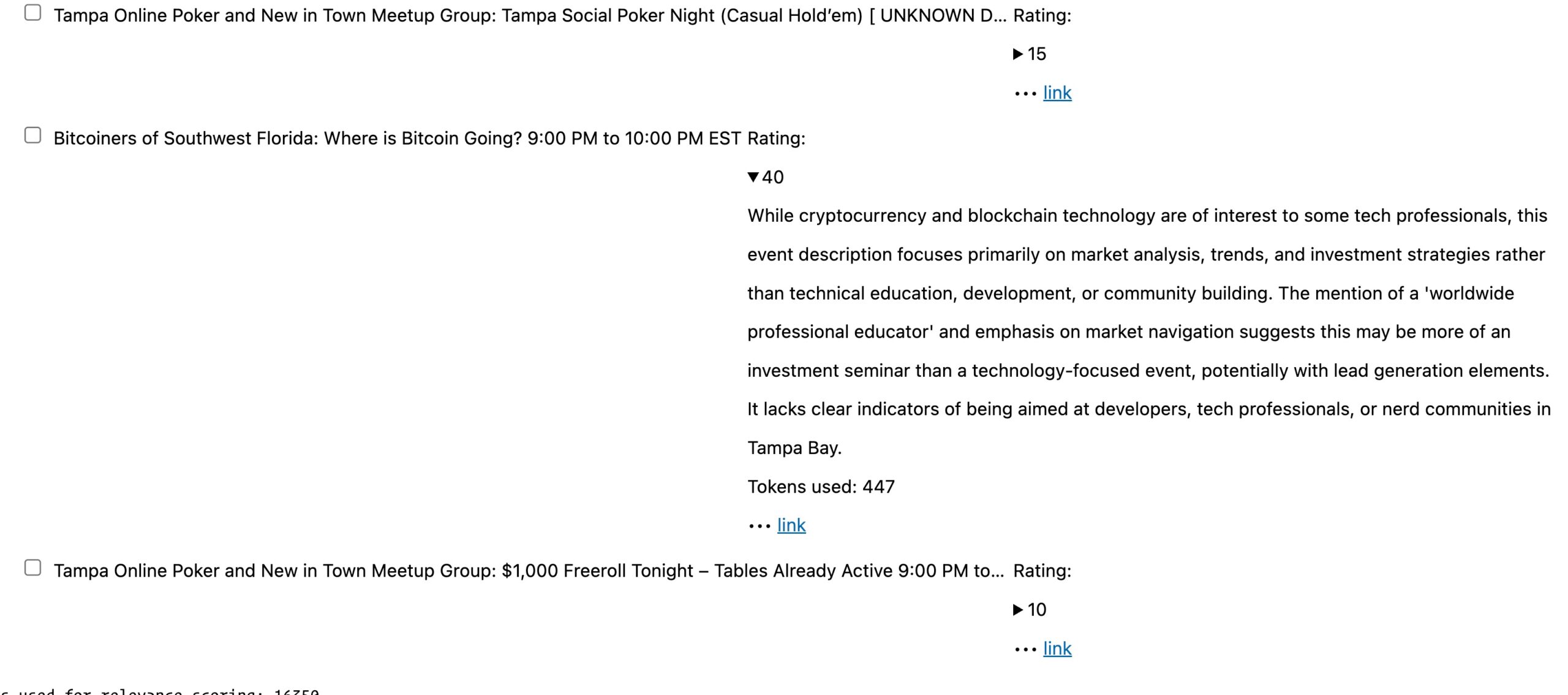
In the previous version of the Notebook, all events in the checklist were checked by default. I would uncheck any event that I thought didn’t belong in the list, such as one for real estate developers instead of software developers, as well as events that seemed more like lead generation disguised as a meetup.
The new AI-assisted version of the Notebook uses an LLM to review the description of each event and assign a 0 – 100 relevance score and the rationale for that score to that event. Any event with a score of 50 or higher is checked, and anything with a score below 50 is unchecked. The Notebook displays the score in the checklist, and I can click on the “disclosure triangle” beside that score to see the rationale or a link to view the event’s Meetup page.
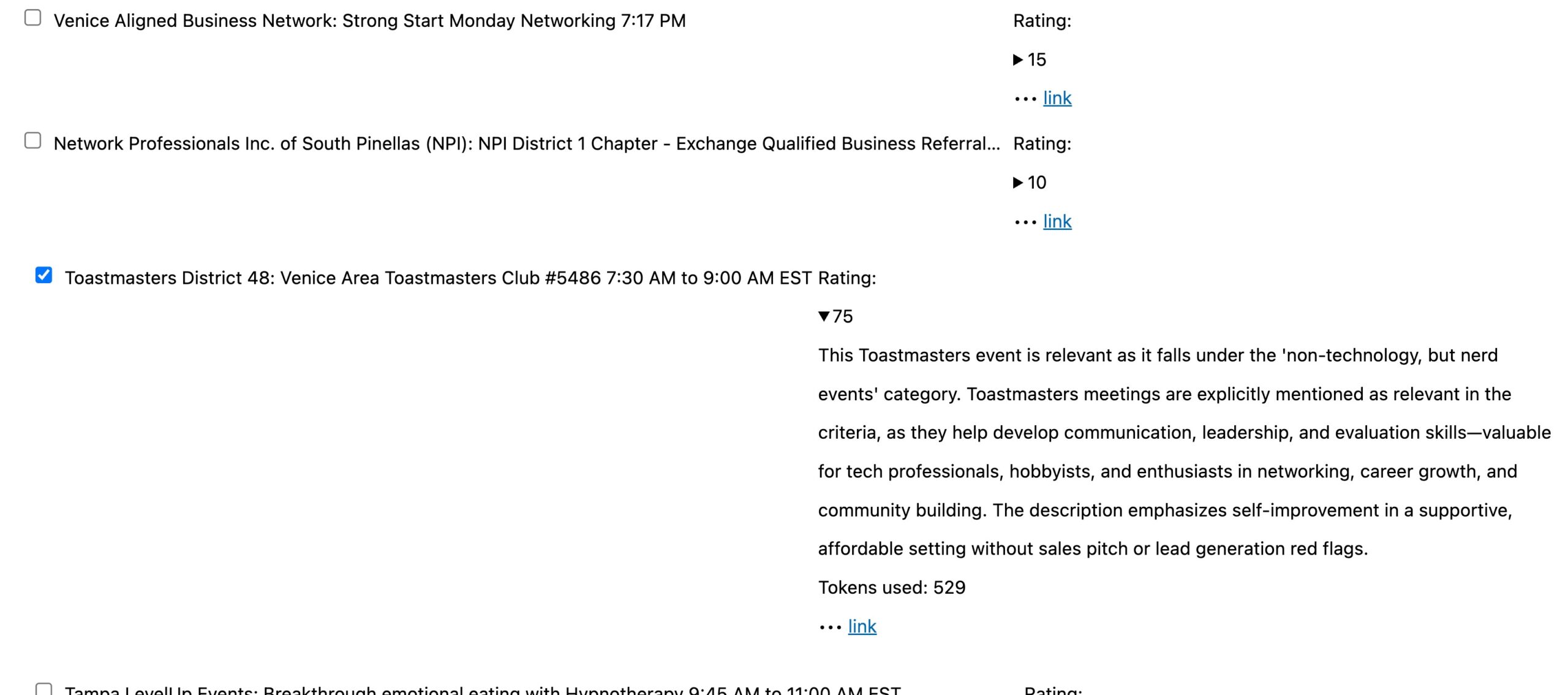
In the screenshot below, I’ve clicked on the disclosure triangle for the Toastmasters District 48 meetup score (75) to see what the rationale for that score was:
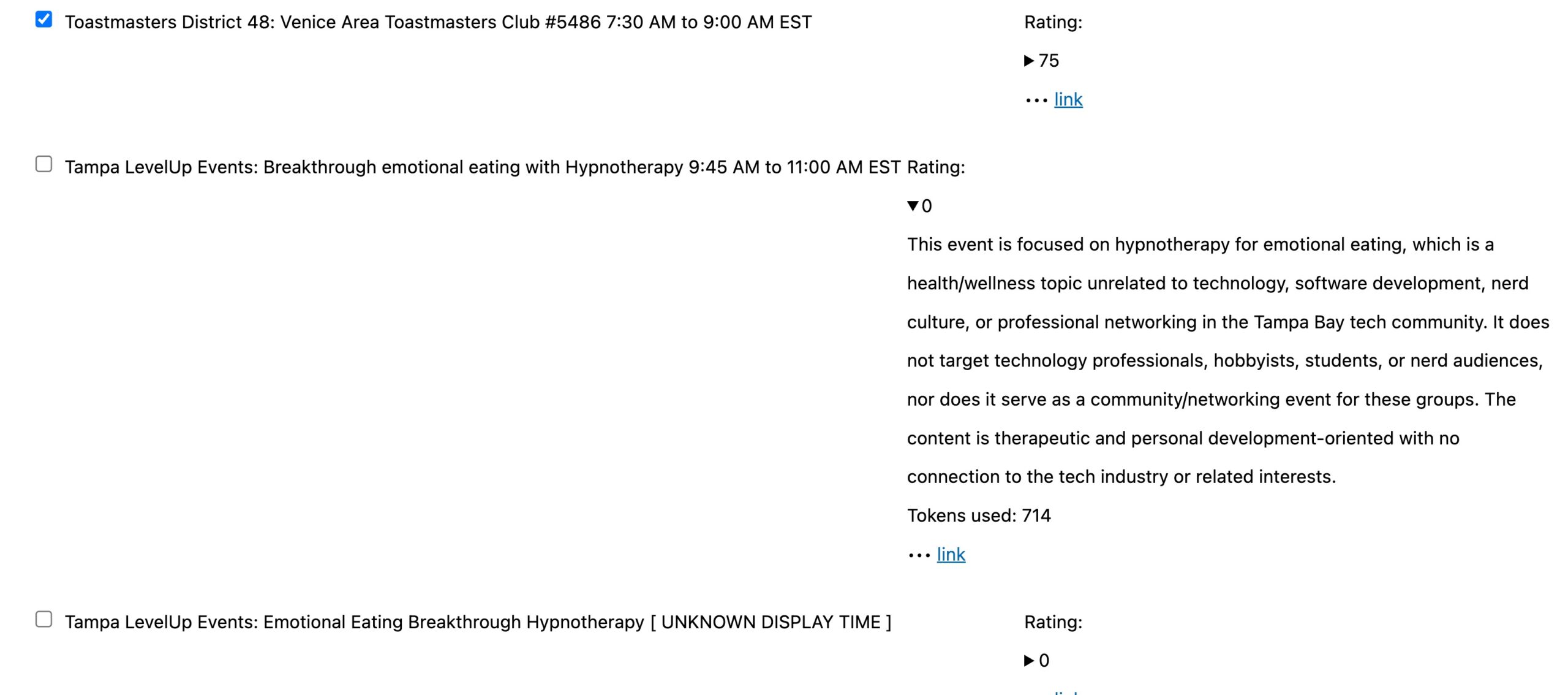
For contrast, consider the screenshot below, where I’ve clicked on the disclosure triangle for Tampa LevelUp Events: Breakthrough emotional eating with Hyponotherapy. Its score is 0, and clicking on the triangle displays the rationale for that score:
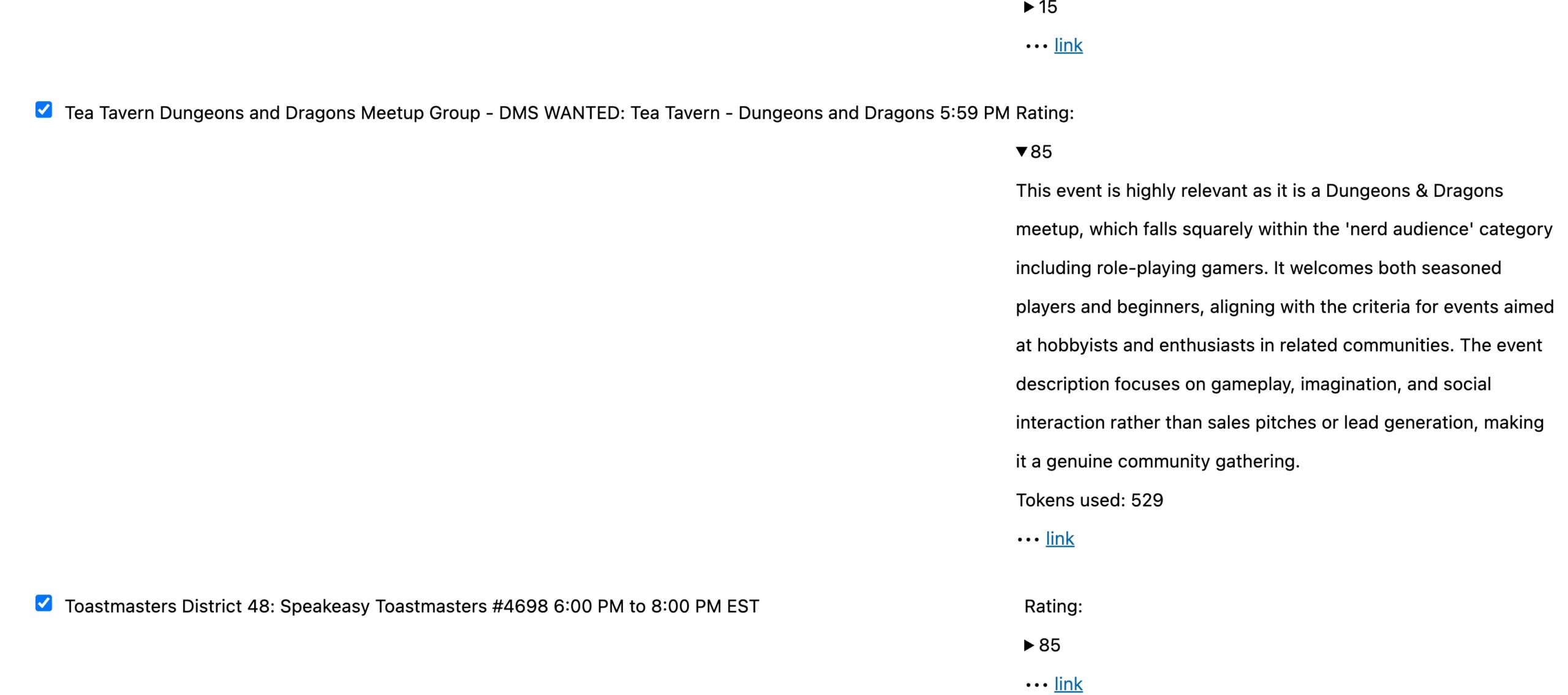
One more example! Here’s Tea Tavern Dungeons and Dragons Meetup Group, whose score is 85, along with that score’s rationale:
I don’t always accept the judgement of the LLM. For example, it assigned a relevance score of 40 to Bitcoiners of Southern Florida:
Those of you who know me know how I feel about cryptocurrency…

…but there are a lot of techies who are into it, so I check the less-scammy Bitcoin meetups despite their low scores (there are questionable ones that I leave unchecked). I’ll have to update the prompt for the LLM to include certain Bitcoin events.
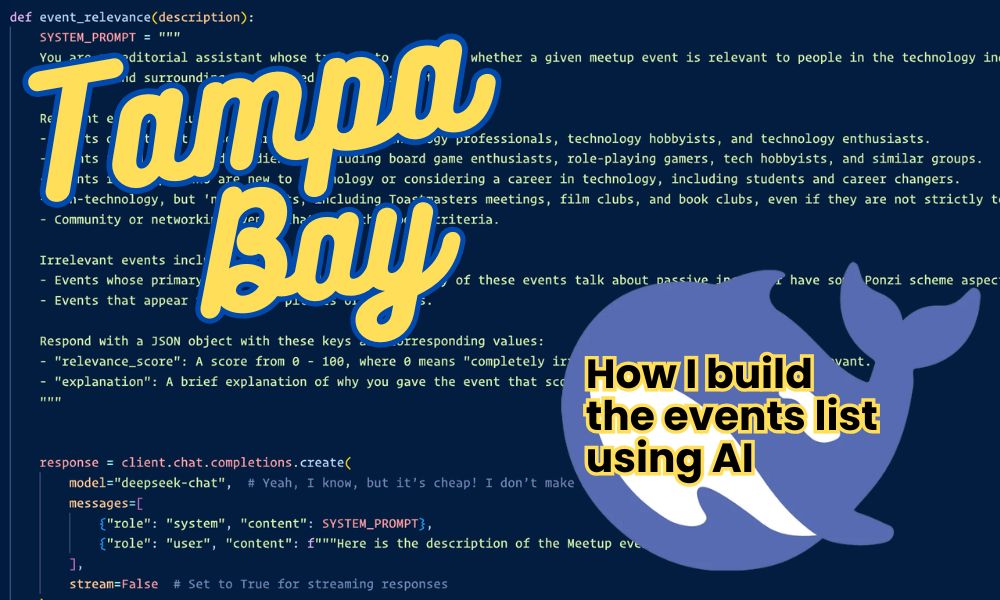
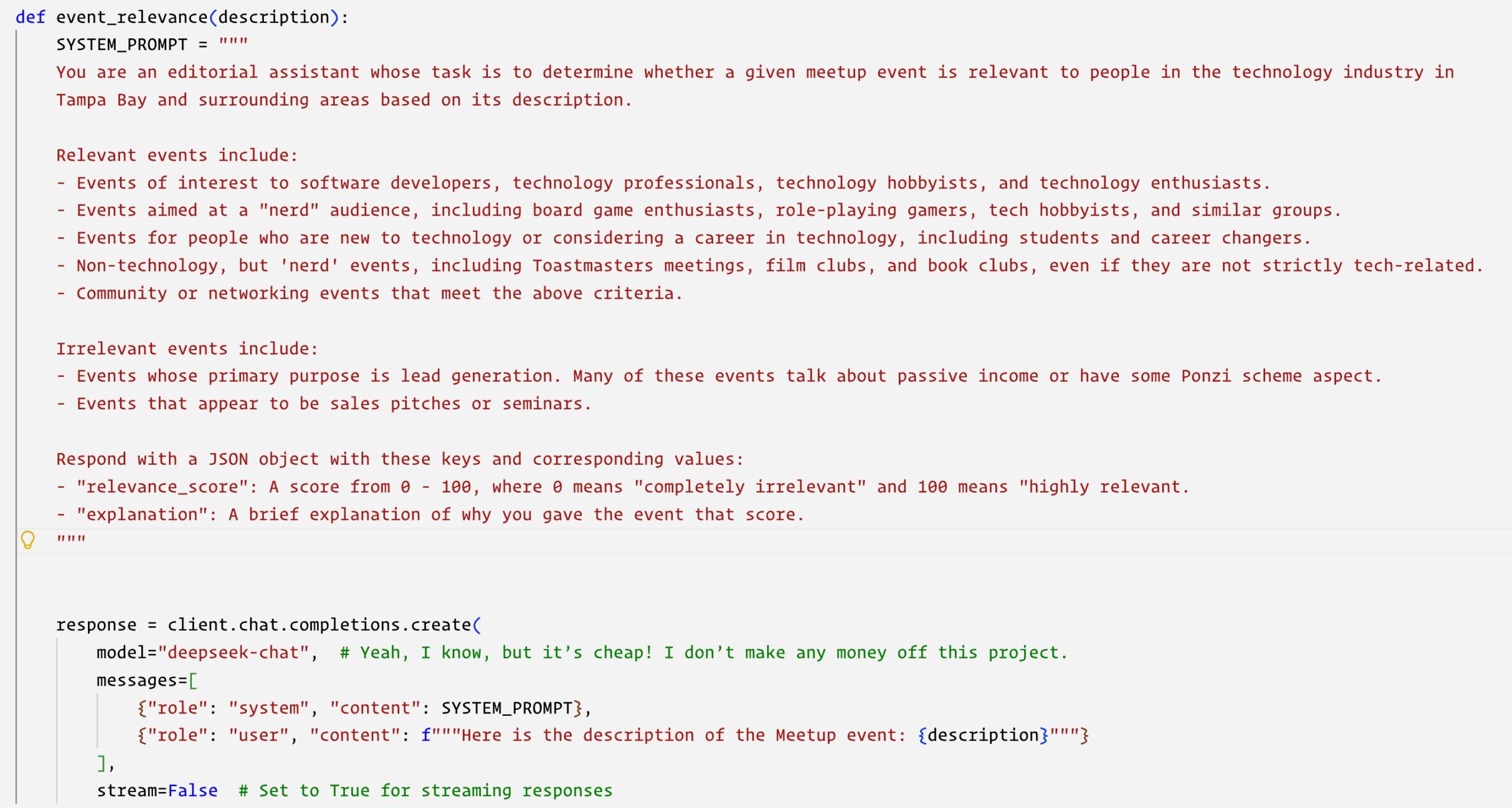
Speaking of prompts, here’s the cell in the Notebook where I define the function that calls the LLM to rate events based on their descriptions. You’ll see the prompt that gets sent to the LLM, along with the specific LLM I’m using: DeepSeek!
So far, I’m getting good results from DeepSeek. I’m also getting good savings by using it as opposed to OpenAI or Claude. To rate a week’s worth of events, it costs me a couple of pennies with DeepSeek, as opposed to a couple of dollars with OpenAI or Claude. Since I don’t make any money from publishing the list, I’ve got to go with the least expensive option.