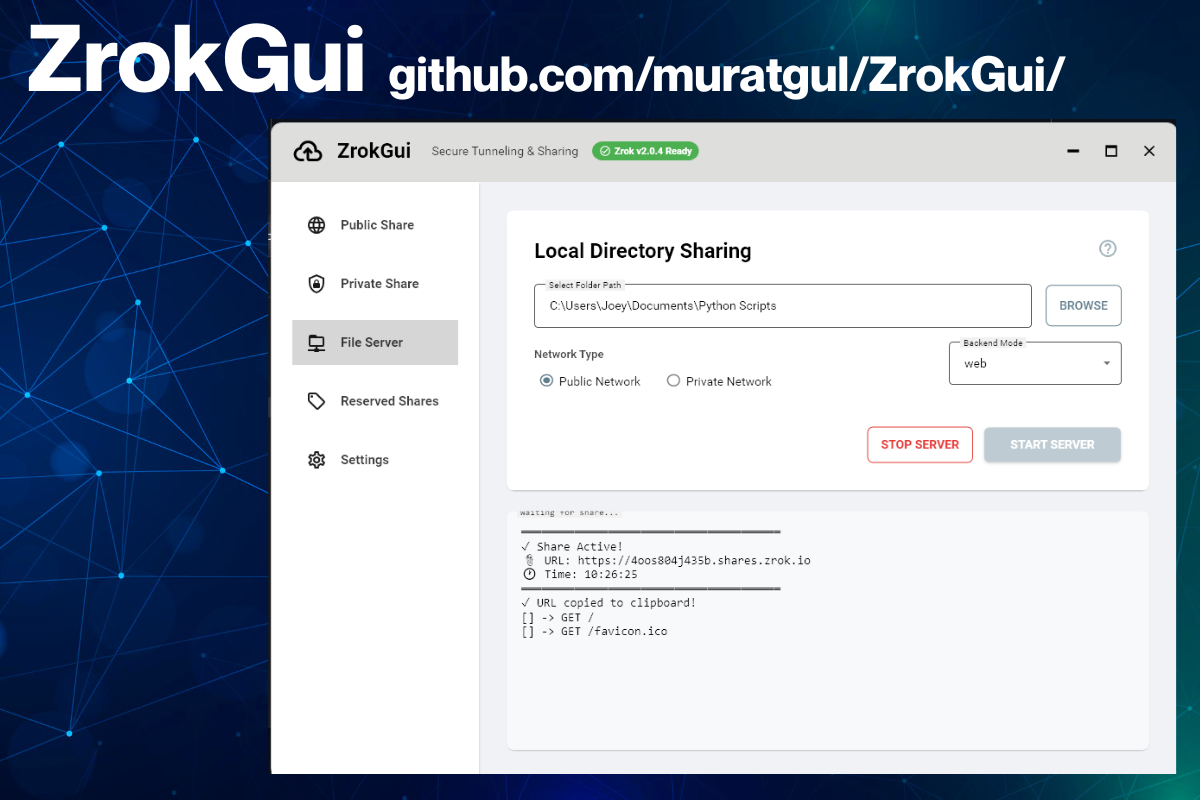
Someone in the wild built a Windows GUI for zrok, and it’s worth a look!
ZrokGui, by GitHub user muratgul, is a WPF / Material Design 3 desktop app that puts a friendly front-end on the zrok CLI. If you know someone who needs to use zrok and doesn’t feel comfortable with the command line (often the case with people who just want to share files or run an internal web site), this could come in handy.
- Here’s the GitHub repo: https://github.com/muratgul/ZrokGui
- And if you just want the .exe, the latest release at the time of writing is v1.1.5; just download and unzip ZrokGui_v1.1.5.zip
What’s zrok?

One of the most useful tools produced by NetFoundry (where I work as their developer advocate) is zrok. If you’ve ever used ngrok to punch a temporary public URL through to something running on localhost (such as demo, a webhook receiver, a work-in-progress site, or even just a directory of files you want to make available) then you already know what zrok does.
zrok is an open-source sharing platform, and it’s quite clear that ngrok insipred it. It had the exact same “one command and your local thing is reachable from the outside world” ergonomics that made ngrok a developer staple.
Where zrok goes further is what’s underneath. It’s built on OpenZiti, an open-source zero-trust networking project that forms the basis of all of NetFoundry’s offerings.
Having an OpenZiti foundation gives zrok two things that ngrok doesn’t give you out of the box:
- Private sharing: instead of only exposing something to the whole internet, you can share it with specific people over a secure, zero-trust connection. The URL is private, not public.
- You can run it yourself because it’s open source. You can run your own zrok instance on your own infrastructure, rather than being tied to someone else’s hosted service. (There’s also a free hosted zrok if you just want to get going without standing anything up. That’s what I use.)
zrok gives you ngrok’s convenience, plus private-by-default sharing and the option to own the whole stack.
- Here’s the zrok repo: https://github.com/openziti/zrok/
- And you can get the latest release here: https://github.com/muratgul/ZrokGui/releases/
I did a recent livestream on the OpenZiti YouTube channel on zrok with my co-host Clint and zrok developer Michael Quigley:
ZrokGui
Just for kicks, I cloned the source code and compiled it myself. It was no biggie; with the .NET 10 SDK already installed on my system, it was a matter of opening PowerShell, navigating to the directory containing ZrokGui.slnx and running the command dotnet build.
If you’re of the “I don’t want to compile anything; I just want a working application” school, go to ZrokGui’s Releases page, and download and unzip the .zip file for the latest release. The application is ZrokGuiWpf.exe.
ZrokGui is just a graphical interface for zrok, so you’ll need to have that on your system as well. As long as either zrok.exe or zrok2.exe are in the same directory as the ZrokGui application file (ZrokGuiWpf.exe), ZrokGui app finds zrok automatically, and then drives it for the user in the background. The GUI makes it simple to spin up public, private, file, and reserved shares, pick a backend mode (proxy, web, caddy, drive, tcpTunnel, udpTunnel, socks), and set basic auth or access grants. It presents live log output, pastes the share URL land into the clipboard the moment it’s live.
This is an early-stage project, but a real one. It’s past v1.0 with a downloadable release (v1.1.5 dropped a couple of days ago) and an active commit rhythm. I consider it beyond a weekend experiment at this point, and a nice piece of work. It’s the kind of thing that’s fun to see grow up around zrok.
Where to get ZrokGui
Once again:
- Here’s the GitHub repo: https://github.com/muratgul/ZrokGui
- And if you just want the .exe, the latest release at the time of writing is v1.1.5; just download and unzip ZrokGui_v1.1.5.zip