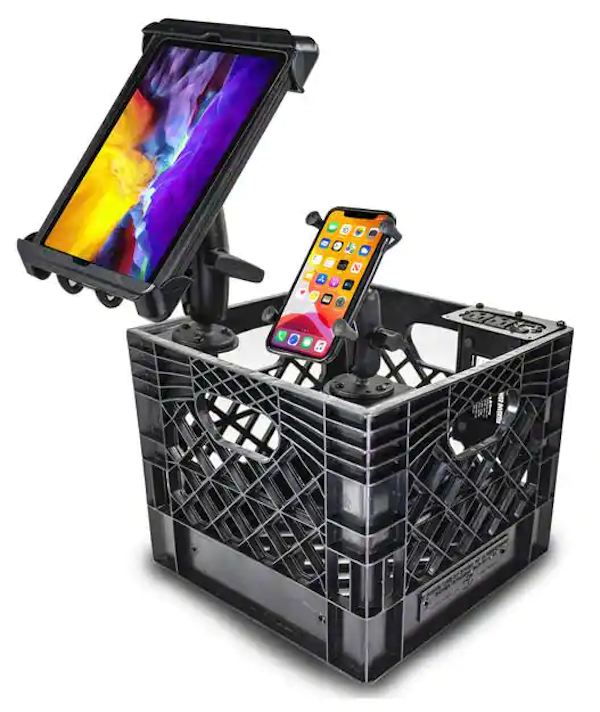
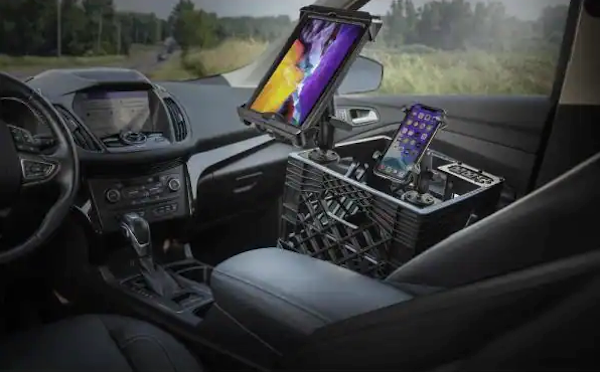
Every now and again, Facebook shows me an ad that I feel compelled to click, simply because I can’t believe what I’m seeing and need to know more. The latest of these ads is for the product pictured above: the AutoExec AECRATE-15, which retails at Home Depot for…
$300.
More precisely, it retails for $296.93, which rounds up to $300, but to my mind, that seems pretty exorbitant for a milk crate with a power inverter and stands for a tablet and smartphone. The manufacturer doesn’t even attempt to hide this fact: it’s listed as “Milk Crate Vehicle and Mobile Office Work Station with Phone Mount, Tablet Mount and Power Inverter”.
I’ve designed and developed mobile apps who primary users are people that work in their cars and trucks, so I understand the usefulness of the AECRATE-15, with its ability to support and charge your electronic office equipment and store your paperwork.
Surely this is something that you could put together for considerably less than three “Benjamins”.
Component
Price
Bestek 300W Power Inverter (Plugs into your car’s “cigarette lighter” outlet and provides two household-style electrical outlets and 2 USB electrical outlets)
Juggernaut storage milk crate (Assuming you don’t simply grab one from behind a convenience store, just like every university student building makeshift furnishings or any self-respecting DJ)
Apple’s new way to distribute apps via the App Store is an interesting one: unlisted app distribution. The simplest way to describe them is that they’re like unlisted YouTube videos, but for apps.
In other words, you can only get an unlisted app if you have its link. You won’t find it by browsing the App Store or using its search feature. They won’t appear as featured apps or recommended app. They will be accessible via Apple Business Manager and Apple School Manager. But for the most part, they’re invisible and inaccessible to the general public unless you have their link.
Keep in find that “unlisted” doesn’t mean “unexamined”. Unlisted apps are still subject to the regular the app review process; the unlisted status only affects how they can be found. This means that you can’t use it as a replacement for TestFlight or beta testing — unlisted apps must be ready for final distribution.
It also appears that you can convert any of your apps that are already in the App Store into unlisted apps.
How can you use unlisted apps?
1. Employee apps for smaller companies
Many companies produce dedicated, proprietary custom internal-use apps for their employees to use in order to get their work done. If your company has the required budget and people to do so, it can distribute those apps through the Apple Developer Enterprise Program.
The Apple Developer Enterprise Program be overkill for a lot of smaller organizations, who might just want to limit the availability and findability of their apps to their employees. This is where unlisted apps come in — the company could just send employees the link to the app.
2. School apps for students and teachers
Take the above scenario and replace “companies” with “schools” — especially smaller ones — and the same use case arises. It could be a simple way to limit the distribution of school-specific apps mostly to students, teachers, and staff.
Many conferences and concerts like to have their own custom apps, and it’s not unusual for developers to create conference apps that they wish existed (for example, Tampa’s 2020 Synapse Summit didn’t have its own watch app, so I created one).
These apps have a limited lifetime, and once the conference has come and gone, they just litter the App Store. Unlisted apps would be a good solution.
4. Limited-time research apps
Since smartphones and smartwatches are essentially sensor-laden, constantly-networked, always-on supercomputers that people keep within arm’s reach most of the time, they are useful tools for research project apps that either monitor test subjects or get input from them. These apps could easily be distributed as unlisted apps.
5. Portfolio/resume apps
There are times when a developer might want to present their portfolio in a memorable way, and an app that functioned as a portfolio would certainly be memorable! A portfolio app would be a good use case for unlisted apps.
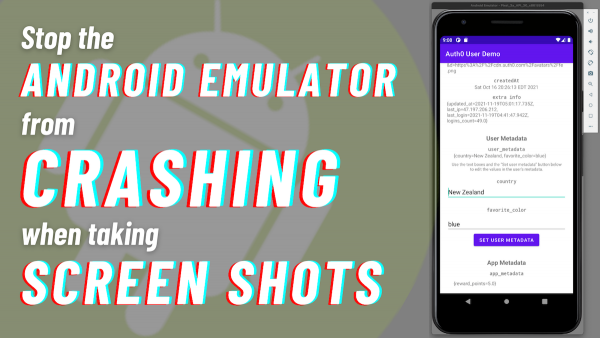
The Android emulator for the current stable version of Android Studio (“Arctic Fox” 2020.3.1 Patch 3, built on September 30, 2021) has a bug that could be a problem if you write articles or document apps: When you press the “screenshot” button (the one with the camera icon), it quietly crashes. The application shuts down without an error message, and it doesn’t save a screenshot.
I rely on the emulator’s “take a screenshot” feature in my developer advocate job, so this was a big problem for me. Luckily, I found a fix.
This bug will eventually get fixed, but until that time, the workaround is to update the emulator to the version in the “Canary” build, Android Studio’s leading-edge preview. You don’t have to download the Canary build for all of Android Studio — just the emulator. I’ll show you how to do it in the following steps.
Step 1: Temporarily change Android Studio’s update channel to “Canary”.
Tap to view at full size.
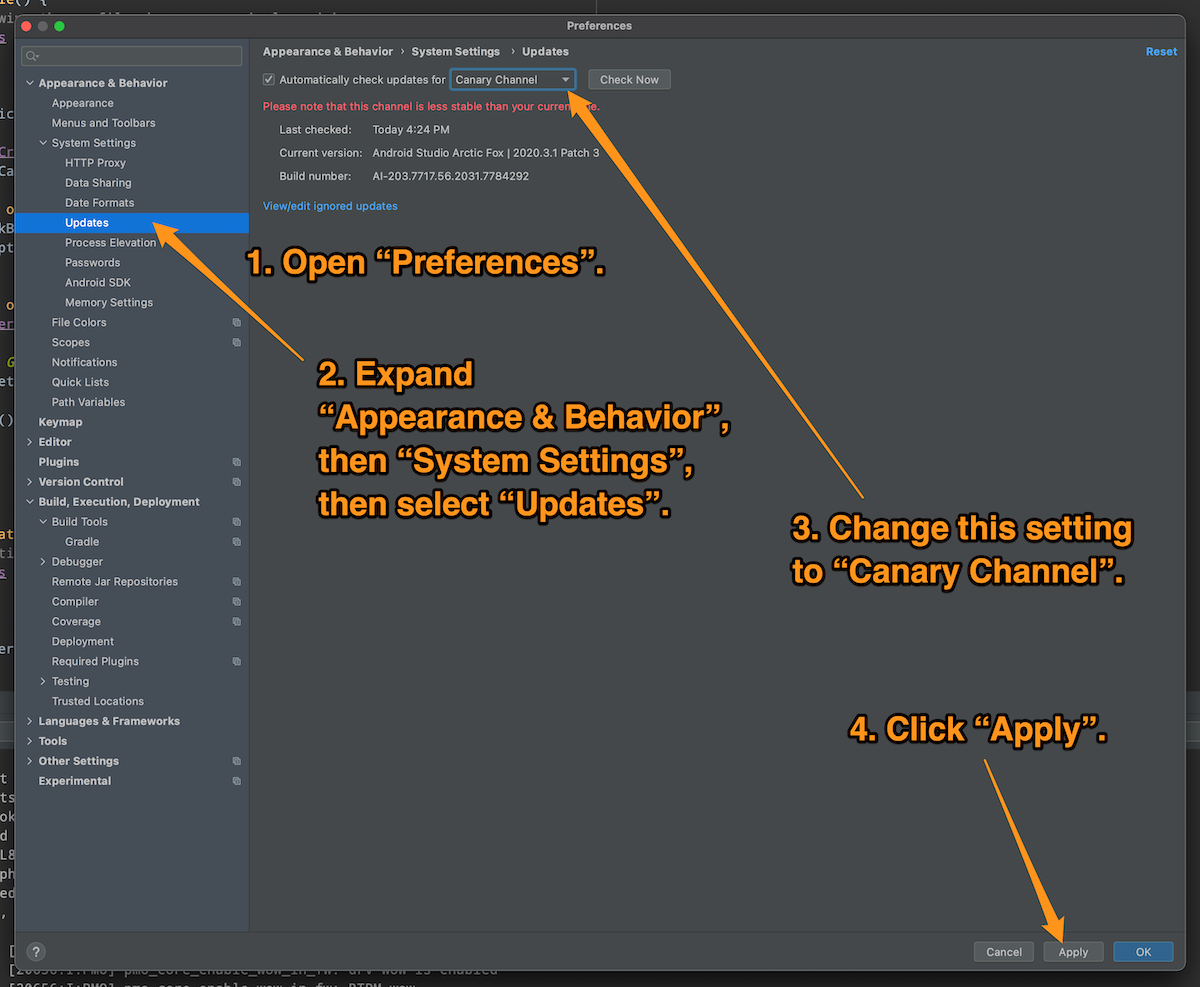
Open Android’s Preferences window, expand the Appearance & Behavior menu, and then its System Settings sub-menu, then select the Updates item.
In the Automatically check updates for menu, select Canary Channel, then click the Apply button.
Android Studio is now set up to get its updates from the Canary Channel, which is where the pre-beta versions of upcoming versions live.
Step 2. Download the Canary Channel version of the emulator.
Tap to view at full size.
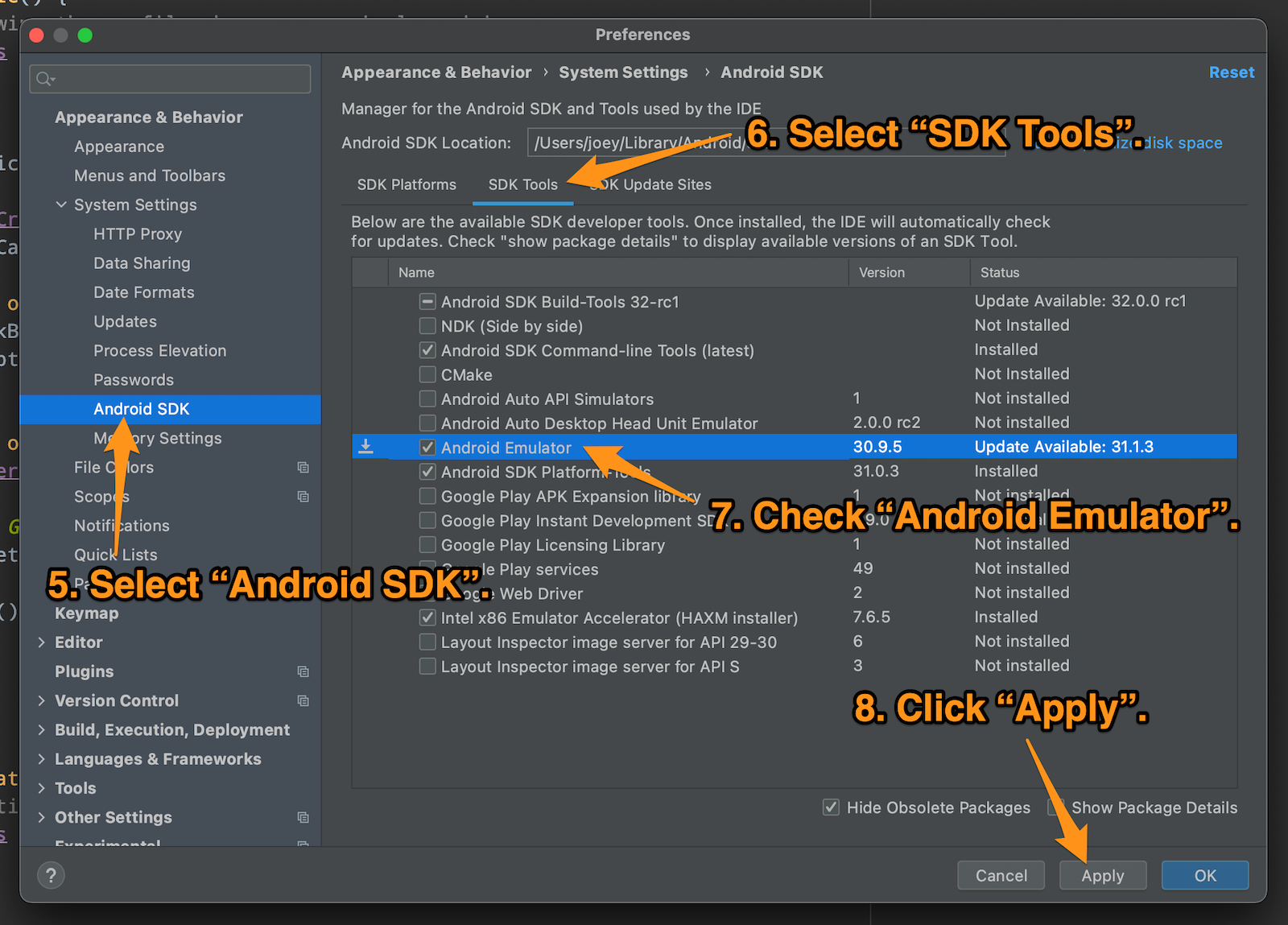
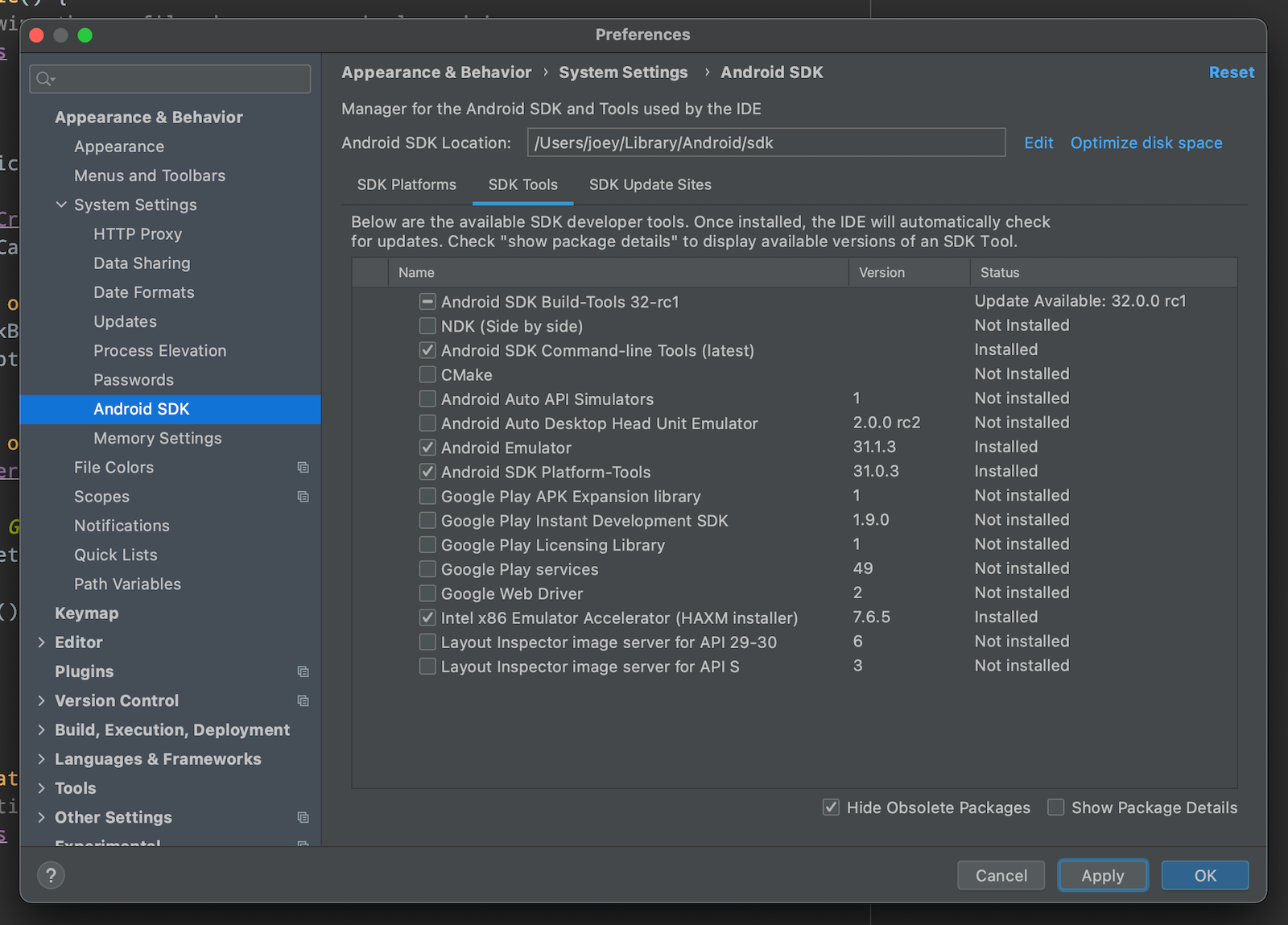
Select Android SDK from the left menu, then click the SDK Tools tap in the right pane.
Check the Android Emulator checkbox in the list of SDK tools, and then click the Apply button.
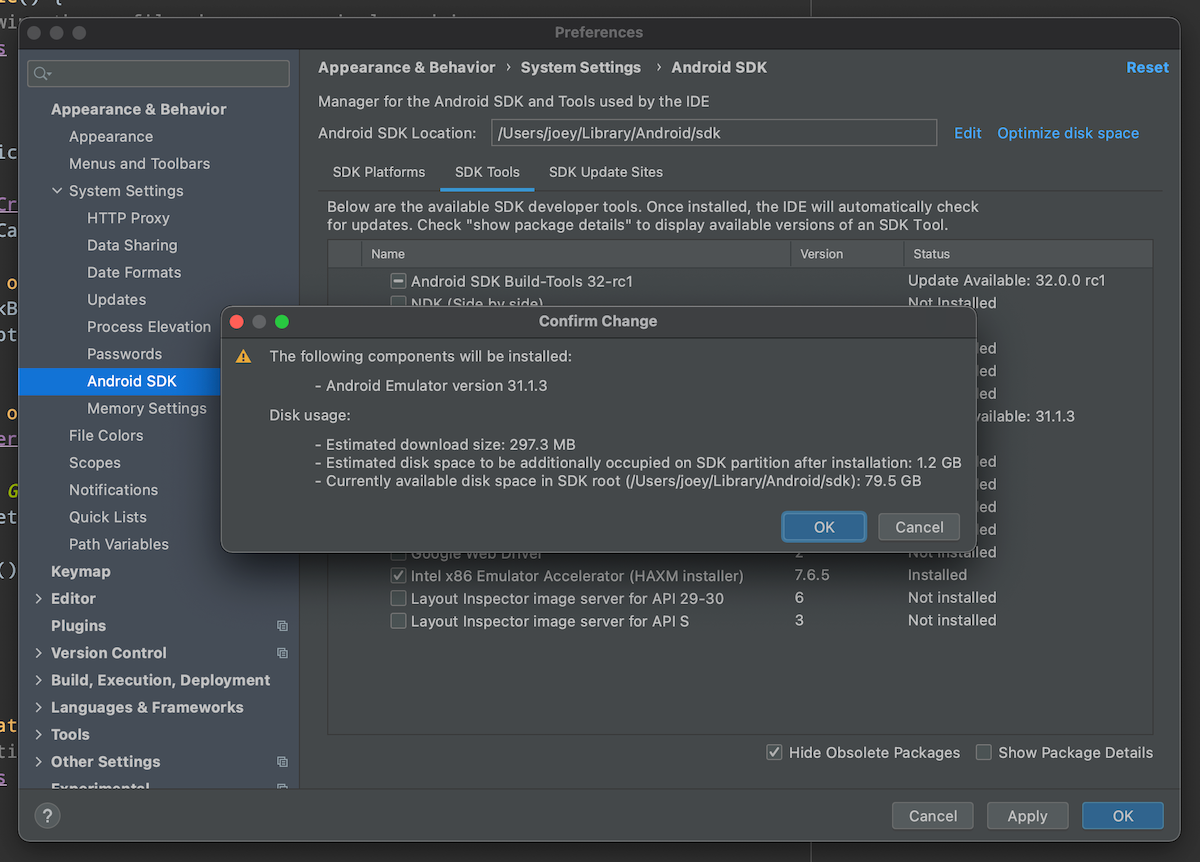
You’ll be presented with this dialog box:
Tap to view at full size.
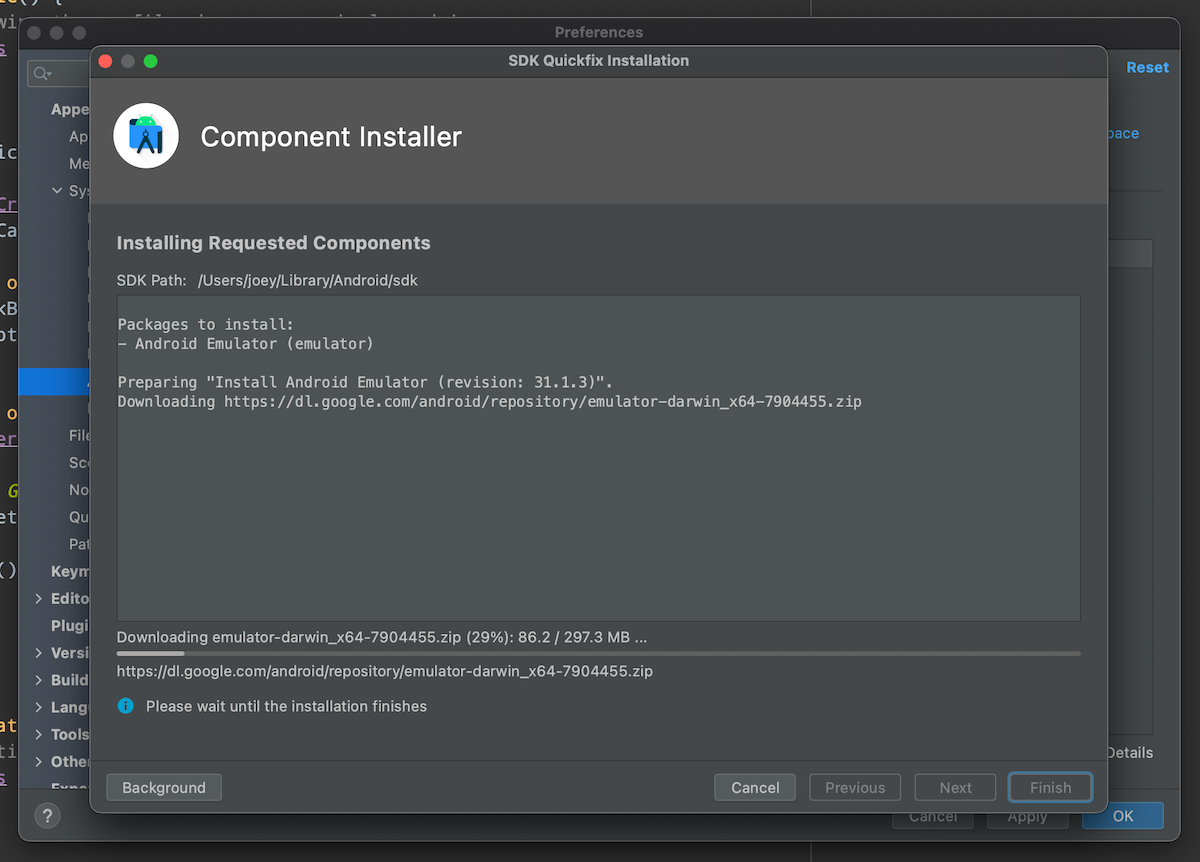
Click OK and let Android Studio do its thing:
Tap to view at full size.
When the process is complete, you’ll see that you have the 31.1.3 version of the emulator:
Tap to view at full size.
At this point, you’ll have a version of the Android emulator that doesn’t crash when you take a screenshot.
Step 3: Change Android Studio’s update channel back to “Stable”.
Tap to view at full size.
You can stay on the Canary channel if you like living on the bleeding edge, but most of us are better off with Android Studio getting its updates from the Stable channel.
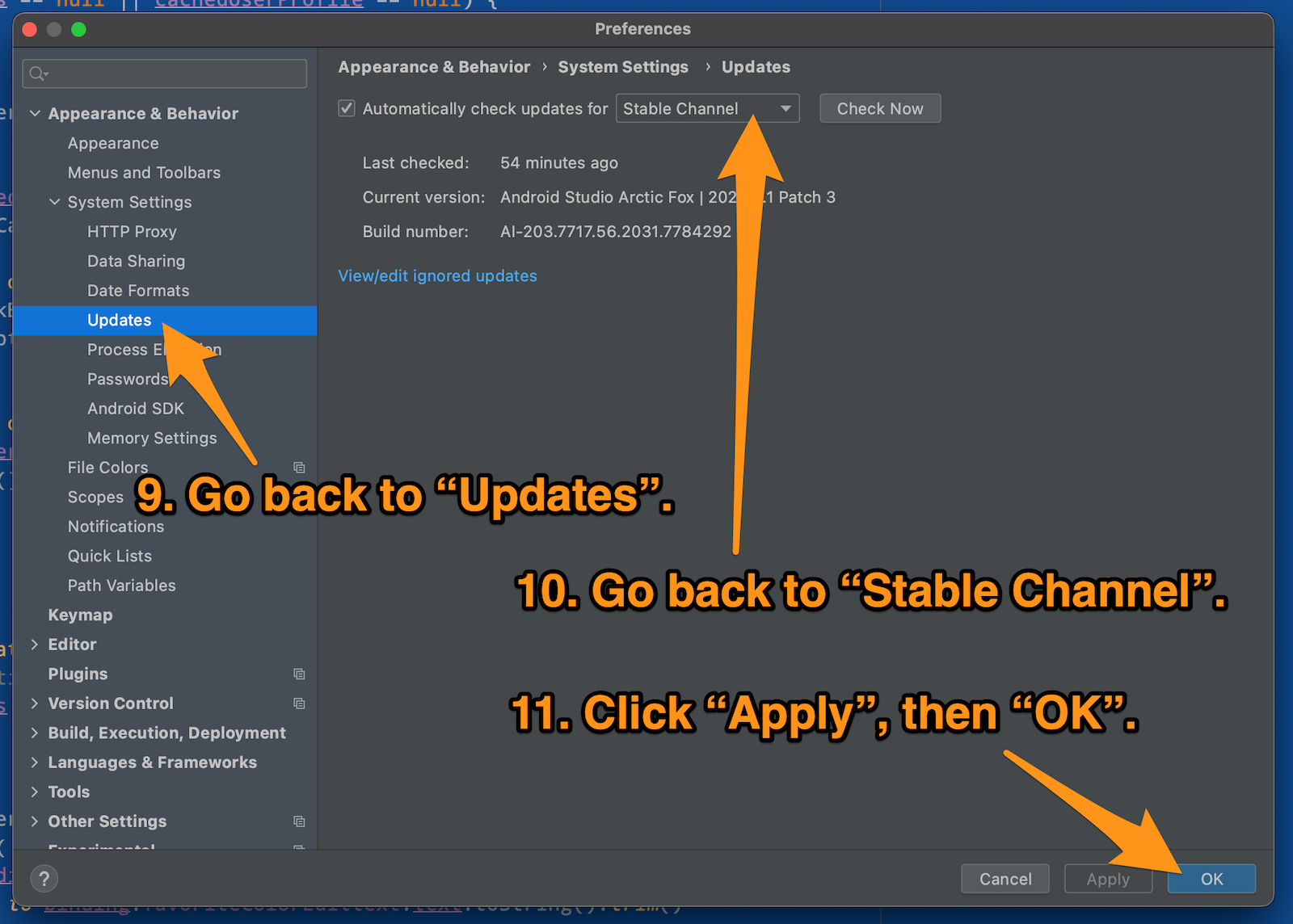
Go back to the Updates screen, select Stable Channel, and click the Apply button and then the OK button.
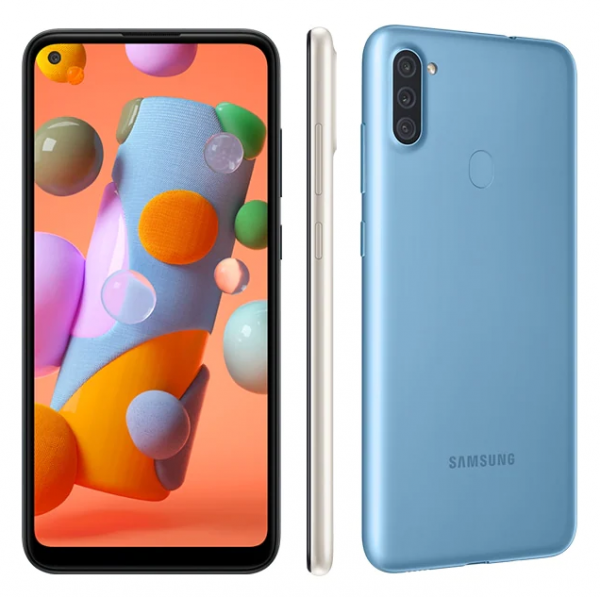
If you prefer specs, the A11 is powered by an older chipset, the Snapdragon SDM450, with octa-core 1.8 GHz Cortex-A53 and Adreno 506 GPU. You can see its full specs on GSMArena.
T-Mobile U.S.: A free Samsung Galaxy A12
I unexpectedly got a free phone — complete with free line! — from T-Mobile last month. I was there to add a line to my plan for someone in my family, and it turned out that I chose the right time. It was during one of those promotions where if you added a line to a plan, they’d give you an extra line that’s free of charge forever and with a free phone!
They asked if I wanted one, and after confirming that it wouldn’t cost me anything extra, said yes.
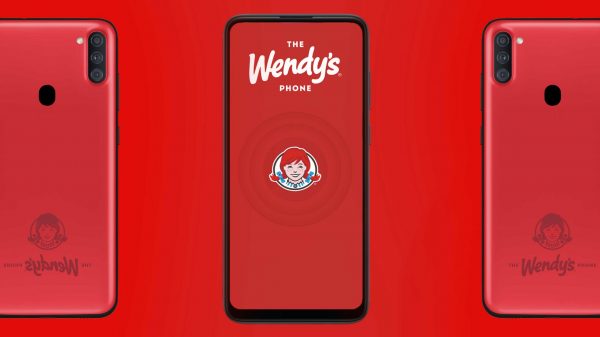
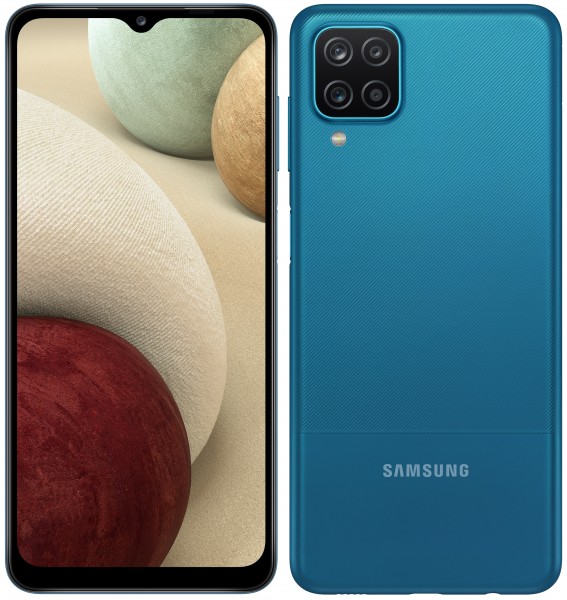
The free phone is a Samsung Galaxy A12, the successor to the A11 that Wendy’s Canada is giving away. T-Mobile currently offers both phones at the same price: $180, which can be paid off over two years in monthly payments equal to the cost of a Big Mac meal with ice cream cone
The A11 uses the Mediatek MT6765 Helio P35 chipset, with octa-core (4×2.35 GHz Cortex-A53 & 4×1.8 GHz Cortex-A53) and PowerVR GE8320 GPU. You can see its full specs on GSMArena.
The A12 is going to be my new low-end Android test phone, and since it came with a free line, I now have another secret phone number (oh yes, I have a couple of ’em), which is very often a handy thing to have.
What these freebies tell us about the state of mobile in 2021
These phones sell for about $200, the low end of a price spectrum whose high end is about $1,200. Think about it: What other consumer category gives away freebies valued at 16% to 20% of the top-of-the-line versions of the product?
These free phones live in the sweet spot where:
They’re cheap enough to give away,
yet valuable enough that customers feel that they’re getting an amazing deal when they get one for free.
In the case of the T-Mobile deal with the A12, I got an additional free line for as long as I’m a customer — that’s something they’re willing to give away and write off as a marketing/customer loyalty expense.
According to Pew Research Center, 35% of Americans owned a smartphone a decade ago, which was a mere four years after the industry-changing iPhone keynote and three years after the introduction of the App Store. Smartphones had already moved out of the “early adopter” zone, but they were still in the “nice to have, but not absolutely necessary” category.
Today, 85% of Americans own a smartphone, and they’re now considered to be a necessity with a price for every budget.
Here are three of the phones that are currently on sale that I think would be good for someone who wants to get started with Android development. Yes, you can always use an emulator, but there’s no substitute for developing and testing on an actual device.
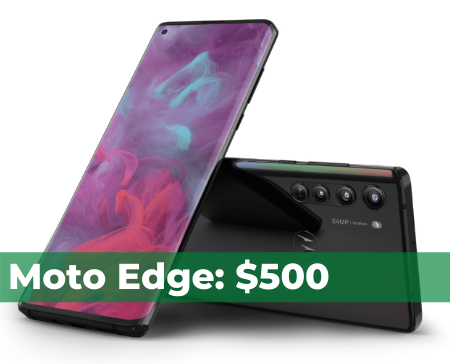
All of these devices are fully unlocked, which means they’ll work on any carrier. Motorola don’t include much junkware on their phones — it’s as close to stock Android as you’re going to get without buying a Pixel. All were released this year.
Motorola’s G line has always been a reliable way to get mid-level features at a starter phone price. If you want to get a device that performs at the level of the typical Android phone for users who live outside the G7 bubble (and let’s face it, that’s most of the world), or need to provide a workforce with a mobile computing device, you want this one.
At the current discount price of $250, the Moto G Stylus is the phone on this list that provides the best bang for the buck. As its name implies, it has a stylus, and if you’re looking for a cheaper alternative to the Galaxy Note line (and a much better choice than the LG Stylo), give this one a look.
I’m including this phone in this list just to make this list of $500-and-lower phones complete. My personal recommendation is to pay $50 less and get the RedMagic 6R, which gives you Samsung Galaxy S21-level power.
At its normal price of $700, I’d say “no”, but at a $200 discount, I’d say “think about it”. You’re getting near-flagship level features at mid-level prices. This phone boasts a 144Hz screen refresh rate (good for gaming), a solid chipset, and cameras with great specs.
But still, I’d say that if you’re looking for maximum computing bang for the buck at this price point, you want the RedMagic 6R, which currently starts at $450.
This article is part of the Android August series, in which I’m writing an Android development-related article every day during the month of August 2021.
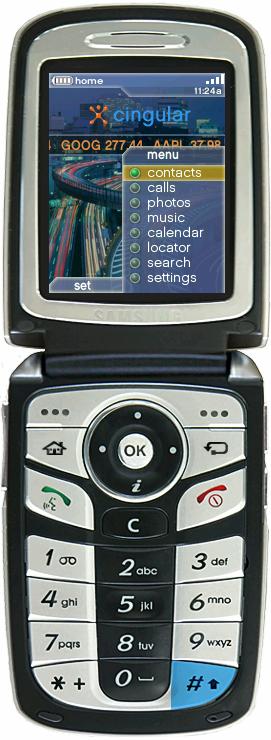
The is the original demo of Android on a mid-2000s phone, showing a home screen and a selection of apps, most of which weren’t implemented at the time. Hey, it was a demo for a pitch! (Photo by Chet Haase)
It was later decided that the camera market wasn’t big enough, and that Android should aim for the same space occupied by the big mobile operating systems at the time: Symbian (the most popular mobile OS until 2010) and Windows Mobile. They courted Samsung and HTC, but in July 2005, Google made the prescient decision to acquire Android for $50 million. According to Wikipedia, this move was described in 2010 as Google’s “best deal ever” by their then VP of corporate development, David Lawee, to whom I reported during the dot-com era at OpenCola.
The first commercially-available Android device: The HTC Dream, also known as the T-Mobile G1, released September 2008. (Creative Commons photo by Michael Oryl.)
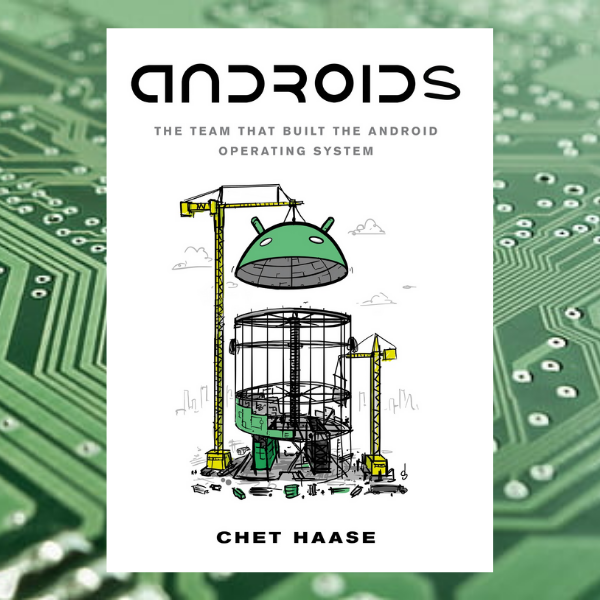
Androids is an insider’s history of the Android operating system, but Haase also promises that it won’t be above a non-techie’s head:
All of this. It's not a technical book (I wanted people are *aren't* engineers to enjoy it too), but does cover a lot of the early pieces and decisions, along with many stories from the trenches.
Instead, it’s a history: It describes the events, stories, experiences, thinking, and decisions made by the Android team, most notably in the early days, well before the present-day concept of a smartphone existed.
Want to find more about the book? Check out these articles: