If you’re just getting started with date and time programming in Swift 3, chances are that you probably did some Googling, found something about NSDate and its companion classes in Apple’s documentation and promptly got confused. Let me reassure you that it isn’t your fault.
For starters, a lot of the documentation out there is in Objective-C, which can throw you off if you’re not familiar with its [instance method: parameter2: parameter3:] method-calling syntax. There’s also the fact that Apple recently removed the NS prefix from Cocoa’s class names — NSDate is now just plain ol’ Date, NSCalendar is now Calendar, NSDateComponents is now DateComponents, and so on. And finally, in the move towards protocol-oriented programming, Apple has changed some classes to structs, including many of the classes for working with dates and times.
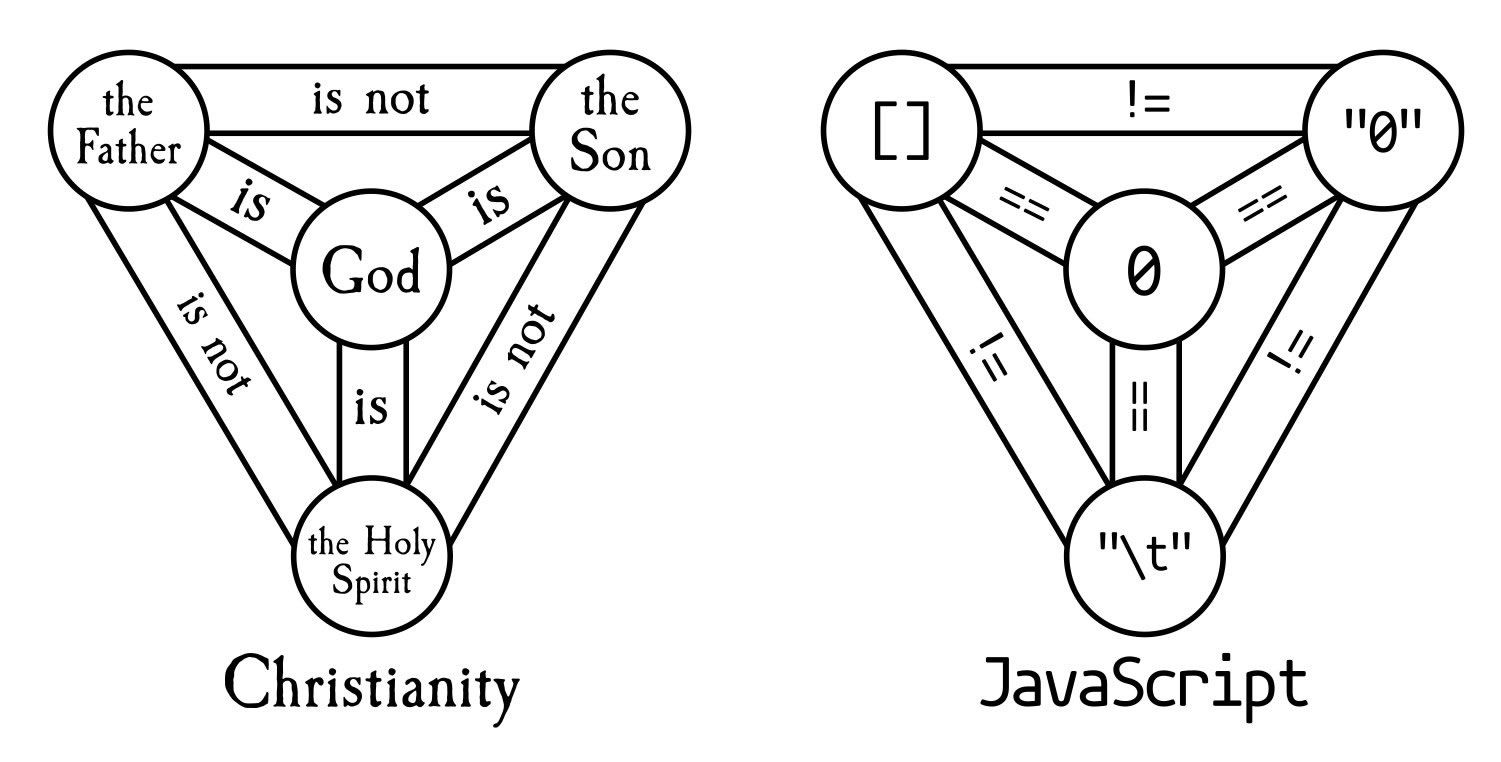
And finally, if you’re coming to Swift 3 from JavaScript, which makes do with a single object type called Date, the idea of having this set of classes just to handle dates and times looks like overkill:
Click the diagram to see it at full size.
In this series of articles, we’ll look at date and time programming in Swift 3. By its end, you’ll have a firm grasp on the topic.
Swift’s Date struct represents dates and times
Click the diagram to see it at full size.
In Swift, dates and times are represented by instances of Date, which is a struct. Date is independent of any time zone, or even any calendar system. It gets this independence through the way it represents time: as a number of seconds relative to the start of the Third Millennium, January 1, 2001, 00:00:00 UTC.
The following playground code shows the various ways of creating Dates:
// To create a Date representing the current date and time,
// simply initialize a new Date.
let now = Date()
// The other initializers expect arguments of type TimeInterval,
// which is a typealias for Double.
// To create a Date a specified number of seconds before or after
// the current date and time, use the "timeIntervalSinceNow" initializer.
let fiveMinutesAgo = Date(timeIntervalSinceNow: -5 * 60)
let fiveMinutesFromNow = Date(timeIntervalSinceNow: 5 * 60)
// To create a Date relative to Swift's reference date and time,
// use the "timeIntervalSinceReferenceDate" initializer.
// The first mobile phone call was made on April 3, 1973.
// We don't know the exact time the call was made, but it happened
// sometime during business hours in New York City, in the U.S. Eastern
// Time Zone. Noon that day was 875,602,800 seconds prior to the
// reference date and time.
let firstMobileCallDate = Date(timeIntervalSinceReferenceDate: -875_602_800)
// The "Stevenote" where the iPhone was introduced started on January 9, 2007,
// 10 a.m. Pacific time, 190,058,400 seconds after the reference date and time.
let iPhoneStevenoteDate = Date(timeIntervalSinceReferenceDate: 190_058_400)
// Unix time (a.k.a. POSIX time or Epoch Time) is the way time is represented
// by Unix, Unix-like, and other operating systems. It defines time as a
// number of seconds after the Unix Epoch, January 1, 1970, 00:00:00 UTC.
// To create a Date relative to the Unix Epoch, use the
// "timeIntervalSince1970" initializer.
let oneYear = TimeInterval(60 * 60 * 24 * 365)
let newYears1971 = Date(timeIntervalSince1970: oneYear)
let newYears1969 = Date(timeIntervalSince1970: -oneYear)
// To create a Date relative to another Date, use the
// "timeInterval:Since:" initializer.
// The "Stevenote" where the iPad was introduced started on January 27, 2010,
// 10 a.m. Pacific time, 96,249,600 seconds after the start of the iPhone Stevenote
// three years earlier.
let secondsBetweeniPhoneAndiPadStevenote = TimeInterval(96_249_600)
let iPadStevenoteDate = Date(timeInterval: secondsBetweeniPhoneAndiPadStevenote,
since: iPhoneStevenoteDate)
Of course, we don’t think of dates and times in terms of seconds relative to the start of the Third Millennium, or the start of the Unix Epoch, or any other arbitrary date and time. That’s why Swift features a couple of other structs to help us make sense of Dates: Calendar and DateComponents.
Calendars give dates context, DateComponents let us assemble dates or break dates apart
Click the diagram to see it at full size.
Think of the Calendar struct as a way to view Dates in a way that makes more sense to us: not as a number of seconds before or after January 1, 2001 00:00:00 UTC, but in terms of a year, month, day, hour, minute, and more.
The Calendar struct supports 16 different calendar systems, including the Gregorian calendar (a.k.a. the Western or Christian calendar), which is likely the one you use the most. Consider Swift’s reference date:
- In a
Datestruct, its value is 0. - In the Gregorian calendar, this date has the following values:
- Year: 2001
- Month: 1
- Day: 1
- Hour: 0
- Minute: 0
- In the Hebrew calendar, this date has the following values:
- Year: 5761
- Month: 4
- Day: 6
- Hour: 0
- Minute: 0
- In the Buddhist calendar, this date has the following values:
- Year: 2543
- Month: 1
- Day: 1
- Hour: 0
- Minute: 0
In most apps, you’ll likely be using the Gregorian calendar, so Calendar‘s real use is to convert Dates into DateComponents, and DateComponents into Dates:
Click the diagram to see it at full size.
The DateComponents struct is an assembly of properties that make up a date, such as year, month, date, hour, minute, second, and so on. DateComponents instances can be used to represent either a specific point in time, or a duration of time.
Using both Calendar and DateComponents structs, we can perform these key actions:
- Build
Dates using properties such as year, month, day, hour, and minute rather than a number of second relative to a reference date, and - extract properties from
Dates, such as year, month, day, hour, and minute.
Let’s start creating some Dates with the help of Calendar and DateComponents.
Let’s create a Date given a year, month, and day, part 1

Let’s start with the first date in phone history: March 10, 1876, the day when Alexander Graham Bell made the first phone call. Create a new playground and enter or paste the code below:
// The user's calendar incorporates the user's locale and
// time zone settings, which means it's the one you'll use
// most often.
let userCalendar = Calendar.current
// March 10, 1876: The day Alexander Graham Bell
// made the first land line phone call
// ---------------------------------------------
// DateComponents' init method is very thorough, but very long,
// especially when we're providing only 3 pieces of information
let firstLandPhoneCallDateComponents = DateComponents(calendar: nil,
timeZone: nil,
era: nil,
year: 1876,
month: 3,
day: 10,
hour: nil,
minute: nil,
second: nil,
nanosecond: nil,
weekday: nil,
weekdayOrdinal: nil,
quarter: nil,
weekOfMonth: nil,
weekOfYear: nil,
yearForWeekOfYear: nil)
// With a calendar and a year, month, and day defined in
// a DateComponents struct, we can build a date
let firstLandPhoneCallDate = userCalendar.date(from: firstLandPhoneCallDateComponents)!
firstLandPhoneCallDate.timeIntervalSinceReferenceDate
In the code, we:
- Get the user’s current
Calendar. - Create an
DateComponentsstruct,firstLandPhoneCallDateComponents, providing values for theyear,month, anddayparameters, andnilfor all the others. - Use the user’s
Calendarto createfirstLandPhoneCallDateusingfirstLandPhoneCallDateComponents. - Get the internal representation of the
Date.
Here’s a screenshot of the playground code as seen on my computer, whose time zone is set to “US/Eastern” (UTC-5):
Click the screenshot to see it at full size.
Note the results in the sidebar at the lower right-hand corner:
firstLandPhoneCallDate‘s value corresponds to theDateComponentsproperties we set: March 10, 1876, 12:00 a.m..firstLandPhoneCallDate‘s internal value, contained within itstimeIntervalSinceReferenceDateproperty, is -3,938,697,748, which indicates that Alexander Graham Bell’s inaugural phone call was made nearly 4 billion seconds prior to the start of the Third Millennium.
Let’s create a Date given a year, month, and day, part 2

Let’s try creating another momentous date in phone history: the day when Martin Cooper made the first cellular phone call, April 3, 1973. We’ll do it differently this time, by creating a blank DateComponents struct, and then setting its year, month, and day properties. Add the following code to the code above:
// (Previous code goes here) // April 3, 1973: The day Martin Cooper // made the first cellular phone call // ------------------------------------ // This time, we'll create a blank DateComponents struct // and set its year, month, and day properties. var firstCellPhoneCallDateComponents = DateComponents() firstCellPhoneCallDateComponents.year = 1973 firstCellPhoneCallDateComponents.month = 4 firstCellPhoneCallDateComponents.day = 3 let firstCellPhoneCallDate = userCalendar.date(from: firstCellPhoneCallDateComponents)! firstCellPhoneCallDate.timeIntervalSinceReferenceDate
In the code, we:
- Create an empty
DateComponentsstruct,firstCellPhoneCallDateComponents. - Set the year, month, and day properties of
firstCellPhoneCallDateComponentsto correspond to the date April 3, 1973. - Use the user’s
Calendarto createfirstCellPhoneCallDateusingfirstCellPhoneCallDateComponents. - Get the internal representation of the
Date.
Here’s a screenshot of the results:
Click the screenshot to see it at full size.
Let’s create a Date: What date does National Donut Day — the first Friday in June — fall on in 2017?
Having come from Canada, the country with the world’s highest per capita donut shop concentration and the people who eat the most donuts per capita, I can assure you that National Donut Day has been a real thing since 1938. It takes place on the first Friday in June, and we can find out what date it falls on in 2017 — or any other year — through the judicious use of DateComponents properties.
Add the following code to the current playground:
// (Previous code goes here) // The first Friday in June, 2017: // National Donut Day // ------------------------------- var donutDayComponents = DateComponents() donutDayComponents.year = 2017 donutDayComponents.month = 6 // We're looking for a Friday... donutDayComponents.weekday = 6 // ...and it needs to be the first Friday of the month donutDayComponents.weekdayOrdinal = 1 let donutDayDate = userCalendar.date(from: donutDayComponents)!
You should be familiar with the year and month DayComponents properties by now, and we’re using a couple that may be new to you:
weekday: Specifies a day of the week. With the Gregorian calendar, valid values are 1 through 7, where 1 is Sunday, 2 is Monday, 3 is Tuesday, and so on. Since we’re looking for a Friday, we’ve set this value to 6.weekdayOrdinal: Specifies the order of the given weekday in the next larger specified calendar unit. Since we setweekdayto 6 and set this value to 1, and since the next largest specified calendar unit wasmonth, we’ll get the date of the first Friday of the month.
If you check the value of donutDayDate in the playground’s sidebar, you should see Jun 2, 2017, 12:00 AM. If you look at a calendar, you’ll confirm that it is indeed the first Friday of June 2017.
In the spirit of the fake book cover shown above, let’s see what happens if we don’t specify the month. Comment out the following line from the code you just added…
donutDayComponents.month = 6
…so that the code now looks like this:
// The first Friday in June, 2017: // National Donut Day // ------------------------------- var donutDayComponents = DateComponents() donutDayComponents.year = 2017 //donutDayComponents.month = 6 // We're looking for a Friday... donutDayComponents.weekday = 6 // ...and it needs to be the first Friday of the month donutDayComponents.weekdayOrdinal = 1 let donutDayDate = userCalendar.date(from: donutDayComponents)!
When you run the code, you’ll see that the date for donutDayDate is now Jan 6 2017, 12:00 AM. Now that we’re specifying only a year and not a month, Swift interprets the combination of donutDayComponents.weekday = 6 and donutDayComponents.weekdayOrdinal = 1 to mean “the first Friday of the year”. If you look at a calendar, you’ll confirm that January 6, 2017 is indeed the first Friday of the year.
Let’s create one more Date: 5:00.pm. on Thursday of the 18th week of 2017…in Tokyo.
The great thing about Swift’s Calendar class is that it does its best to work with the DateComponents that you give it, and DateComponents gives you all sorts of ways to specify a date. Let’s assume for a moment that you’re in Japan and want to leave work at the ridiculously early hour of 5 p.m. and have some relaxing Suntory times, and it just happens to be the 18th week of 2017. What’s the date?
The answer comes from this code:
// (Previous code goes here) // Thursday on the 18th week of 2017 in Tokyo // ------------------------------------------ var thursday5pm18thWeek2017TokyoDateComponents = DateComponents() thursday5pm18thWeek2017TokyoDateComponents.year = 2017 thursday5pm18thWeek2017TokyoDateComponents.weekOfYear = 18 thursday5pm18thWeek2017TokyoDateComponents.weekday = 5 thursday5pm18thWeek2017TokyoDateComponents.hour = 17 thursday5pm18thWeek2017TokyoDateComponents.timeZone = TimeZone(identifier: "Asia/Tokyo")! let thursday5pm18thWeek2017TokyoDate = userCalendar.date(from: thursday5pm18thWeek2017TokyoDateComponents)!
On my system, which is in the Eastern daylight time zone (UTC-4) at the time of writing, thursday5pm18thWeek2017TokyoDate displays as May 4, 2017, 4:00 AM in my playground’s sidebar, and looking at a calendar confirms that May 4th is indeed the Thursday of the 18th month of 2017.
Let’s extract DateComponents from a Date, part 1
Now that we’ve created some Dates using DateComponents, let’s do the reverse and extract DateComponents from given Dates. We’ll continue with our playground and use a Date we’ve already created: firstLandPhoneCallDate, which corresponds to the date of Alexander Graham Bell’s historic phone call, March 10, 1876. Here’s code that extracts the year, month, and day from this Date:
// (Previous code goes here)
// We want to extract the year, month, and day from firstLandPhoneCallDate
let alexanderGrahamBellDateComponents = userCalendar.dateComponents([.year, .month, .day],
from: firstLandPhoneCallDate)
alexanderGrahamBellDateComponents.year // 1876
alexanderGrahamBellDateComponents.month // 3
alexanderGrahamBellDateComponents.day // 10
Let’s extract DateComponents from a Date, part 2
This time, let’s create a new Date — one that corresponds to this key date in iOS history: the “Stevenote” where the original iPhone was first announced:
If you were to ask Swift when this Stevenote took place, it would reply “190,058,400 seconds after the reference date”. For most of us, this is a meaningless figure, so we’ll extract the following DateComponents from this Date:
- Year
- Month
- Day
- Hour
- Minute
- What day of the week this Date fell on
- What week of the year this Date fell on
Here’s the code:
// (Previous code goes here)
// The "Stevenote" where the iPhone was announced took place
// 190,058,400 seconds after the start of the Third Millennium.
let iPhoneStevenoteDate = Date(timeIntervalSinceReferenceDate: 190_058_400)
// We want to extract the year, month, day, hour, and minute from this date,
// and we also want to know what day of the week and week of the year
// this date fell on.
let iPhoneStevenoteDateComponents = userCalendar.dateComponents(
[.year, .month, .day, .hour, .minute, .weekday, .weekOfYear],
from: iPhoneStevenoteDate)
iPhoneStevenoteDateComponents.year! // 2007
iPhoneStevenoteDateComponents.month! // 1
iPhoneStevenoteDateComponents.day! // 9
iPhoneStevenoteDateComponents.hour! // 13
iPhoneStevenoteDateComponents.minute! // 0
iPhoneStevenoteDateComponents.weekday! // 3 (Tuesday)
iPhoneStevenoteDateComponents.weekOfYear! // 2 (2nd week of the year)
Let’s extract DateComponents from a Date, part 3
Let’s try it again with another key iOS date — the Stevenote where the original iPad was announced:
This time, if you were to ask Swift when this Stevenote took place, it would reply “286,308,000 seconds after the reference date”. Let’s get all the DateComponents for this date:
// (Previous code goes here)
// The "Stevenote" where the original iPad was announced took place
// 286,308,00 seconds after the start of the Third Millennium.
let iPadSteveNoteDate = Date(timeIntervalSinceReferenceDate: 286_308_000)
// We want to extract ALL the DateComponents.
let iPadSteveNoteDateComponents = userCalendar.dateComponents([.calendar,
.day,
.era,
.hour,
.minute,
.month,
.nanosecond,
.quarter,
.second,
.timeZone,
.weekday,
.weekdayOrdinal,
.weekOfMonth,
.weekOfYear,
.year,
.yearForWeekOfYear],
from: iPadSteveNoteDate)
iPadSteveNoteDateComponents.calendar?.identifier // gregorian
iPadSteveNoteDateComponents.day! // 27
iPadSteveNoteDateComponents.era! // 1
iPadSteveNoteDateComponents.hour! // 13
iPadSteveNoteDateComponents.minute! // 0
iPadSteveNoteDateComponents.month! // 1
iPadSteveNoteDateComponents.nanosecond! // 0
iPadSteveNoteDateComponents.quarter! // 0
iPadSteveNoteDateComponents.second! // 0
iPadSteveNoteDateComponents.timeZone! // Eastern time zone
iPadSteveNoteDateComponents.weekday! // 4 (Wednesday)
iPadSteveNoteDateComponents.weekdayOrdinal! // 4 (4th Wednesday in the month)
iPadSteveNoteDateComponents.weekOfMonth! // 5 (5th week of the month)
iPadSteveNoteDateComponents.weekOfYear! // 5 (5th week of the year)
iPadSteveNoteDateComponents.year! // 2010
iPadSteveNoteDateComponents.yearForWeekOfYear! // 2010
Let’s take a look at each DateComponents property and what it represents:
| Property | Description |
|---|---|
calendar |
The calendar system for the date represented by this set of DateComponents. We got these DateComponents by converting a Date using a Gregorian Calendar, so in this case, this value is gregorian. |
day |
The day number of this particular date and time. For January 27, 2010, 18:00:00 UTC, this value is 27. |
era |
The era for this particular date, which depends on the date’s calendar system. In this case, we’re using the Gregorian calendar, which has two eras:
|
hour |
The hour number of this particular date and time. For January 27, 2010, 18:00:00 UTC, this value is 13, because in my time zone, 18:00:00 UTC is 13:00:00. |
minute |
The minute number of this particular date and time. For January 27, 2010, 18:00:00 UTC, this value is 0. |
month |
The month number of this particular date and time. For January 27, 2010, 18:00:00 UTC, this value is 1. |
nanosecond |
The nanosecond number of this particular date and time. For January 27, 2010, 18:00:00 UTC, this value is 0. |
quarter |
The quarter number of this particular date and time. January 27, 2010, 18:00:00 UTC, is in the first quarter of the year, so this value is 0. |
second |
The second number of this particular date and time. For January 27, 2010, 18:00:00 UTC, this value is 0. |
timeZone |
The time zone of this particular date and time. I’m in the UTC-5 time zone (US Eastern), so this value is set to that time zone. |
weekday |
The day of the week of this particular date and time. In the Gregorian calendar, Sunday is 1, Monday is 2, Tuesday is 3, and so on. January 27, 2010, was a Wednesday, so this value is 4. |
weekdayOrdinal |
The position of the weekday within the next larger specified calendar unit, which in this case is a month. So this specifies nth weekday of the given month. Jauary 27, 2010 was on the 4th Wednesday of the month, so this value is 4. |
weekOfMonth |
The week of the month of this particular date and time. January 27, 2010 fell on the 5th week of January 2010, so this value is 5. |
weekOfYear |
The week of the year of this particular date and time. January 27, 2010 fell on the 5th week of 2010, so this value is 5. |
year |
The year number of this particular date and time. For January 27, 2010, 18:00:00 UTC, this value is 2010. |
yearForWeekOfYear |
Oh wow, this is so hard to explain that I’ll leave it to Apple’s docs. |
Wrapping it all up
Here’s the playground containing all the code we just worked with:
// The user's calendar incorporates the user's locale and
// time zone settings, which means it's the one you'll use
// most often.
let userCalendar = Calendar.current
// March 10, 1876: The day Alexander Graham Bell
// made the first land line phone call
// ---------------------------------------------
// DateComponents' init method is very thorough, but very long,
// especially when we're providing only 3 pieces of information
let firstLandPhoneCallDateComponents = DateComponents(calendar: nil,
timeZone: nil,
era: nil,
year: 1876,
month: 3,
day: 10,
hour: nil,
minute: nil,
second: nil,
nanosecond: nil,
weekday: nil,
weekdayOrdinal: nil,
quarter: nil,
weekOfMonth: nil,
weekOfYear: nil,
yearForWeekOfYear: nil)
// With a calendar and a year, month, and day defined in
// a DateComponents struct, we can build a date
let firstLandPhoneCallDate = userCalendar.date(from: firstLandPhoneCallDateComponents)!
firstLandPhoneCallDate.timeIntervalSinceReferenceDate
// April 3, 1973: The day Martin Cooper
// made the first cellular phone call
// ------------------------------------
// This time, we'll create a blank DateComponents struct
// and set its year, month, and day properties.
var firstCellPhoneCallDateComponents = DateComponents()
firstCellPhoneCallDateComponents.year = 1973
firstCellPhoneCallDateComponents.month = 4
firstCellPhoneCallDateComponents.day = 3
let firstCellPhoneCallDate = userCalendar.date(from: firstCellPhoneCallDateComponents)!
firstCellPhoneCallDate.timeIntervalSinceReferenceDate
// The first Friday in June, 2017:
// National Donut Day
// -------------------------------
var donutDayComponents = DateComponents()
donutDayComponents.year = 2017
donutDayComponents.month = 6
// We're looking for a Friday...
donutDayComponents.weekday = 6
// ...and it needs to be the first Friday of the month
donutDayComponents.weekdayOrdinal = 1
let donutDayDate = userCalendar.date(from: donutDayComponents)!
// Thursday on the 18th week of 2017 in Tokyo
// ------------------------------------------
var thursday5pm18thWeek2017TokyoDateComponents = DateComponents()
thursday5pm18thWeek2017TokyoDateComponents.year = 2017
thursday5pm18thWeek2017TokyoDateComponents.weekOfYear = 18
thursday5pm18thWeek2017TokyoDateComponents.weekday = 5
thursday5pm18thWeek2017TokyoDateComponents.hour = 17
thursday5pm18thWeek2017TokyoDateComponents.timeZone = TimeZone(identifier: "Asia/Tokyo")!
let thursday5pm18thWeek2017TokyoDate = userCalendar.date(from: thursday5pm18thWeek2017TokyoDateComponents)!
var tokyoCalendar = Calendar(identifier: .ethiopicAmeteAlem)
tokyoCalendar.timeZone = TimeZone(identifier: "Asia/Tokyo")!
firstLandPhoneCallDate.timeIntervalSinceReferenceDate
// We want to extract the year, month, and day from firstLandPhoneCallDate
let alexanderGrahamBellDateComponents = userCalendar.dateComponents([.year, .month, .day],
from: firstLandPhoneCallDate)
alexanderGrahamBellDateComponents.year // 1876
alexanderGrahamBellDateComponents.month // 3
alexanderGrahamBellDateComponents.day // 10
// The "Stevenote" where the original iPhone was announced took place
// 190,058,400 seconds after the start of the Third Millennium.
let iPhoneStevenoteDate = Date(timeIntervalSinceReferenceDate: 190_058_400)
// We want to extract the year, month, day, hour, and minute from this date,
// and we also want to know what day of the week and week of the year
// this date fell on.
let iPhoneStevenoteDateComponents = userCalendar.dateComponents(
[.year, .month, .day, .hour, .minute, .weekday, .weekOfYear],
from: iPhoneStevenoteDate)
iPhoneStevenoteDateComponents.year! // 2007
iPhoneStevenoteDateComponents.month! // 1
iPhoneStevenoteDateComponents.day! // 9
iPhoneStevenoteDateComponents.hour! // 13
iPhoneStevenoteDateComponents.minute! // 0
iPhoneStevenoteDateComponents.weekday! // 3 (Tuesday)
iPhoneStevenoteDateComponents.weekOfYear! // 2 (2nd week of the year)
// The "Stevenote" where the original iPad was announced took place
// 286,308,00 seconds after the start of the Third Millennium.
let iPadSteveNoteDate = Date(timeIntervalSinceReferenceDate: 286_308_000)
// We want to extract ALL the DateComponents.
let iPadSteveNoteDateComponents = userCalendar.dateComponents([.calendar,
.day,
.era,
.hour,
.minute,
.month,
.nanosecond,
.quarter,
.second,
.timeZone,
.weekday,
.weekdayOrdinal,
.weekOfMonth,
.weekOfYear,
.year,
.yearForWeekOfYear],
from: iPadSteveNoteDate)
iPadSteveNoteDateComponents.calendar?.identifier // gregorian
iPadSteveNoteDateComponents.day! // 27
iPadSteveNoteDateComponents.era! // 1
iPadSteveNoteDateComponents.hour! // 13
iPadSteveNoteDateComponents.minute! // 0
iPadSteveNoteDateComponents.month! // 1
iPadSteveNoteDateComponents.nanosecond! // 0
iPadSteveNoteDateComponents.quarter! // 0
iPadSteveNoteDateComponents.second! // 0
iPadSteveNoteDateComponents.timeZone! // Eastern time zone
iPadSteveNoteDateComponents.weekday! // 4 (Wednesday)
iPadSteveNoteDateComponents.weekdayOrdinal! // 4 (4th Wednesday in the month)
iPadSteveNoteDateComponents.weekOfMonth! // 5 (5th week of the month)
iPadSteveNoteDateComponents.weekOfYear! // 5 (5th week of the year)
iPadSteveNoteDateComponents.year! // 2010
iPadSteveNoteDateComponents.yearForWeekOfYear! // 2010
In the next installment, we’ll look at converting Dates to Strings, and vice versa.