February 2011

How Secure is My Password?

by Joey deVilla on February 23, 2011

how secure is my password

Here’s a great site for geeks and laypeople alike: How Secure is My Password?, which performs as advertised. Enter a password into the textbox, and you’ll be told the maximum time it would take for a desktop PC to generate that password using the brute force method. (Of course, if I wanted to spend less time cracking people’s passwords, I’d try a dictionary attack, given how many people who use ordinary dictionary words.)

It’s also an example of how some very simple programming – it’s written by people who’d be considered “web designers” rather than developers (although I’d consider them developers) –  can still create something useful and even beautiful. How Secure is My Password? is HTML5, CSS3, JavaScript with jQuery and some downloadable fonts; if you’ve been meaning to look into web client development, go visit the site, take a look at the source code, and start crafting your own useful widgets!

This article also appears in Canadian Developer Connection.

{ 4 comments }

What’s a Blogger?

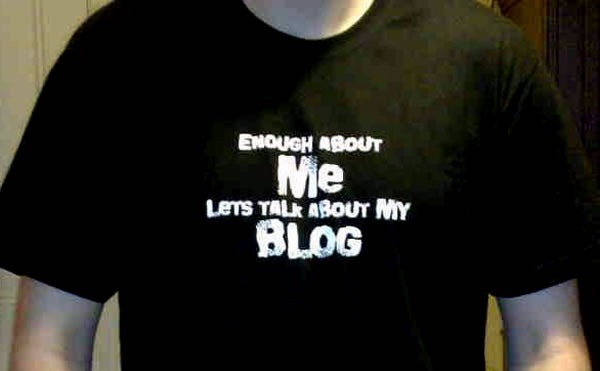
T-shirt: "Enough about ME, let's talk about my BLOG"

I’m sure that the folks at the New York Times are regularly told by everyone – analysts, tech pundits, their customers and even their peers – that their industry is doomed. So it’s not hard to imagine the schadenfreude with which they reported the decline of blogging in a recent article titled Blogs Wane as the Young Drift to Sites Like Twitter. In the article, they suggest that blogs are no longer the platform of choice, with sites like Facebook, Twitter, Tumblr and YouTube being the preferred way for people to make their mark online, and especially the young’uns.

I think that the data they cite are correct, but the conclusion they come to and the article title are wrong.

First, the source: the report they cite comes from a source I often rely on: The Pew Research Center, a “think tank” that seeks to disseminate facts on the issues, attitudes and trends that influence America and the world. One of “The Pew’s” projects is the Pew Internet and American Life Project, which churns out some of the best reports on the impact of the internet and technology on all aspects of life: day-to-day,  education, work, health care, civics/politics, and more. If you truly wish to be in charge of your career as a software developer, you need to know how your customers use technology and better still, how they will use up-and-coming technologies. To that end, the Pew Internet and American Life Project’s reports are useful tools for getting “the lay of the land” and some glimpses into the future.

Now, the conclusion and why it’s wrong: Scott Rosenberg hits the nail on the head in his blog Wordyard. He points out that if you actually read the Pew Internet and American Life Project’s report, titled Generations Online in 2010, you’ll see that blogging is still on the rise. Here’s the relevant excerpt:

Few of the activities covered in this report have decreased in popularity for any age group, with the notable exception of blogging. Only half as many online teens work on their own blog as did in 2006, and Millennial generation adults ages 18-33 have also seen a modest decline—a development that may be related to the quickly-growing popularity of social network sites. At the same time, however, blogging’s popularity increased among most older generations, and as a result the rate of blogging for all online adults rose slightly overall from 11% in late 2008 to 14% in 2010.

Back at the time when blogging began – I think of it as 1997, when Jorn Barger coined the term “weblog”; Peter Merholz would later shorten it to “blog” in 1999 – blogging tools were the simplest way for someone to express themselves regularly online. Before that, you’ve have to manually create your own web pages and manage the site structure yourself, and even people with the skill and know-how to do that couldn’t be bothered. Blogging tools lowered the effort barrier and got the first bloggers going; as blogging tools and platforms improved, that effort barrier got lower and lower and more and more people became bloggers.

Even though the number of bloggers has grown dramatically, not everyone is going to be a blogger. There are still barriers to entry, and at this point in blogging’s evolution, most of them aren’t technical barriers, but barriers of skill and inclination. We’re not all writers, journalists, pundits, storytellers or essayists, just as we’re not all chefs, performing musicians, actors or carpenters. Most people just aren’t going to blog, and from looking at the writing and communications skills of a lot of people, most people just can’t. And that’s okay.

While most people aren’t going to write the sort of longer-form stuff that blogs were meant to handle, they still want to communicate and express themselves. It is, after all, a truly human desire, and luckily for them, other platforms more suitable than blogs have popped up. Facebook is a far better way to send messages and share stuff with friends and family, and I use it in ways that I don’t use my blog. Most people don’t have it in them to write articles on a regular basis, but they certainly have things to say, and many of those things can be said in 140 characters or less – hence Twitter. Once again, I use it, and in a different way from blogging or Facebook.

One glaring example of people being better at saying things in short form than long form is S*** My Dad Says. The guy was great in 140 characters or less, but the TV show that he parleyed his tweets into was pretty lame.

In the end, it’s all blogging to me, whether you’re doing it with a “blogging” platform or social media software or photo/video sharing services. It’s all self-expression, managed by some application so you can focus on the content, put online in some findable, navigable fashion, and generally arranged in reverse chronological order. The how isn’t relevant, it’s the what that counts.

What’s a Developer?
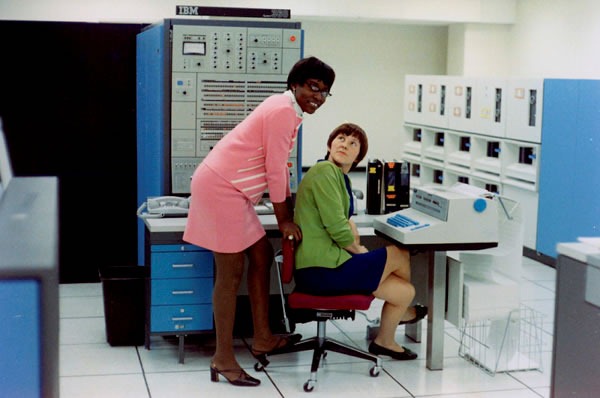
Two women computer operators at Bell Labs in the late 1960s

For a real blast from the past, take a look at look at “Larry” Luckham’s photos from Bell Labs in the late 1960s, where he managed a data center and worked on building an information retrieval system (which we’d probably do today by setting up SharePoint). Marvel at the ancient machinery – much of which could be outclassed by your present day laptop or even your phone – as well as the fashions and oh, the hair!

Once you’ve done that initial marvelling, make a note of the titles of the people working the computers. “Computer operations supervisor”. “Computer operator”. The people designated “Programmers” were mathematicians by training. Many of them were maintaining the system and doing what we’d consider IT pro stuff today, but a lot of their work was developing software. Because of this, I’m inclined to think of all of them as developers.

What’s a developer? This is a question that my manager John Oxley loves to ask us developer evangelists on a regular basis. The reason he does this is to make sure that when we’re reaching out to developers across Canada, we’re not mistakenly limiting our scope and leaving people out. We don’t want to make the same mistake the New York Times did, in considering only those people who used traditional blogging software as “bloggers”.

My own thinking is that if you, in the course of your work, spend some time turning ideas into working software, you’re a developer:

  • Do you build SharePoint applications by using lists, other people’s web parts and SharePoint Designer? You’re a developer.
  • Do you build sites with HTML, CSS and some JavaScript? You’re a developer.
  • Are you a student or hobbyist learning how to program or taking up a new programming language? You’re a developer.
  • Are you what we at Microsoft call an “IT Pro” who’s putting together some Powershell scripts to make your life easier? You’re a developer.
  • And of course, if you’re building applications for any of the “Three screens and the Cloud”, yes, you’re a developer.

I will say it once more for emphasis: if you, in the course of your work, spend some time turning ideas into working software, you’re a developer. As with what I think of blogging vs, Facebook, Twitter, Tumbler and so on: the how isn’t the important part, it’s the what

“What’s a developer?” may seem like a silly question with an obvious answer, but in the asking, we’re making sure that we’re helping you, as developers, sharpen your skills, expand your knowledge, grow your careers and in the uber-big picture, make the world better.

What are YOU, Online?

Cat hiding in a pack of toilet paper rolls

I started this article talking about online self-expression and I’ve just finished talking about what a developer is. It’s now time to talk about where the two intersect.

In the recent GigaOm article Nowhere to Hide: Assessing Your Work Reputation Online, Niel Robertson writes that with all the data about ourselves online, coupled with ubiquitous processing power, “we’re heading into a world of unprecedented measurability”. He also posits that “Historically, great advances in society have been directly correlated to progress in two things: computational capability and measurement.” Taken together, there are going to be some king-sized changes in the way we’re evaluated – by our peers, employers and customers.

I’m already being measured along those dimensions. Part of the “Commitments” document I create at the start of each fiscal year already includes online reputation. Audience reach is part of my job performance rating, and blog pageviews and Twitter follower counts are part of that. And yes, I know what my Klout score is.

The point of the article is best summed up in its final paragraph (with a little boldface added by me for emphasis):

The next 20 years of work activity will see an incredible change in how we are measured. If you’re not thinking about your expert reputation and how to build it, it’s probably time to do so. The next time you look for a job, don’t be surprised if someone asks you for your score.

As developer evangelists for Canada, we’re here to help you build your reputation. We want to hear and broadcast your stories and your successes. We’ll help you promote yourself, your work, your projects and your company. We’ll show you how to make the most of online resources and social networking to help boost your career. That’s what we’re here to do.

Need a hand making your online reputation? Let us know! Feel free to tell us what you need or think, whether in the comments, or by emailing me (or any of my teammates) directly.

This article also appears in Canadian Developer Connection.

{ 0 comments }

hello html5 and css3Another day, another book deal: today’s book deal from Manning Publications is the MEAP (Manning Early Access Program, a “books in beta” sort of thing) edition of the book Hello! HTML5 and CSS3, which is being written by Rob Crowther. For today only, you can get this book for a mere USD$25 (CAD$24.57 as I write this) in both paper form (when the final edition comes out) and ebook form (right now, and as the book is updated).

Here’s a description of the book:

Hello! HTML5 and CSS3 is written for the web designer or developer who wants a fast, example-oriented introduction to the new HTML and CSS features. After a quick review of the basics, you’ll turn to what’s new. Start by learning to apply important new elements and attributes by building your first real HTML5 pages. You’ll then take a quick tour through the new APIs: Form Validation, Canvas, Drag & Drop, Geolocation and Offline Applications. You’ll also discover how to include video and audio on your pages without plug-ins, and how to draw interactive vector graphics with SVG.

Once you’ve explored the fundamentals of HTML5, it’s time to add some style to your pages with CSS3. New CSS features include drop shadows, borders, colors, gradients and backgrounds. In addition, you’ll learn to layout your pages with the new flexible box and layout modules, and add the finishing touches with custom fonts. You’ll also see how to target specific devices with media queries, and do all of it with less code thanks to the new selectors and pseudo classes.

Finally you will walk through several large examples where you see all the features of HTML5 and CSS3 working together to produce responsive and lightweight applications which you can interact with just like native desktop apps.

To get this deal, simply go to Manning’s site, place an order for Hello! HTML5 and CSS3, and enter the code dotd0221 in the Promotional Code field when you check out.

This article also appears in Canadian Developer Connection.
{ 1 comment }

Happy Family Day!

by Joey deVilla on February 21, 2011

family day

It’s Family Day in certain parts of Canada: Alberta, Ontario, Manitoba, Saskatchewan and Prince Edward Island. We’d like to wish every one of you, whether you get the day off or not, a happy Family Day. We’d also like to remind you to enjoy and appreciate your families, whether they’re the one you were born with, or the ones you picked up along life’s travels.

I’d like to send a personal greeting to my team, a good number of whom I spent a week with in Seattle at Microsoft’s TechReady conference. They’re more than just coworkers or friends: as far as I’m concerned, they’re family too.

This article also appears in Canadian Developer Connection.

{ 1 comment }

If you’re just getting into programming and Windows Phone development, you should think of Rob Miles as your new best friend. He’s a lecturer at the computer science department at the University of Hull in the UK, a Microsoft C# MVP and the creator of a lot of instructional material on Windows, Windows Phone and XNA programming. I’ve listed his works that are especially suited to the developer who’s just getting started out with C# and phone development.

The Free Books: The Yellow Book and the Blue Book

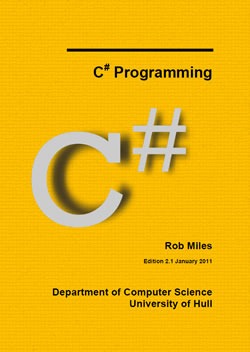
rob miles yellow book

If you’re new to computer programming or not familiar with the C# programming language, a good place to start is the 2010 edition Rob’s book, C# Programming, or as it’s called in .NET programming circles, “The C# Yellow Book”. This is the basis of Rob’s first year C# course at the University of Hull, and it’s available for download for free.

The book starts with “A First C# Program” and proceeds to cover various aspects of programming and C#, from the basics of variables and methods to object-oriented programming to threads and threading. You can start this book as a complete programming newbie and end ready to code Windows Phone apps.

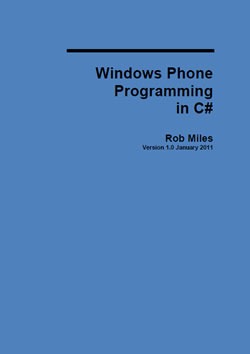
rob miles blue book

If you’re comfortable with C# (perhaps you’ve finished the Yellow Book) or new to Silverlight, XNA and Windows Phone development, you’ll want to get Windows Phone Development in C#, a.k.a. “The Blue Book”. This book covers development for Windows Phone with both Silverlight and XNA, consuming data services, how to make a “proper” application and making the most of Windows Marketplace.

As with the Yellow Book above, the Blue book is available for download for free.

Links


The Commercial Book: Microsoft XNA Game Studio 4.0: Learn Programming Now!

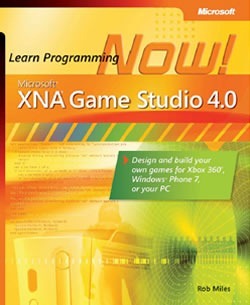
learn programming now

I’ll leave it to Rob himself to describe his book published by Microsoft Press, Learn Programming Now! Microsoft XNA Game Studio 4.0 – this is taken from the “Who This Book is For” section of the book’s introduction:

If you have always fancied writing software but have no idea how to start, then this book is for you. If you have ever played a computer game and thought, “I wonder how they do that?” or, better yet, “I want to make something like that,” then this book will get you started with some very silly games that you and all your friends can have a go at playing and modifying.

If you’re new to programming or perhaps have only a little programming under your belt and want to write games for the Phone as well as Windows and Xbox 360, this book will help get you started (and keep you motivated, since games are generally more fun to create).

Link

The Videos: Windows Phone Jump Start

jump start

Rob’s going to be the king of all Windows Phone developer media soon: in addition to writing some great books, he’s also put together a series of 19 – count ’em – video tutorial sessions that go deeper into the subject of Windows Phone development. If you’re comfortable with the material in his Blue and Yellow books (or once you’ve become comfortable with them), these videos are a natural next step. Rob and co-host Andy Wigley will lead you through all sorts of topics in a way that only two crazy-smart Brits can.

Their video tutorials are listed below. You can watch them online (Silverlight required, and if you’re getting into WP7 dev, you really should have it), or you can download the videos for offline view in a number of formats:

  1. Introduction
  2. Building a Silverlight Application, Part 1
  3. Building a Silverlight Application, Part 2
  4. The Application Bar
  5. Building XNA Games for the Windows Phone 7 Platform, Part 1
  6. Building XNA Games for the Windows Phone 7 Platform, Part 2
  7. Isolation Storage
  8. The Application Lifecycle
  9. Launchers and Choosers
  10. Push Notifications
  11. Marketing your Windows Phone Applications
  12. Working with Media
  13. Panorama and Pivots
  14. XNA Deep Dive, Part 1
  15. XNA Deep Dive, Part 2
  16. Location and Bing Maps
  17. Optimizing for Performance
  18. Designing Apps Using Expression Blend & Metro
  19. Ask the Experts podcast

They’ve made all their demo code available as well, so you can try out what they do in their videos for yourself.

This article also appears in The Great Canadian Apportunity.

{ 1 comment }

ken jennings

Someone who goes by the name “TheArcticEcho” digitized all the Jeopardy episodes featuring Watson playing against champion players Ken Jennings and Brad Rutter and uploaded them to YouTube. As an added bonus for people who like to see behind the scenes, VentureBeat uploaded the practice match.

I’ve been in Seattle all week for Microsoft’s TechReady conference, so I haven’t had a chance to catch Jeopardy on TV. I probably won’t get a chance to watch the YouTube videos until after I return from Seattle on Sunday night, so I decided to gather all the videos in one place for convenient viewing on Family Day – enjoy!

The Practice Match

Day 1, Part 1

Day 1, Part 2

Day 2, Part 1

Day 2, Part 2

Day 3, Part 1

Day 3, Part 2

This article also appears in The Adventures of Accordion Guy in the 21st Century.

{ 3 comments }

For those of you who want to develop games for the phone – and hey, it’s the most popular mobile app category, so why not? – here’s a list of books that cover game development in XNA 4.0. Remember, the XNA framework is not just for the Phone, but the Xbox and PC as well!

Learning XNA 4.0

learning xna 4

Learning XNA 4.0 (published by O’Reilly) is the latest revision of this book; I’ve used the material and some of the code from the previous edition, Learning XNA 3.0, in presentations I’ve done on XNA. The first half of the book covers 2D game development, while the second half jumps into the third dimension. Naturally, this book covers stuff that was added to XNA in the move from 3.0 to 4.0, including support for Windows Phone.

Links

XNA 4.0 Game Development by Example

xna 4.0 game development by example

I’m enjoying Packt Publishing’s XNA 4.0 Game Development by Example, which walks you through the development of four very different but entertaining games using XNA: a “Pipe Dream” clone, an “Asteroids”-esque game, Robot Rampage and a supercharging of the “Platformer” demo you can get from App Hub.

Links

XNA Game Studio 4.0 Programming

xna game studio 4.0 programming

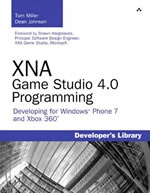
XNA Game Studio 4.0 Programming is a thorough look at game dev in XNA, both 2D and 3D games, with special emphasis on 3D graphics.

Links

Into the Third Dimension: 3D Graphics with XNA Game Studio 4.0 and XNA 3D Primer

3d graphics with xna game studio 4

xna 3d primer

If you’re looking for an introduction to 3D game programming in XNA, these two books will help. Packt Publishing’s 3D Graphics with XNA Game Studio 4.0 is dedicated wholly to the topic, and Wrox’s XNA 3D primer is a short book that provides a quick introduction to 3D graphics in XNA.

Links

phone games

This article also appears in The Great Canadian Apportunity.

{ 0 comments }

More Books on Windows Phone 7 Development

by Joey deVilla on February 16, 2011

Yesterday, I wrote about ebooks on writing apps for Windows Phone 7 that you can download for free. There’s more literature on WP7, and if you’ve got a little money to shell out, here’s what you can get:

programming windows phone 7 silverlight     programming windows phone 7 xna

Programming Windows Phone 7: Microsoft Silverlight Edition and Programming Windows Phone 7: Microsoft XNA Framework Edition takes the Silverlight and XNA parts of Charles Petzold’s free 1,000-plus page ebook Programming Windows Phone 7 and puts it them into two separate paper books (a good idea; 1,000 page books are pricey, hard to bind and hard to lug around). If you’d rather have Petzold’s wisdom in graspable paper form than as an ebook, these are the books for you.

Links

beginning windows phone 7 development

windows phone 7 game development

Apress have a couple of books on writing apps for WP7: Beginning Windows Phone 7 Development, which is largely about writing apps using Silverlight and Windows Phone 7 Game Development, which covers game development –_mostly in XNA, but it also has a section devoted to games written in Silverlight.

Links:

professional windows phone 7 application development

From Wrox comes Professional Windows Phone 7 Application Development, another grand-tour-of-WP7 book covering both Silverlight and XNA development on our favourite phone platform.

Links

This article also appears in The Great Canadian Apportunity.

{ 0 comments }

Free Books on Windows Phone 7 Development

by Joey deVilla on February 15, 2011

If you find yourself looking longingly at the Windows Phone 7 books at your local bookstore but are short on money to buy them, here are four books on the topic that you can download for free!

programming windows phone 7Programming Windows Phone 7

Written by Charles Petzold, published by Microsoft Press.

You’re not going to get more bang for your non-bucks than with Programming Windows Phone 7. Spanning over 1,000 pages, this leviathan of an ebook is written by the guy who literally wrote the book on Windows development. It’s quite thorough, covering not just Silverlight and XNA development, but also programming techniques applicable to those frameworks as well as mobile development.

The ebook edition, which covers both Silverlight and XNA development, is free-as-in-beer and available for download from Charles Petzold’s site. If you feel more comfortable with physical books, they’ve split the content into two dead-tree books: one that covers SIlverlight and one that covers XNA. I’ve listed those books in other sections of this article.

webVisit the Programming Windows Phone 7 download page, which also includes sample code.


windows phone programming in c#Windows Phone Programming in C#

Written by Rob Miles, self-published.

Windows Phone Programming in C#, a.k.a. “The Blue Book”, is written by Rob Miles, a Microsoft MVP and an instructor at the University of Hull in the UK. He’s known for his instructional materials on programming, which include the C# Yellow Book, a free book covering introductory programming in C# and the 19-part Windows Phone 7 Jump Start instructional video series. Windows Phone Programming in C# is just one part of a course on Windows Phone development provided by Microsoft Faculty Connection for university and college teachers. The book comes with a package of labs, which includes code for exercises and PowerPoint slides for lectures. Whether you’re leading a class or just doing some self-directed learning, this package is free and worth checking out.

webVisit the Windows Phone Programming in C# page in Microsoft’s Faculty Connection site.


ui design and interaction guide for windows phone 7UI Design and Interaction Guide for Windows Phone 7

Written by the Windows Phone Team, self-published.

The user interface for Windows Phone 7 sets it apart from other smartphones, and the applications you write for it should have user interfaces that fit in well. If yours apps respond to user input and gestures one way and Windows Phone and the standard apps do so in a completely different way, you’re going to either confuse or annoy your users. That’s why you need the UI Design and Interaction Guide for Windows Phone 7.

If you’re serious about developing apps for Windows Phone 7 and getting them into Marketplace, you’ll definitely want to get the UI Design and Interaction Guide and make sure you’re familiar with our UI guidelines and know the rationale behind them.

downloadDownload UI Design and Interaction Guide for Windows Phone 7.


windows phone 7 developer guideWindows Phone 7 Developer Guide

Written by Microsoft Patterns and Practices, self-published.

Just as the UI Design and Interaction Guide for Windows Phone 7 looks at the front end of Windows Phone 7 apps, the Windows Phone 7 Developer Guide is all about the back end – the underlying architecture of your app. This book covers things like the MVVM design pattern (that’s Model-View-ViewModel), which you might not have seen if you’ve never done Silverlight or WPF development before, connecting with web services, creating cloud-based services for the phone and the like. The book is written by the people at Microsoft’s Patterns and Practices group, a very picky bunch whose job is to share their knowledge of the best ways to build applications.

webVisit the Windows Phone 7 Developer Guide page in Microsoft’s Patterns and Practices site.

This article also appears in The Great Canadian Apportunity.

{ 3 comments }

mobile world congress

There’s a lot of news about Windows Phone 7 coming out of Mobile World Congress in Barcelona, where we’re announcing updates to our favourite phone that are coming this year. Here’s a quick look at what was announced and more importantly, what it means for you when you’re writing Windows Phone 7 apps:

What’s going into Windows Phone   What it means for you, the developer

first major updateFirst major update! In early March, we’ll push out a free customer update that will include new capabilities like support for copy and paste and faster app startup and performance.

  You can write apps with support for copy and paste, and you can get started immediately! Copy and paste support comes with the Windows Phone Developer Tools January 2011 Update. Get it now!

Having apps start faster is also great – it makes for a much better user experience and will make your apps appear snappier and more polished.

     
ie9IE9 for the phone! A natural byproduct of desktop IE and mobile IE sharing a common code base (for the first time ever!), our best browser ever becomes our best phone browser ever. This will come out later this year.   If you developer HTML5 mobile web apps, they’ll work on Windows Phone 7. In fact, they just might work better and faster than on other mobile phones, because just like IE9 for the desktop, IE9 for Windows Phone 7 will take advantage of hardware acceleration. Standards compliance and super-speed, all in the same package!

     
multitasking3rd-party multitasking! Windows Phone 7 has been multitasking-ready from the get-go, but it was only available for its own built-in apps. Later this year, an update will add 3rd-party multitasking support: “the ability to switch quickly between applications, run applications in the background (such as listening to music), along with a number of other capabilities.” The details of how this will work will be revealed at the MIX conference in April.

  3rd-party multitasking and letting apps run in the background opens up a whole new class of apps that can be run on Windows Phone 7 – apps that perform continual (working at regular intervals) or continuous (working all the time) tasks will now be possible.

Once again, it’ll be explained at the MIX conference.

     
twitterTwitter integration in the People hub! The People hub, a “contacts list on steroids” that acts as both directory of people and social networking app currently features Facebook integration – you can see what your Facebook friends are up to with just one swipe. Later this year, the People hub will also show the your contacts’ tweets.   This means a better experience and more convenience for users, which we hope will be yet another reason to get a Windows Phone, which in turn will drive phone sales and by extension, app sales. 

As a developer, you might want to rethink writing that Twitter client, or at least find a way to tweak it so that if offers something to users that a plain old Twitter client can’t.

     
cloudDocument sharing and storage in the cloud via Windows Live SkyDrive will be added to Windows Phone later this year.   Once again, good news for users.

This feature might not affect you directly, but once again, nice features sell phones, and selling phones grows app demand, which in turn is an opportunity for you.

     
cdmaCDMA! With added support for CDMA networks, Windows Phone will be available to even more customers on mobile operators such as Verizon and Sprint in the first half of 2011.   A bigger Windows Phone market, a bigger pool of potential app customers.


For more on what’s going on with Windows Phone 7, check out this interview with Microsoft Senior VP Andy Lees, as he talks to Ina Fried about the upcoming goodies:

mobile world congress

This article also appears in The Great Canadian Apportunity.

{ 1 comment }

On Writing Apps

by Joey deVilla on February 13, 2011

Have you ever had a workaday experience transformed by a new tool? It’s happened a couple of times for me in the past few months.

Dyson DC25 vacuum

One such case is my Dyson DC25 vacuum cleaner. That’s the one that moves about on a ball rather than a set of four wheels. I got mine back in early January when some of the big box electronics stores were putting them on sale at 25% off. I’d seen the DC25 in action at Woofstock, Toronto’s annual dog festival, where they invited everyone to have their dog roll around a black shag carpet and then vacuum it back to a pristine, showroom-ready state.

I took it home, took it for a test run on my carpet and fell in love. It’s got a fit and finish that remind me of high-end power tools, it steers like a German luxury car and it provides greater suction than today’s Top 40 music. Don’t get me wrong: vacuuming is still a chore, but it’s so much better for two reasons:

  • I’m getting great results. Dyson’s technologies are amazing at using moving air to get amazing outcomes, and this vacuum is no exception. This thing cleans carpets and couches much, much better than my previous vacuum, which wasn’t a cheap model (and ended up donated at the local Goodwill store).
  • I’m getting a great experience. Using the Dyson makes vacuuming fun! Unlike my old vacuum, I’m not fighting with it; it feels like it’s working with me to get my carpets clean, and the usually onerous tasks of emptying the dirt canister and cleaning the filters are – if you’ll forgive the pun – dirt simple.

Samsung Focus WP7 phone, showing the start screen

Another tool that’s transformed workaday experiences is the smartphone. I’m attending a week-long conference in Seattle with many of my coworkers as I write this, and my Samsung Focus running Windows Phone 7 has proven to be terribly handy in so many ways:

  • We’ve coordinated plans to meet up and changed them on the fly with texting,
  • I’ve used Bing Maps to find my way around an unfamiliar downtown area,
  • Bing Search (available with just a click of the “Search” button) and Bing Maps to find a good place to buy flowers for my aunt (great selection and best deal at Pike Place Market!),
  • Email and social networking apps to stay on work
  • …and Fruit Ninja to kill time while in transit.

As with my Dyson, I’m getting both great results and a great experience. Unlike the Dyson, you can play a part!

Apps are the Transformer

apps

We’re at the point where the underlying hardware of smartphones is more or less the same. The current generation of devices, whether you’re talking about Windows Phone, Android, BlackBerry or iPhone have roughly the same processor power, storage, touch displays, networking and sensor suites. They’ve evolved from phones that just happen to have some computing capability to go-anywhere, networked-everywhere computers that just also happen to be phones.

So what makes smartphones different? It’s all about the platform and the apps. We’re taking care of the platform end with Windows Phone 7, a radically reworked-from-the-ground-up mobile operating system. I keep on top of development for the major mobile platforms, and in this humble blogger’s opinion, Windows Phone gives you the nicest developer tools (even Microsoft haters say through gritted teeth that Visual Studio is an amazing IDE), the power of the .NET framework, not one but two app frameworks (Silverlight and XNA), and a user interface that stands apart and is still easy to use. And with all this, we never consider out job with Windows Phone done – it’s always being worked on.

We’re taking care of the platform part. You, the developer are the important other half of the equation – you make the apps. If we’re doing our jobs right, Windows Phone users shouldn’t even notice the platform; it should be the vehicle for your apps. What users notice, want and use are the apps. The apps are what users use to get stuff done, stay in touch and entertain themselves. Apps are the tools, and if you’re doing them right, they should be transforming people’s workaday experiences, just like my Dyson vacuum does.

How Do You Write Transformative Apps?

You’re all smart people, so you’ve probably figured out where I was heading: how do I write the app equivalent of the Dyson? I don’t have a straightforward answer or checklist that says “do this, then this, and don’t forget this, and you’ll have a transformative app that you can put into Marketplace and then sit at home in your bathrobe and collect payment cheques.” If I had such an answer or checklist, the current arrangement would be its exact opposite, and Steve Ballmer would be working for me. (I can dream, can’t I?).

What I can do pass along everything I’ve learned, through experience from building my own apps or helping Canadian developers build theirs, through watching development on all the phone platforms (ours as well of those of the Esteemed Competition), knowledge of mobile phone development and the mobile industry via the current literature and my contacts and from the resources and research available to me as a Windows Phone Champ. I will pass along this knowledge in both The Great Canadian Apportunity blog as well as my personal tech blog, Global Nerdy.

The Three Motivations for Using a Mobile App

Cover of "Tapworthy"

In order to write transformative apps, it’s important to understand what drives people to use apps in the first place. I like the explanation provided by Tapworthy, a book published by O’Reilly and aimed at iPhone developers who want to build great apps. While written specifically for iPhone developers, it’s got a fair bit of information that’s equally useful to Windows Phone developers. I like to call it “The Windows Phone book that doesn’t know it’s a Windows Phone book.”

One of the more astute observations in Tapworthy is that every use of a mobile app can be boiled down to some combination of these three motivations. When you’re trying to figure out what your app will do, keep these three motivations in mind – is your app satisfying at least one of them?

I’m microtasking

If you’ve ever taken a quick break to jot down a note, fire off a quick email or instant message or look something up and then returned to what you were doing, you’ve engaged in microtasking. Phones are perfectly suited to microtasking, since they’re what Tapworthy calls “devices of convenience and context”, computers that you’ve always got on hand, better suited to uses in short bursts rather than extended sessions. Look around and take note of the microtasks that people engage in at work and in everyday life – somewhere in there, there’s an app waiting to happen.

I’m local

Star Trek had an influence on the design of earlier mobile phones; many flip phone designers have said that they were influenced by the flip-top design of the communicators in the original series. Today’s smartphones are like a hybrid of communicator and tricorder: in addition to being communications devices, they’re also portable sensor devices, taking in real-world data and displaying it to us. The GPS and compass are usually what come to mind when we think of apps that are aware of your local context, but you should also think of the motion sensor, camera and microphone as sensors that can provide valuable information about where you are right now. Tapworthy puts it quite well: location-aware apps “put an appealing nearsighted lens on a vast universe of data.”

I’m bored

Air travel – something in which I partake about once a month – involves a lot of waiting: in the ticket line, in the departure lounge, on the tarmac. If you look around at any of these moments, you’ll find the savvy travellers whipping out their phones and doing something to pass the time. Oftentimes, they’re playing games – games account for 75% of the most popular paid downloads in Apple’s App Store – but some of them are also microtasking. While games are an obvious solution to boredom, they’re not the only one. I’ll quote Tapworthy again: “The antidote for boredom is simple enough: anything that’s better than what I’m stuck in right now.”

We’re Just Getting Started

off on button

Keep watching this blog! We’re going to be covering Windows Phone development from all sorts of angles:

  • For the beginning developer, we’ll cover getting started with programming using Windows Phone
  • For the experienced developer, we’ll dive into the nitty gritty details of Windows Phone development with both Silverlight and XNA
  • For the designer and user experience specialist, we’ll talk about building user interfaces and experiences suited to mobile devices (which are quite different from desktop/laptop computers)
  • For the business-minded, we’ll talk about marketing and promoting your apps and the mobile phone/app industry in general
  • For the creative, we’ll talk about ideas for apps

And as always, if you have any questions or comments about mobile development or The Great Canadian Apportunity, please feel free to ask in the comments. We’ll reply as best we can, and who knows – your question could be the launching point for a blog post. Let’s get the conversation started!

This article also appears in The Great Canadian Apportunity.

{ 1 comment }

Cover of "Continuous Integration in .NET"Today only (Sunday, February 14th, 2011), you can get the ebook version of the upcoming Manning Publications book Continuous Integration in .NET for a mere USD$15. Simply go to Manning’s site, order the ebook edition and enter dotd0213cc in the promotional code field when you check out.

The book is a MEAP (Manning Early Access Program) book. This means that the book is still being written, and you get the current version now, and the final version when it comes out. Continuous Integration in .NET is heading into production shortly, so you’ll get the early version now and the final version quite soon!

Here’s the description of the book:

There are three copies of a source file and no-one knows which is the right one. Your carefully-crafted unit tests won’t run anymore. The three-year-old requirements doc is totally irrelevant. The boss wants to ship, ship, ship. The team in Austin has no idea what the team in Arlington is up to. You are in integration hell. Ready to try something different?

Continuous integration is a software engineering process designed to minimize "integration hell." It’s a coordinated development approach that blends the best practices in software delivery: frequent integration, constant readiness, short build feedback cycles, persistent testing, and a flexible approach to developing–and modifying–system requirements. For .NET developers, especially, adopting these new approaches and the tools that support can require rethinking your dev process altogether.

Continuous Integration in .NET is a tutorial for developers and team leads that teaches you to reimagine your development strategy by creating a consistent continuous integration process. This book shows you how to build on the tools you already know–.NET Framework and Visual Studio and to use powerful software like MSBuild, Subversion, TFS 2010, Team City, CruiseControl.NET, NUnit, and Selenium.

Because CI is as much about the culture of your shop as the tooling, this book will help you bridge resistance to adoption by providing clear guidelines for starting and maintaining projects-along with defined metrics for measuring project success. Each author brings a unique set of experiences and practices to create a rich and varied picture of this powerful technique.

What’s Inside:

  • Continuous integration – what is it?
  • Source control with Subversion and TFS Version Control
  • Continuous integration server with TFS 2010, CruiseControl.NET and TeamCity
  • Automating build with MSBuild
  • Testing with NUnit, Fitnesse and Selenium
  • Database Integration
  • Keeping code tidy with FxCop and StyleCop
  • Generating documentation with Sandcastle
  • Deploying with ClickOnce and WiX
  • Scaling continuous integration

For more about Continuous Integration in .NET, check out its page on Manning’s site.

This article also appears in Canadian Developer Connection.
{ 1 comment }

Rick Claus and Joey deVilla in chef hats

My coworker Rick Claus (that’s him and me at a recent team get-together) is a great guy and knows his way around a Microsoft IT setup, but the guy is cursed. He has a reverse “Midas Touch”, and can render just about any technological device by touching it or even being around it. He’s managed to do it so many times that the Developer and Platform Evangelism team uses the word “Claused” for broken or non-functional (example: “My TV fell out of the moving truck while it was on the highway. It’s totally Claused.”)

The wifi on my Dell Latitude XT2 worked just fine until the last TechDays conference. While in the “Ask the Experts” lounge, I was looking for a place to set my laptop down, and the only spot was on a tiny table where Rick’s closed-up laptop was sitting. I put my laptop down on his for a couple of minutes while I had a conversation with some local attendees. I then opened my laptop, and after not being able to connect and after trying every troubleshooting trick (even the obvious ones, like checking to see if the wifi switch was on) and even showing it to a couple of IT pros, it became obvious to me that my wifi card was Claused.

Cisco Linksys AE1000 dongle, with its cap off, placed beside a US quarterThe Cisco Linksys AE1000.

Between the holidays and having an extra two weeks off when I wound up in the hospital in January, I haven’t had a chance to get Dell tech support to drop in and fix my wifi (which I assume is a matter of them plunking in a new wifi card). I’ve been dragging around my 17” “Dellasaurus”, but while it’s great for full-on programming and doing demos, it’s not the easiest thing to drag around. So before I left for my 11-day trip to Seattle for Microsoft’s employees-only TechReady conference, I picked up a Cisco Linksys AE1000 USB 802.11n dongle.

I bought the AE1000 right before my flight to Seattle, so I simply emptied the contents of its box into my knapsack and headed out the door. I had a stopover in Vancouver, whose airport has free wifi and decided to install the software and take it for a test run while waiting for my puddle-jumper to Seattle.

The Cisco Linksys AE1000 beside a Samsung Focus phone, US quarter and Microsoft Presenter MouseThe Cisco Linksys AE1000, placed beside a number of items for size comparison.

Installation was a breeze. Cisco put together a very nice, layperson-friendly setup program with a clear and pretty user interface with comprehensible, straightforward instructions and clean, unambiguous icons. Once that was done, the little blue LED on the dongle came to life and for the first time in many weeks, I was getting wifi on my little touchscreen laptop again!

I’ve had the AE1000 for only four days, but I’ve used it without any trouble in a number of places with varying levels of wifi: Vancouver airport, my hotel in Seattle, Starbucks, the Microsoft offices in Bellvue, Top Pot Doughnuts, and it’s worked so well that I forget that I’m using it instead of my laptop’s own built-in wifi. I think that’s the mark of a good product.

If you find yourself in a situation like mine and have a Windows laptop with dead wifi, or perhaps if you’ve got a Windows desktop machine without a wifi card, the Cisco Linksys AE1000 is easy to install and works well (Note: it won’t work on a Mac; no idea if someone’s written Linux drivers for it). I picked mine up at Best Buy for CAD$70; you might be able to find it for less at other places. I recommend it.

Full disclosure: Cisco is not one of my sponsors; I don’t even know anyone at Cisco. I’m just a satisfied customer who needed an interim wifi solution since my small laptop’s wifi was Claused.

This article also appears in Canadian Developer Connection.
{ 2 comments }

New Articles on The Great Canadian Apportunity’s Blog

by Joey deVilla on February 12, 2011

the great canadian apportunity

Don’t forget, Microsoft Canada’s got a competition called The Great Canadian Apportunity, and it’s your chance to win CAD$10,000 (USD$10,125 at the time of this writing) for writing the Great Canadian App for Windows Phone 7! You can find out all about The Great Canadian Apportunity, the competition rules and how you can compete at GreatCanadianApportunity.ca.

In addition to covering the details of the contest, The Great Canadian Apportunity has a blog, and for the next little while, it’s where I’ll be posting all my articles on mobile and Windows Phone development. (And worry not, I’ll cross-post here on Global Nerdy.)

htc hd7

I’ve posted an updated version of my earlier article on Windows Phones in Canada at The Great Canadian Apportunity, in which I talk about which Windows Phone 7 devices are available in Canada, and who’s carrying them. The revision includes the HTC HD7, the Windows Phone with the largest screen, as well as a link to a handy chart comparing the physical dimensions of various Windows Phones.

step 1 get the tools

For the benefit of those new to Windows Phone development, and as a way to properly start The Great Canadian Apportunity’s blog, I also posted an article titled Getting Started with Windows Phone 7 Development. If you’re looking to get into writing apps for Windows Phone – and perhaps competing in The Great Canadian Apportunity – this step-by-step guide will get you up and running in no time.

This article also appears in Canadian Developer Connection.
{ 1 comment }

Scenes from Seattle, Part 1

by Joey deVilla on February 10, 2011

Sorry about the recent silence on this blog! I’ve been bogged down with all sorts of things, including travel.

Seattle night skyline

As I write this, I’m in a Starbucks near Union Square in Seattle and many of my teammates – Damir Bersinic, Rick Claus, John Bristowe, Frederic Harper, Paul Laberge, Ruth Morton and John Oxley – are arriving here later tonight. We’ll be here for the remainder of this week and all next week to attend TechReady, a regular Microsoft-employees-only conference where we get briefed on the latest tools and technologies. Microsofties from all over the world fly in for TechReady, and it’s a chance for us to connect with our counterparts from the US as well as places farther afield. Some of us from the Canadian team will be doing presentations at TechReady: Paul and I are jointly doing one, as is Rick. Not to be outdone – and he will write lines of code – John Bristowe’s doing two.

Since TechReady’s an internal conference, there’s a sort of Fight Club rule when it comes to session content: the first rule of TechReady content is that you don’t talk about TechReady content. However, since TechReady is also a chance for us to meet with various teams from both Redmond and around the world, I’ll be able to share what I consider to be some of the most valuable info you get at conferences – those “hallways conversations” with other geeks that take place between sessions and at apres-conference gatherings.

I spent a good chunk of yesterday literally above the clouds rather than “in the cloud”, but I kept running into our cloud message everywhere. Here’s a photo I snapped yesterday afternoon in Pearson Airport’s Terminal 1:

Ad for Microsoft cloud solutions along walkway in Pearson Airport: "When demand says jump, you're at the perfect height. That's cloud power."

It’s very rare when I get to check into an airport around noon on a Wednesday, but it’s a great time to do so. There’s almost no line either at the ticket counter or at the Tim Hortons.

Here’s a photo I took from my seat, getting as much geek mileage as I can: that’s The Social Network playing on the in-flight entertainment system (until yesterday, I still hadn’t seen it), and below that is me getting screenshots for an upcoming Windows Phone 7 development article on my Dell Latitude XT2, my phone- and touch-development demo machine. If you caught Kate Gregory’s webcast on developing touch apps for Windows 7, you’ve seen this machine: I loaned it to her for her demo.

"The Social Network" playing on in-flight entertainment system while I work on my laptop, with Visual Studio Express for Phone onscreen

I couldn’t get a decent rate on a direct Toronto-Seattle flight (but somehow got one for a direct flight back), so I debarked in Vancouver. Here’s another Microsoft cloud ad, located on the long schlep from YVR’s domestic terminal to the international/US one:

Ad in Vancouver Airport: "The most comprehensive solutions for cloud. On earth."

In fact, there were many of these ads in YVR:

Billboard in Vancouver Airport: "When demand says jump, I'm at the perfect height. That's cloud power."

The Azure ads weren’t just static billboards; they were also running TV ads between news segments on the TVs in the departure lounges. It’s good to see that we’re working on getting the message out there, talking about the cloud and spelling it out as more than Azure, but Windows Live, Office Live, Office 365 and a whole other host of applications and services that are accessible anytime, anywhere, as long as you can get online. I hope that this promotional push isn’t just good for us, but also good for you and helps your customers “get” what our vision of the cloud is all about, and call on you to build cloud-based stuff for them. After all, we don’t succeed if you don’t succeed.

While going through security to board the “puddle-jumper” that would take me from Vancouver to Sea-Tac, the security people asked me to prove that my accordion was indeed a musical instrument. I played the refrain from Black Eyed Peas’ I Gotta Feeling as proof and got a “standing O” at the end.

Joey deVilla's accordion, with an "I [heart] Windows Phone" sticker on it.

Here’s a photo I took from my hotel room early this morning. It’s actually sunny in Seattle! Better still, it’s balmy in comparison: 6 degrees C here, versus –10 back home. I’m going to enjoy the next ten days here!

The sun rising over the Seattle skyline

This article also appears in Canadian Developer Connection.

{ 1 comment }