Categories
Programming

Converting a number into words, this time with Python and inflect.py

Teaching a person how to spell out numbers involves a lot of repetition. Tampa Bay’s own Jack Hartmann, whose children’s educational YouTube channel has over a million subscribers and 300 million views, knows this. He’s got a video that teaches kids the words for the numbers 0 through 10:

Don’t underestimate the power of videos for kids — Jack’s laughing all the way to the bank. This online estimator says that his YouTube channel should be earning about $70,000 every month, and keep in mind that his particular line of work has probably benefited from everyone being stuck at home. I may have to do something similar with the accordion when this software fad passes.

If you just wanted to be able to convert any number from 0 through 10 into word form in Python, you could use a list…

number_words = ['zero', 'one', 'two', 'three', 'four', 'five', 'six', 'seven', 'eight', 'nine', 'ten']

…and if you wanted the number 3 in word form, you’d use this:

# This is in the Python REPL
>>> number_words[3]
'three'

You wouldn’t want to take this approach for a larger set of numbers, and you probably wouldn’t want to code it yourself. Luckily, you don’t have to do this in Python, thanks to the inflect.py module.

Using inflect.py

Pythoninflect.py is a module that does all sorts of processing to make your programs’ text output grammatically correct. If you hate seeing output like this…

You have 1 items in your cart.

…or this…

You have a egg in your inventory.

…you can use inflect.py to automatically use the correct singular or plural form, use “a” or “an” when appropriate, and so much more.

(I’ll cover inflect.py in greater detail in a future article.)

In addition to all these grammatical goodies, inflect.py can also be used to convert numbers to words.

To use inflect.py, you’ll need to install it first. The simplest way to do so is with pip:

pip install inflect

Once installed, you can use it in your Python programs. Here’s an example:

import inflect

inflector = inflect.engine()

words = inflector.number_to_words(54321)
print(words)

It produces this output:

fifty-four thousand, three hundred and twenty-one

The number_to_words() method has a number of optional parameters that are useful in certain circumstances. For instance, there’s the boolean wantlist parameter, which causes the word output to be broken into “chunks”:

words = inflector.number_to_words(54321, wantlist=True)

It produces this output:

[‘fifty-four thousand’, ‘three hundred and twenty-one’]

Suppose you want the number to be converted into its individual digits as words. You’d use the group parameter:

# This is in the Python REPL

>>> inflector.number_to_words(54321, group=1)
'five, four, three, two, one'

>>> inflector.number_to_words(54321, group=2)
'fifty-four, thirty-two, one'

>>> inflector.number_to_words(54321, group=3)
'five forty-three, twenty-one'

What if you’re using the group parameter set to 1, but want to get all UK English and have it use the word “naught” for zero? Or maybe you want your program to sound like a film noir gangster and say “zip” instead? Or you want it recite a phone number and say “oh”? That’s what the zero parameter is for:

# This is in the Python REPL

>>> inflector.number_to_words(13057, group=1, zero='naught')
'one, three, naught, five, seven'

>>> inflector.number_to_words(13057, group=1, zero='zip')
'one, three, zip, five, seven'

>>> inflector.number_to_words(8675309, group=1, zero='oh')
'eight, six, seven, five, three, oh, nine'

The one parameter does the same thing, but for the digit 1:

# This is in the Python REPL

>>> inflector.number_to_words(13057, group=1, one='unity')
'unity, three, zero, five, seven'

Want to get all Star Trek? Use the decimal parameter to change the default decimal word to “mark”.

# This is in the Python REPL

>>> coordinates = inflector.number_to_words(123.789, group=1, decimal='mark')
>>> print(f"Ensign Crusher, set course to {coordinates}. Engage.")
Ensign Crusher, set course to one, two, three, mark, seven, eight, nine. Engage.

A lot of style guides tell you to spell out the numbers zero through ten, and use the number form for numbers 11 and greater. The threshold parameter makes this easy:

# This is in the Python REPL

>>> inflector.number_to_words(9, threshold=10)
'nine'

>>> inflector.number_to_words(10, threshold=10)
'ten'

>>> inflector.number_to_words(11, threshold=10)
'11'

Go ahead — import inflect.py and play with it. There’s a lot of power in that module, and it goes way beyond just converting words to numbers!

Also worth checking out

If you’re an iOS/macOS programmer, you’ll want to look at this article from a couple of days ago, Convert a number into words in a couple of lines of Swift.

Categories
Business Career Current Events Editorial Humor

THIS is how you tweet after a very public, somewhat embarrassing layoff

Tap to view Esther Crawford’s tweet.

Attention techies with a social media presence or looking to build one: THIS is what you post shortly after a very public, somewhat embarrassing setback. No bitterness, no recriminations, no finger-pointing — but clever self-deprecation.

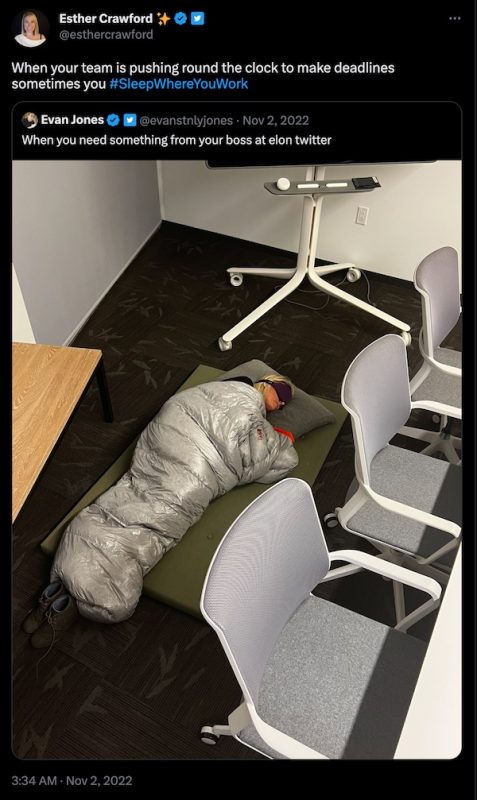
In case you need context, the person behind the tweet is Esther Crawford, whom you might know from this tweet:

She’s one of the “Twitter 1.0” people who worked hard to get into Elon Musk’s good graces, which I wrote about in an earlier post, titled Lessons from the “sleeping bag director” at Twitter who just got laid off.

And in case you don’t know what the meme’s about, it’s made of stills from the TV series The Last of Us, and it features Joel, one of the protagonists, having panic attacks.

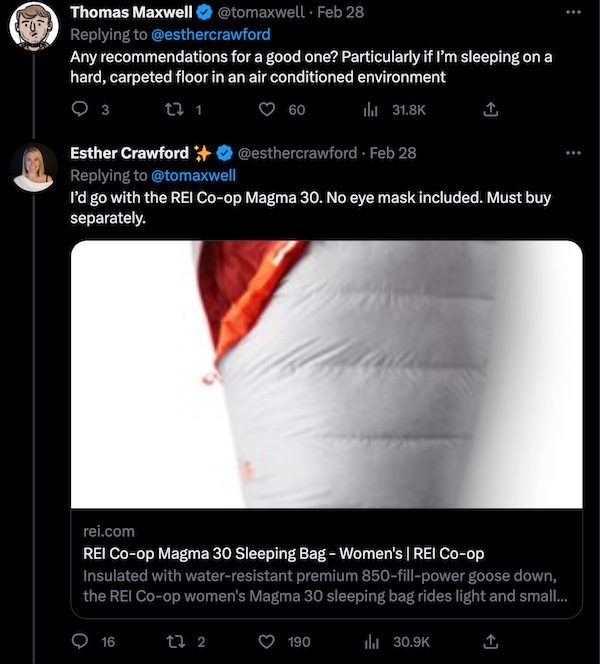
Tap to view this Twitter exchange.

Another good trick: answer what looks like a bad-faith question in a straightforward way, as if it were a good-faith question. Thomas Maxwell responded to Esther’s tweet with a question about sleeping bags, as shown above.

It was probably a good-faith question, judging from Maxwell’s Twitter timeline, but put yourself in Esther Crawford’s shoes. She’s probably still processing her very public layoff and dealing with slings and arrows from critics. In her position — and even as an observer — Maxwell’s question could easily be seen as a bad-faith barb.

Crawford did the right thing: she answered it as if it were a legitimate, good-faith question. This has a double-advantage:

  • If it is indeed a good-faith question, she’s just answered it.
  • If it’s a bad-faith question, it shows grace. Or if you prefer a more Machiavellian, it highlights the attacker’s dickishness.
Categories
Career Meetups Tampa Bay

High Tech Connect’s March Tech Fest at Rapid7 — TONIGHT!

Rapid7 and High Tech Connect are teaming up to have a tech fest in Rapid7’s new office starting at 5:15 p.m.! If you’re looking for work, you’ll want to check this out, as there’ll be networking, an open resume review and Rapid7 hiring update and overview. Find out more and register here!

What’s High Tech Connect?

High Tech Connect is a meetup group whose goal is to facilitate connections in the Tampa Bay technology community. They do this by holding monthly “Tech Fests,” which include a number of companies, including a not-for-profit, a start-up, and 3 or 4 for-profit businesses.

It’s a great way to catch up with your friends in the tech community, make new friends, and find out what’s going on here in “The Other Bay Area.”

Tap the photo to see the accompanying article.

Here’s a true story about an opportunity that started at High Tech Connect: In the summer of 2019, I was looking for work and decided to attend the July High Tech Connect event. I ran into my friend Tracy Ingram at the gathering, and we got to talking. A little bit into the conversation, I asked Tracy “Hey, do you want to go on StartupBus this year?”

He said yes. We went on StartupBus, formed a team (pictured above), made it to the finals, and were the first runner-up. I parleyed that into a mobile development job at Lilypad, and then later, into my current job as a Senior Developer Advocate at Okta.

Long story short: it pays to go to events like High Tech Connect!

What’s Rapid7?

Rapid7 are a security company, and as a reader of this blog, you’ve probably heard of their pentesting tool, Metasploit, their digital forensics and incident response tool, Velociraptor, or their threat intelligence tool, Threat Command.

What’s happening at this event?

For starters, they’re showing off their new office space in Channelside, located between the Florida Aquarium and the Channelside Bay Plaza.

It’s also a recruiting party. Rapid7 is hiring! You can see the list of current jobs here, and here’s a list of future roles currently not on their site:

  • Technical Support Engineer
  • Salesforce Senior Solution Architect
  • Salesforce Engineer
  • (Senior) Business Systems Analysts
  • Product Manager
  • Product Manager, IT
  • Netsuite Administrator
  • Product Operations Manager
  • Senior Software Engineer
  • Lead Software Engineer
  • Software Engineer II
  • Principal Software Engineer
  • Data Engineer

Finally, it’s a networking event. That’s why I’ll be there!

Does it cost anything? Do I need to register?

  1. It’s free!
  2. It would be best if you registered — and you can do it here!
Categories
Meetups Tampa Bay What I’m Up To

Scenes from last night’s “Coders, Creatives, and Craft Beer”

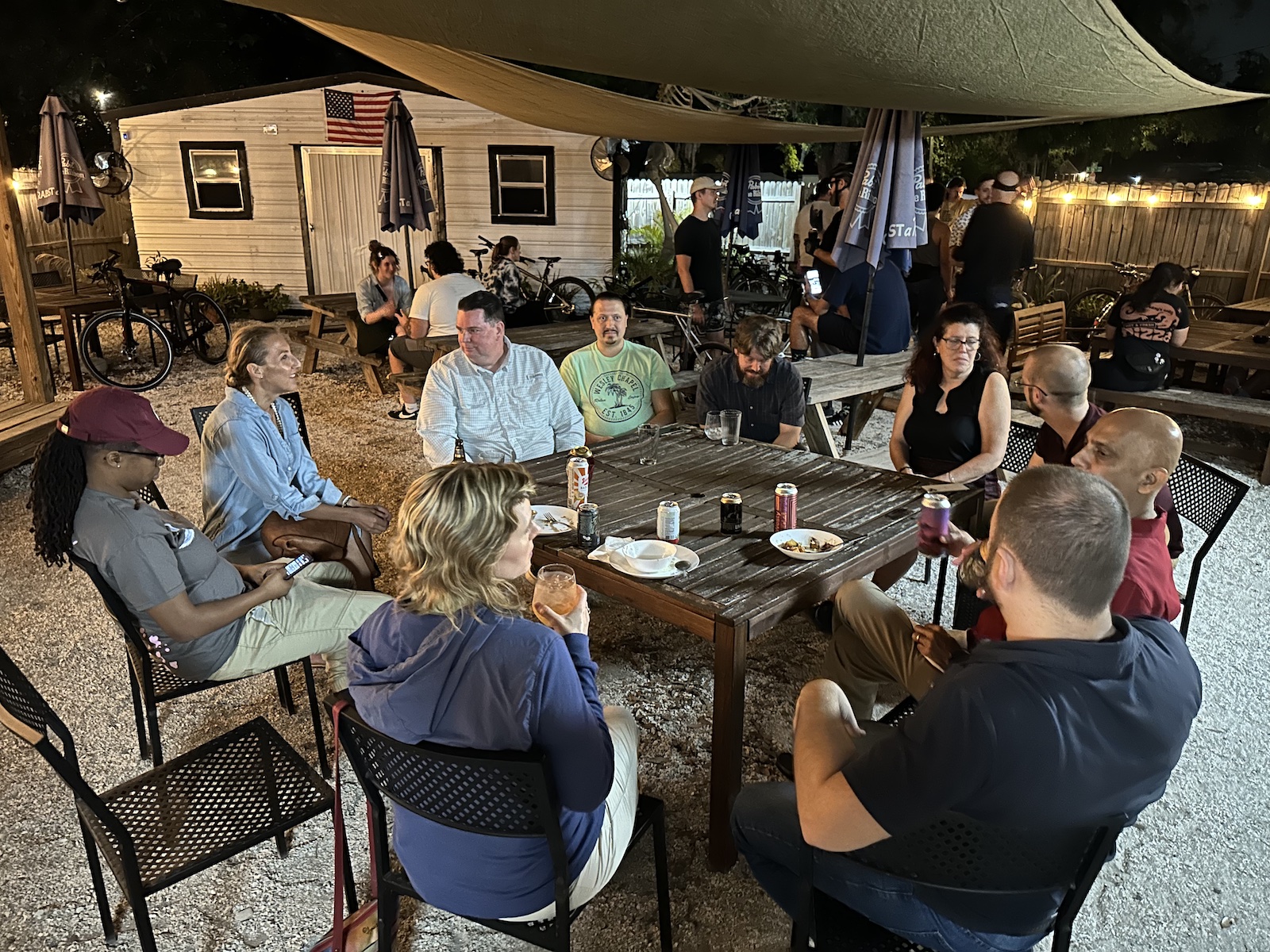
Last night, which was also the last night in February, the Coders, Creatives, and Craft Beer meetup took place in Seminole Heights at the Corner Club.

Anitra and I arrived a little bit before the starting time, 6:00 p.m., and had the back patio all to ourselves:

Tap to view at full size.

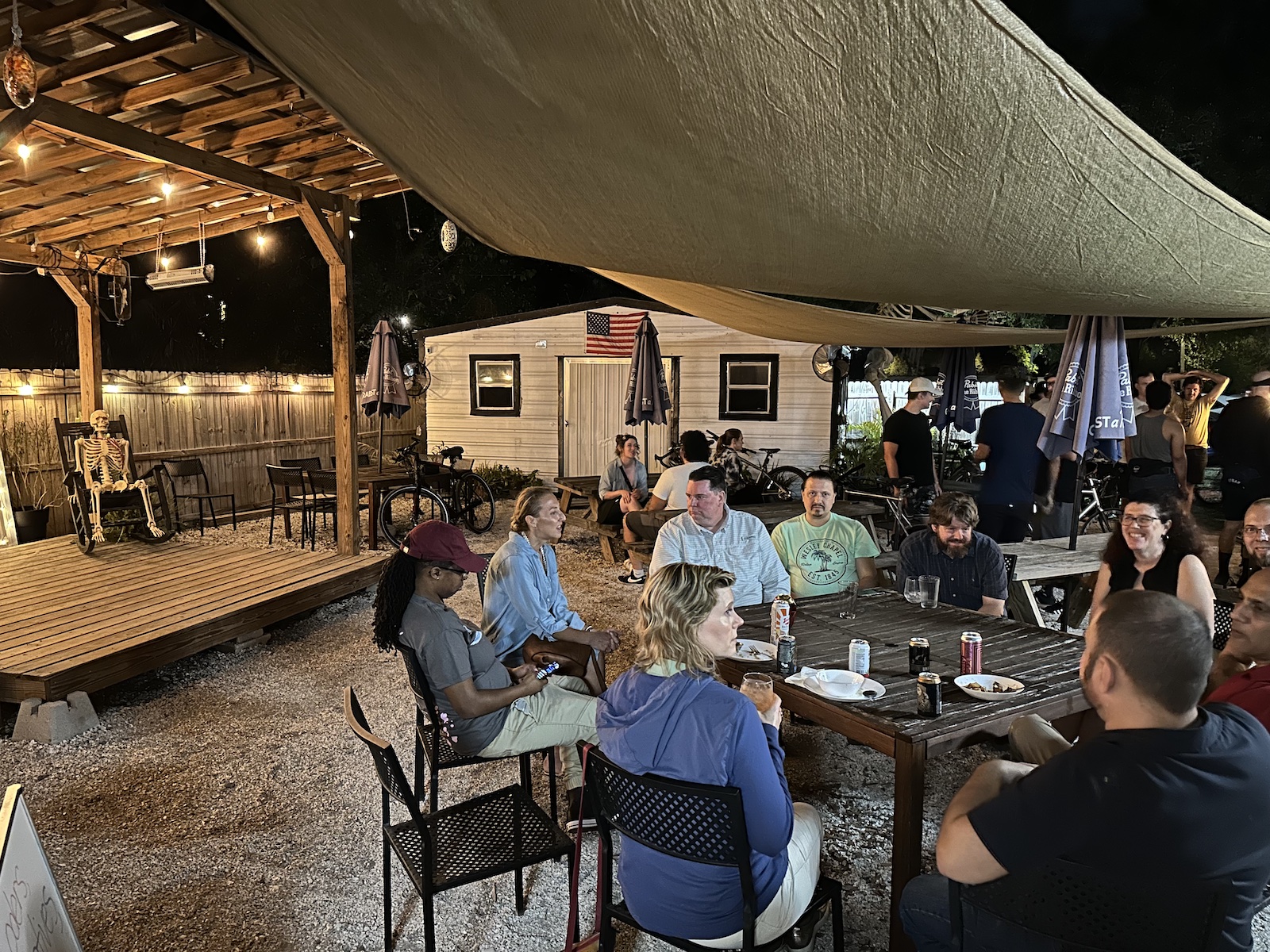
The crowd arrived soon after, the sun set, and we got down to the business of talking about all sorts of things, from ChatGPT to a business idea so crazy it just might work to Tampa’s growing scene of tech events to cycling clubs to music, and so on.

Tap to view at full size.

Coders, Creatives, and Craft Beer is a pretty good summary of what this meetup group is all about. There are no presentations, lectures, or workshops. Instead, it’s just people getting together at an interesting Tampa Bay venue, tasting what comes out of the taps and kitchen, and talking about what interests us, what we’re working on, and what we’d like to work on.

Tap to view at full size.

I like to refer to the meetup’s general philosophy as “All conversations, no presentations.” The goal is to make new friendships and maintain current ones, exchange information, help each other solve problems, and if we’re really lucky, Tampa Bay’s next great endeavor — maybe a technological one, maybe a creative one, maybe even both — will come about because people met here.

Tap to view at full size.

The Corner Club is one of Seminole Heights’ many hidden gems. They’re a neighborhood café with lots of great food prepared from scratch (we recommend the papas bravas potatoes), an interesting drinks selection — with and without alcohol, including some really good coffee — and even local artists’ works on the wall for sale. I really like their outdoor space in the back, which is generally where we hold events when we’re there.

We hold Coders, Creatives, and Craft Beer meetups monthly, and we’ll announce the March event shortly. Thanks to everyone who came out last night — and yes, we’ll have more get-togethers soon!