Categories
Meetups Players Presentations Programming Tampa Bay

Notes from Venkat Subramaniam’s presentation on finding and fixing code with AI (Monday, December 8, 2025)

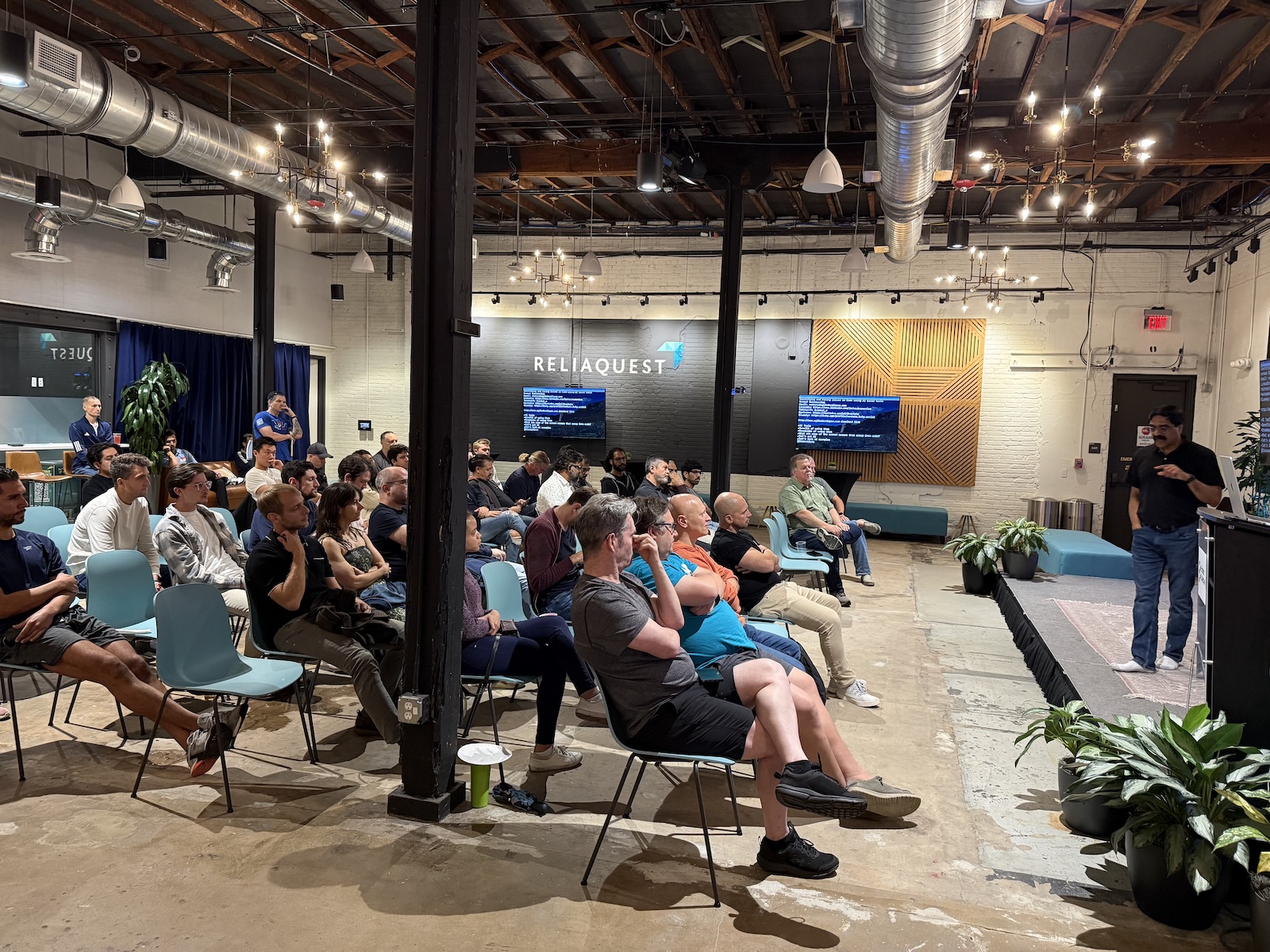
It’s always a treat to see one of Dr. Venkat Subramaniam’s presentations, and Monday evening’s session, Identifying and fixing Issues in Code using AI-based tools, was no exception!

On behalf of the Tampa Bay Artificial Intelligence Meetup, Anitra and I would like to thank Ammar Yusuf, Tampa Java User Group, and Tampa Devs for inviting us to participate in this meetup, and to thank Venkat for an excellent lecture.

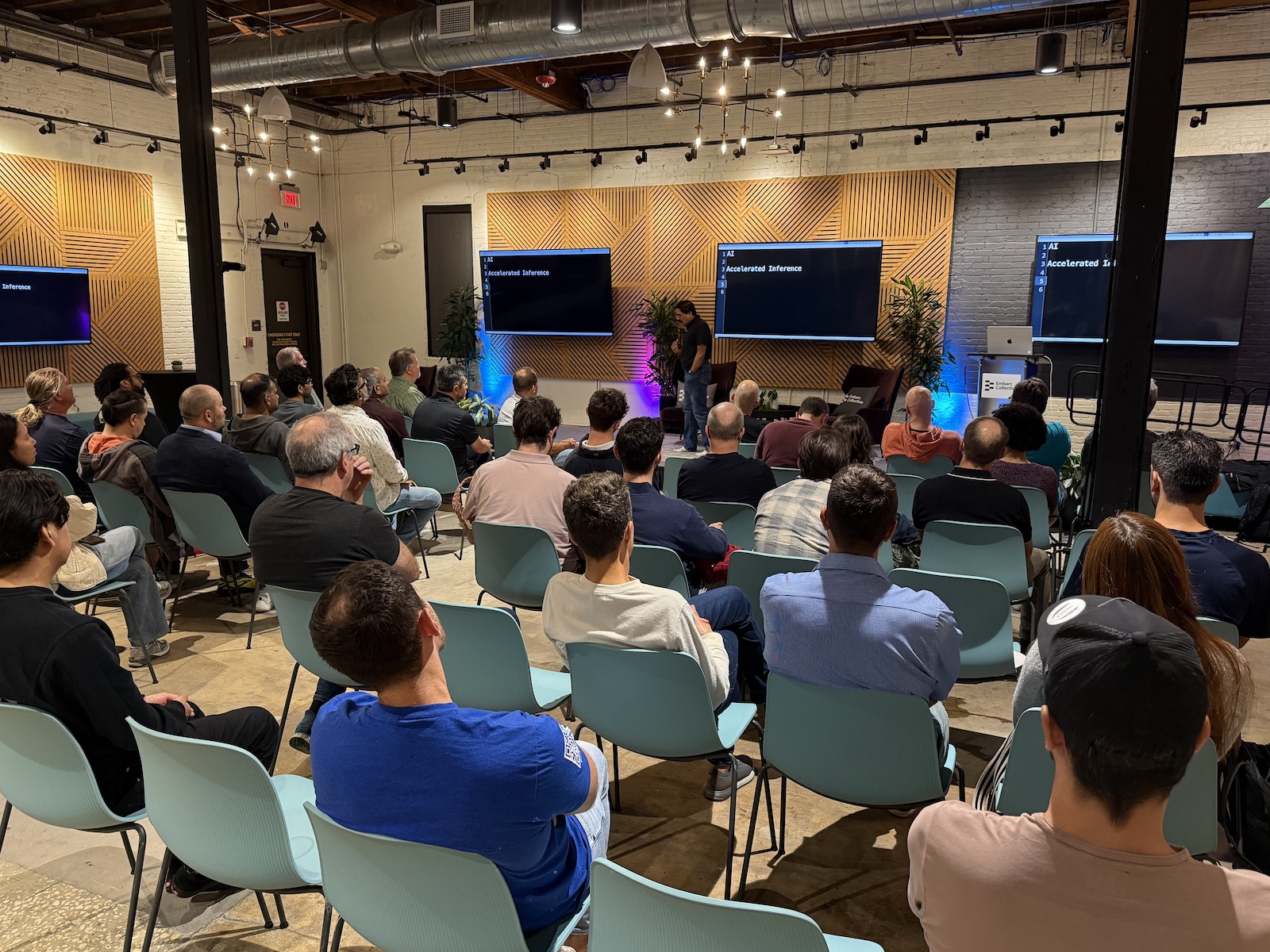
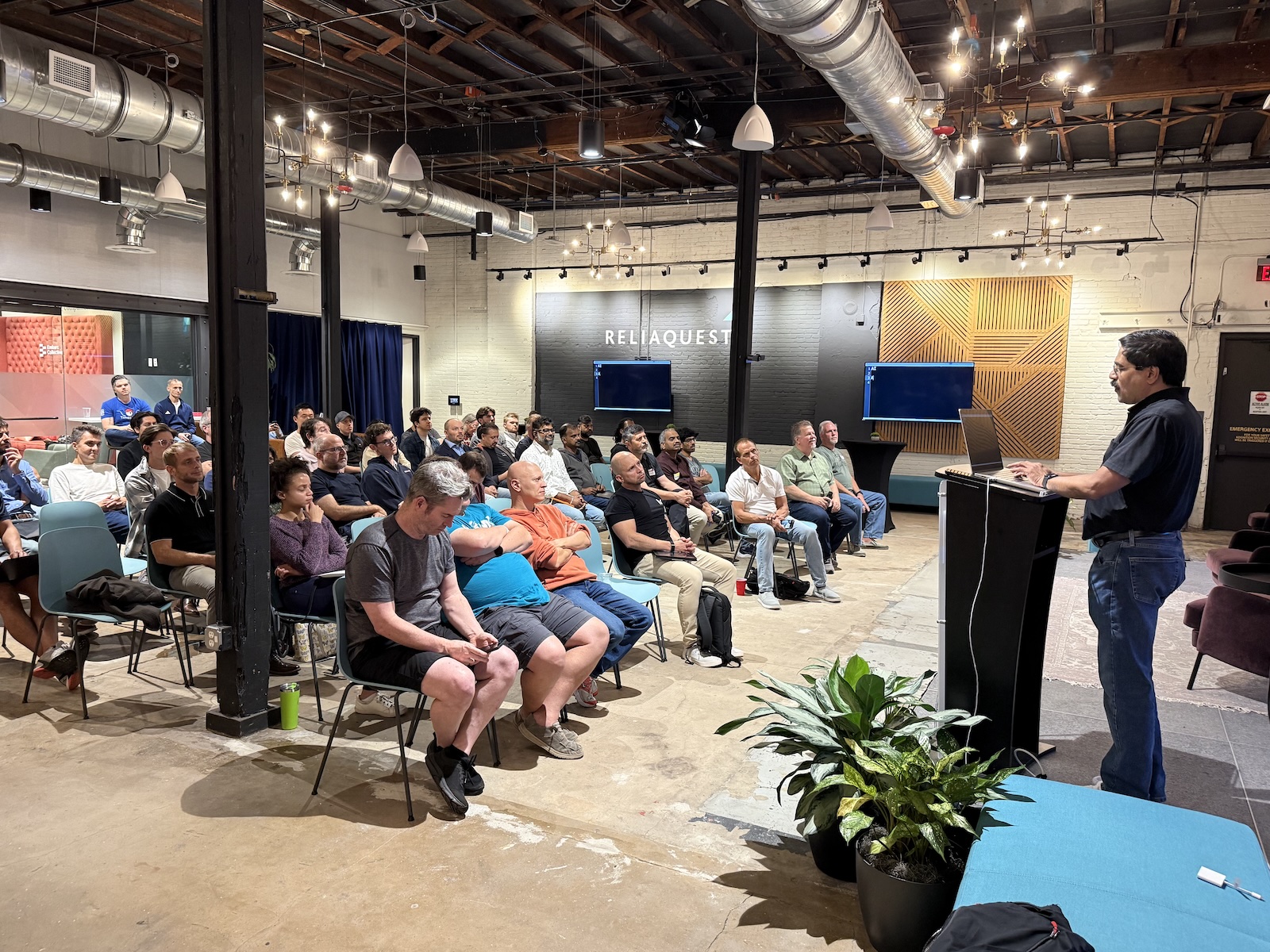
Here are my notes and photos…
Part 1: What AI actually Is (and isn’t)

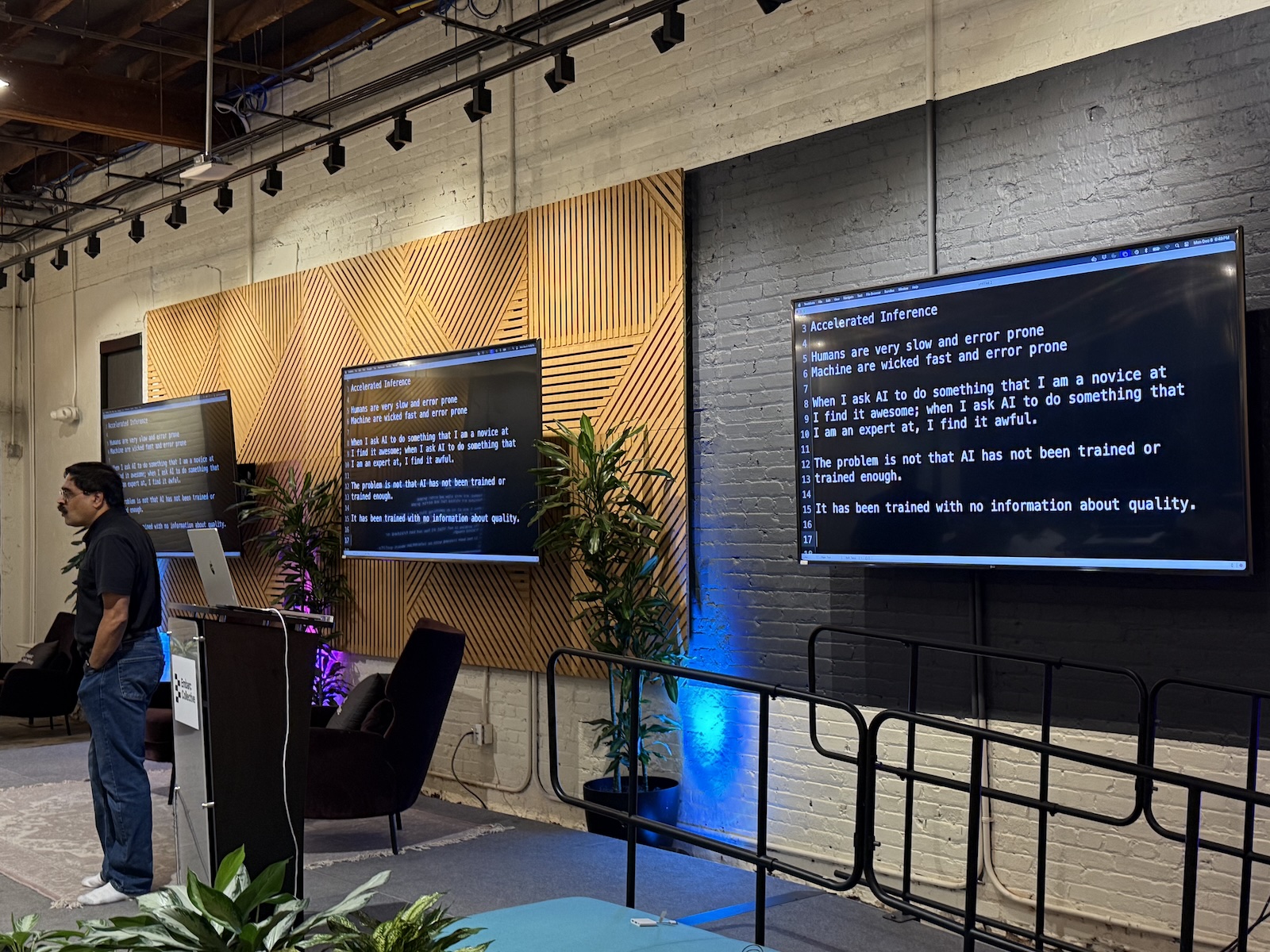
Think of AI as “Accelerated Inference”
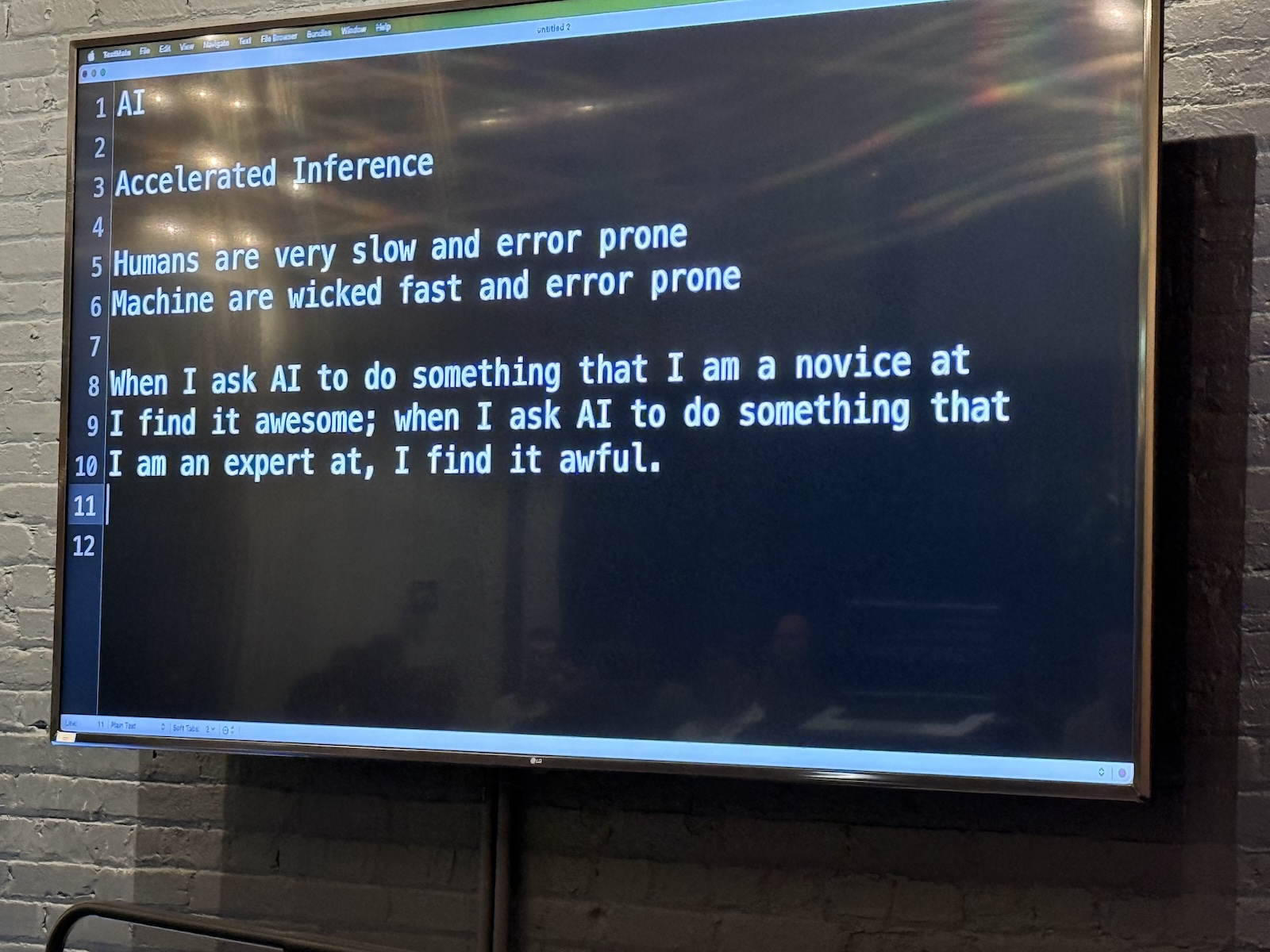
  • The reality check: The term “Artificial Intelligence” is misleading. It suggests that an application has sentience or wisdom. Venkat suggests a more accurate definition for AI: Accelerated Inference.
  • Inference vs. intelligence:
    • If you see a purple chair and then another purple chair, you infer that chairs are purple. That isn’t necessarily true, but it is a logical conclusion based on available data.
    • AI does this on a massive scale. It doesn’t “know” the answer; it infers the most statistically probable answer based on the massive volume of data it was fed.
  • Speed vs. accuracy: Machines are “wicked fast,” but they are also error-prone. Humans are slow and error-prone. AI allows us to make mistakes at a much higher velocity if we aren’t careful.

Karma
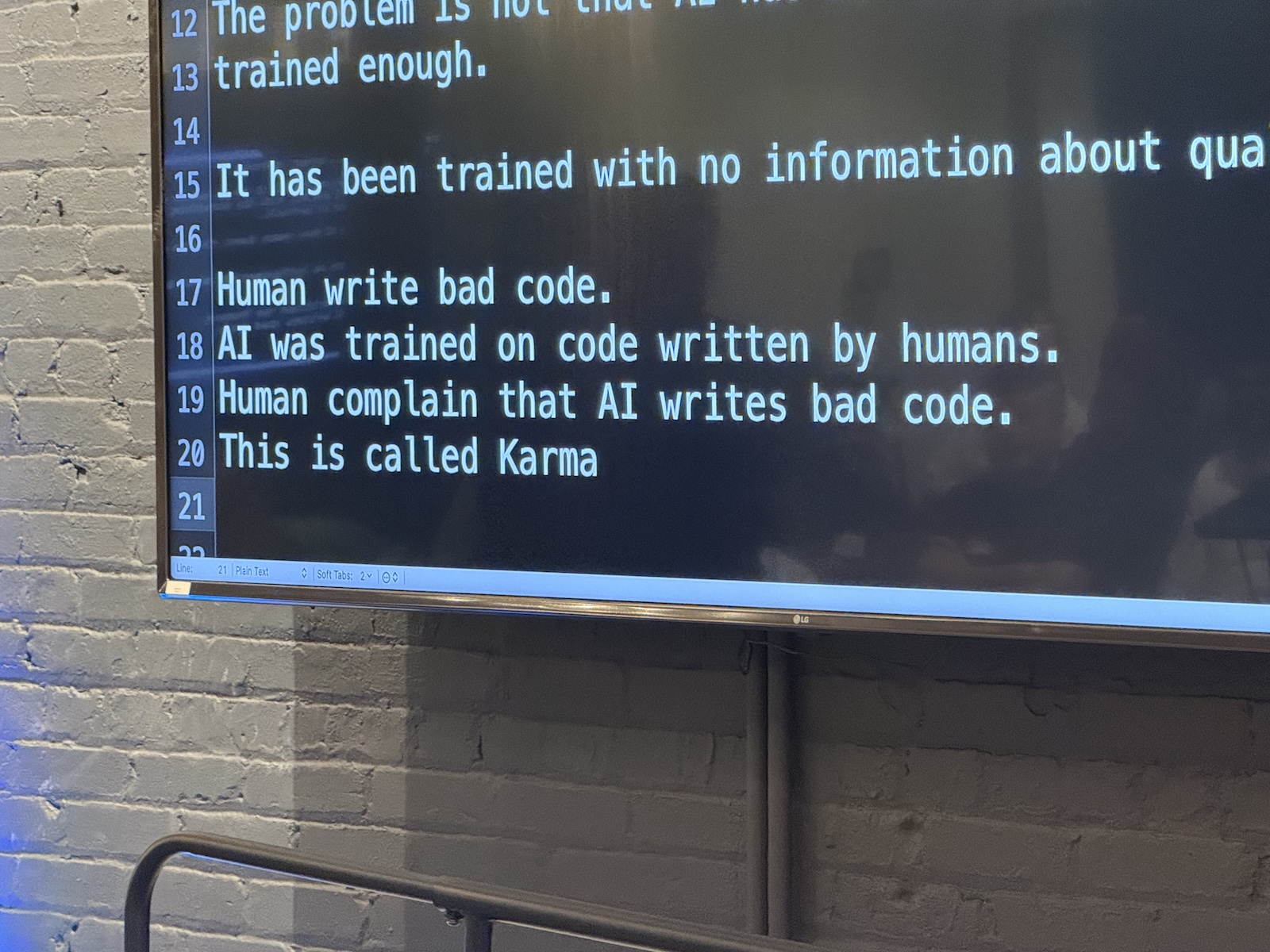
  • Garbage in, garbage out: AI models are trained on billions of lines of code, most of it written by humans (at least for now).
  • The problem: Humans write bugs. We write security vulnerabilities. We write bad variable names.
  • The consequence: Because AI learns from human code, it learns our bad habits. Venkat says this is karma. When we complain about AI writing bad code, we’re really complaining about our own collective history of programming mistakes coming back to haunt us.
  • The takeaway: Don’t assume AI output is “production-ready.” Treat AI-generated code with the same skepticism you would treat code copied from a random forum post in 2010.

The “novice vs. expert ” paradox

Venkat described a specific phenomenon regarding how we perceive AI’s competence:

  • The novice view: When you ask an AI to do something you know nothing about (e.g., writing a poem in a language you don’t speak), the result looks amazing. You find it awesome because you lack the expertise to judge it.
  • The expert view: When you ask AI to do something you are an expert in (e.g., writing high-performance Java code), you often find the result “awful.” You can spot the subtle bugs, the global variables, and the inefficiencies immediately.
  • The danger zone: As a developer, you are often in the middle. You know enough to be dangerous. Be careful not to be dazzled by the “novice view” when generating code for a new framework or language.

Part 2: Strategies for using AI effectively
1. Use AI for ideas instead of solutions

  • Don’t ask for the answer immediately. If you treat AI as a maker of solutions, you bypass the critical thinking process required to be a good engineer.
  • Ask for approaches. Instead of “Write this function,” ask: “I need to solve X problem. What are three different design patterns I could use?”
  • Love the weirdness: AI is great at throwing out random, sometimes hallucinated ideas. Use these as inspirations or starting points for brainstorming. “Accept weird ideas, but reject strange solutions,” Venkat said.

2. Managing cognitive load

  • The human limit: We struggle to keep massive amounts of context in our heads. We get tired. We get “analysis paralysis.”
  • AI’s strong suit: AI doesn’t get tired. It can read a 7,000-line legacy function with terrible variable names and not get a headache or confused.
  • The “Translator” technique:
    • Venkat used the analogy of translating a foreign language into your “mother tongue” to understand it emotionally and logically.
    • Try this: Paste a complex, confusing block of legacy code into an AI tool and ask, “Explain this to me in plain English.” This helps you understand intent without getting bogged down in syntax.

3. The Δt (“delta t”) approach

  • Don’t “one-shot” it: Just as numerical analysis (calculus) requires taking small steps (Δt) to get an accurate curve, working with AI requires small iterations.
  • Workflow:
    1. Present the AI with the problem and ask it for possible approaches.
    2. Review its replies. Chances are that at least some of them (or maybe all of them) will be wrong, buggy, or not the answer you’re looking for.
    3. Don’t give up. Instead, provide feedback: “This code isn’t thread-safe,” or “This variable is null.”
    4. The AI will often correct itself. This back-and-forth “dance” is where the actual development happens.

Part 3: Code examples
Venkat demonstrated several scenarios where code looked correct but had problems that weren’t immediately apparent, and showed how AI helped (or didn’t).

Case study: Fruit
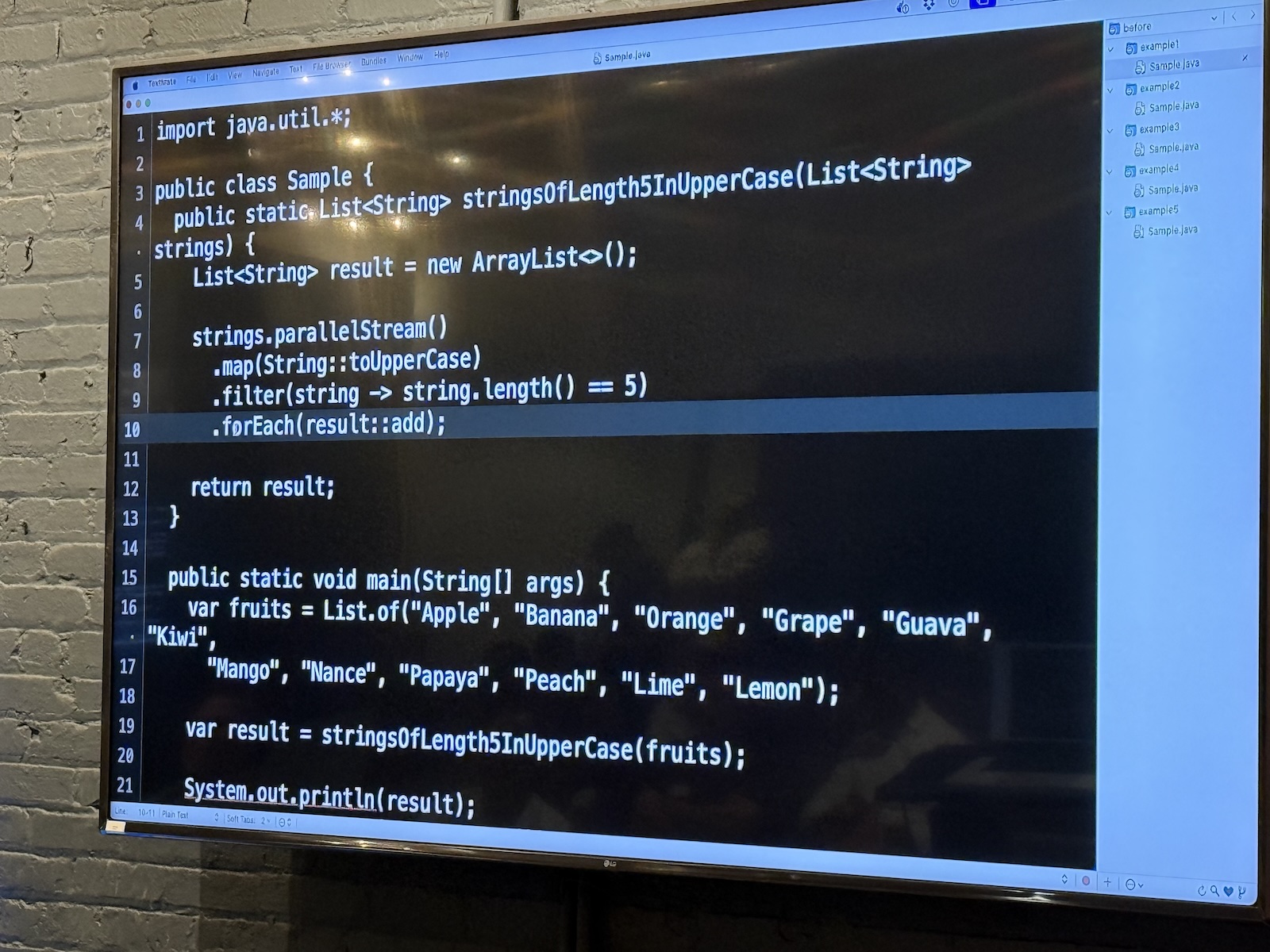
The first case study was a version of a problem presented to Venkat by a client. He couldn’t present the actual code without violating the client NDA, so he presented a simplified version that still captured the general idea of the problem with the code.

Here’s the first version of the code:

// Java

import java.util.*;

public class Sample {
    public static List stringsOfLength5InUpperCase(List strings) {
        List result = new ArrayList<>();

        strings.stream()
            .map(String::toUpperCase)
            .filter(string -> string.length() == 5)
            .forEach(result::add);

        return result;
    }

    public static void main(String[] args) {
        var fruits = List.of("Apple", "Banana", "Orange", "Grape", "Guava", "Kiwi",
                "Mango", "Nance", "Papaya", "Peach", "Lime", "Lemon");

        var result = stringsOfLength5InUpperCase(fruits);

        System.out.println(result);
    }
}

This version of the code works as expected, printing the 7 fruit names in the list that are 5 characters long.

Right now, it’s single-threaded, and it could be so much more efficient! A quick change from .stream() to .parallelStream()should do the trick, and the resulting code becomes

// Java

import java.util.*;

public class Sample {
    public static List stringsOfLength5InUpperCase(List strings) {
        List result = new ArrayList<>();

        //  Here's the change
        strings.parallelStream()
            .map(String::toUpperCase)
            .filter(string -> string.length() == 5)
            .forEach(result::add);

        return result;
    }

    public static void main(String[] args) {
        var fruits = List.of("Apple", "Banana", "Orange", "Grape", "Guava", "Kiwi",
                "Mango", "Nance", "Papaya", "Peach", "Lime", "Lemon");

        var result = stringsOfLength5InUpperCase(fruits);

        System.out.println(result);
    }
}

The code appears to work — until you run it several times and notice that it will occasionally produce a list of less than 7 fruit names.

Why did this happen? Because Java’sArrayList isn’t thread-safe, and writing to a shared variable from inside a parallel stream causes race conditions. But this is the kind of bug that’s hard to spot.

Venkat fed the code to Claude and asked what was wrong with it, and after a couple of tries (because AI responses aren’t consistent), it identified the problem: creating a side effect in a stream and relying on its value. It suggested using a collector like toList() to capture the the 5-character fruit names; it’s thread-safe.

Claude also suggested applying the filter before converting the list values to uppercase, so as not to perform work on values that would be filtered out.

The takeaway: AI is excellent at spotting errors that  we humans often miss because we’re so focused on the business logic.

Case study: Parameters

I didn’t get a photo of this code example, but it featured a function that looked like this:

public String doSomething(String someValue) {

    // Some code here

    someValue = doSomethisElse(someValue)

    // More code here

}

I’m particularly proud of the fact that I spotted the mistake was the first one to point it out: mutating a parameter.

Venkat fed the code to Claude, and it dutifully reported the same error.

It was easy for me to spot such an error in a lone function. But spotting errors like this in an entire project of files? I’d rather let AI do that.

Case study: Currency converter

I didn’t get a photo of this one, but it featured base class CurrencyConverter with a method convert(float amount). A subclass NokConverter attempted to override it to handle Norwegian Krone.

The problem was that NokConverter’s conversion method’s signature was convert(int amount), which meant that it was overloaded instead of overridden. As a result, polymorphism was lost, and the client code ends up calling the base class method instead of the subclass method. But that’s pretty easy to miss — after all, the code appears to work properly.

A quick check with the AI pointed out that the method was not actually overriding, and it also suggested adding the @Override annotation, which is meant to prevent this kind of subtle error.

Remember: don’t just let AI fix it; understand why the fix works. In this case, it was about strictly enforcing contract hierarchy.

Case study: Wordle
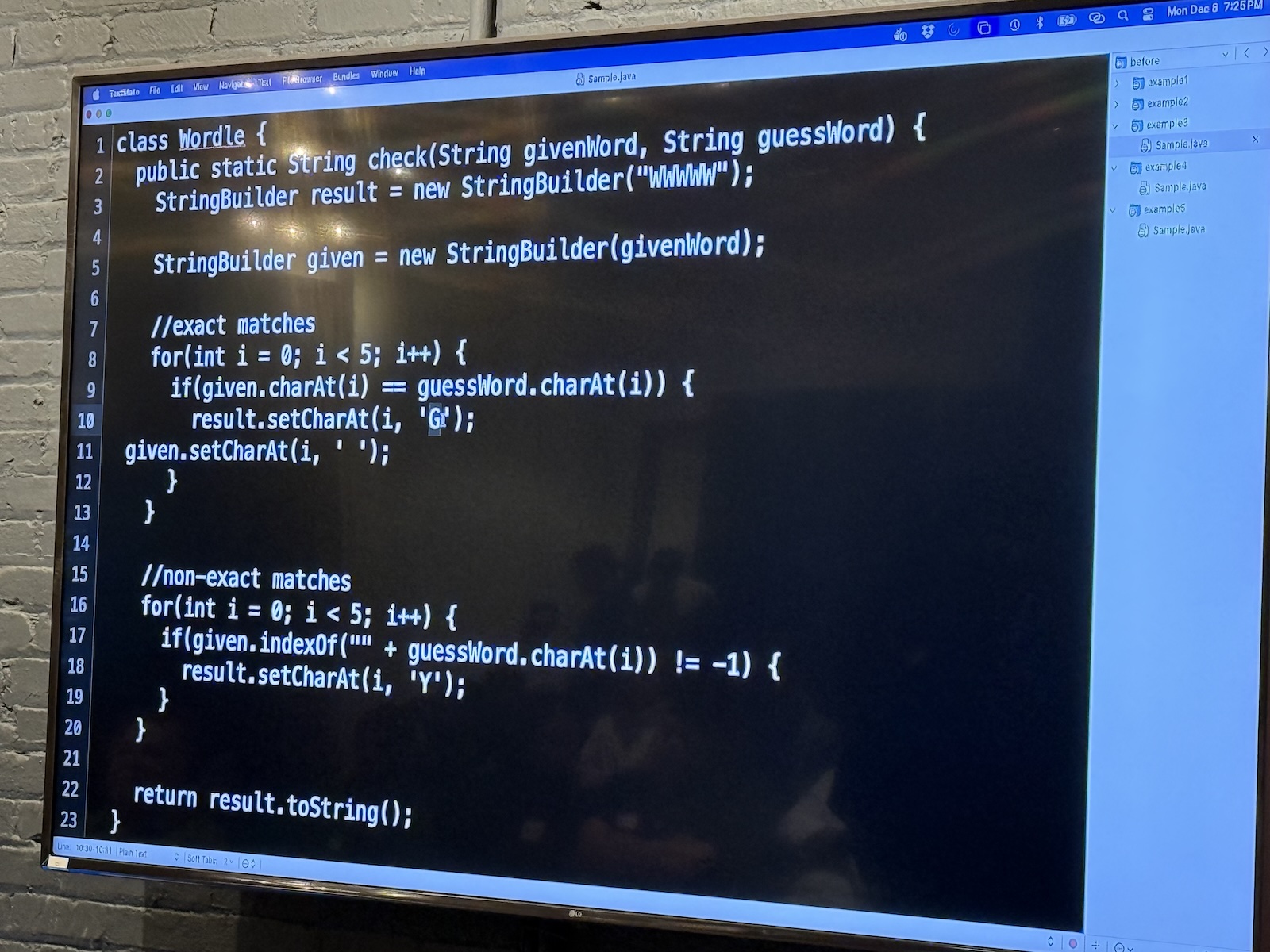
Venkat asked Claude to write a Wordle clone, and it did so in seconds.

But: the logic regarding how yellow/green squares were calculated was slightly off in edge cases.

AI sometimes implements logic that looks like the rules but fails on specific boundary conditions. It’s a good idea to write unit tests for AI-generated logic. Never trust that the algorithmic logic is sound just because the syntax is correct.


Part 4: The “Testing” Gap
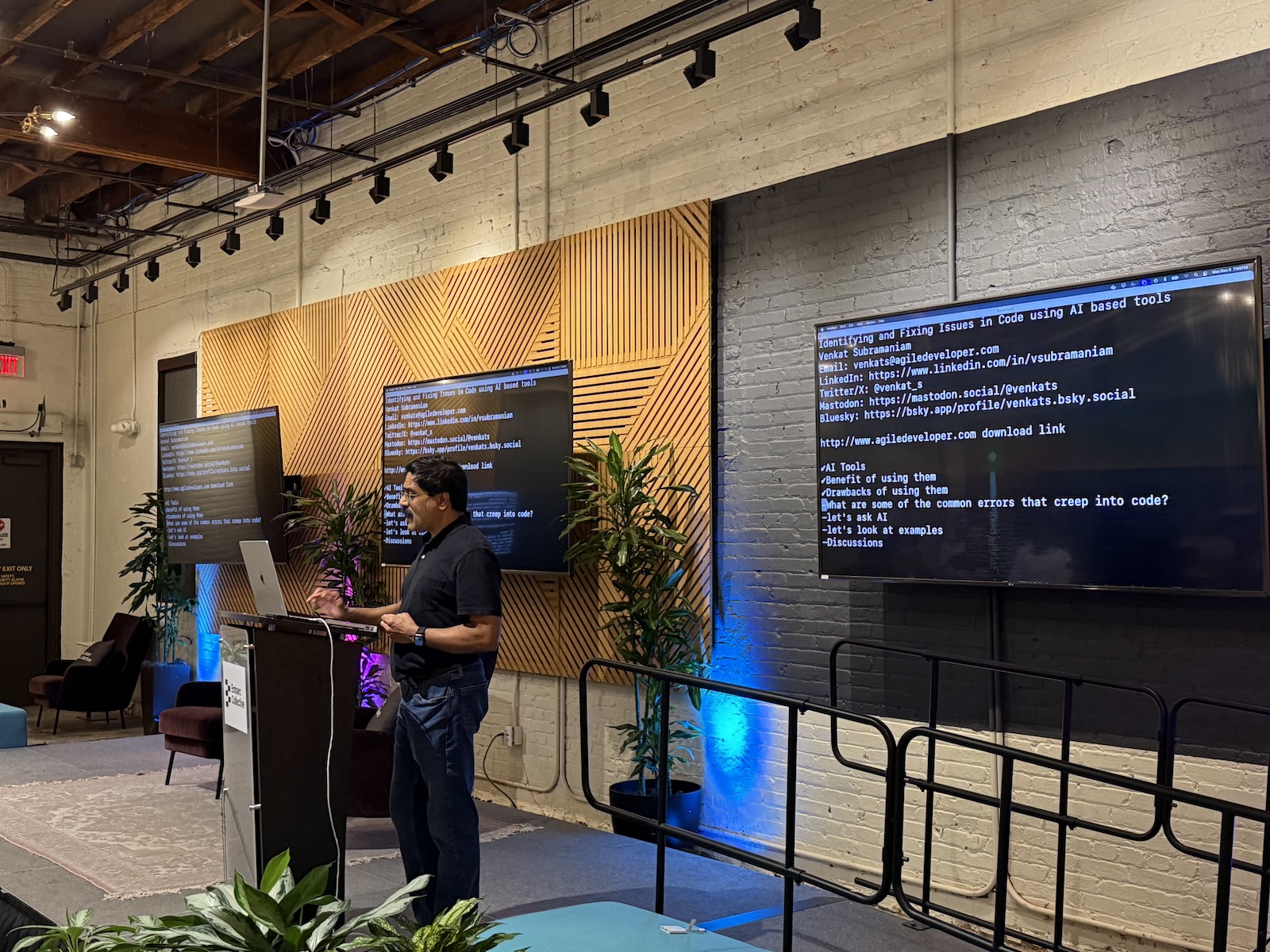
Missing test suites

  • Venkat noted a disturbing trend: he sees very few test cases accompanying AI-generated code.
  • Developers tend to generate the solution and manually verify it once (“It works on my machine”), then ship it.
  • The Risk: AI code is brittle. If you ask it to refactor later, it might break the logic. Without a regression test suite (which the AI didn’t write for you), you won’t know.

How to use AI for testing

  • Invert the flow! Instead of asking AI to write the code, write the code yourself (or design it), and ask AI to:
    • “Generate 10 unit tests for this function, including edge cases.”
    • “Find input values that would cause this function to crash.”
  • AI is often better at playing “Devil’s Advocate” (breaking code) than being the Architect (building code).

Part 5: Takeaways
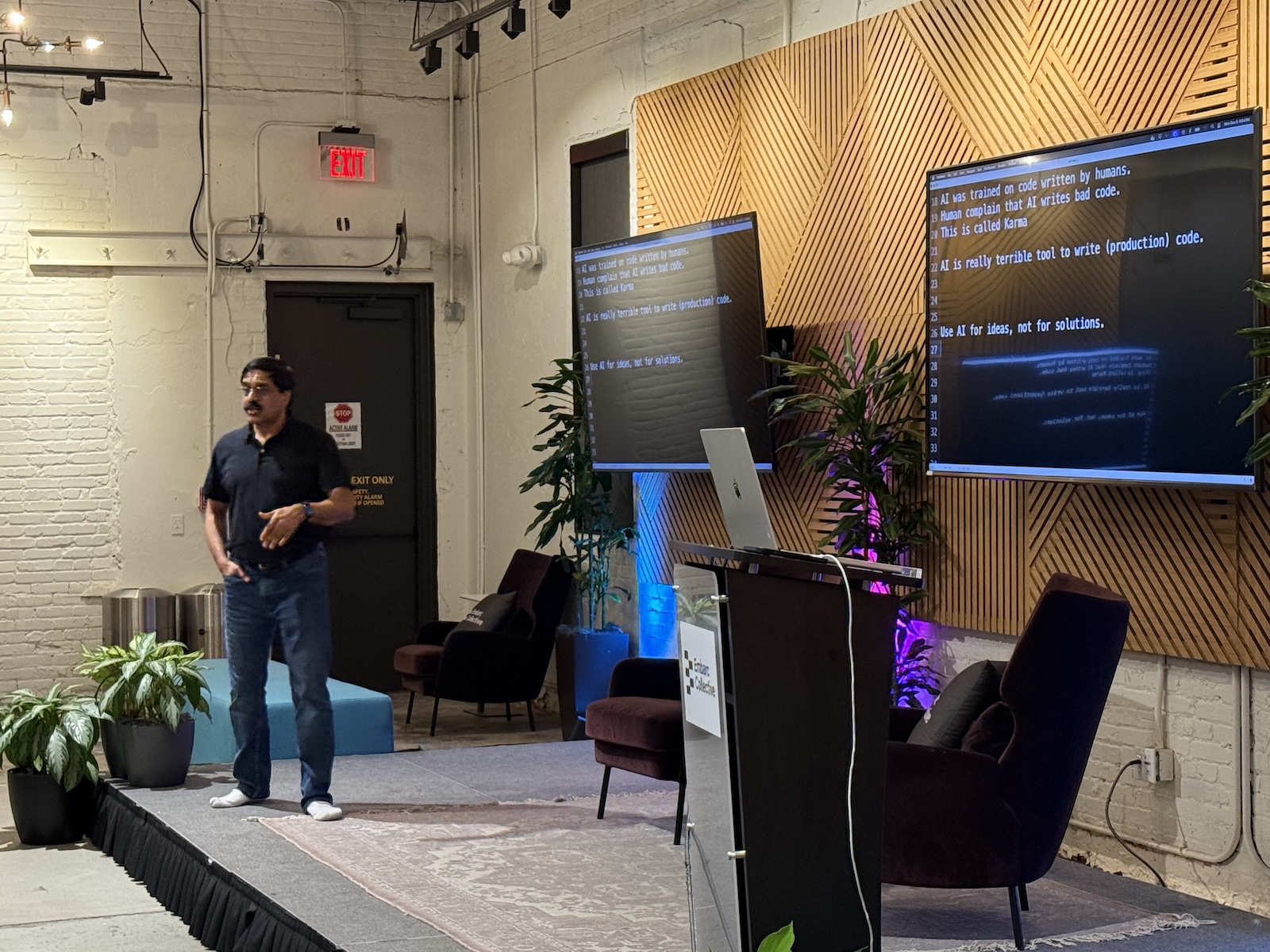
Job security in the age of AI

  • The Fear: “Will I lose my job to AI?”
  • The Reality: You will not lose your job to AI. You will lose your job to another programmer who knows how to use AI better than you do.
  • The “Code Monkey” extinction: If your primary skill is just typing syntax (converting a thought into Java/Python syntax), you are replaceable. AI does that better.
  • The value-add: Your value is now as a problem solver and solution reviewer. You’re paid to understand the business requirements and ensure the machine code actually meets them.

Adaptation is key!

  • Venkat used a quote commonly attributed to Charles Darwin (see here for more): “It is not the strongest of the species that survives, nor the most intelligent that survives. It is the one that is most adaptable to change.”
  • Action Plan:
    • Don’t fight the tool
    • Don’t blindly trust the tool
    • Learn to verify the tool
    • Shift your focus from “How do we write a loop?” to “Why are we writing this loop?”

Empathy and code review

  • When AI generates bad code, we analyze it dispassionately. When humans write bad code, we get angry or judgmental.
  • The Shift: We need to extend the “AI Review” mindset to human code reviews. Be objective. Find the fault in the logic, not the person.
  • AI has shown us that everyone (including the machine trained on everyone’s code) writes bad code. It’s the universal developer experience.

Categories
Conferences Hardware Players Tampa Bay What I’m Up To

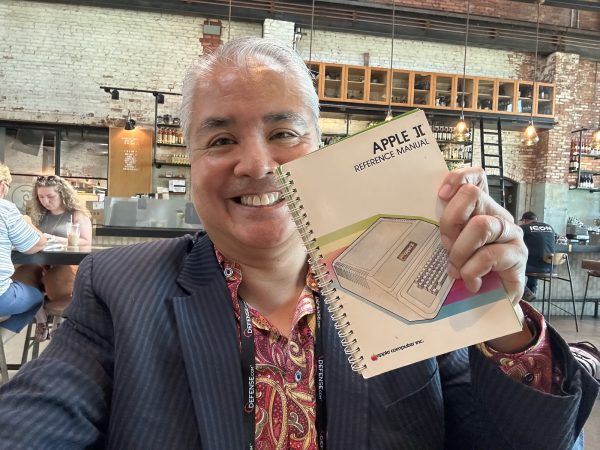
Achievement unlocked: Woz autographed my original Apple ][ Reference Manual!

Woz and me!
Tap to view at full size.

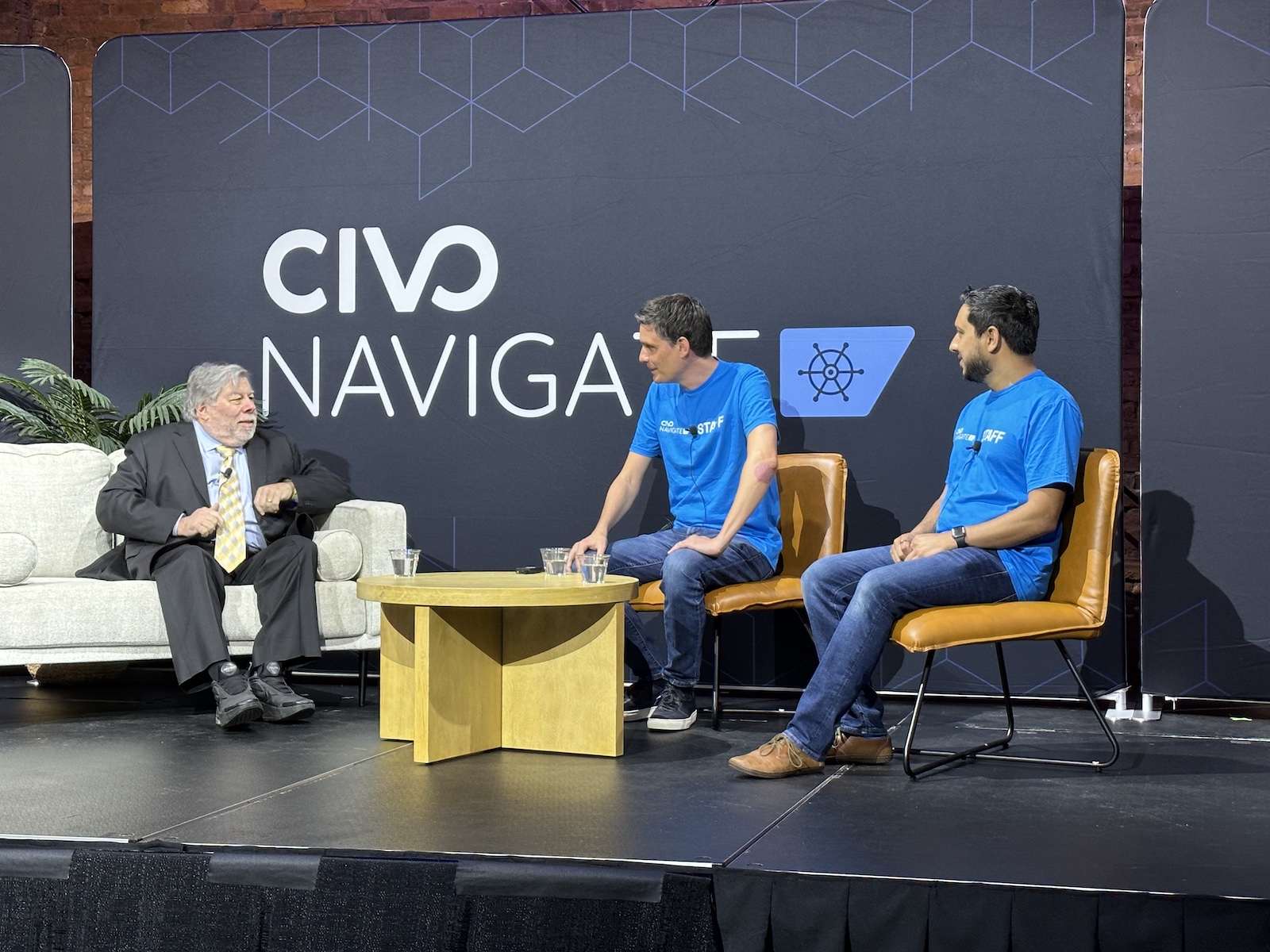
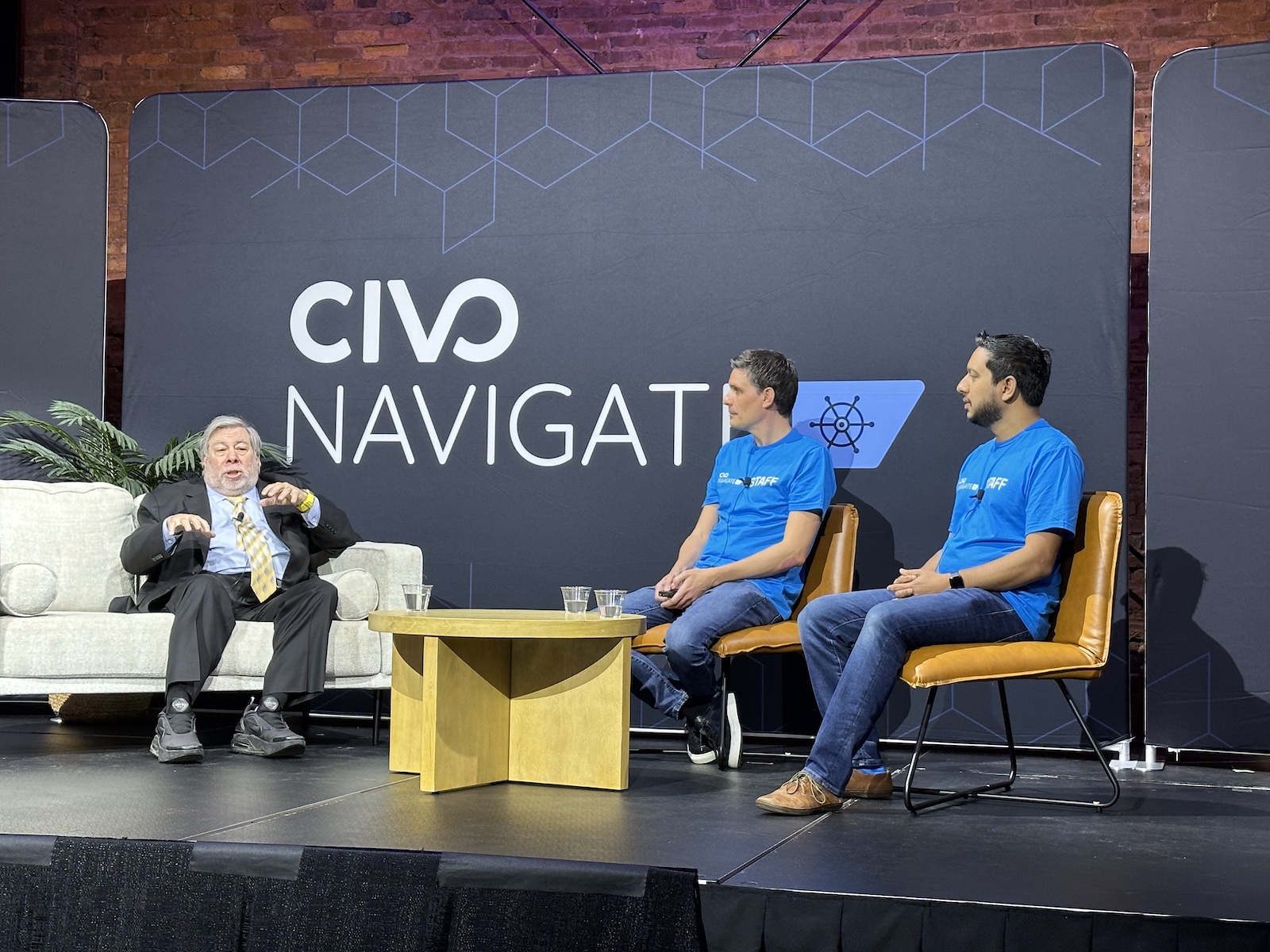
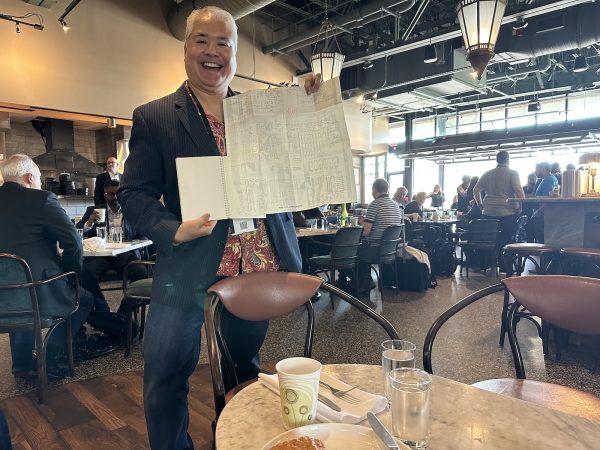
One of the highlights of the Civo Navigate conference that took place here in Tampa earlier this week was opening keynote speaker Steve “Woz” Wozniak, hardware genius, technical founder of Apple, and the creator of Apple’s first computers, including my first computer, the Apple //e.

After a quick “welcome” speech, Civo co-founder and CEO Mark Boost sat down to have what was probably going to be a Q&A-style chat with Woz.

However, Woz loves to talk, and he’ll happily do so for hours. I’m sure Mark had a list of questions for his guest, but he wisely put them aside and just let Woz be Woz. He went a little longer than scheduled, but that was all right with the audience, who were glad to be in the same room and listening to stories and opinions from one of the pioneers of our industry.

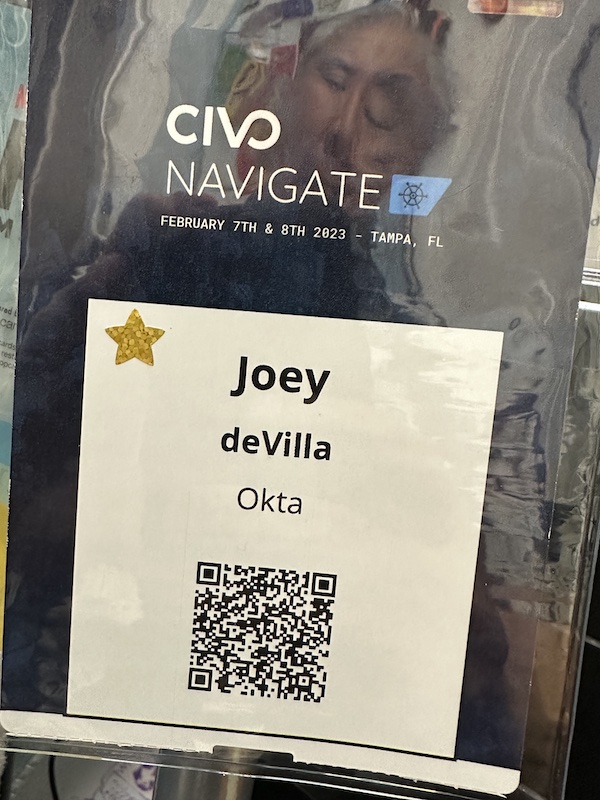
Mark kindly gave me a VIP pass for helping spread the word about Civo Navigate, which entitled me to attend the special VIP brunch at Oak and Ola, where we could get a moment’s one-on-one time with the Wizard of Woz. I had the pleasure of sharing breakfast with social media and technology author Shel Israel, who recently moved to St. Pete while listening to Woz, who delivered a short continuation of his keynote to the VIPs.

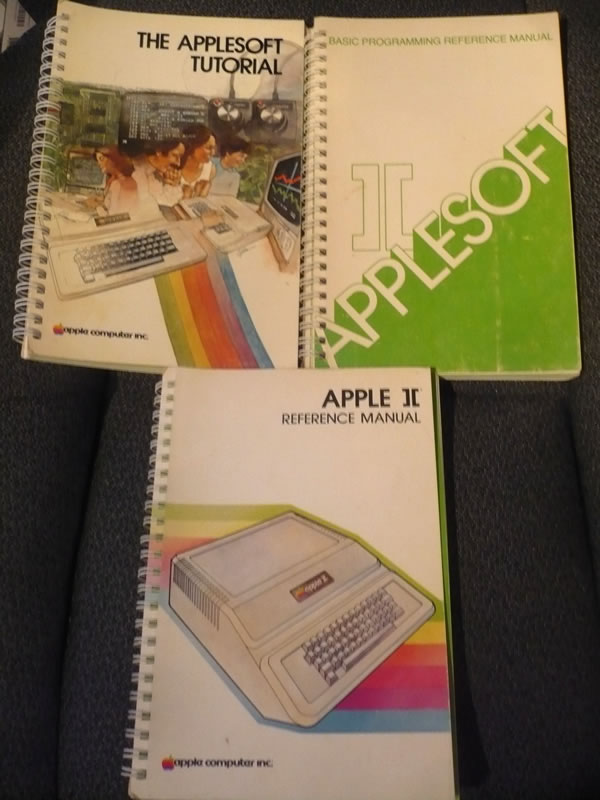
I’ve had this manual since the 1980s!
Tap to view at full size.

As I mentioned earlier, my first computer, which my parents bought when I was 15, was the Apple //e (pictured on the right). It’s how I learned programming in BASIC, Pascal, and 6502 assembler. I put in my “10,000 hours” on that computer, which set me on the path to an interesting career in tech.

The computer went to a relative when I went off to university and graduated to my second machine, a 640K IBM clone made by a long-forgotten company, but I kept my Apple manuals, pictured above, as mementos.

In my move from Toronto to Tampa in 2014, I had to be really picky about which books I kept. I sold or gave away the lion’s share, holding only on to those with some personal, academic, or historical significance, and the Apple manuals made the cut.

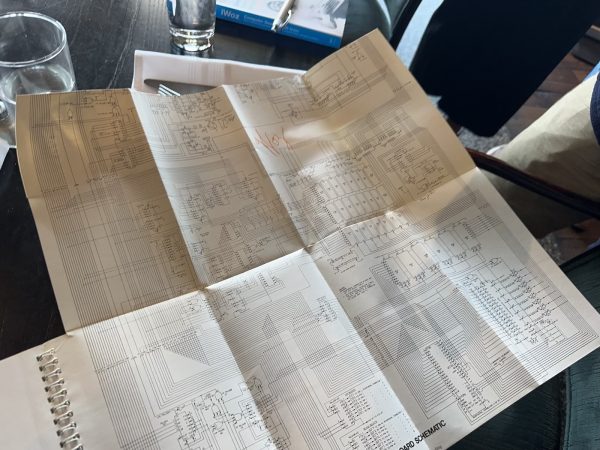
I figured that I’d maybe get 30 seconds with him at the VIP brunch, which would be just enough time to get him to autograph just one of the books. I decided to bring the Apple ][ Reference Manual (which you can read on the Internet Archive), a manual that’s far more technical than anything that comes with today’s machines. Not only did it provide detailed instructions on how to get started programming it, but it also had sections on the reading the computer’s memory directly via the system monitor, using the built-in mini-assembler, full listings of the system ROM, and even a fold-out schematic diagram of the motherboard!

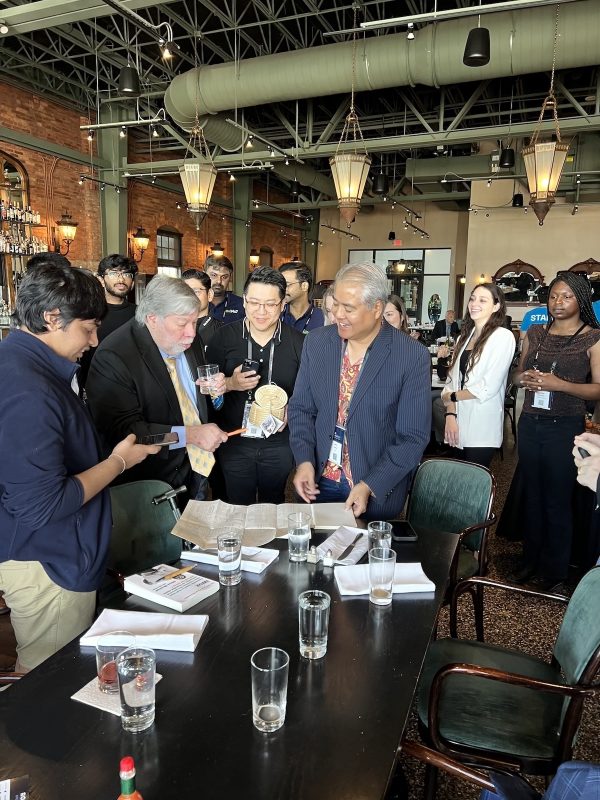
There was an opportunity for the VIPs to have quick individual meet-and-greets with Woz after his speech. I figured that I’d get his attention by placing the manual on the table in front of him, opening it to the back cover, and unfolding the schematic of the Apple ][ motherboard that was bound into the book as its last page.

He caught a glimpse of it, and a look of familiarity came over his face.

“Is that a…?” “Yes, it is!”
Photo by Suzanne Ricci. Tap to view at full size.

“Is that a…?” he asked.

“Yes, it is,” I replied. “Came with my very first computer — the //e. Could you please autograph your handiwork?” I asked, pointing to the schematic.

Autograph acquired!
Photo by Suzanne Ricci. Tap to view at full size.

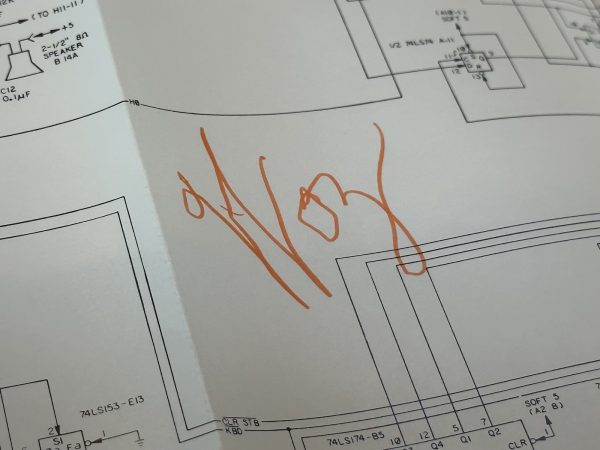
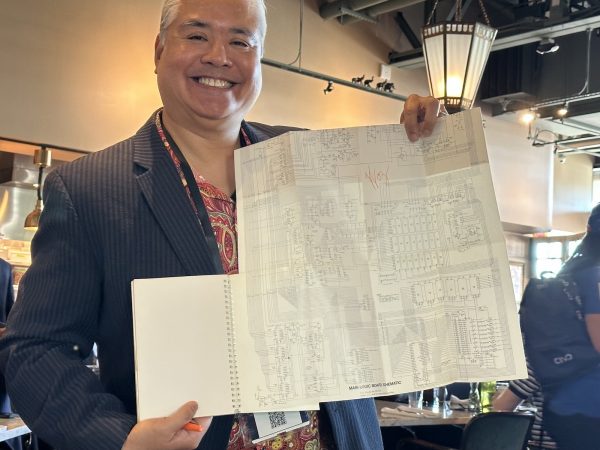
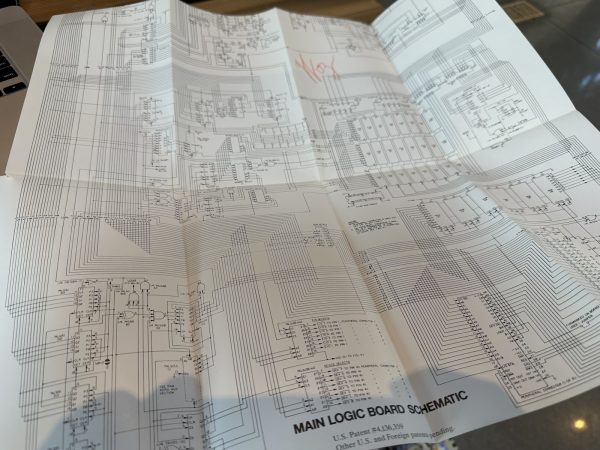
I handed him an orange magic marker and he signed the schematic with his traditional “Woz”:

Tap to view at full size.

We chatted really quickly about how transparent they were back in those days. The Apple ][ Reference Manual had not just the schematic for the entire motherboard, but a complete listing of the system ROMs. That sort of openness doesn’t exist anymore with commercially-available computers, with the notable exception being platforms like the Raspberry Pi.

Setting up for the selfie.
Photo by Suzanne Ricci. Tap to view at full size.

My turn soon ended, and I returned to our table, where Shel kindly took some victory photos:

Mission accomplished!
Tap to view at full size.

Here’s a closer look at the schematic:

Tap to view at full size.

My inner 15-year-old is high-fiving me so hard right now.

Categories
Current Events Players

Elon’s Musk to hold AMA with Twitter employees; internet starts making popcorn

“Every day on Twitter,” tweeted @maplecocaine back in January 2019, “there is one main character. The goal is never to be it.” If this is the case, Elon Musk has failed spectacularly, and we’re here for it.

The news came out in the Washington Post in an article with these opening paragraphs:

Twitter plans to host Elon Musk for a question-and-answer session with employees after a week of internal outcries over his appointment to the social network’s board of directors, according to company messages obtained by The Washington Post.

The announcement from Twitter chief executive Parag Agrawal of the highly unusual internal AMA — which stands for “ask me anything” — session was an effort to assuage anxious workers, who in recent days have expressed worries that the firebrand Musk could inflict damage to the company’s culture, as well as make it harder for people to do their jobs.

To borrow a phrase that we’d become accustomed to in the Trump era: This is not normal. Members of boards of directors generally aren’t seen as having an impact on the day-to-day operations of a company, but this is no ordinary board member. This is this guy:

We have historical proof that putting a narcissistic shitposter near the controls doesn’t yield optimal results, and that was one without a discernible talent or work ethic. While Twitter isn’t a nation-state superpower, it does yield a considerable amount of influence, and having a vaingloriously self-declared “free speech absolutist” who loves shutting down people who disagree with him with that much control over the platform is…worrisome.

I think Ken “PopeHat” White summed it up best:

https://twitter.com/Popehat/status/1512230219893026817

Categories
Players

R.I.P. David Boggs, co-creator of Ethernet

Let’s all take a moment to pay tribute to David Boggs, the electrical engineer and Xerox PARCer who co-created the local networking technology that we all know, love, and probably still use: Ethernet. He died at Stanford Hospital of heart failure on February 19th; he was 71.

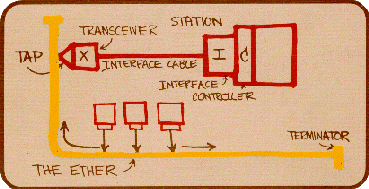
Boggs’ replica of Bob Metcalfe’s concept drawing for what would become Ethernet. Source: IEEE 802.3 Working Group.

When Boggs joined Xerox PARC in 1973, he noticed a techie attempting to network their computers. That techie was Bob Metcalfe, whose name you might know from Metcalfe’s Law (“The value of a communications network is proportional to the number of network users, squared”) or from the company he co-founded (3Com). Together, over the next two years, they would create Ethernet, with Metcalfe being the concept person of the duo, and Boggs turning those concepts into working hardware.

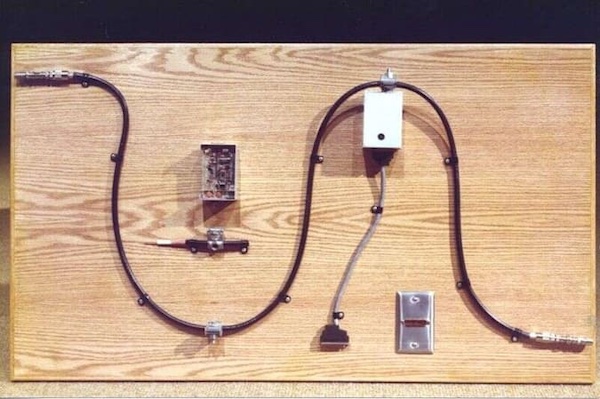
Xerox PARC’s display of some of the original Ethernet gear.

The original Ethernet network was built in 1975 using coaxial cable and could transmit data at 2.94 Mbps. Ethernet has evolved since then, but the underlying principle is still the same:

  • Messages on the network are broken into packets, which are the unit of transmission on the network.
  • Packets are tagged with the ID of the destination computer.
  • Computers on the network on constantly “listening” to the network for packets tagged with their ID.
  • If a computer “A” on the network wants to send a message to another computer on the same network, “B”, it first checks the network to see if any other computer on the network is currently transmitting anything:
    • If another computer is currently transmitting something, wait a little bit (where “a little bit” is on the order of milliseconds).
    • If no other computer is transmitting anything, send a packet that’s marked with the destination computer, “B”.

When you say “Ethernet”, people usually think of this:

But that’s not Ethernet — that’s an CAT-n cable (it could be CAT-5 or CAT-6) with an RJ45 connector. You can also run an Ethernet network on a different cable, such as coax, or even using radio waves. You know radio-wave Ethernet by another name: Wifi.

Thank you, David Boggs, and requiescat in pace.

Categories
Career Players Tampa Bay

You have hours to sign up for a chance at a free scholarship to The Undercroft’s “Baseline” cybersecurity program!

Photo: The Undercroft sign, featuring the Undercroft’s “mascot” — a stag standing upright in a suit, leaning jauntily against an umbrella, walking stick-style.

The Undercroft, Tampa Bay’s cybersecurity guild/collaboration space, is offering scholarships to members and non-members for the July 20th cohort of their UC Baseline cybersecurity skills program. Simply put, it’s a chance to learn essential cybersecurity skills from the area’s experts for free!

Logo: UC Baseline

The UC Baseline program comprises the following courses:

  • Hardware 101: Gain a thorough understanding about the devices on which all our software runs and through which all our information flows.
  • Networking 101: Learn how our systems are connected and the ways in which they communicate through these connections.
  • Linux 101: Covers the foundations of security in Linux environments, the OS on which the internet runs.
  • Windows 101: Here’s a big challenge — learn the foundations of security for Windows environments.
  • Information Security 101: Covers everything from core IT concepts, to cybersecurity principles, methods, and practices.
  • Python 101: If you’re doing security, you should have some coding skills to automate your work and build tooling, and Python’s an excellent language for that task.

Here’s The Undercroft’s offer:

Are you looking to take control of your personal privacy and security? Are you frustrated by disappearing jobs and want to make an impact in the cybersecurity industry? Do you have what it takes to ensure your economic future and that of others?


The Undercroft’s Baseline program was built for those with the fortitude to fight against daily attacks that threaten our way of life.


In response to the global pandemic and increasing uncertainty in our economy, we are offering a select number of scholarships to guild and non-guild members for our July 20th, 2020 cohort.

Interested? Sign up on their scholarship page. You’ve got only until sometime on Friday, July 17th to apply!

(I’ll admit it: Although I’m not likely to qualify, I applied.)

Categories
Current Events Hardware Players Tampa Bay

Win a System76 Thelio Linux desktop in The Mad Botter’s Fourth of July contest!

Mike Dominick’s Tampa Bay-based consultancy The Mad Botter — which develops automation/integration software — has a Fourth of July contest for high school or university undergrad students where the prize is one of System76’s gorgeous Thelio desktop Linux systems!
Mad Botter Fourth of July content icon (Mad Botter “Bot” dressed as Uncle Sam in front of American flags, fireworks, and balloons)

This is an election year, and The Mad Botter’s contest is an election contest. Contestants are asked to develop an open source project that addresses ballot access or in some other way assists with voting. Perhaps something to help people find the closest polling station? Virtual “I voted” stickers? An aggregator for open information about candidates? A “Yelp” for polling places? (You can find more ideas here.)

Here are the contest details:

  • No purchase is required to enter.
  • Your solution must be posted to a publicly accessible Github repository with the appropriate license included.
  • You must be a US high-school or undergraduate college student.
  • If you are below the age of 18, you must provide written parental consent to have your submission considered; this can be done via email.
  • In the event that you win, The Mad Botter INC is granted the right to post a picture of you in the winning announcement and other applicable venues; if you are below the age of 18 your parent or guardian also provides permission for this by consenting to your entering the contest.
  • The winning entry will be the one that shows the most practical potential and creativity and will be selected by The Mad Botter team.
  • All submissions should be sent to sales@themadbotter.com and include a brief bio, explanation of the solution, and a link to the Github repository.
  • Submissions will be accepted until 9/1/2020.

You can find out more at The Mad Botter’s Fourth of July contest page.

Also worth checking out

Mike has a podcast, The Mike Dominick Show, which covers technology and open source.

I was a recent guest on the show (Episode 25), and we talked about how the Toronto tech scene changed from dismal to dynamic,  how I stumbled into developer evangelism, learning iOS programming via raywenderlich.com and then joining them, SwiftUI, Python and Burning Man, the hidden opportunities that come with having to stay inside during the pandemic, and more!

Categories
Current Events Players Programming Reading Material Tampa Bay

Local hero: Mike Dominick and his tech podcast, The Mike Dominick Show

Mike Dominick, who runs The Mad Botter — which develops automation/integration software — moved to the Tampa Bay area three years ago. It’s been my experience that Tampa Bay techies don’t do things halfway, so it shouldn’t be a surprise that in addition to the day job, he also has a technology- and open source-focused podcast named The Mike Dominick Show.

I had the privilege of being the guest for Episode 25 of the Mike Dominick Show, which we recorded yesterday afternoon (that’s its player above), and it was a fun conversation that covered:

  • The Toronto tech scene
  • Taking up the accordion
  • How I got into developer evangelism
  • Learning iOS programming via raywenderlich.com and then joining them
  • Remote work and the pandemic
  • WWDC 2020 and SwiftUI, Python and Burning Man
  • Windows Phone and my time as a Windows Phone Champ
  • What I’ve been doing while looking for work
  • The hidden opportunities that come with having to stay inside

Scrabble tiles in a tile holder spelling 'QUESTIONS'Mike ends each podcast with two questions — one tough and one easy. The tough question he asked me was “What question should I have asked you that I didn’t?” You’ll have to listen to hear how I answered that one.

Don’t just listen to my episode — be sure to check out previous ones, including these ones that I’ve enjoyed on my daily bike rides: