March 2011

The Windows Phone 7 Numbers, in Pictures

by Joey deVilla on March 31, 2011

The Windows Phone Team’s Brandon Watson gave out the number behind Windows Phone 7, and I thought I’d spice it up with some graphics. Enjoy!
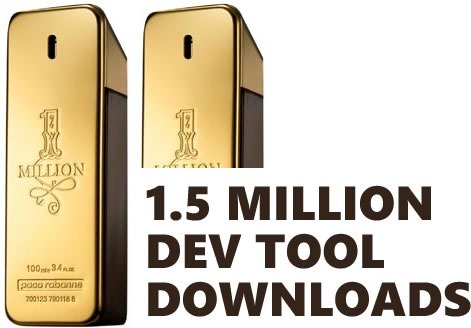

1.5 mill downloads

36000 app hub

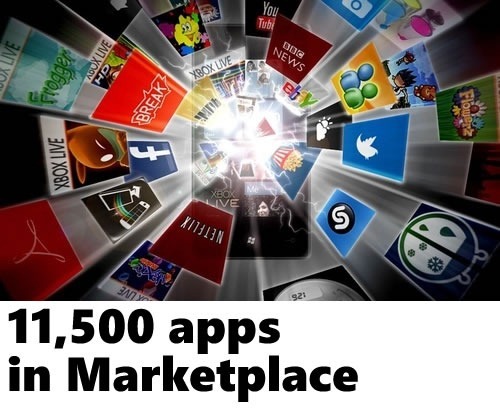
11500 apps in marketplace

7500 paid apps

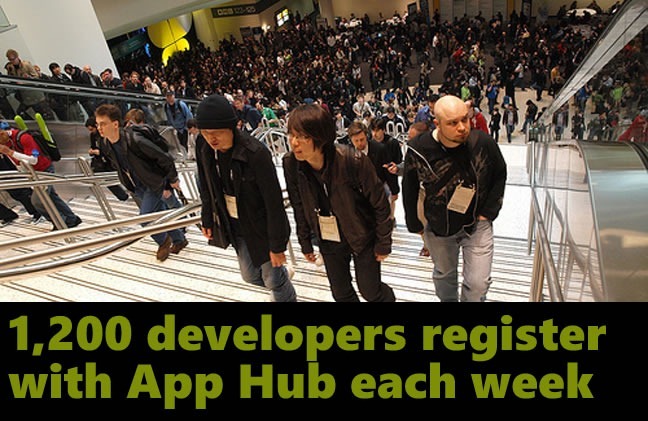
1200 register

1100 money ads

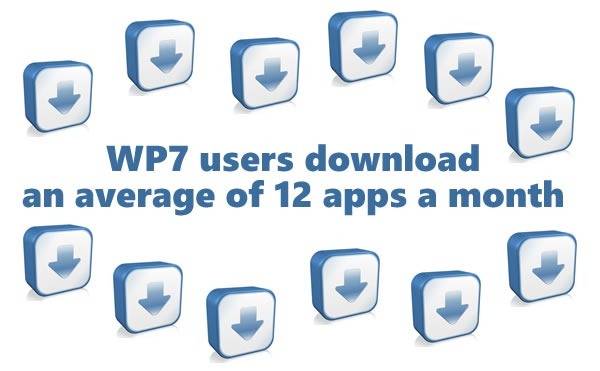
12 doanloads

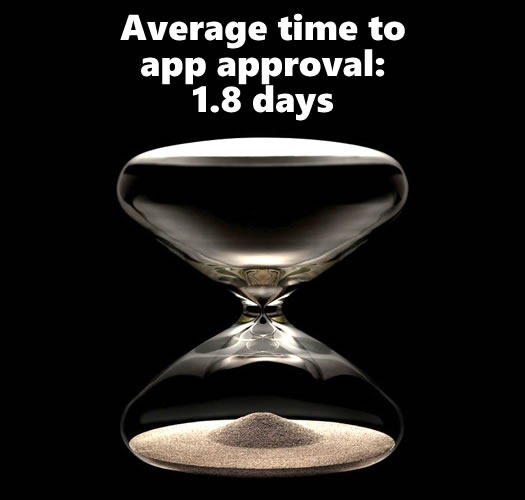
1.8 days approval

62 percent pass

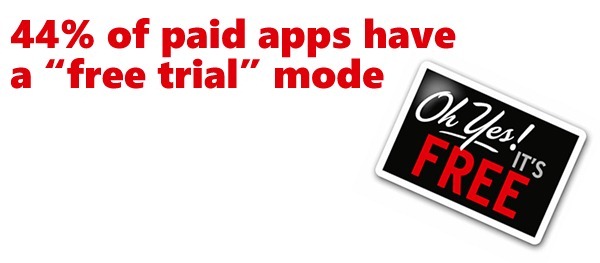
44 percent trial

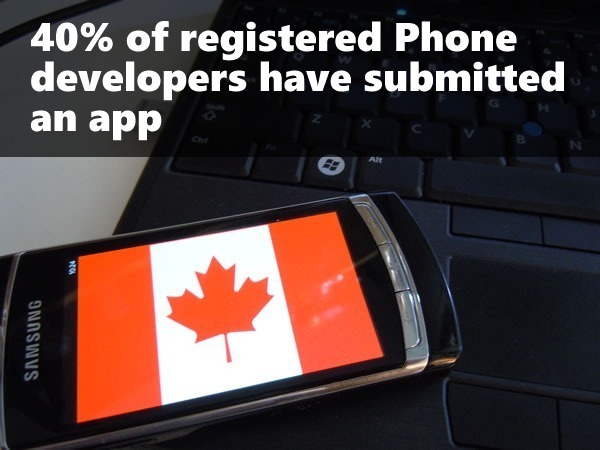
40 percent devs submitted

one idea

This article also appears in Canadian Developer Connection.

{ 0 comments }

professional wp7 game development

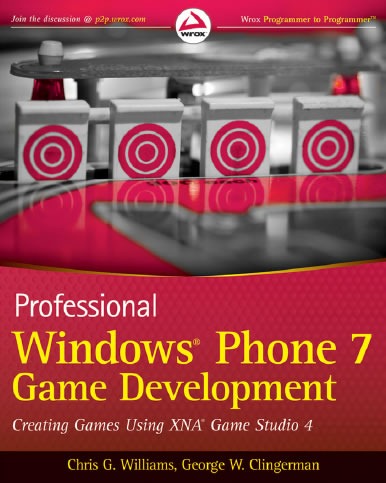
I just picked up the ebook version of the latest book on Windows Phone game development: Wrox’ Professional Windows Phone 7 Game Development, written by Chris G. Williams (@chrisgwilliams on Twitter) and George W. Clingerman (@clingermangw on Twitter). Both authors are XNA MVPs and have written a great deal about XNA online, which makes them choice authors for a book on making games for WP7.

Among the topics covered in the book are:

  • Dealing with device orientation and the accelerometer
  • Touch input: detecting touch, handling gestures and the SIP (virtual keyboard)
  • Building a user input management system
  • Game state management
  • Playing and recording audio
  • Building a base game template
  • 3D graphics and effects
  • Push notifications
  • Accessing web services
  • Accessing the camera
  • Trial mode

From my initial skim of the book, it looks like a pretty good guide for the developer who’s looking to get into game development on Windows Phone, and as I write this, there are a couple of Amazon reviewers who’d agree with me.

Both the dead-tree and ebook versions of  Professional Windows Phone 7 Game Development are available directly from Wrox for USD$44.99 (CAD$43.72 as of this writing).
This article also appears in Canadian Mobile Developer.

{ 0 comments }

Really, You Should Just Relax

by Joey deVilla on March 29, 2011

fytojs2

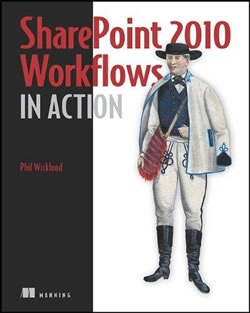
Some people didn’t take fytojs.com in the spirit that was intended, so the site owner changed it.

If you want to see what the site looked like before, see my earlier entry, Really, You Should Just Turn It On.
{ 0 comments }

sharepoint 2010 workflows in actionToday only – that’s Monday, March 28th – Manning is making the print edition of SharePoint 2010 Workflows in Action available for USD$25 (CAD$24.38 as of this writing). To cash in on this deal, order the book from Manning.com and enter dotd0328 in the Promotional Code box when you check out.

Here’s a quick description of what’s in SharePoint 2010 Workflows in Action:

You can use SharePoint 2010 workflows to transform a set of business processes into working SharePoint applications. For that task, a power user gets prepackaged workflows, wizards, and design tools, and a programmer benefits from Visual Studio to handle advanced workflow requirements.

SharePoint 2010 Workflows in Action is a hands-on guide for workflow application development in SharePoint. Power users are introduced to the simplicity of building and integrating workflows using SharePoint Designer, Visio, InfoPath, and Office. Developers will learn to build custom processes and use external data sources. They will learn about state machine workflows, ASP.NET forms, event handlers, and much more. This book requires no previous experience with workflow app development.

  • Out-of-the-box and custom workflows
  • How to integrate external data
  • Advanced forms with InfoPath and ASP.NET
  • External events with pluggable workflow services
  • Custom workflow actions and conditions
  • Model your business process in Visio

This article also appears in Canadian Developer Connection.

{ 0 comments }

Really, You Should Just Turn It On

by Joey deVilla on March 25, 2011

Screenshot of the "Fuck You, Turn On JavaScript" page

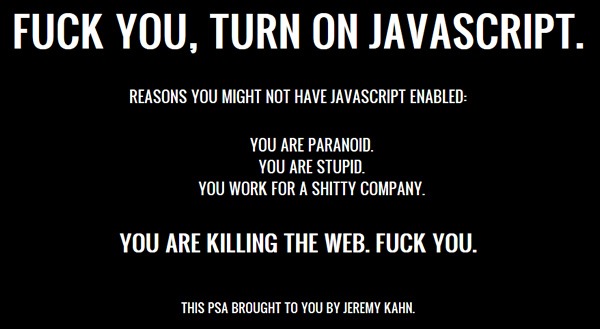
Pictured above is a screenshot of the single-page site fytojs.com. The language may be a bit salty, but the advice is sound.

There is no way in hell I can post this to Canadian Developer Connection.

{ 6 comments }

ame

While at the South by Southwest Interactive conference, I ran into Justin Peck, who’s working on QONQR (pronounced “conquer”), which he describes as “the geosocial game of world domination”. I interviewed him, asking about the game (imagine the board g “Risk”, but played online and in the real world), the technology on which it’s built (.NET, baby!), how the game got started and Windows Phone 7 and Internet Explorer 9.
This article also appears in Canadian Developer Connection.

{ 0 comments }

ie9 wp7 boot camp

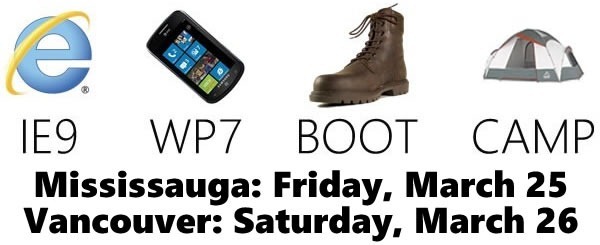
Don’t forget, we’ve got IE9/WP7 boot camps taking place this weekend in Mississauga and Vancouver! Here’s what’s on tap, and remember, these events are free-as-in-beer to attend! Registration links are below.

Internet Explorer 9

A Lap Around Internet Explorer 9 and HTML5
A look at IE9’s support for the troika that collectively goes by the name “HTML5”: HTML5, CSS3 and JavaScript. You’ll see how standards compliance and the resulting “same markup” will make life good for both developers and users and how that same markup runs faster on IE9 thanks to the newer, faster JavaScript engine and hardware acceleration.

Enhancing Pinned Sites with Internet Explorer 9
IE9’s “pinned sites” feature makes web apps feel more like desktop apps by letting users add website to the taskbar and start menu and let developers add custom context menus to pinned site icons, provide visual notifications on the task bar with icon overlays and even add custom buttons on the default thumbnail preview. This session will show you how to best use this feature and also cover IE9’s developer tools.

Windows Phone 7

Windows Phone 7 Silverlight Recipes
You’ve read the introductory material and written “Hello World” on the Phone, and you’re now thinking of starting a bigger project. You’re now asking this question: “How do I do X on Windows Phone?”. This session is the answer. You’ll learn all the recipes for building blocks of applications, which you can use, modify and combine in your own Windows Phone 7 apps.

Windows Phone 7 XNA Kickstart
Haven’t you always wanted to write a videogame, but could never get started? This is your chance. This session will show you the basics of XNA, the game development framework for Windows Phone (and the Xbox 360 and Windows too!). You’ll get your feet wet writing 2D videogames, learn some game coding techniques and get you need to start you on your journey as a game developer.

When and Where?

Here’s where these boot camps are taking place:

Where and When Address Which Sessions
Mississauga
Friday,March 25th
Click here to register
Microsoft Meadowvale office
(1950 Meadowvale Boulevard)
IE9 and WP7 sessions
Vancouver
Saturday, March 26th
Click here to register
BCIT, Burnaby Campus
(3700 Willingdon Avenue)
IE9 and WP7 sessions
Montreal
Monday, April 4th
Click here to register
Microsoft Montreal office
(2000 Avenue McGill College, Suite 450)
IE9 sessions only
Winnipeg
Tuesday, April 5th
Click here to register
IMAX Theatre Winnipeg
(393 Portage Avenue)
IE9 and WP7 sessions
Ottawa
Wednesday, May 11th
Click here to register
National Arts Centre
(53 Elgin Street)
IE9 and WP7 sessions
Edmonton
Tuesday, May 17th
Click here to register
Art Gallery of Alberta
Ledcor Theatre
(2 Sir Winston Churchill Sq.)
IE9 and WP7 sessions

This article also appears in Canadian Developer Connection

{ 1 comment }

I never thought I’d see Ze Frank do a promo for IE9, but there he was at South by Southwest Interactive, doing just that!

Ze (pronounced “Zay”, a shortening of his real name, Hosea) is probably best know for The Show with Ze Frank, a series of videocasts that ran the gamut from comedy bits to Daily Show-esque commentaries, all with Ze’s trademark oddball sense of humour. He’s been invited to do keynotes at a number of tech conferences; I particularly enjoyed the very memorable one he gave at RailsConf in 2007 that had people both thinking and rolling in the aisles with laughter.

star.meZe’s a Mac guy, so the fact that he was demoing his new web application, Star.Me, for the IE9 launch is quite stunning. He describes it as “a social game meets a social network, where you’re kind of in kidergarten but just had a lot of espresso”. That’s just his way of saying that it’s a way to give your friends Xbox-style achievements for their real-life doings. It’s in closed beta right now, but you can request a username in advance and you’ll be notified when it’s ready to launch. It’s a cool-looking HTML5 app, and I can hardly wait to give my coworker Ruth Morton a “Mom Jeans” star.

You have downloaded the release version of IE9, haven’t you?

click here to download ie9 now

This article also appears in Canadian Developer Connection.

{ 0 comments }

IE9 Gets Over 2.3 Million Downloads in First 24 Hours

by Joey deVilla on March 17, 2011

2.3 million

In the first 24 hours since the Monday night release of Internet Explorer 9, it’s been downloaded 2.35 million times. According to the Exploring IE blog, that’s over 27 downloads every second. If you haven’t downloaded it yet, stop reading and download it now!

click here to download ie9 now

Want to know what goodies are in IE9? Rather then me telling you, I’ll let Lockergnome’s Kelly Clay and all the demo partners she’s interviewed tell the story:

This article also appears in Canadian Developer Connection.

{ 1 comment }

IE9 / WP7 Boot Camps: Updated Schedule

by Joey deVilla on March 16, 2011

ie9 wp7 boot camp

Here’s an updated schedule for the IE9 / WP7 Boot Camps taking place across Canada in the next few weeks.

They cost nothing to attend – all you have to do is register, and you’ll get some great training on building sites and apps for Internet Explorer 9 and Windows Phone 7!

A Lap Around Internet Explorer 9 and HTML5
A look at IE9’s support for the troika that collectively goes by the name “HTML5”: HTML5, CSS3 and JavaScript. You’ll see how standards compliance and the resulting “same markup” will make life good for both developers and users and how that same markup runs faster on IE9 thanks to the newer, faster JavaScript engine and hardware acceleration.

Enhancing Pinned Sites with Internet Explorer 9
IE9’s “pinned sites” feature makes web apps feel more like desktop apps by letting users add website to the taskbar and start menu and let developers add custom context menus to pinned site icons, provide visual notifications on the task bar with icon overlays and even add custom buttons on the default thumbnail preview. This session will show you how to best use this feature and also cover IE9’s developer tools.

Windows Phone 7 Silverlight Recipes
You’ve read the introductory material and written “Hello World” on the Phone, and you’re now thinking of starting a bigger project. You’re now asking this question: “How do I do X on Windows Phone?”. This session is the answer. You’ll learn all the recipes for building blocks of applications, which you can use, modify and combine in your own Windows Phone 7 apps.

Windows Phone 7 XNA Kickstart
Haven’t you always wanted to write a videogame, but could never get started? This is your chance. This session will show you the basics of XNA, the game development framework for Windows Phone (and the Xbox 360 and Windows too!). You’ll get your feet wet writing 2D videogames, learn some game coding techniques and get you need to start you on your journey as a game developer.

Here’s where and when they’re taking place. Remember, they’re free – you just have to register!


Where and When

Which Sessions

Downtown Toronto
Microsoft Canada
Ernst & Young Tower, 12th floor
(222 Bay Street)
Friday, March 18th
Click here to register

WP7 sessions only

Mississauga
Microsoft Canada
(1950 Meadowvale Boulevard)
Friday, March 25th
Click here to register

IE9 and WP7 sessions

Vancouver
BCIT, Burnaby Campus
(3700 Willingdon Avenue)
Saturday, March 26th
Click here to register

IE9 and WP7 sessions

Edmonton
Art Gallery of Alberta
(2 Sir Winston Churchill Square)
Tuesday, March 29th
Click here to register

IE9 and WP7 sessions

Ottawa
National Arts Centre
(53 Elgin Street)
Wednesday, March 30th
Click here to register

IE9 and WP7 sessions

Montreal
Microsoft Montreal
(2000 McGill College Avenue, Suite 450)Monday, April 4th
Click here to register

IE9 sessions only

Winnipeg
IMAX Theatre Winnipeg
(393 Portage Avenue)
Tuesday, April 5th
Click here to register

IE9 and WP7 sessions

This article also appears in Canadian Developer Connection.

{ 0 comments }

Windows Phone 7 Boot Camp This Friday!

by Joey deVilla on March 15, 2011

ie9 wp7 boot camp

If you’re in the downtown Toronto area this Friday afternoon and want to learn about Windows Phone 7, you should attend the free-of-charge WP7 Boot Camp! It’s taking place this Friday, March 18th at the downtown Microsoft offices (TD Centre, Ernst & Young Tower, 12th floor) starting at noon. Come on down and catch these two sessions:

Windows Phone 7 Silverlight Recipes
You’ve read the introductory material and written “Hello World” on the Phone, and you’re now thinking of starting a bigger project. You’re now asking this question: “How do I do X on Windows Phone?”. This session is the answer. You’ll learn all the recipes for building blocks of applications, which you can use, modify and combine in your own Windows Phone 7 apps.

Windows Phone 7 XNA Kickstart
Haven’t you always wanted to write a videogame, but could never get started? This is your chance. This session will show you the basics of XNA, the game development framework for Windows Phone (and the Xbox 360 and Windows too!). You’ll get your feet wet writing 2D videogames, learn some game coding techniques and get you need to start you on your journey as a game developer.

Want in on these FREE sessions? Register now!

In case you wondering, these sessions are taking place across Canada:

More cities are being added and will be listed soon.

This article also appears in Canadian Developer Connection.

{ 0 comments }

Microsoft and the Relief Efforts in Japan

by Joey deVilla on March 15, 2011

microsoft loves japan

Some quick notes on what Microsoft is doing for Japan in light of the recent earthquake and tsunami:

  • Microsoft Corporate (as in the head office in Redmond) made an initial commitment of $2 million to support relief efforts. $250,000 of this is a cash donation to the Japanese Red Cross.
  • Free-of-charge support, software licences and online services to help Japan’s businesses and organizations get back up and running. We’ve made Windows Azure available to government and nonprofit organizations to help assist communication and collaboration between agencies and citizens.
  • Additional support to be determined in the future. From past disasters, we’ve learned that some of the most important donations are made after the initial rescue and recovery efforts. As Japan moves from the rescue to the rebuilding phase, they’ll need support and we’ll be there.
  • Microsoft Canada is working with the Canadian Red Cross, who’ve taken the lead with relief efforts in Japan.
  • Microsoft Canada’s leadership team have a dollar-for-dollar matching donation program – for every dollar that Canadian employees donate to relief efforts in Japan, Microsoft Canada will contribute a dollar. I’m in.

For a more official summary of Microsoft’s contributions to Japan, please visit the Corporate Citizenship site.

If you’ve got some cash to spare, please consider donating to the relief efforts in Japan! They’ve given us techies so much, from semiconductors to Sony to Street Fighter to Samurai Pizza Cats – let’s give them some love in return.

This article also appears in Canadian Developer Connection.

{ 0 comments }

The Globe and Mail’s Craig Saila on IE9

by Joey deVilla on March 15, 2011

the globe and mailWhile at the South by Southwest Interactive conference, I caught up with the Globe and Mail’s Craig Saila (“It’s ‘alias’ spelled backwards!” he told me), director of digital products and turner of newsprint into pixels. I managed to buttonhole him for a quick interview to ask him what he’s been up to and how IE9 factors into it:

This article also appears in Canadian Developer Connection.

{ 0 comments }

Internet Explorer 9: Get It Now!

by Joey deVilla on March 15, 2011

Internet Explorer 9 logoTwo things happened yesterday:

  1. Pi Day 2011 — March 14th, or 3.14.2011 – took place. I celebrated by calculating the circumference of a circle with a radius of one.
  2. Internet Explorer 9 was released!

You played a vital part of the process of getting IE9 up and running. Unlike previous versions of the browser, IE9 was made available to the public quite early with the Platform Previews, which were made available quite early: almost a year before launch. About every 8 weeks, we put out a new Platform Preview of IE9 for you to try, stress-test and develop for, and we took your feedback with each one. We got truckloads of suggestions, comments, kudos, complaints and bug reports, and IE9 is a better browser because of your input. For your help, we thank you – IE9 isn’t IE9 without you.

Before I continue, may I suggest that you get your hands on IE9?

Click here to download IE9 now!

There were four major goals in building IE9. The browser had to be…

Yellow Lamborghini Countach

Fast. The browser isn’t just a document-viewing application any more; it’s a full-on platform for applications of all sorts. As Jeff “Coding Horror/Stack Overflow” Atwood puts it, all programming is web programming. JavaScript is now the most important programming language in the world, and IE9’s got Chakra, a brand new JavaScript engine that runs like snakes on ice.

While JavaScript speed is important, it’s not the only contributing factor. There’s also page, graphics, SVG and Canvas rendering, and IE9 does that well too, thanks to hardware acceleration. If you need proof, go play Pirates Love Daisies on IE9 and then on the Esteemed Competition’s browsers.

Toothbrush resting on a mug

Clean. The browser should be like the perfect English butler – doing its job, but staying out of the way as much as possible at the same time. IE9 provides as little user interface as possible so your screen real estate is all about the sites and applications you’re using, and the taskbar integration through pinning and jump lists mean that using web apps feels more like using desktop apps.

Honest-looking dachsund

Trusted. Let’s face it; the web is full of jerks (I might even be one of them). But seriously: malware and phishing are profitable criminal activities and while most sites are on the up-and-up, there are some that are out to get you, whether it’s to hijack your computer to run a botnet or con you into handing over valuable banking information. Between Microsoft’s secure development practices (you would’ve laughed at that idea a few years ago, but now the Security Development Lifecycle gets mucho respect) and features like SmartScreen and Tracking Protection, IE9’s got you covered.

Various adpater plugs

Interoperable. As in “plays well with others”. HTML5, CSS3 and all the goodies you’ve come to expect from a browser but wish earlier versions of IE had. The phrase that’s been bandied about at Microsoft is “same markup”, and that means that the HTML5/CSS3/JavaScript that you wrote should work on IE9 just as well as it does on Firefox, Chrome, Safari, Opera and what-have-you.

It’s great, it’s out and it should be on your computer. Go get IE9 now!

Click here to download IE9 now!

This article appears in Canadian Developer Connection.

{ 1 comment }

South by Southwest: Austin JavaScript Party Today!

by Joey deVilla on March 13, 2011

austin javascript poster

Free Texas beer! Free tacos! And I, along with the fine folks at the Microsoft IE9 team will be out in full force, talking up the upcoming IE9, which is chock full of HTML5 goodness. If you’re in Austin, please drop by!

This article also appears in Canadian Developer Connection.

{ 0 comments }