Yes, I know that cats live longer, but I think the quip I made at DemoCamp 21 still makes a good point:
Let’s upgrade to compliant up-to-date browsers, shall we? IE8, or even that hippie browser, if you must.
Credit where credit is due: The “cat’s dead now” line is my remix of a line from a review of the Guns ‘N’ Roses concert that took place here in Toronto a couple of years back. The original line went something like “If you got a cat when Appetite for Destruction came out, it’s dead now.”
Now that you’ve been told what the internet is for — by both an actual internet professional(that would be me) and a big Broadway stage production, no less – we can continue.
Silverlight and Playboy
If you ever get the chance, I highly recommend browsing through Playboy. Not the issues from this era or maybe even the past 20 or so years, but the Playboy of earlier times; the Playboy that dispensed the best advice on which hi-fi system to buy, provided good cocktail recipes, had great articles and interviews and featured the works of all sorts of writers, including John Updike, Stanley Elkin, Kurt Vonnegut, Saul Bellow, Joyce Carol Oates and Margaret Atwood.
You can do just that right now, thanks to the Playboy Archive, where 53 issues from Playboys past, spanning the time period from 1954 to 2005 are available for your reading pleasure, online and free of charge. The issues were scanned in at high resolution and placed into a Silverlight-powered browsing interface, as shown below:
The Best Damn Use for Deep Zoom, Ever!
The Playboy Archive takes advantage of Silverlight’s Deep Zoom feature, which combines using images at different levels of magnification and smooth animation to allow for a “zoom in/zoom out” effects. Most demos of this feature cover something boring like maps or paintings by the Old Masters; I think Playboy’s application of Deep Zoom to look at ladies without pants is far more entertaining.
Let’s take a relatively-safe-for-work look, shall we? I’m going to show you the September 1962 issue, whose centerfold is so tame by today’s standards that the skin lotion ads on the Toronto subway are far racier in comparison.
Here’s a reduced version of the first zoom level of the issue, showing you about a dozen pages at a time:
If I were to click on a specific pair of pages, let’s say the centerfold, I’d get the level 2 zoom, a reduced version of which is shown below:
Oh, the hayloft! How I love the hayloft! But I digress.
A subsequent click yields zoom level 3:
And finally, because her brown eyes are very compelling, I think I’ll click once more to get zoom level 4.
Remember, these screen captures were reduced to fit this blog’s format. The actual screen images are larger!
But What if You Read Playboy for the Articles?
“I read it for the articles!” used to be the classic justification for reading Playboy. It also was true, at least in part – Playboy often got interviews with people that more “mainstream” and “respectable” publications would never have a hope of or even think of getting. The Playboy Archive features an interview with Jawaharlal Nehru (India’s first Prime Minister, and you know, the jacket guy!) from the October 1963 issue:
and as with the centerfolds or any other parts of the magazines featured in the Playboy Archive, the Nehru interview can be viewed in Deep Zoom:
Think of it as a bonus treat if you can’t find your glasses or if you wanted to examine early 1960s typographic and kerning techniques.
What are just as fascinating as the articles – if not more fascinating sometimes – are the ads, especially the Mad Men-esque ones from the late 50s and early 60s, Like the creations of Sterling Cooper, they were quite reliant on the text to evoke images in the reader’s mind. Consider this ad for London Fog overcoats:
…and here’s a close-up look at the text, courtesy of Deep Zoom:
But enough of this eruditon. Let’s get back to the porn, shall we?
Internet Explorer 8 and its Excellent “Porn Mode”
You may have heard that Internet Explorer 8, the latest version of Microsoft’s browser, was released this week. If you’re using Internet Explorer 7 or worse, Internet Explorer 6, ditch them now. Internet Explorer 8 is a much better, more compatible browser that shows signs of Microsoft’s increasing willingness to play well with others.
Internet Explorer 8 (which I’ll refer to as IE8) features what we in the industry like to refer to as “porn mode”. Porn mode, simply put, is a slightly different mode of operation in which the browser doesn’t keep any record of your browsing history. As long as you use it when browsing sites like YouPorn, your browser won’t keep showing “YouPorn” as a possible choice when someone else hops on your computer and tries to access YouTube.
Activating Porn Mode in IE8 is easy. From the Safety menu (located near the upper right-hand corner of the window), select InPrivate Browsing (that’s the socially acceptable name for Porn Mode), as shown below:
You’ll get a new browsing window with all sorts of anonymizing features, including not saving the names and locations of sites you visit in your browser’s history!
While IE8 isn’t the first browser to feature Porn Mode, it very clearly tells you when you’re in Porn Mode and when you’re not. Here’s what the address bar looks like in regular mode:
And when in Porn Mode, it’s quite clear via both the title and the big blue “InPrivate” indicator in the address bar:
Having these explicit cues telling you when the browser is and isn’t in Porn Mode is going to be a lifesaver, believe you me.
Combine Them!
If you combine the Playboy Archive’s excellent application of Silverlight with the cover-your-tracks feature of IE8’s Porn Mode…well, I think that’s an exercise that I’m going to leave to you, Gentle Reader. I hope you have fun out there on the ‘net, and never let it be said that The Empire didn’t do nuthin’ for ya!
How Do I Get This Wonderful Stuff?
You didn’t think I’d leave you high and dry and not tell you how to get Silverlight and Internet Explorer 8, did you?
Last night, I attended a special sneak preview for Internet Explorer 8 Beta 2 organized by the folks at High Road Communications, who do the PR for Microsoft here in Toronto. Pete LePage, Product Manager of Internet Explorer Developer Division, did the presentation, and also present were Elliot Katz, Senior Product Manager for Microsoft Canada, Daniel Shapiro, Microsoft Canada’s Audience Manager, and my friend and fellow DemoCamp steward David Crow, Tech Evangelist for Microsoft Canada.
Let me get the disclosure part out of the way. Attending this event got me:
Free drinks and snacks during the presentation and a free dinner afterwards,
One Internet Explorer 8 gym water bottle with a tag inside it saying “BPA Free”,
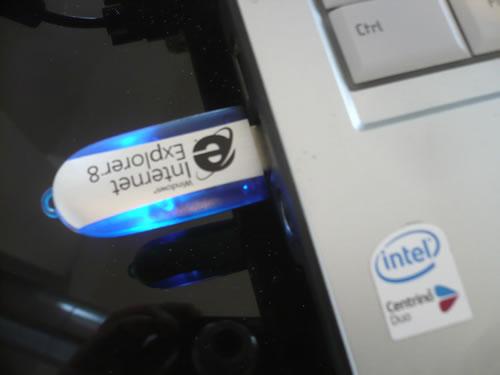
and one 1GB USB key containing installers for IE8 (pictured in my laptop above) and the IE8 Evaluators’ Guide (a Word document that walks you through IE8’s features).
I’ve been to a couple of these Microsoft events before. The one about their “Windows Live” sites didn’t interest me at all, and the Vista one I attended was largely for people who did IT at companies with 1000 or more employees, which really isn’t my area of interest either (and the Vista preview installer they gave me resultedindisaster). This one was a considerably more interesting, as Pete put on a good presentation and it appears that Microsoft is making an effort to match the competing browsers.
Over the next little while, I’ll post articles covering my experiences as I take IE8 for a spin. In this article, I’ll mostly be talking about InPrivate Browsing, which is colloquially known as “Porn Mode”.
“Porn Mode”, a.k.a. “InPrivate Browsing”
The implementation of a browser session in which history, cache and other “trails of breadcrumbs” are deleted as soon as the session is over isn’t new: Apple’s Safari has a “Private Browsing” feature and there’s a Firefox extension that provides the same utility. However, for those not using Macs and especially those who aren’t the type to download and install Firefox and then install a plugin — and there are lots of these people out there — IE8 may be their first opportunity to try out such a feature.
Banking, Not Wanking
In his presentation, Pete was careful to take the “Banking, not wanking” approach when covering InPrivate Browsing, suggesting all sorts of non-saucy uses for the feature, including doing online banking, shopping for surprise presents for your spouse, surfing from a public terminal and so on. The Microsoft people present took my constant referring to it as “Porn Mode” in great stride, and I thank them for having a sense of humor about it.
The Problem
Convenience features like history, cache, automatic username and password field-filling are handy, but they sometimes have unintended consequences. For instance, suppose you, as a healthy, open-minded adult, like to look at videos featuring ladies without pants sitting on cakes at YouPorn.com. Let’s also suppose that a friend asks to borrow your computer for a moment to see a funny cat video at YouTube.com. As your friend types in the letters for “YouTube.com” in the address bar, this happens:
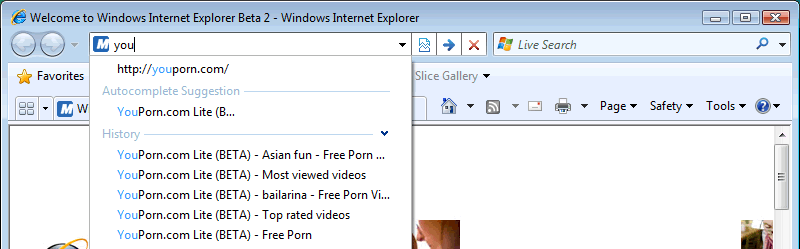
This sort of browser-assisted embarrassment takes place more often than you might think. I’ve seen it happen firsthand, and it’s done everything from causing a little red-facedness to actually thwarting romantic possibilities. And you thought computers were supposed to make our lives easier!
The IE8 solution, InPrivate Browsing, is accessible through the Safety menu (shown below) or through the control-shift-P key combo:
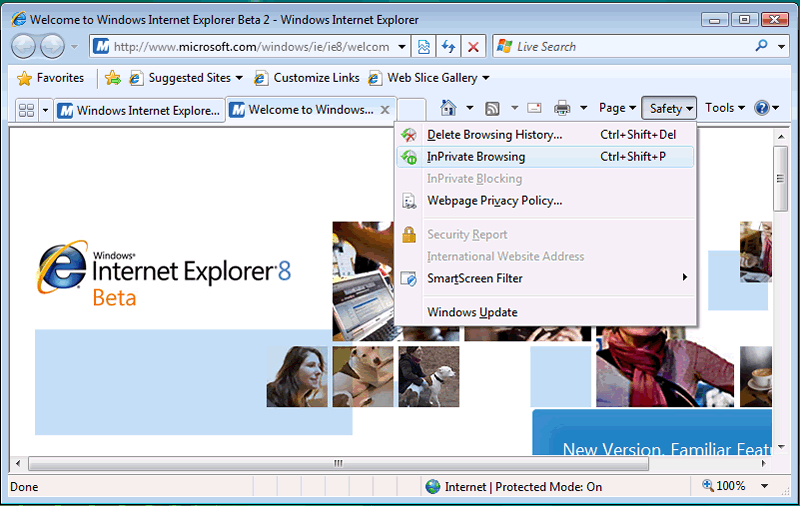
This opens up a new, separate browser window for InPrivate Browsing, which does not keep “breadcrumbs” like history, cache data, cookies and so on. The address bar for InPrivate Browsing windows has the InPrivate logo as a visual cue that this particular session won’t leave a trail that will embarrass you or give away your secrets:
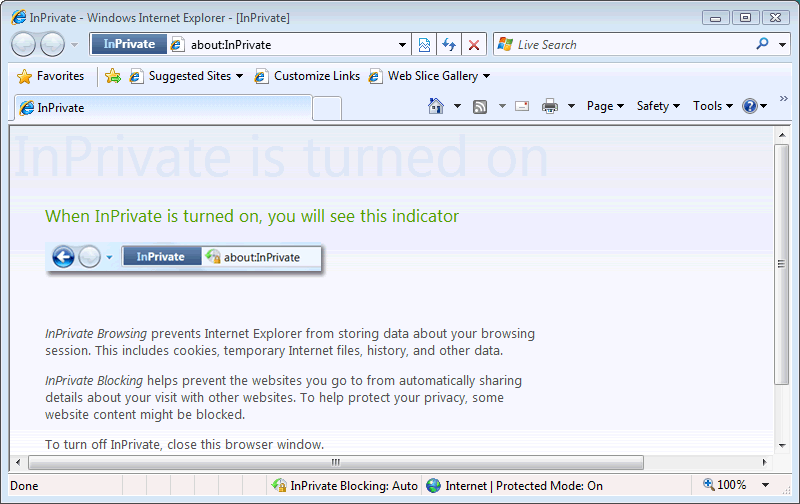
Maybe it’s me, but I think the “InPrivate” graphic in the address bar is a bit too subtle. Then again, a more obvious visual indicator (say, giving the InPrivate browser window a different color) might be an invitation to shoulder-surf.
Hey man, I had to see if it works, right?
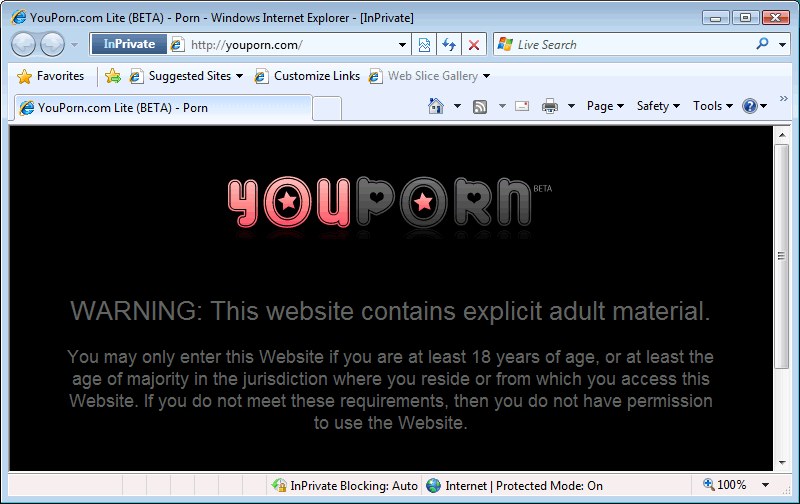
I swear, I had to poke about the site a little bit in order to test if my History was being saved. It’s all in the name of application testing!
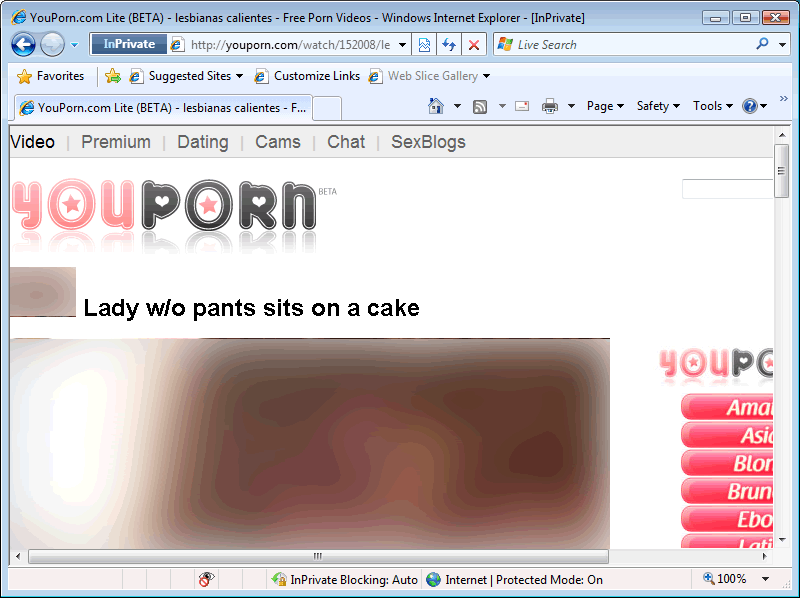
After a little “research”, I closed not just the InPrivate Browsing window, but the whole browser, then started it up again. Then I proceeded to type “You” into the address bar. Under normal circumstances, my YouPorn.com history would be there for all to see. But it wasn’t!
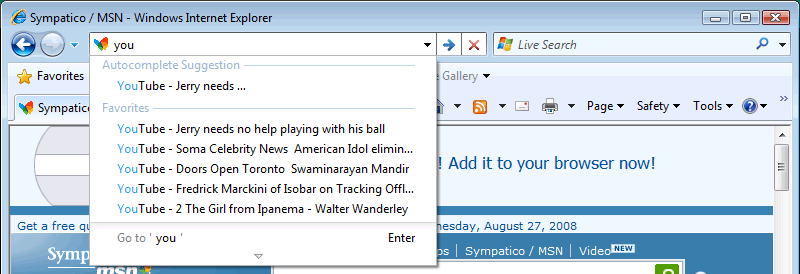
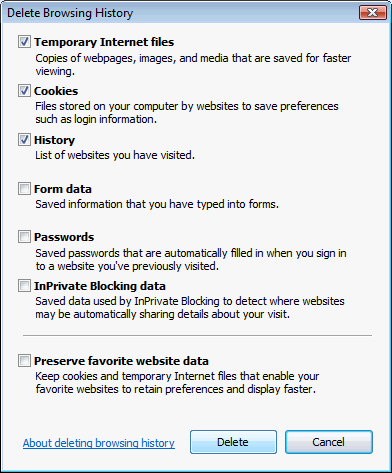
For those of you who need to clear the cache, cookies, history or other data for any reason, there’s also the Delete Browsing History item in the Safety menu:
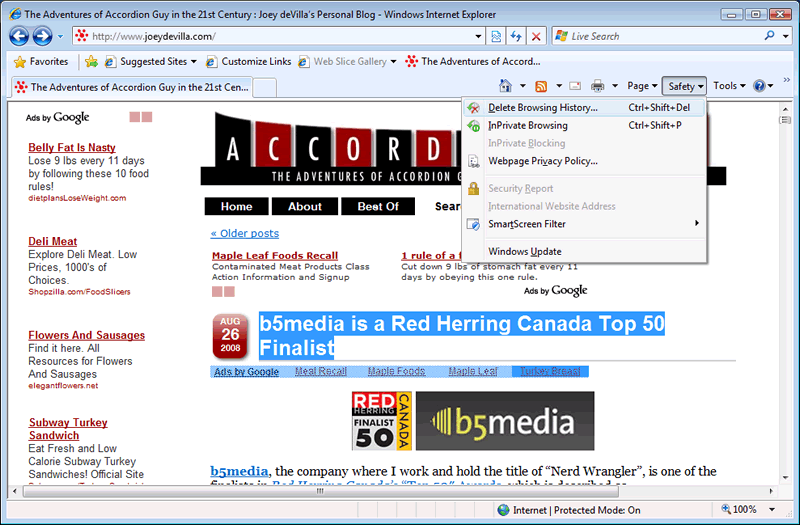
And it provides a number of deletion options:
And there you have it: a quick tour of IE8’s much-snickered-about “Porn Mode”.
Keep watching the blog for more posts about IE8 as I use it more and cover its features. Perhaps I’ll cover the development tools next.