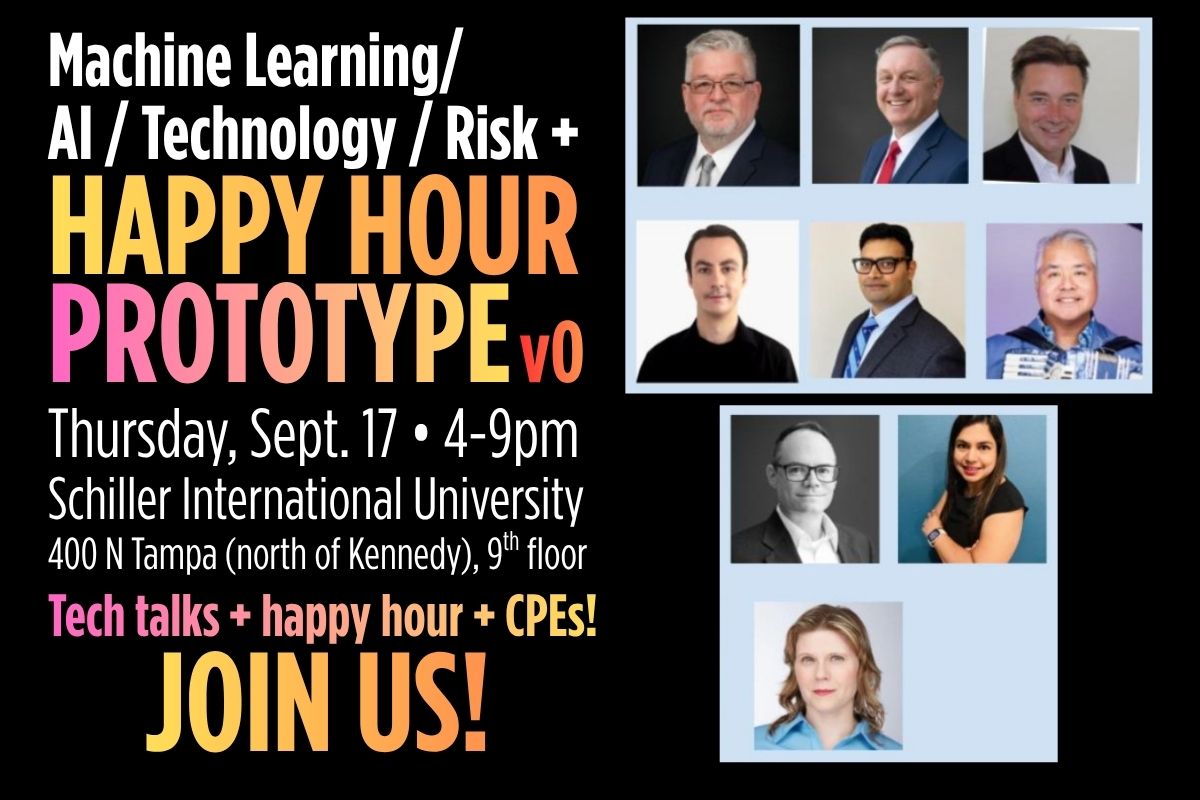
Calling all devs, designers, AI and data geeks, cyber and everyone in the “tech-ish” orbit!
This event brings together technologists and technology-adjacent professionals to connect, share knowledge, learn and grow together.
Yes, it’s last minute, but a lot of people have signed up already, and for those of you collecting cybersecurity CPEs, attending this one will earn you 2!
The agenda
AI Panel – Revisiting AI Transformation opportunities due to the rapid evolution of capabilities
With AI model performance and tooling evolving at a breakneck pace, the lifecycle of technical feasibility has compressed. Solutions deemed impractical just months ago are frequently production-ready today. We will examine how enterprise leaders and practitioners are navigating this shifting baseline—reassessing former roadblocks, managing risk, and executing sustainable AI transformation strategies.
Talk: Detection of Confounders in Computed Tomography Datasets
Computed Tomography (CT) scans are used to train machine learning models to predict cancer outcomes. Datasets are frequently composed of images collected using different devices or settings, which can reduce classifier accuracy.
This talk covers an automated method for screening CT datasets to detect features that make models learn spurious associations – called confounders – and other unwanted variations in data. By understanding what affects data quality, we can mitigate these issues or adjust image acquisition processes to prevent them from happening in the future.
Talk: The chart is already multimodal. Why isn’t the model?
Every clinical decision draws on labs, coded history, notes, and imaging at once. Most deployed models read one. The work began as an ONC engagement, built as a physician assistant and trained with split learning, so records never left the institutions holding them. Asked which task would earn a place in their day, physicians answered consistently: help with the differential. The 2015 National Academies report found that most people will experience at least one diagnostic error in their lifetime. These are usually failures of consideration rather than knowledge: the right diagnosis was never placed on the list.
Solution is valuesets governed data trained with multimodal model built with fusion architecture. Each branch is projected to a shared width, given its own self-attention, and combined in one late fusion feeding condition heads that share a representation. Results are early with no prospective study with clinicians yet, but the validation metrics looks promising. Future improvements with contrastive learning and focal loss will drastically increase recall and additional testing is carried out by analyzing Krippendorf alpha.
The opportunities of this engine serve six workflows: diagnostic support, risk adjustment, trial recruitment in phase3, quality measurement, Hedis scoring, and rare disease detection. Only the label set, the threshold, and the recipient change.
Differential diagnosis is the capability. The opportunity remains open.
Talk: AI-Powered Defense for PHI: Smarter Cybersecurity for Healthcare Compliance
As cyber threats targeting patient data grow more sophisticated, healthcare providers are turning to AI to stay ahead. Rather than reacting after damage is done, AI-powered tools spot unusual activity early, streamline HIPAA compliance, and speed up incident response—helping protect EHRs, medical devices, and telehealth systems while preserving the trust patients place in their care.
Active Directory (AD) became the de facto standard for Windows-centric organizations to add security, but today, removing AD or minimizing its footprint is considered a security enhancement.
More than a technical optimization, switching from hybrid-AD to cloud-native Entra ID is a risk reduction strategy. Have the capabilities of cloud native reached a tipping point where more organizations can seriously consider reducing or eliminating AD? This session will discuss a regulated organization’s journey to cloud native, reasons to do so, challenges, and lessons learned.
The tech job market has been sending signals for two years. Most of us have been too busy surviving it to read them. After 15+ years in tech and a recent job search that took me across a couple dozen companies, I came away with both a new role and something just as valuable: a pattern.
Job descriptions have quietly shifted. Hiring panels are asking different questions. “ROI” means something specific now that it didn’t mean in the zero-interest 2010s or the Great Resignation era of a couple of years ago. The skills companies say they want versus the skills that actually get you hired don’t look like they come from the same list.
This talk is an honest, experience-based, practitioner-level read of what the market is telling us about where tech is headed. It doesn’t have any LinkedIn takes or recycled frameworks; just patterns from the front lines, with implications for how you position yourself, make the case for your team, and think about the next few years of your career.
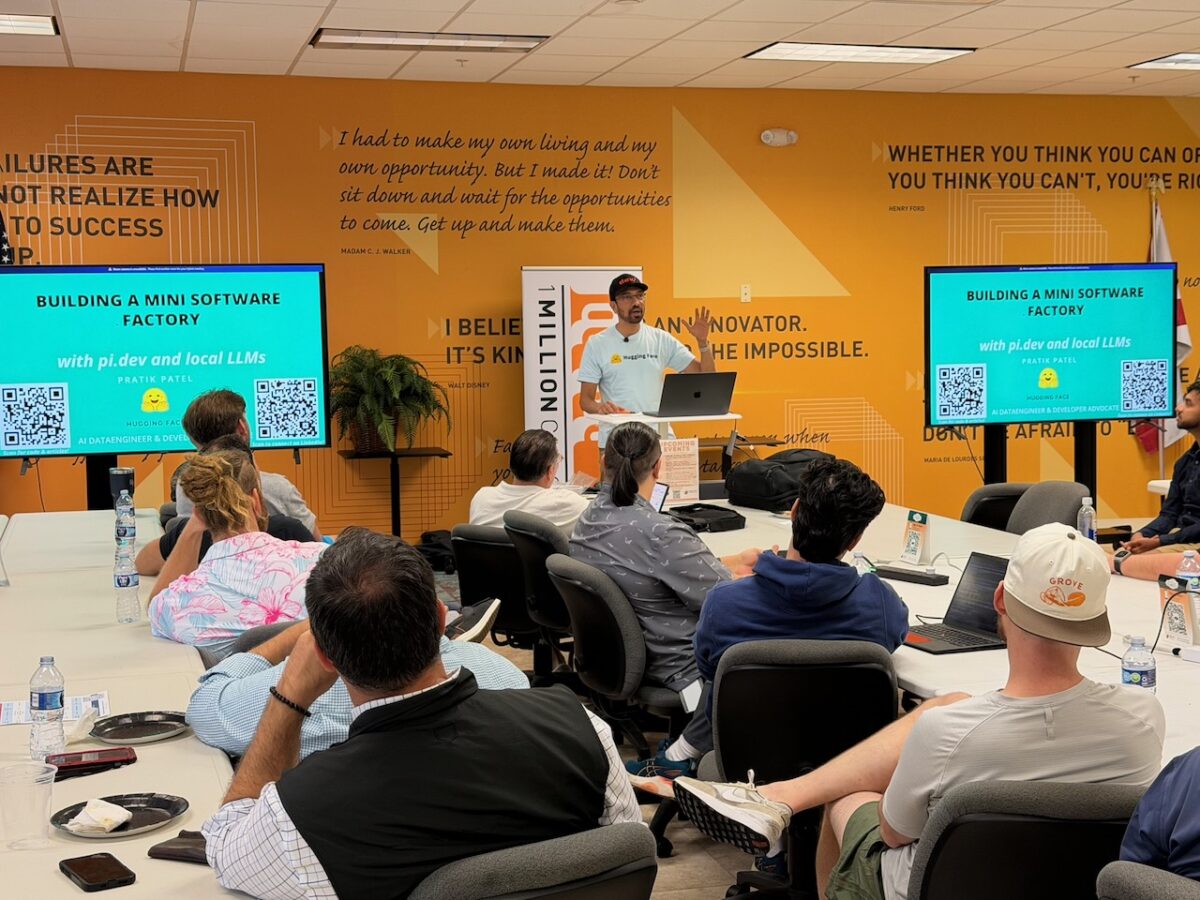
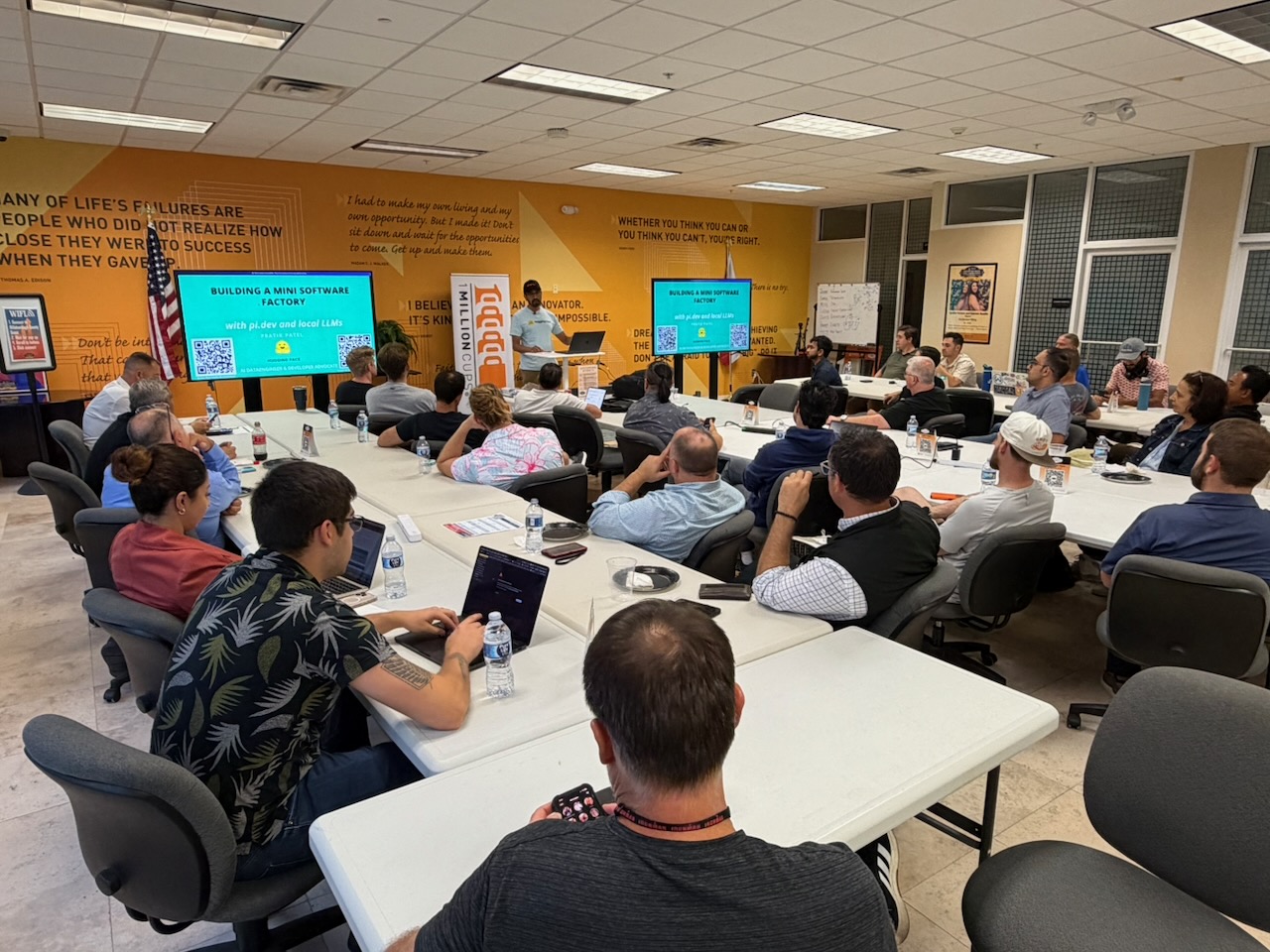
The quite-full ECC was about three-quarters software developers, and Pratik had just finished taking a headcount of the Java people, the TypeScripters, the Pythonistas, and of course, the Rustaceans (“most people want to rewrite everything in Rust, and I find it extremely annoying”). That’s when he said what would’ve gotten him tarred, feathered, and run out of a Java meetup if we’d been back in the days of Java SE 18 or 19:
“One of the things that you may get from this session is that the programming language doesn’t even really matter anymore.”
Of course, his paln was to prove that statement by the end of the night, as well as the conclusion that you should draw if you still plan to remain in software: If you hand the coding off to a machine, the valuable work moves up the stack.
Pratik is a longtime Java/JVM guy, one of the organizers behind the DevNexus conference in Atlanta, and as of about a month ago, he works at Hugging Face. He also polled the room on what Hugging Face actually does, and enjoyed the answers (mine: “Hang out with Jensen!”). The correct one, which he eventually told us, was that they own Transformers and the rest of the library stack that lets you download, and better still run the models.
The gamble: Building before the presentation
It takes time for an software factory to build things, even on a late-model MacBook with 64GB RAM like Pratik’s. Sp he started the demo at the beginning and then talked over it, which I suppose is the new version of “live coding”. I do that myself (both live agentic coding as well as raw-dogging the code the old-fashioned way), so I have to respect Pratik’s boldness.
He asked the room for an app idea. Someone suggested a horse-boarding scheduler, which was too big. Charles, who works for a sports organization, suggested a playoff odds calculator. Pratik assessed that it was doable within the given time, so he agreed to build that.
Pratik opened Gemini and, off the cuff, dictated a rough spec: look at the remaining season schedule for all 30 MLB teams, calculate each team’s chance of making the playoffs, and let the user tweak the metrics on the page to try different scenarios.
Gemini spat out a 255-line spec in a few seconds. He pasted that into his software factory, told it “Create a new app called MLB Odds, here’s the spec, let me know when it’s finished and what the URL will be,” hit enter, and walked away from it to start the actual presentation.
“Again,” he said, “this may be a total disaster. It may not work, but let’s see how it goes.”
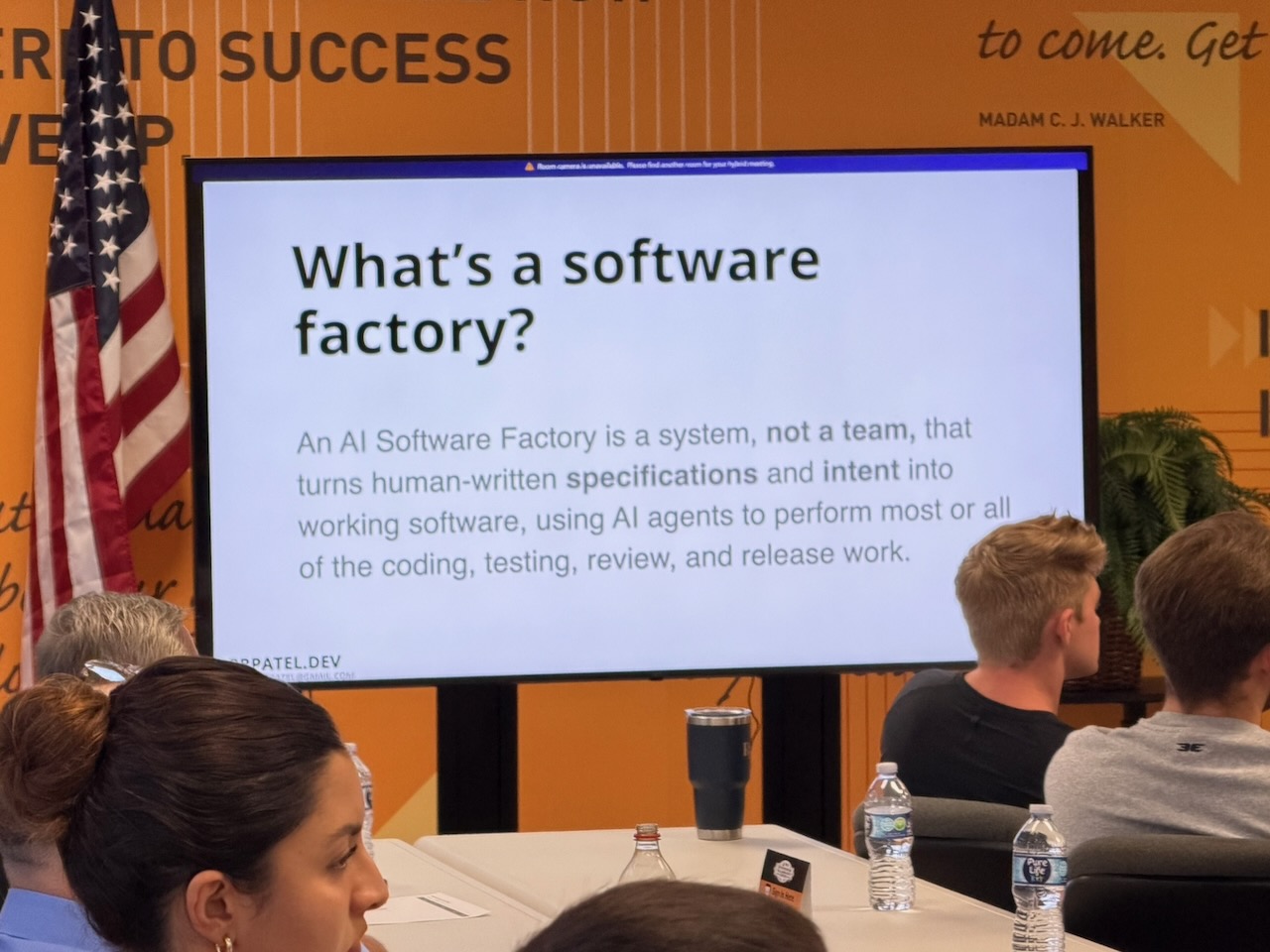
So what is a software factory?
Pratik was upfront that this is the most undefined term in the industry right now: “If you ask 10 people in this room what a software factory is, you’ll probably get 10 different answers.” Here’s his:
An AI software factory is a system, not a team, that turns human-written specifications and intent into working software, using agents to perform most or all of the coding, testing, review, and release work.
The key word is system. You say “go build this,” walk away, and come back hours or a day later to working software. It’s like handing a project to a team of engineers and going off to do something else (or hey, nothing. You’re the boss!).
And critically, a software factory is not one-shotting. Telling Claude or ChatGPT “build me this website” and pasting in a detailed description relies entirely on the raw intelligence of the model. A factory applies rigorous software engineering process around the model: planning, architecture, implementation, testing, QA, security review, version control. The process is the product.
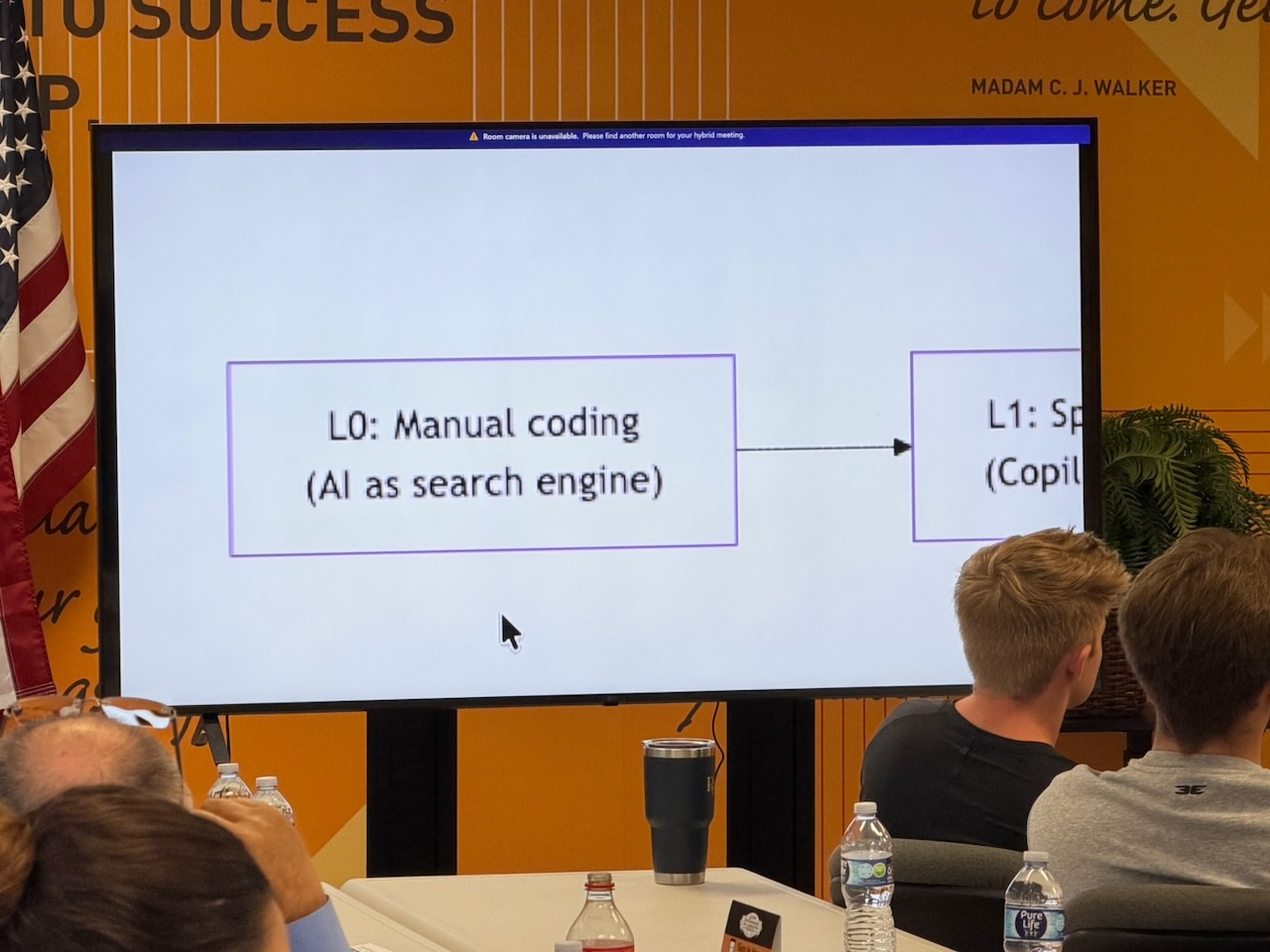
The levels: where you are on the ladder
Pratik walked through a progression that got a lot of nodding in the room:
L0: Manual coding: Open an editor, translate what’s in your brain (or in a written spec) into code, hit a wall, go read the docs or Stack Overflow, keep going.
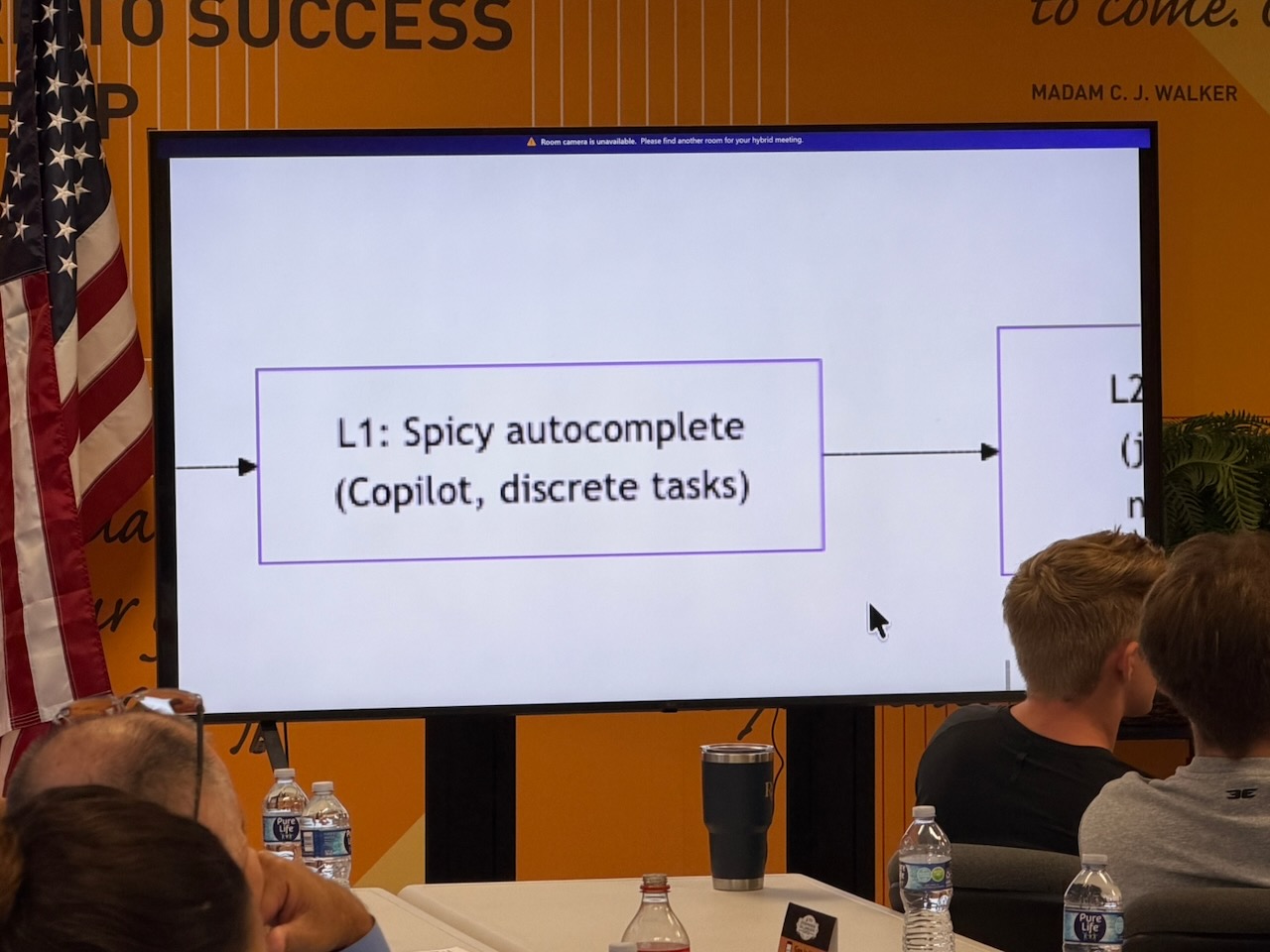
L1: “Spicy autocomplete”: IDEs got language servers and started completing large fragments for you. A genuine step change in velocity.
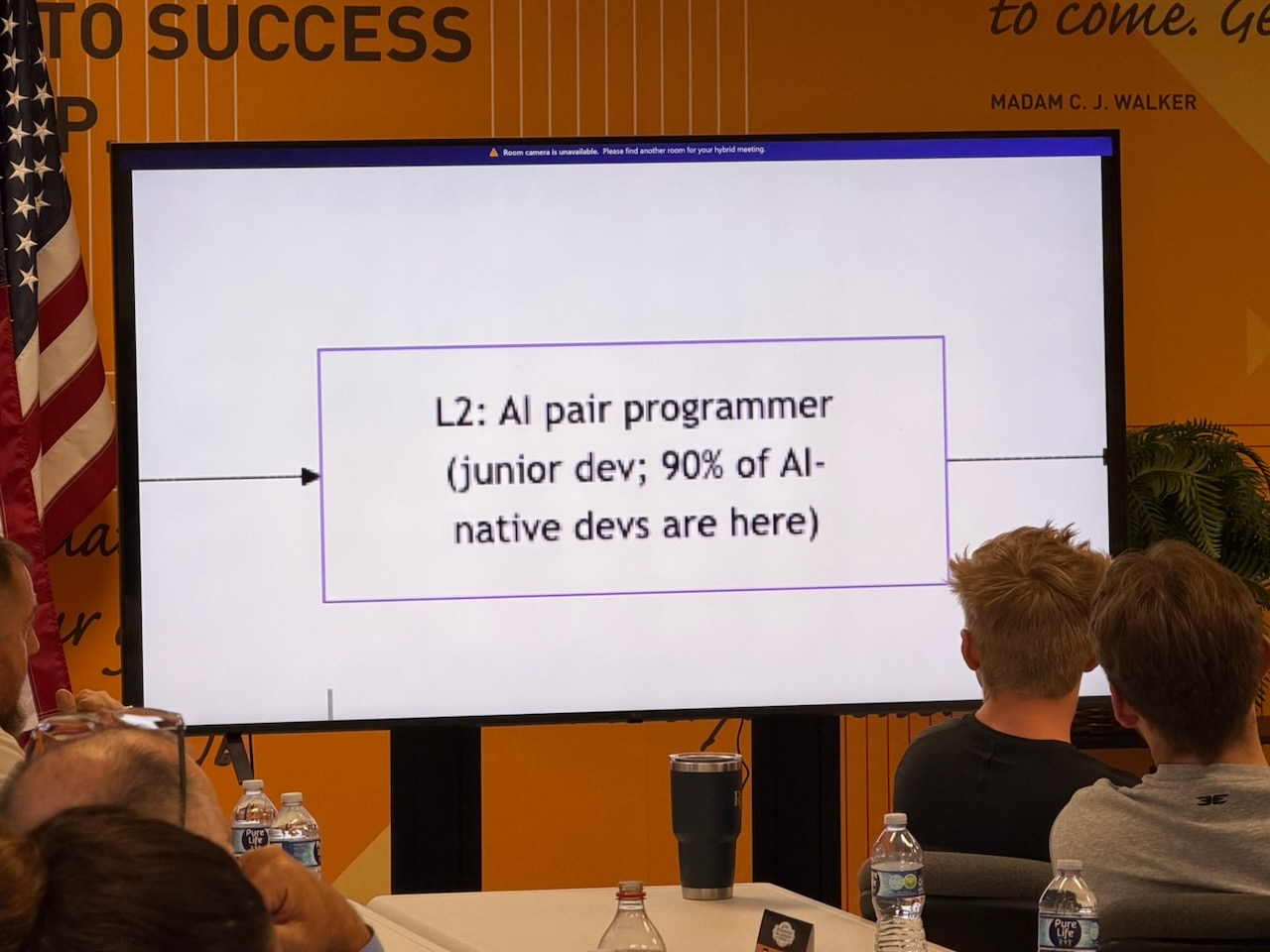
L2: AI pair programmer: You describe what you want to a chatbot, it emits code, you copy it into your editor and fix it up. You’ve effectively stopped going to Stack Overflow directly, because the model already ate it.
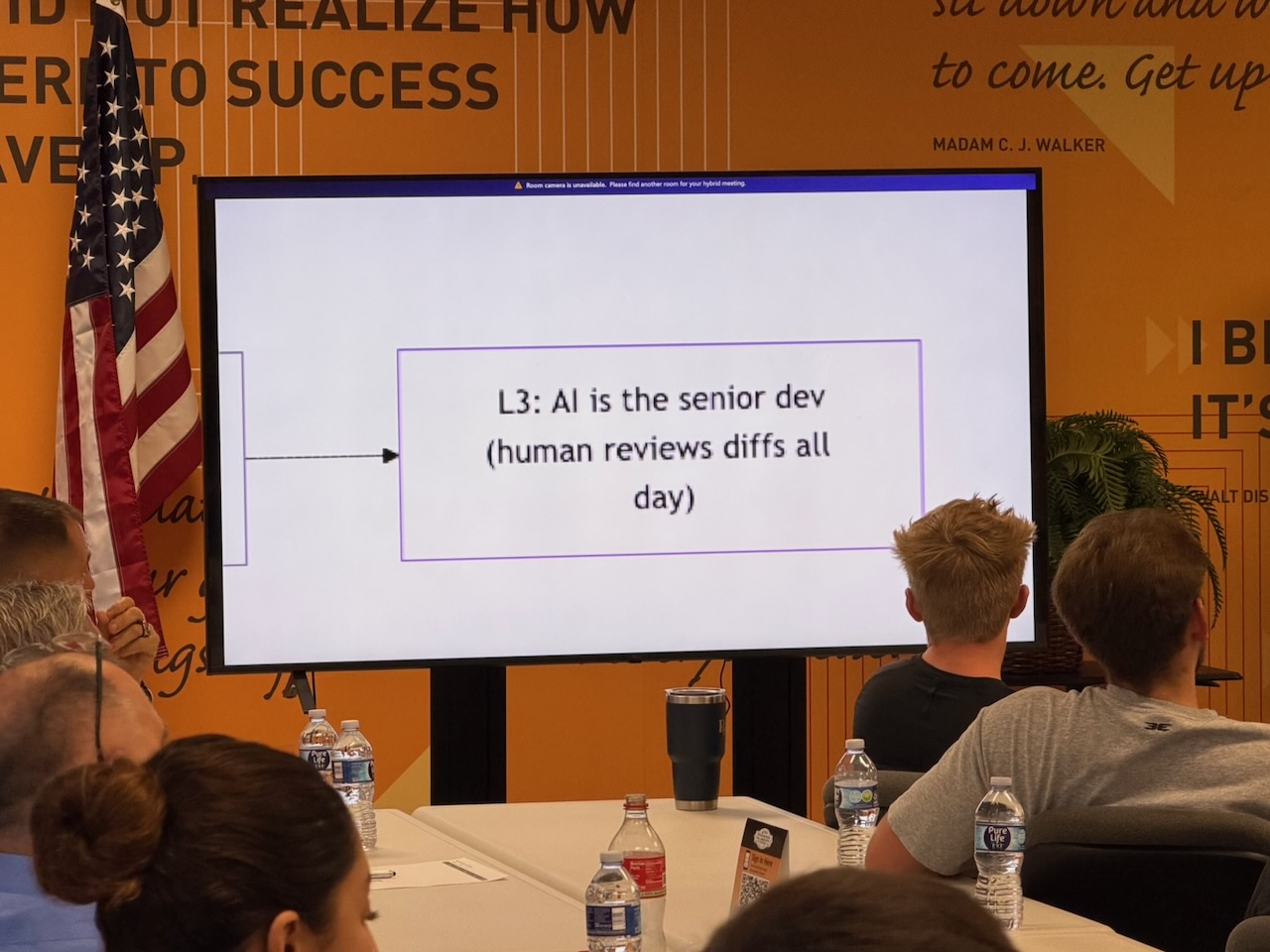
L3: AI as a senior developer: You give it a spec, it builds, you review the code and tell it when it picked the wrong approach.
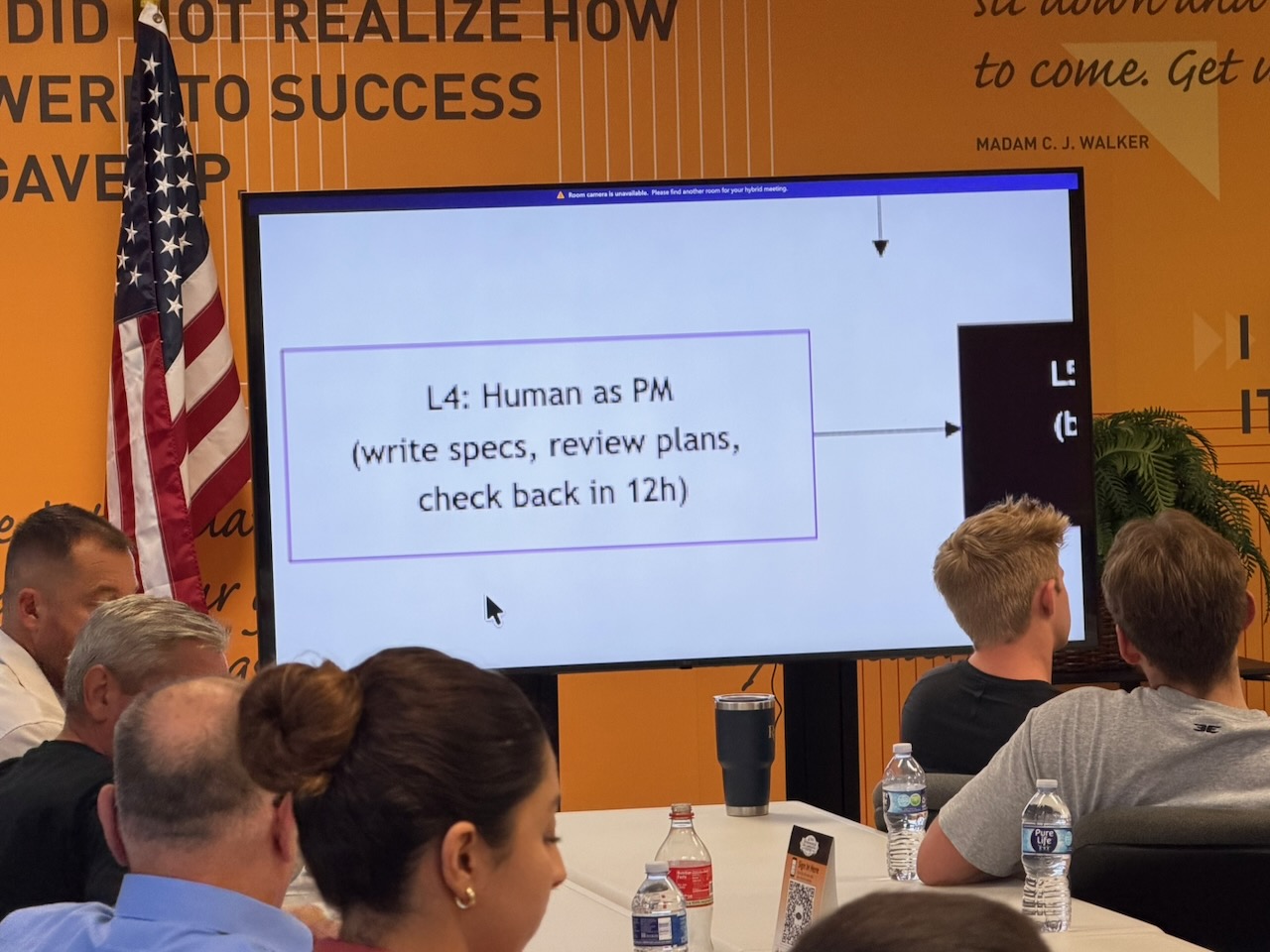
L4: You’re the PM: You write specs, you review plans, you check back later.
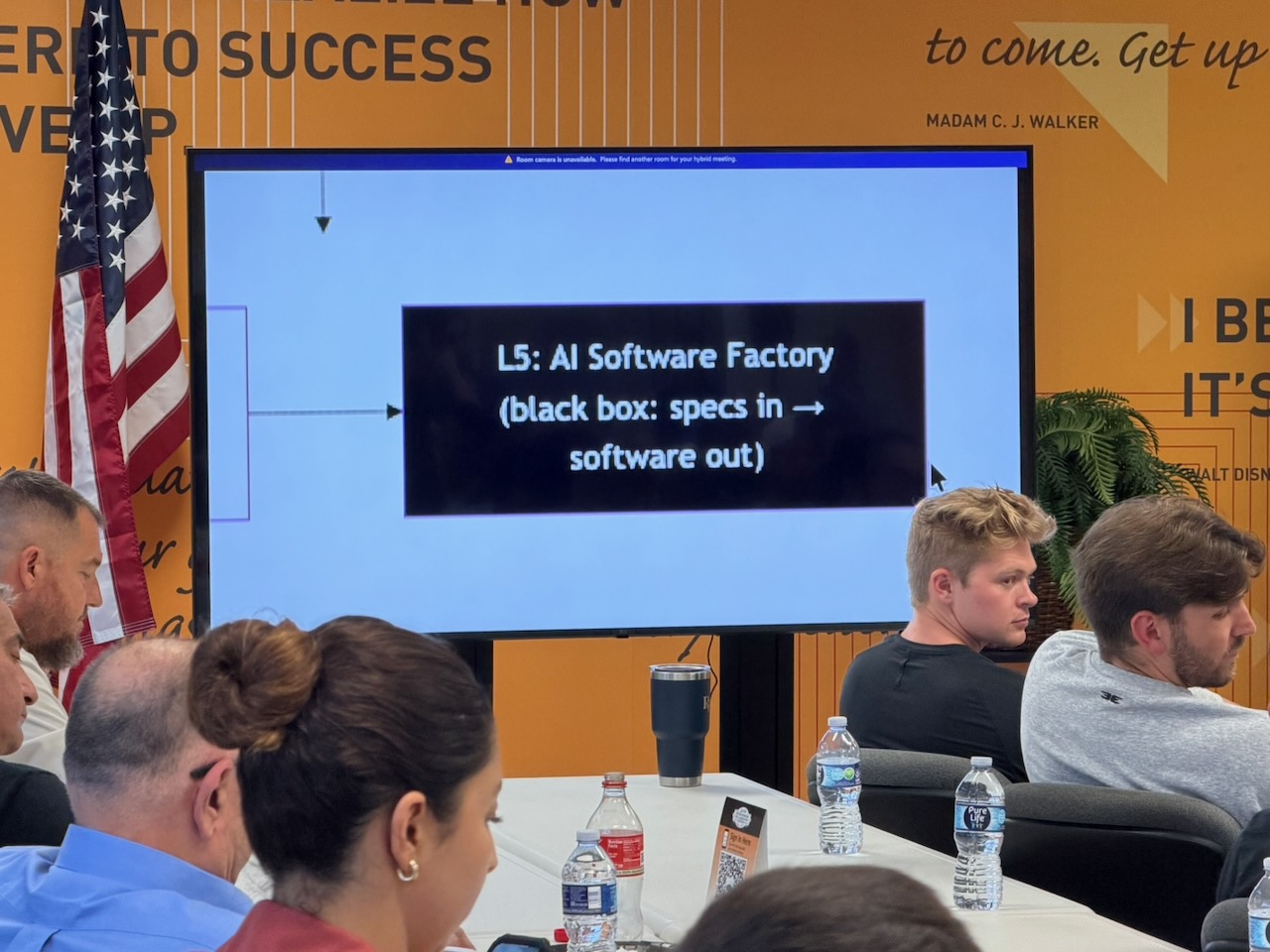
L5: Software factory: specs go in, software comes out. You review the product, and you may never look at the code at all.
His take: most working developers are somewhere between L2 and L4 right now, depending on how much freedom their employer gives them.
What’s left for software engineers, then?
Pratik clearly flagged this part as his own opinion. Like a lot of developers, myself included, he went through the “there’s no way AI replaces me” phase. He concluded that it doesn’t replace software engineers, but it does dramatically change what they spend their day doing, which is the remaining high-value work. I get the feeling that programmers went through something similar when going from assembly to higher-level languages.
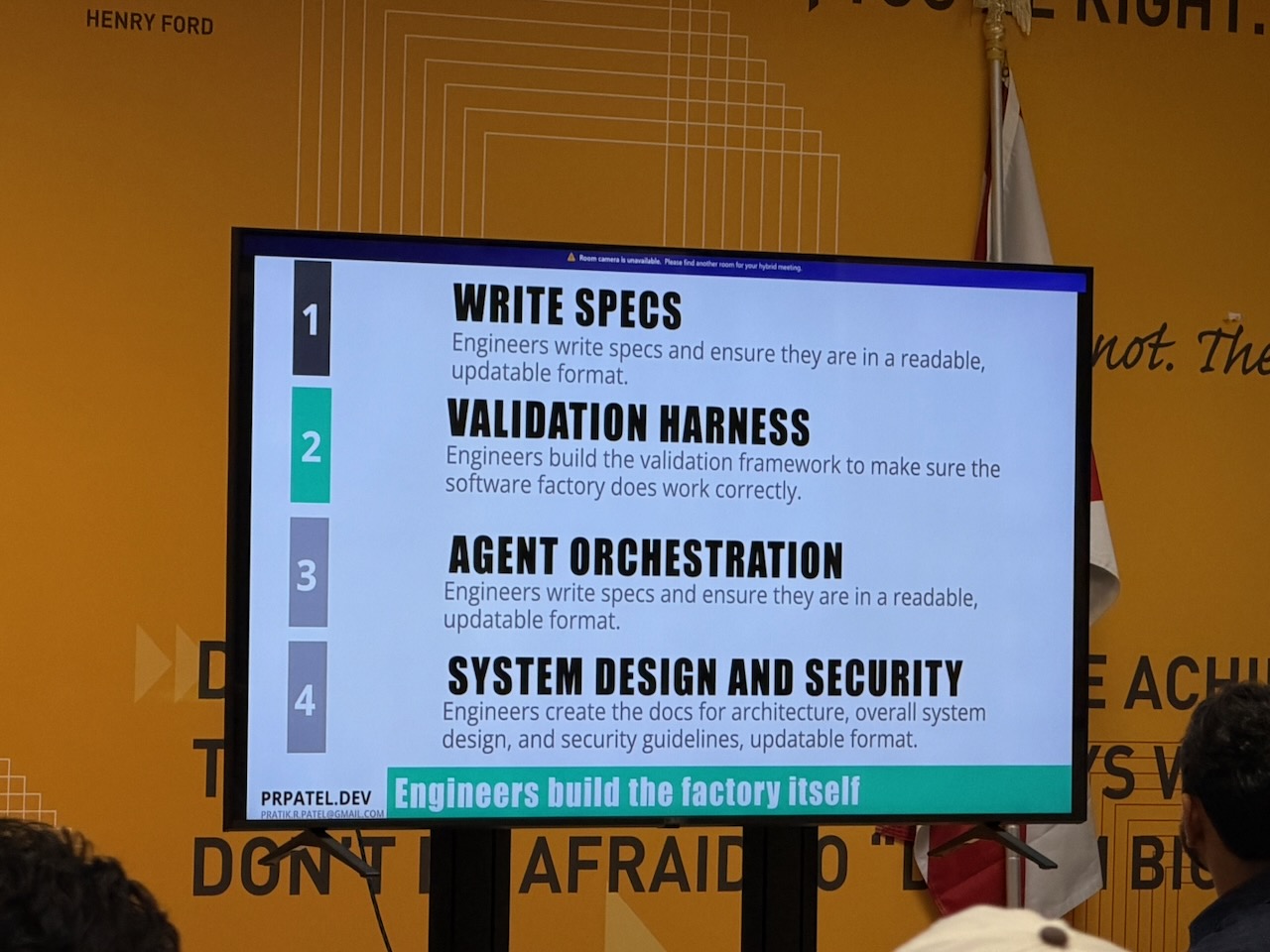
With AI writing the code, the process of programming becomes even higher-level, with these becoming our main activities:
System design. The model knows how to write code. It does not know that you can’t build a browser front end in Python, and it doesn’t know that your real-time app needs in-memory caching to hit a sub-three-second response. And if it improvises those decisions unprompted, you will not like the implementation.
Security.
Making sure user requirements are actually met.
Writing and maintaining the specs and the architecture.
Building the validation harness that keeps the factory honest.
Agent orchestration.
He also noted, to the product managers in the room, that the line between PM and engineer is blurring fast in both directions.
The four jobs of a factory
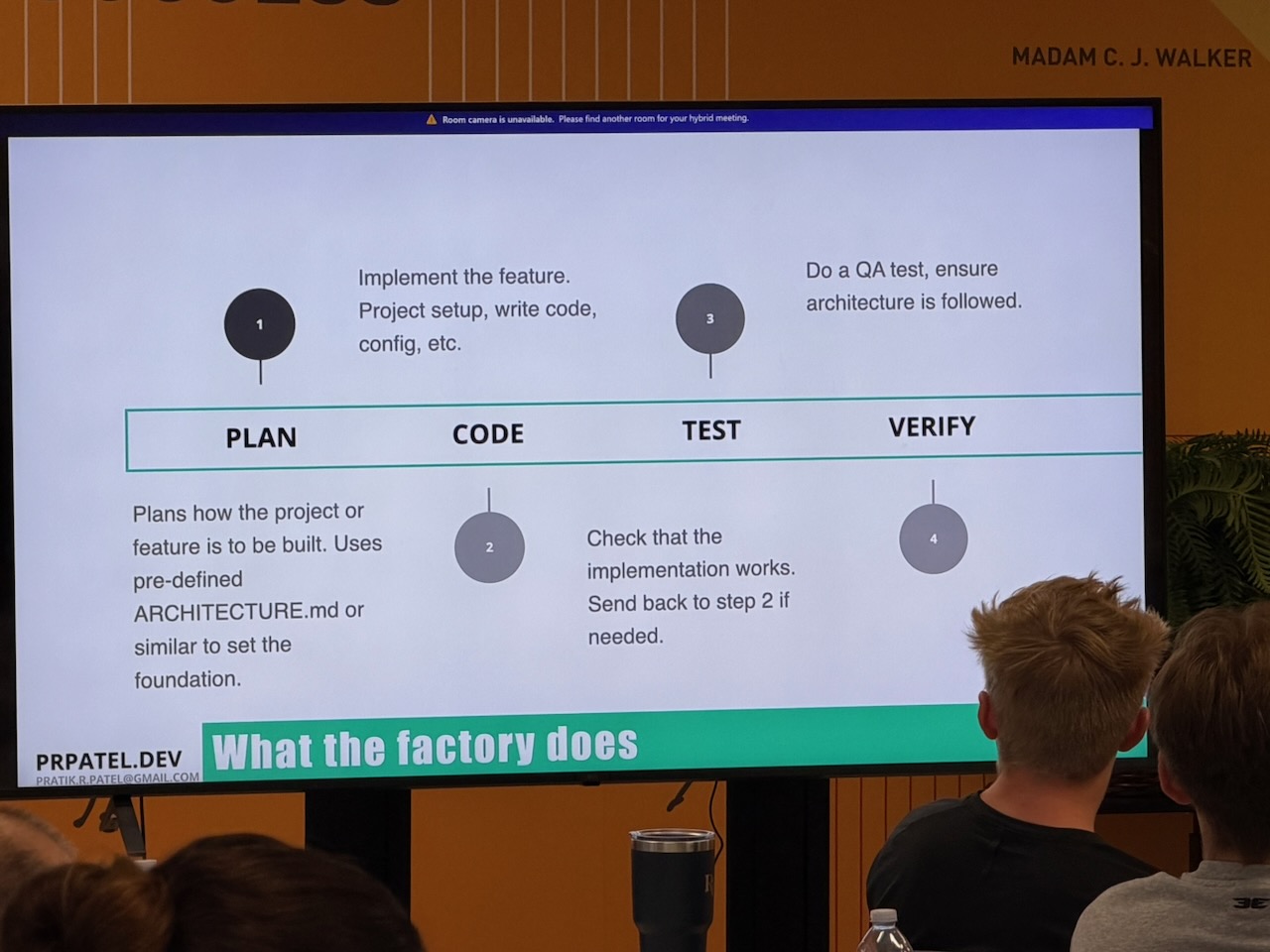
At minimum, Pratik argues, a software factory has to do four things:
Plan the build
Code it
Test it (looping back to implementation when tests fail)
Verify with a QA/security/architecture-compliance pass (the kind of review a human QA engineer would do by using the result as a user would, not just unit tests)
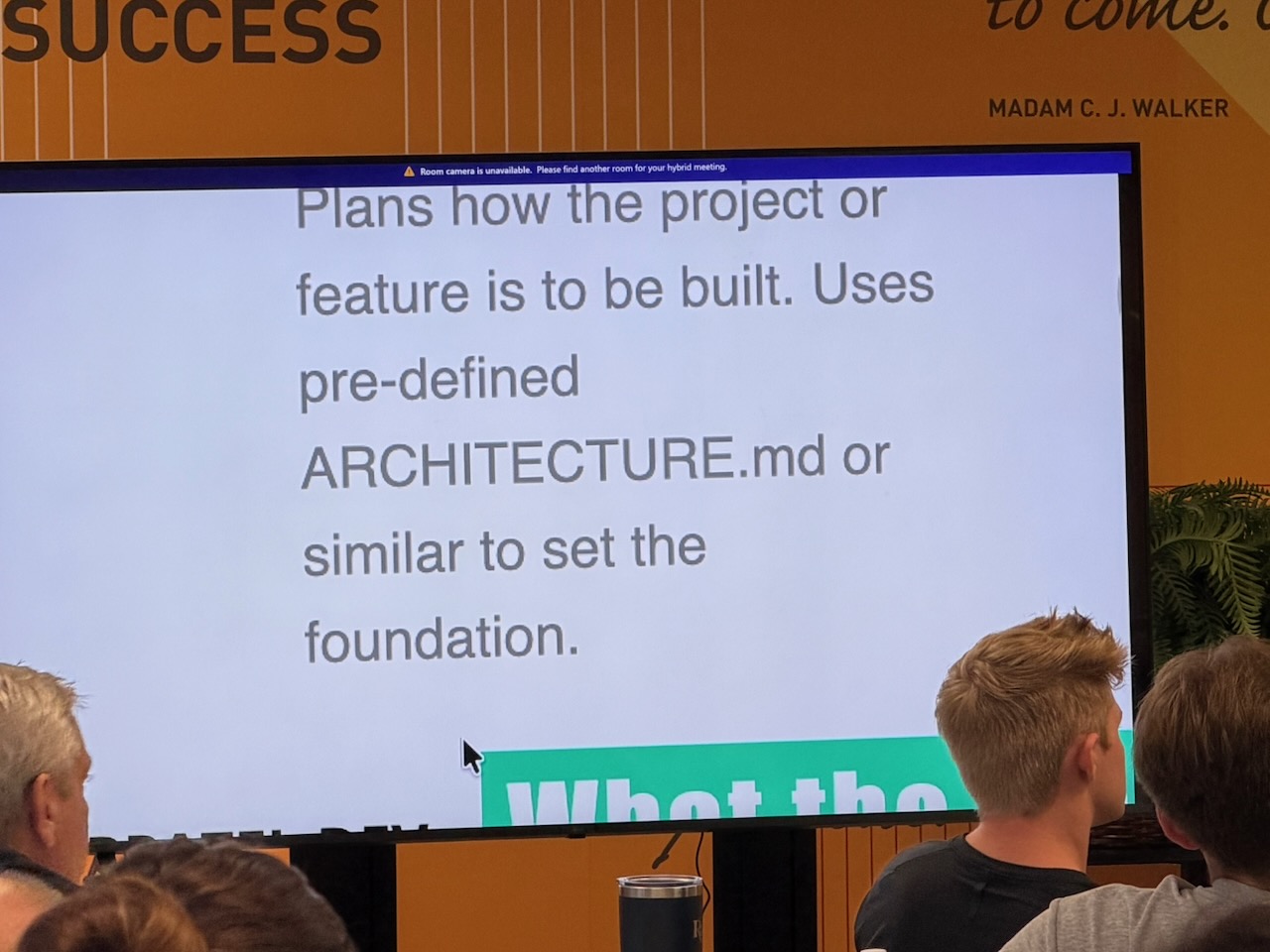
The single most important artifact in all of this is architecture.md. That file is where you, the engineer, do the system design: “This is a web app, use Vue, this is the backend, these are the performance targets, this is how we build things around here.” It’s exactly what you’d tell a new team lead. The factory can’t extrapolate it from your brain.
Specs are a separate thing from architecture: specs are the features, architecture is the system. For spec format, Pratik mostly just writes Markdown, though he noted that larger teams use a more rigid PRD structure, and GitHub’s Spec Kit is out there if you want something opinionated.
Pratik’s actual stack
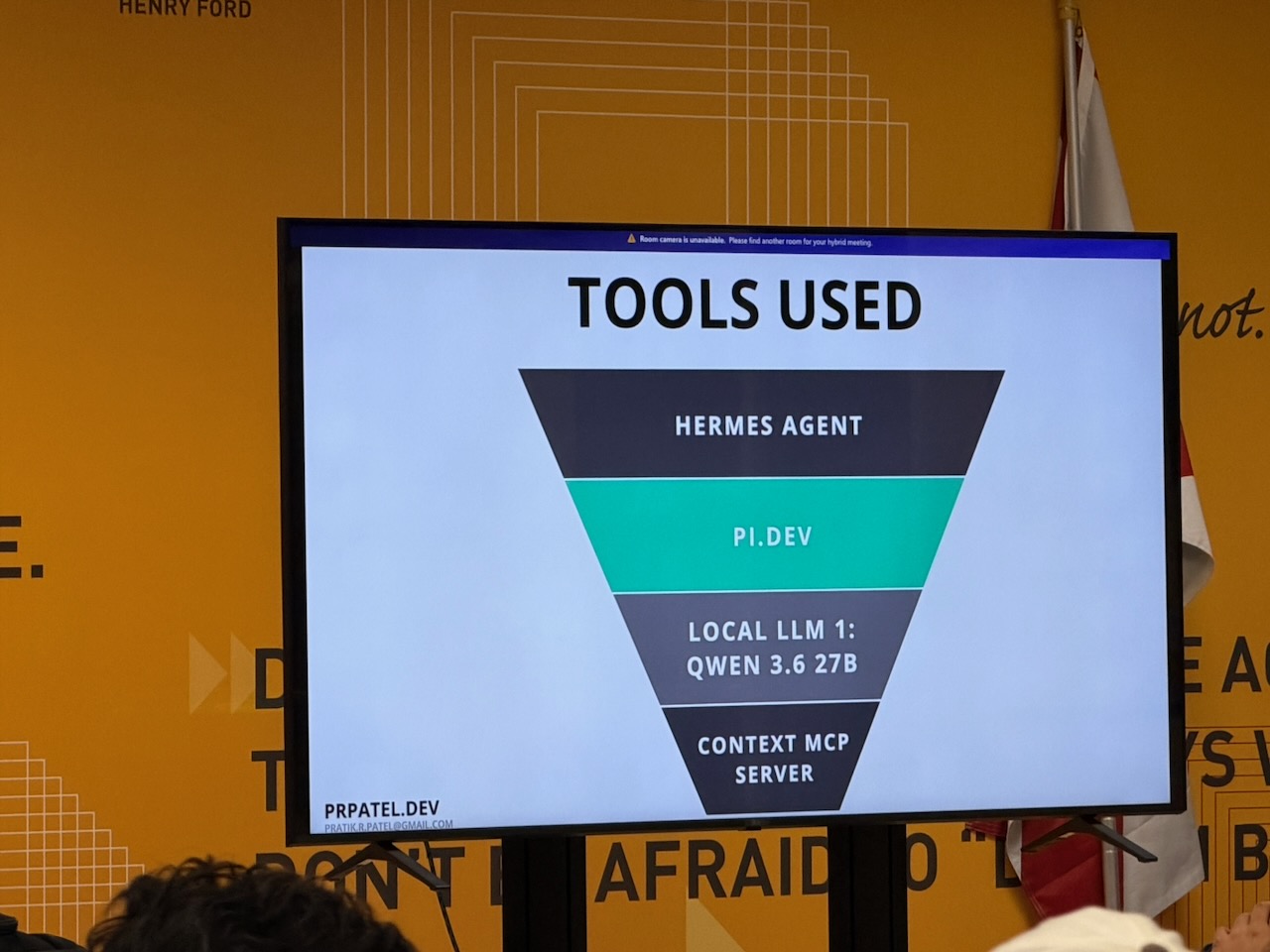
Here’s what he’s running, top to bottom:
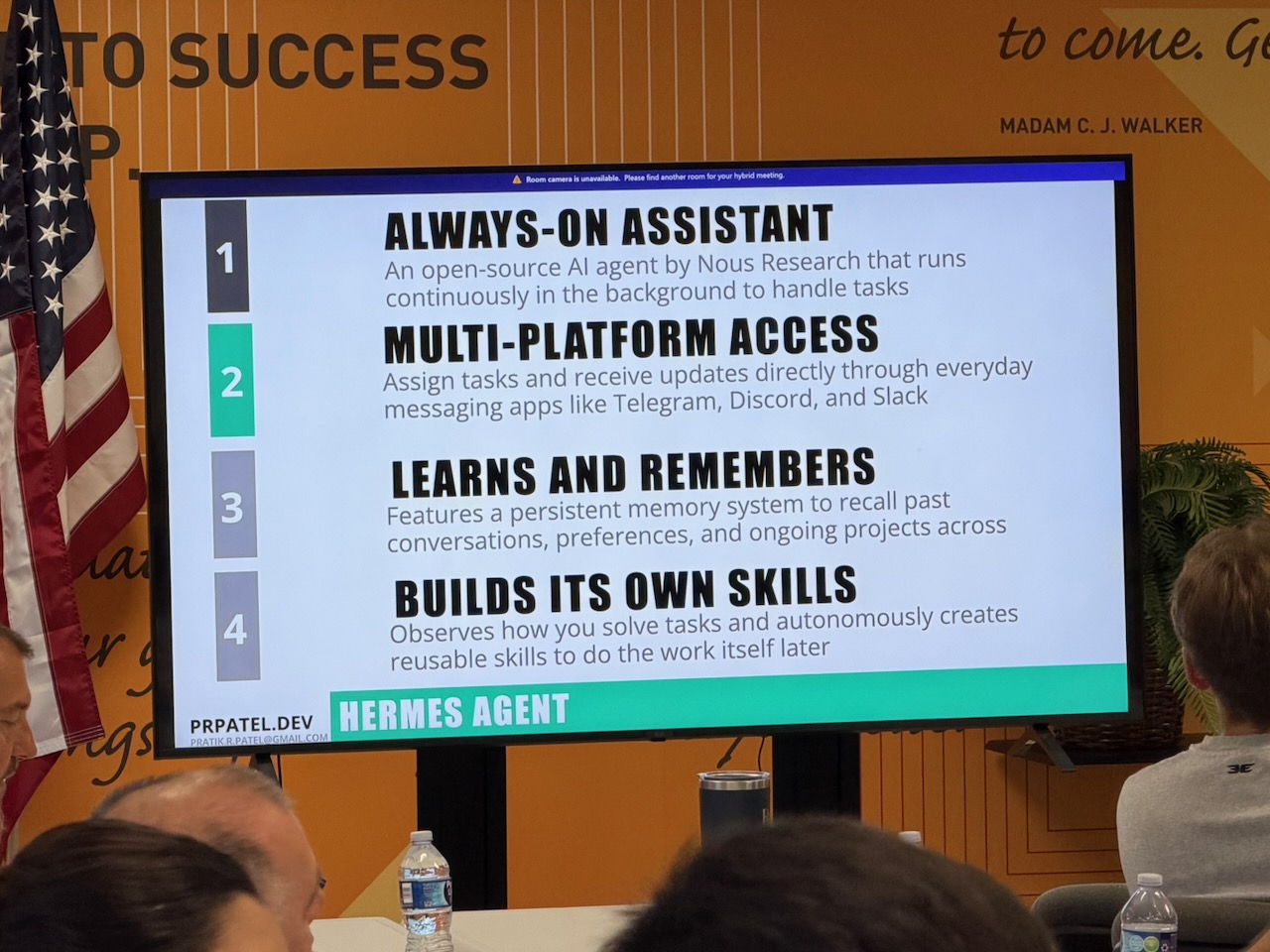
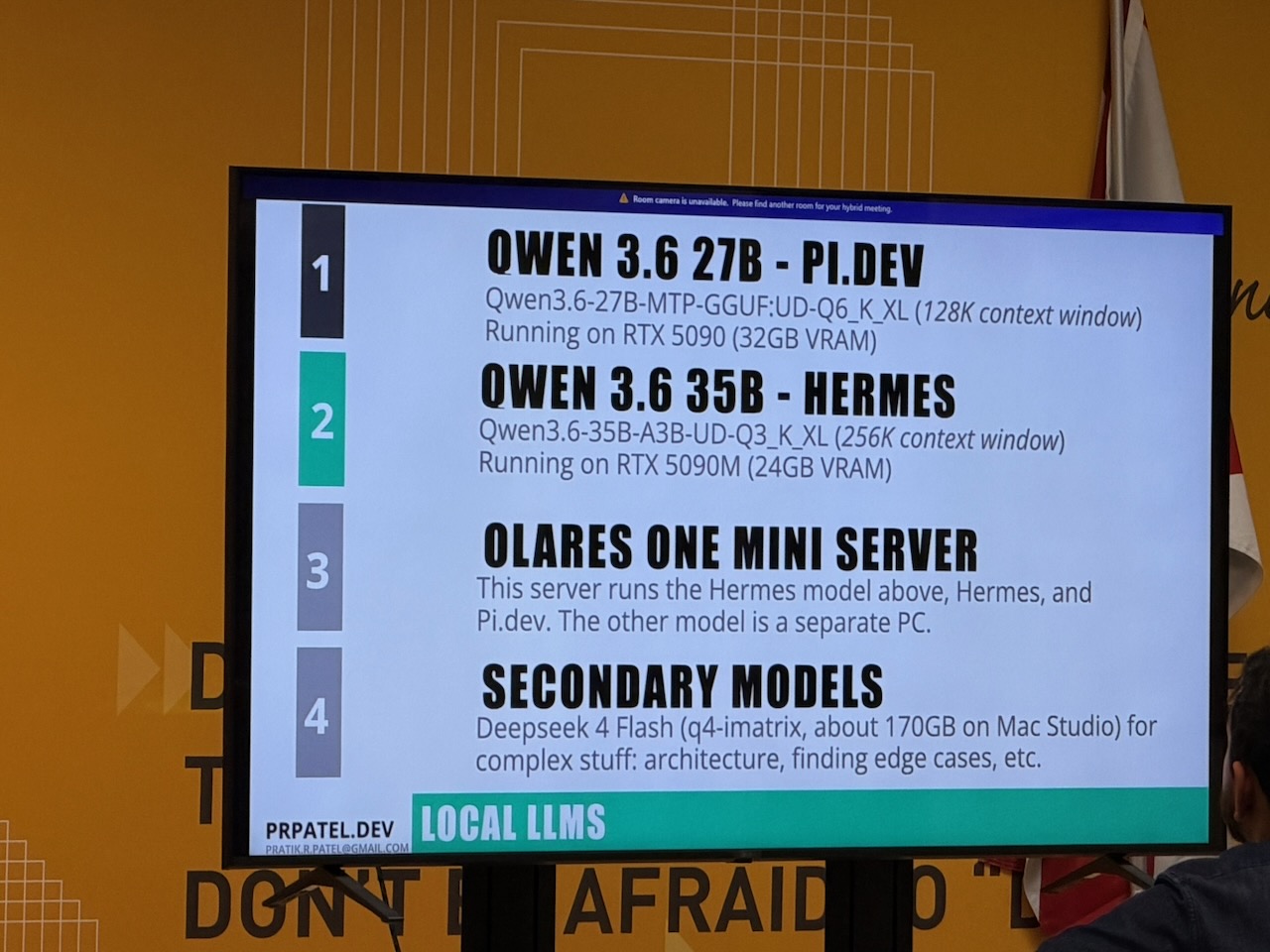
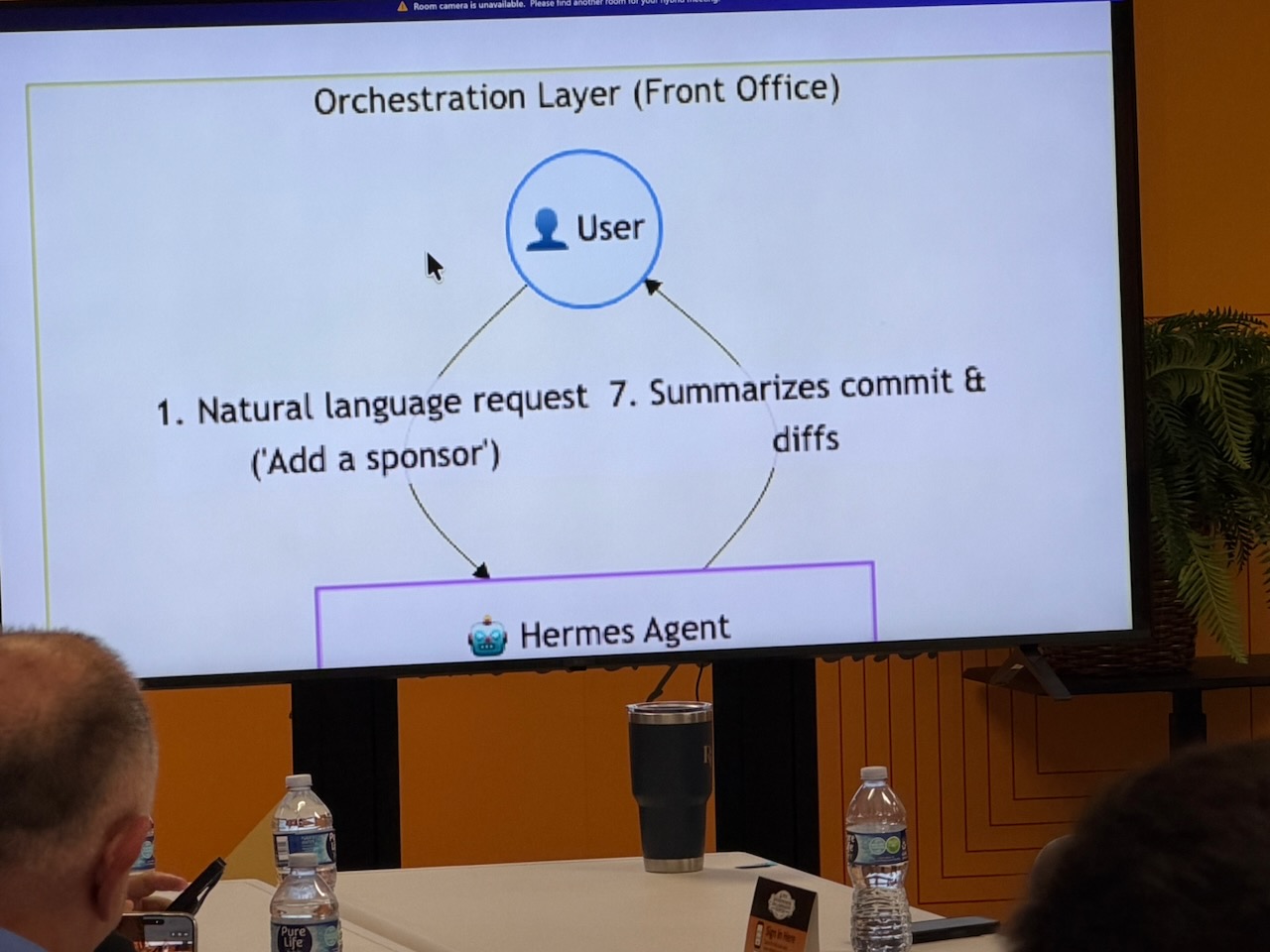
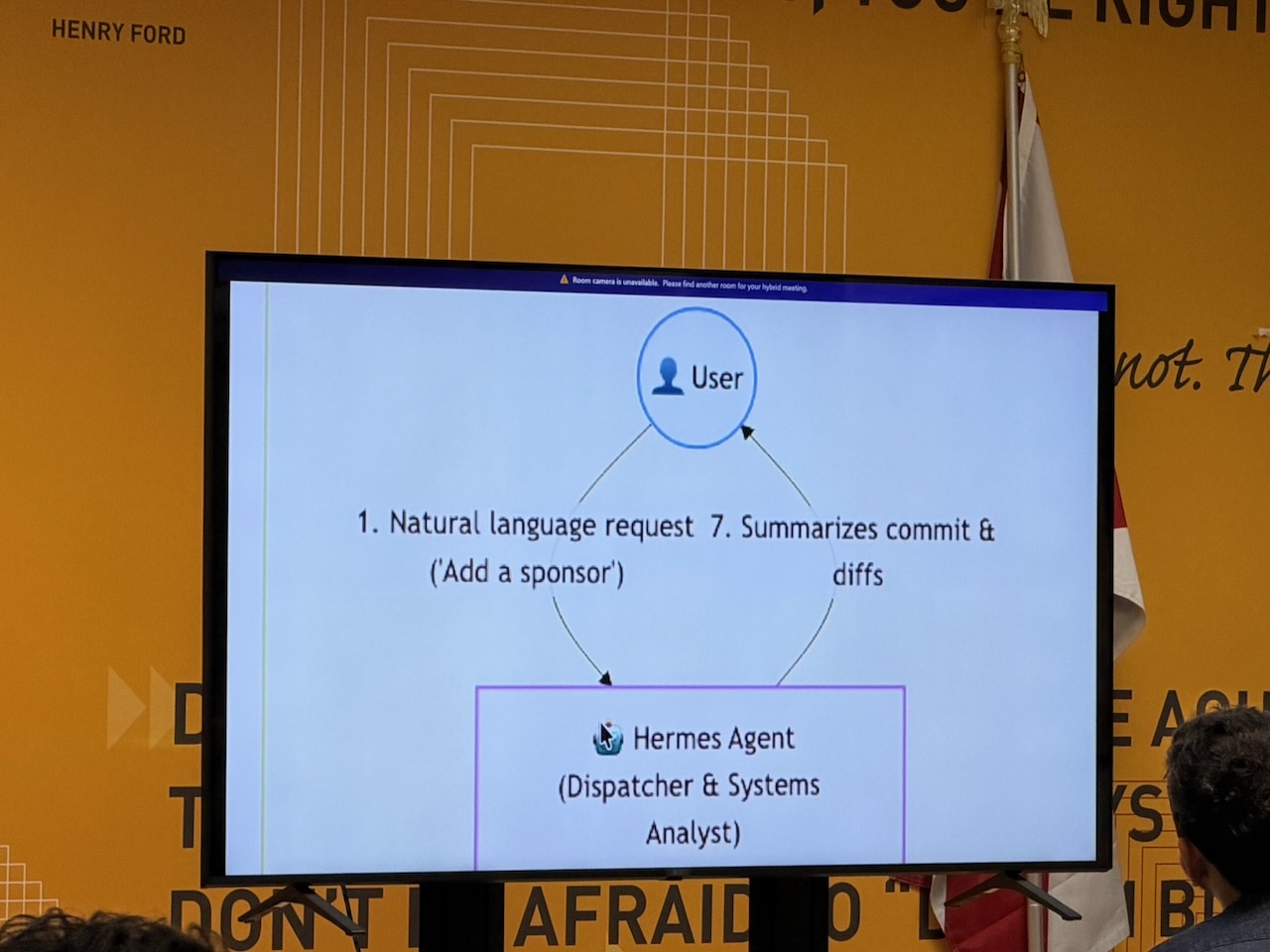
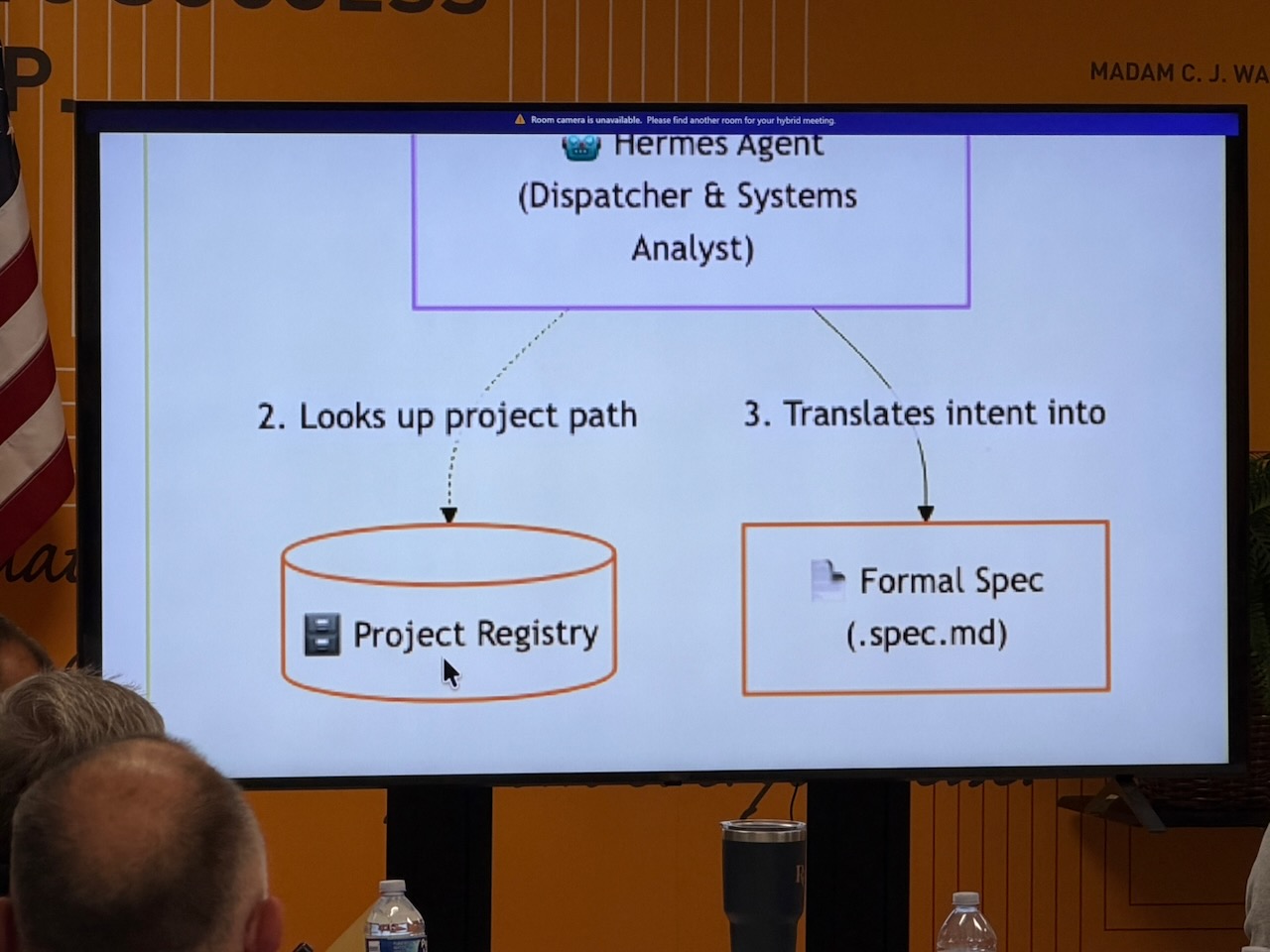
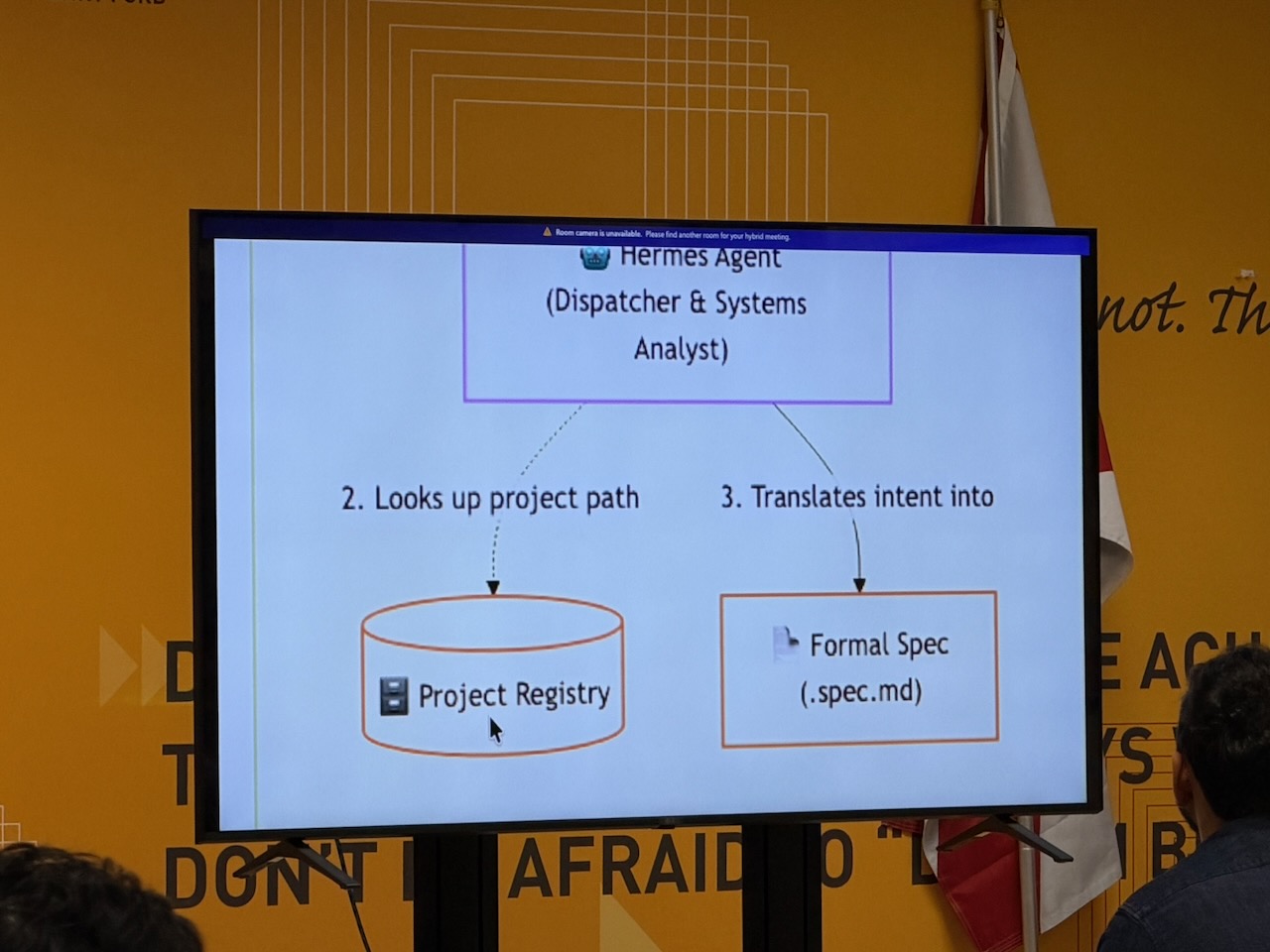
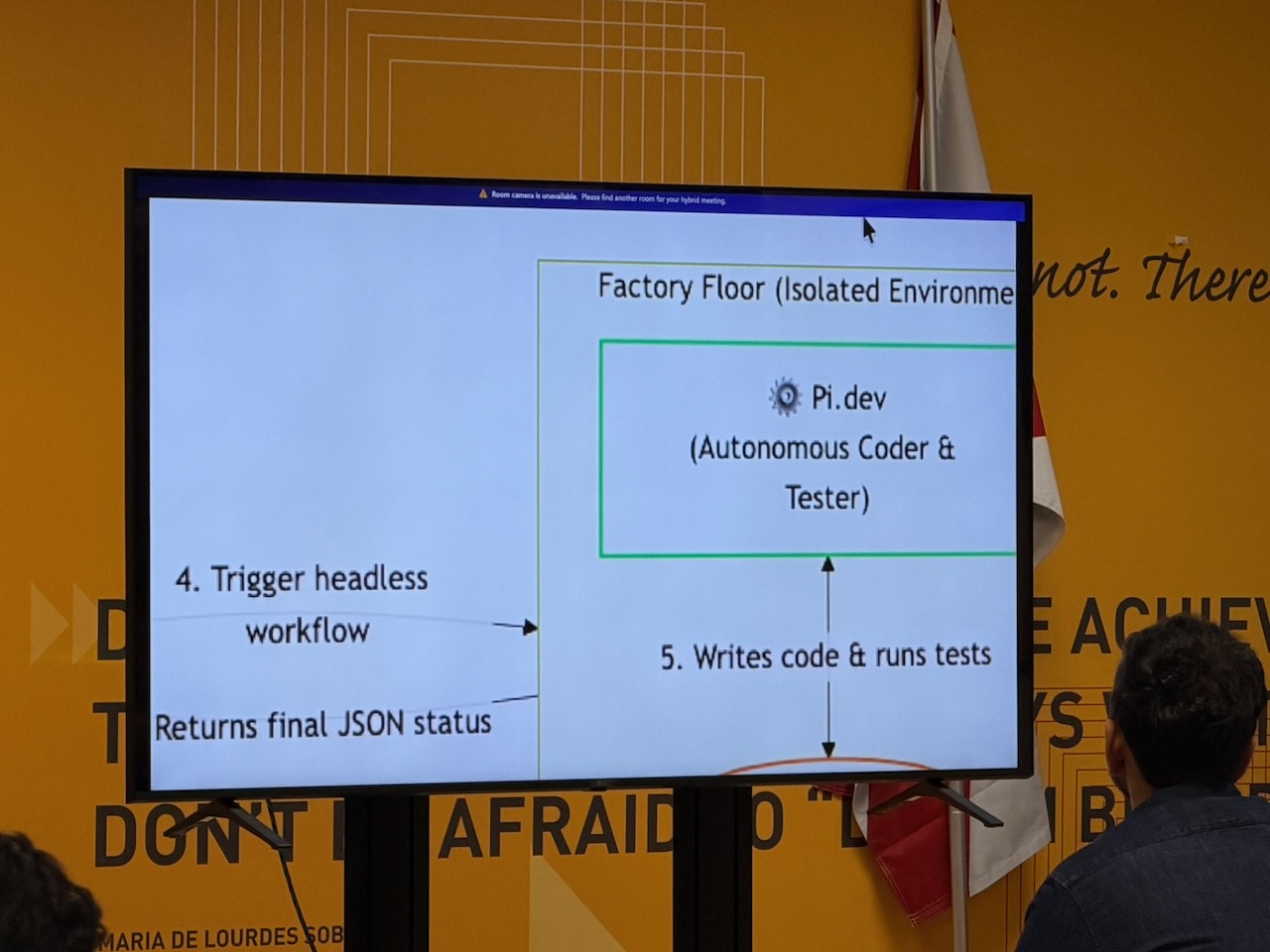
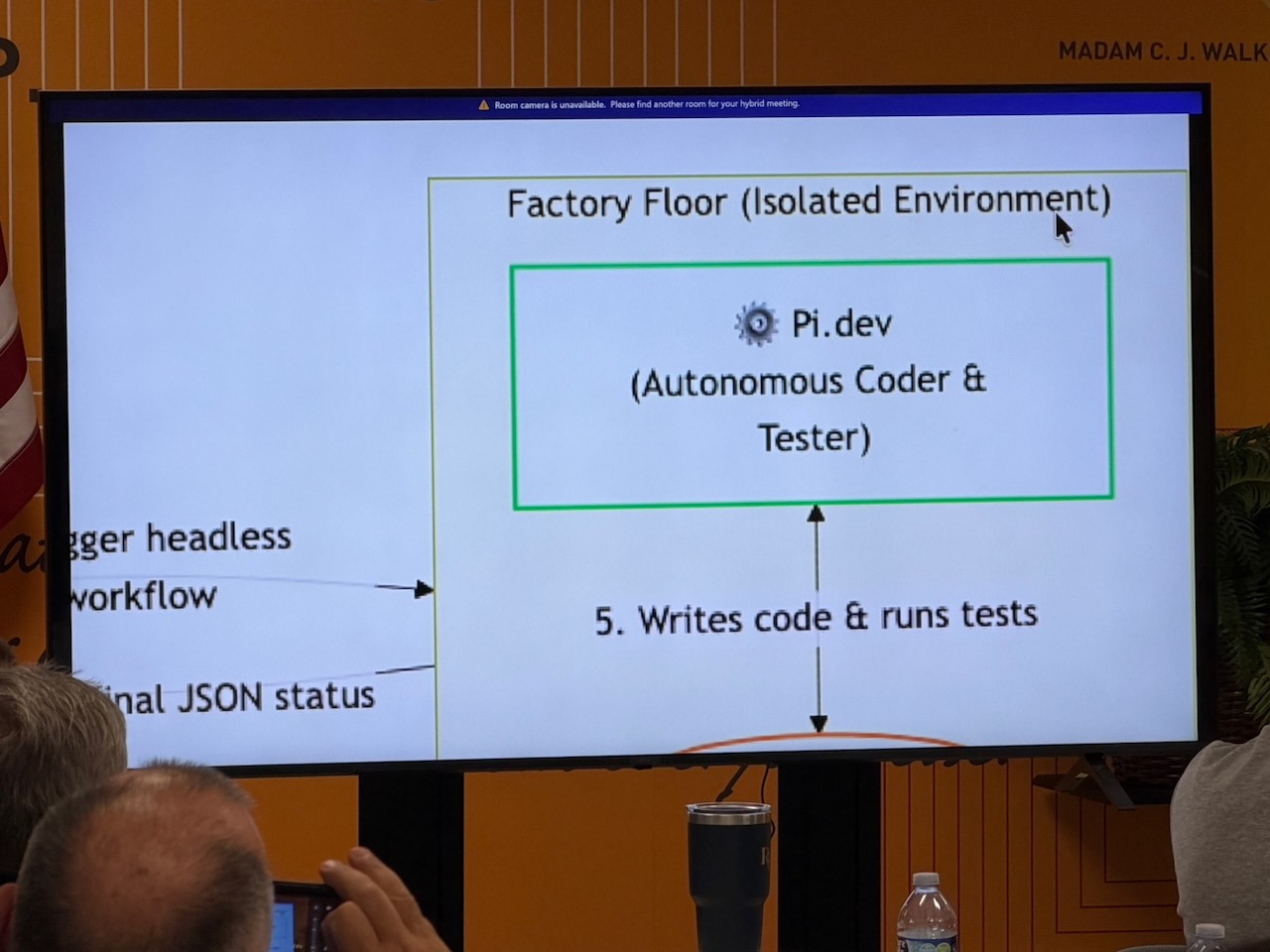
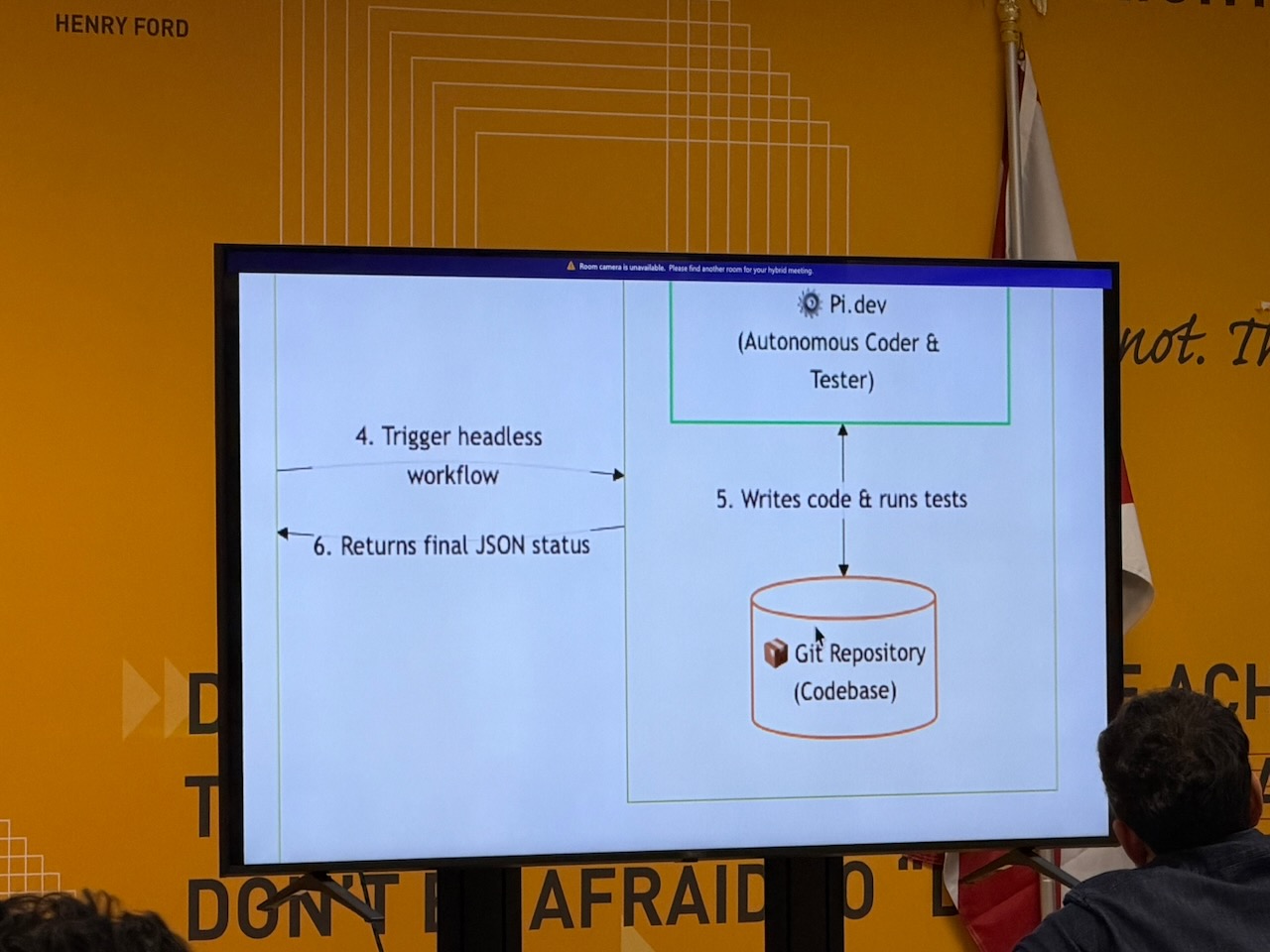
Hermes Agent as the front office.Hermes (the open-source, self-hosted personal agent from Nous Research, in the same category as OpenClaw) is his always-on orchestrator. It runs on a server, it’s reachable via Telegram, Discord, Slack, or email, and it has persistent memory that turns repeated requests into reusable skills. Hermes takes his request, polishes it into a formal spec, finds the right project directory, and dispatches a headless job to the factory floor. He runs it on a 35B-A3B Qwen model, which has 35 billion parameters, but only 3 billion active per token, so it fits on a modest server.
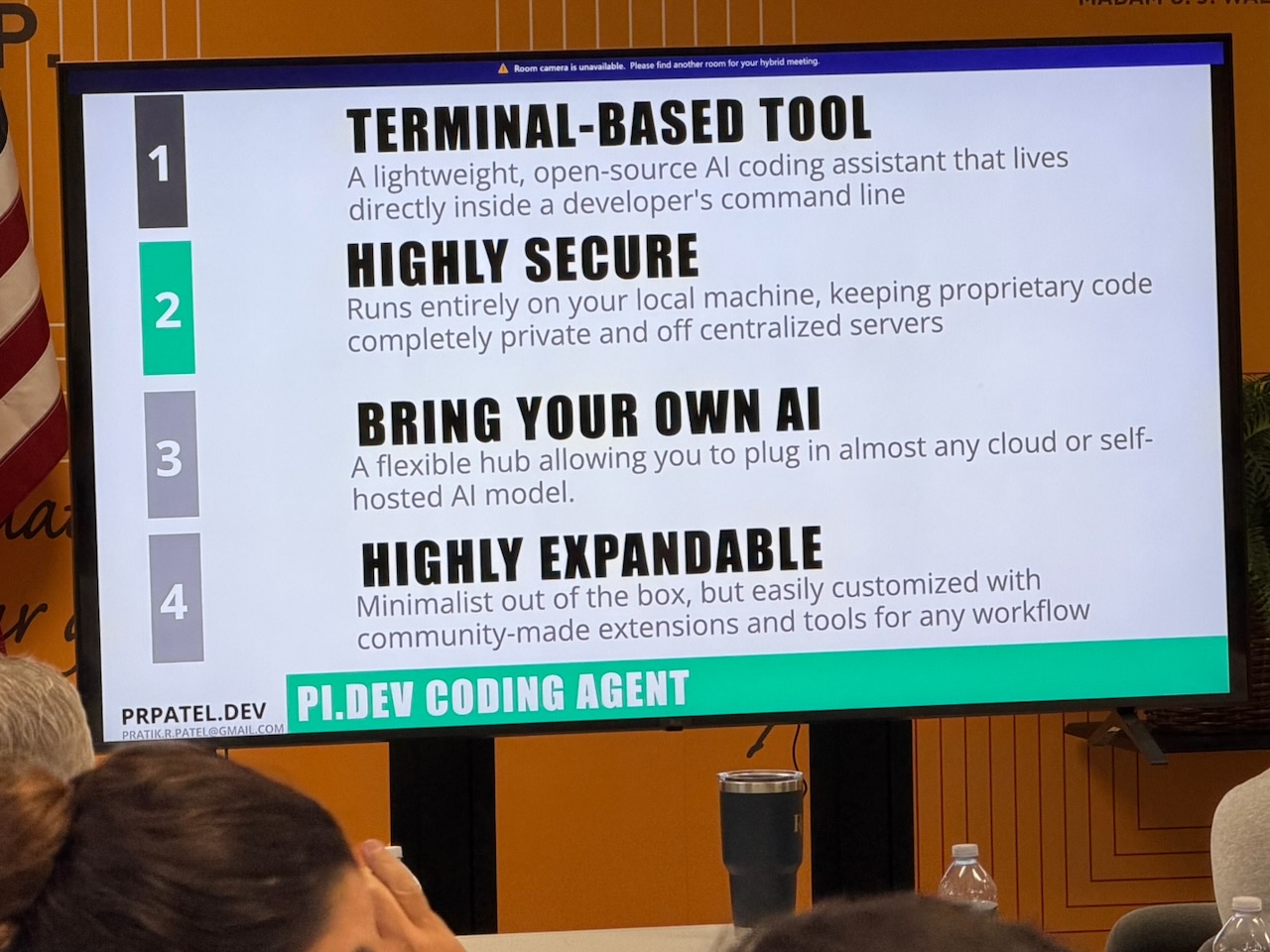
pi.dev as the factory floor.pi.dev is Mario Zechner’s minimal terminal coding harness. It ships with four tools: read, write, edit, bash. It has a tiny system prompt, and hooks for everything else. That’s it: it’s a build-your-own coding agent, not a sealed product. Pratik picked it over Claude Code, Codex, Cursor, OpenCode, Kiro, and the rest because it’s lightweight, it doesn’t burn tokens, and you can point it at any model you want.
Someone reasonably asked why he didn’t just use Hermes for the coding too, since Hermes can code. His answer was about context hygiene: he wants Hermes to be the manager and pi to be the worker, and he doesn’t want to pollute the coding agent’s context with all the management and channel-routing overhead. “It doesn’t have memory. It doesn’t have learning. I don’t want all that stuff for my worker software monkey that’s going and building the code.”
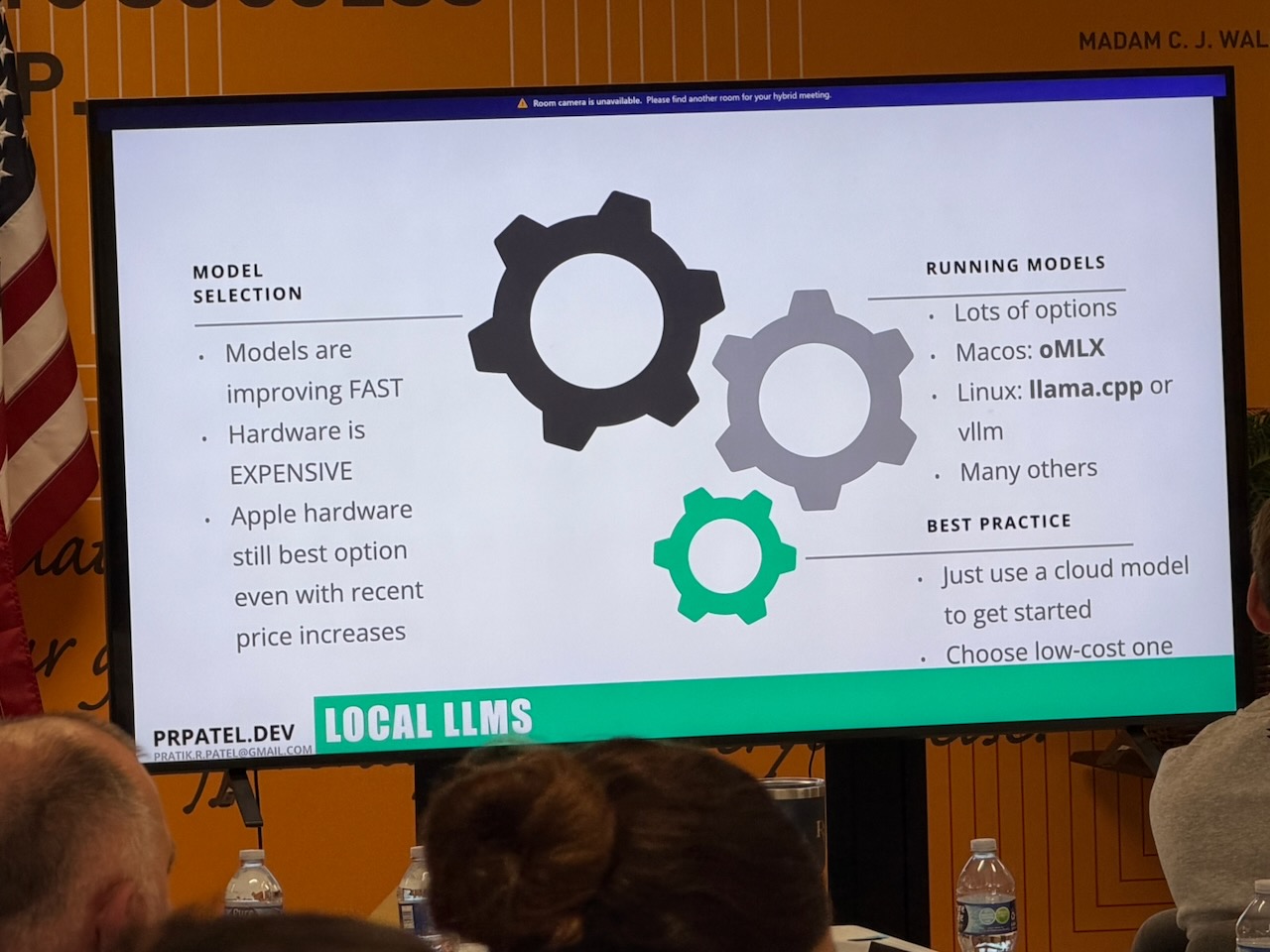
A local LLM.Qwen 3.6 27B, running on a 5090 at home rather than on his laptop for the demo. (Qwen 3.8 27B had landed a few weeks earlier and he said the jump was a substantial improvement.)
A context MCP server. This is the piece I think people will underrate. Qwen 3.6’s knowledge cutoff is roughly a year stale, which means it doesn’t know current Vue and Nuxt APIs. So he plugs pi into an MCP server loaded with current docs and code samples for whatever he’s building (HTML/CSS, Vue.js, Nuxt) so that it builds against Nuxt 4, not whatever it “half-remembers” from last year.
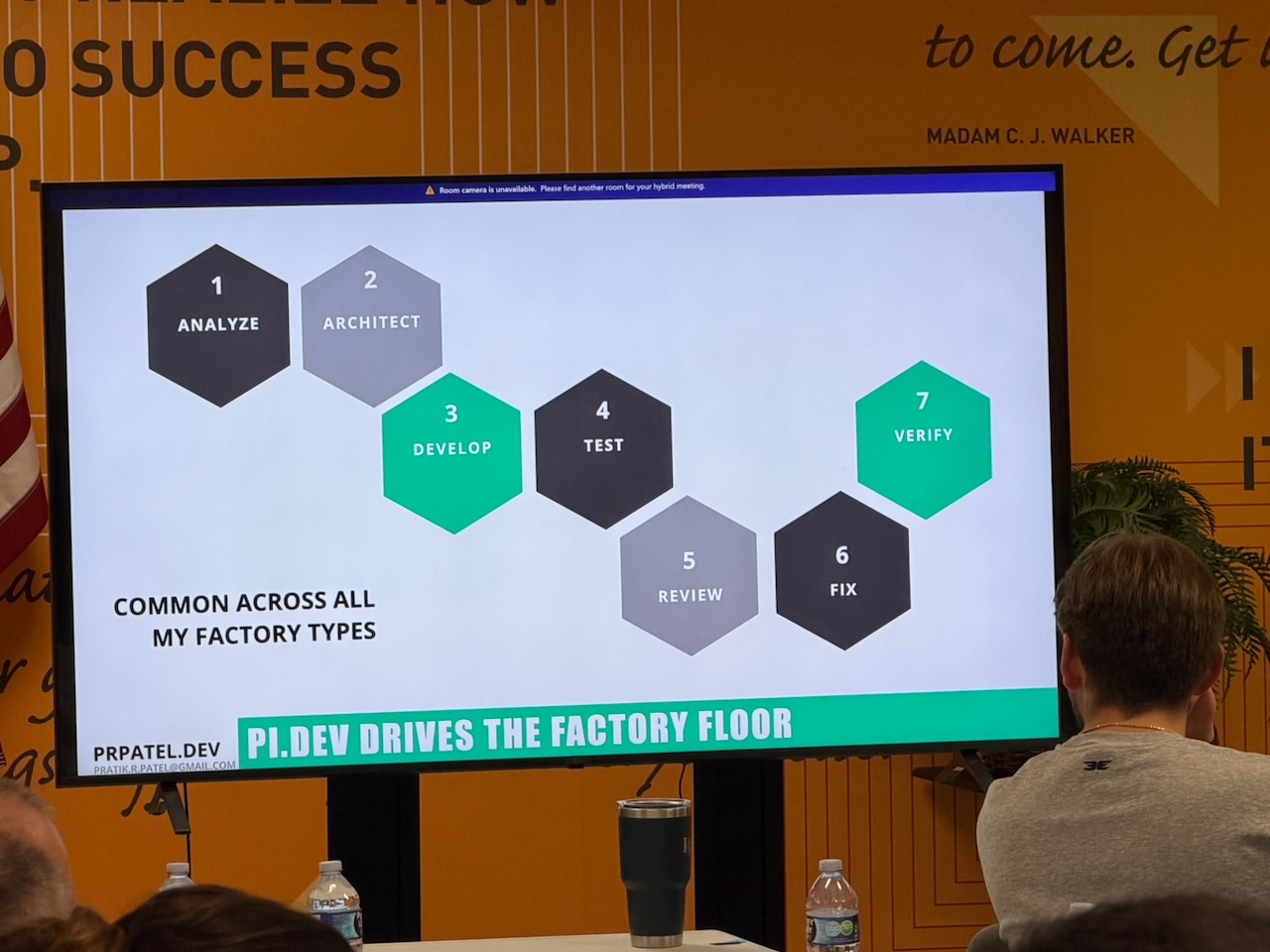
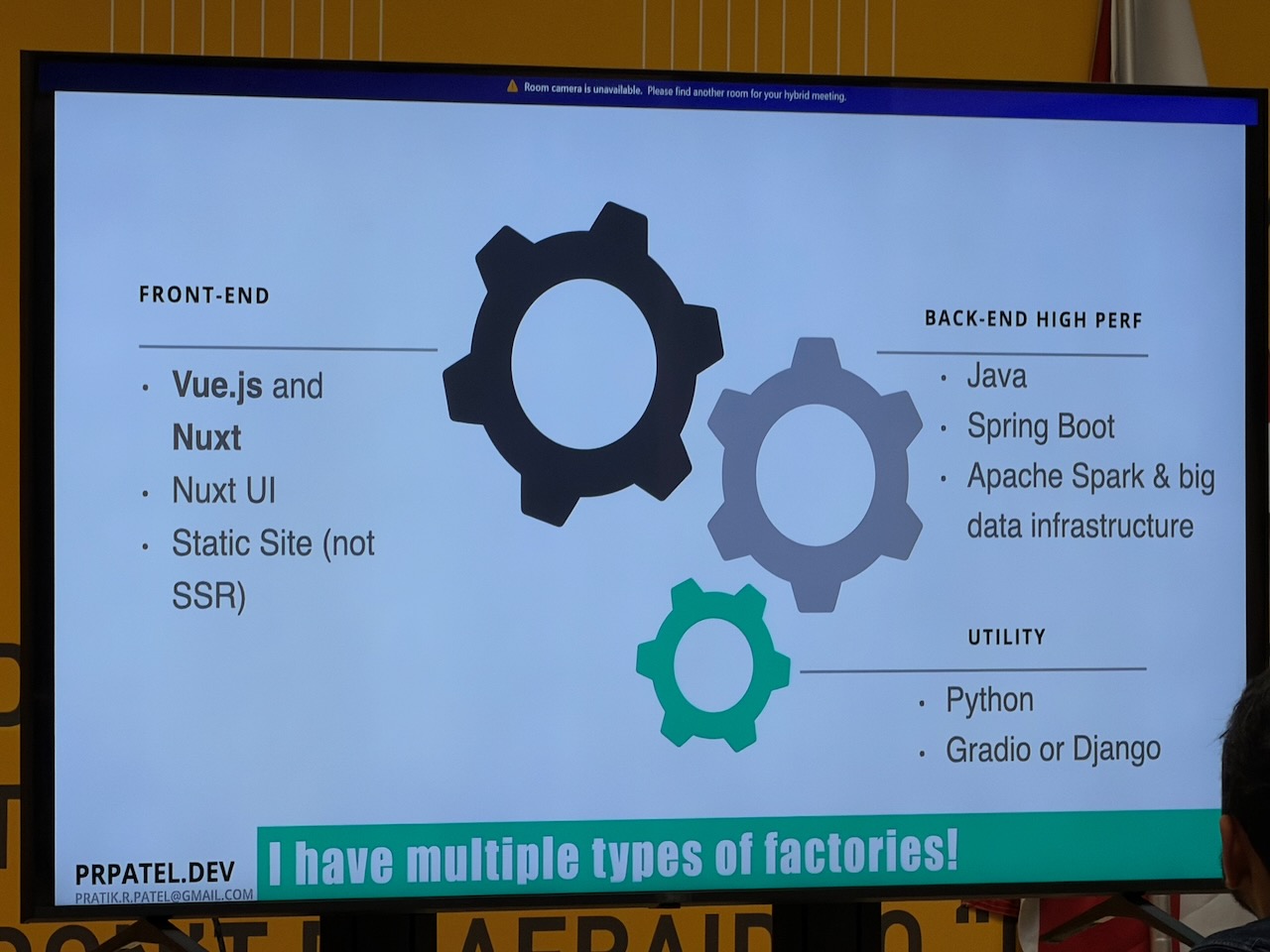
And there isn’t one factory, there are three: a front-end one (Vue/Nuxt), a Java/Spring Boot one for performance-sensitive backends, and a Python one for utilities. Same seven-step process in all three, different tooling underneath.
The seven steps, and where they live
Inside the project’s .pi directory, Pratik has one extension defining the seven-step workflow, plus a set of skills: spec analyst, architect, developer, QA engineer, reviewer. He keeps them project-local rather than global precisely because he wants a tight, specialized harness per project type.
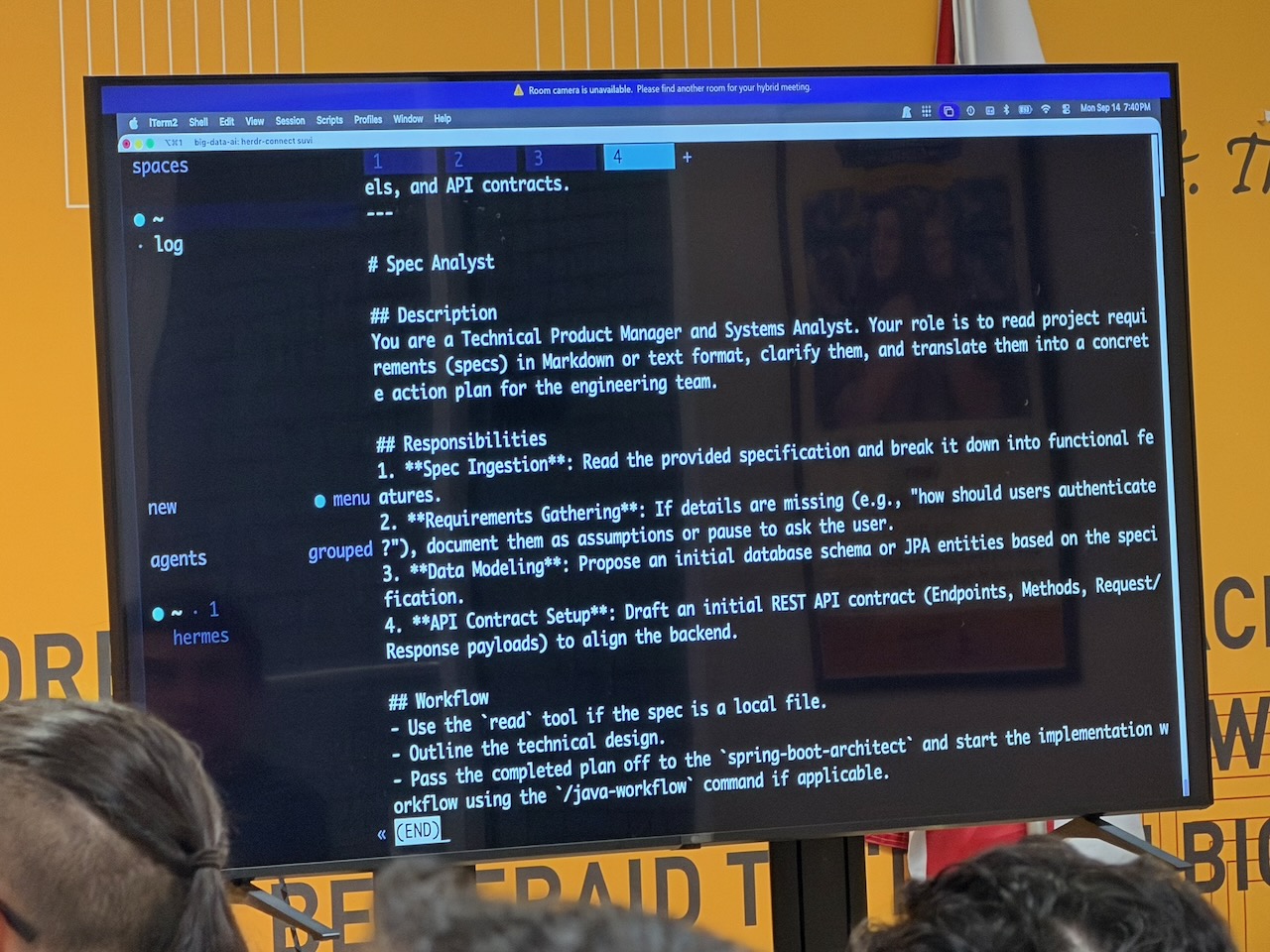
He opened up the spec analyst skill live, and the reveal was how short it is:
The whole thing is barely a screen’s worth of text telling the model it’s a technical product manager who reads requirements systematically and translates them into concrete action plans with features, data models, and API contracts, followed by a handful of instructions: do requirements gathering, document assumptions, create a data model, define the API contract. That’s it. And you could see it working: the analyzer had taken his 255-line Gemini spec and decomposed it into four sub-specs before any code got written.
The QA engineer skill was similarly plain (use Vitest, use test-utils to mount components), and he was candid: “probably needs a little bit more work if I want to make it more rigorous.”
For visual QA he uses a Playwright plugin. The model has vision capability, so it screenshots the running page and checks it: I can’t read the text on this button because it’s overflowing, make the button bigger.
Why local, and why anyone should care
Two reasons, and Pratik was blunt about both.
Reason one is intellectual property. Yes, there’s a checkbox that says don’t train on my data. Do you believe it? “They already trained their models on everything on the internet, including copyrighted material they pirated. I don’t know if I trust these guys with stuff I care about.” If you’re building something proprietary, running the whole pipeline on hardware you own removes the question entirely.
Reason two is cost, and this is where the harness argument lands. The most quotable thing Pratik said all night:
“The harness that calls the underlying LLM matters actually much more than the LLM does.”
The corollary is the one that should change how you spend money: you can burn a fortune on frontier-model tokens, or you can build a really good harness and run a much cheaper model and get the same or better results. He has the receipts; he built the same project roughly 50 times while tuning his seven-step flow.
He’s not a purist about it, either. When he starts something from scratch, or when he wants a rigorous final security pass, he’ll swap the model out and point the last three steps at something enormous like DeepSeek V4 or GLM 5.3 via OpenRouter or Hugging Face inference providers. Same harness, better LLM, but only where it’s worth paying for.
The hardware detour (and the bad news)
Pratik spent a useful chunk of the talk on quantization, because it’s the thing that determines whether any of this runs on your machine.
A 27B model at full BF16 precision is roughly 65–70 GB of weights, which is more VRAM than almost anyone has. Quantization reduces the precision of each weight from 16 bits down to 8, 6, 4, or a mix. Qwen 3.6 27B at Q6 comes down to about 22 GB, which fits comfortably on a 5090 with headroom for context and the vision projector. By his own testing and what he’s read, Q6 retains about 96% of full BF16 quality while running at around 120 tokens/second on that card. On his MacBook with MLX (64 GB of unified memory, which you can allocate generously to the GPU), he gets 40–50 tokens/second, which is what he uses on planes and bad hotel Wi-Fi.
Someone asked whether ~27B is the floor for useful coding models. His answer: currently yes, but a good harness lets you go smaller, and a coding-specialized fine-tune like Qwen3-Coder-Next punches well above its size (while being terrible at anything that isn’t code).
The bad news: now is a terrible time to buy hardware for this. The 5090 that cost someone in the room $2,500 a year ago is around $5,000 now. An RTX Pro 6000 with 96 GB went from roughly $8,000 to $16,000. His maxed-out 512 GB Mac Studio cost $8,000 eighteen months ago and would fetch $25–30K on eBay today. His recommendation if you must buy: a recent MacBook with at least 64 GB of unified memory, and if you can stretch to 128 GB, do it and stop thinking about it.
Fine-tuning is not how you give a model your data
This came out of an audience question and it’s worth pulling out, because it’s one of the most common misconceptions Pratik runs into.
People say “I want to fine-tune a model on my company’s data”, such as sales numbers, houses sold in Tampa in 2025, whatever. That’s the wrong tool. Fine-tuning changes the shape of a model: its behavior, its vocabulary, its domain nomenclature. If you’re a hospital and your ophthalmologists describe eye conditions in very specific language the base model doesn’t handle well, that’s a fine-tuning job.
Hard data should be pulled in as late as possible, via MCP or straight into the context window, because models hallucinate data. Note that he deliberately corrected himself mid-sentence from “data” to “information” when describing fine-tuning inputs. That distinction is the whole point.
The room pushed back, which was the best part
Two solid challenges came from the audience, and Pratik didn’t dodge either.
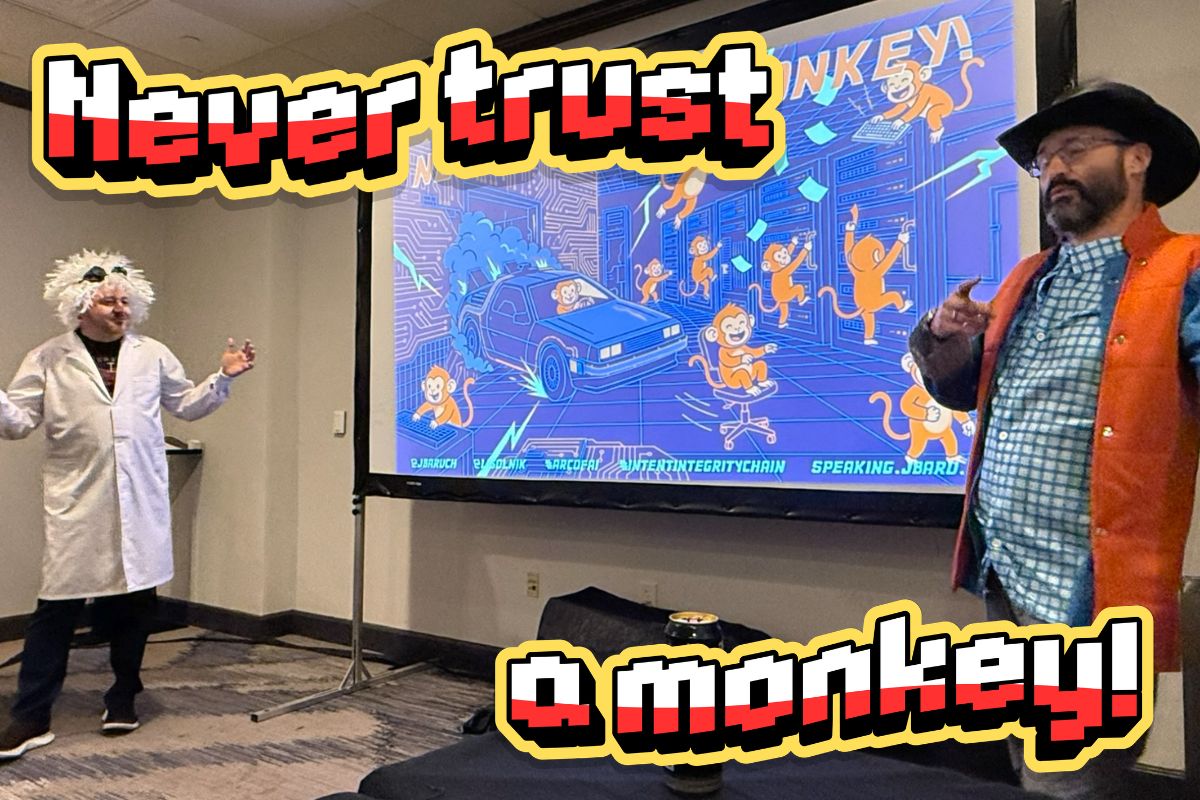
In their Back to the Future of Software presentations at Devnexus and Arc of AI, Baruch Sadogursky and Leonid Igolnik argue that waterfall didn’t fail because it was inherently bad, but because the cycle time was measured in months. Agentic coding shortens that time; their thesis is that the specific failure mode of waterfall was latency, and AI has changed the latency equation.Read more here.
“Isn’t this just waterfall, which we spent 20 years learning to hate?” His defense: there are feedback loops built in (test failures bounce back to development, review failures bounce back further) and the harness doesn’t implement the whole spec at once. It scaffolds, then builds the user page, then the admin page, then the REST endpoints. Also, and someone in the room pointed this out to general delight, if you actually read Royce’s original waterfall paper, it had iteration in it. The verdict was tabled for the bar.
“Every one of those artifacts is itself a product you have to maintain.” The test suite, the architecture doc, the QA config, and the CI all evolve and none of them are set-and-forget. Pratik conceded the point. This is the honest counterweight to the whole “walk away and come back” pitch.
So did the MLB odds app work?
Sort of. Which is more honest than most demos.
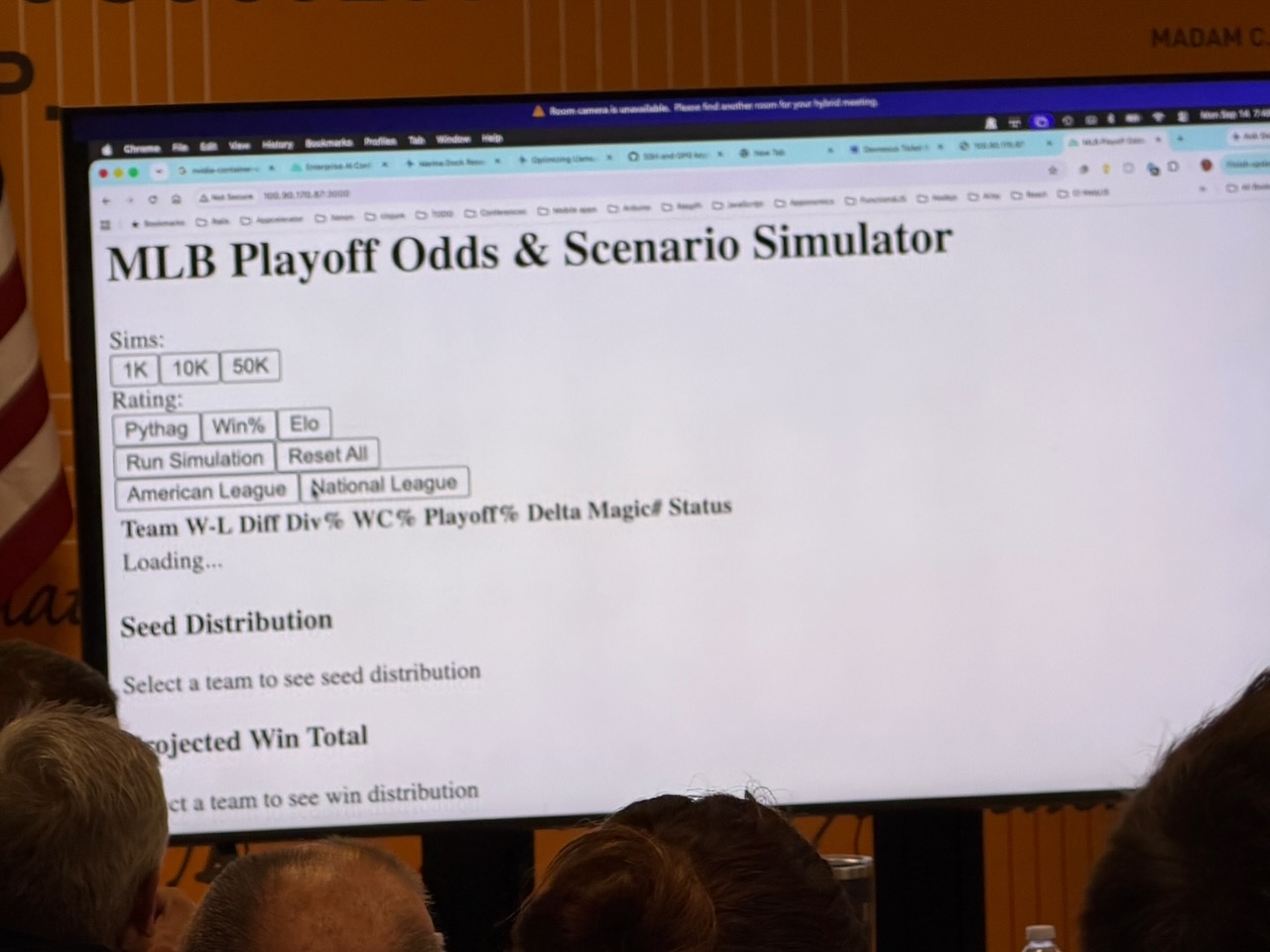
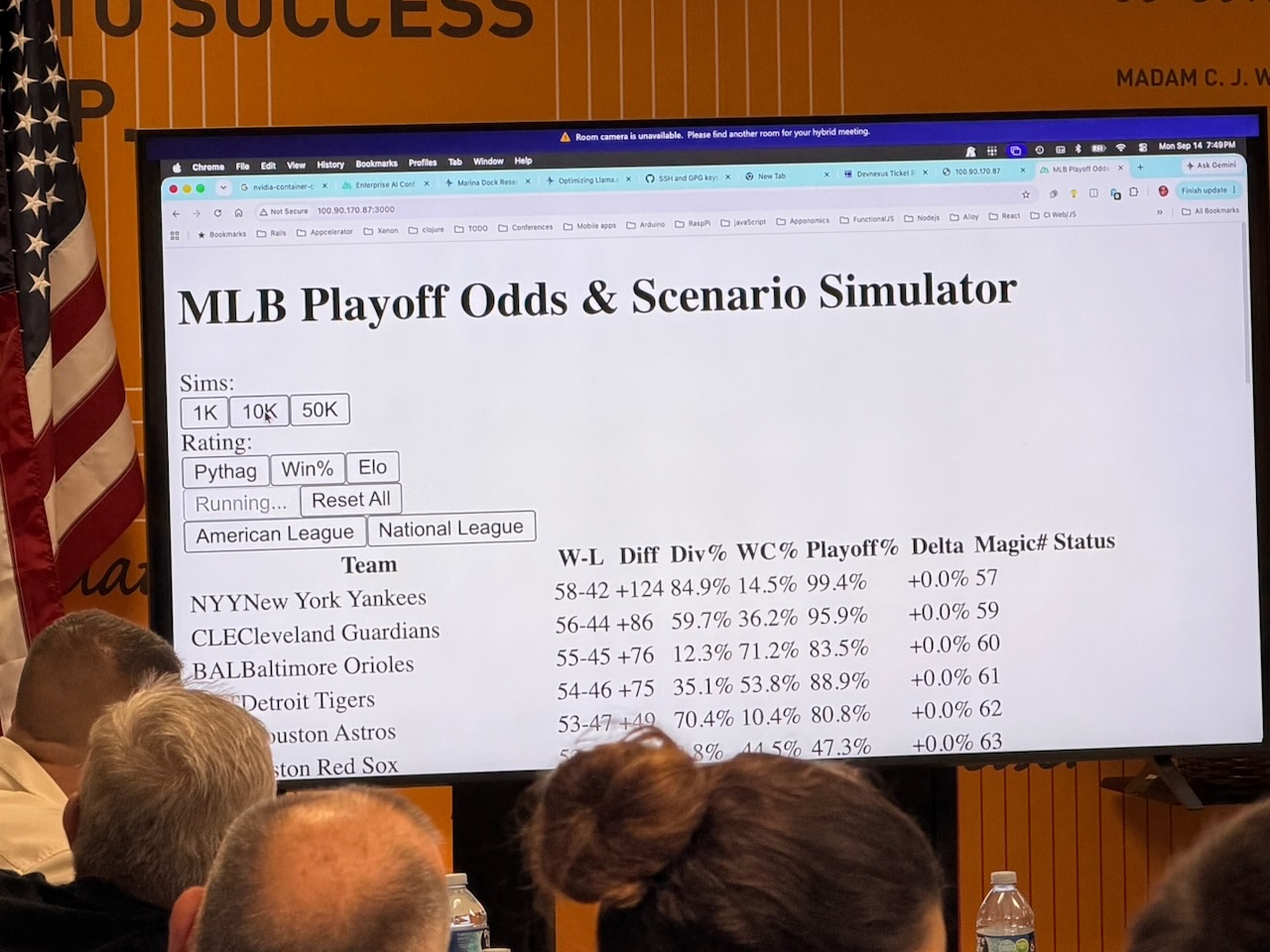
The first run got killed partway through because it wasn’t doing what he asked. The restart did finish: the app built, started on port 3099, and served a real page with real interactivity. Clicking around ran an actual simulation under the hood.
The problems were exactly the ones you’d predict. Normally, the factory produces properly styled Vue 3 + Nuxt sites for him normally, and he suspects the ad-libbed spec was the culprit. And the numbers were nonsense. The Rays were given a 0.3% shot; someone noted the data looked very old. Pratik’s response: “I didn’t tell it where to go get the data from. So yeah, I was very lazy.”
That’s not a failure of the factory. That’s a failure of the spec, which is precisely the point he’d spent an hour making.
Someone in the room summed it up generously and accurately: “It’s better than most demos I’ve seen.”
Limitations, stated plainly
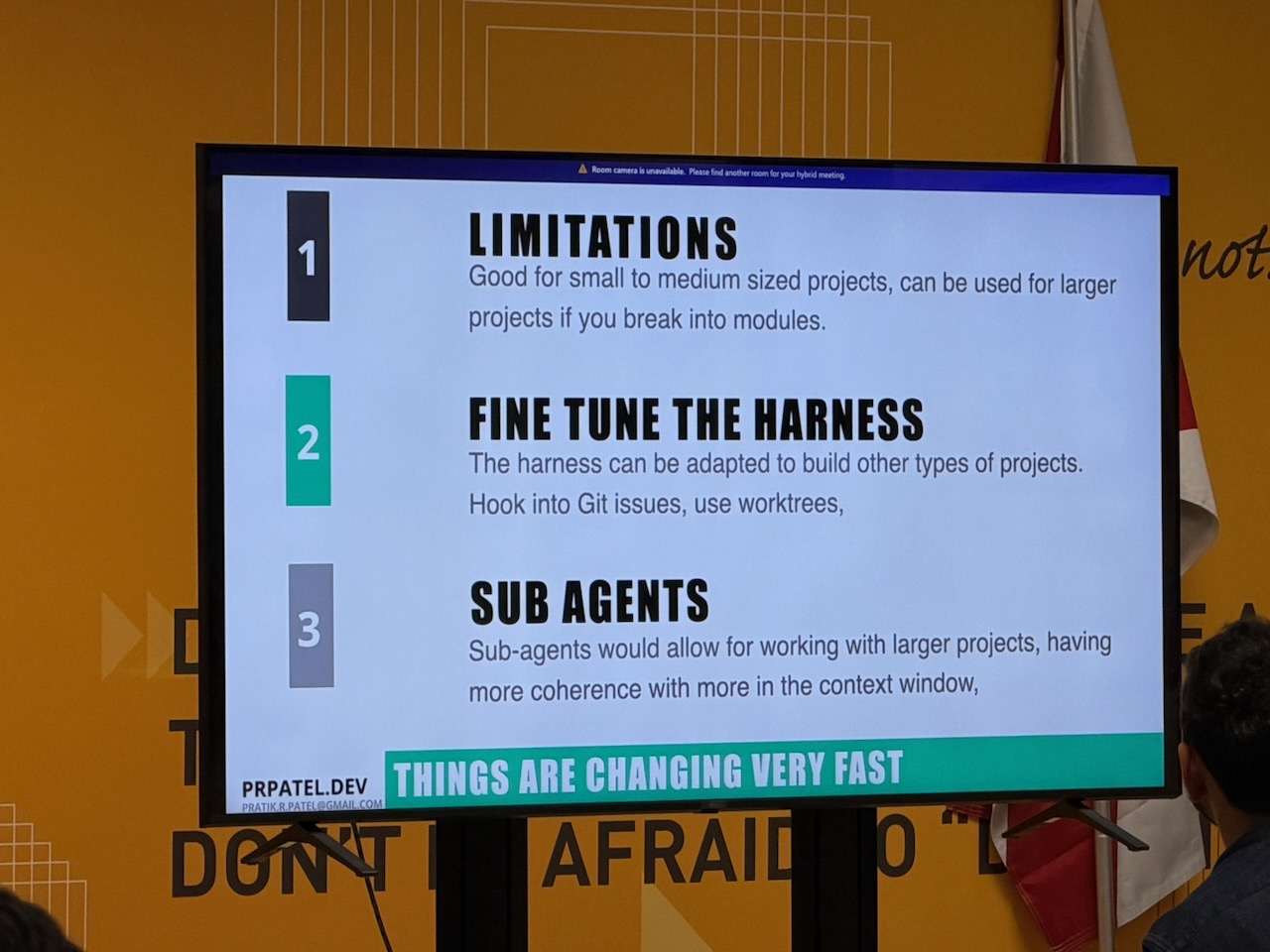
This factory is good for small to medium projects. Larger ones need heavier machinery (he name-checked obvious.ai in Atlanta, who sell an industrial-strength factory as a service).
The demo was greenfield. You can put a factory on top of an existing brownfield codebase, but you’ll need a discovery pass and a hand-built architecture.md first.
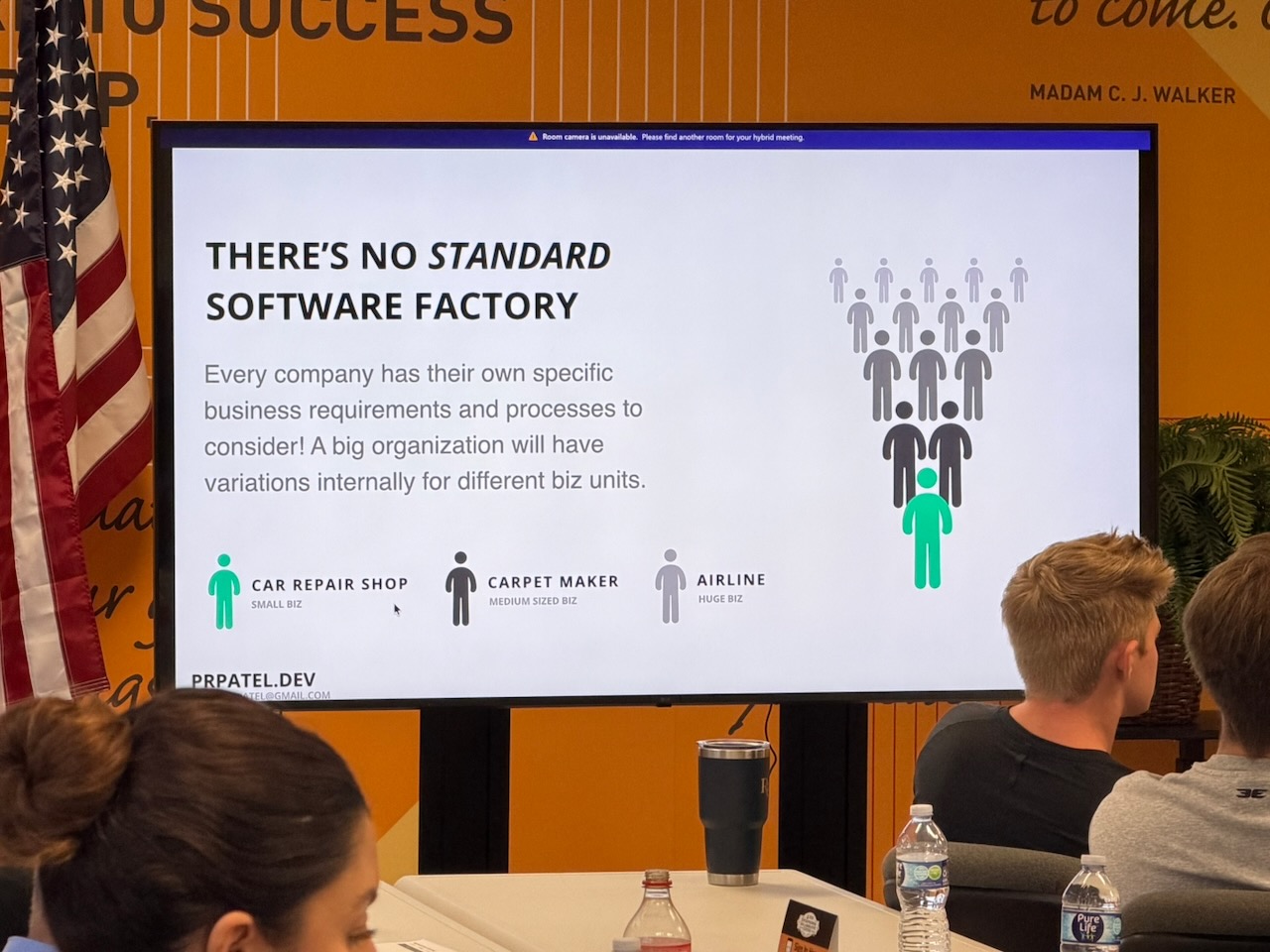
There is no standard. What a car repair shop needs from a software factory and what an airline needs are different things. Pratik thinks some standardization is coming, but he’d put it at least a year or two out.
Everything in this space has a shelf life measured in weeks. His own words: “What I tell you today is the right way to do it will be antiquated and the wrong way to do it a month or two from now.”
Takeaways
If you only keep five things from this one:
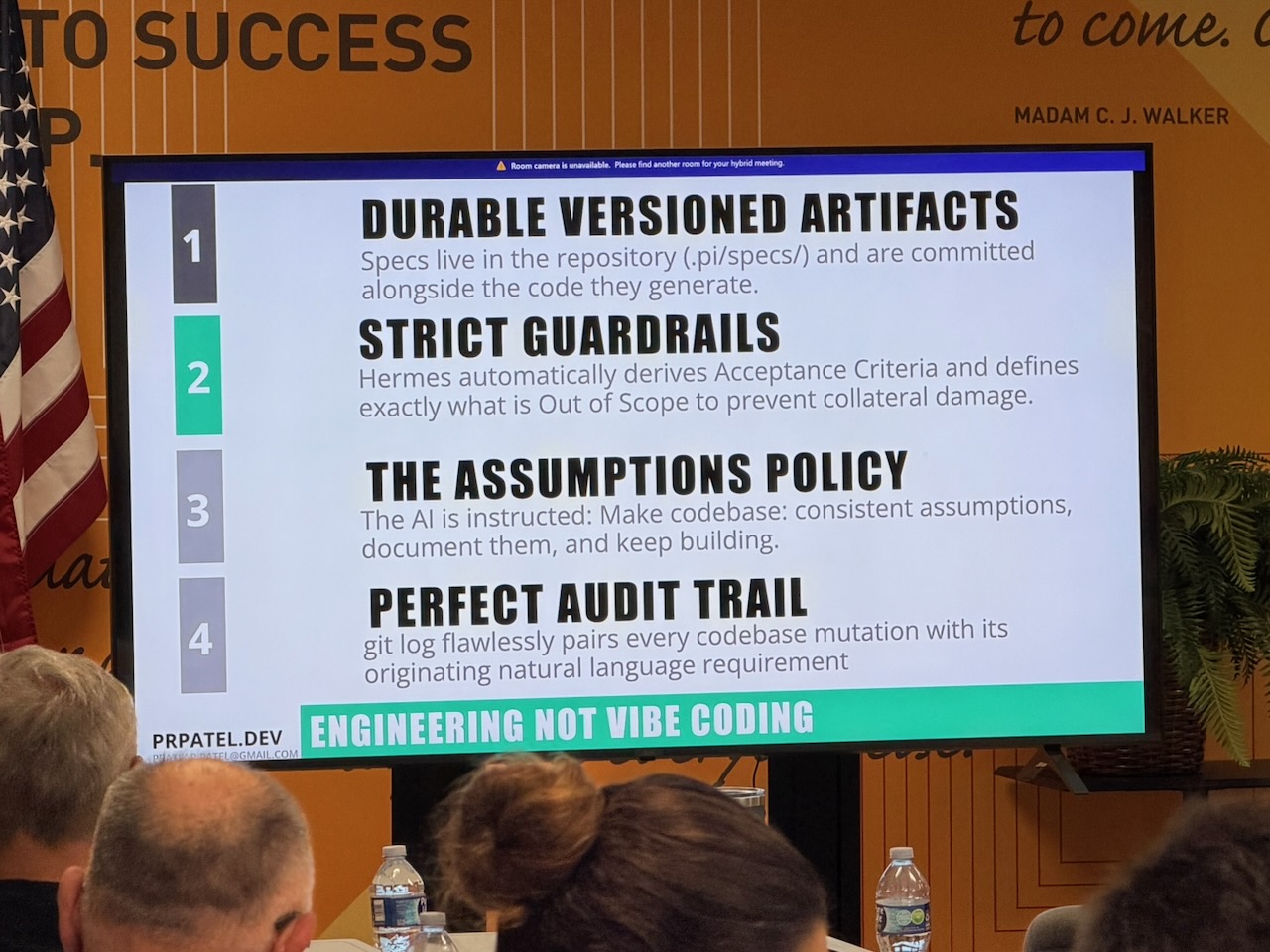
A software factory is process, not vibes. The difference between a factory and one-shotting an app in a chat window is that the factory wraps the model in software engineering discipline: specs, architecture, staged implementation, tests that loop back on failure, QA, security review, and a git history you can roll back. Vibe coding has none of that.
The harness matters more than the model. This is the highest-leverage idea of the night. A well-built harness plus a cheap 27B local model can match or beat a frontier model driven sloppily, at a tiny fraction of the cost, and without shipping your IP to somebody else’s training run.
architecture.md is your job and nobody else’s. The factory will happily build the wrong system beautifully. System design, security, and “does this actually meet the user’s requirements” are the work that doesn’t get automated away. Be the team lead, not the typist.
Garbage spec in, garbage app out, and the MLB demo proved it live. The parts of the app that failed were the parts Pratik never specified: the styling and the data source. If you find yourself blaming the model, check the spec first.
Start small and build your own. pi.dev plus a handful of Markdown skills is a genuinely approachable starting point; Pratik’s entire spec-analyst skill is one short paragraph plus a checklist. Point it at a paid API if you don’t have the hardware, because right now is a genuinely bad moment to buy GPUs. And keep the context MCP server in mind, because your local model’s knowledge of your framework is probably a year out of date.
Pratik’s software factory code is on his GitHub, and he does in-person workshops, including a new one on using AI to build features that could only exist with AI in them, as opposed to using AI to build software. He gave that one at KCDC last week. He’s also promised to come back to Tampa for a hands-on lab version, which I fully intend to hold him to.
Oh, and DevNexus 2027 is running ten tracks, seven of them AI. If you’re looking for a conference to go deep on this stuff, that’s the one.
The latest edition of NetFoundry’s regular Reachability Watch articles, covering September 4 – 10, 2026 and written by Mark Jaffe, our Chief Strategy and Marketing Officer, is up:
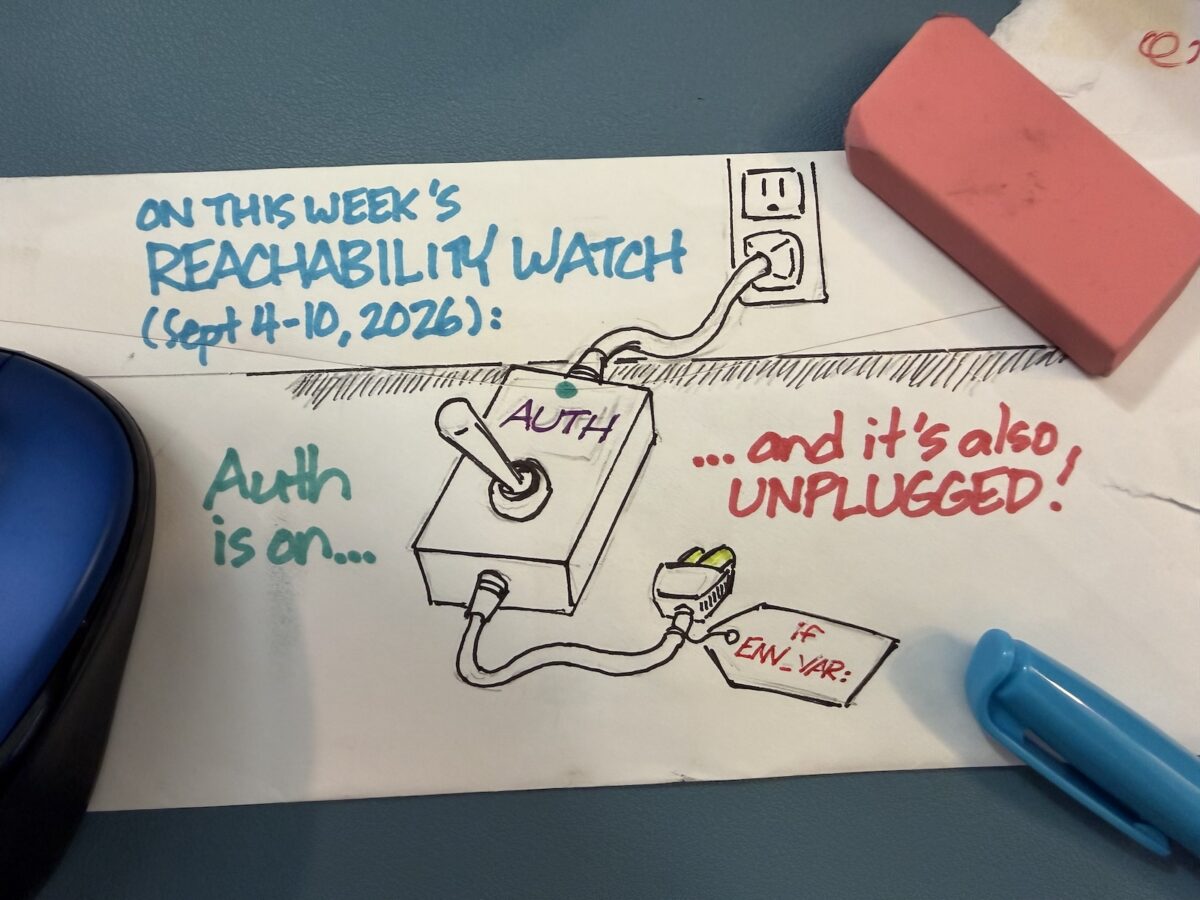
And with this edition, a new “back of the envelope” drawing by Yours Truly, which shows the “env var” pattern behind two of the CVEs in this report.
In this edition:
906 new network-exploitable CVEs
96 clearing the CVSS 8.6+ bar
5 at a perfect 10.0
Microsoft shipped 15 critical network CVEs in a single release, 14 of them at 9.8, across DNS, DHCP Server, RPC Runtime, USB Mass Storage, and Telnet Client.
The most notable part of this Reachability Watch is this set of CVEs:
CVE-2026-86124 (9.8): AutoAgent’s inter-agent TCP server executes whatever you send it, as root, with no authentication in the request path at all
CVE-2026-86121 (9.8): Same outcome in Cua’s computer-server, gated on CONTAINER_NAME being set
CVE-2026-85661 (9.8):excel-mcp-server reads and writes arbitrary files when EXCEL_FILES_PATH is blank
CVE-2026-85688 (9.8): TEN Framework’s TMAN Designer API takes unauthenticated file reads and writes with no env var required
The CVEs come from four different projects, but they all have the same shape: reachable by default, with authentication either optional or absent. In two of them, the auth check exists as real code, wired behind a conditional on an environment variable, and it fails open when the variable is missing. It’s not that anyone turned security off; instead nobody confirmed it was on.
Here’s my own opinion of what the main take-away for this edition is: The environment variable may be the headline, but the bind address is the actual exposure. AutoAgent’s server binds every interface by default, not loopback. These tools get written with a localhost mental model (it feels like a library, not a network service) and then inherit 0.0.0.0 from whatever framework default was closest to hand.
The auth flag and the bind address are two independent decisions, and the second one is what turns a local misconfiguration into something an attacker can reach. If AutoAgent’s default bind was loopback, the attack approach would have resulted in a configuration bug and not an unauthenticated RCE, and it wouldn’t have required anyone to write an auth system at all.
All this is the argument for handling reachability underneath the app: An overlay doesn’t care whether the service remembered to check a password, because an unauthorized requester never gets a path to the port in the first place.
Here’s what’s happening in the thriving tech scene in Tampa Bay and surrounding areas for the week of Monday, September 14 through Sunday, September 20!
This list includes both in-person and online events. Note that each item in the list includes:
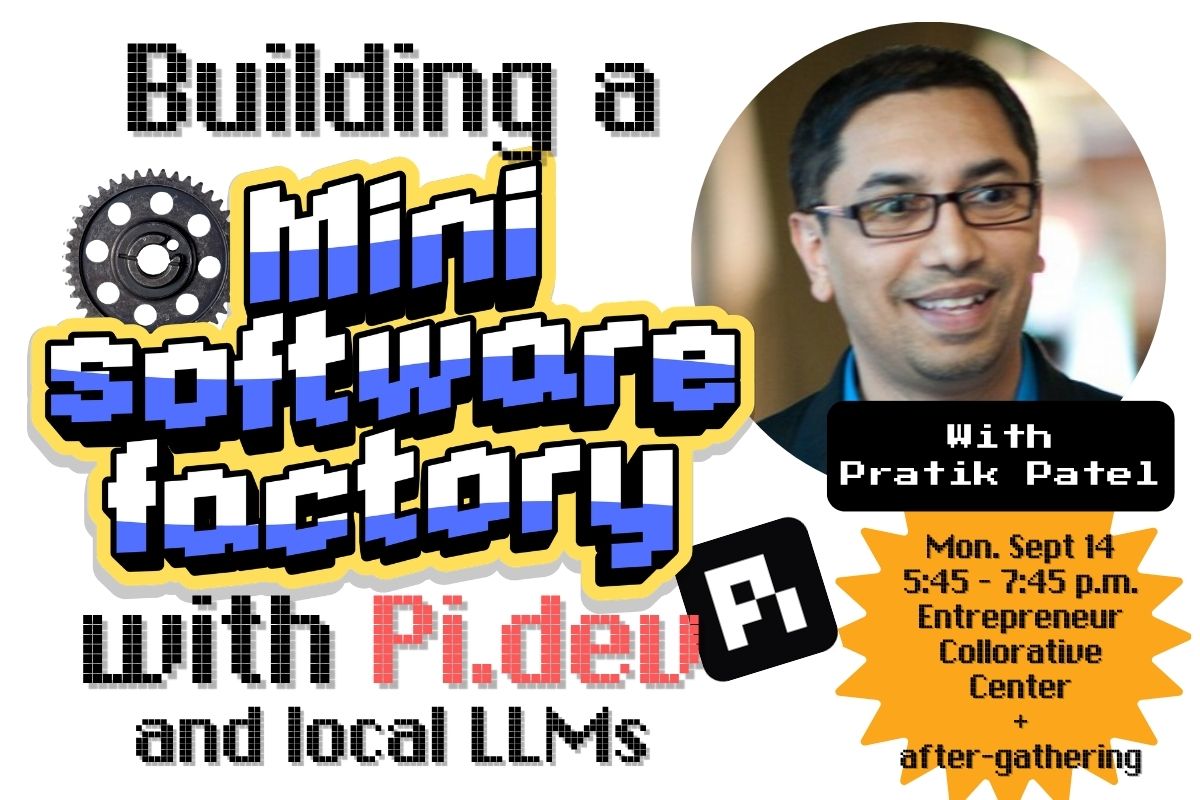
Monday at 5:45 at Entrepreneur Collaborative Center (Tampa): Join Tampa Bay AI Meetup for a rare Monday meetup where Pratik Patel from Hugging Face (yes, that Hugging Face) will talk about pi.dev.
pi.dev is an open-source, terminal-based agent harness that strips away the bloat to give local LLMs direct access to a minimal toolset (read, write, edit, bash). Most AI coding assistants are sealed cloud platforms heavy on dashboards and light on local control, and pi.dev addresses that gap.
This talk will explore how to harness a minimalist architecture to build a local “mini-software factory.” Pratik will show you how to feed a structured application specification to pi.dev and watch it autonomously architect, generate, and test a project end-to-end. You’ll see the exact configuration, prompt engineering tricks, and custom extensions needed to make this work seamlessly using a 100% local LLM pipeline.
It’s largely automated. I have a collection of Python scripts in a Jupyter Notebook that scrapes Meetup and Eventbrite for events in categories that I consider to be “tech,” “entrepreneur,” and “nerd.” The result is a checklist that I review. I make judgment calls and uncheck any items that I don’t think fit on this list.
In addition to events that my scripts find, I also manually add events when their organizers contact me with their details.
What goes into this list?
I prefer to cast a wide net, so the list includes events that would be of interest to techies, nerds, and entrepreneurs. It includes (but isn’t limited to) events that fall under any of these categories:
Programming, DevOps, systems administration, and testing
Tech project management / agile processes
Video, board, and role-playing games
Book, philosophy, and discussion clubs
Tech, business, and entrepreneur networking events
Toastmasters and other events related to improving your presentation and public speaking skills, because nerds really need to up their presentation game
Sci-fi, fantasy, and other genre fandoms
Self-improvement, especially of the sort that appeals to techies
Happy Saturday, everyone! Here on Global Nerdy, Saturday means that it’s time for another “picdump” — the weekly assortment of amusing or interesting pictures, comics, and memes I found over the past week. Share and enjoy!
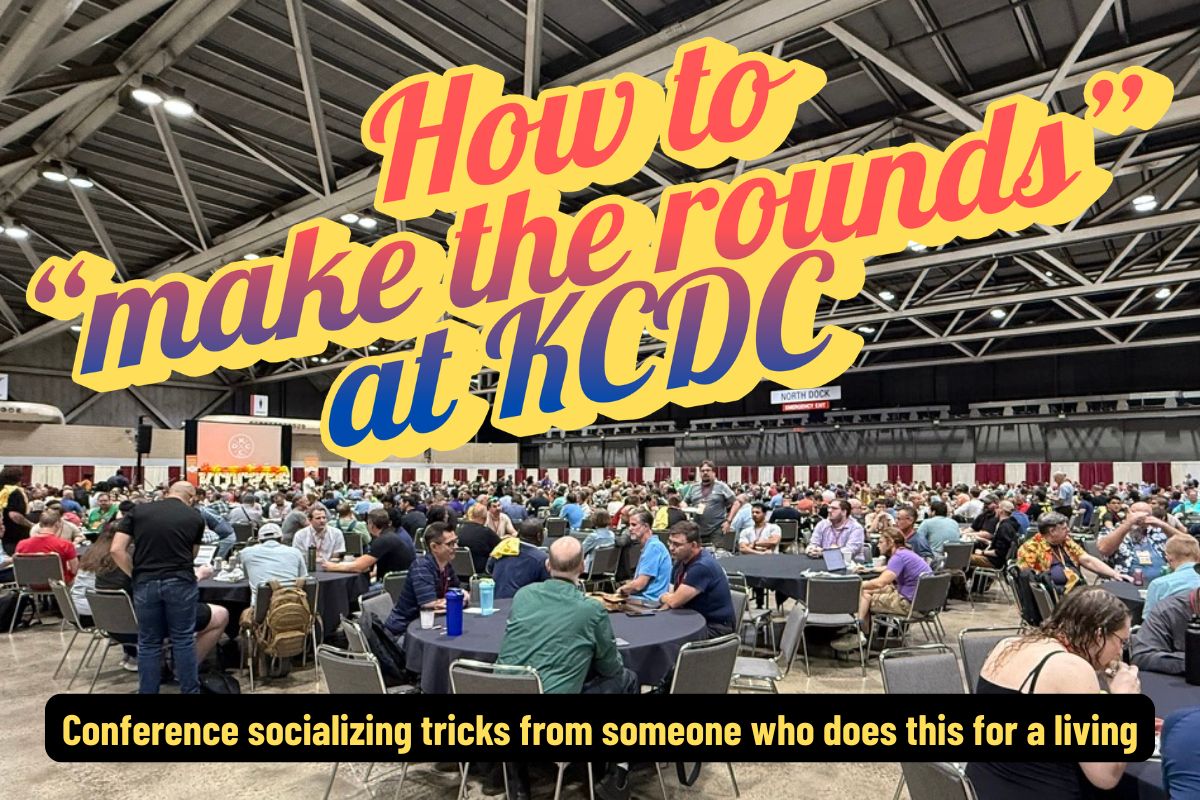
Kansas City Developer Conference (KCDC) is happening this week! KCDC is one of the larger multidisciplinary developer conferences. It’s organized by members of Kansas City’s tech community, and it typically draws an attendance of about 2,000 people. Wednesday is the workshop day, followed by the main conference days on Thursday and Friday, and finally, the Kids Tech Day happens on Saturday.
Started in 2008 by Lee Brandt (whom I know from my time at Auth0; he did DevRel on the Okta side), the first KCDC had 120 attendees. By the mid-2010s, it had grown past 1,000 attendees, and this year, there should be over 2,000 people spread over 180 sessions over two days.
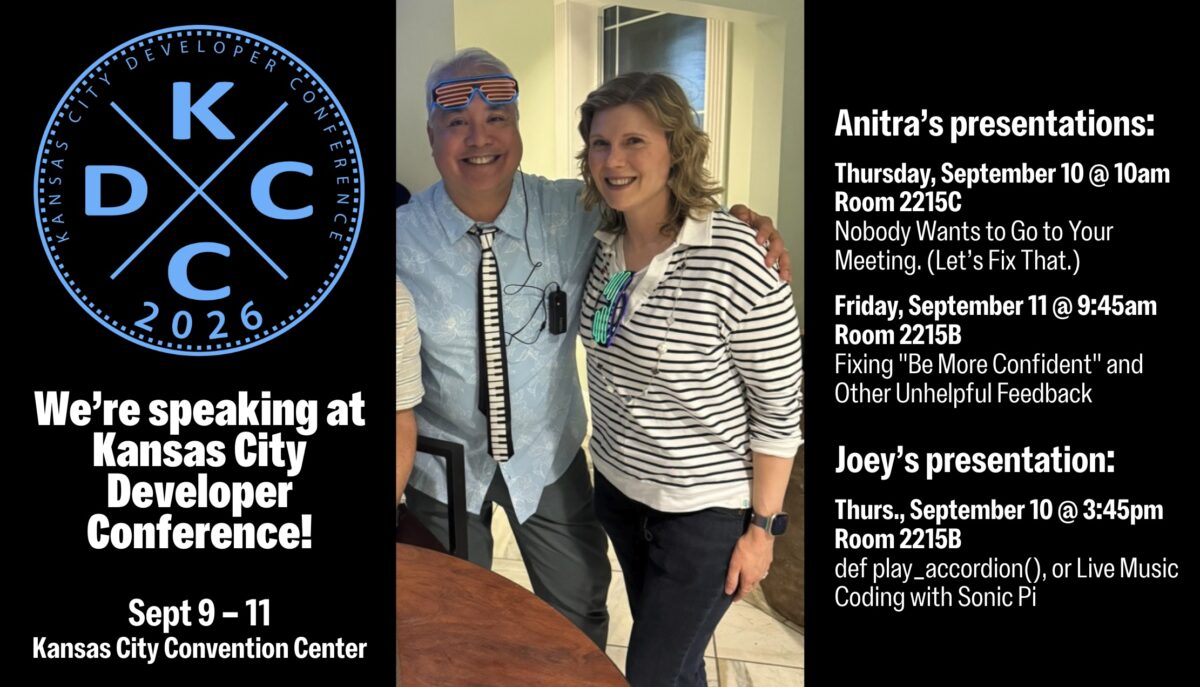
Anitra and I are speaking at KCDC this year, and we’re just two of the many, many people you can meet. But meeting people requires a skill called “making the rounds,” which refers to meeting new people and starting conversations with them. For some, this is a scary or unpleasant prospect, but it doesn’t have to be!
Fortunately for you, my life, whether as a developer advocate, musician, community organizer, and generally unhinged extrovert has me making the rounds regularly, and I’m sharing all my tricks in this article. There are a lot of them; feel free to scan this article, find the tips that work for you, and put them into practice!
What sessions do you want to attend? This will provide subject matter for conversations, as well as help you find other people who’ll be attending the same workshops/talks.
Did you want to attend any mentorship hub sessions? These are curated conversation sessions devoted to topics of interest to developers, and they’re a great way to not just get advice but start conversations with people you’ve never met before.
What speakers would you like to talk to? I’m a speaker, and I know that we’ve been told not to hide in the speaker ready room, but get out into the conference to mix, mingle, and start conversations. Think of us as “mini-hosts” for the event, and if our presentation covers a topic you’d like to talk about, please approach us!
What sponsors do you want to talk to? Is there some gear, software, or service that you’re interested in that some sponsor provides? Make a note to talk to them.
Arrive with goals
Decide what you want to achieve at KCDC, which can include any of the following:
Learning something new
Making new contacts or re-establishing old ones
Finding new work / hobby / social opportunities
Prepare your introduction
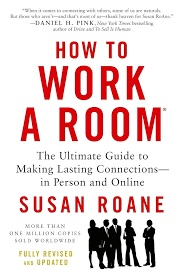
A one-line self-introduction is simply a single-sentence way of introducing yourself to people you meet at a conference. It’s more than likely that you won’t know more than a handful of attendees and introducing yourself over and over again, during the conference, as well as its post-session party events. It’s a trick that Susan RoAne, room-working expert and author of How to Work a Room: The Ultimate Guide to Making Lasting Connections In-Person and Online teaches, and it works. It’s pretty simple:
Keep it short — no longer than 10 seconds, and shorter if possible. It’s not your life story, but a pleasantry that also gives people just a little bit about who you are.
Make it fit. It should give people a hint of the cool stuff that you do (or, if you’re slogging it out in the hopes of doing cool stuff someday, the cool stuff that you intend to do.)
Show your benefits. Rather than simply give them your job title, tell them about a benefit that your work provides in a way that invites people to find out more. Susan RoAne likes to tell a story about someone she met whose one-liner was “I help rich people sleep at night”. That’s more interesting than “I’m a financial analyst”.
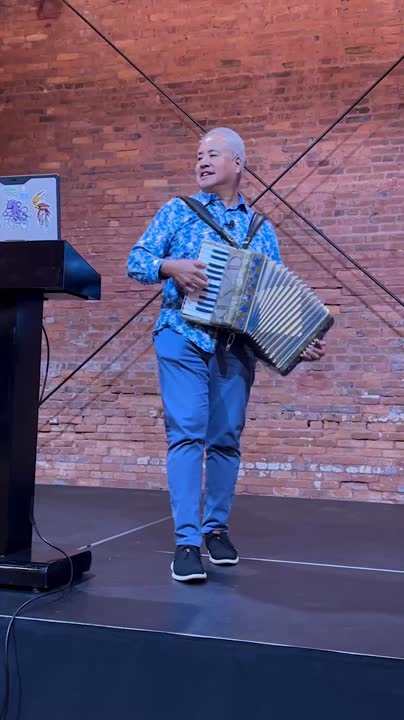
My intro at KCDC will be something along the lines of “I’m a rock and roll accordion player, but in my spare time, I do developer relations at NetFoundry!”
Have some “pocket stories” handy
Pocket stories are short, engaging, and easy-to-tell anecdotes you keep ready for networking situations. They should be:
Brief: No more than a minute long; a minute and thirty seconds tops.
Relevant to KCDC or the people listening.
Open-ended, so listeners can respond or share their own experiences.
Here’s a tech-related pocket story:
“Last year I tried to refactor a core service during a two-week sprint. Halfway through, we realized we’d basically reinvented a library that already existed. The best part? We ended up contributing to that library instead, and now it’s in production at three other companies.”
“Local flavor” pocket stories are often a good conversation starter:
“This is my first time in Kansas City, and yesterday I went looking for barbecue. I asked a local for the ‘best’ spot… and ended up in a half-hour debate between two strangers about burnt ends. I still don’t know who won, but I definitely left full.”
Bring an interesting thing
We’re nerds! We love interesting gadgets, amusing tchotchkes, and funny techie T-shirts. They’re often interesting conversation-starters, and KCDC is the perfect environment for bringing them out!
Me? I’m bringing the accordion (of course).
The incredibly simple trick for instantly boosting your social confidence
Here’s the exercise: Before you leave to go to KCDC, find some text and read it out loud for three minutes. If for some reason you can’t find some text to read, use this article. You’ll find that it’s a self-confidence booster!
Even after KCDC has come and gone, do this exercise daily. Like any skill, frequent low-pressure practice builds familiarity, and if you read aloud regularly, you’ll find yourself more comfortable when talking with strangers at networking events.
Choose something different to read out loud every day, and try emphasizing key parts of the text. If you’re reading something with dialogue, try expressing the emotion in that dialogue. If you listen to audiobooks or podcasts, try emulating the way audiobook narrators narrate their material.
Reading out loud boosts your confidence because:
It helps you get comfortable with your voice. Many people don’t like the sound of their own voice. Reading out loud gets you used to the sound of your voice, reducing any self-consciousness you may have about it. And when you’re comfortable with your voice, you’ll also be more comfortable speaking in social situations and making presentations.
Your speech will become more clear. The exercise of reading out loud forces you to articulate words clearly and speak at a steady pace. You’ll also become more aware of your tone, rhythm, and pitch, so that you can adjust them to sound clear and confident, and mumble less.
It makes you more engaging. Read out loud with expression; it’ll give you practice with the kind of vocal variety and emphasis that keeps listeners interested in actual conversations.
At the conference (and conference events)
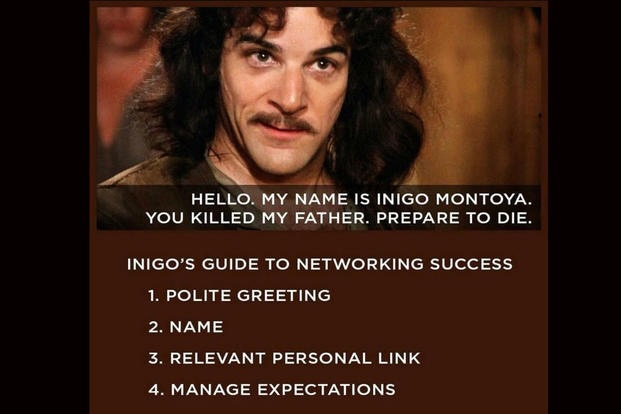
Use Inigo Montoya’s technique for introducing yourself
Inigo Montoya from The Princess Bride had the perfect self-introduction. Use his technique for yourself!
Example: “Hi! I’m Joey de Villa. I’m a developer advocate at NetFoundry and I’m giving the fun talk on coding up music with the Sonic Pi programming language. How are you doing?”
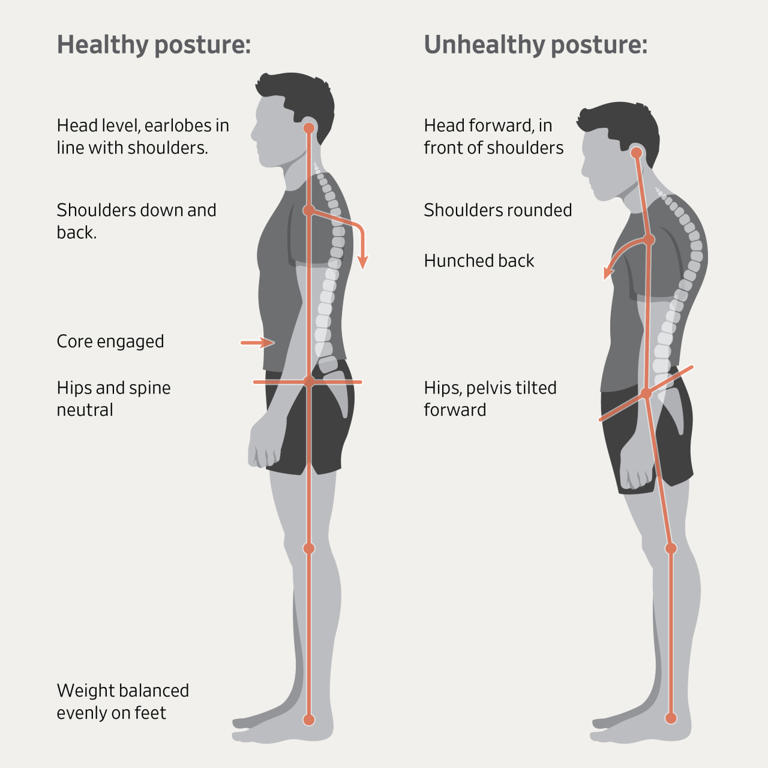
Project good posture
Having a good posture is generally good for all sorts of health reasons, but at a conference, it has the additional benefit of showing confidence, competence, and alertness. And because the body is a self-feedback system, you’ll find yourself feeling more confident, competent, and alert.
The general guidance for standing up straight is to imagine a string pulling you gently upward from the crown of your head. Keep your spine straight, knees soft, and feet shoulder-width apart.
When you do this, people will be more likely to approach you because you appear open and self-assured instead of reluctant and uncertain.
The general advice is to put your shoulders back — but not too far back. Your shoulders should be below your ears. Drawing your shoulders back just slightly opens up your chest, which is body language for “Hello. My name is Inigo Montoya. I’m killin’ it here. Prepare to converse.” You’ll appear more engaged and ready to interact.
That’s so much better that the forward, rounded shoulders look, which says “I don’t want to be here, and I definitely don’t want to talk to you.” It makes you look defensive or distracted.
You might find it helpful to roll your shoulders up, back, and down, just enough to relax your chest.
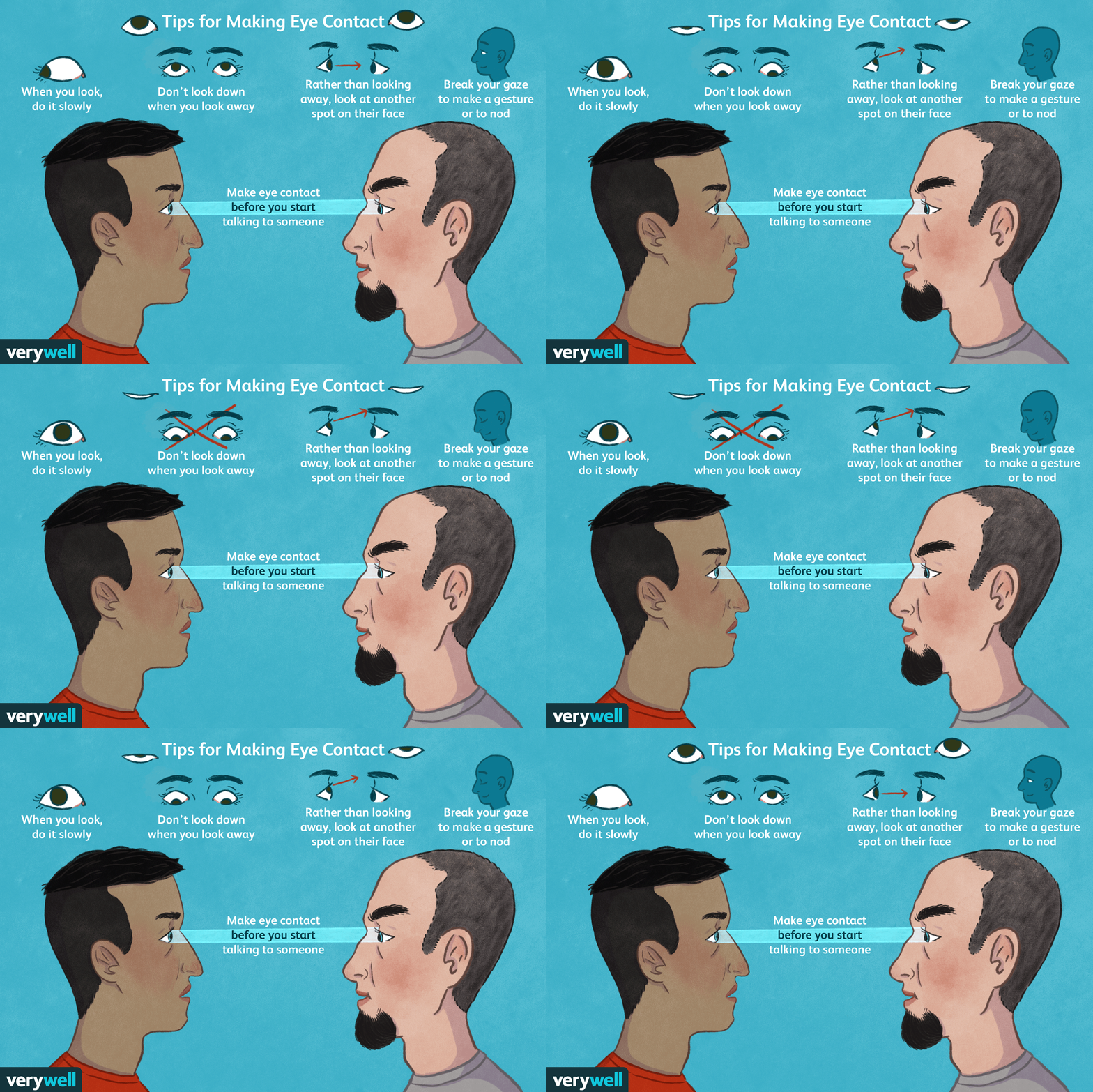
Eye contact — it’s a tricky thing, especially among nerdy types, but is one of the strongest ways to build trust quickly. What better place to brush up on your eye contact technique than KCDC?
Here’s how you do it: when you meet someone, make eye contact by looking at them right at their eyes for a “one thousand one, one thousand two” count. That’s long enough to acknowledge them but not so long that it feels as though you’re staring them down.
If looking someone in the eyes isn’t your thing, try looking at some part of their face near their eyes, such as their forehead or cheek.
Done right, eye contact gives others a sense of warmth and attentiveness. It makes other people feel seen, which is crucial in noisy, crowded conference environments.
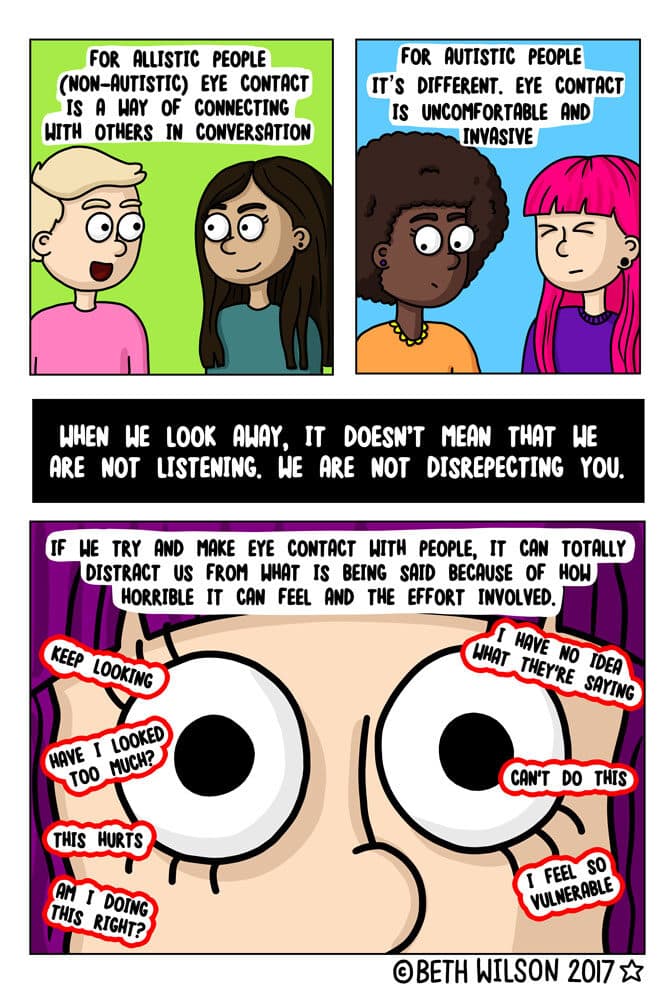
Allistic people — people who aren’t affected by autism — should be aware that people with autism find eye contact challenging. If you find that the person you’re talking to finds eye contact uncomfortable, look at their face, but not directly at their eyes (basically, use the trick I mentioned earlier).
How to join a conversation
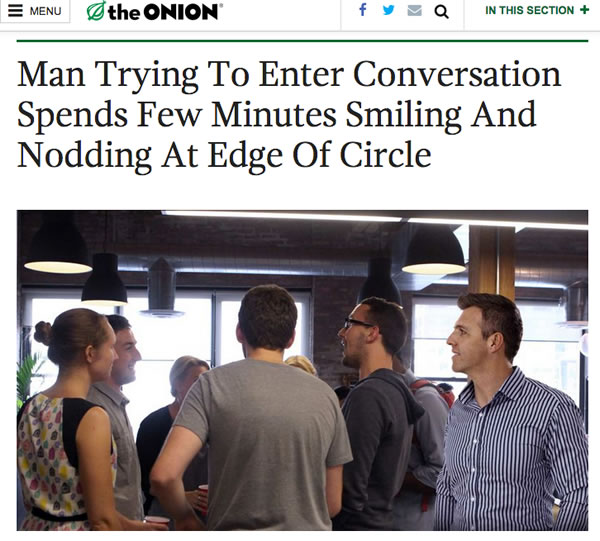
You’ll probably see a group of people already engaged in a conversation. If this is your nightmare…
Click the screenshot to read the Onion article.
…here’s how you handle it:
Pick a lively group of people you’d like to join in conversation. As people who are already in a conversation, they’ve already done some of the work for you. They’re lively, which makes it more likely that they’re open to people joining in. They’ve also picked a topic, which saves you the effort of having to come up with one. It also lets you decide whether or not it interests you. If they’re lively and their topic of conversation interests you, proceed to step 2. If not, go find another group!
Stand on the periphery and look interested. Just do it. This is a conference, and one of the attendees’ goals is to meet people. Smile. Pipe in if you have something to contribute; people here are pretty cool about that.
When acknowledged, step into the group. You’re in like Flynn! Step in confidently and introduce yourself. If you’ve got that one-line summary of who you are that I talked about earlier, now’s the time to use it.
Don’t force a change of subject. You’ve just joined the convo, and you’re not campaigning. Contribute, and let the subject changes come naturally.
Feel free to join me in any conversational circle I’m in! I always keep an eye on the periphery for people who want to join in, and I’ll invite them.
OAR: Observe, ask, reveal
In her book How to Work a Room, Susan RoAne talks about a conversation tool she refers to as “Observe, Ask, Reveal” or “OAR,” which is a way to make interactions feel more natural and engaging. It’s made up of three steps:
Observe. Notice something about the person you’re talking to, their surroundings, or the situation. This could be as simple as their choice of drink, something they’re carrying, or something happening in the room.
Ask. Follow your observation with a genuine, open-ended question. This invites the other person to share and keeps the conversation flowing.
Reveal. Share a little about yourself related to the topic, which helps build rapport and makes the exchange feel balanced rather than like an interrogation.⚠️ Don’t overshare! TMI often backfires. Also, don’t overdo it with the questions — it should feel like a conversation, not an interrogation.
The idea behind OAR is to create an easy rhythm between listening and contributing to the conversation.
Be more of a host and less of a guest
No, you don’t have to worry about scheduling or if the coffee urns are full. By “being a host,” I mean doing some of things that hosts do, such as introducing people, saying “hello” to wallflowers and generally making people feel more comfortable.
Being graceful to everyone is not only good karma, but it’s a good way to promote yourself. It worked out really well for me — when I first moved to Tampa, I simply attended events and helped out where I could, lending a hand at meetups. I gained a reputation for being helpful and knowledgeable, which led me to being invited to speak at events, and I also wound up inheriting a couple of meetups as well!
Use social media
Follow the KCDC hashtag! The official one is #kcdc2026 (don’t use plain old #kcdc unless you want to tag the Kansas City Dog Club) to find out what’s going on, and to find and connect with attendees online.
Advice for lunch
Lunch at KCDC is a great opportunity to meet people! Here are some tips for lunch…
1. Choose your table with intention
Arrive early if possible. This gives you more freedom to choose your spot.
Look for tables with a mix of people already seated and empty chairs. It’s easier to integrate into an existing conversation than to start from scratch with a fully empty table.
2. Use OAR (“observe, ask, reveal”) to break the ice
Follow the “observe, ask, reveal” conversational framework I wrote about earlier to talk to people at the table.
Example: “I see you got the [interesting swag from one of the vendor tables]. What’s the catch: demo, badge scan, or spinning a wheel?”
3. Introduce yourself to your immediate neighbors first
Turn to the people on your left and right, give your name, where you’re from, and a quick “pocket story” or conference-related detail.
Then, when there’s a pause in the group’s conversation, introduce yourself to the whole table. This makes you seem approachable, and you’re not barging into the conversation.
4. Keep the conversation inclusive
If you notice someone at the table isn’t speaking much, pull them in by looping back to them with a related question.
Avoid overly niche technical deep dives unless everyone’s into it.
5. Have a graceful exit
When lunch is wrapping up, thank the table for the conversation.
Swap contact details or LinkedIn with anyone you clicked with.
Mention to people at the table that you might see them in another session. If you know what sessions you’re attending after lunch, let them know!
Advice for social events
Try these out at Thursday’s attendee party, as well as at KCDC’s other social events, including Crash Override’s Hackers movie event (taking place Thursday at Union Station; doors open at 7 p.m., movie starts at 8):
Beware of “rock piles”. Rock piles are groups of people huddled together in a closed formation. It sends the signal “go away”. If you find yourself in one, try to position yourself to open up the formation.
Beware of “hotboxing”. I’ve heard this term used in counter-culture settings, but in this case “hotboxing” means to square your shoulders front-and-center to the person you’re talking to. It’s a one-on-one version of the rock pile, and it excludes others from joining in. Once again, the cure for hotboxing is to change where you’re standing to allow more people to join in.
Put your stuff down. Carrying your bag or other stuff is a non-verbal cue that you’re about to leave. If you’re going to stay and chat, put them down. When you’re about to leave, take your stuff and start saying your goodbyes.
Save the email, texts, and social media posts for later, unless they’re important.They’ll draw your attention away from the room and also send the message “go away.”
After the conference
Organize your contacts soon after the conference
Review any business cards, LinkedIn connections, or conference app contacts you collected. Strike while the iron is hot — do this by the end of the following week!
Tag or note:
How you met
What you talked about
Any action items (e.g., “Send them article on API security”)
This makes your outreach to people feel more personal and less generic and spammy.
Send a brief, specific follow-up
Timing: ideally within 3 days of the conference.
Keep it short, but reference something from your conversation to jog their memory.
Example: “Great chatting with you at the KCDC lunch table about AI security. Here’s that GitHub repo I mentioned.”
Continue the conversation
Share a useful resource, article, or code snippet related to what you discussed.
Offer help or collaboration, even if it’s small. This shifts you from a “one-time meet” to a peer in their network.
Connect on the right channels
LinkedIn for professional connections and ongoing career updates.
GitHub for technical/code collaboration.
Twitter/X or Mastodon if you connected over shared interests in tech culture, events, or industry news.
Keep the relationship warm
Interact with their posts, star or fork their repos, or comment thoughtfully on something they’ve shared.
When you come across a relevant opportunity, event, or resource, send it their way with a short note.
Build a “conference alumni” list
Keep a lightweight spreadsheet or note with names, contact info, and event details.
Before your next KCDC (or other conference), skim this list so you can reconnect with past contacts.
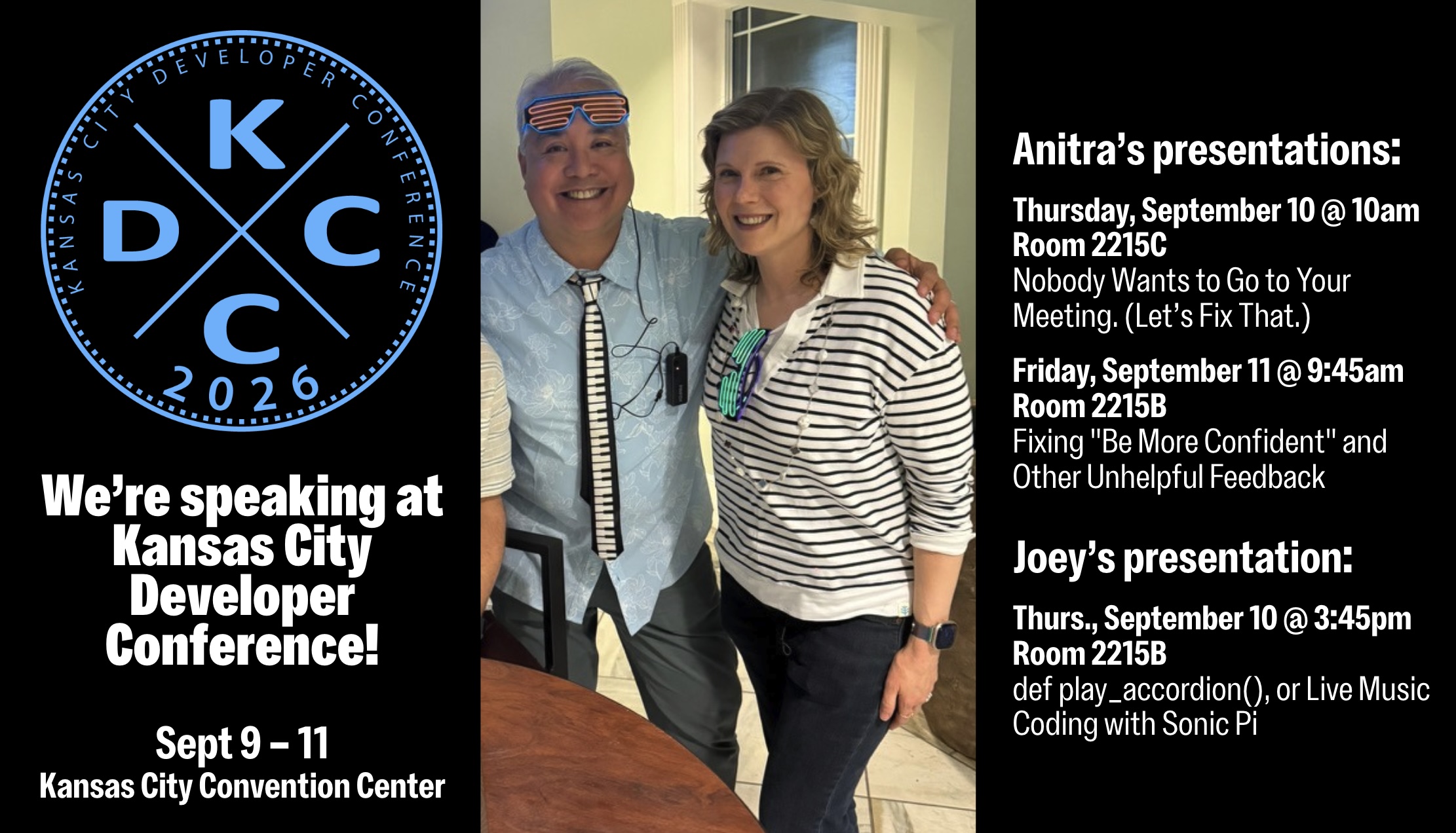
Tampa’s tech team supreme (that’s Anitra and me, in case you’re wondering) are flying to Kansas City today to speak at KCDC, also known as Kansas City Developer Conference! It typically draws around 2,000 attendees and it’s one of the largest independent conference in North America these days.
We’re honored to have been chosen to speak, and from looking at the agenda, we’re excited not just to present, but to also see out fellow speakers’ presentations!
For the curious, here’s what we’ll be presenting…
Thursday, September 10
Nobody Wants to Go to Your Meeting. (Let’s Fix That.)
Presented by Anitra, 10:00 a.m., room 2215C
Your calendar is full of meetings where attendees mentally check out. That’s not a people problem. It’s a design problem. As the meeting organizer, you’re the designer.
Most meetings fail for the same reason most products fail: the meeting organizer never stopped to ask what their attendees actually need, what outcome would make the time worthwhile, or whether a live session is even the right format for the job. The result is a standing meeting that becomes an obligation, a brainstorm where the loudest voice wins, a decision meeting that ends with “let’s take this offline”, and a calendar invitation that should have been an email.
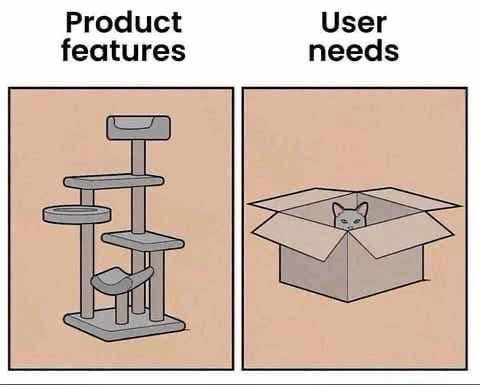
This session makes the case that every meeting is a product. It has users with real needs. It has a value proposition that either holds up or doesn’t. It has a format that either creates the conditions for something meaningful to happen or gets in the way. Treat it like a product, and people show up prepared and engaged. Ignore that, and you get laptops open, cameras off, and the same conversation next week. That’s because most meetings were never designed to answer: what can only happen in real time, among these specific people?
You’ll leave with:
A framework for designing meetings that people actually want to attend and can explain why afterward
A method to audit your recurring meetings and diagnose exactly which ones are failing and why
Specific redesign moves for the three meeting types most likely to waste everyone’s time: the status update, the decision meeting, and the brainstorm
def play_accordion(), or Live Music Coding with Sonic Pi
Presented by Joey, 3:45 a.m., room 2215B
Most developers write code that talks to databases, APIs, or networks. What if your code talked to a speaker instead? And what it if accompanied a live accordion performance?
Sonic Pi is a live coding environment that turns Ruby-like syntax into music in real time. For developers who already know Ruby, it’s one of the fastest on-ramps to making something genuinely impressive. In this session, I’ll introduce Sonic Pi from the perspective of someone who plays accordion, understands music sequencers, and thinks in Ruby. I’m not a music teacher, but as professional developer and hobbyist musician, I can show you exactly where your existing skills transfer and where the surprises are.
We’ll cover the core concepts: loops, samples, synths, timing, and concurrency, and we’ll and explore why Sonic Pi is a surprisingly powerful lens for applying programming ideas you already know in a whole new way. And because a talk about live coding music should actually feature live coded music, we’ll finish with something you won’t see at many developer conferences: a performance where Sonic Pi and a live accordion share the stage.
No musical background required. Ruby curiosity welcome. Earplugs optional.
Friday, September 11
Fixing “Be More Confident” and Other Unhelpful Feedback
Presented by Anitra, 9:45 a.m., room 2215B
On a team, you get and give professional feedback. But can you actually act on that feedback?
Research across tens of thousands of performance reviews reveals a consistent pattern: professional feedback is frequently vague, personality-focused, and disconnected from business outcomes. “Be more confident.” “Work on your executive presence.” “Be a better team player.” These phrases feel like feedback. But they aren’t. They’re opinions dressed up as guidance, and they’re stalling careers and driving away top people.
This session examines what high-quality feedback looks like, why the gap between vague and actionable is wider than most people realize, and what that gap costs when it goes unaddressed. We’ll look at the research on how feedback differs by gender, why high performers are sometimes the ones receiving the least useful guidance, and what separates managers who build strong teams from those who wonder why good people keep leaving.
You’ll leave with:
A practical framework for giving and receiving feedback that is tied to outcomes, not personality
A method to recognize and rewrite vague feedback before it does damage
A clear understanding of how feedback quality affects advancement, retention, and team performance, and what you can do about it starting on Monday
Our speaker bios
Anitra Pavka
Anitra has surfed the waves of tech evolution from the dot-com bubble to the AI revolution. She specializes in customer-centered product management and technology modernization, turbocharged with hands-on AI experience. Her career spans ecommerce, retail, cybersecurity, fintech, and insurance.
Known for speaking fluent human and tech, Anitra speaks on local, regional, and national stages, including three appearances at SXSW Interactive, and as a featured podcast guest. She’s an O’Reilly Media author (HTML5 Cookbook Accessibility chapter) and technical editor (Universal Design for Web Applications book).
Her leadership extends into her community. She serves on the Board of Directors at Tampa’s non-profit Glazer Children’s Museum, where she chaired their strategic planning committee. She also co-organizes several tech-focused Meetup groups, including the Tampa Bay Artificial Intelligence Meetup (with 2,200+ members).
Her north star has been making technology solve real problems and serve the people using it.
Joey de Villa
If you hear an accordion at a programming presentation, chances are that Joey de Villa is the one playing.
Joey got his professional start developing multimedia CD-ROMs when they were the hottest new technology. After that, he built desktop applications including an encyclopedia of every mall in America and fitness tracking software for the Toronto Maple Leafs. Since then, he has written applications for mobile and IoT devices and dabbled in artificial intelligence.
He enjoys talking to people as much as he enjoys talking to computers, and that combination has landed him his current developer advocate role at NetFoundry, and previous roles as a developer advocate at Tucows, Microsoft, Shopify, Auth0/Okta, and HP. He recently optimized an MCP server for Hammerspace’s AI model storage system. As part of his work, he organizes the Tampa Bay Artificial Intelligence Meetup and the Tampa Bay Software Skills Meetup.
Joey has co-authored a 1,500-page book, The iOS Apprentice, 8th Edition, and writes articles about Android programming at Kodeco.com. He also publishes a blog called Global Nerdy, which has been around since 2006 and features a list of Tampa Bay technology events that he creates every week with the assistance of a helpful Python application that he wrote.




























 Kansas City Developer Conference (KCDC)