Ain’t livestreaming grand? We had a few rough-around-the-edges moments in today’s episode of Ziti TV (I worked on the demo a *little* too late last night), but the important thing is: THE DEMO WORKED.
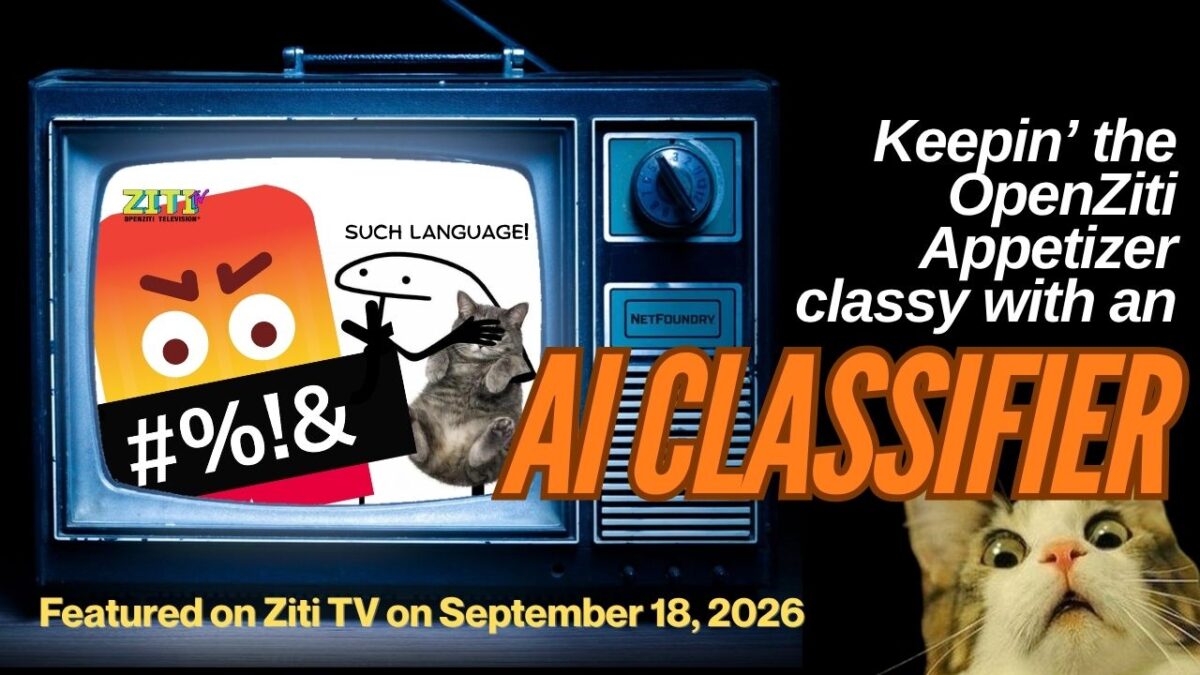
The demo built on the previous episode’s work where we took the OpenZiti Appetizer (a service that displayed whatever text you feed it on a public web page via a secure zero-trust OpenZiti overlay) and added a RoBERTa classifier to it to prevent users from entering offensive messages for the Appetizer to display. There are lots of people out there who seem to not have aged past 12, and that’s what this is supposed to handle.
RoBERTa classifiers are good at handling profanity and direct insults like “You are too stupid to understand this”. It *will* miss more subtle jabs like “Nobody wants you here and everyone knows it”, but try saying that to a cop who’s writing you a speeding ticket, and they will classify it very differently.
So in this week’s, the classifier keeps its job, but when it isn’t sure, it asks for a second opinion. LLM Gateway, the OpenZiti-based open source OpenAI-compatible gateway, decides which LLM gives that opinion: a small model on your own machine for everyday messages, and Claude for the subtle ones. You won’t change a line of the Appetizer’s code.
I did the demo without much chance for a rehearsal, and I’ll post a GitHUb repo with all the steps and material you need to try it out for yourself. But in the meantime, catch Clint and I work our way through the demo!
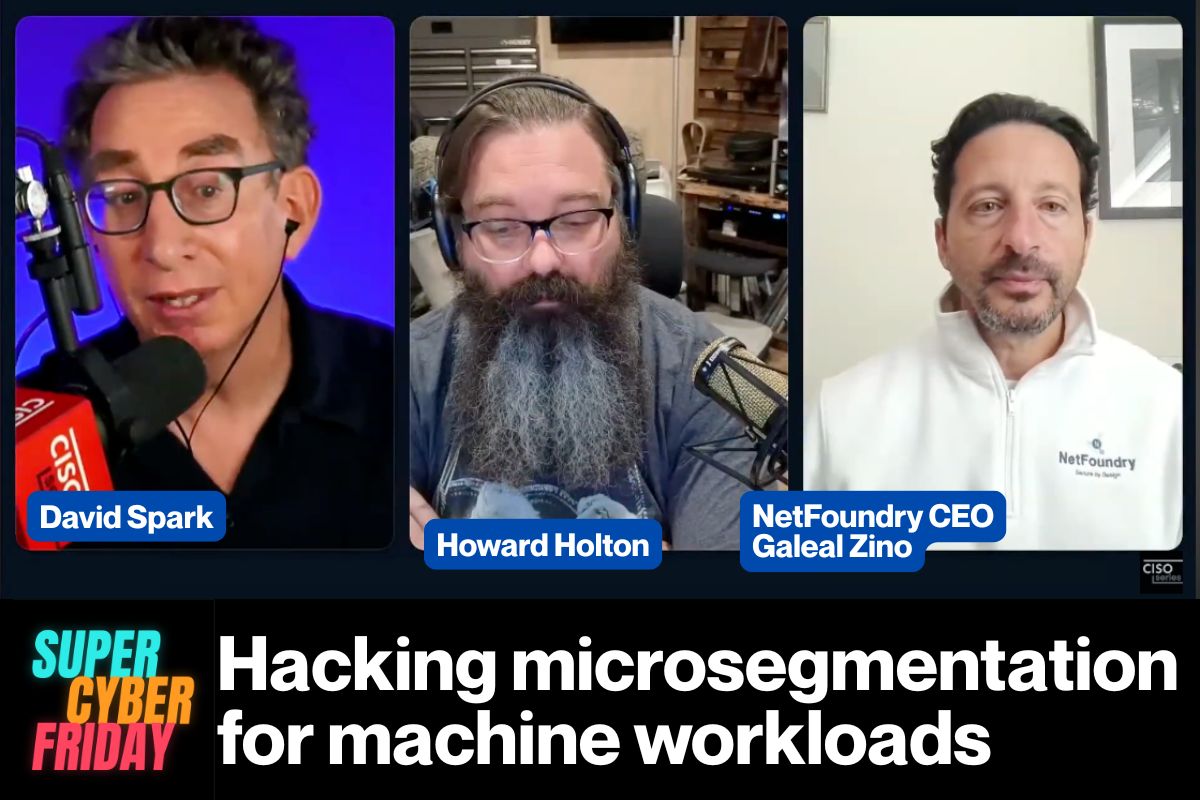
Super Cyber Friday is about cybersecurity practitioners and vendors, and every episode has a title that follows a “Hacking [Topic]” format. This particular episode’s title is Hacking Microsegmentation for Machine Workloads, and features:
Galeal Zino, NetFoundry CEO (and my boss’ boss, and therefore the best damned skip-level in the world)
Howard Holton, Founder and Principal Counsel at Phronia Counsel, an independent technology analyst and advisory firm
If you’re wondering what microsegmentation is, here’s the short version:
Microsegmentation is the practice of carving your network into tiny zones so that when something gets compromised (and something will), the damage stays in one small room instead of spreading through the whole house.
Everyone agrees it’s a good idea, almost nobody enjoys doing it, and few actually do it. It’s the brushing and flossing of cybersecurity.
Before the notes, some disclosure
You should know:
I do developer advocacy work at NetFoundry in exchange for money, health insurance, and to convince people I’m more than just an accordion-playing reprobate.
Once again, Galeal is my boss’s boss. And he’s a great boss’ boss!
NetFoundry sponsored this episode.
Feel free to apply the appropriate amount of skepticism to this writeup, but keep in mind that this episode features both a CEO who builds security stuff with an analyst who’s had to live with the results. The episode’s a little more blunt than your typical PR piece.
The tl;dr
C’mon, this article isn’t that long! But still, if you want a very quick summary, here it is…
The old way
What machine workloads need
What you segment by
IP addresses, subnets, CIDR blocks, VLANs
A cryptographic identity for every machine, plus attestation
Where enforcement happens
Firewalls and middleboxes at the edge
Inside the application, via an identity-driven overlay
How AI agents get treated
“It’s basically an employee” or “It’s basically an app”
As a non-human actor with explicitly bounded access
What failure looks like
Firewall surgery, configuration bloat, shelfware
A contained blast radius
What the board says
“We better never get hacked.”
“How bad will it be when we get hacked?”
“Early microsegmentation sucked so bad…”
Howard set the tone in the first minute, when David asked for his microsegmentation pet peeve (0:08):
“Early microsegmentation sucked so bad that it’s hard to get people to listen when you talk about microsegmentation.”
For the record, Howard is a big microsegmentation fan. What drives him (and us at NetFoundry too) up the wall is the feedback he hears most often: “Nope, we did that before, we’re not doing it again.” People tell him it was too complicated and a waste of money. He hates that feedback because, in his words, “it’s just wrong.”
Later in the show (7:25), he explained how early rollouts earned that reputation. Teams would get frustrated during the discovery stage, put some segments in place, and then cause an outage by blocking something that only ran once every 30 days and that nobody had planned for. After that happened a few times, they’d shelf whatever microsegmentation tool they were using. His summary: “Complexity always bites you in the ass.”
If you’ve ever been anywhere near a rollout like that, you probably just winced. The problem wasn’t the idea. Least privilege and blast-radius reduction are good ideas! The problem was that vendors tried to implement them with the tools that just happened to be conveniently lying around: IP addresses, subnets, VLANs, and firewalls.
When an audience member asked whether application-level or network-level microsegmentation is more effective, Galeal didn’t mince words (9:05):
“Network-level is DOA: dead on arrival. It’s an oxymoron to begin with… It’s spilled milk, and you can’t put it back in the bottle. If you’re going to try and use IP addresses, VLANs, and firewalls to do ‘microseg,’ good luck to you. It’s not going to happen.”
That’s coming from someone who’s been doing network engineering for 30 years. Here’s the core problem, especially for machines: an IP address tells you where something is, not what it is. In a world of containers, autoscaling, and serverless functions, the IP address your billing service has this morning might belong to something completely different by the time lunch rolls around. Writing security policy against IP addresses is like keeping track of your friends by remembering which seats they sat in the last time you all went to the movies. Or, as Galeal put it later in the show (35:10), “IP addresses are not identities.”
Howard then described what happens when you try to brute-force it anyway (10:03):
“Microsegmentation and segmentation are not the same thing… If you’re like, ‘Well, I’m going to create 437 subnets in my network and I’m going to create 300 VLANs and I’m going to turn on host-based firewalls,’ you’ve just created a nightmare that no one is ever going to be able to manage after you. And you have failed job number one, which is make sure that the next person can be as successful as you are.”
“Make sure that the next person can be as successful as you are.” I want that on a poster, and not just for network engineers. It applies to code, documentation, and pretty much anything you build that someone else will inherit.
And if you try to do it the classic way regardless, making your firewalls enforce all that traffic between your services? According to Galeal (29:48), that’s the first lesson you’ll learn: “You will melt your firewalls.”
Credentials aren’t identity
My first bearer tokens.
My favorite moment in the episode came from an audience question. Sierra Montgomery asked (11:05):
“If a compromised workload acquires valid credentials and begins behaving like a legitimate service, what signal does your microsegmentation architecture use to distinguish legitimate machine-to-machine communication from lateral movement?”
Galeal’s answer was one word: Attestation. His reasoning: a credential doesn’t prove whether Howard, David, or an AI agent should have it. Credentials, he said, are “necessary but not sufficient.”
Explaining bearer tokens is something that goes back to my first article for Auth0, which was also my “take-home assignment” in the job interview process. The concept always needed the most careful explaining, even though the name told you everything: whoever bears the token gets the access. The token doesn’t know or care who’s holding it. It’s more like cash than a credit card.
That’s fine as long as you know where the token is. The trouble starts when you don’t. A credential proves that something possesses a secret. It doesn’t prove that the thing should have that secret, and it says nothing about whether the machine presenting it is in the state it’s supposed to be in. Attestation fills that gap: it’s verifiable evidence that the workload is what it claims to be, and that it’s running where and how it’s supposed to.
Take the pwning like a champ
At a DEF CON party a long time ago, a few friends and I came up with a joke talk title for the following year’s edition of the conference: “Security is for lightweights. Take the pwning like a champ.”
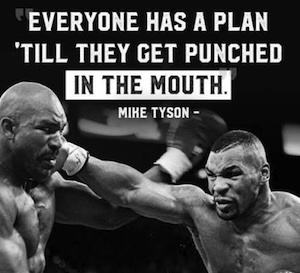
But behind the joke was an important idea: every boxer gets hit. What makes a champ isn’t never getting punched; it’s being able to take the punch and stay on your feet. Security works the same way. Sooner or later, one of your credentials is going to end up in the wrong hands, whether it’s through a phished password, a leaked API key, or a token that got copied out of a log file. Back then, planning on getting pwned was a punchline. These days, it’s a design principle, and it’s exactly where Galeal starts.
The DEF CON joke came to my mind when an audience member asked how a platform can alert on a compromised token moving laterally (16:06). Galeal’s answer was in the spirit of “Take the pwning like a champ”: Assume that tokens will be compromised, and design your system so that a token by itself doesn’t grant access.
If your architecture opens the door and grants network reachability before it verifies identity, an ill-gotten token can be a starting point to explore your network. The “Take the pwning like a champ” approach that NetFoundry takes verifies identity first and uses policies to spells out which identities can talk to which services. A stolen token doesn’t open any new doors, because the path the attacker wants isn’t accessible to them.
AI agents are chaos monkeys nobody scheduled
History time! If you were a developer around the time the iPad came out, you might remember Chaos Monkey, Netflix’s tool designed to randomly shut down servers in production. The idea behind it could be summarized as “The random shutdowns will continue until resiliency improves”. Netflix’s dev teams were forced to build in such a way that their systems would survive failure. It’s a brilliant (if sadistic) idea, and it works because Netflix chose to unleash it deliberately, with rules.
This isn’t all too different from a pattern Galeal described (28:56): taking an AI agent and saying, “Hey, cool. Here’s some API keys. Here’s the internet. Here’s some enterprise resources. Go do something useful.”
Howard’s response: “I see that like 40 times a week.” That’s a chaos monkey too, except nobody scheduled it, nobody wrote the rules, and it will explain its reasoning very confidently afterward.
My last job prior to my current Developer Advocate gig at NetFoundry was optimizing an MCP server, so this isn’t a hand-wavey “some customer has this issue” thing to me. Every tool or function you expose through an MCP server is something an agent can decide to call, whenever it wants, for reasons you didn’t anticipate. Its network traffic doesn’t follow a script.
When an audience member asked how to segment an AI agent whose needed connections change with each task, Howard’s advice was (27:27):
“If you try to design something that is entirely flexible, what you’re going to end up with is opening yourself up for AI chaos in your network… If you do it the other way around and hope that your microsegmentation tool set is going to keep up with your AI, you’re basically saying, ‘I want microseg to follow my chaos monkey.’ Do it the other way around. Use microsegmentation to restrict the chaos monkey.”
Galeal’s answer to the same question (26:43) supplies the other half: The old bag of tricks isn’t going to work on agentic flows. Treat agents as identities, define a graph of what each one can talk to and under what conditions, and have the visibility and enforcement to make sure they stay on that graph.
That’s the right mental model. An AI agent isn’t a human employee sitting behind your SSO portal, and it isn’t a cron job that does the same thing at the same time every night. It’s a whole new thing.
As Howard put it later in the show, it isn’t another application, and it doesn’t act like a human either. It needs boundaries defined up front, including things like:
A specific identity,
ashort list of things it’s allowed to reach, and i
solation that travels with it whether it’s running in AWS, on bare metal, or in an OT facility.
What this looks like if you write code
Time for me to put my work hat on for a minute. The table above mentions “an identity-driven overlay” enforced “inside the application,” which is a mouthful, so here’s what it means in practice.
OpenZiti is the open source zero trust networking platform that NetFoundry builds, and one of the things it lets you do is embed zero trust directly into your application with an SDK. Your app gets its own cryptographic identity, and it can only reach the services that policy says it’s allowed to reach. On the other side, services don’t need open inbound ports at all, so there’s nothing sitting on the network for an attacker to scan, probe, or point a stolen token at.
Galeal’s “kill switch” (more on that below) gets pretty concrete here too: if an identity is compromised, you revoke it or change the policy, and its paths go away. No firewall surgery required.
If you want to try it yourself, the docs and quickstarts are at openziti.io.
What do you tell the board?
Near the end, David read an audience question: Which metric best shows leadership that microsegmentation is working? Galeal boiled his answer down to three questions (39:11):
The graph: Can you answer the question “What identity can talk to what identity, according to what policy?” (Note that he said identity, not IP address.)
The kill switch: When something unexpected happens, where’s the kill switch that lets you deal with it without compromising uptime, human safety, or business continuity?
Centralized governance: How much of all this can you see and govern from one place, instead of going to a bunch of different environments and firewalls?
Then Howard put on his gloves (41:27): “I couldn’t disagree more.” Speaking as a CISO, he said:
“What my board said 10, 15 years ago was, ‘We better never get hacked.’… Today they say, ‘How bad will it be?’ That is their question to me. That is the question they want me to answer in every board meeting they invite me to.”
My answer would be “Take the pwning like a champ”.
David pointed out that the two answers aren’t really in conflict: Galeal was describing what you measure for yourself and your security team, and Howard was describing what you tell the board. Galeal agreed. Howard then explained why the board version has to be so compressed (43:29):
“I get one slide as a CISO… I get like five minutes… I make that one slide tell them how I’m spending money to make it less bad than the last time they gave me money.”
Ah, the dreaded “You get one, and only one, slide” directive for board meeting presentations. Replace “board” with “VP of Engineering” or “whoever approves your budget,” and it’s still excellent advice.
My takeaway
If I had to boil the whole episode down to one idea, it wouldn’t be about AI, firewalls, or attestation. It would be Howard’s “job number one”: make sure the next person can be as successful as you are.
Galeal landed in the same place from a different direction. When David asked why he started NetFoundry (24:00), he said that after years of beating his head against walls like microsegmentation, he wanted to tilt the playing field so that the next person who has to solve these problems doesn’t have to.
That’s the real case against building microsegmentation out of subnets and VLANs. Even if you get it working, you’ve built something nobody else can understand, let alone maintain.
A policy that says “the billing service can talk to the orders database, and the AI agent can talk to these three APIs and nothing else” is something the next person can read, reason about, and change without breaking everything. And when some of the things doing the talking are AI agents that nobody can fully predict, that kind of clarity is what keeps the chaos monkey in its cage.
Go watch the episode, and if you’re a developer who wants to see what identity-first networking looks like from the inside, take OpenZiti for a test drive!
If you’ve spent time with theOpenZiti Appetizer, you may have noticed this response:
you sent a message, but it can’t be qualified at this time for offensiveness
There’s a hate-speech classifier on the path every message takes, and it’s been waiting for a classifier to talk to. On theSeptember 18 Ziti TV episode, I got curious about it and went down the “How do I get this thing to work?” rabbit hole. It turned out to be a nice tour of how OpenZiti authorization actually works!
Here’s the fun part. The first thing you notice is that the classifier URL has no instance prefix, while every other service name in the demo is scoped. That looked like the answer, but it wasn’t.Prepare tags the Appetizer’s own identity with an unprefixed classifier-clients attribute, deliberately, in a file where everything else goes through scopedName. The dial side was built with one shared classifier in mind rather than one per instance. The URL is right as written.
What’s left to build is the network side: the service and a dial policy. The application was always correct, and it’s been accurately reporting that it couldn’t reach something that wasn’t there yet.
In the end, the fix was a service and two policies, and (yay!) no changes to the code at all.
In the exercise, you add a real classifier (a RoBERTa model fine-tuned on OffensEval tweets) and host it as a dark service. By the end you have two processes talking by service name, with ss -ltn showing nothing listening inside the classifier container while the controller shows it actively hosting. Then you take access away with one policy change and watch the caller get “not found” for a service that’s running perfectly well three feet away.
The exercise shouldn’t take longer than a half hour, and it all runs in Docker containers, which means you don’t need Python, Go, or even the ziti CLI installed locally. I wrote it for people new to OpenZiti, with the diagnosis reasoning spelled out rather than just the commands, since that part transfers to debugging your own dials.
A few things I’d have liked to know going in, which I haven’t seen written down elsewhere:
Flask’s built-in dev server can’t host a ziti service. The bind succeeds and a terminator registers, but it never accepts. werkzeug polls the listening fd through selectors, and a ziti fd isn’t pollable that way. Callers see EOF and the Python side logs nothing. waitress works, and it’s what the SDK’s own Flask sample uses.
The SDK enumerates services at startup and doesn’t re-check per dial, so a service created after your process starts stays invisible until it refreshes.
Thanks to Clint for the Appetizer, which is a genuinely good teaching demo, and for co-hosting the episode this came from.
This is the first in a series! I’m turning Ziti TV episodes into standalone repos people can work through on their own. Episodes:https://www.youtube.com/@OpenZiti/streams
Issues and PRs welcome, especially if you hit something the troubleshooting section misses. Help make it better!
Once again, the repo is here: https://github.com/AccordionGuy/openziti-appetizer-classifier
It’s written by Jack Poller. Yes, his title says VP Product Marketing, but he has a long history as a developer, so he’s got first-hand experience with what fixing software used to be like, and an educated view into what it’s like now. So the “here’s the math,” part of the title makes it clear that this is an article written by someone who’d rather show you the arithmetic than the adjectives.
Jack kicked off the series on our blog yesterday, and here’s my summary:
The numbers
From Verizon’s 2025 DBIR and FIRST’s mid-year forecast:
Disclosures: 40,000+ CVEs in 2024, up 38% year over year. FIRST’s June revision puts 2026 near 66,000, which is considerably higher than the February projection of 59,427, and running about 46% above that baseline through April.
Remediation: for the edge and VPN device vulnerabilities DBIR studied, a median of 32 days to close, and only 54% fully closed at all. The average for that set was over half a year (209 days).
The median time from disclosure to exploitation wasfive days. Exploitation as a breach vector rose 34% year over year and factors into 20% of breaches. Edge and VPN devices went from 3% to 22% of studied breaches in a single year.
Five days versus 32 days, on the same population of assets. There are some levers available to you that can cut that time down to 25 days (more analysts, tighter change windows), but that reduced time is still five times as long as the disclosure-to-exploitation time.
FIRST attributes the climb to 66,000 CVEs to three structural drivers and not just one:
AI-assisted discovery
A 449% jump in GitHub Security Advisory volume
A 3,119% increase in VulnCheck acting as CNA of last resort
The VulnCheck figure is largely a backlog of already-existing vulnerabilities finally getting IDs assigned. FIRST’s interpretation is that this reflects better discovery and reporting rather than software getting worse. In my opinion, this emphasizes Jack’s point: Even flaws that don’t count as “new” are still going to end up in your queue.
Capacity and latency are different problems
A key part of Jack’s post is the section on volume versus risk. If you filter all those CVEs for things that are actually being exploited, such as CISA KEV entries or or EPSS above 10%, the actionable burden is fairly flat, and it’s a workload that’s manageable with some smart triage. If your team is well-run team, they can 66,000 disclosures without extra headcount, simply because most of them will never be weaponized against anyone.
But you’ll still be left with the set of vulnerabilities attackers have already decided are worth building for. That’s the slice with the shortest clock on it. Prioritizing well gives you a smaller list that burns faster.
So there are two different questions here, and they have different answers:
Can my team absorb the workload? Sure, with good triage.
On the items that survive triage, can I close before exploitation? Median five days against median 32.
Getting better at the first question doesn’t change the answer to the second one. In systems terms it’s problem of service-time rather than throughput. You can have a perfectly stable queue and still blow every deadline in it.
Where the series goes
Jack’s argument is that same as WOPR from the movie WarGames: Don’t play games you can’t win. In practical security terms, it’s better to make the asset unreachable, so an unpatched flaw has no network path to it. The CVE stays open in your scanner, but the exposure doesn’t exist.
NetFoundry calls this vulnerability cloaking, and parts 2 through 6 in Jack’s series will cover risk-acceptance waivers, the technical case, assets that can never be patched (EOL systems, plus everything not yet disclosed), the CFO math, and a vendor checklist.
The honest limit, because I’d rather say it than have it said at me: this helps for things that shouldn’t be broadly reachable in the first place. Your public web front end has to answer the internet and no overlay changes that. Where it bites is the large category of stuff that’s internet-reachable for reasons nobody can currently articulate: management interfaces, internal APIs, appliance admin panels, that one jump box. Which, per DBIR, is exactly the category that went from 3% to 22%.
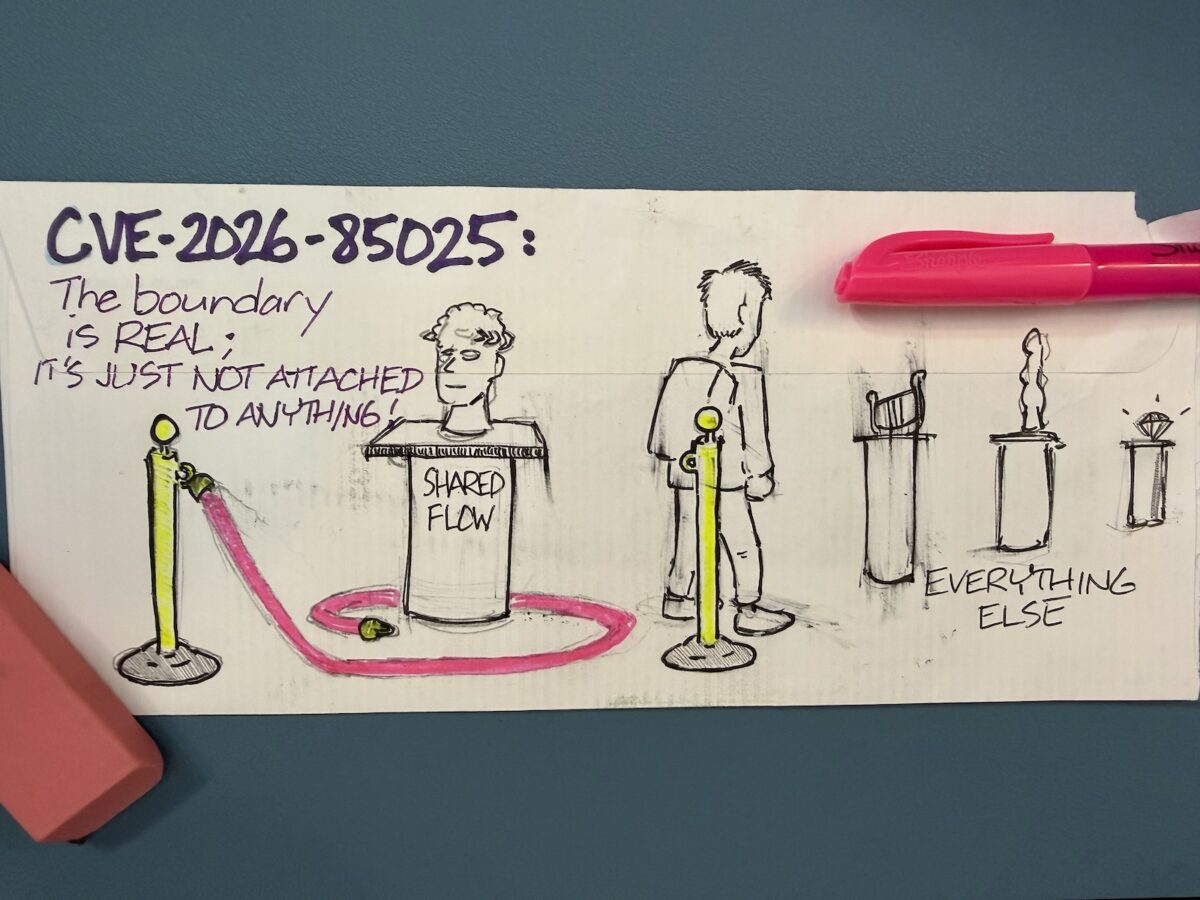
(On the bright side, I had time to draw a “back of the envelope” comic that covers the big CVE!)
The CVE numbers
Here are the numbers:
1,248 new network-exploitable CVEs
117 of these CVEs are rated at 8.6 or higher
12 of these CVEs are a perfect 10.0:
9 of those twelve in vm2 alone
Worth reading
1. The Langflow flaw
CVE-2026-85025 (9.8) is unauthenticated RCE in IBM Langflow OSS 1.0.0–1.11.5. It’s reachable through publicly shared MCP project endpoints, with read and write access to chat sessions on top. Whatever context, credentials, or proprietary data flowed through those sessions comes along with it.
The mechanism is the interesting part. Langflow lets you share a flow via an MCP project endpoint so other tools and agents can call it programmatically. The code that’s supposed to enforce “this one flow is public, everything else isn’t” doesn’t hold that boundary. So “publicly shared” quietly generalizes from one flow to the host. This happens without a privilege escalation chain, user interaction, or even any waiting for someone to click anything.
All in all: 8 CVEs against Langflow in a single seven-day window, including the one above: code injection, OS command injection, path traversal, an incomplete scanner denylist, and this one.
2. The difference between CVE vs. KEV
CVE: Common Vulnerabilities and Exposures. These are publicly-disclosed security flaws, and may or may not have been used in an attack. These are weaknesses that have been announced.
Mark writes that he’d bet money that the Langflow flaw above becomes a KEV. Another Langflow CVE has already done that: CVE-2025-3248, a missing-authentication RCE, which went onto CISA’s KEV catalog on May 5, 2025, with a three-week federal remediation deadline and confirmed ransomware use. Sysdig later documented that same flaw on a server nobody had patched in over a year as the entry point for what they assessed as the first fully autonomous agentic ransomware operation.
The traits that move a CVE onto KEV are the traits this one has: no auth, trivially scannable, and sitting on infrastructure that isn’t in anyone’s asset inventory. Langflow has supplied both ends of that pipeline before.
3. Why AI agent platforms keep showing up inReachability Watch
Because these tools are three things all at once:
New
Fast-moving
Production-critical
…and they’re shipped by teams optimizing for getting an AI capability out the door. As a result, exposure and hardening get less scrutiny than they’d get on a mature enterprise system.
The part that makes them worth an attacker’s time specifically: compromising one doesn’t get you a single host, it gets you the whole key ring. The same property that makes the platform useful is what makes the blast radius large, which is why “it’s just an internal tool on a dev box” ages so badly.
We recently got a great set of questions from someone evaluating hosted zrok for a web-based e-commerce content tool.
Their situation: a small team of internal colleagues testing a tool for business work that might later become part of their daily workflow, and their budget was zero dollars.
Their main question: Could they use the Free hosted version of zrok?
The super-short answer
Yes!
The short (but with some details) answer
If you’re on a small internal team with zero budget, zrok’s Free hosted plan will cover your core needs:
A stable HTTPS address
Browser access with no install for users
Login-gated access for approved colleagues/users.
Watch the daily bandwidth (you’re limited to 5GB in any 24-hour period), make sure team knows about the interstitial page, and test from every region where you plan to use it.
Before the detailed 5 answers: What’s zrok?
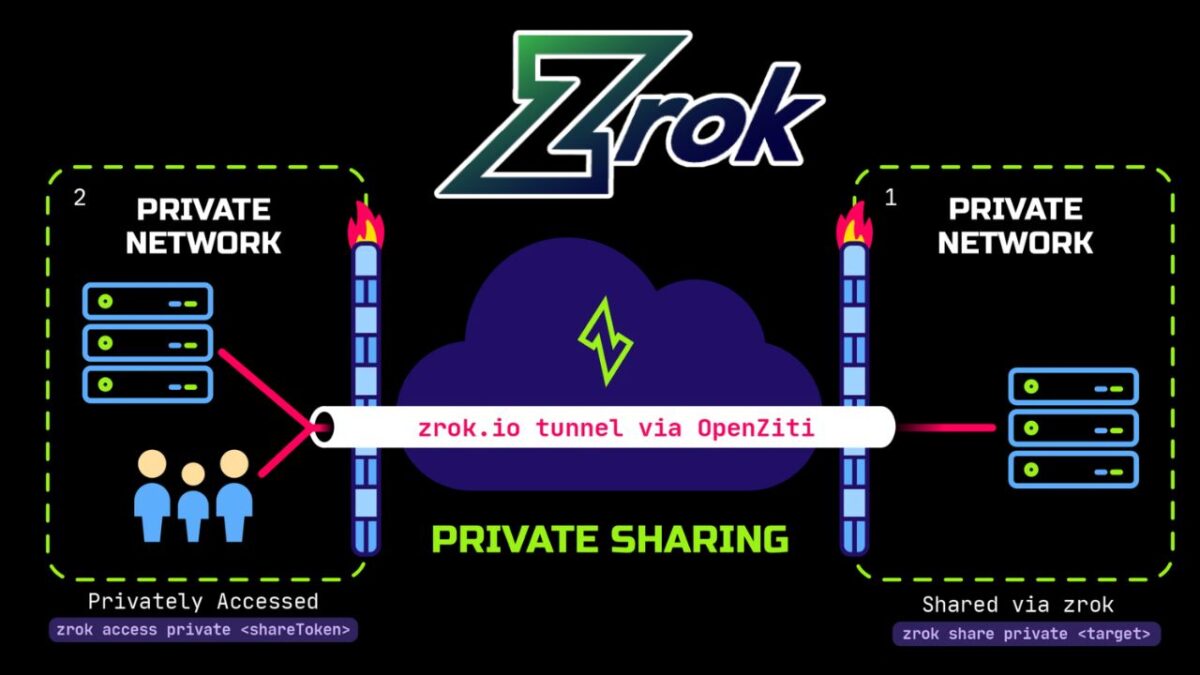
zrok(pronounced “zee-rock”) is an open-source tool for sharing things running on your machine, such as…
A web app,
an API, or
a folder of files…
…without the need for you to open firewall ports or set up servers. You run one command on the machine where the service lives, and zrok gives you a way for other people to reach it. If you’ve used tunneling tools like ngrok, zrok covers similar ground, with private sharing and zero trust networking built in, and with a much bigger bandwidth allowance, too!
zrok can share in two ways:
Public shares give your service a regular HTTPS URL that anyone with a browser can open. zrok handles the TLS certificate. You can optionally require a Google or GitHub login so only approved people get in.
Private shares are reachable only by people who also run zrok and have been given access, so the service is never exposed to the open internet.
zrok is built on OpenZiti, the open-source zero trust networking platform created by NetFoundry. Your service makes outbound connections to the zrok network instead of listening for inbound ones, which means there are no inbound ports on your machine for scanners and attackers to find. As far as unauthorized parties are concerned, nothing’s happening on your machine, and there’s no way in.
You can use the hosted version at zrok.io, run by NetFoundry, or self-host it under the Apache 2.0 license. This article is about the hosted Free plan.
The 5 questions, answered
1. Is small-team, business-related use allowed on the Free plan?
Yes! Testing a business tool with a few colleagues, and using it internally afterward, is allowed on the hosted Free plan. You don’t need a paid tier for commercial use.
The terms that apply are in NetFoundry’s Self Service Subscriptions Agreement. As with any service agreement, have someone read it before you build a workflow on top of it.
2. Can I reserve a persistent, custom-named public HTTPS address without a payment method?
Yes! By default, zrok2 share gives you a random share token that disappears when the share ends. zrok 2.0 adds namespaces and names, which let you keep a stable address:
A namespace works like a DNS zone. The public namespace corresponds to share.zrok.io.
A name works like a DNS record inside that zone. A reserved name persists across runs of zrok2 share.
If you reserve the name contenttool in the public namespace, your app is available at https://contenttool.share.zrok.io. That address stays the same every time you restart the share, and it comes with a trusted TLS certificate automatically.
3. Can colleagues use the app in a normal browser without installing zrok? Can I limit who gets in?
Yes to both! A public share is a regular HTTPS URL, so your colleagues just open it in a browser. Only the machine running your app needs zrok installed.
To limit access to approved people, turn on OAuth for the share. zrok supports Google and GitHub login for public shares, and you can restrict access by email address pattern:
# bash
zrok2 share public --backend-mode proxy \
  --oauth-provider google \
  --oauth-email-address-pattern '*@yourcompany.com' \
  http://localhost:8080
Anyone who visits is sent to sign in first. Only accounts whose email matches the pattern get through. You can repeat --oauth-email-address-pattern to allow several domains or specific addresses.
There’s also a bonus for developers. Once someone is authenticated, zrok adds headers such as zrok-auth-email to every request it forwards to your app. That means your app can tell who’s using it without you building a login system. See OAuth public frontend for the full flow.
4. Are there mandatory charges, usage limits, or restrictions?
No mandatory charges. The Free plan costs $0 a month and doesn’t require a credit card. It does come with limits you should plan around:
5 GB of bandwidth per day, measured over a rolling 24-hour window. If you go over, your running shares are disabled and you can’t create new ones until usage drops back under the limit. For a small team using a content tool this is usually plenty, but heavy media uploads could reach it.
25 environments, 50 share backends, and 50 private access frontends. A small team won’t come close.
Rate limits on public shares: 2,000 requests per IP and 7,500 requests per share, each per 5-minute window.
An interstitial page. Accounts without a card on file show an anti-phishing page the first time someone visits a public share. It’s a one-time click-through for each visitor, but tell your colleagues about it so it doesn’t surprise them. Adding a card removes it, and you’re still on the Free plan.
In case you were wondering, here’s what the interstitial page looks like:
All the details are on the zrok pricing page and in the service limits docs. If you outgrow the Free plan, you can self-host zrok with no limits under the Apache 2.0 license, or talk to NetFoundry about commercial options.
5. Are there known restrictions on reaching hosted zrok shares from mainland China or other countries?
We don’t publish a list of country-by-country access guarantees. Whether a public URL is reachable from a given country depends partly on things outside our control, like local network policy.
Our advice is to review the terms of service linked above, then test your exact setup from the locations your users will be in before you roll it out. Stand up a throwaway share, have a colleague in each region load it and click around, and confirm it performs well enough for your needs.
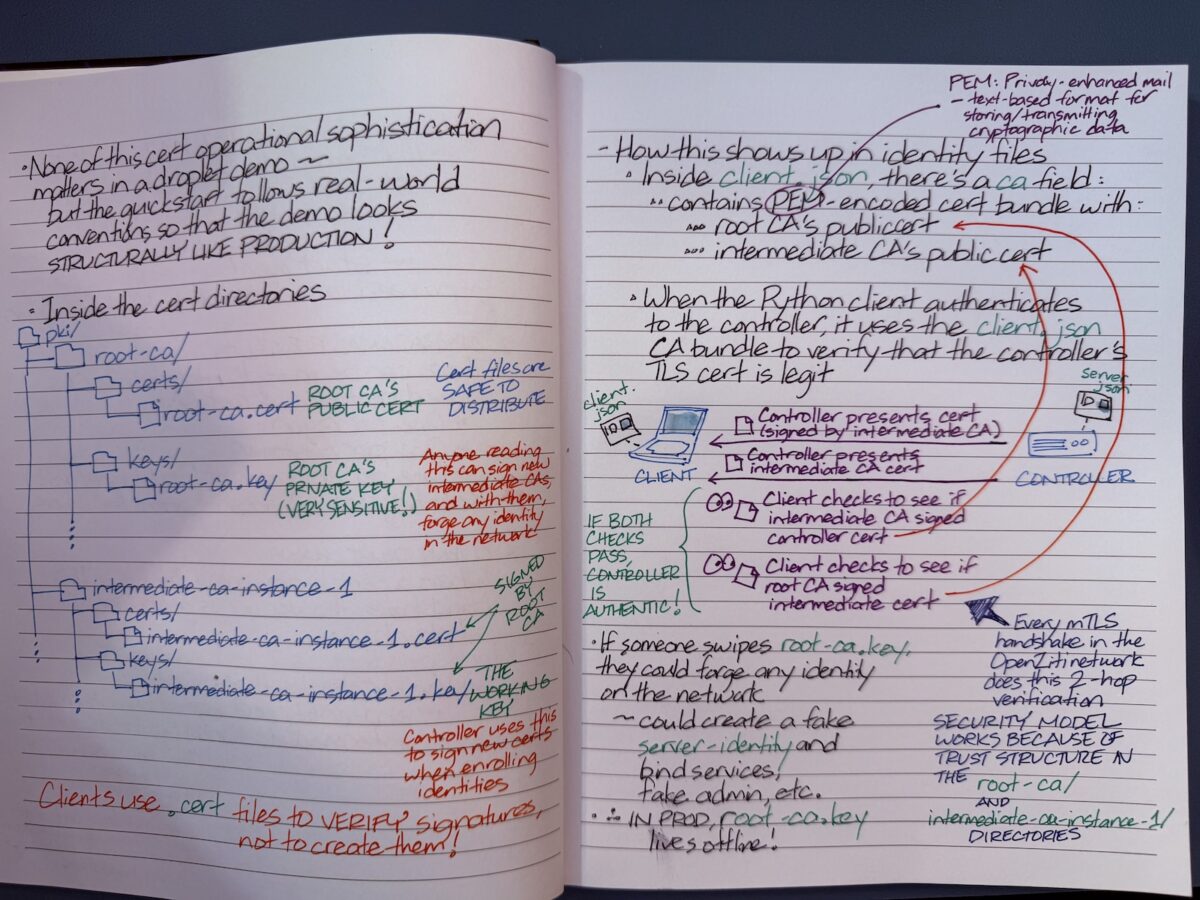
For the curious, here are my notes for an upcoming Ziti TV episode where we’ll be talking about what’s in the OpenZiti Quickstart.
OpenZiti Quickstart is a single command (ziti edge quickstart) that launches a complete, working OpenZiti network a few seconds. It does a lot behind the scenes, by
creating a fresh certificate authority hierarchy,
initializing a controller database,
creating and enrolling a router identity,
bootstrapping an admin user,
and starting both the controller and router as a single running process.
It does all this with sensible default policies already in place, which means identities can immediately connect through the router to any service.
As its name implies, the Quickstart is meant to get an OpenZiti zero trust network up and running is very short order, and it’s meant for demos, local development, and learning the platform. It has everything a production deployment would spread across multiple processes, machines, and days of setup, but it’s packed into a single instance that you can tear down and re-run whenever you want.
Simply put, it’s the fastest path from zero to a working network you can actually build against.
As for the question of why I go with handwritten notes: it’s easier to add diagrams, and I end up understanding and retaining things better.



 But behind the joke was an important idea: every boxer gets hit. What makes a champ isn’t never getting punched; it’s being able to take the punch and stay on your feet. Security works the same way. Sooner or later, one of your credentials is going to end up in the wrong hands, whether it’s through a phished password, a leaked API key, or a token that got copied out of a log file. Back then, planning on getting pwned was a punchline. These days, it’s a design principle, and it’s exactly where Galeal starts.