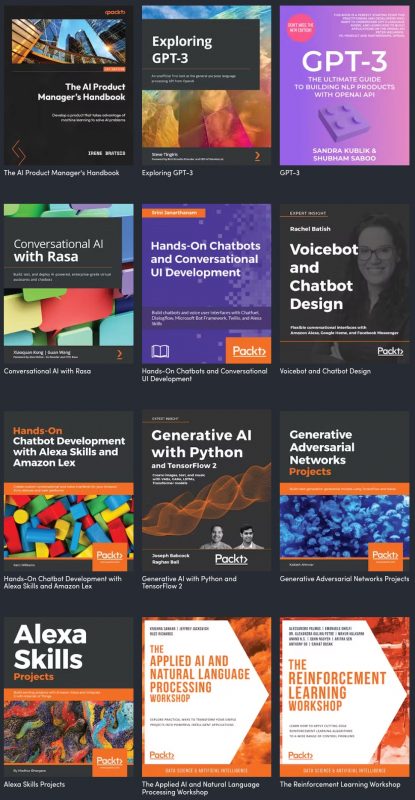
The “Ultimate Guide to ChatGPT & AI Chat Bots” bundle
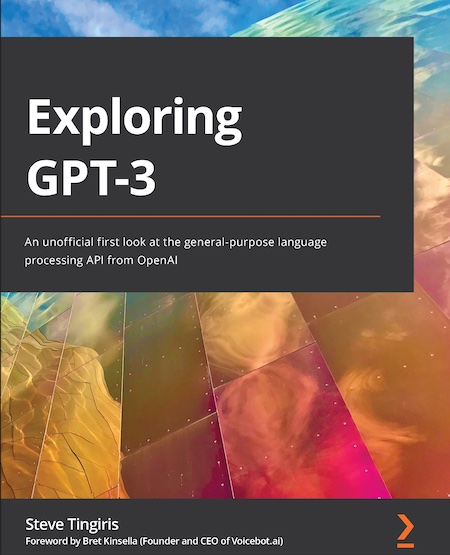
How did I not know this book existed?Exploring GPT-3, published by Packt and written by Tampa Bay’s own Steve Tingiris, is a great introduction to GPT-3 and natural language processing that doesn’t require you to have a technical background. All you need are basic computer skills to try out the exercises in this book.
Exploring GPT-3 is but one of twelve books, shown below…
🚨 At the time of writing, this Humble Bundle will expire in 17 days.
The “Machine Learning and AI: Zero to Hero” bundle
Also worth checking out: the Machine Learning and AI: Zero to Hero Humble Bundle, which gives you 21 courses from Packt on various aspects of ML and AI:
🚨 At the time of writing, this Humble Bundle will expire in 13 days.
It’s been my experience that some of the most important things I’ve learned and all the connections I’ve made at conferences didn’t happen at the presentations. Instead, they happened between presentations — in the hallways, lounges, lunches, and social gatherings, where I had the chance to chat with the speakers, organizers, and the other attendees. This observation is so common that it’s given rise to “unconferences” like BarCamp, whose purpose is to invert the order of things so that the conference is more “hallway” than “lecture theatre”.
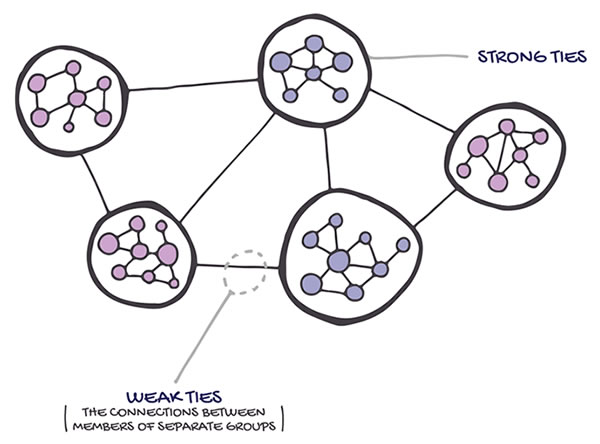
It’s especially important to talk to people you don’t know or who are outside your usual circle. Books like The Tipping Point classify acquaintances with such people as “weak ties”. Don’t let the word “weak” make you think they’re unimportant. As people outside your usual circle, they have access to a lot of information, people, and opportunities that you don’t. That’s why most people get jobs through someone they know, and of those cases, most of the references came from a weak tie. The sorts of opportunities that come about because of this sort of relationship led sociologist Mark Granovetter to coin the phrase “the strength of weak ties”.
The best way to make weak ties at a conference is to work the room. If the phrase sounds like sleazy marketing-speak and fills your head with images of popped collars and wearing too much body spray, relax. Working the room means being an active participant in a social event and contributing to it so that it’s better for both you and everyone else. Think of it as good social citizenship.
If you’re unsure of how to work the room, I’ve got some tips that you might find handy…
Have a one-line self-introduction
A one-line self-introduction is simply a single-sentence way of introducing yourself to people you meet at a conference. It’s more than likely that you won’t know more than a handful of attendees and introducing yourself over and over again, during the conference, as well as its post-session party events. It’s a trick that Susan RoAne, room-working expert and author of How to Work a Room: The Ultimate Guide to Making Lasting Connections In-Person and Online teaches, and it works. It’s pretty simple:
Keep it short — no longer than 10 seconds, and shorter if possible. It’s not your life story, but a pleasantry that also gives people just a little bit about who you are.
Make it fit. It should give people a hint of the cool stuff that you do (or, if you’re slogging it out in the hopes of doing cool stuff someday, the cool stuff that you intend to do.)
Show your benefits. Rather than simply give them your job title, tell them about a benefit that your work provides in a way that invites people to find out more. Susan RoAne likes to tell a story about someone she met whose one-liner was “I help rich people sleep at night”. That’s more interesting than “I’m a financial analyst”.
You’ll probably see a group of people already engaged in a conversation. If this is your nightmare…
Click the screenshot to read the Onion article.
…here’s how you handle it:
Pick a lively group of people you’d like to join in conversation. As people who are already in a conversation, they’ve already done some of the work for you. They’re lively, which makes it more likely that they’re open to people joining in. They’ve also picked a topic, which saves you the effort of having to come up with one. It also lets you decide whether or not it interests you. If they’re lively and their topic of conversation interests you, proceed to step 2. If not, go find another group!
Stand on the periphery and look interested. Just do it. This is a conference, and one of the attendees’ goals is to meet people. Smile. Pipe in if you have something to contribute; people here are pretty cool about that.
When acknowledged, step into the group. You’re in like Flynn! Step in confidently and introduce yourself. If you’ve got that one-line summary of who you are that I talked about earlier, now’s the time to use it.
Don’t force a change of subject. You’ve just joined the convo, and you’re not campaigning. Contribute, and let the subject changes come naturally.
Feel free to join me in at any conversational circle I’m in! I always keep an eye on the periphery for people who want to join in, and I’ll invite them.
More tips
Here’s more advice on how to work the room:
Listen! Yes, you’re there to talk, but so is everyone else. Make sure you listen to other people in the circle as they speak, and ask questions, too! One of the reasons you go to PyCon is to get exposed to new ideas. As I said earlier, learning goes beyond the talks. Try to learn three new things at every event.
Be more of a host and less of a guest. No, you don’t have to worry about scheduling or if the coffee urns are full. By “being a host”, I mean doing some of things that hosts do, such as introducing people, saying “hello” to wallflowers and generally making people feel more comfortable. Being graceful to everyone is not only good karma, but it’s a good way to promote yourself. It worked out really well for me; for example, I came to the first DemoCamp (a regular Toronto tech event back in the 2000s) as a guest, but by the third one, I was one of the people officially hosting the event.
Beware of “rock piles”. Rock piles are groups of people huddled together in a closed formation. It sends the signal “go away”. If you find yourself in one, try to position yourself to open up the formation.
Beware of “hotboxing”. I’ve heard this term used in counter-culture settings, but in this case “hotboxing” means to square your shoulders front-and-center to the person you’re talking to. It’s a one-on-one version of the rock pile, and it excludes others from joining in. Once again, the cure for hotboxing is to change where you’re standing to allow more people to join in.
Put your stuff down. Carrying your bag or other stuff is a non-verbal cue that you’re about to leave. If you’re going to stay and chat, put them down. When you’re about to leave, take your stuff and start saying your goodbyes.
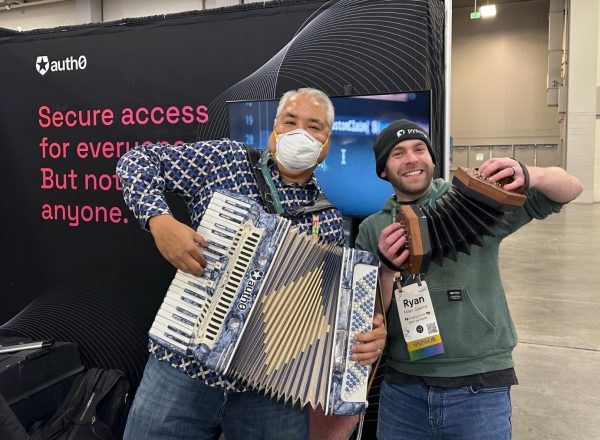
Show and tell. Nothing attracts our eyes like shiny, whether it’s an interesting pieces of tech, a new book, a new t-shirt you’re fond of, or even some local knowledge, such a new restaurant, cafe, or bar that just opened. It’s why I carry my accordion around; I think of it as a device that converts curiosity into opportunity (and music as well). Got an interesting thing or idea? Got a neat project that you’ve been working on? Whatever it is, park yourself someplace comfortable in the hallway, show it off and start a conversation!
Save the email, tweets and texts for later, unless they’re important.They’ll draw your attention away from the room and also send the message “go away”.
Mentor. If you’ve got skills in a specific area, share your knowledge. Larry Chiang from GigaOm says that “It transitions nicely from the what-do-you-do-for-work question. It also adds some substance to party conversations and clearly brands you as a person.”
Play “conversation bingo”. If there are certain topics that you’d like to learn about or people you’d like to have a conversation with, put them in a list (mental, electronic or paper) of “bingo” words. As you converse at the conference, cross off any of those topics that you cover off the list. This trick forces you to become a more active listener and will help you towards your learning goals. Yelling “BINGO!” when you’ve crossed the last item on the list can be done at your discretion.
I’ll fly to Salt Lake City on Thursday to set up the booth for Auth0 by Okta at PyCon US 2023, and I’ll be doing demos, answering questions, and playing the accordion in the expo hall on Friday, Saturday, and Sunday!
Drop by the Auth0 booth and check out what we’ve got, which includes the Badger 2040 e-badge, a nifty combination of Python (which we at Auth0 love) and identity (which is Auth0’s business)!
Join us! I’m ready to talk about all sorts of topics, including:
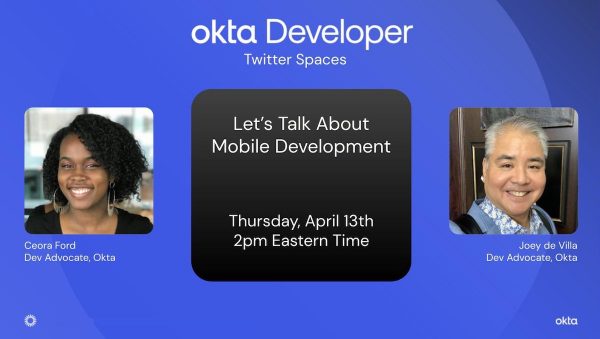
How I got started with mobile development, and how you can get started
The differences between native iOS, native Android, and cross-platform mobile development tools such as Flutter and React Native, and choosing among them
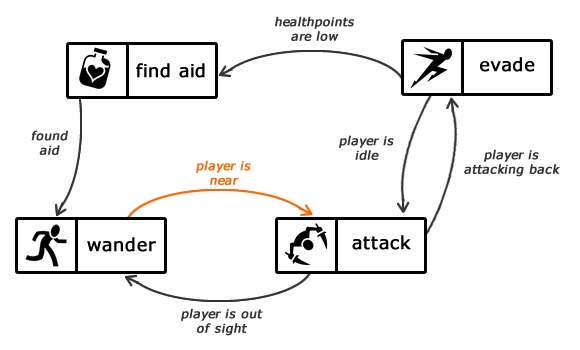
See that diagram above? That’s a state machine (or more specifically, a finite state machine), which is a model of a program’s behavior. This state machine describes the behavior of an enemy non-player character in a game. Each “box” in the diagram is a state (the status of the program) and each arrow connecting two states is a transition (a change from one state to another). The italicized text for each transition is an input (some change in conditions) that causes the transition to happen.
Want to get a head start on the artificial intelligence wave? Among other things, you’ll need to get a solid understanding of Python and machine learning, and the $10 level of Humble Bundle’s “Cookbooks for Coders” bundle has three great books to get you started:
Plus, you get seven other books covering a number of topics. I personally would benefit from the React, PowerShell, Raspberry Pi, and Regular Expression cookbooks.
I love the “cookbook” format, since it lives in the space between reference books, which are often too dry and provide no usage examples, and tutorials, which can often be a little too directed at solving one problem. Cookbooks give you just enough information to learn how to use a particular language or framework feature so that you can apply that knowledge to solving your particular problem or building the app that you have in mind. I find that I learn the most about a language or framework when I use material from cookbooks and other people’s code in building my own application ideas.
The “Cookbooks for Coders” Humble Bundle is available for another 13 days at the time of this writing. For ten dollars, it’s a pretty sweet deal. I’ve already picked it up, and if you want to get in on some of the machine learning opportunities that are already coming in fast and furious, you should too!
The 5th annual Python Web Conf— an online conference for mid-level to advanced Python developers — takes place next week, from Monday, March 13th through Friday, March 17th. Not only is Auth0 by Okta (where I work) one of the sponsors, but I’ll be in attendance!
Jess Temporal.
My teammate, Jessica Temporal, will deliver one of the keynotes on Monday, March 13th at 1:00 p.m. EDT (UTC-4, and yes, we’ll have just moved to Daylight Saving Time). Her keynote is titled Go With the Flow, and it’s about authentication and authorization flows, which happens to be something that we in Okta and Auth0 are pretty good at.
Juan Cruz Martinez and I will also be in attendance and available for chats throughout each conference day and during the Zoom Breakout Rooms sessions at the end of each of days 1 through 4 — Monday, March 13th through Thursday, March 16th.
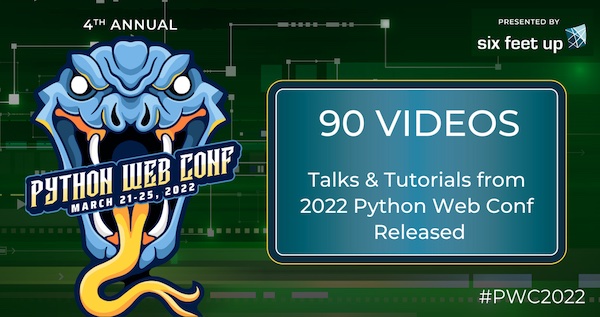
Want to find out more about Python Web Conf 2023?How about checking out these 90 videos from Python Web Conf 2022? You’ll find all sorts of topics covered, from the nuts and bolts of the Python programming language, libraries, and tools, but also subjects such as CI/CD, data science, machine learning, better processes, writing documentation, and how to be a better programmer.
As for this year’s conference, Python Web Conf 2023 has 5 tracks:
US$199 if you’d like to attend live, be able to join tutorial sessions, partake int he online social events and have exclusive access to the recordings for 90 days.
US$100 if you only want post-conference videos available to you for 90 days after the event.
There’s also a grant program if you need assistance.
Videos of the sessions will be posted publicaly on YouTube following the 90-day period.