presentations

Dan Pink on What Motivates Us

by Joey deVilla on May 25, 2010

Here’s a great movie which takes the audio from a presentation by Dan Pink based on the research for his latest book, Drive: The Surprising Truth About What Motivates Us and augments it with video of a whiteboard cartoonist illustrating what Pink is talking about. I have no idea how long it took to film the illustration sequences, but I love the end result – I think it makes for better internet viewing of a presentation than simply watching a video of the presenter on the podium, even when accompanied by slides.

The movie covers the part of Pink’s presentation that talks about an experiment to determine whether higher pay led to better performance. The results:

  • For turnkey, mechanical, just-follow-the-instructions tasks, larger rewards do lead to better performance.
  • For tasks that call for cognitive skills, conceptual and creative thinking — even at a rudimentary level — larger rewards did the opposite: they led to poorer performance.

The sort of work we do calls for cognitive crunching certainly falls into the latter category – as Andy “Pragmatic Programmer” Hunt says, making software is one of the hardest thing humans do.

Money is a motivator, but when it comes to people who do the sort of work we do, it requires more than just money to motivation. Pink’s recommendation is to pay people enough so that they’re not thinking about money, but thinking about their work instead. Once you’ve done that, there are three factors that lead to better satisfaction and performance:

  1. Autonomy: The desire to be self-directed, to direct our own lives
  2. Mastery: The urge to get better at stuff
  3. Purpose: The reason we do something

In the end, what Pink suggests is that if we treat people not like “smaller, better-smelling horses” with carrot-and-stick incentives but like people and set up the appropriate motivations, we’ll make our work and the world a little bit better.

If you enjoyed this portion of Pink’s presentation and want to see the whole 40-ish minutes, I present it below. Enjoy!

If Pink’s name rings a bell, it’s probably because you’ve heard of his other books, A Whole New Mind and the manga career guide Johnny Bunko.

This article also appears in Canadian Developer Connection.

{ 4 comments }

PowerPoint is NOT the Enemy

by Joey deVilla on April 29, 2010

The “tl;dr” Version (or: “The Executive Summary”)

High-ranking officers in the U.S. military say that PowerPoint makes them dumb. I say that their reliance on technology for technology’s sake makes them dumb. I make use of an episode of The Office to illustrate my point and the Milliennium Challenge war games exercise as evidence. I then wrap up the article with some suggestions on how best to use PowerPoint (or Keynote, or any other slideware).

The U.S. Military vs. PowerPoint

The U.S. military's complex "Afghanistan Stability/COIN Dynamics" slide

“When we understand that slide, we have won the war,” said General Stanley A. McChrystal, the leader of American and NATO forces in Afghanistan, about the slide above.

This slide appears not only in a PowerPoint deck meant to illustrate the complexity of American military strategy, but also in a New York Times article titled We Have Met the Enemy and He is PowerPoint. Here’s an excerpt:

“PowerPoint makes us stupid,” Gen. James N. Mattis of the Marine Corps, the Joint Forces commander, said this month at a military conference in North Carolina. (He spoke without PowerPoint.) Brig. Gen. H. R. McMaster, who banned PowerPoint presentations when he led the successful effort to secure the northern Iraqi city of Tal Afar in 2005, followed up at the same conference by likening PowerPoint to an internal threat.

“It’s dangerous because it can create the illusion of understanding and the illusion of control,” General McMaster said in a telephone interview afterward. “Some problems in the world are not bullet-izable.”

In General McMaster’s view, PowerPoint’s worst offense is not a chart like the spaghetti graphic, which was first uncovered by NBC’s Richard Engel, but rigid lists of bullet points (in, say, a presentation on a conflict’s causes) that take no account of interconnected political, economic and ethnic forces. “If you divorce war from all of that, it becomes a targeting exercise,” General McMaster said.

Commanders say that behind all the PowerPoint jokes are serious concerns that the program stifles discussion, critical thinking and thoughtful decision-making.

That’s right, what’s hurting the military is not the complexity of its mission (which the slide above was meant to illustrate), an amorphous, distributed opponent, the lack of an exit strategy, the faulty intelligence, the bad assumptions (“We’ll be welcomed as liberators!”) or equipment issues (“You fight with the army you have, not the army you want”); it’s PowerPoint.

As a techie who does a lot of presentations, I’m aware of the ways that PowerPoint can be abused, but I think that in this case, I believe that this is a case of a bad workman blaming his tools.

PEBGAC (Problem Exists Between GPS And Chair)

Michael Scott from "The Office"

I’m taking a risk by comparing the commanders of the U.S. military to Michael Scott, the clueless boss from the U.S. edition of The Office, but there’s a parallel.

The episode that best epitomizes Michael’s loathing of and failure to understand technology is Dunder Mifflin Infinity, the one where Michael decides that the best way to win back customers that Dunder Mifflin lost to the competition is by by hand-delivering gift baskets to them. This is in contrast to the ideas of his new boss, Ryan (the former temp), who wants to use technology – Blackberries, email, a sales website and yes, PowerPoint – to boost the company’s sales.

After a day of failing to win back former customers with the gift baskets, Michael misinterprets his GPS’ instructions and drives his car straight into a lake. When they return to the office, Michael announces to everyone:

I drove my [bleep] car into a lake. Why, you may ask did I do this?  Well, because of a machine (looks at Ryan). A machine told me to drive into a lake. And I did it. I did it because I trusted Ryan’s precious technology.

At the end of the episode, in one of those segments where the characters talks to the documentary crew following them, Michael says:

Everyone always wants new things. Everybody likes new inventions, new technology. People will never be replaced by machines. In the end, life and business are about human connections. And computers are about trying to murder you in a lake. And to me the choice is easy.

General McChrystal’s blaming PowerPoint sounds a lot like Michael’s blaming his GPS.

At this point, you might be thinking “Well, Joey, that’s fine and dandy for you to cite a fictitious example of blind reliance on technology by a fictitious character who is a buffoon, but how about citing something real, related to the military and featuring competent people?”

To which I would reply: “Very well, then.”

Millennium Challenge

The control room at Millennium Challenge

The U.S. military got an object lesson about their overreliance on technology for its own sake when they got pantsed in a war games exercise named Millennium Challenge. The exercise took place in the summer of 2002, in that period just after 9/11 when the Bush administration was seriously contemplating an attack on Iraq as the next phase in the War on Terror. To test their military capability and their high-tech approach of “network-centric warfare”, which included vast computer systems for tracking and gathering information on the battlefield, the U.S. armed forces staged the largest war game, using a combination of computer-simulated and real-life forces (including 13,000 real troops and a small set of real warships and planes), at the cost of $250 million.

The exercise featured two teams:

  • Blue Team: The good guys, representing the United States, who were in possession of an array of advanced vehicles, weapons and technology
  • Red Team: A rogue Middle Eastern state with the sort of arsenal that one would expect a banana republic-ish oil state to have

By rights, Blue Team should’ve easily trounced Red Team, but Red Team was under the command of Lieutenant General Paul van Riper, a marine and Vietnam vet with a keen tactical sense and an almost MacGyver-like ability to make the best use of limited resources. He confounded Blue Team by using unorthodox tactics:

  • Knowing that Blue Team would be monitoring radio chatter, he used messages encoded in calls to prayer that were broadcast from the minarets of mosques and carried by couriers on motorcycle.
  • He gave launch orders to planes not by radio, but by using a simple set of signalling lights, not unlike those used by the U.S. in World War II.
  • He positioned innocent-looking civilian aircraft and boats in the Persian Gulf which were first used to locate Blue Team’s ships and then to destroy them, either in suicide attacks or by using them as launching points for Silkworm cruise missiles.

At the end of the skirmish, Blue Team was badly hit, with 16 ships either destroyed or disabled and 20,000 dead personnel. Blue Team may have had the technology, but their overreliance on it had cost them the battle, and possibly the war.

In spite of this defeat, Blue Team was declared the winner. Using the excuse that “such tactics would never be used in real life”, the war game was reset, the sunken ships re-floated and the troops resurrected. The exercise was conducted anew, this time with many constraints put on the Red Team that essentially mandated that the Blue Team would win. Van Riper, frustrated with the “scripting”, quit after four days under the new rules of engagement, and later said:

Nothing was learned from this. A culture not willing to think hard and test itself does not augur well for the future.

A phrase I heard over and over was: ‘That would never have happened,’ And I said: nobody would have thought that anyone would fly an airliner into the World Trade Center… but nobody seemed interested.

There’s very little intellectual activity [in Joint Forces Command]. What happens is a number of people are put into a room, given some sort of a slogan and told to write to the slogan. That’s not the way to generate new ideas.

Blue Team had advanced technology, vehicles and weaponry, and those advantages gave them a false sense of understanding of the situation and a false sense of control. Just as they made a mistake-in-the-large wand refuse to see the error of their ways in Millennium Challenge, they are making a mistake-in-the-small and refuse to see the error of their ways with PowerPoint. It’s far easier to blame something else, whether it’s General Van Riper or presentation software.

Drunks and Lampposts

"Hangover Pete" -- a toy drunk leaning against a lamppost

The U.S. military’s PowerPoint problem is that same problem that a lot of civilian organizations, Microsoft included, have. It’s that they’re misusing PowerPoint in the same way that drunks misuse lampposts: as a crutch, rather than as a source of illumination. Instead of coming up with ideas and then illustrating them with PowerPoint, they’re taking random bits of knowledge, fitting them onto slides and then hoping that ideas will coalesce from them.

PowerPoint comes jam-packed with features that make it easy to fill up empty slides or spend time working on the appearance rather than the content of your presentation. Bulleted lists, which are practically PowerPoint’s default mode, make it too easy to turn your slides into cue cards that you read aloud to your audience. SmartArt makes it incredibly easy to arrange words into flowcharts and diagrams – so easy that people often end up tweaking those flowcharts and diagrams rather than the ideas behind them. Transitions make it easy to provide some razzle-dazzle to cover up the fact that your slides are bereft of content.

The problem caused by these features isn’t unique to PowerPoint. “Style Over Substance” is a trick that’s as old as human communication itself, and there are other tools that lead to the same problem:

  • Word processors: In his book Counterblast, Marshall McLuhan wrote that the typewriter changed writing. The increased speed it offered led to less-planned, more stream-of-consciousness writing; the additional speed and added fluidity of cut-and-paste that word processing provides amplifies that effect. The control over formatting that word processing offers has led many people to spend more time working on the appearance of their documents instead of the content.
  • Graphic design: Photoshop and Illustrator have taken a lot of the “friction” out of graphic design, which leads many people to skip the “rough sketch” phase of graphic design and leap straight to working on the final image. As with PowerPoint and word processing, the control they offer often leads people to focus on the tool rather than the work they are trying to create with it.
  • Music: The ease with which something polished-sounding can be created has drained musicality from today’s pop tunes. These days, it’s not unusual to hear a tune that’s essentially a single chord built on a one-bar loop. Many producers of hit singles – it’s a bit of a stretch to call them “musicians” – spend more time tweaking the sounds rather than crafting a melody. And don’t get me started on the lyrics.
  • Movies and television: As hokey as they were, the Star Wars episodes created in the late 1970s and early 1980s, episodes IV, V and VI, had memorable stories and characters. The trilogy made in the late 1990s and 2000s is a pale shadow of the original because they were too focused on CGI and special effects to make interesting characters or put some effort into storytelling.
  • Software: Tools that let programmers build user interfaces through dragging and dropping have long been blamed for the dumbing-down of programming. While it isn’t necessarily so, I’ve seen that these programs enable many mediocre programmers to create something that looks reasonably polished on the surface and other programmers to spend more time tweaking the look and feel instead of the underlying code.

Avoiding the U.S. Military’s PowerPoint Mistakes

Focus on the Presentation Rather than the Slides

PowerPoint make it easy to create slides. The problem with that it that it leads people to focus solely on the slides. As a result, they think that making a presentation is simply about making the slides, and once that’s done, they’re done. Not so.

The act of you presenting ideas to your audience is the presentation; the slides are there to provide the visual component. You should consider the following:

  • What should the audience take away from your presentation? What’s the one thing your audience should remember long after the presentation is over?
  • Use slides for conveying visual information. That’s what they’re for. Use graphs to provide context and meaning for statistics. Use pictures so that the audience can see what you’re talking about. Use flowcharts to make complex processes easier to understand.
  • Use slides as a means of underlining what you’re saying. Rather than showing the audience a slide and then explaining what’s on that slide, use your explanation as the basis and use the slide as an enhancement. A great example of this is the “The Word” segment on the Colbert Report.
  • Harness the power of stories. Stories resonate with people. Instead of using slides, why not explain your ideas using an illustrative story?
  • Show, don’t tell. At DemoCamp, we forbid people who are presenting their software project from using PowerPoint or other slideware. Instead, we insist that the only thing they’re allowed to show on the big screen is their software in action because we feel it’s a better way to do a software presentation. In the EnergizeIT tour that we just conducted in 21 cities across Canada, we did a presentation that had almost no PowerPoint – it was all demos with live code and data, and audiences loved it. Perhaps your presentation would be better served with a demonstration rather than slides.
  • Remember the adage “I hear, I forget. I see, I remember. I do, I understand.” Rather than telling a story or showing some slides, is there some kind of exercise you can make your audience participate in so that they will understand the ideas you’re trying to convey?

Plan with Pencil and Paper

Modern tools offer so many features and shiny buttons that it’s easy to get lost in their features and focus on the tools rather than the work you’re trying to create with the tools. It’s like being an astronomer who’s endlessly fascinated with telescopes; you forget that it’s about what’s in space.

The next time you have to make a presentation, don’t dive straight into PowerPoint. Instead, break out some paper and a pencil and use them to plan your presentation. Pencil and paper are so simple that there’s very little to distract you from the ideas you’re trying to convey. You’ll concentrate more on your presentation and less on the tools.

Break Away from Bullet Points

We’ve all suffered through presentations that are nothing but decks of slides that are simply bullet point lists. Bullet points turn slides into cue cards, and the are few presentation sins worse than reading bullet point slides to an audience. Stop doing that!

Bullet points are far better used for notes or to enhance the readability of an essay than on a slide. Putting bullet points in your speaker notes is fine, but take them off your slides. Rather than make a slide with bullet points, try making a slide for each bullet point instead, and try using a graphic rather than text for each “slide point”.

The Presentation Deck and the Take-Home Deck

“You’ve got to put bullet point lists on your slides,” I’ve been told many times, “otherwise the deck won’t make any sense to people reading it later!” I understand the reasoning behind this, but I don’t think that’s the solution.

Unfortunately, the best solution I can think of means more work. My approach is, where possible, to produce two versions of a deck:

  • The Presentation Version, which I use when making the presentation. It’s light on text and bullet point lists because I’m there, doing the actual presenting rather than letting the deck do it for me.
  • The Take-Home Version, which people can read later. It’s heavier on text and bullet point lists because I’m not there to do the presentation; in that situation, it’s just the reader and the deck.

Learn from These Resources

This article also appears in Canadian Developer Connection.
{ 3 comments }

image

If you’re wondering what’s new in Visual Studio 2010, you’re going to want to catch these sessions taking place in March. You’ll get a grand tour of all the new capabilities as well as the new MSDN offerings that come with the new Visual Studio.

The “What’s New” sessions are taking place in these cities:

City Date Invitation Key
Edmonton Monday, March 1 8ACE98
Calgary Tuesday, March 2 9FA90A
St. John’s, Newfoundland Tuesday, March 2 C89B02
Mississauga Thursday, March 4 5A1CB4
Quebec City Tuesday, March 9 1C5C3C


Here’s the event schedule:

  • Registration & Breakfast
    8:30 a.m. – 9:00 a.m.
  • Event Opening Ceremonies
    9:00 a.m. – 9:10 a.m.
  • Live technical demonstration:
    What’s new with Visual Studio Team System 2010
    9:10 a.m. – 11:00 a.m.
  • Q&A
    11:00 a.m. – 11:20 a.m.
  • Event close / completion of evaluation form
    11:20 a.m. – 11:30 a.m.

If you’d like to attend one of these sessions, select the Invitation Key from the city whose session you want to attend and enter it on the Registration page.

This article also appears in Canadian Developer Connection.

{ 0 comments }

cusec 2009 logoMicrosoft was a sponsor of CUSEC last year – that’s Canadian University Software Engineering Conference, the premier conference on building software aimed specifically at students. One of the perks of sponsorship was a “corporate speaker” slot, and it was decided that the presentation should be given it to the then-new guy…namely, me.

At the time I got slotted in as the speaker, I’d barely been a Microsoft employee for two months and was still feeling my way around both the company and its technology. By the time I would stand on the podium, I would have just passed my three-month probationary period. If I was going give a talk for forty-five minutes, it would have to be something other than “what it’s like to work at The Empire”.

Luckily, I did have something to talk about: a not-quite-normal career in tech, and the lessons I picked up along the way. The end result was a presentation titled Squeezeboxes, Start-Ups and Selling Out: A Tech Evangelist’s Story (yes, it’s a bombastic title, but it’s the sort of thing you’d expect from a guy whose personal blog’s name is The Adventures of Accordion Guy in the 21st Century.)

The presentation was scheduled for the end of Day 2 (it’s a three-day conference), which is a challenge. The audience would be tired and being students, they were likely to be more focused on the big drinkfest that would take place that evening. I decided to go for “offbeat” and built my presentation around the abstract I gave to them, which was:

You’ll spend anywhere from a third to half (or more) of your waking life at work, so why not enjoy it? That’s the philosophy of Microsoft Developer Evangelist Joey deVilla, who’s had fun while paying the rent. He’ll talk about his career path, which includes coding in cafes, getting hired through your blog, learning Python at Burning Man, messy office romances, go-go dancing, leading an office coup against his manager, interviewing at a porn company and using his accordion to make a Microsoft Vice President run away in fear. There will be stories, career advice and yes, a rock and roll accordion number or two.

They recorded my session and unleashed it on the world yesterday. I share it with you below:

If you watched the video, you’ll note that I skipped a couple of stories, namely “learning Python at Burning Man”, “messy office romances”, “go-go dancing” and making a Microsoft Vice President run away in fear. I’ll save those for another presentation. (By the bye, the guy I made run away is a President now.)

I had a blast doing this presentation, and the general consensus of the attendees was that it was one of the highlights of the conference. I’m honoured that I was invited back to host DemoCamp, and look forward to chatting with everyone. See you in Montreal!

This article also appears in Canadian Developer Connection.

{ 2 comments }

Attention Kitchener-Waterloo residents: Better Application Lifecycle Management with Microsoft Visual Studio 2010, presented by Dave Lloyd

If you’re in the Kitchener-Waterloo area and want to know more about Visual Studio 2010, you should check out the Visual Studio 2010 presentation by ObjectSharp and Microsoft on the morning of Thursday, January 21st.

Dave Lloyd of ObjectSharp will walk you through the goodies in the upcoming Visual Studio 2010 and how they can help you and your team with all those things you do in your day-to-day development, from collaboration to architecture to prototyping to testing and debugging.

You’ll also learn about the Ultimate Offer, which is a great way to level up your Visual Studio licence and MSDN subscription levels. This offer won’t be around forever!

This event is free-as-in-beer to attend; all you have to do is register. I’ve provided the details below:

How do I sign up for the event? Register here and enter this invitation key when prompted:

DEAA69

When is the event? Thursday, January 21st, 2010.
Registration takes place from
9:00 – 9:30 a.m.
Presentation takes place from
9:30 a.m. – 11:30 a.m.

Includes a continental breakfast buffet

Where is the event? St. George Hall
655 King Street North
Hall #2
Waterloo, Ontario

There’s free parking at the event in the lot just off King Street.


This article also appears in Canadian Developer Connection.
{ 0 comments }

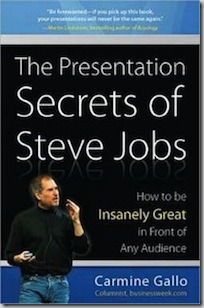
The Presentation Secrets of Steve Jobs

by Joey deVilla on December 31, 2009

If you’re a regular reader of this blog, the odds are better than even that you either make presentations or will do so eventually. That’s why, from time to time, I’ll point you to some resources for public speaking and presentations, here on Global Nerdy.

presentation secrets of steve jobs

One good resource is Carmine Gallo’s book, The Presentation Secrets of Steve Jobs, in which the author examines Steve Jobs’ legendary keynote presentations – Stevenotes – and distills helpful lessons on how to be a more effective presenter. For a taste of the book, here’s a SlideShare presentation that sums up its big ideas:

There’s a lot of presenting in my line of work. In fact, it’s a personal requirement for me. In the past, I’ve turned down higher-paying jobs because they didn’t involve presenting, blogging o’r any other public-facing activity. Maintaining and improving my presentation skills is just as important as maintaining and improving my technical skills (and yes, I still write code quite regularly), so you’ll find me polishing my communications technique quite often. As I read, learn, practice and present, I’ll share what knowledge I pick up along the way, so as I often write: watch this space!

{ 1 comment }

Damian Conway

Although I’m not a terribly big fan of the Perl programming language, I am a big fan of one of its best-known contributors and advocates, Damian Conway. There’s nothing quite like a Damian Conway presentation, which is equal parts pop culture, deep science, software engineering and Monty Python’s Flying Circus. I make it a point to see him whenever he comes to Toronto, and that’s happening next Monday, July 27th to the Bahen Centre for Information Technology at University of Toronto to give another amusing, enlightening and most importantly, free talk. This one’s called The Missing Link, and here’s the abstract:

What do:

  • watching trees grow,
  • debugging debuggers,
  • Greek mythology,
  • code that writes code that writes code that writes code,
  • the hazards of LaTeX, successful failures,
  • the treacherous Vorta,
  • objective syntax,
  • anti-stacks,
  • Danish mind-control,
  • active null statements,
  • synthetic standup,
  • and the prospect of certain death

…all have in common?           

Watch as Damian Conway weaves them together into a new and improbably useful module that demonstrates the awesome power and beauty of Perl 5.10.

Even if you’ll never write a line of Perl in your life (which, IMHO, isn’t necessarily a bad thing), you’d do well to catch a Damian Conway presentation. His guided tours of his way-out-in-left-field thinking about life, the universe, programming and everything will turn your brain upside down, give you some good laughs, make you think about coding differently and might even make you a better developer.

Once again, the details:

  • When: Monday, July 27th at 7:00 p.m.
  • Where: Bahen Centre, University of Toronto (40 St. George Street), room 1160 (the major lecture theatre on the ground floor)
  • How much? Free!

Show up early to make sure you get a good seat. I’ll see you there!

{ 4 comments }

"Silver Thunder" parody poster for "Silverlight on the Silver Screen"

Don’t forget that Silverlight on the Silver Screen, ObjectSharp’s free seminar on Silverlight 3, Expression and SketchFlow takes place in Toronto this Thursday at the Scotiabank Theatre. If you’d like to learn more about the rich-UI applications that you can build with Silverlight 3 and Expression and how quickly you can design and prototype user interfaces and interactions using SketchFlow, you’re going to want to catch this event. For more details about this event, see my earlier article on Silverlight on the Silver Screen and the Silverlight on the Silver Screen official site.

{ 0 comments }

Movie theatre with the Silverlight logo projected on the screen

The covers will be coming off our next generation of user experience tools and technologies on July 9th. That’s when Microsoft will be unveiling Silverlight 3, which gives you the all the goodness of RIA (Rich Internet Application, although you can use Silverlight to make desktop apps as well) with out the PITA (Pain In The Anterior regions).

To help promote Silverlight 3, we and our pals at ObjectSharp will be co-hosting Silverlight on the Silver Screen live at the Scotiabank Theatre (259 Richmond Street West, at John Street) in Toronto on the morning of Thursday, July 9th from 9:00 a.m. till noon (and yes, the event is free). The ObjectSharpies are early adopters of SIlverlight and have forgotten more about it than most people will ever learn. As seasoned pros, they’ll share their stories and wisdom about the next-gen version of Silverlight, as well as associated tech such as Expression Blend, SketchFlow and the touch technologies in Windows 7.

Joining them will be my friends from the DPE team, who’ll be there to talk about the opportunities offered by Microsoft’s “UX3” platform – they’re a great way for your development team and business to stand out in the crowd and give your customers a great user experience.

And yes, the accordion might make an appearance.

As I said earlier, the event is free and takes place on the morning of Thursday, July 9th. All you have to do to attend is register at the Silverlight on the Silver Screen page!

Movie poster-style banner for "Silverlight on the Silver Screen"

{ 0 comments }

This article also appears in Canadian Developer Connection.
Canada's Next Top Model (moose) View (Lake Louise) Controller (beaver)

If you’re going to be in the area of downtown Toronto next Thursday, May 28th, you might want to check out my presentation, Canada’s Next Top Model View Controller at the next Metro Toronto .NET User Group meeting. I’ll be talking about the ASP.NET MVC Framework, Microsoft’s answer to MVC frameworks like Ruby on Rails, Django, CakePHP and Catalyst. As is my stock in trade with presentations, this will be informative, enlightening, entertaining and just might feature a rock and roll accordion performance.

The presentation takes place Thursday, May 28th at 6:00 p.m. at the Manulife Financial Building (200 Bloor Street East, Toronto, between Church and Jarvis – use the entrance on St. Paul Square). Admission for the presentation is free, but you have to register, and as of this writing, only 24 tickets remain.

For more details about the presentation, visit the Metro Toronto .NET user group site.

{ 0 comments }

Here’s the presentation I did at WordCamp Toronto 2009 this weekend, Better Living Through Blogging, in which I talk about how taking up blogging has paid off in all sorts of ways, from relationships to career to even saving my bacon.

Some Notes About the Deck

You’ve probably suffered through presentations whose slides look something like this:

who_am_i

I’m not a big fan of background templates in slides, but at least this one (from one of the themes provided in PowerPoint 2007) isn’t so bad. There are worse themes I could’ve picked, such as this one:

purple_theme

That’s just downright ugly.

I find that a plain black background with white text works best. The plain black background is simple, doesn’t interfere with or overpower your content, and works well with all sorts of room sizes, lighting conditions, projector types, projection surfaces and so on.

Whenever possible, I avoid putting the company logo at the bottom of every slide. It’s not a fight I’m always going to win, but I do my best to convince the guardians of corporate identity that the audience won’t forget the company name if we don’t beat the audience’s head with it on every slide. I think that it detracts from the presentation by drawing attention away from the content; I think that it also reeks of branding desperation. I think it’s enough to show the logo at the start and end.

Your slides are not cue cards. The purpose of standing in front of an audience is not to read aloud a document written in point form. You’re there not only to communicate an idea, but to engage the people in the room as well; the slides are there as support. That’s why slide presentation software has “presenter mode”, where the slides are displayed on the projector and your notes are displayed on your laptop.

A Little Sample

Here’s what my audience saw instead of the “Who Am I?” slide above. I’ve included a rough paraphrase of what I said along with the slides…

slide_01

“Some of you already know me, some of you think you know me, and some of you are wondering ‘who is this Microsoft Guy and why is he speaking at a WordPress event?’. So I guess a proper introduction is in order.”

slide_02

“Yes, I work for Microsoft. The Empire. I’m still new, having been working there for just over six months. I’ve had a blast so far – it’s a fun place to work, and in my particular job, they give you a wide degree of latitude.”

 slide_03

“As for my job, if I could pick the title, it would be…Sith Lord.”

slide_04

“But the company, being what it is, prefers to give me the slightly less interesting title of Evangelista.”

 slide_05

“Actually, that’s not true. The title is Evangelist. It’s a relatively new kind of job in the big scheme of things, which is a combination of…”

 slide_06

“Super-smart hottie with programming skills and…”

 slide_07

“Dapper, intelligent and quick-witted communicator of ideas. I’m kind of like a marketer. But with a brain. And a soul. [Looking at wincing marketers in the audience] Oh, I kid because I love.”

 slide_08

“The concept of a technology evangelist was pioneered by the The Esteemed Competition over at Apple by Mike Boich, but it was Guy Kawasaki who popularized the position. He’s since gone on to do other tech-related things in Silicon Valley, but a lot of what he does can still be considered to be evangelism.”

 slide_09

“Microsoft also has technology evangelists. The one you probably know is Robert Scoble, who was with the company for three-ish years, and like Guy, although he doesn’t have the title or work for Microsoft anymore, a lot of what he does is still evangelism.”

 slide_10

“And yeah, I know the guy.”

I’d much rather see a presentation done in the style that I used rather than seeing someone simply grind through a deck of items in point form, acting as a narration service.

And Now a Question for the Audience

If I were to post a more detailed version of my presentation online, would you rather have it…

  • in the form shown above, with the slides shown above what I said in text form?
  • as a video, with the slides displayed in the video portion and my voice as the audio?

Let me know.

{ 6 comments }

My “Microsoft: Stop Making Fun of Us” Slide

by Joey deVilla on May 10, 2009

I started my presentation at WordCamp Toronto 2009 yesterday – Better Living Through Blogging — with this slide, which got a lot of laughs. A number of people have requested it, and I’m only too happy to oblige. Here you go: share and enjoy!

"I'm a PC" guy holding a gun pointed at "I'm a Mac" guy: "Microsoft: Stop making fun of us."Click the photo to see it at full size.

The image comes from a Worth1000 Photoshopping contest – here’s the original.

{ 7 comments }

The Empire’s Coming to WordCamp Toronto 2009!

by Joey deVilla on May 2, 2009

Darth Vader in the lineup for Wordcamp 2009

WordCamp Toronto 2009, the Accordion City-based conference dedicated to the WordPress blogging platform (which this blog runs on), takes place next weekend, May 8th through 10th. It’s a three-day, three-track conference with offerings for WordPress users of all types, from those just getting started with blogging to hardcore developers and designers plumbing deep into WordPress’ internals.

This year, a couple of guys from The Empire – whom you might know as Microsoft — will be presenting at WordCamp Toronto. We’ll be giving away all sorts of prizes, too!

Paul Laberge

On Day 1 at 11:00 a.m. – that’s Friday, May 8th – my coworker Paul Laberge will make his presentation, titled Customizing Your Blog on Your Local Windows Box, in which he talks about using Microsoft tools like the Web Platform Installer and Expression Web on your home computer to make the most of your WordPress blog. Here’s his abstract:

Your blog represents your online personality and as such you spend a lot of time making sure the look and feel reflects who you are. While the blog platforms available (such as WordPress) provide you with much of the plumbing for your blog, you still need to tweak it until it looks just right for you. In this session, we’ll show you how you can customize your blog on Windows using the Web Platform Installer and Microsoft’s web design tool called Expression Web, all from your local machine. Oh, and we have giveaways, too.

Day 2 – that’s Saturday, May 9th – Yours Truly will be on at 2:00 p.m. giving my presentation, Better Living Through Blogging, where I suggest that blogging is more than just personal publishing or self-expression; it’s a means to a better life. Here’s my abstract:

I took up blogging at the suggestion of my friend Cory Doctorow when my job responsibilities had been whittled down to five minutes of actual work per day. What started as a way to break out of boredom turned out to be a life-changer: I made many new friends, got a couple of TV appearances, landed a couple of jobs, met my wife and even dodged a bullet. In this presentation, I’ll regale you with stories about how I made my life better through blogging, share what I’ve learned over the past seven years and give you some tips and tricks that I’ve found useful. And yes, there will be prizes and a rock and roll accordion performance, too!

WordCamp Toronto 2009 will be held at The Oasi Restaurant, which bills itself as “Toronto’s new centre of creative gravity.” It’s located at 99 Sudbury Street, a hop skip and a jump away from the Queen/Beaconsfield neighbourhood of the Gladstone and Drake Hotels. Registration is pretty cheap: just CDN$50 for the whole conference; it’s CDN$35 if you’re a student. For more details about WordCamp Toronto 2009, visit their site. I hope to see you there!

{ 2 comments }

Bryan Lunduke’s “Linux Sucks” Presentation

by Joey deVilla on April 29, 2009

Here’s a presentation that’s worth watching, regardless of what operating system you use: it’s Bryan Lunduke’s presentation from Linux Fest Northwest – a Linux conference for “Rebel Scum” deep in the heart of The Empire — and it’s titled Linux Sucks, in which he talks about what needs to be fixed in desktop Linux. His Linux laptop helped prove the point at the beginning of the presentation by stubbornly refusing to display anything on the projector and requiring some guy to noodle with the X configs:

(By the bye, hooking up multiple monitors to a Windows 7 machine is dirt easy. The Windows-P key combo toggles between main monitor-only, other monitor-only, mirrored and “extend desktop” modes. The “Linux laptops and projectors” problem is a common one; I remember gently poking presenters at CUSEC trying to get their Linux laptops to display on the projector with “If you were running Win 7, you’d be done by now.”)

I think that this is an important presentation for developers to watch, whether they develop for Windows or the Esteemed Competition, because all operating systems suck, and it’s our job as developers to make them suck less. Linux on the desktop has all sorts of problems because it’s a free-for-all run but a rag-tag fleet of development shops, but Windows has its own problems stemming from all sorts of things, such as having to maintain some kind of backward compatibility for the sake of enterprise installations at Fortune 500 companies.

The lesson to take from this video should be that we should forget the rah-rah boosterism, take a good hard look at the platforms for which we build, and do what we can to make them better. The best platform advocacy is to make the platform suck less.

{ 9 comments }

This article also appears in Canadian Developer Connection.

Slide: Passwords are like pants (with picture of boxer shorts): You shouldn't leave them out where people can see them, you should change them regularly and you shouldn't loan them out to strangers!Click the photo to see it at full size.
(And yes, he’s using the word “pants” in the British English sense, as in “underpants”.)

On Thursday evening, I caught Colin Bowern’s presentation, Authentication Alternatives for ASP.NET at the monthly gathering of the Metro Toronto .NET User Group. Here’s the abstract:

Asking someone to create another username and password is presents risk. Most people use the same password across sites, or worse yet they write it down! The good news is there are smart people thinking about how to solve this problem and for web developers there are easy ways to take advantage of their hard work. In this session we will take a look at the credential management from a user perspective. We will dig into the efforts made in Active Directory, Windows Live ID, OpenID, OAuth, and Facebook Connect and how you can take advantage of them in your application.

He covered Windows Live ID, OpenID and OAuth. Not only did he show the theory, but he also presented some reasonably easy-to-follow code and showed it in action. Colin’s got a good presentation style; perhaps he picked up a thing or two at the speaker’s workshop we had a week ago as part of EnergizeIT!

Here’s the “Call to Action” slide from his presentation:

Colin Bowern's "Call to Action" slide

…which says:

    1. Stop requiring users to create more identities
    2. Leverage OpenID for authentication – see the DotNetOpenID project at Google Code
    3. Investigate OAuth for delegated resource access
    4. For apps targeting corporate scenarios, read up on the Geneva product set – see items on Channel 9 tagged “identity”

Afterwards, I joined Colin, Metro Toronto .NET User Group President Graham Marko and a few others for some post-presentation Guinness at the nearby pub The Spotted Dick and told them I’d catch them at the Toronto Code Camp in a couple of weeks.

Next Presentation: Yours Truly on ASP.NET MVC

Metro Toronto .Net user Group logo I was invited to present at the Metro Toronto .NET User Group meeting. Graham said I could present on any topic I wanted, so I asked if anyone had done one on ASP.NET MVC yet. No one had, so I figured I’d cover it. I’ve been looking into it casually for the past little bit and I’ll be diving into it over the next month, with my experience using another MVC web framework, Ruby on Rails, as my guide. I promise I’ll be informative and entertaining! You might want to come even if you’re not a .NET developer.

The next meeting will take place on Thursday, May 28th from 6:00 p.m. to 9:00 p.m. at the North Tower of the Manulife Financial Offices (200 Bloor Street East, on the north side, between Church and Jarvis). Yes, the meetings take place around dinner, but they provide some pizza and pop, and there’s always an opportunity for post-session nachos at the nearby pub.

{ 2 comments }