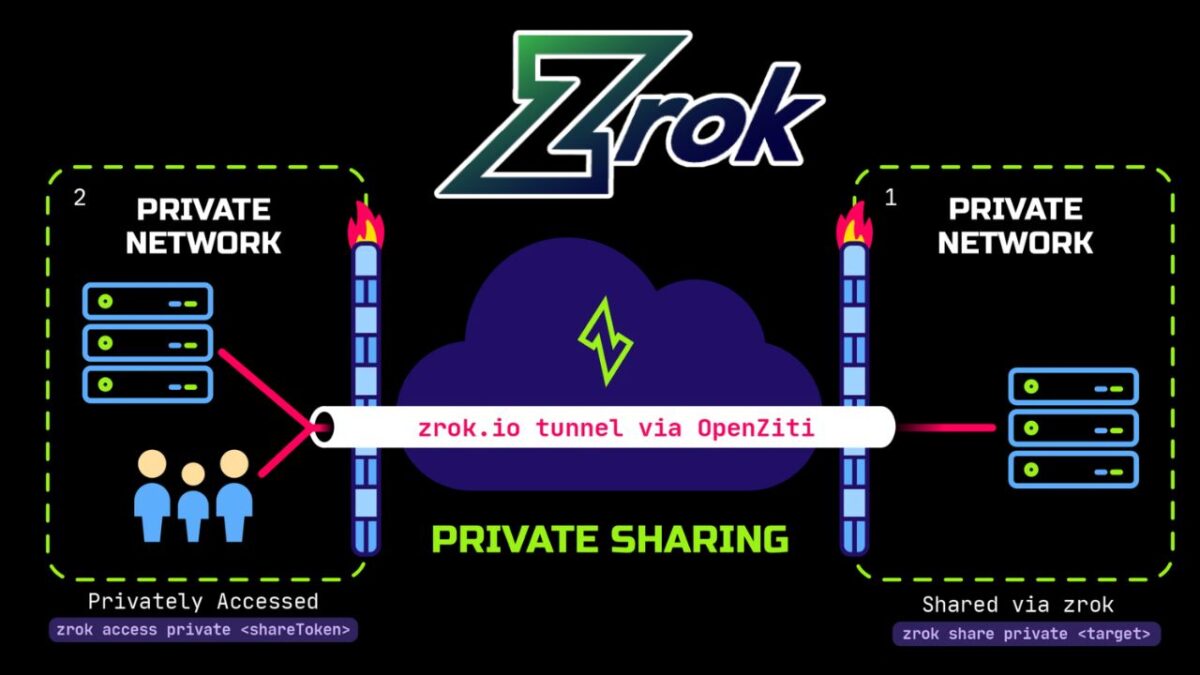
We recently got a great set of questions from someone evaluating hosted zrok for a web-based e-commerce content tool.
Their situation: a small team of internal colleagues testing a tool for business work that might later become part of their daily workflow, and their budget was zero dollars.
Their main question: Could they use the Free hosted version of zrok?
The super-short answer
Yes!
The short (but with some details) answer
If you’re on a small internal team with zero budget, zrok’s Free hosted plan will cover your core needs:
- A stable HTTPS address
- Browser access with no install for users
- Login-gated access for approved colleagues/users.
Watch the daily bandwidth (you’re limited to 5GB in any 24-hour period), make sure team knows about the interstitial page, and test from every region where you plan to use it.
Before the detailed 5 answers: What’s zrok?
zrok (pronounced “zee-rock”) is an open-source tool for sharing things running on your machine, such as…
- A web app,
- an API, or
- a folder of files…
…without the need for you to open firewall ports or set up servers. You run one command on the machine where the service lives, and zrok gives you a way for other people to reach it. If you’ve used tunneling tools like ngrok, zrok covers similar ground, with private sharing and zero trust networking built in, and with a much bigger bandwidth allowance, too!
zrok can share in two ways:
- Public shares give your service a regular HTTPS URL that anyone with a browser can open. zrok handles the TLS certificate. You can optionally require a Google or GitHub login so only approved people get in.
- Private shares are reachable only by people who also run zrok and have been given access, so the service is never exposed to the open internet.
zrok is built on OpenZiti, the open-source zero trust networking platform created by NetFoundry. Your service makes outbound connections to the zrok network instead of listening for inbound ones, which means there are no inbound ports on your machine for scanners and attackers to find. As far as unauthorized parties are concerned, nothing’s happening on your machine, and there’s no way in.
You can use the hosted version at zrok.io, run by NetFoundry, or self-host it under the Apache 2.0 license. This article is about the hosted Free plan.
The 5 questions, answered
1. Is small-team, business-related use allowed on the Free plan?
Yes! Testing a business tool with a few colleagues, and using it internally afterward, is allowed on the hosted Free plan. You don’t need a paid tier for commercial use.
The terms that apply are in NetFoundry’s Self Service Subscriptions Agreement. As with any service agreement, have someone read it before you build a workflow on top of it.
2. Can I reserve a persistent, custom-named public HTTPS address without a payment method?
Yes! By default, zrok2 share gives you a random share token that disappears when the share ends. zrok 2.0 adds namespaces and names, which let you keep a stable address:
- A namespace works like a DNS zone. The
publicnamespace corresponds toshare.zrok.io. - A name works like a DNS record inside that zone. A reserved name persists across runs of
zrok2 share.
If you reserve the name contenttool in the public namespace, your app is available at https://contenttool.share.zrok.io. That address stays the same every time you restart the share, and it comes with a trusted TLS certificate automatically.
To see which namespaces you can use:
# bash
zrok2 list namespaces
For the details, see Reserved names and namespaces and Manage reserved names.
3. Can colleagues use the app in a normal browser without installing zrok? Can I limit who gets in?
Yes to both! A public share is a regular HTTPS URL, so your colleagues just open it in a browser. Only the machine running your app needs zrok installed.
To limit access to approved people, turn on OAuth for the share. zrok supports Google and GitHub login for public shares, and you can restrict access by email address pattern:
# bash
zrok2 share public --backend-mode proxy \
  --oauth-provider google \
  --oauth-email-address-pattern '*@yourcompany.com' \
  http://localhost:8080
Anyone who visits is sent to sign in first. Only accounts whose email matches the pattern get through. You can repeat --oauth-email-address-pattern to allow several domains or specific addresses.
There’s also a bonus for developers. Once someone is authenticated, zrok adds headers such as zrok-auth-email to every request it forwards to your app. That means your app can tell who’s using it without you building a login system. See OAuth public frontend for the full flow.
4. Are there mandatory charges, usage limits, or restrictions?
No mandatory charges. The Free plan costs $0 a month and doesn’t require a credit card. It does come with limits you should plan around:
- 5 GB of bandwidth per day, measured over a rolling 24-hour window. If you go over, your running shares are disabled and you can’t create new ones until usage drops back under the limit. For a small team using a content tool this is usually plenty, but heavy media uploads could reach it.
- 25 environments, 50 share backends, and 50 private access frontends. A small team won’t come close.
- Rate limits on public shares: 2,000 requests per IP and 7,500 requests per share, each per 5-minute window.
- An interstitial page. Accounts without a card on file show an anti-phishing page the first time someone visits a public share. It’s a one-time click-through for each visitor, but tell your colleagues about it so it doesn’t surprise them. Adding a card removes it, and you’re still on the Free plan.
In case you were wondering, here’s what the interstitial page looks like:

There’s also community support through the OpenZiti Discourse forum.
All the details are on the zrok pricing page and in the service limits docs. If you outgrow the Free plan, you can self-host zrok with no limits under the Apache 2.0 license, or talk to NetFoundry about commercial options.
5. Are there known restrictions on reaching hosted zrok shares from mainland China or other countries?
We don’t publish a list of country-by-country access guarantees. Whether a public URL is reachable from a given country depends partly on things outside our control, like local network policy.
Our advice is to review the terms of service linked above, then test your exact setup from the locations your users will be in before you roll it out. Stand up a throwaway share, have a colleague in each region load it and click around, and confirm it performs well enough for your needs.
Worth watching on Ziti TV
On the OpenZiti YouTube channel, there’s the Sharing Safely (and Rocking Out) with zrok episode, where hosts Clint and Joey explore zrok’s commands and talk zrok with its creator, NetFoundry developer Michael Quigley.