Categories
Uncategorized

Tampa iOS Meetup will return in January!

its-been-a-long-time

It’s been a while since there’s been a gathering of the Tampa iOS Meetup, but I’m pleased to announce that it will return in January 2017.

My new job — Technology Evangelist at SMARTRAC, an “internet of things” company that will be making some big moves next year — has kept me busy with orientation, work, and travel. As a result, I haven’t been able to put together a meetup in the past couple of months. Now that I’ve gone through the initial “breaking in” phase with the new job, my schedule’s a little more settled, and Tampa iOS Meetups can resume.

I’m in the process of working out the details, but as soon as I’ve secured a space for the January 2017 meetup, I’ll make an announcement on the Tampa iOS Meetup page, the mailing list, and here on Global Nerdy.

If you have any suggestions for a topic that you’d like to see me cover at Tampa iOS Meetup, please let me know — leave a comment here, or drop me a line at joey@joeydevilla.com­!

Categories
Current Events Tampa Bay Uncategorized

Xamarin Dev Days in Tampa Bay happens tomorrow – Saturday, November 19th!

xamarin

Xamarin, the development tool that lets you use C# to write code for Android, iOS, Mac OS, Windows, and the cloud, is hosting a number of Xamarin Dev Days events all over the world, and the Tampa Bay event takes place tomorrow, Saturday November 19th at 9:00 a.m..

The Tampa Bay event is hosted by the Tampa Bay Mobile App Developers meetup at the Tampa Microsoft office in the Westshore area. Xamarin Dev Days events are hands-on sessions, with the mornings dedicated to learning about Xamarin and the afternoon set for diving into coding.

Are you in the Tampa Bay area and want to join in? Register at the Tampa Bay Xamarin Dev Days site!

Agenda

Here’s what will take place, and when:

 Time  What’s happening
9:00 a.m. – 9:30 a.m. Registration and breakfast, which SMARTRAC and SMART COSMOS (the company and platform I represent) are providing!
9:30 a.m. – 10:10 a.m. “Intro to Xamarin” presentation
10:20 a.m. – 11:00 a.m. “Cross-platform Xamarin” presentation
11:10 a.m. – 11:50 a.m. “Cloud Xamarin” presentation
12:00 p.m. – 1:00 p.m. Lunch (they’ll provide it; it will most likely be pizza)
1:00 p.m. – 4:00 p.m. Hands-on lab

Your hosts will be:

What you should bring

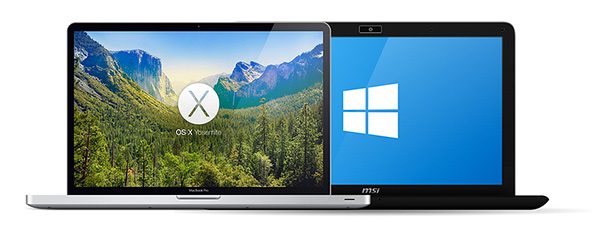
mac-and-windows-laptops

You’ll need a computer running either Mac OS or Windows on which to do Xamarin development. You should set up Xamarin prior to showing up, because setup takes time and bandwidth, which will likely be in short supply at the event. Follow these steps:

Breakfast is on SMART COSMOS!

smart-cosmos-horizontal

If you’re going to show up to spent 8 hours of your Saturday in an office — especially in the Tampa Bay Area, where November means sunny skies and 80°F/27°C temperatures — the least we can do is feed you. SMART COSMOS will help by providing breakfast!

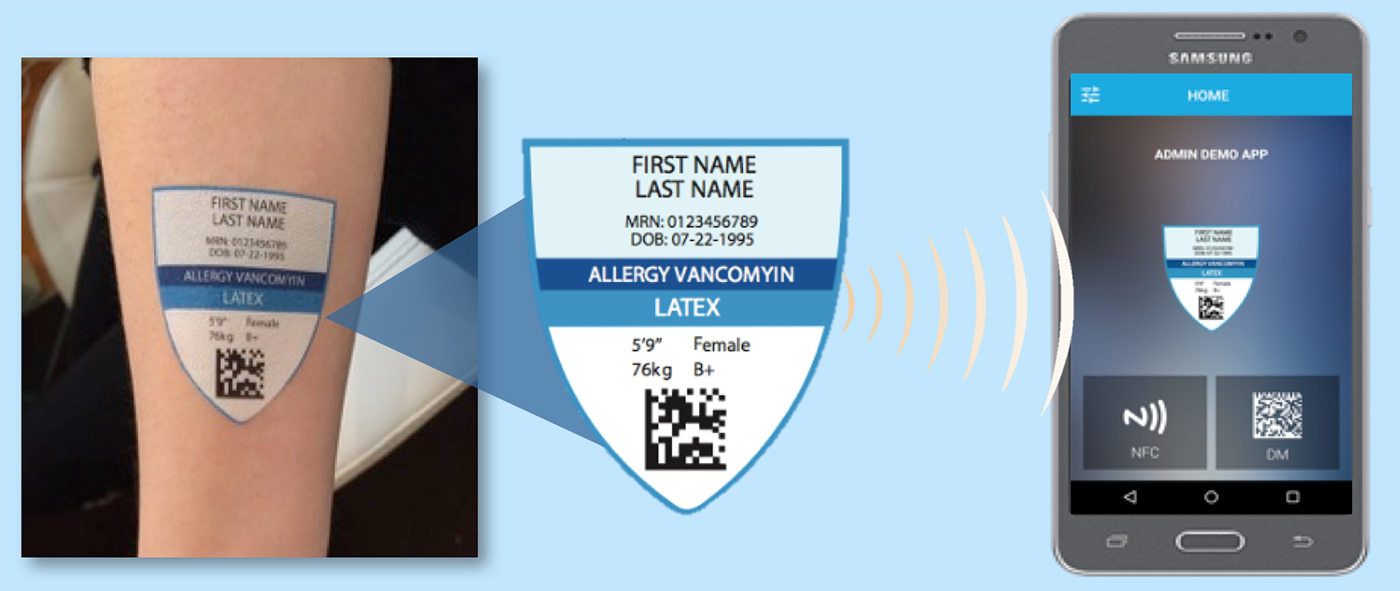
SMART COSMOS is the IoT platform made by SMARTRAC, the company where I hold the title of developer evangelist. It orchestrates data for the internet of things, and combined with SMARTRAC’s RFID technology, it’s being used to help clothing manufacturers and retailers manage their wares, improve the way healthcare providers track patients from the moment they check into the hospital to well after they check out, and on mechanical devices to ensure that the right parts are plugged into the right places.

New to C#, or has it been a while? Download this free book.

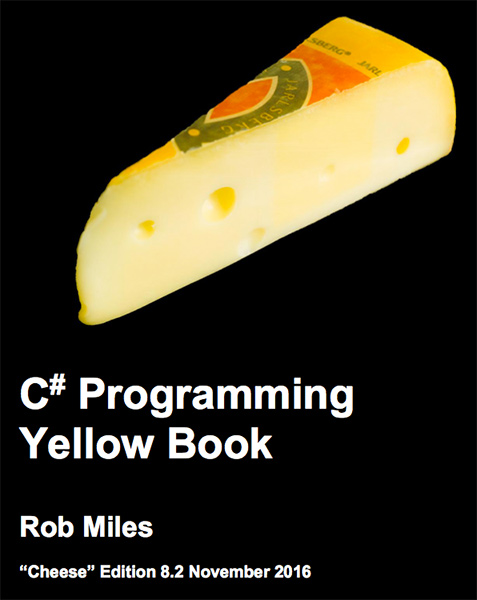
c-sharp-programming-yellow-book

If you’re new to the C# programming language (I’ve quipped that it’s “like Java, but good”) or if it’s been a while (as is the case for me), I recommend getting your paws on Rob Miles’ C# Programming Yellow Book, a free ebook that he’s been publishing and updating for years. It’s based on the first year programming course at the University of Hull, and it’s been the free ebook I’ve been sending C# students to for years.

Categories
Uncategorized

Microsoft’s Visual Studio for Mac will debut at their “Connect(); // 2016” conference this week

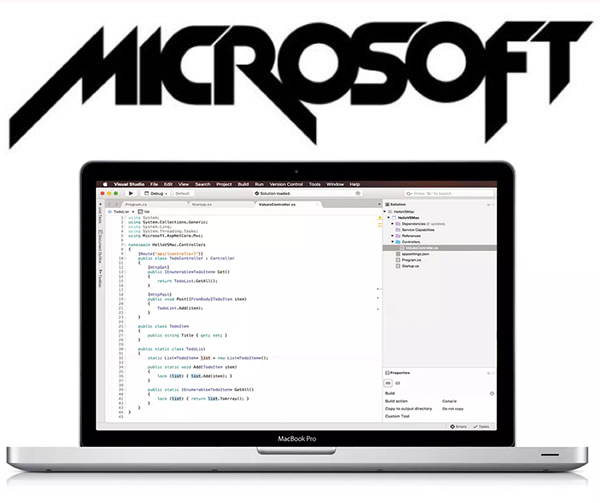
old-microsoft-logo-and-mac-visual-studio

Microsoft meant to announce the upcoming release of the Visual Studio for Mac at the Connect(); 2016 developer event on Wednesday, but someone accidentally clicked “publish” on the blog entry a little too early (here’s the cached article). With this great news, we’re one step closer to their “pointy logo era”, that time in the 1970s and early- to mid-80s when they made development tools for many, many platforms.

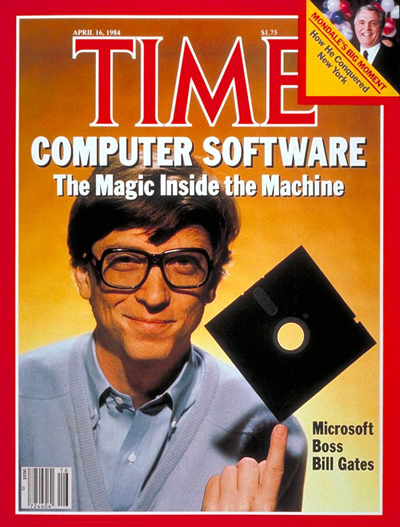
bill-gates-time-cover

Bill Gates on the cover of TIME magazine, 1984.

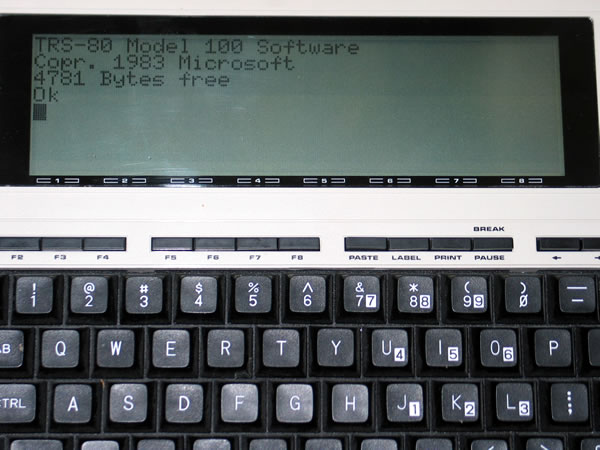
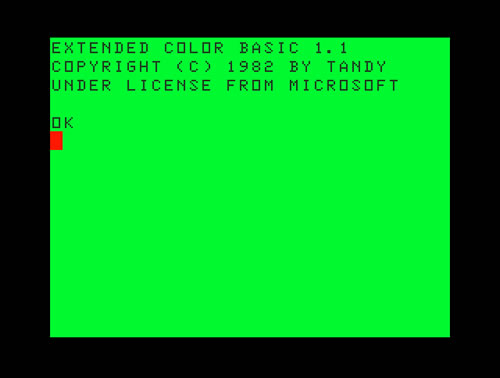
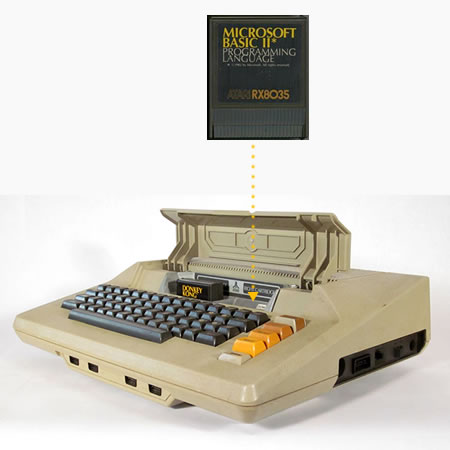
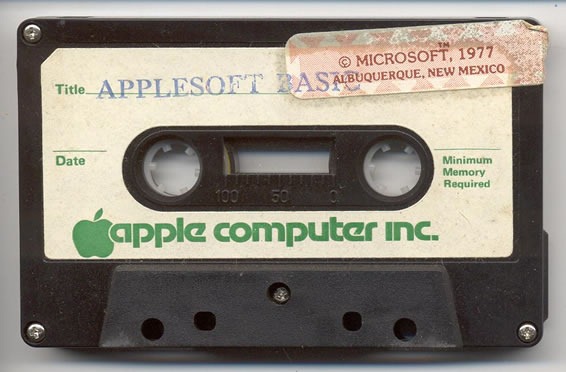
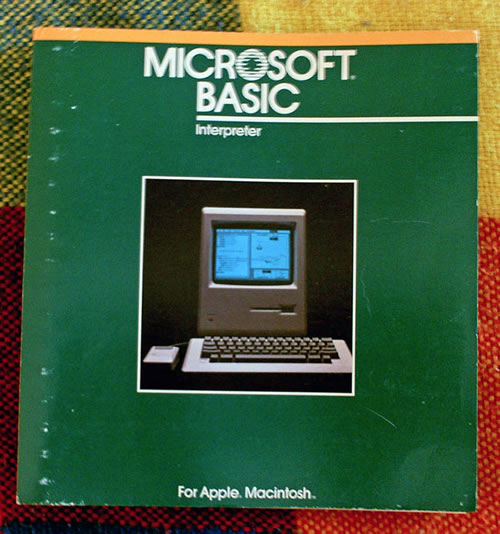
For those of you who were too young to remember those days, here’s a quick photographic tour of just a few of the many, many versions of good ol’ Microsoft BASIC, the programming language that gave the company its start in a time when seeing a computer in a home or office was a very unusual thing:

The TRS-80 Model 100 by Radio Shack (yes, Radio Shack once made computers!) was one of the first notebook computers.

The TRS-80 Color Computer, also by Radio Shack, was their only machine not based on an Zilog Z80 processor, but a Motorola 6809 instead.

The Atari 400 and 800 series of computers had a passable built-in BASIC, but if you wanted the real thing, you’d load Atari Microsoft BASIC via cartridge or floppy disk.

The Apple II had its own BASIC — Integer BASIC — but it got superseded by Applesoft BASIC, a dialect of Microsoft BASIC whose name is an amalgam of “Apple” and “Microsoft”.

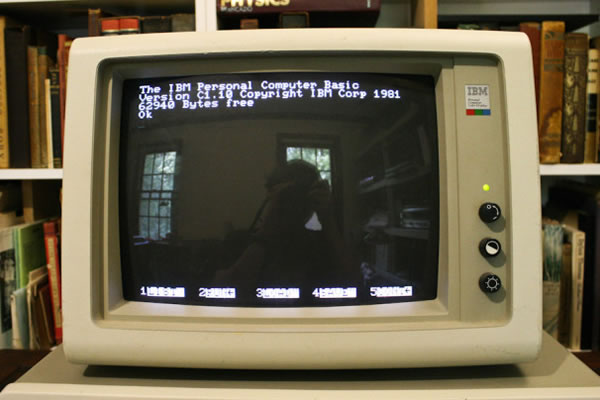
The IBM PC not only brought personal computing to offices, schools, and homes in the 1980s and 1990s, but many forms of Microsoft BASIC, starting with IBM BASIC.

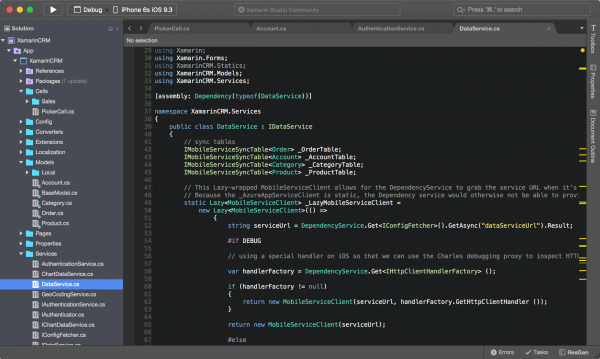
It’s been a long time since Microsoft has made a full-fledged development environment for the Mac, but the signs of its arrival have been around for a while. Consider Xamarin Studio, whose creators were recently acquired by Microsoft…

xamarin-studio
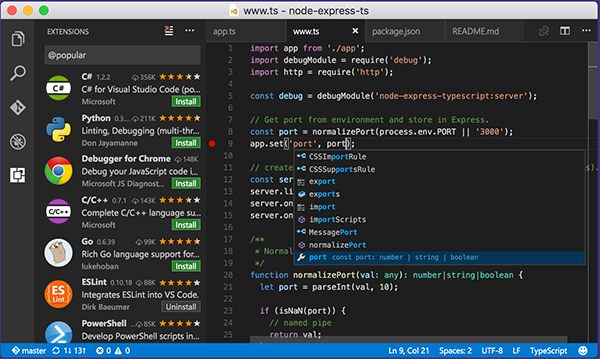
…and Visual Studio Code, which is an excellent programmer’s text editor:

visual-studio-code

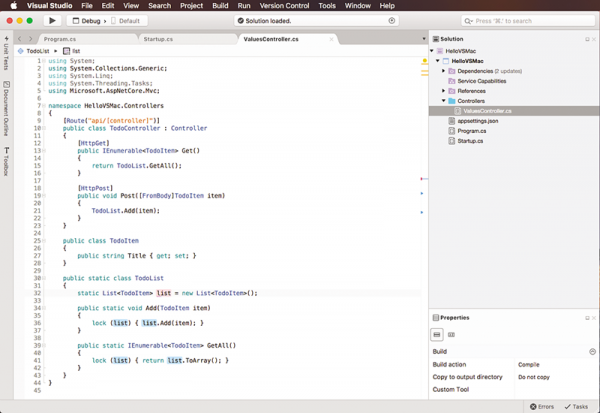
Here’s what Visual Studio for Mac will look like:

visual-studio-mac-workspace

VS for Mac is based on Xamarin Studio — the Mac version is so much better than the Windows version; Windows folks were much better off using Visual Studio with the Xamarin extension — and gives Mac-based developers the ability to use C# and .NET to build applications for…

  • Android
  • iOS
  • Mac OS

It also supports the ASP.NET Core web development platform for building web service back ends that can live on your on-premises servers or in the cloud on Azure.

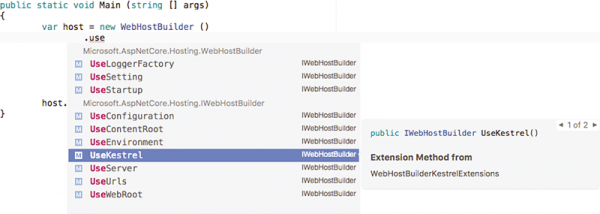
VS for Mac is supposed to be the Mac OS counterpart of VS for Windows, and features many of the things that made Visual Studio popular, including IntelliSense:

intellisense

While it doesn’t support all the project types that the Windows version supports, its solutions use the same MSBuild-based solution and project format, meaning that Mac- and Windows-based developers can share projects for Android, iOS, Mac OS, and ASP.NET development seamlessly.

connect-2016

Microsoft will announce the full details about Visual Studio for Mac at their Connect(); // 2016 conference, which will feature live streams of its keynotes and various session from Wednesday, November 16th through Friday, November 18th. This promises to be an interesting one — make sure you catch it!

Categories
Uncategorized

When tech is so cool that it makes William Gibson accidentally slip into his native “street” talk

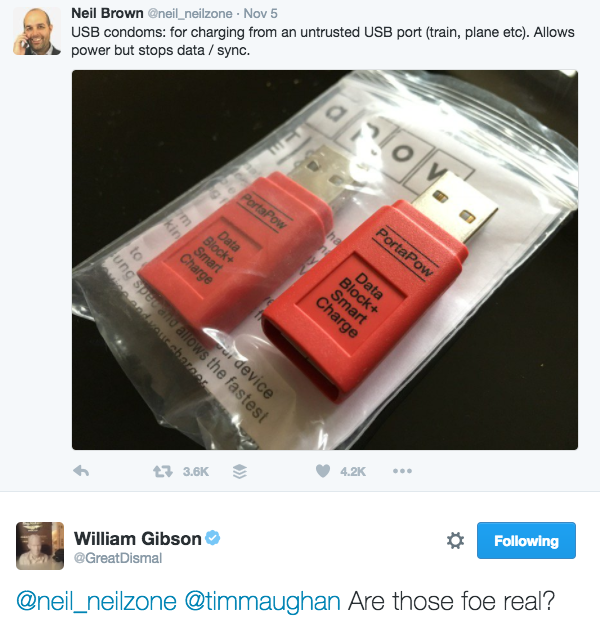
foe-real

They be fo’ real, Gib-dogg!

Categories
Uncategorized

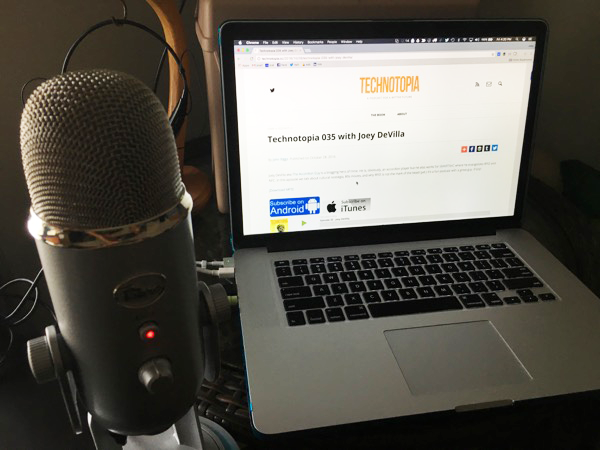
Interviewed on John Biggs’ Technotopia podcast!

joey-devilla-technotopia

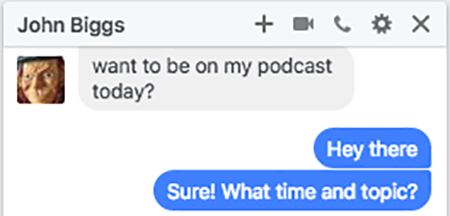
This morning, I got a message on Facebook Messenger from John Biggs:

chat-with-john-biggs

I said “Yes” immediately, because as I said on Twitter:

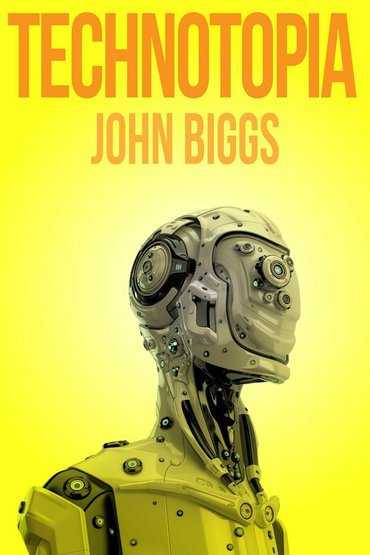
technotopia

Technotopia is Biggs’ weekly podcast about a bright future. Here are his own words about it:

Over the past few months I’ve been on a mission: I want to prove that the future is not going to suck. While this project was originally going to end up in a book – and it still will – I’ve started recording a weekly podcast called Technotopia in which I speak to amazing thinkers about the future. We’ve covered the environment, bitcoin, and why the future will be cafes and croissants.

Very soon after his message, we recorded the podcast in a single take, where I talked about my new job at SMARTRAC, the possibilities that RFID technology enables, growing up in the ’80s thinking you were born 20 years too soon while your friends thought they were born 20 years too late, accordion playing, and the sorts of things that you talk about when you love technology and want to use it to make a better future.

The podcast got posted today shortly after noon! Give it a listen using the player below, or subscribe to via the feed!

Categories
Uncategorized

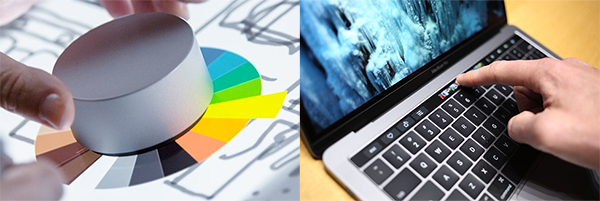
With Surface Dial and the Touch Bar, the battle for your non-dominant hand is heating up again

surface-dial-and-touch-bar

This week, we’ve had demos of interesting new user interface hardware, most notably Microsoft’s Surface Dial

…and Apple’s Touch Bar:

In many of the demos for both devices:

  • The user’s dominant hand — the one with the better fine motor control — is being used to operate a pointing device, whether it’s a mouse, stylus, or touchscreen for some kind of fine motor control action — typically pointing at, creating, or editing onscreen objects, and
  • The user’s non-dominant hand is used to operate a option-picking device that affects the outcome of what s/he is doing with his/her dominant hand.

The UI tech for our dominant hands caught on quickly, making the transition from obscure device found only in super-advanced computing labs to a tool common enough to be part of a now-legendary gag in a popular movie in less than two decades…

…but our non-dominant hands have stayed empty for the most part, as no clear winners have emerged. Tools like the Surface Dial and Touch Bar may represent a new movement to bring our non-dominant hands back into the computing game.

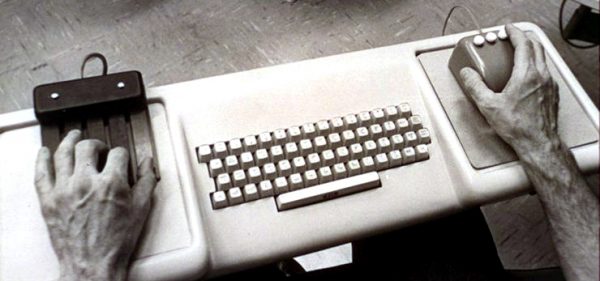
It’s kind of odd to think that our non-dominant hands have little to do at our computers, when the demo that introduced to the mouse to an unsuspecting world actually featured an equally unusual device for our non-dominant hands.

mother-of-all-demos-chorded-keyboard-keyboard-mouse

Doug Englebart’s console from “The Mother of All Demos”, which was given on December 9, 1968. From left to right, the input devices are: chorded keyboard, standard keyboard, and the then-newfangled mouse.

On December 9, 1968, computer engineer Doug Englebart gave a presentation of a combined hardware/software system called oN-Line System, or NLS for short at the ACM/IEEE Fall Joint Computer Conference in San Francisco. In this now-legendary presentation — since dubbed “The Mother of All Demos” — he demonstrated so many computing innovations that we take for granted today, including windowed GUIs, hypertext, networking, and most famously, the mouse:

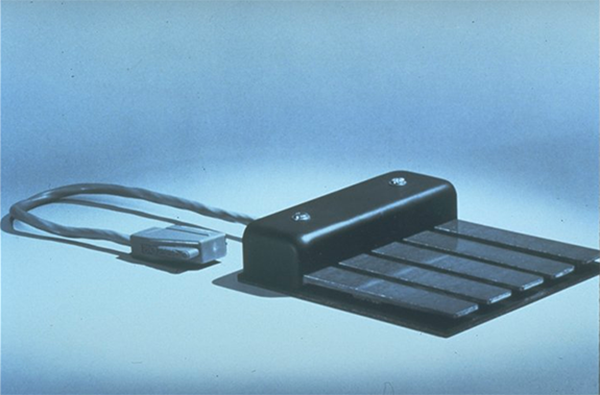
There was one innovation in the Mother of All Demos that didn’t catch on, and it was under Englebart’s left hand:

chorded-keyboard

It was the keyset, a chorded keyboard. Pressing a single key would generate a character or command, and pressing combinations of keys — like playing chords on a piano — would generate different characters or commands. With 5 keys and 2 states per key, the keyset allowed for the input of 31 different characters or commands (5 keys and 2 states actually allows for 32 combinations, but one of them is where no keys are pressed):

The keyset didn’t catch on, probably because it required you to memorize what each chording combination did. The Surface Dial and Touch Bar get around this by providing a context-sensitive visual guide — Surface Dial does this by providing you with a pie menu (a.k.a. radial menu), and the Touch Bar is a tiny touchscreen that gives you the context-appropriate virtual buttons and sliders.

Right now, the closest thing we have to non-dominant hand interface that’s used by a significant number of people is the W-A-S-D set of keys for games with a first-person-type perspective:

wasd-keyboard

Clean your keyboards every now and then. Please.

I expect (and hope) that our non-dominant hands are in for an interesting time over the next little while.

Watch the Mother of All Demos

If you’ve never seen Doug Englebart give the Mother of All Demos — or if you haven’t seen it in a while — watch it, keeping in mind that at the time, a lot of people were still interacting with computers by feeding punch cards into them!

Categories
Uncategorized

No escape: The new MacBook Pro in the leaked photos apparently doesn’t have an “esc” key

alleged-2016-macbook-pro
If you’re a regular reader of this blog, chances are that you’ve heard about and even seen the leaked photos that purport to show the new MacBook Pro that is expected to be announced on their Thursday, October 27th event. MacRumors has posted these photos, which show the inclusion of a touch-sensitive, fingerprint-reading OLED display where the function keys would normally go.

Here’s the same photo, zoomed in at the upper left-hand corner of the keyboard. Note that the esc key is missing:

alleged-2016-macbook-pro-keyboard

For the purposes of comparison, here’s a photo of the upper left-hand part of the keyboard on my work-issued machine, a mid-2015 MacBook Pro. Along with function keys, it has the esc key:

2015-macbook-pro-keyboard

The esc key generates the “escape character” — ASCII 27 in decimal, Unicode U+001B, equivalent to ctrl[ — and was meant to be a “cancel” or “stop operations” signal, or to mark the beginning of an escape sequence to specify that incoming characters should be interpreted as instructions rather than data. A number of Mac applications use the esc key as a “cancel” or “stop operations” signal, but according to Mac OS’ UX guidelines, the official key sequence for stopping operations is command. (command-period).

Most users will likely not miss the esc key, but there is one set of users for whom its removal could be a big problem…

vim-user

…vi/vim users. In vi and vim, the esc key gets you into command mode. Yes, there’s still ctrl[, but it’s not the same as having a single, dedicated key located at the uppermost, leftmost part of the keyboard.

Expect to hear some angry developers this week.