July 2009

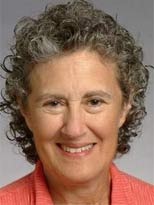
Barbara Liskov, Interviewed

by Joey deVilla on July 31, 2009

This article also appears in Canadian Developer Connection.

Barbara Liskov The Interview

Over at the IT Manager Connection blog, there’s an interview with Barbara Liskov, who is:

  • The Ford Professor of Engineering at MIT’s Electrical Engineering and Computer Science Department
  • An Institute Professor at MIT
  • The first woman in the United States to earn a Ph.D. in computer science
  • An ACM Turing Award Recipient for both 2008 and 2009
  • An IEEE John von Neumann Medial Recipient for 2004
  • An ACM and American Academy of Arts and Sciences Researcher
  • …and most relevant to us, the “Liskov” in the Liskov Substitution Principle, one of the five SOLID principles for object-oriented design.

In the interview, Barbara talks about winning “the Nobel Prize of computing”, her vision for computing, what got her interested in computers, the challenges that the field still presents to minorities, the work she’s done and her thoughts on up-and-coming tech. If you’d like to listen, here’s the MP3 of Stephen Ibaraki interviewing Barbara Liskov. Stephen also wrote an article containing an abbreviated transcript that appears in IT Manager Connection. Enjoy!

The Liskov Substitution Principle

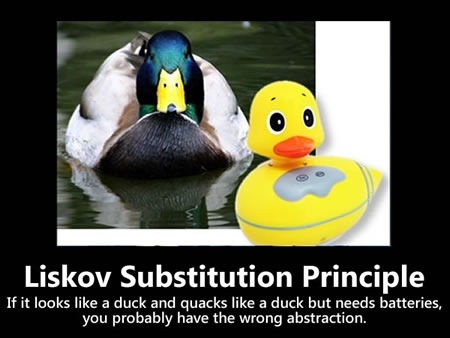
Small Liskov Substitution Principle poster

In case you’ve forgotten (or perhaps never learned), the Liskov Substitution Principle is:

If for each object o1 of type S there is an object o2 of type T such that for all
programs P defined in terms of T, the behavior of P is unchanged when o1 is
substituted for o2 then S is a subtype of T.

Well, duh. Who didn’t know that?

Object guru Robert C. “Uncle Bob” Martin took this bit of math nerd-speak and paraphrased in a way making it somewhat easier to follow:

Functions that use pointers or references to base classes must be able to use objects of derived classes without knowing it.

And because I’m nowhere near as smart as Uncle Bob, here’s the way I like to cover it:

If MySubclass is a subclass of MyClass, you should be able to replace instances of MyClass with MySubclass without breaking anything. Sort of like when they changed the actors who played "Darren" in Bewitched or "Becky" in Roseanne.

(Unlike Liskov or Martin, I don’t have to write academic papers, so I can get away with making references to old TV shows.)

As I mentioned earlier, I’ll be writing more about the SOLID principles. Watch this space!

{ 1 comment }

TechDays 2009 Sessions Announced, and Other News

by Joey deVilla on July 31, 2009

Microsoft TechDays Canada 2009: 2 days - 7 cities - 5 tracks - 40 sessions - plus more!

Developer Sessions at TechDays

The sessions for TechDays 2009, Microsoft’s cross-Canada conference taking place in seven cities this fall, have been posted on the TechDays site. You can go there to see the full set of sessions, or you can check the table below to look at the sessions for the tracks related to software development.

I’m the lead for the Developing for the Microsoft-Based Platform track and John Bristowe is lead for the Developer Fundamentals and Best Practices track. John and I picked the best developer-focused sessions from this year’s TechEd conference and put them into our tracks. We’ve also chosen speakers for each session in each of TechDays’ seven cities, going for local developers wherever possible. TechDays features international conference material and local speakers, right near where you live. We’re not just expanding your knowledge, we’re stretching your dollar, too!

And now, the developer sessions…

Track: Developing for the Microsoft-Based Platform

Track: Developer Fundamentals and Best Practices

Learning key skills to develop rich client and web-based applications on the Microsoft-based platform is what this track is all about. In this track you will learn how to develop rich, interactive and interoperable applications for both the client and the web using our newest tools and frameworks. You’ll learn how to build software that helps to give your users the best experience possible, whether it’s a program running on Windows 7, a website built on ASP.NET MVC or a Silverlight-based rich internet application. You’ll also learn how to build services that can deliver data to almost any platform and internet-enabled device. And finally, you’ll learn how to build these software and services in ways that are modular and maintainable. This track is all about taking your skills up a notch while at the same time ensuring effective and efficient interaction with all members of the development team from IT architect, to developer, to tester. You will learn about the importance of Application Lifecycle Management (ALM) and how to leverage the Visual Studio development platform to streamline your efforts. You will learn some best practices from industry professionals while building upon your technical foundation.

Day One: Front End – User Interface and Experience


Day One: Core Fundamentals and Best Practices

Day 1, Session 1:
What’s New in Silverlight 3

Rich internet applications just got richer! Silverlight 3 is packed with new features and improvements that your users will notice, from pixel shaders to perspective 3D to animation enhancements to bitmap APIs to HD video. We think you’ll also be impressed by the features for developers, such as the updated style model, data binding improvements, better resource handling, and a tuned-up Web services stack. In this session, we’ll explore new features of Silverlight 3 as we build a Silverlight-based application using Expression Blend 3 and Visual Studio.

Day 1, Session 1:
Tips and Tricks for Visual Studio

This session enhances your experience with Visual Studio. Keyboard shortcuts, macros, layouts, fonts, tools, and external utilities are all very powerful and underused features of Visual Studio. This session makes you more productive in Visual Studio. Bring your pen and pad because you’ll definitely want to take notes!

Day 1, Session 2:
Expression Blend for Developers

Not a designer? Overwhelmed by Expression Blend? Not a problem! We’ll show you how to use Expression Blend to create advanced and polished user interfaces for business applications, consumer applications, multimedia projects, games or anything in between. We’ll cover features of Expression Blend from a developer’s perspective and show how it works in tandem with Visual Studio throughout the development process. You’ll learn how to create professional-looking user interfaces and visual elements – even if you don’t think of yourself as an interface designer.

Day 1, Session 2:
Test Driven Development Techniques

In recent empirical study from Microsoft Research, four case studies were conducted and the results indicated that by using Test-Driven Development (TDD) the pre-release bugs decreased by 40-90% relative to similar projects that did not use TDD. Subjectively, the teams experienced a 15-35% increase in initial development time after adopting TDD. In this session learn some of the key techniques for effectively using TDD to drive the creation of better software, reduce the defect density in projects, and help improve overall productivity

Day 1, Session 3:
Building Modular Applications Using Silverlight and WPF

How do you build extensible and maintainable line-of-business applications in Silverlight and Windows Presentation Foundation (WPF)? How do you design and code to handle real-world complexity? Composite Application Guidance (a.k.a. "PRISM") offers guidance, libraries and examples – in small, free-standing, digestible chunks – that you can use to build applications with rich user interfaces that are also easier to maintain and extend. You’ll learn how to compose complex UIs from simpler views, integrate loosely coupled components with "EventAggregator" and "Commands", develop independent modules that can be loaded dynamically, and share code between Silverlight and WPF clients.

Day 1, Session 3:
Patterns for the Rest of Us

Patterns. Patterns. Patterns. You hear them everywhere. We’re told to use them and call them by names, as if the pattern is a colleague of ours. Hey, did you see Observable Pattern in the demo this morning? If you feel left out in conversations where Pattern buzzwords are thrown around, this session is for you. This session introduces Patterns with imagery, code, terms, and fun and games to help you better understand and remember pattern usage.

Day 1, Session 4:
Optimizing Your Apps for the Windows 7 User Experience

This session will show you the Windows 7 APIs that will let your applications – and your users – get the full Windows 7 experience. Learn about new extensibility methods to surface your application’s key tasks. Discover how enhancements to the taskbar, Start Menu, thumbnails, desktop elements, the Scenic Ribbon, Federated Search and Internet Explorer 8 provide new ways for you to delight your users and help make them more productive. If you want to give your users the best Windows 7 experience, this session is for you!

Day 1, Session 4:
A Strategic Comparison of Data Access Technologies from Microsoft

Thanks to recent innovations from Microsoft including LINQ, the Entity Framework and ADO.NET Data Services, choosing a technology for data access architecture has become a subject for debate. Among other things, developers must balance productivity, elegance, and performance. Some common questions include: Are data readers and data sets still useful? How should I choose between LINQ and Entity Framework models? Should I design custom entities or use types that follow the database schema? Should I use ADO.NET Data Services to expose my data model or control access via Windows Communication Foundation (WCF) business services? This session looks at data access architecture for each of these technologies, illustrates common practices when employing each, discusses pros and cons, and helps you better understand how to choose the right technology for your scenario.


Day Two – Back End: Programming Frameworks and Principles


Day Two – Team System Fundamentals and Best Practices

Day 2, Session 1:
Introducing ASP.NET MVC

You’ve probably heard the buzz about Model-View-Controller (MVC) web frameworks. They’re all the rage because they combine speed, simplicity, control…and fun. ASP.NET MVC is Microsoft’s MVC web framework, and in this session, we’ll talk about the MVC pattern, explain the ideas behind ASP.NET MVC and walk through the process of building an application using this new web framework. We’ll also cover several techniques to get the most out of ASP.NET MVC and deliver web applications quickly and with style.

Day 2, Session 1:
Practical Web Testing

This session is about looking at the past, present, and future of Web testing. We begin by looking at how Web testing was accomplished before the arrival of Microsoft Visual Studio Team System. Next, you will learn about the Web and load testing tools available in Visual Studio Team System 2005/2008.

Day 2, Session 2:
SOLIDify Your Microsoft ASP.NET MVC Applications

Object-oriented programming makes it easier to manage complexity, but only if you do it right. The five SOLID principles of class design (one for each letter) help ensure that you’re writing applications that are flexible, comprehensible and maintainable, and we’ll explain and explore them in this session. We’ll start with a brittle ASP.NET MVC application that’s badly in need of refactoring and fix it by applying the SOLID principles. This session is a good follow-up for Introducing ASP.NET MVC, but it’s also good for developers of ASP.NET MVC looking to improve their code – or even if you’re not planning to use ASP.NET MVC. The SOLID principles apply to programming in any object-oriented language or framework.

Day 2, Session 2:
Better Software Change and Configuration Management Using TFS

A critical factor in getting the most out of Team Foundation Server is understanding the version control and build systems. In this session, learn how use Team Build and Team Foundation Server Version Control to effectively manage concurrent development branches. Learn about how set up your repository structure and how to define builds. Learn about different branching techniques like branch by feature and branch for release. Learn how builds help you find what has changed in branches and how to manage releases, service packs, and hot fixes. Attend this session to see how the API can help create better release documentation and get you out the door sooner.

Day 2, Session 3:
Building RESTful Services with WCF

REST (REpresentational State Transfer) is an architectural style for building services, and it’s the architectural style of the web. It’s been popular outside the world of Microsoft development for a long time, but it’s quickly becoming the de facto standard inside as well. Windows Communication Foundation (WCF) makes it simple to build RESTful web services, which are easy to use, simple and flexible. In this session, we’ll cover the basics of REST and the show you how to build REST-based, interoperable web services that can be accessed not just by Microsoft-based web and desktop applications, but anything that can communicate via HTTP from an Ajax client to a feed readers to mobile device to applications written using other languages and frameworks such as PHP, Python/Django or Ruby/Rails.

Day 2, Session 3:
Metrics That Matter: Using Team System for Process Improvement

Process improvement without adequate metrics is shooting in the dark — you might hit your target, but it’s impossible to aim and difficult to determine how close you were to hitting your goal. In this session we look at how Microsoft Visual Studio Team System collects data, and how we can modify our process to collect the right data. Then we talk about several candidate metrics (top ten key metrics) that many real-world organizations have used to achieve real improvements and help get an excellent return on investment in Team Foundation Server implementation. We frame the discussion and demos around using a process improvement effort (either formal or informal) to help your Team System implementation get you the ROI you deserve!

Day 2, Session 4:
Developing and Consuming Services for SharePoint

The world gets more service-oriented every day, and with that comes the demand to integrate all kinds of services, including those from SharePoint. This session introduces SharePoint as a developer platform and provides an overview of how you can build and deploy custom services with it. The focus will be on developing ASP.NET and Windows Communication Foundation services for SharePoint as well as building a Silverlight client to consume them.

Day 2, Session 4:
Database Change Management with Team System

If you develop database enabled applications on top of SQL Server, you owe it to yourself to considering doing it better with Visual Studio Team System. In this session, you’ll learn about changes to how the product works under the covers and what that means to you. Then, you’ll learn how to use the product to design, build, and deploy your databases to development, test, and production environments — all with purpose and method instead of the more traditional madness that can be found in many shops in the wild

Free TechNet Plus Subscription for TechDays Attendees

Your admission to TechDays gets you more than just two days’ worth of conference and networking. We’re also putting together a package of goodies that you can use long after we’ve turned out the lights at the last TechDays venue.

One such goodie is a full year’s subscription to TechNet Plus, the Microsoft IT pro resource that gives you, among other things, full, non-time-limited versions of operating systems, servers and Office System software for evaluation (non-production) use. It also gives you access to pre-release versions, a full technical infromation library, two free tech support calls, and more, It’s a US$349 value that you get for free if you attend TechDays.

More Than Just a Conference

In addition to coming to a city near you to hold TechDays, we’re planning activities for each city in our tour – things like user group events, academic events, Coffee and Code and more! Watch this blog for announcements for your city.

We also have some surprises in store, and we’ll announce them…soon.

Register at the Early Bird Price

You could pay the full price of CDN$599 if you really wanted to. We think that you’d rather save a whole $300 and pay just CDN$299. The early bird price for any of the TechDays cities is available only until 6 weeks before that city’s conference, and the Vancouver and Toronto conferences are happening in September. Procrastinate at your peril – register now!

{ 1 comment }

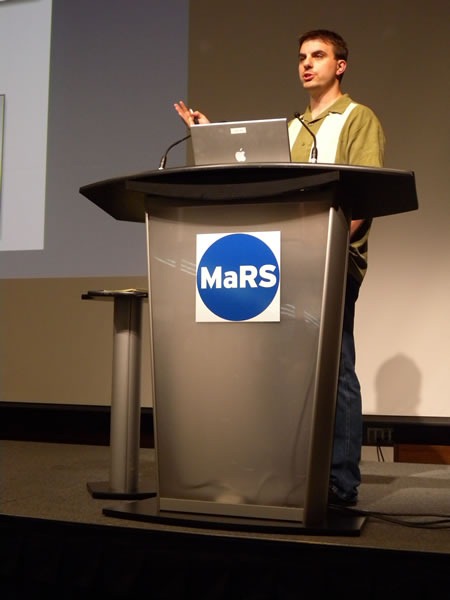
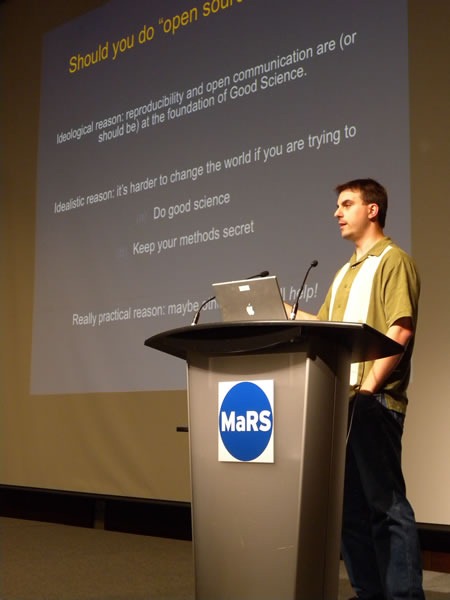
Titus Brown at the podium at MaRSC. Titus Brown delivering his presentation.
Here’s the first of my notes from the Science 2.0 conference, a conference for scientists who want to know how software and the web is changing the way they work. It was held on the afternoon of Wednesday, July 29th at the MaRS Centre in downtown Toronto and attended by 102 people. It was a little different from most of the conferences I attend, where the primary focus is on writing software for its own sake; this one was about writing or using software in the course of doing scientific work.

This entry contains my notes from C. Titus Brown’s presentation, Choosing Infrastructure and Testing Tools for Scientific Software Projects. Here’s the abstract:

The explosion of free and open source development and testing tools offers a wide choice of tools and approaches to scientific programmers.  The increasing diversity of free and fully hosted development sites (providing version control, wiki, issue tracking, etc.) means that most scientific projects no longer need to self-host. I will explore how three different projects (VTK/ITK; Avida; and pygr) have chosen hosting, development, and testing approaches, and discuss the tradeoffs of those choices.  I will particularly focus on issues of reliability and reusability juxtaposed with the mission of the software.

Here’s a quick bio for Titus:

C. Titus Brown studies development biology, bioinformatics and software engineering at Michigan State University, and he has worked in the fields of digital evolution and physical meteorology. A cross-cutting theme of much of his work has been software development for computational science, which has led him to software testing and agile software development practices. He is also a member of Python Software Foundation and the author of several widely-used Python testing toolkits.

  • Should you do open source science?
    • Ideological reason: Reproducibility and open communication are supposed to be at the heart of good science
    • Idealistic reason: It’s harder to change the world when you’re trying to do good science and keep your methods secret
    • Pragmatic reason: Maybe having more eyes on your project will help!
  • When releasing the code for your scientific project to the public, don’t worry about which open source licence to use – the important thing is to release it!
  • If you’re providing a contact address for your code, provide a mailing list address rather than your own
    • It makes it look less “Mickey Mouse” – you don’t seem like one person, but a group
    • It makes it easy to hand off the project
    • Mailing lists are indexed by search engines, making your project more findable
  • Take advantage of free open source project hosting


  • Distributed version control
    • “You all use version control, right?” (Lots of hands)
    • For me, distributed version control was awesome and life-changing
    • It decouples the developer from the master repository
    • It’s great when you’re working away from an internet connection, such as if you decide to do some coding on airplanes
    • The distributed nature is a mixed mixed blessing
      • One downside is "code bombs", which are effective forks of the project, created when people don’t check in changes often enough
      • Code bombs lead to complicated merges
      • Personal observation: the more junior the developer, the more they feel that their code isn’t “worthy” and they hoard changes until it’s just right. They end up checking in something that’s very hard to merge
    • Distributed version control frees you from permission decisions – you can simply say to people who check out your code "Do what you want. If I like it, I’ll merge it."


  • Open source vs. open development
    • Do you want to simply just release the source code, or do you want participation?
      • I think participation is the better of the two
    • Participation comes at a cost, in both support time and attitude
      • There’s always that feeling of loss of control when you make your code open to use and modification by other people
      • Some professors hate it when someone takes their code and does "something wrong" with it
      • You’ll have to answer “annoying questions” about your design decisions
      • Frank ("insulting") discussion of bugs
      • Dealing with code contributions is time-consuming – it takes  time to review them
    • Participation is one of the hallmarks of a good open source project

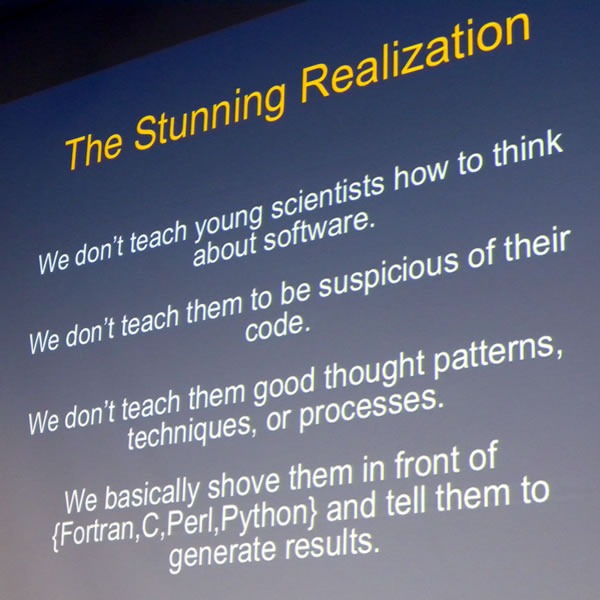
 Slide: "The Stunning Realization"

  • Anecdote
  • I used to work on the “Project Earthshine” climatology project
    • The idea behind the project was to determine how much of the sunlight hitting the Earth was being reflected away
    • You can measure this be observing the crescent moon: the bright part is lit directly by the sun; the dark part is also lit – by sunlight reflected from the Earth
    • You can measure the Greenhouse Effect this way
    • It’s cheaper than measuring sunlight reflected by the Earth directly via satellite
  • I did this work at Big Bear Lake in Califronia, where they hung telescopes to measure this effect at solar observatories
  • I went through the the source code of the application they were using, trying to figure out what grad student who worked on it before me did
  • It turned out that to get “smooth numbers” in the data, his code applied a correction several times
  • His attitude was that there’s no such thing as too many corrections
  • "He probably went on to do climate modelling, and we know how that’s going"
  • How do we know that our code works?
    • We generally have no idea that our code works, all we do is gain hints
    • And what does "works" mean anyway, in the context of research programming? Does it means that it gives results that your PI expects?
  • Two effects of that Project Earthshine experience:
  • Nowadays, if I see agreement between 2 sources of data, I think at least one of them must be wrong, if not both
  • I also came to a stunning realization that:
    • We don’t teach young scientists how to think about software
    • We don’t teach them to be suspicious of their code
    • We don’t teach them good thought patterns, techniques or processes
    • (Actually, CS folks don’t teach this to their students either)
  • Fear is not a sufficient motivator: there are many documented cases where things have gone wrong because of bad code, and they will continue to do so. Famous cases include:
  • If you’re throwing out experimental data because of ifs lack of agreement with your software model, that’s not a technical problem, that’s a social problem!


  • Automated testing
    • The basic idea behind automated testing is to write test code that runs your main code and verifies that the behaviour is expected
    • Example – regression test
      • Run program with a given set of parameters and record the output
      • At some later time, run the same program with the same parameters and record the output
      • Did the output change in the second run, and if so, do you know why?
      • This is different thing from "is my program correct"
      • If results change unintentionally, you should ask why
    • Example – functional test
      • Read in known data
      • Check that the known data matches your expectations
      • Does you data loading routine work?
      • It works best if you also test with "tricky" data
    • Example – assertions
      • Put "assert parameter >=0" in your code
      • Run it
      • Do I ever pass garbage into this function?
      • You’ll be surprised that things that "should never happen", do happen
      • Follow the classic Cold War motto: “Trust, but verify”
    • Other kinds of automated testing (acceptance testing, GUI testing), but they don’t usually apply to scientists
    • In most cases, you don’t need to use specialized testing tools
    • One exception is a code coverage tool
      • Answers the question “What lines of code are executed?”
      • Helps you discover dead code branches
      • Guide test writing to untested portions of code
    • Continuous integration
      • Have several "build clients" building your software, running tests and reporting back
      • Does my code build and run on Windows?
      • Does my code run under Python 2.4? Debian 3.0? MySQL 4?
      • Answers the question: “Is there a chance in hell that anyone else can use my code?”
    • Automated testing locks down "boring" code (that is, code you understand)
      • Lets you focus on "interesting" code – tricky code or code you don’t understand
      • Freedom to refactor, tinker, modify, for you and others

C. Titus Brown delivering his presentation at MaRS 

  • If you want to suck people into your open source project:
    • Choose your technology appropriately
    • Write correct software
    • Automated testing can help
  • Closed source science is not science
    • If you can’t see the code, it’s not falsifiable, and if it’s not falsifiable, it’s not science!

{ 3 comments }

coffee_and_code_3

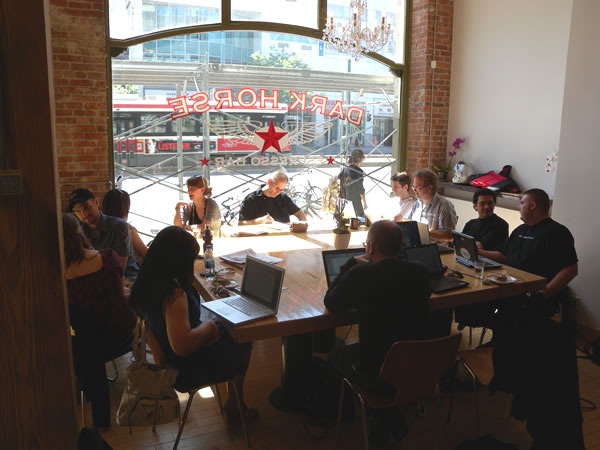
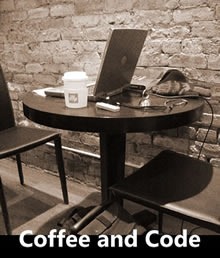
If it’s Friday, it must be time for another Toronto Coffee and Code! This one will take place at the usual location – the Dark Horse Cafe, 215 Spadina – and will run from 1 p.m. to 6 p.m..

coffee_and_code_1

Coffee and Code is my Friday afternoon ritual (a phrase that my classmates at Crazy Go Nuts University will find hauntingly familiar) in which I work out of a cafe and announce that I’ll be there. I’m making myself available as both a Developer Evangelist working for Microsoft Canada and a member of the Toronto Tech Community to answer your questions, take your comments, bounce ideas off or just chat with. Come on down, have a coffee (or tea, or juice) and say hi!

coffee_and_code_2

{ 2 comments }

My Statement on IE6

by Joey deVilla on July 30, 2009

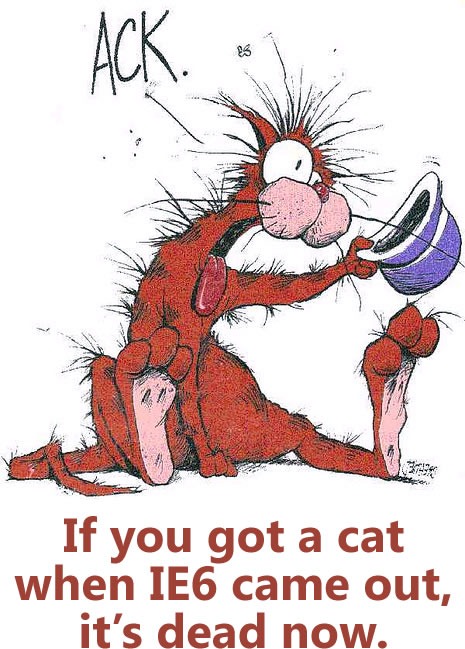
Yes, I know that cats live longer, but I think the quip I made at DemoCamp 21 still makes a good point:

Picture of "Bill the Cat" from "Bloom County" captioned with "If you got a cat when IE6 came out, it's dead now."

Let’s upgrade to compliant up-to-date browsers, shall we? IE8, or even that hippie browser, if you must.

Credit where credit is due: The “cat’s dead now” line is my remix of a line from a review of the Guns ‘N’ Roses concert that took place here in Toronto a couple of years back. The original line went something like “If you got a cat when Appetite for Destruction came out, it’s dead now.”

{ 13 comments }

This article also appears in Canadian Developer Connection.

The Race to Market Challenge

Here’s a quick little video that explains what the just-announced Race to Market challenge is all about:

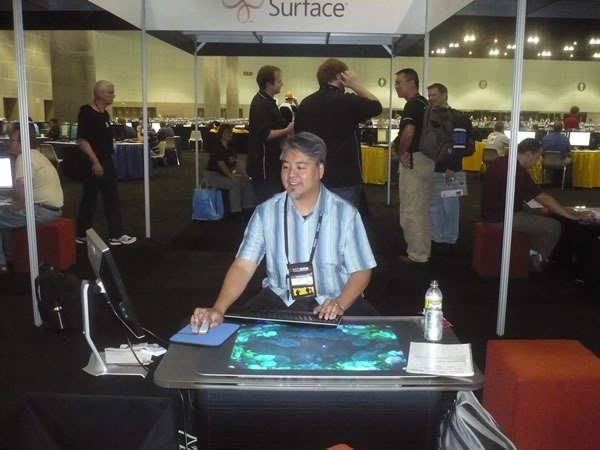
If you’ve been thinking about developing for Windows Mobile, now’s the time! We’re now accepting submissions of applications for Windows Marketplace for Mobile, the on-phone store where people with Windows Mobile phones can buy and install mobile applications easily. Better still, we’re making it a contest – submit your Windows Mobile app between now and 11:59 p.m. on December 31st and you’ll automatically be entered in the Race to Market Challenge where you’ll have a chance to win one of 4 Surface tables (developer edition, of course) like the one pictured below with the dashing Developer Evangelist…

surface_pdc

…along with a lot of online marketing and promotion for your application and a really cool trophy.

Winning applications will fall into one of these categories:

  • Most downloaded
  • Most valuable (where “value” is the number of downloads multiplied by the price)
  • Most useful, as judged by a Microsoft panel
  • Most playful, as judged by a Microsoft panel

The Race to Market Challenge runs from now until December 31st, and the sooner you get started, the more likely you shot at one of the grand prized. For full details about the contest, visit mobilethisdeveloper.com.

Getting Started with Windows Mobile Development

Between now and the end of the contest, I’ll be posting articles on Windows Mobile development and the Race to Market Challenge. In the meantime, here are some tips that should help you get started.

What You Need

Here’s a snippet from an earlier article of mine that shows you what you need in order to get started with Windows Mobile development. In order to build an application for Windows Mobile 6, you’ll need the following things:

Visual Studio 2008, Professional Edition or higher
visual_studio_2008_pro
This is the development environment. It’s not the only one that you can use to develop Windows Mobile apps, but it’s the one we’re using.

You can also use Visual Studio 2005 – if you do so, Standard Edition or higher will do. If you don’t have Visual Studio, you can download a trial version of Visual Studio 2008.
 

The Windows Mobile 6 SDKs
gear_icon
 
The Windows Mobile 6 SDKs contain the templates for building Windows Mobile 6 projects and emulators for various Windows mobile phones.

There are two such SDKs to choose from:

  • The Standard SDK. The general rule is that if the device doesn’t have a touch screen, its OS is Windows Mobile 6 Standard, and this is the SDK for developing for it.
  • The Professional SDK. The general rule is that if the device has a touch screen, its OS is Windows Mobile 6 Professional, and this is the SDK for developing for it.

    I recommend downloading both SDKs. You never know where you’ll deploy! 

  • .NET Compact Framework 3.5 Redistributable
    dotnet_logo
     
    The .NET Compact Framework 3.5 Redistributable is the version of the .NET framework for mobile devices. It only needs to be sent to the device once.
    A Windows Mobile 6 Device
    palm_treo_pro
     
    You can get by in the beginning with just the emulators, but you’ll eventually want to try out your app on a real phone. I’m using my phone, a Palm Treo Pro.

    As the saying goes, “In theory, there is no difference between theory and practice; in practice, there is.”

    The mobile device syncing utility that works with your operating system
    windows_mobile_device_center_icon
    If you’ve got a Windows Mobile 6 device, you’ll need the application that connects your mobile phone to your OS:
  • For Windows 7 and Vista, use Windows Mobile Device Center.
  • For Windows XP and Server 2003, use ActiveSync.
  • Previous Articles on Windows Mobile Development

    Here are links to my earlier articles on Windows Mobile development:

    I’ll be posting more soon, but these should help you get up and running in the meantime.

    If you’ve got any questions or comments about Windows Mobile development or the Race to Market Challenge, feel free to drop me a line or leave a note in the comments!

    { 1 comment }

    A Busy Week

    by Joey deVilla on July 27, 2009

    This article also appears in Canadian Developer Connection.

    It’s gonna be a busy week for me — there’s a lot going on!

    Damian Conway

    Monday: Damian Conway and The Missing Link

    On Monday evening, I’ll be catching Damian Conway’s presentation, The Missing Link. There’s nothing quite like a Damian Conway presentation – they’re equal parts computer science, mathematical digression, history lesson, physics lecture, pop-culture observation, Perl module code walkthrough and stand-up comedy routine.

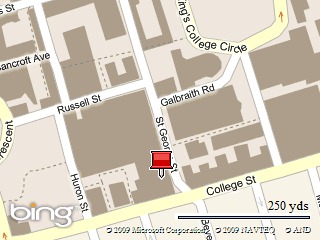
    If you’re up for an entertaining and enlightening presentation by one of the bright lights of the open source world and you’re going to be in Toronto tonight, you should catch this one. There’s no charge for admission and no registration process – just show up at University of Toronto’s Bahen Centre for Information Technology (40 St. George Street, west side, just north of College) at 7:00 p.m. and head to room 1160 (the big lecture theatre near the back of the first floor).

    Map picture

    Tuesday: DemoCamp 21 with Special Guest John Udell

    DemoCamp Toronto 21: Tuesday, July 28th Tuesday evening brings the 21st edition of DemoCamp, which I like to describe as “show and tell for the bright lights of the Toronto-area tech community”. It’s a chance for people, from hobbyists working on a pet project to enterprise software developers building something globe-spanning to show their peers their projects in action or share an idea. It’s put together by my fellow Microsoftie David Crow (who’s also in Microsoft Canada’s Developer and Platform Evangelism group); I cost-host the event with Jay Goldman.

    This one’s going to be a special one for a couple of reasons. Firstly, this will be the first DemoCamp held at the Rogers Theatre. Second, Jon Udell, Microsoft Tech Evangelist extraordinaire, will be there.

    The presentations on the schedule are:

    • You can’t pick your neighbours, but you can pick your neighbourhood!
      Saul Colt, Zoocasa
    • ArtAnywhere : Where Lost artwork meets Empty walls
      Christine Renaud, ArtAnywhere
    • Bringing Social Media to Contractors
      Brian Sharwood, HomeStars
    • Create a BlackBerry/iPhone Mobile App in 5 Minutes
      Alan Lysne, Cascada Mobile
    • Stories Told Together – Introducing Social Cards
      Shaun, MacDonald, MashupArts
    • WeGoWeGo.com: semantic search for city events
      Dan Wood, WeGoWeGo.com
    • Guestlist – online event management
      Ben Vinegar, Guestlist
    • guiGoog: Advanced Visual Power Search
      Jason Roks, GuiGoog

    Alas, this event is sold out. I’ll take notes and post them on this blog.

    Wednesday: Science 2.0

    what_we_need_more_of_is_science

    The Science 2.0 conference takes place on Wednesday afternoon. Its topic: how the web and computers can radically change and improve science. It takes place at the MaRS Centre and the presentations are:

    • Choosing Infrastructure and Testing Tools for Scientific Software Projects
      Titus Brown
    • A Web Native Research Record: Applying the Best of the Web to the Lab Notebook
      Cameron Neylon
    • Doing Science in the Open: How Online Tools are Changing Scientific Discovery
      Michael Nielsen
    • Using “Desktop” Languages for Big Problems
      David Rich
    • How Computational Science is Changing the Scientific Method
      Victoria Stodden
    • Collaborative Curation of Public Events
      Jon Udell

    As with DemoCamp, this event is a popular one and is sold out. I’ll take notes and blog the conference.

    Thursday: Windows 7 Blogger Event

    I’ll be helping out at a gathering of Toronto bloggers on Thursday, where we’ll be showing them Windows 7.

    Friday: Coffee and Code

    coffee-and-code-2 If it’s Friday, it must be time for Toronto Coffee and Code! It’s the day when I set up shop at a cafe – usually the Dark Horse – and work from there, making myself available to answer questions, hear your opinions and comments and chat. I’ll talk about Microsoft, our tools and tech, the industry in general, whatever!

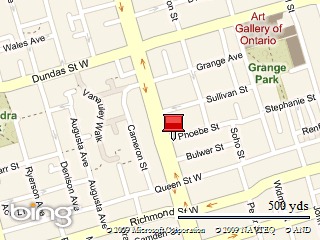
    This Friday’s Toronto Coffee and Code will take place at the Dark Horse Cafe (215 Spadina) from 1 p.m. to 6 p.m.. Feel free to drop by!

    Map picture

    Other Stuff Going On This Week

    techdays_canada_2009_logo

    • Along with the other people on the team, I’m helping out with the preparatory work on the TechDays conference, which will be taking place in seven cities across Canada this fall.
    • I’m also working on ongoing series of articles covering stuff like coding fundamentals, ASP.NET MVC, mobile and some other stuff that I have to keep on the down-low for the time being.
    • And it’s not too late for me to start working on the ASP.NET MVC presentation that I’m doing with ObjectSharp’s Barry Gervin at the Toronto edition of Stack Overflow’s DevDays conference in October.

    { 1 comment }

    The Sub-$1000 Opportunity?

    by Joey deVilla on July 24, 2009

    U.S. $1000 bill

    Here’s a thought experiment for you Windows developers out there: the fact that Apple pretty much owns the $1000+ computer market is in fact an opportunity. Discuss.

    (This article appears with slightly different wording – to try things from a different perspective – on the official Microsoft Canada developer blog, Canadian Developer Connection.)

    { 5 comments }

    The “CSS Is Awesome” Mug

    by Joey deVilla on July 23, 2009

    If you’ve worked with CSS and multiple browsers long enough, this mug will make you laugh (or cry):

    Mug with a square containing the text "CSS IS AWESOME", with the "AWESOME" extending beyond the boundary of the square.

    At US$12.95 (available at Zazzle.com), it’s a pretty good “Secret Santa” gift for the web developer or designer on your team.

    { 0 comments }

    TechDays, Blogs and the Fundamentals

    by Joey deVilla on July 23, 2009

    This article also appears in Canadian Developer Connection.

    The Open Letter

    duty_calls

    Justice Gray is concerned about TechDays, Microsoft Canada’s touring conference that will hit seven cities this fall. So he wrote an open letter, in which he stated:

    I’m a big "fundamentals" guy, and TechDays hasn’t traditionally focused on any sort of development fundamentals. It’s been more focused on specific Microsoft technology demos.

    He’s right – one of the key goals of TechDays is to showcase current Microsoft tools and technologies, show you how to make use of them and give you an idea of what’s possible. As the “owner” of one of the conference tracks – I’m in charge of the Developing for the Windows Platform track – I’ve taken great care to choose sessions that cover tools and technologies that are currently available but are things that you might not be using…yet. Many people’s day-to-day work keeps them focused on their particular department’s or project’s technologies and doesn’t give them any opportunities to see what else is out there. One of the goals of TechDays is to provide such an opportunity.

    Because he is “Justice” by nature as well as name, he’s quite understanding:

    I hasten to add that this is completely within Microsoft’s right and totally makes sense.  Microsoft is first and foremost a business and this is a good place to promote itself!

    What he’d like to see is a greater emphasis on developer fundamentals:

    However, I’m a little less excited about "let’s look at another spinning animal demo" vs. "let’s teach common design patterns" or even "let’s actually show developers how to use half of the relevant Application Blocks in a legitimate application that isn’t a Northwind demo".

    SOLID Inspiration

    aerialbots_as_solid

    Justice’s concern about TechDays stems from my recent article on the SOLID principles, which I posted here on Global Nerdy as well as on Microsoft Canada’s developer blog, Canadian Developer Connection. What really got him was a question and answer I included in the article:

    Will There be a Presentation on SOLID at TechDays Canada 2009?
    Mmmmmmmaybe…

    He interpreted the “Mmmmmmmaybe…” as “no”. Based on that interpretation, he made what might be considered to be a logical assumption: that I wrote the post as a quick way to compensate for the fact that SOLID wouldn’t be a topic at TechDays.

    Fitting in Fundamentals

    "ABC" toy wooden blocks

    In fact, SOLID will be the topic of a session in the Developing for the Windows Platform track. The session’s working title is SOLIDify Your ASP.NET MVC Applications, and it covers the SOLID principles by way of refactoring an ASP.NET MVC application.

    There’s a perception that Microsoft developers care less about things like good design and coding practices than those in the Java and open source worlds do. Whether that perception is true or not, I figured that I’d try to address both the perception and the reality by filling the “back end” day of my track – that’s day 2; day 1 is all about developing for the “front end” – with sessions that covered technique as well as tooling:

    • There’s the SOLID session…
    • Prior to the SOLID session is the “Introduction to ASP.NET MVC” session, which covers the concepts of the Model-View-Controller pattern, DRY, convention over configuration, the Repository pattern and REST.
    • REST is covered in even greater detail in a session that covers building RESTful services with WCF. It seemed to me that while many parts of the open source world have embraced REST, it’s been largely ignored in the Microsoft world until recently.
    • There’s also a session in which we look at SharePoint as a provider of web services and architectures in which an “application” is actually two or more applications interacting by producing and consuming services.

    Choosing the sessions that would go into TechDays was a juggling act, what with:

    • Selecting sessions from the ones at the TechEd conference (which took place earlier this year),
    • Satisfying the needs of the various tool and product groups who are TechDays’ “sponsors”,
    • Choosing topics that are interesting and relevant to the audience
    • Ensuring that sessions are at the appropriate skill level
    • Trying to go beyond “how you use feature X of tool Y”, and
    • Covering topics that will help keep the audience’s “skills portfolio” up to date.

    Each track owner had to balance these factors when choosing sessions for this track. I believe that the end result (which will be online soon) is a pretty good one.

    Blogging the Fundamentals

    Volumes 1-3 of Donald Knuth's "The Art of Computer Programming"

    I wrote an article about SOLID not because it had been excluded from the Developing for the Windows Platform track, but because it was included. That post was meant to be an “appetizer” for the session> I wanted everyone attending the SOLID session to have at least a passing familiarity with the SOLID principles. Learning takes repetition and retaining that learning takes continual exposure, so I thought I’d get a head start by posting an article and hinting (which is what my “Mmmmmmmmaybe” was about) that it would be a topic at TechDays. I also thought that  articles on SOLID might generate interest in the session.

    There will be more articles looking more closely at each of the SOLID principles. The article was the first step toward posting more articles on technique and best practices. I think that it’s an area that Canadian Developer Connection can and should cover, because there’s more to building software than knowing your way around Visual Studio and Expression or being able to list the functionalities offered by a given class library. There’s the accumulated wisdom of developers in the form of things like design patterns, fundamentals like coupling and cohesion, concepts like DRY, convention over configuration and the Law of Demeter, practices like secure, agile and test-driven development and so on. I want to help make better developers, because better developers make for a better industry — and a better Microsoft as well.

    While TechDays sessions provide an interactive and up-close-and-personal learning experience that a blog can’t, there are good reasons to use blogs to cover the fundamentals. We can point TechDays attendees to blog posts to reinforce the material covered in the sessions, and people who weren’t able to make it to TechDays can also benefit. We can cover topics in greater depth in a blog article than we can in a presentation, with more detailed explanations and diagrams as well as more code and examples. There’s also the reach and permanence of a blog article: they’re accessible by anyone, anytime, and more importantly, they can be indexed by search engines.

    Your Suggestions, Please!

    the-room[1]

    In the end, we want to help developers become the best they can be. That means making sure that they know how to get the most out of our tools and technology, but it also means helping out in areas not directly related to selling our wares, such as helping build developer communities and covering topics like good software design and best practices, both online and in real life.

    What would work best for you? Would you like to see more fundamentals-oriented sessions in future versions of TechDays or other conferences? More presentations on the fundamentals at local workshops or user groups? More articles? More screencasts? Let us know, either in the comments or drop me a line directly. A lot of our planning is based on your input, so the more you tell us, the better.

    { 4 comments }

    Windows 7 and Server 2008 R2: RTM and FTW!

    by Joey deVilla on July 22, 2009

     XBox 360-style achievement: "Achievement Unlocked: Windows 7 and Server 2008 R2 RTM'd" Windows 7 logo

    Windows 7 Released to Manufacturing

    It’s been announced on the Windows Blog: Windows 7 has been released to manufacturing!

    Brandon LeBlanc explained that “RTM” happens only after it’s been signed off. One of the release candidate builds becomes a contender for release to manufacturing after it goes through significant testing and passes all the validation tests for RTM including having all languages for that build completed. Build 7600 crossed all those hurdles and got signed off today.

    The beta and release candidate period for “Seven” was quite unusual. Rather than hand it out to a closed group of beta testers, it was made available for download and I was given piles and piles of DVD-ROMs to hand out like candy. And strangely enough, people were asking for it. At the EnergizeIT installfests this spring, we played to packed rooms of people who took time out of their Saturday mornings and schlepped to Mississauga to install the beta. Even people with Macs, who ran it under Boot Camp or Parallels. It’s unusual for an operating system in beta – especially one from The Empire – to be in such demand.

    I’ve been using the beta since January and the release candidate for the past few weeks as my primary operating systems with nary a hitch, glitch or blue screen. I’m looking forward to getting the final version of Windows 7, which will be the first of many new goodies coming from The Empire over the coming months,

    If you’re a developer with an MSDN subscription or an IT pro with a TechNet subscription, you’ll be able to download the English Windows 7 RTM on August 6th, with other language versions on October 1st. Windows 7 will go on sale to the general public on October 22nd.

    Windows Server 2008 R2

    Windows Server 2008 R2 logo Windows Server 2008 R2 was also released to manufacturing today. As they state in the Windows Server Division Weblog, the simultaneous release is no coincidence but a design goal. “R2”, as I prefer to call it, boasts a lot of features such as Hyper-V, Live Migration, File Classification Infrastructure, an improved Active Directory, Pervasive PowerShell, IIS 7.5, server scalability, DirectAccess, BranchCache and improved Remote Desktop.

    { 1 comment }

    This article also appears in Canadian Developer Connection.

    John Udell

    Jon Udell – the developer, information architect, author who wrote about social software before we started calling it that, blogger and Senior Tech Evangelist at Microsoft – will be in Toronto next week and he’ll be at a couple of events that I’m attending.

    DemoCamp Toronto 21

    DemoCamp Toronto 21

    On Tuesday, John will be at the 21st edition of DemoCamp, the show-and-tell event for people in the Toronto tech community, where entrepreneurial developers, designers, marketers and businesspeople get together to talk about what they’re working on, exchange ideas and get to know each other. We’re about using the power of technology and creativity to make Toronto (and the world) a better place to live, work and play. And yes, Yours Truly will help host the event.

    Watch this blog for more details about next week’s DemoCamp, including the demos and Ignite presentations that will be featured that night.

    Science 2.0

    "Achewood" T-shirt featuring Roast Beef: "What We Need More Of is Science"

    On Wednesday, John will be at Science 2.0, a conference exploring the ways in which computers and the internet are changing the way science is done. Speakers and presentations at Science 2.0 include:

    • Titus Brown: Choosing Infrastructure and Testing Tools for Scientific Software Projects
    • Cameron Neylon: A Web Native Research Record: Applying the Best of the Web to the Lab Notebook
    • Michael Nielsen: Doing Science in the Open: How Online Tools are Changing Scientific Discovery
    • David Rich: Using “Desktop” Languages for Big Problems
    • Victoria Stodden: How Computational Science is Changing the Scientific Method

    John will have a talk at Science 2.0 in which he’ll cover the elmcity project, a community calendaring system running on the Azure platform and how it “tackles the challenge of social information management and aims to democratize the computational way of thinking that enables us to wire the web.”

    I’ll be taking notes at both events and will post them on this blog.

    { 1 comment }

    Coffee and Codes This Week: Guelph and Toronto

    by Joey deVilla on July 20, 2009

    "Code Monkey" coffee mug

    One quick announcement: I’m going to be at a couple of Coffee and Code events this week:

    • I’ll be at tomorrow’s (Tuesday, July 21st) Guelph Coffee and Code, which takes place at the Albion Hotel
    • and at the Toronto Coffee and Code on Friday, July 24th at the Dark Horse Cafe on Spadina.

    Be there!

    { 0 comments }

    This article also appears in Canadian Developer Connection.

    Motivational poster: Sad "Star Wars" stoprmtrooper sitting alone on a train: "Unemployment: Sucks when your job gets blow'd up"

    If you’re a developer looking for a job – or if you already have a job and are looking for a better one – you’ll want to check out Microsoft’s new Thrive for Developers, which describes itself as a one-stop community hub for advancing your career, enhancing your skills and connecting with your community. Having stuff like this has always been important, but it’s even more so in the middle of what I like to refer to as “The Econopocalypse”.

    Some of the features on Thrive for Developers are:

    • Driving Your Career: A 32-week screencast series that takes a look at some skills that developers need to thrive in the current climate. The fact that they’re called “soft skills” suggest that many people don’t think much of them, but if you’ve seen my own personal example (laid off by a startup last September, invited to a dozen interview, hired by Microsoft three weeks later) or read books like Malcolm Gladwell’s Outliers, you know that soft skills are valuable and anything but “soft”. Screencast Brian Prince will cover things like quick learning techniques, building consensus and the oft-difficult task of communicating with those pesky carbon-based lifeforms.
    • Connecting with Your Community: There’s a whole section that makes it easy to meet with other developers in your area or across North America, whether you want to find a job, join a user group, attend a developer gathering or catch a “nerd dinner”.
    • Developing in a Downturn: A lively 10-week podcast with stories, insights and real-world lessons from developers in all sorts of work environments – from small companies to multinationals – who share their top recession survival strategies.
    • Enhance Your Skills: Interactive lab sessions and resources covering both web development and Windows client application development.

    Whether you’re looking to get into the game or stay on top of yours, Thrive for Developers is a great resource worth checking out.

    { 1 comment }

    oscon_language_roundtable

    O’Reilly’s conference on Open Source, OSCON, takes place this week in San Jose, California. One of the events taking place at OSCON is the Open Source Language Roundtable, the abstract for which appears below:

    We all have our favorite languages in our tool-belt, but is there a ‘best’ overall language? If anyone can hash that out, it will be the members of this roundtable discussion, some of the stars of the open source language space. This wide-ranging session, hosted and moderated by the O’Reilly Media editorial staff, and broadcast live on the web, will try to identify the best and worst features of each language, and which are best for various types of application development.

    The roundtable will me moderated by O’Reilly Media’s James Turner and will cover the following languages, listed below with the corresponding panelist:

    • Java: Rod Johnson (SpringSource)
    • Perl: Jim Brandt (Perl Foundation)
    • PHP: Laura Thomason (Mozilla)
    • Python: Alex Martelli (Google)
    • Ruby: Brian Ford (Engine Yard)

    You can catch this roundtable even if you’re not going to be at OSCON because O’Reilly is webcasting the event. It takes place this Wednesday, July 22nd at 10pm EDT (7 pm Pacific) and is expected to run 90 minutes. It costs nothing to catch the webcast and you’ll even be able to ask the panelists questions via chat, but you’ll need to register.

    { 0 comments }