Silverlight

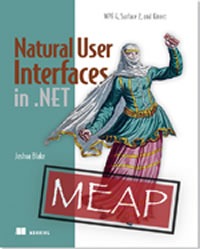
Cover of "Natural User Interfaces in .NET"It’s a work in progress, but it’s an important one: Manning Publications’ Natural User Interfaces in .NET, written by Joshua Blake. It’s a primer on creating natiral user interfaces — NUIs — using Microsoft technologies such as WPF 4, Surface 2 and Kinect.

Here’s an excerpt from the publisher’s description:

Natural User Interfaces in .NET is a hands-on guide that prepares you to create natural user interfaces (NUI) and great multi-touch experiences using the WPF and Silverlight multi-touch APIs. This book starts by introducing natural user interface (NUI) design concepts that everyone needs to know. It then quickly moves to the WPF Touch API and Surface Toolkit guiding the reader through a multitouch NUI application from concept to completion. Along the way, you’ll see where these concepts can be extended to Silverlight via its touch interface.

Today only — that’s May 16, 2011 — you can get the MEAP (Manning Early Access Program) preview PDFs, which are updated regularly and the final print edition of the book for a mere USD$25.00 (that’s $24.23 Canadian)! Just enter dotd0516 in the promotional code box when you check out at Manning’s site.

{ 0 comments }

HTML and Silverlight are Friends with Benefits

by Joey deVilla on November 2, 2010

Cana

For those of you who are still wondering about where Silverlight stands in the face of Microsoft’s increasing support for HTML5, I point you to this video which I recorded earlier this year: HTML5 and RIAs: Friends with Benefits. Bow-chicka-wah-wah!!!

This article also appears in Canadian Developer Connection.

{ 0 comments }

Bob Muglia: PDC and Silverlight

by Joey deVilla on November 1, 2010

silverlight logoThis article was written by Bob Muglia, President of the Server and Tools division at Microsoft. It was posted on the Silverlight Team’s blog, and I’m reposting it here verbatim.

Last week, we held our PDC conference on the Microsoft campus in Redmond, Wash. We also streamed it online using Silverlight (with both live and on-demand sessions). Already, more than 100,000 developers have watched the event, and the feedback on the streaming experience has been phenomenal. If you haven’t had a chance to watch the sessions yet, I encourage you to do so: http://microsoftpdc.com

During the conference, I gave an interview where, among other things, I talked about the great work we’re doing with Silverlight – in particular, support for Windows Phone 7, which we featured heavily at the conference. The interview was accurately reported. I understand that what I said surprised people and caused controversy and confusion. As this certainly wasn’t my intent, I want to apologize for that. I’d like to use this post to expand on what I said, and talk about the very important role Silverlight has going forward.

In the interview, I said several things that I want to emphasize:

  1. Silverlight is very important and strategic to Microsoft.
  2. We’re working hard on the next release of Silverlight, and it will continue to be cross-browser and cross-platform, and run on Windows and Mac.
  3. Silverlight is a core application development platform for Windows, and it’s the development platform for Windows Phone.

We haven’t yet publically announced a launch date for the next release of Silverlight, but we’ll talk more about it in the coming months.

Last week, we released some important updates to Silverlight 4, which shipped only six months ago and included major new features and tooling capabilities. Last week’s updates included improvements to WCF RIA Services, as well as the new Portable Library project – making it easier to share assemblies across SL Desktop, SL Phone, WPF and .NET on the server. John Papa delivered a PDC session on building business apps with Silverlight 4, and Shawn Burke delivered a PDC session on the portable library project. I recommend that you take a look at both of these.

Silverlight Strategy

I said, “Our Silverlight strategy and focus going forward has shifted.” This isn’t a negative statement, but rather, it’s a comment on how the industry has changed and how we’re adapting our Silverlight strategy to take advantage of that.

Below are some of the trends we’re tracking and optimizing around.

Customers are demanding the richest possible client experiences, and developers are increasingly looking to build premium, tailored experiences optimized for specific devices. Silverlight provides the richest way to build Web-delivered client apps. In particular, with Silverlight 4, we invested in enabling enterprise application development and now provide an outstanding platform to build rich business applications – both inside and outside the browser.

Customers want to be able to deliver client experiences that are optimized for specific form factors. Silverlight provides a rich UI framework that enables smooth animations and lends itself very well to touch input and embedded devices. At the PDC last week, we spent a lot of time talking about Windows Phone 7 and how Silverlight provides a great developer platform for creating apps for it. With the U.S. launch just days away, already we have more than 1,000 Silverlight apps built for Windows Phone, and consumers of the phone will be able to purchase these apps through an integrated marketplace built into each device. Recently, we’ve also demonstrated Silverlight apps running on Windows Embedded, and Silverlight is a critical component of our three-screen strategy.

Media delivery across the Internet continues to accelerate dramatically. Customers want HD, studio quality, premium media content. Silverlight has and will continue to be a pioneering technology that makes it possible to deliver the best media experiences anywhere. Whether it’s the Olympics, Netflix, or many other media experiences, we have and will continue to invest in it. Silverlight and IIS Media Services are the choice for premium media experiences with features like HTTP adaptive streaming, DECE-approved content protection, and offline media applications. In addition, IIS Smooth Streaming enables media delivery to a wide variety of devices, including devices where Silverlight isn’t supported.

Lastly, there has been massive growth in the breadth and diversity of devices made by a wide variety of vendors providing both open and closed systems. When we started Silverlight, the number of unique/different Internet-connected devices in the world was relatively small, and our goal was to provide the most consistent, richest experience across those devices. But the world has changed. As a result, getting a single runtime implementation installed on every potential device is practically impossible. We think HTML will provide the broadest, cross-platform reach across all these devices. At Microsoft, we’re committed to building the world’s best implementation of HTML 5 for devices running Windows, and at the PDC, we showed the great progress we’re making on this with IE 9.

The purpose of Silverlight has never been to replace HTML, but rather to do the things that HTML (and other technologies) can’t, and to do so in a way that’s easy for developers to use. Silverlight enables great client app and media experiences. It’s now installed on two-thirds of the world’s computers, and more than 600,000 developers currently build software using it. Make no mistake; we’ll continue to invest in Silverlight and enable developers to build great apps and experiences with it in the future.

This article also appears in Canadian Developer Connection.
{ 0 comments }

Scenes from TechDays Vancouver, Part 4: Go DevMENTAL

by Joey deVilla on September 20, 2010

Go DevMental: Our event for students

What is Go DevMENTAL?

Since TechDays – Microsoft Canada’s cross-country developer and IT pro conference visiting 8 cities across Canada this fall – is a two-day event, we’ve got the venues for the entire 48-hour period, including evenings. Rather than have the session rooms (which are already set up for an audience, complete with A/V and seating) lie fallow, we decided to put them to good use and hold free community events in the evenings. One of these events is Go DevMENTAL, where we show college and university students what they can build using Microsoft’s tools and technologies and give them a lot of free stuff.

Go DevMENTAL is a two-track conference, with one track devoted to web design and development using WebMatrix, Expression Blend and Silverlight, while the other covers mobile development for Windows Phone 7 using Silverlight and XNA. At the end of the evening, we give the students a token for DreamSpark, our program that gives them free Microsoft development tools and operating systems and a DVD full of goodies so they can start coding right away.

If you’re a college or university student and would like to have an informative and entertaining evening where you learn cool new things, get free cool stuff, connect with industry people and get some help with your career, register for Go DevMental!

Where is Go DevMENTAL?

We’ll be hitting these cities on these dates:

City Where When
Edmonton Shaw Convention Centre October 5
Toronto Metro Toronto Convention Centre
South Building
October 27
Halifax World Trade Centre November 2
Ottawa Hampton Inn Ottawa
(200 Coventry Road)
November 9
Montreal Palais Des Congres November 23
Winnipeg Winnipeg Convention Centre December 7
Calgary Round-Up Centre
(Calgary Stampede Park)
December 14

What Happened at Go DevMENTAL Vancouver?

Go DevMENTAL Vancouver took place on Tuesday, September 14th in the West Building of the Vancouver Convention Centre, a gorgeous venue (for more, see this entry).

I was helping out with the Phone track, so I only managed to get photos for its sessions. My colleages in Microsoft Canada’s Developer and Platform Evangelism team, Christian Beauclair and John Bristowe, took care of the Web track, while Mark Arteaga of Redbit Development and I ran the Phone track.

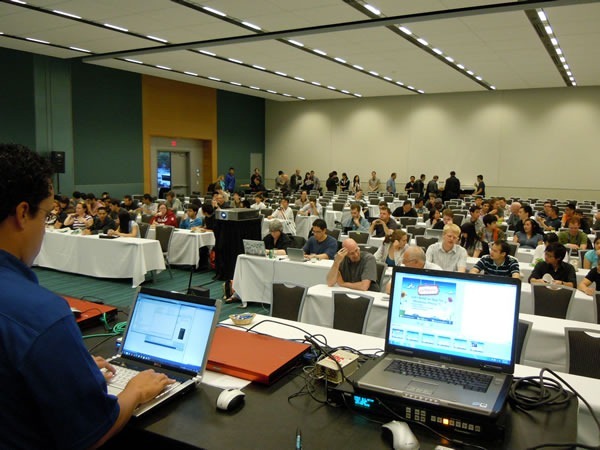
Here’s Mark setting up for his presentation, as the students and a number of professors milled into the room. We had some drinks and snacks set up in the back; that’s what the line at the back of the room is all about:

Photo of the session room, with Mark Arteaga setting up his computer in the foreground

And we’re off! Mark did the first presentation, which focused on app development with Silverlight.

The audience in the Phone track at Go DevMENTAL Vancouver

By the end of his session, he had a working, skinnable Magic 8-Ball app that responded to the user shaking the phone. The app was flexible enough so that it would be really easy to repurpose it as a fortune cookie app, the Wisdom of Master Yoda app and so on, without having to touch any code.

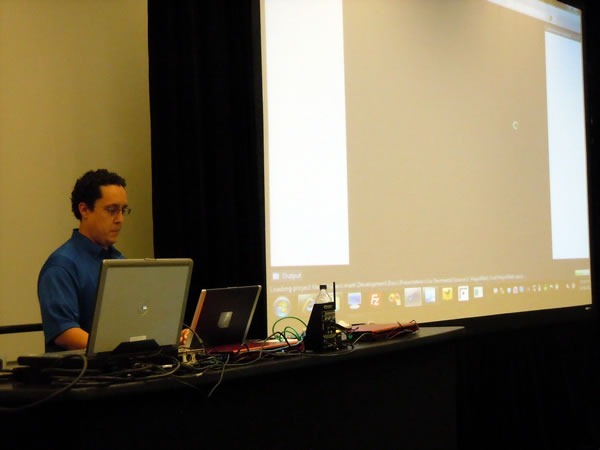
Mark Arteaga makes his presentation

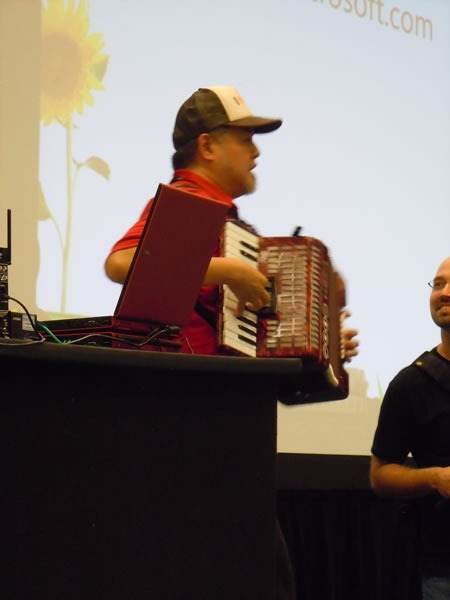
Mark’s session was followed by a break, which concluded with a quick accordion performance by Yours Truly:

Joey deVilla plays accordion at Go DevMENTAL

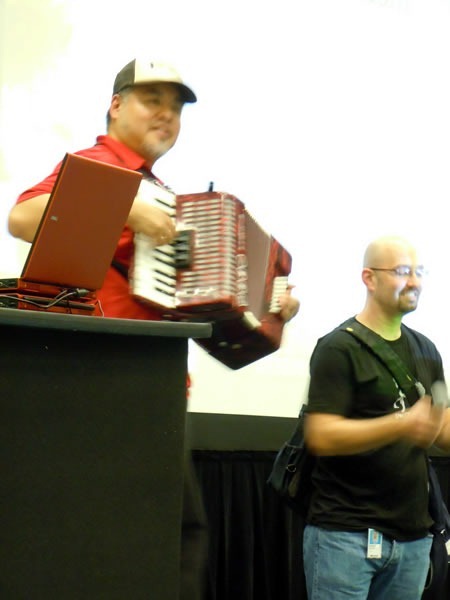
Followed by a quick word from Andrew Gottlieb, a Microsoft recruiter who works the UBC campus looking for the next great Microsofties. If you’re looking for a job at Microsoft and you’re a student in the Vancouver area, you’re going to want to drop him a line.

Joey deVilla plays his accordion at Go DevMENTAL as Andrew Gottlieb stands beside him

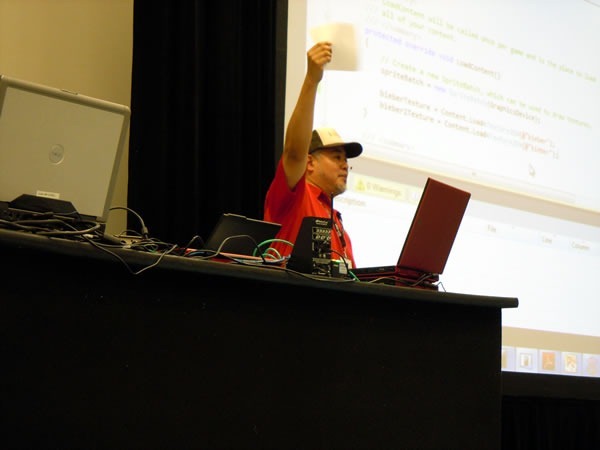
Then came my presentation, a live-coding exercise in which we start with “File –> New Project…” and in 45 minutes, put together a game in which you get to smack Justin Bieber around. Let it never be said that I let professionalism stand in the way of a good coding presentation‘

Joey deVilla makes his presentation, holding up a piece of paper

Live coding in front of an audience is not for the weak of heart, and you’d better really know your stuff. But when you do it right, it’s fun for both you and the audience.

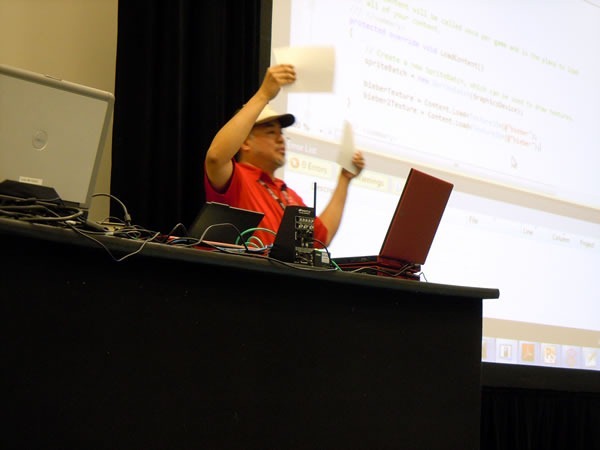
In these photos, I’m holding up two pieces of paper as a way of explaining collision detection using bounding boxes. It’s not every day you see some goof in an ironic hipster trucker cap talking about videogame fundamentals!

Joey deVilla makes his presentation at Go DevMENTAL holding up two pieces of paper

After the student sessions, I made my way to the faculty roundtable where we chatted with the professors about what Microsoft could do for them.

It was great meeting the students and faculty – I had a great time, and also learned a lot from them. I’m looking forward to the upcoming Go DevMENTAL cities. See you there!

This article also appears in Canadian Developer Connection.

{ 0 comments }

Get “Silverlight 4 in Action” for Half Price!

by Joey deVilla on September 10, 2010

silverlight 4 in actionToday only (Friday, September 10, 2010), you can get either a PDF or dead-tree edition of Silverlight 4 in Action for half price! Just enter the discount code dotd0910 in the promotional code box when you check out at Manning Publications’ online store.

Here’s the publisher’s description of the book:

Silverlight gives you entirely new ways to create rich internet applications, and now Silverlight 4 adds many powerful enhancements to the mix.

Silverlight 4 in Action is a comprehensive guide to application building using C#. It goes into action immediately in a thorough introduction. It then follows up with numerous nifty examples to explore flexible layout, control extensibility, the communication and binding models, rich media, animation, and much more.

This book explores practical questions in patterns, testing, and performance optimization throughout. No previous experience with Silverlight is required.

Remember, it’s half price just for today! With the discount, the ebook edition becomes USD$14.99 and the paper book version (which also gives you the ebook edition) drops to USD$24.99.

This article also appears in Canadian Developer Connection.

{ 0 comments }

Today Only: 50% off Manning’s Silverlight Books

by Joey deVilla on August 11, 2010

manning silverlight books

Manning Publications’ deal of the day for today, Wednesday, August 11th, is 50% off the electronic and dead-tree versions of their Silverlight books:

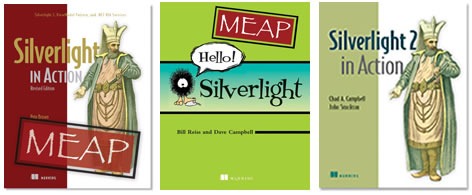
Silverlight 4 in Action and Hello! Silverlight are “MEAP” books: that’s “Manning Early Access Program”, which gives you early access to preliminary versions of a book as it’s being written (and yes, the final version as well).

To get the discount, enter the discount code dotd0811 in the “Promotional Code” field when you check out.

This article also appears in Canadian Developer Connection.

{ 0 comments }

Windows Phone 7 Bootcamp

by Joey deVilla on July 13, 2010

Devvin' for Seven: Windows Phone 7 DevelopmentYou’ve seen the announcement and perhaps you’ve downloaded the beta of the Windows Phone 7 dev tools (if you haven’t, do it now!)

Click here to download WP7 Developer Tools Beta

Now that you’ve got the tools, what’s next? Will they just lie there, dormant on your hard drive, or are you going to use them and be a trailblazer on a brand new mobile platform?

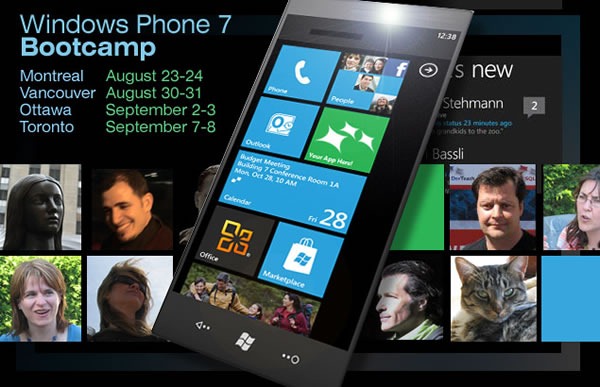
Windows Phone 7 Bootcamp: Montreal (August 23 - 24), Vancouver (August 30 - 31), Ottawa (September 2 - 3), Toronto (September 7 - 8)

If you’re looking for intense training with personal attention by a highly-rated presenter with Silverlight and cloud development expertise, you’ll want to check out DevTeach’s Windows Phone 7 Bootcamps. They’re being presented by Colin Melia, who’s presented at TechDays, wrote the Silverlight demo app that we used for the EnergizeIT tour and is one of our go-to guys for Windows Azure – simply put, the guy knows his stuff.

BootThe Windows Phone 7 Bootcamps are serious courses – two full days of in-class hands-on training in which Colin will explain the Windows Phone 7 platform and especially Silverlight as it runs on Windows Phone, with all the details on Silverlight programming techniques, controls, templates, styling, resources, animation, data binding, navigation, interfaces and all those things you need to know about to build a mobile app. The course will mostly cover the Silverlight side of Windows Phone development, although there will be a section on game development with XNA.

If you’re a busy developer who’s having trouble setting aside time to learn all those separate bits that go into Windows Phone development – Silverlight, calling on web services, the Windows Phone-specific APIs, using information for sensors such as GPS and accelerometers and dealing with the constraints of mobile devices – this course is well worth the money. It’ll give you the kick start you start writing apps and capitalize on the wide-open marketplace of Windows Phone apps.

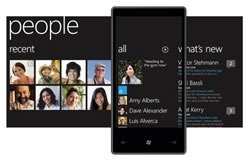
Windows Phone 7 "People" hubThe bootcamps take place in the following cities on the following dates:

  • Montreal: Monday, August 23 and Tuesday, August 24 at the Microsoft office
  • Vancouver: Monday, August 30 and Tuesday, August 31 at the Sutton Place Hotel
  • Ottawa: Thursday, September 2 and Friday, September 3 at the Microsoft office
  • Toronto: Tuesday, September 7 and Wednesday, September 8 at Microsoft’s downtown office

The registration fee is CDN$999 for the full-day training session, and you can save $100 by using the discount code WP7BOOTCAMP when you register. I repeat:

Save $100 with this code: WP7BOOTCAMP

For the full details on the Windows Phone 7 Bootcamp, see the Windows Phone 7 Bootcamp page.

This article also appears in Canadian Developer Connection.

{ 0 comments }

windows phone 7 bootcamp

Want some hardcore training from a developer who’s been doing Windows Phone 7 development since the tools were released in March? Then you’ll want to check out DevTeach’s Windows Phone 7 Bootcamp, taking place late this summer in Montreal, Vancouver, Ottawa and Toronto.

The Windows Phone 7 Bootcamp is an intense two-day training session run by indie training conference organizers DevTeach and will be hosted by Colin Melia, principal architect for DreamDigital. Colin’s knows a lot about Silverlight and cloud technologies and will share this knowledge at the Bootcamp, showing you how to make great mobile user interfaces as well as how to write phone apps that harness the power of networked-based services such as notification and location services as well as data access and isolated storage.

save 100 with WP&BOOTCAMP codeWhat You’ll Need to Know

Colin’s going to dive right into the nitty-gritty of developing apps for Windows Phone 7, and there’s quite a bit of material to cover, so you should at least be familiar with the following to get the most out of the Bootcamp:

  • Visual Studio 2008 or 2010
    (You can familiarize yourself with these by downloading the free Visual C# 2010 Express or Visual Studio 2010 Express for Windows Phone)
  • The C# programming language, or something similar
    (If you’re a Java developer you should find the transition pretty easy; developers using other object-oriented programming languages shouldn’t have too much difficulty following C#)
  • The .NET programming framework
    (Actually, pretty easy to grasp, especially with the assistance of Visual Studio)
  • XML
    (A basic understanding will do)

What You Won’t Need to Know

You won’t need to have any experience with Silverlight or phone development – the Bootcamp’s covering that!

What You’ll Need to Bring

one laptop will do

You’ll need to bring your own laptop running Windows 7 or Vista SP2 with “an appropriate up-to-date set of tools installed and functioning”. That means Visual Studio 2010 or at least Visual Studio 2010 Express for Windows Phone.

When and Where?

The Windows Phone 7 Bootcamps will be limited to 25 seats in order for you to be able to interact better with Colin, so register as soon as you can! They’ll be taking place in these cities:

  • Montreal: Monday, August 23 and Tuesday, August 24 at the Hyatt Regency Hotel
  • Vancouver: Monday, August 30 and Tuesday, August 31 at the Sutton Place Hotel
  • Ottawa: Thursday, September 2 and Friday, September 3 at a location to be announced
  • Toronto: Tuesday, September 7 and Wednesday, September 8 at a location to be announced

The registration fee is CAD$999 for the two-day training session, and you can save $100 by providing the discount code WP7BOOTCAMP when you register.

For More Information

If you’d like to know more about the Windows Phone 7 Bootcamp, visit DevTeach’s site, and particularly their special page devoted to the Bootcamp.

This article also appears in Canadian Developer Connection.

{ 0 comments }

Windows Phone 7 @ MIX10: Reports on the new hotness from MIX10 in Las Vegas

The Videos are Up!

It’s only been a couple of days since MIX10 wrapped up, but as promised, we recorded videos of all the sessions and they’re now available online. It doesn’t matter if you missed a session or missed the entire conference, you can now catch (or re-catch) them all. The videos are all “two-shots”; that is, they feature two views: one of the speaker, shown in a window on the left, and one of the current slide, shown in a view on the right. They’re all in Windows Video (WMV) format, and for many of the presentations, the speakers have also made the slides available in PowerPoint (PPTX) format.

The Windows Phone Videos

I’m biased – I’m one of the evangelists designated as a “Windows Phone 7 Champ” – so naturally I consider the Windows Phone 7 Series announcements made at MIX10 to be the most important ones of the conference. (Don’t worry, I’ll talk about the other things I saw at MIX in a later article.)

I’m a believer in “The Power of the Obvious”. Sometimes, there’s great power and utility in taking information that’s already out there and rearranging it in a way that makes it even more useful. That’s why I decided to take the listing of all the MIX10 session videos, pick out the ones applicable to Windows Phone 7 development and rearrange them into the three lists below:

I’ve listed each session with:

  • Its code and title – not the title that appears in the program, but the title that the presenters actually used (some were changed at the last minute)
  • A brief description of the session
  • A “You should watch it if” list to give you an idea of whether the presentation is relevant to you
  • Links to the video of the presentation, and if available, the slides

All told, there’s more than 18 hours’ worth of Windows Phone video.


Windows Phone – General Design and Development

Title Video Slides
KEY01: Day 1 Keynote

The Day 1 keynote started with Silverlight and finished with the first complete announcement Windows Phone and its development environment, as well as where you can download  all the goodies to get started immediately.

You should watch it if: You want to get the “feel” of this year’s MIX conference, you’re new to developing for the Microsoft platform (or haven’t done so in a long time) or if you’re a completist.

WMV n/a
CL01: Changing Our Game – An Introduction to Windows Phone 7 Series

This was the very first breakout session following MIX10’s Day 1 keynote. In it, Joe Belfiore, Corporate VP Windows Phone, covers the Windows Phone 7 strategy and philosophy, runs through a lot of demos (which make up the lion’s share of the session) and talks about the hardware spec and the partners who will build the phones.

You should watch it if: You haven’t read any of the news about Windows Phone 7 prior to MIX, you’ve never seen the Windows Phone 7 user interface or applications in action, or you’re a business or technical decision-maker wondering wondering if your company should build apps for Windows Phone 7.

WMV n/a
CL13: The Windows Phone Application Platform

It’s my main man, Charlie Kindel, PGPMWPAPDE (Partner Group Program Manager for the Windows Phone Application Platform and Developer Experience) giving us the “100-level” overview of what’s available for developers who want to build Windows Phone apps.

You should watch it if: You’re a developer who wants a high-level overview of Windows Phone 7 development or if you’re a technical decision-maker wondering if your company should build apps for Windows Phone 7.

WMV PPTX
CL14: Designing Windows Phone 7 Series

Albert Shum (“That Dude” behind the design of Windows Phone 7), Michael Smuga (Studio Director) and Chad Roberts (UX Design Lead) talk about the “design language” of Windows Phone 7, which comprises its design principles, metaphors, conventions, “look and feel” and target audience as well as how to design apps that have their own identity and still “speak” Windows Phone 7’s design language.

You should watch it if: You’re a designer, information architect or user experience person who wants to build Windows Phone 7 apps, or if you want a clearer idea of the philosophies behind Windows Phone 7’s user interface and design, direct from the people responsible for creating it.

WMV PPTX
CL18: Windows Phone 7 Series Architecture Deep Dive

Istvan Cseri, who holds the position of Distinguished Engineer at Microsoft and now works with the Windows Phone team, provides a closer look at the technological features of Windows Phone 7. He covers the hardware foundation, the underlying operating system, the application model, the page-based UI model and cloud integration services. 

You should watch it if: You’re a developer or developer manager who wants to build apps for Windows 7 and wants to know more about the platform.

WMV PPTX
CL20: Making Money with Windows Phone Applications and Games
We’ve got a suit (Todd Biggs, Director of Program Management) and a geek (John Bruno, Lead Program Manager) talking about how you can sell your Windows Phone 7 apps on the Windows Phone Marketplace, the source of all Windows Phone 7 apps. They’ll go over what the Marketplace looks like from the customer’s point of view, the plans to make Marketplace’s policies very detailed and clear so you know what apps will pass muster, “Trial Mode” and how you can use it, and of course, how you make money with Windows Phone.

You should watch it if: You’re planning on making some extra spending money (or even paying the rent/mortgage) with Windows Phone apps and are curious as to how Windows Phone Marketplace works.

WMV PPTX
CL23: Designing and Developing for the Rich Mobile Web

This one’s not about building “native” Windows Phone apps with Silverlight or XNA, but for that third mobile platform: the web. Joe Marini, Principal Program Manager for Windows Phone, explains the web’s mobile context and why it’s different, walks through do’s and don’t for building usable, engaging and rich mobile web sites and the general principles of designing and developing for the platform that fits in your pocket.

You should watch it if: You’re a developer or designer who wants to build websites that work well for mobile devices (and yes, that includes Windows Phone).

WMV n/a


Windows Phone and Silverlight

Title Video Slides
CL02: Blend 4 for Windows Phone 7 Series, Silverlight 4 and WPF 4

Christian Schormann and Pete Blois of the Expression Blend team talk about the upcoming version of our tool for building and designing user workflows, interfaces and experiences. There are 4 major demos: an introduction to Blend for Windows Phone, the “Ready for Business” capabilities of Blend 4 and Silverlight 4, the creative side of Blend and its new take on layout, game design for Windows Phone with Blend.

You should watch it if: You’re new to Expression Blend, you’re a developer or designer planning to build Silverlight applications for Windows Phone, you’re an interaction designer wondering about Sketchflow, or you’ve asked the question “Why Blend? Doesn’t Visual Studio already come with an interface designer?”

WMV PPTX
CL15: An Introduction to Developing Applications for Microsoft Silverlight

This presentation was scheduled just before the Building Windows Phone Applications with Silverlight series for those developers who want to build apps for Windows Phone, but have never built a Silverlight application before. Think of it as “Silverlight 101”. It’s presented by Silverlight Program Manager Shawn Oster, who like me, spent some time away from .NET in the world of PHP and Ruby on Rails before joining Microsoft. Shawn will walk through building user interfaces in Silverlight using both Visual Studio and Expression Blend and how you can use the same code for both Windows Phone and the web.

You should watch it if: You’re a developer or designer planning on building apps for Windows Phone 7 but have never touched Silverlight before.

WMV PPTX
CL16: Building Windows Phone Applications with Silverlight, Part 1
Mike Harsh, Program Manager for Silverlight, does the first of a two-part series on building Windows Phone apps with it. In this session, Mike introduces the Windows Phone version of Silverlight, talks about how input and output work with Silverlight on the phone, the new integrated web browser control (which differs from the one in Silverlight for the desktop) and how Silverlight applications can take advantage of the goodies in Windows Phone 7’s OS.

You should watch it if: You’re a developer or designer who’s familiar with Silverlight and want to use it to build Windows Phone apps.

WMV PPTX
CL17: Building Windows Phone Applications with Silverlight, Part 2

Pete Torr, Program Manager for Windows Phone, continues where Mike Harsh left off in part 1 by covering application structure, controls and how to apply themes to them and how to make use of connected services in Silverlight on Windows Phone 7.

You should watch it if: You’re a developer or designer who’s familiar with Silverlight, want to use it to build Windows Phone apps and have seen Part 1 (see above).

WMV PPTX
CL59: Unit Testing Silverlight and Windows Phone Applications

Jeff Wilcox, Senior Software Development Engineer and the guy hwo wrote the unit testing framework for Silverlight, provides a quick introduction to unit testing (yes, lots of people still don’t do it) and leaps into the new Silverlight unit testing framework, which works on both your development machine and right on the hardware phone (once it comes out).

You should watch it if: You’re a developer who plans to build Windows Phone applications with Silverlight and you want to do the right thing and incorporate unit testing into your application development process.

WMV PPTX
CL60: Silverlight Performance on Windows Phone

Seema Ramchandani has an interesting job title – it’s “Silverlight Performance and Graphics for Windows Phone 7 Series”. In this talk, she talks about how to get the most performance out of you Silverlight-based Windows Phone apps, from “less is more”, to taking advantage of the render thread and GPU and going easy on the UI thread, to other optimization tricks.

You should watch it if: You’re a developer who plans to build snappy, responsive Silverlight applications for Windows Phone.

WMV PPTX


Windows Phone and XNA

Title Video Slides
CL19: Development and Debugging Tools for Windows Phone 7 Series

This one’s presented by Cullen Waters of the Advanced Technology Group, who works on the Xbox 360. This presentation covers XNA Game Studio 4.0, the new free-as-in-beer Visual Studio Express for Windows Phone, the Windows Phone emulator and his favourite tools for game development (and how you can use them for building Windows Phone games).

You should watch it if: You’re a developer planning to build games for Windows Phone using XNA, you’re familiar with game development with XNA and you’re trying to squeeze as much performance out of your games as possible.

WMV n/a
CL21: Developing Games for Windows Phone 7 with XNA Game Studio 4.0

Michael Klucher, Lead Program Manager, provides a high-level overview of the latest version of Microsoft’s game development framework and toolset, XNA, which supports building games for Windows, Xbox 360 and now, Windows Phone.

You should watch it if: You’re a developer planning to build games for Windows Phone using XNA, and you’re new to game development with XNA.

WMV PPTX
CL22: High Performance 3D Games on Windows Phone 7 Series

Shawn Hargreaves has been an XNA go-to guy since the XNA’s start, and in this session, he talks about bringing the Xbox 360 3D gaming experience to Windows Phone, how you can get blazing performance out of a managed language like C#, and all sorts of ways you can get the most performance out of XNA.

You should watch it if: You’re a developer planning to build games for Windows Phone using XNA, you’re familiar with 3D game development with XNA, you’re trying to squeeze as much performance out of your games as possible, or you’re interesting in what makes C# and .NET so blazingly fast despite the fact it’s not truly compiled.

WMV n/a


This article also appears in Canadian Developer Connection.

{ 2 comments }

MIX10 Day 1 Keynote

by Joey deVilla on March 16, 2010

In case you missed it or weren’t able to attend, here’s the recording of the MIX10 Day 1 keynote featuring Scott Guthrie talking Silverlight and Joe Belfiore talking Windows Phone 7:

Get Microsoft Silverlight

(You can also download the video in high-quality WMV format.)

This article also appears in Canadian Developer Connection.

{ 0 comments }

Explore the software that powers the Windows Phone 7 Series. Free development tools and support for all MIX10 attendees.

"Counting Down to Seven" badgeWelcome to another installment of Counting Down to Seven, a series of articles about mobile app development that I’m writing as we count down the days to MIX10, when we reveal more about the up-and-coming Windows Phone 7 Series.

For the longest time, the sessions listed under “Windows Phone” at the MIX10 conference (taking place in Las Vegas from March 15th through 17th) have had no details – just a “more details coming soon” message. That changed yesterday, and now the sessions have full names and abstracts, which I’ve listed below in chronological order.

Monday

 
Changing Our Game: An Introduction to Windows Phone 7 Series
Joe Belfiore
Monday, March 15th
11:30 a.m.
Major changes are coming to Windows Phone! This session goes in-depth on the design and features of Windows Phone and gives a comprehensive picture of what’s coming in this exciting new release.

Joey’s note: Joe Belifiore is the VP Windows Phone 7 Program Management and the guy giving Laura Foy a walkthrough of the features in Windows Phone in that first Windows Phone video that got released during Mobile World Congress in Barcelona.

Overview of the Windows Phone 7 Series Application Platform
Charlie Kindel
Monday, March 15th
2:00 p.m.
The new Windows Phone is coming! Get a high-level overview of the new application platform and a complete picture of the developer story. Learn about the developer tools, the application frameworks, the support for Silverlight, and the support for XNA.

Joey’s note: Charlie isn’t exaggerating in his Twitter profile when he says that the future of application development for Windows Phones is in his hands.

Windows Phone UI and Design Language
Albert Shum
Monday, March 15th
3:30 p.m.
Windows Phone constitutes a dramatic new user experience paradigm. This session will provide prescriptive guidance, tips, and techniques on how designers & developers can build beautiful, compelling user experiences that are consistent with the built-in Windows Phone 7 Series experiences.

Joey’s note: Albert Shum is Director of Microsoft’s Mobile Experience Design Team. If you want to find out more about him, check out my article Albert Shum on Windows Phone 7.

Tuesday

 
Microsoft Silverlight “Media”: Moving at 60fps
Eric Schmidt
Tuesday, March 16th
11:00 a.m.
From HD delivery to dynamic advertising models, Silverlight has rapidly become the industry leader for enabling rich, interactive media scenarios. This session will review the media focused technology strategy behind Microsoft Silverlight, Microsoft Silverlight Media Framework, IIS Media Services, Microsoft Expression and Windows phone. Highlights for this session include: efficient media player development, 3-d rendering, real-time ad injection, leveraging multi-cast, managing large media delivery farms, choosing the right content protection strategy, real time media pipeline monitoring and a drill into what’s new in Silverlight 4. If you are building or want to build video based Silverlight applications this session will provide technical guidance and give you an opportunity to voice your needs about the future of media and Silverlight.

An Introduction to Developing Applications for Microsoft Silverlight
Shawn Oster
Tuesday, March 16th
11:00 a.m.

New to Silverlight? This is the session for you. This session will cover: how to get started building your first application, tooling, extensibility and deployment. We’ll also highlight the capabilities of Microsoft Silverlight on the PC, as well as support for Windows Phone.

Joey’s note: Shawn Oster is a Program Manager at Microsoft who works on Silverlight. One of his current projects in the Silverlight Toolkit, a way to give users new controls, fixes and updates at a rapid pace.

Building Windows Phone Applications with Silverlight, Part 1
Mike Harsh
Tuesday, March 16th
1:30 p.m.
Together with part 2, these sessions give an overview of the functionality for Silverlight applications that is unique to the Windows Phone application platform. Part 1 will cover new input paradigms including multi-touch, software keyboard, accelerometer and microphone, as well as the APIs to leverage phone applications like email, phone dialer, contact list and more.

Joey’s note: Mike is a Program Manager at Microsoft working on Silverlight.

Unit Testing Silverlight and Windows Phone 7 Applications
Jeff Wilcox
Tuesday, March 16th
2:05 p.m.

Learn how to create and maintain Silverlight and Windows Phone 7 Series applications using the Silverlight Unit Test Framework. See what tools are available to easily validate controls and application interfaces, add automatic testing to builds, and gain a solid understanding of test principles to deliver great experiences for your clients and customers.

Joey’s note: Jeff is a Senior Software Development Engineer at Microsoft, working on the Silverlight Toolkit. He is the creator of the Silverlight Unit Test Framework.

Building Windows Phone Applications with Silverlight, Part 2
Peter Torr
Tuesday, March 16th
3:00 p.m.

Together with part 1, these sessions give an overview of the functionality for Silverlight applications that is unique to the Windows Phone application platform. Part 2 will cover the new application model, updated control templates, themes, and services available to applications, including new Windows Phone web services.

Windows Phone Application Platform Architecture
Istvan Cseri
Tuesday, March 16th
4:30 p.m.

Windows Phone 7 Series represents a significant change from the past. The entire stack, starting with the operating system, user experience, and the application platform have been engineered to build a new class of phone that users will just love. This session will go under the covers and describe how to think about applications and games from the perspective of user experience, security, packaging, cloud services and performance. Details on the new application model, device capabilities, location, sensors, and other platform capabilities will be covered.

Silverlight Performance on Windows Phone
Seema Ramachandani
Tuesday, March 16th
4:30 p.m.

Learn how to optimize your Silverlight code for Windows Phone. This session will discuss common bottlenecks using the graphics and managed stacks, and will highlight how to optimize startup and reaction time.

Wednesday

 
Development and Debugging Tools for Building XNA Games for Windows Phone
Cullen Waters
Wednesday, March 17th
9:00 a.m.

This session covers tools available to the developer for building XNA games including debugging, emulation, and performance. Special emphasis is placed on best practices for managed code performance and .NET profiling tools you can use to optimize your games for Windows Phone.
Distributing and Monetizing Windows Phone Applications and Games
John Bruno and Todd Biggs
Wednesday, March 17th
10:30 a.m.

Windows Phone Marketplace will revolutionize distribution of Windows Phone applications, games, and content, and is designed to solve the two largest problems of the Windows Phone consumer-focused developer community: distribution and monetization. This session will provide application developers with the insights, tools, and processes necessary to begin distributing and monetizing their applications on the Windows Phone platform.

Building Windows Phone Games
Michael Klucher
Wednesday, March 17th
12:00 p.m.

With the release of Windows Phone, game developers will be able to create amazing content rapidly through the power of Silverlight and the XNA framework. This talk will outline the basic application model of Windows Phone, enumerate Windows Phone core device characteristics, and walk through highlights of Silverlight and XNA Frameworks on the phone.

Building a High Performance 3D Game for Windows Phone
Shawn Hargreaves and Tomas Vykruta
Wednesday, March 17th
1:30 p.m.

This session will detail how to use XNA to develop 3D games for Windows Phone, with a special eye towards the special characteristics of Windows Phone application platform. Special attention will be placed on optimizing high-performance managed code games for the platform, to help you squeeze out every last drop of performance.

Joey’s note: Shawn’s a developer on the XNA team and a character-at-large in the XNA Creators Club forums. Tomas is a Senior Software Development Engineer with Microsoft’s Advanced technology Group and a Senior Xbox Engineer.

Designing and Developing for the Rich Mobile Web
Joe Marini
Wednesday, March 17th
3:00 p.m.

The Mobile Web has been a long time in coming, and now that it’s here, it’s a force that you and your business can’t afford to ignore. What has made all of this possible is the combination of ever-more-powerful devices, fast network connections, and highly capable mobile browsers. In this session, you will learn how to build sites that work well and look great on Windows Phone and across mobile devices. We’ll cover the core mobile Web scenarios, preparing content for mobile, and tips and techniques for debugging and testing your sites.

Joey’s note: I would argue that the mobile web has been around for a couple of years now, but it’s nice to see it done properly on a Microsoft platform at long last.


This article also appears in Canadian Developer Connection.

{ 0 comments }

Get Microsoft Silverlight
Don’t have Silverlight? Get it here or download the video in
MP4, WMA, WMV, WMV (High) or Zune format.

imageThis Week on Channel 9, or TWC9 for short, is a weekly digest show hosted by Microsoft’s Dan Fernandez and Brian Keller covering the developer community news they find most interesting after sifting through hundreds of blogs, videos and announcements. It’s aimed primarily at .NET developers, but if you have any geeky tendencies at all, chances are they’ll cover something that appeals to you!

In this week’s episode, they cover the following topics, summarized in the handy-dandy table below:

Topic What it is or why it’s interesting
Mike Swanson’s MIX10 Recap MIX10 is going to be big this year, especially with Windows Phone 7.

Coding4Fun: Tweevo, a free, open source application to have your TiVo tweet what you’re recording

It’s nice to know what your TiVo is doing while you’re at work.
LINQ to SQL Profiler It lets you see the SQL being generated by your LINQ queries.

Silverlight 4’s TCP Sockets Video It’s part of Mike Taulty’s 8-part series on networking with Silverlight.

S. Somasegar’s Key Software Development Trends
(I covered it in this article)
It’s interesting to see what Microsoft’s brain trust sees as important, and it’s also good to see testing treated as a first-class citizen.

Gesturecons, a set of free icons to describe touch gestures For touch interactions, a picture is worth a thousand words.

System.Uri For URIs, you really should be using System.Uri instead of strings.

Code Project: How to Automate Software Using WPF UI Automation An underused but incredibly handy feature that lets you automate testing an application’s UI.

Mercurial Integration with Visual Studio A step-by-step guide to using CodePlex’s Mercurial integration inside Visual Studio.

How to Use Selenium and NUnit Together Selenium’s a good, free option for web app testing.

60 .NET Libraries Every Developer Should Know What, you’d rather not know?

Silverlight Augmented Reality Toolkit Dude! Augmented reality!

This article also appears in Canadian Developer Connection.

{ 0 comments }

Silverlight Salmagundi

by Joey deVilla on November 24, 2009

A salmagundi made of hard-boiled eggs, lettuce, cheese, red peppers, meat and pickles.

Here’s a salmagundi of information and links covering the just-released Beta of the up-and-coming Silverlight 4.

(In case you were wondering, I’m using the term salmagundi to refer to a mishmash of little things. A salmagundi is an salad dish dating back to England in the 1600s made of meat, seafood, vegetables, fruit, leaves, nuts and flowers.)

What’s New in Silverlight 4 Beta?

silverlight logo

The short answer is: a lot. The long answer is provided by Tim Heuer (one of the program managers for Silverlight), who’s written a blog article titled Silverlight 4 Beta – A Guide to the New Features, which are:

The Tools You Need

 A set of wrenches in various sizes.

Here’s a quick list of what you need to get started with developing with Silverlight 4 Beta.

Must-Haves

Optional

  • Windows and Mac Developer Runtimes. If you installed the Silverlight 4 Beta Tools for Visual Studio 2010 above, you’ll have the Windows runtime. These runtimes are for test machines. Please note that these are developer runtimes – there aren’t any ready-for-average-user-consumption Silverlight 4 runtimes yet!
  • Microsoft Expression Blend for .NET 4 Preview. If you’re serious about building user interfaces with Silverlight 4 (and WPF 4, if you’re using the full-on Visual Studio 2010 Beta or Visual C# Express 2010), you’ll want to use Blend in conjunction with Visual Studio 2010/Visual Web Developer Express.
  • Silverlight Toolkit. This provides additional open source controls for Silverlight applications.
  • WCF RIA Services. These simplify building n-tier apps by pairing ASP.NET on the server side with client-side Silverlight. They provide a pattern in which you write application logic running on the mid-tier, control access to data, and end-to-end support for common tasks like data validation, authentication and roles using ASPNET’s services.

Documentation

Getting Started with Silverlight Development

Mustang starter button labelled

If you’re new to Silverlight development, Tim Heuer’s got a great series of articles on his blog that will get you up and running quickly! You can see the index in his entry titled Getting Started with Silverlight Development or you can hit one of the individual links below:

Silverlight 4 Videos

If you’re an experienced Silverlight developer, you’ll probably want to check out these videos, which show you how to use the new features in Silverlight 4:

Silverlight’s Commitment to the Mac

A MacBook Pro standing in front of a Cinea Display monitor, showing both Windows 7 and Mac OS X.Jesse Liberty’s MacBook Pro and Cinema Display, running both Win7 and Snow Leopard.

The org chart at The Empire describes Jesse Liberty as the Senior Program Manager of the Silverlight Development Team, but both his business card and he himself will tell you that his title is “Silverlight Geek”. No matter which title you choose, it’s clear that he is the keeper of the Silverlight flame.

In a recent entry on his blog, he wrote:

When I joined Microsoft and started talking about Silverlight, many in the Mac community expressed skepticism about Microsoft’s long-term commitment to the Mac platform. In its most rabid form, the concern was that we were supporting the Mac only preemptively and would drop our support for the Mac as soon as enough Mac developers embraced it (!)

So, 2.5 years later, with the worst not having happened, I have renewed my personal pledge to make sure, to the best of my ability, that Silverlight not only continues to work on the Mac but looks and feels like a Mac app.

And what’s his machine? It’s a MacBook Pro, running both Windows 7 and Snow Leopard, hooked to a 24” Cinema Display. He writes:

I absolutely understand company loyalty (and loving the Mac is not disloyal to Microsoft) but I tend to believe that we do best in recognizing the strengths of our allies and our competition.

This article also appears in Canadian Developer Connection.

{ 0 comments }

Azure/Silverlight Hallowe’en App

by Joey deVilla on October 29, 2009

archetype pumpkin carver

Archetype have put together a cute little Hallowe’en pumpkin-carving application built with Silverlight and hosted on Azure. It lets you “carve” a pumpkin, complete with backlit glow from the candle, and send the resulting image to a friend. Give it a try!

This article also appears in Canadian Developer Connection.

{ 0 comments }

A Flash Developer’s Take on Silverlight

by Joey deVilla on October 9, 2009

Victorias Secret Fashion Show and Microsoft Silverlight

In LABS, the blog of the creative agency Big Spaceship, Jamie Kosoy tells all about his experiences building the Victoria’s Secret Fashion Show site in Silverlight.

He started the project with no small amount of trepidation:

I walked in with the same sort of attitude that I believe is prevelant across the industry at the moment — Silverlight is an inferior platform, that we were working with a Flash wananbe and that this would be to the project’s detriment. Why use Silverlight when I can already know Flash so well? It does the same things as Flash anyway, right?

Now that the project has concluded and the site has been delivered, he has this to say:

So now that the project is launched, I’m feeling reflective. And I have to say: Silverlight is a worthy competitor to Flash. It is a lot of fun to build in. I recommend it. I think there are times when it’ll be faster to build certain things in Silverlight than Flash and vice versa, and it is a matter of learning where the strengths and weaknesses are for each.

There were some things that frustrated me, but overall I found Visual Studio to be a great environment to learn to code in, C# was an extremely easy language to learn and most importantly of all the Silverlight player to be really flexible to the stress we put it under. Our team noted several times that we especially like Silverlight’s animation capabilities — we felt like we had far more "control" over what was happening on the screen than in Flash.

He makes a list of his observations, a notable one of which is that he feels that Silverlight is a better videoplayer solution than Flash. There are more, both positive and negative, and they’re covered in the article, titled Thoughts on Silverlight.

This article also appears in Canadian Developer Connection.

{ 3 comments }